1
Items
Item descriptions
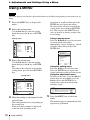
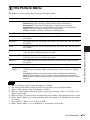
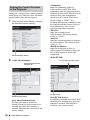
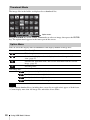
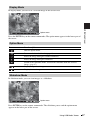
Adjust Signal
Adjusts the image of computer signal. Use this item if the edge of
the image is cut and reception is bad.
APA*2 *3
Automatically adjusts the projected image to an optimum quality
when you press the ENTER key (page 6).
Phase*2
Adjusts the dot phase of the display pixel and the input signal. Set
to the value where looks clearest.
Pitch*2 *5
The higher the value, the wider the horizontal image elements
(pitch). The lower the value, the narrower the horizontal image
elements (pitch).
Shift*4
H (Horizontal): The higher the value, the farther right the image
is projected on the screen. The lower the value, the image farther
left.
V (Vertical): The higher the value, the farther up the image is
projected on the screen. The lower the value, the image farther
down.
Notes
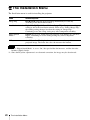
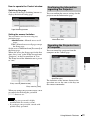
The Screen Menu
Adjustments and Settings Using a Menu
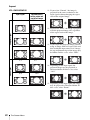
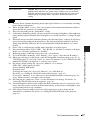
*1: • Note that if the projector is used for profit or for public viewing, modifying the original picture
by switching to the aspect mode may constitute an infringement of the rights of authors or
producers, which are legally protected.
• Depending on the input signal, setting items for aspect ratio or some other setting items cannot
be set in some cases, or changing the aspect ratio setting may have no effect.
• A part of the image may be displayed in black, depending on the setting item.
*2: Available when a computer signal is input from the RGB input connector (INPUT A/INPUT B).
*3: If the projected image includes large amount of black portion around it, the APA function will
not work properly and a part of the image may not be displayed on the screen and also optimum
image cannot be obtained, depending on the type of input signal. In this case, adjust the “Phase,”
“Pitch,” and “Shift” items manually.
*4: Available when a computer or a video signal is input from the RGB/YPBPR input connector
(INPUT A).
*5: When “APA” (page 21) or “Smart APA” (page 24) is performed, the adjusted value for “Pitch”
will return to its factory default. If you want to continue using the adjusted value, set “Smart
APA” to “Off.”
21