1
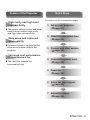
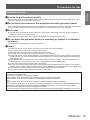
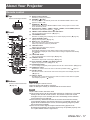
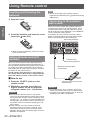
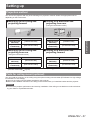
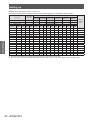
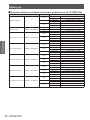
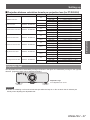
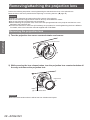
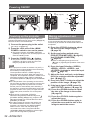
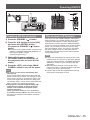
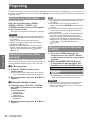
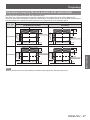
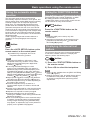
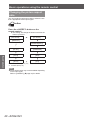
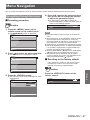
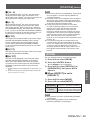
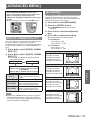
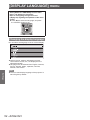
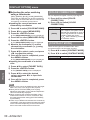
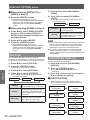
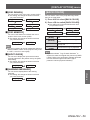
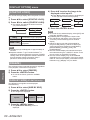
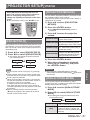
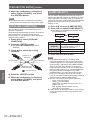
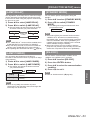
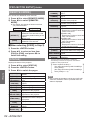
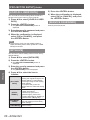
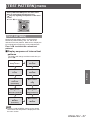
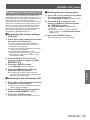
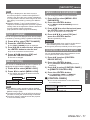
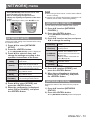
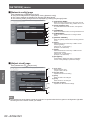
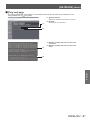
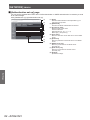
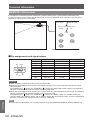
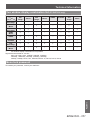
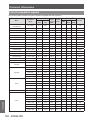
Menu Navigation Menu Navigation The on-screen menu (Menu screen) is used to perform various settings and adjustments of the projector. Navigating through the menu ■ Operating procedure z For some items, press ◀▶ to display an individual adjustment screen with a bar scale as shown in the following diagram. button CONTRAST 1) Press the <MENU> button on the remote control or the control panel. z The [MAIN MENU] screen is displayed. MAIN MENU PICTURE POSITION ADVANCED MENU DISPLAY LANGUAGE DISPLAY OPTION PROJECTOR SETUP TEST PATTERN SIGNAL LIST SECURITY NETWORK MENU SELECT SUB MENU 2) Press to select the main menu item. z The selected item is highlighted in yellow. MAIN MENU PICTURE ADJUST Note z Press the <MENU> button to return to the previous menu. z Some items may not be adjusted or used for certain signal formats input to the projector. The menu items that cannot be adjusted or used are shown in gray characters, and they cannot be selected. z Some items can be adjusted even if signals are not input. z Individual adjustment screen is cleared automatically if no operation is performed for approximately five seconds. (Excluding some functions) z Refer to “MAIN MENU” ( page 42) or “SUB MENU” ( pages 42 to 43) regarding the menu items. z The selected item is displayed with the yellow cursor by default. The cursor color depends on the setting in [OSD DESIGN] ( page 59). ■ Resetting to the factory default POSITION ADVANCED MENU DISPLAY LANGUAGE If the <DEFAULT> button on the remote control is pressed, the values set in the menu will be restored to the factory default settings. DISPLAY OPTION PROJECTOR SETUP TEST PATTERN SIGNAL LIST SECURITY NETWORK button MENU SELECT ENTER 0 SUB MENU 3) Press the <ENTER> button. z The sub-menu items of the selected main menu are displayed. Press the <DEFAULT> button on the remote control. CONTRAST 0 POSITION SHIFT ASPECT DEFAULT ADJUST ZOOM CLOCK PHASE 0 KEYSTONE MENU SELECT ENTER SUB MENU ENGLISH - 41 Settings ENTER 4) Press ▲▼ to select the sub-menu item, then press ◀▶ to change the settings or adjust the parameter values.