1
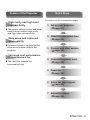
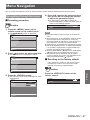
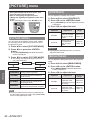
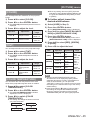
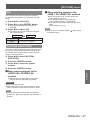
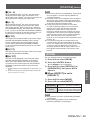
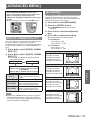
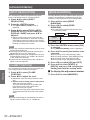
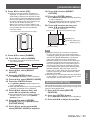
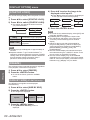
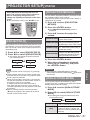
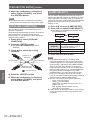
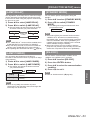
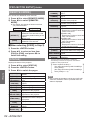
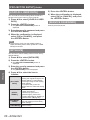
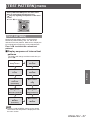
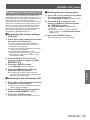
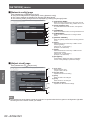
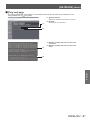
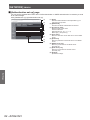
[PICTURE] menu You can adjust the color saturation of the projected image. 1) Press ▲▼ to select [COLOR]. 2) Press ◀▶ or the <ENTER> button. z The [COLOR] individual adjustment screen is displayed. 3) Press ◀▶ to adjust the level. Adjustment range Operation Adjustment Press ▶ . Deepens colors. Maximum value +31 Press ◀ . Weakens colors. Minimum value -31 [TINT] You can adjust the skin tone in the projected image. 1) Press ▲▼ to select [TINT]. 2) Press ◀▶ or the <ENTER> button. z The [TINT] individual adjustment screen is displayed. z When any setting other than [OFF] has been selected for [COLOR MATCHING] ( page 55) the [COLOR TEMPERATURE] setting is fixed to [USER]. ■ To further adjust toward the desired white balance 4) Select [USER] in Step 3). 5) Press the <ENTER> button. z The [WHITE BALANCE] screen is displayed. 6) Press ▲▼ to select [WHITE BALANCE HIGH] or [WHITE BALANCE LOW]. 7) Press the <ENTER> button. z The [WHITE BALANCE HIGH] screen or the [WHITE BALANCE LOW] screen is displayed. 8) Press ▲▼ to select [RED], [GREEN], or [BLUE]. 9) Press ◀▶ to adjust the level. Item [RED] 3) Press ◀▶ to adjust the level. Operation Press ▶ . Press ◀ . Adjustment Adjusts skin tone toward greenish color. Adjusts skin tone toward reddish purple. Adjustment range Maximum value +31 Minimum value -31 [COLOR TEMPERATURE] You can switch the color temperature if the white areas of the projected image are bluish or reddish. 1) Press ▲▼ to select [COLOR TEMPERATURE]. 2) Press ◀▶ or the <ENTER> button. z The [COLOR TEMPERATURE] individual adjustment screen is displayed. [GREEN] [BLUE] Operation Adjustment Press ▶ . Deepens red. Weakens red. Deepens green. Weakens green. Deepens blue. Weakens blue. Press ◀ . Press ▶ . Press ◀ . Press ▶ . Press ◀ . Adjustment range Maximum value HIGH: 255 LOW: 63 Minimum value HIGH: 0 LOW: 0 Default HIGH: 255 LOW: 32 Note z Adjust [COLOR TEMPERATURE] correctly. All colors will not be displayed properly unless adequate adjustment is made. If the adjustment does not look suitable, you can press the <DEFAULT> button on the remote control to return the setting for the selected item only to the factory default setting. z Internal test pattern ( page 67) will not reflect the settings of the [COLOR TEMPERATURE]. Be sure to perform the setting of the [COLOR TEMPERATURE] with the input signal projected. 3) Press ◀▶ to switch [COLOR TEMPERATURE]. z The setting will change as follows each time you press the button. [DEFAULT] [USER] [HIGH] [MIDDLE] ENGLISH - 45 Settings [COLOR]