1
5
Trouble shooting
5.4
Error messages
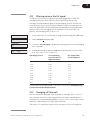
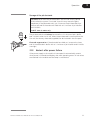
If the suggested actions do not correct the fault, call GE Healthcare.
Message
Action
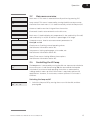
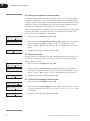
34 Start up failed
1 Perform a new start-up. The preceding message may tell more about
Retry/Call
34
Start upservice
failed
the cause.
Retry/Call service
Start up failed
34
35 WARNING wrong
Retry/Call service
averaging
timewrong
set
35
WARNING
averaging time set
2 If not, call service.
35 WARNING wrong
averaging time set
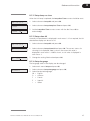
50 Electrical error
1 Wrong value for averaging time set. See section 3.11 on how to set the
CallElectrical
for service
50
error
averaging time relative to peak width.
Call for service
50 Electrical error
Call for service
57 Electrical
1 Call for Service.
error
CallElectrical
for service
57
error
Call for service
57 Electrical error
75 Electrical
error
Call
for service
Call
for service
75 Electrical
error
Call for service
75 Electrical error
for service
Call
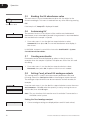
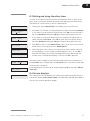
70 Lamp disconnected
If
call disconnected
service
70not
Lamp
If not call service
1 Connect the lamp, or call for service.
70 Lamp disconnected
call service
If71not
WARNING low
intensity
WARNING low
71
intensity
light
light
71 WARNING low light
intensity
72 Change lamp or
or
for service
call
72 Change
lamp
call for service
72 Change lamp
call
76 Change
lamp
for service
or
or
call
for service
76 Change
lamp or
call for service
76 Change lamp or
73 WARNING
call
for service Too much
1 Check connection between optical unit and monitor.
2 Check that lamp and filter position correspond.
3 Change lamp. If warning persists, call for service.
1 If used in cold room, additional warm up might be needed.
2 If problem remains, change the lamp.
3 If problem remains, call for service.
leaksToo
in much
73 WARNING
straylight
1
straylight leaks in
2
73 WARNING Too much
straylight leaks in
3
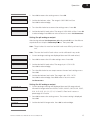
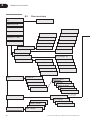
77 WARNING Autozero
77
4
OutWARNING
of range Autozero
Out of range
77 WARNING
Out of range
Autozero
Check that filter wheel cover is closed.
Check that non-transparent tubings are used at UV flow cell inlet and
outlet.
Check that optical unit is not exposed to direct sunlight.
If problem remains, call service
1 Auto is not allowed from a level above 2 AU.
2 Check buffers.
3 Clean UV cell.
Monitor UPC-900 User Manual 18-1125-55 Edition AG
31