1
26
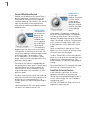
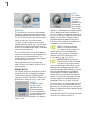
Command (Mac)/Control (PC) click the control
to reset it to its default value of 8000 Hz.
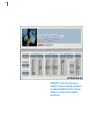
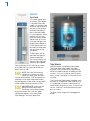
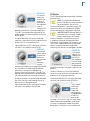
Threshold
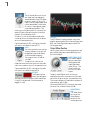
This control sets the threshold level of SYBIL’s
compressor. The range is from 0 dB to -80 dB.
In most cases, the default value of -48 dB is a
good place to start.
Command (Mac)/Control (PC) click the control
to reset it to its default value of -48 dB.
Compression
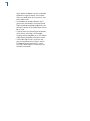
This control sets the compression ratio of
SYBIL’s compressor. The range is from 1.0:1 to
99:1. In most cases, the default value of 2.4:1 is
a good place to start.
Command (Mac)/Control (PC) click the control
to reset it to its default value of 2.4:1.
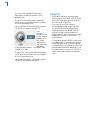
Attack Time
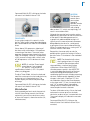
This control adjusts the speed with which
SYBIL’s compressor responds to peaks in the
signal coming from the high pass filter. The
range of the control is from 3 milliseconds to
100 milliseconds.
Command (Mac)/Control (PC) click the control
to reset it to its default value of 10 milliseconds.
Release Time
This control adjusts the time it takes the
compressor’s gain to increase 6 dB after the
signal coming from the high pass filter drops
below the threshold. The range of the control is
from 3 milliseconds to 200 milliseconds.
Command (Mac)/Control (PC) click the control
to reset it to its default value of 20 milliseconds.
Usage Tips
•
•
SYBIL functions solely as a mono processor.
If the high pass frequency is set too low,
non-sibilant components of the signal will
be compressed and the vocal will have its
highs attenuated. If it is set too high, some
sibilance will still remain. The trick is to find
that ideal point where only the sibilance is
affected. When set correctly, you can’t tell
that there is processing going on. If you can
hear something happening, SYBIL needs to
have its settings tweaked.