1
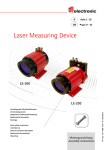
LE-200 User Manual ● Safety notes ● Assembly ● Installation / Commissioning ● Parameter setting ● Causes of Faults and Remedies ● Software/Support CD: 490-01001 - Soft-No.: 490-00407 TR - ELE - BA - GB - 0009 - 07 12.01.2010 Laser Measuring Device LE-200 with CAN DeviceNet - interface TR-Electronic GmbH D-78647 Trossingen Eglishalde 6 Tel.: (0049) 07425/228-0 Fax: (0049) 07425/228-33 E-mail: [email protected] http://www.tr-electronic.de Copyright protection This Manual, including the illustrations contained therein, is subject to copyright protection. Use of this Manual by third parties in contravention of copyright regulations is forbidden. Reproduction, translation as well as electronic and photographic archiving and modification require the written content of the manufacturer. Offenders will be liable for damages. Subject to amendments Any technical changes that serve the purpose of technical progress, reserved. Document information Release date/Rev. date: Document rev. no.: File name: Author: 12.01.2010 TR - ELE - BA - GB - 0009 - 07 TR-ELE-BA-GB-0009-07.DOC MÜJ Font styles Italic or bold font styles are used for the title of a document or are used for highlighting. Courier font displays text, which is visible on the display or screen and software menu selections. ″< > ″ indicates keys on your computer keyboard (such as <RETURN>). Trademarks DeviceNet is a registered trademark of ODVA (Open DeviceNet Vendor Association) © TR-Electronic GmbH 2007, All Rights Reserved Page 2 of 32 Printed in the Federal Republic of Germany TR - ELE - BA - GB - 0009 - 07 12.01.2010 Revision History Revision History i Note The cover of this document shows the current revision status and the corresponding date. Since each individual page has its own revision status and date in the footer, there may be different revision statuses within the document. Documents that are in the appendix have their own revision history. Document created: 22.07.2003 Revision Date Expansion of the function for the error output, service 00C • Speed-check, configurable via TRWinProg New parameter, service 00F • "Intensity in %" - Revision of the warning label in chapter "Intended purpose" ● Revision of the shielding concept ● General technical modifications ● Layout modifications ● Max. measuring range 240 m ● Implementation of new reflectors ● Physical resolution = 0,1mm ● Shield connection via cable screw glands removed 09.10.2003 18.12.2003 01.06.2007 18.12.2007 05.02.2009 12.01.2010 © TR-Electronic GmbH 2007, All Rights Reserved Printed in the Federal Republic of Germany 12.01.2010 18.09.2003 TR - ELE - BA - GB - 0009 - 07 Page 3 of 32 Table of Contents Table of Contents Revision History ...............................................................................................................................3 Table of Contents .............................................................................................................................4 1 Safety ..............................................................................................................................................6 1.1 General risk potential.......................................................................................................6 1.2 Safety information............................................................................................................6 1.2.1 Hints on installation..........................................................................................7 1.2.1.1 General interference suppression measures ..................................8 1.3 Intended purpose.............................................................................................................9 1.4 Authorized operators .......................................................................................................11 1.5 Safety measures at the installation site...........................................................................11 2 General Description ......................................................................................................................12 3 Transportation / Storage...............................................................................................................13 4 Assembly instructions ..................................................................................................................14 4.1 Aligning of the laser light spot to the reflector / foil inclination.........................................14 4.2 Parallel operation of laser linear paths ............................................................................16 5 Commissioning / Installation .......................................................................................................17 5.1 Electrical connection........................................................................................................17 5.1.1 Supply voltage .................................................................................................17 5.1.2 CAN DeviceNet................................................................................................17 5.1.2.1 Bus termination ................................................................................18 5.1.2.2 Identifier (MAC-ID) ...........................................................................18 5.1.2.3 Baud rate .........................................................................................18 5.1.2.4 Length of the bus line.......................................................................18 5.1.3 Switching input / Switching output ...................................................................19 5.1.4 RS485 - programming interface ......................................................................19 5.1.5 Wiring examples ..............................................................................................20 5.2 CAN DeviceNet interface.................................................................................................21 5.2.1 Bus status ........................................................................................................21 5.2.2 EDS-file............................................................................................................21 5.2.3 Messages ........................................................................................................22 5.2.4 Classes ............................................................................................................22 5.2.5 I/O Instance .....................................................................................................23 6 Configuration / Parameter setting via the CAN DeviceNet master...........................................24 6.1 Configuration Assembly Data Attribute Format ...............................................................24 6.2 Parameter Object Instances ............................................................................................25 6.3 Parameters / Value Ranges ............................................................................................25 6.3.1 Direction of Counting - Service 001 hex ........................................................25 6.3.2 Clear Preset - Service 002 hex......................................................................25 6.3.3 Scaling in 1/100 mm - Service 003 hex .........................................................26 6.3.4 Preset - Service 005 hex ...............................................................................26 6.3.5 Data-Check - Service 006 hex.......................................................................26 6.3.6 Preset-Adjustment - Service 007 hex ............................................................26 © TR-Electronic GmbH 2007, All Rights Reserved Page 4 of 32 Printed in the Federal Republic of Germany TR - ELE - BA - GB - 0009 - 07 12.01.2010 Table of Contents 6.3.7 Resolution - Service 009 hex.........................................................................26 6.3.8 Function external input - Service 00A hex.....................................................27 6.3.9 Automatic error acknowledgement - Service 00B hex ....................................27 6.3.10 Function error output - Service 00C hex .....................................................27 6.3.11 Output value in case of an error - Service 00D hex ....................................28 6.3.12 Output of the error status via the bus - Service 00E hex.............................28 6.3.13 Intensity in % - Service 00F hex ..................................................................29 7 Causes of Faults and Remedies ..................................................................................................29 8 Maintenance...................................................................................................................................30 8.1 General Maintenance Information ...................................................................................30 8.2 Repair, Maintenance .......................................................................................................30 9 Appendix ........................................................................................................................................31 9.1 Specifications...................................................................................................................31 9.1.1 Electrical ratings ..............................................................................................31 9.1.2 Environmental conditions ................................................................................32 9.2 Accessories .....................................................................................................................32 Pin Assignment........................................................................................ TR-ELE-TI-GB-0009 Drawings Dimensioned drawing ........................................................................... 04-K2200-002 © TR-Electronic GmbH 2007, All Rights Reserved Printed in the Federal Republic of Germany 12.01.2010 TR - ELE - BA - GB - 0009 - 07 Page 5 of 32 Safety 1 Safety 1.1 General risk potential The Laser Measuring Device LE-200 CAN DeviceNet cannot be operated independently, but is installed as part of an overall system usually consisting of several interacting components. For this reason, the laser measuring device is not equipped directly with a protective device. Warning The corresponding measures must be taken in order to avoid person and property damages! However, in the event of an error via an error status (CAN bus) or via an error output (hardware) different error messages are output (see 6.3.12 page 28 and 6.3.10 page 27). It is therefore essential to integrate the error messages into your own safety system via the evaluation software (e.g. a PLC). All persons responsible for the assembly, start-up and operation of the device must • be suitably qualified • adhere strictly to this operating manual. Your safety and the safety of your equipment depends on this! 1.2 Safety information This operating manual contains information which must be observed in the interests of your own personal safety and that of your equipment. The safety hints are emphasized by a warning triangle and classified according to the degree of danger as follows: Warning means that failure to take the relevant safety precautions can lead to serious damage to property or injuries. i Note refers to important information and features of the product, plus tips on its application. © TR-Electronic GmbH 2007, All Rights Reserved Page 6 of 32 Printed in the Federal Republic of Germany TR - ELE - BA - GB - 0009 - 07 12.01.2010 Safety 1.2.1 Hints on installation Since the Laser Measuring Device is normally used as part of a larger system, these hints are merely intended as a guide for integrating the device safely into its environment. Warning • During the operation of the Laser Measuring Device it isn't allowed to interrupt the laser beam. If it comes nevertheless to an interruption, at the restart of the automatic operation mode first the validity (plausibility) of the measured value has to be checked. • Precautionary measures must be taken to allow an interrupted program to be properly resumed following a voltage drop or failure. Dangerous operating conditions must not be permitted to arise even for short periods. If necessary, an "EMERGENCY STOP" must be forced. • EMERGENCY STOP devices according to EN 60204/IEC 204 (VDE 0113) must remain operational in all operating modes of the programmable controller. The release of the EMERGENCY STOP devices must not trigger an uncontrolled or undefined reactivation of the equipment. • The safety and accident prevention regulations applicable to the specific application must be observed. • In the case of permanently installed plants or systems without an all-pole mains switch and/or fuses, one of these devices must be installed accordingly and the equipment connected to a PE conductor. • In the case of 24 V supplies, make sure the extra-low voltage is reliably disconnected. Only use power supply units manufactured to the standards IEC 364 - 4 - 41 / HD 384.04.41 (VDE 0100 Part 410). • Fluctuations or deviations of the supply voltage from the nominal value must not exceed the tolerance limits stated in the specifications, otherwise operational failures and dangerous states in the electrical assemblies cannot be ruled out. • Connecting and signal wires must be installed in such a way as to prevent the automation functions from being hampered by inductive and capacitive interference. • The units of the automation system and their operating elements must be installed in such a way as to ensure adequate protection against accidental actuation. • In order to prevent a wire or strand breakage on the signal side from causing undefined states in the programmable controller, suitable hardware and software safety precautions must be taken with regard to the I/O interface. © TR-Electronic GmbH 2007, All Rights Reserved Printed in the Federal Republic of Germany 12.01.2010 TR - ELE - BA - GB - 0009 - 07 Page 7 of 32 Safety 1.2.1.1 General interference suppression measures • Lay the (shielded) connecting cable to the device at a sufficient distance or in a separate room from any power cables which are subject to interference. Otherwise the data transmission of the measured value can be interfered. • To ensure reliable data transmission, use fully shielded cables and make sure they are well earthed. For differential data transfer (RS422, RS485 etc.), twisted-pair wires must be used in addition. • Use a minimum cable cross-section of 0.22 mm2 for data transfer purposes. • Use a minimum earthing cable (machine base) cross-section of 10 mm2 in order to avoid equipotential currents across the shield. Make sure the resistance of the earthing cable is much lower than that of the shield. • Avoid crossing cables where possible. If unavoidable, only cross them at rightangles. • The line shielding of the CAN cable must be connected on screw-clamp 16, see chapter 5.1.2 on page 17 and chapter 5.1.5 on page 20. In order to correspond to the CAN DeviceNet installation technology, the cable screw glands and internal screen clamps may not be used in this case for the shielding connection. The CAN connection signal GNDI is galvanically separated from the device voltage supply and may not be connected therefore with 0V. • The line shielding for the RS485 connection with parameter setting possibility over "TRWinProg" is to be connected on the internalscreen clamp (A), see chapter 5.1.5 on page 20. Figure 1: Connection cap with shield clampings © TR-Electronic GmbH 2007, All Rights Reserved Page 8 of 32 Printed in the Federal Republic of Germany TR - ELE - BA - GB - 0009 - 07 12.01.2010 Safety 1.3 Intended purpose The measuring system is used for recording linear movements and processing the measured data for a downstream control system with a CAN DeviceNet Field Bus interface according to ISO/DIS 11898. Particularly the measuring system is designed for the use of distance measurements for the detection of the position and positioning of: High-bay storage devices and lifting gears Crane systems Side-tracking skates and truck storage vehicles Transfer machines Warning Switch off the voltage supply before carrying out wiring work or opening and closing electrical connections! Short-circuits, voltage peaks, etc. can cause operating failures and uncontrolled operating states, as well as serious personal injuries and damage to property. Check all electrical connections before switching on the system! Incorrectly wired connections can cause operating failures, while wrong connections can lead to serious personal injuries and damage to property. Mechanical or electrical modifications to the measuring systems are prohibited for safety reasons! In particular the following uses are forbidden operation in areas where interruption of the laser beam, e.g. by covering the laser lens opening, can lead to equipment damage or injury to personnel in environments, in which strong rain, snow, fog, steams or direct insolations etc. can influence the laser beam intensity negatively operation in rooms with explosive atmospheres operation for medical purposes With use-purposes larger 125m measuring length, a special reflector must to be used! (see chapter "Accessories", page 32) © TR-Electronic GmbH 2007, All Rights Reserved Printed in the Federal Republic of Germany 12.01.2010 TR - ELE - BA - GB - 0009 - 07 Page 9 of 32 Safety Warning Laser Light Do not stare into the beam Laser Class 2 P max = 1 mW, λ = 670 nm DIN EN 60825-1: 2003-10 Complies with 21 CFR 1040.10 and 1040.11 except for deviations pursuant to laser notice No. 50, July 2001 • In the case of Class 2 laser devices, the eye is not endangered if the exposure of the laser radiation is very short (up to 0.25 s) and accidental. For this reason, devices of this class can be used without additional protective measures, provided for the application it is not necessary to look into the laser beam deliberately for longer periods, i.e. 0.25 s, or to look repeatedly into the laser beam itself or the specular reflected beam. The existence of the blinking reflex for the protection of the eyes may not be assumed. Therefore the eyes should be closed consciously, or the head should be turned away immediately! • The device must be installed in such a way that the exposure of persons to the laser beam can only happen accidentally. • The laser beam may only extend as far as is necessary for the range measurement. The beam must be limited at the end of the useful range by a diffusely reflecting target area in such a way as to minimize the danger from direct or diffuse reflection. For this purpose, you should use the TR-Electronic reflecting foil supplied with the device. • The area outside the operating range where the unshielded laser beam falls should be limited as far as possible and should remain out of bounds, particularly in the area above and below eye level. • Observe the legal and local regulations applicable to the operation of laser units. i Note The start-up, operating and programming instructions contained in this manual are mandatory. © TR-Electronic GmbH 2007, All Rights Reserved Page 10 of 32 Printed in the Federal Republic of Germany TR - ELE - BA - GB - 0009 - 07 12.01.2010 Safety 1.4 Authorized operators The start-up and operation of this device may only be performed by qualified personnel. For the purposes of this manual, the term "qualified personnel" refers to persons who are authorized to operate, earth and label equipment, systems and power circuits according to recognized safety standards. 1.5 Safety measures at the installation site Warning Do not perform any welding work once the device is connected and switched on! Variations in potential can destroy the device or restrict its operation. Do not touch plug contacts with your hands! Static charges may destroy electronic components of the device. Do not connect unused inputs (see pin assignment)! Observe the voltage supply range: Standard device: 18-27 V DC (± 5 %) Device with heating: 24 V DC (± 5 %) Clean lens opening of the laser and the reflecting foil regularly! (see chapter "Maintenance", page 30) i Note Make sure that the environment of the installation site is protected against corrosive media (acids, etc.) © TR-Electronic GmbH 2007, All Rights Reserved Printed in the Federal Republic of Germany 12.01.2010 TR - ELE - BA - GB - 0009 - 07 Page 11 of 32 General Description 2 General Description The laser measuring devices of the series LE are optical sensors, with which larger distances can be measured without contact and serviceable for controller. The measuring system consists of the real measuring device with laser light source, receiving optics, electronic evaluation and data interface as well as a reflector. The device sends out a modulated light beam which is reflected by the reflector. From the phase difference of the sent and received light beam the distance is measured 1000 times per second. Thus the LE is suitable also directly for the position feedback in controller loops. According to the requirements the laser distance measuring devices of the series LE200 CAN DeviceNet are configured either directly over the CAN-bus or with the PCprogramming software "TRWinProg". Principle Receiver signal ϕ Transmitter signal ϕ = Phase displacement Reflecting foil d = Distance d = f(ϕ) Measuring start 0,2m Measuring end Display range max. 240m (Special Device) © TR-Electronic GmbH 2007, All Rights Reserved Page 12 of 32 Measuring range 125m Printed in the Federal Republic of Germany TR - ELE - BA - GB - 0009 - 07 12.01.2010 Transportation / Storage 3 Transportation / Storage Transport instructions Do not drop the device or expose it to shocks or vibrations! Device contains an optical system with glass elements. Only use the original packaging! The wrong packaging material can cause damage to the device during transportation. Storage Storage temperature : -20 to +75°C Store in dry conditions. © TR-Electronic GmbH 2007, All Rights Reserved Printed in the Federal Republic of Germany 12.01.2010 TR - ELE - BA - GB - 0009 - 07 Page 13 of 32 Assembly instructions 4 Assembly instructions The adjustment of the laser measuring device in the vertical plain is carried out via four studs (A) in the mounting plate. The adjustment in the horizontal plane can be made by four hexagon bolts (B). It has to be taken into account that the screw diameter is approx. 1-2 mm smaller than the through bore of the mounting plate. Exact dimensional properties are on the dimensional drawing in the rear part of the document. B A Figure 2: Mechanical adjustment possibilities 4.1 Aligning of the laser light spot to the reflector / foil inclination i The measuring device or reflector is attached to the moving object and the reflector/sensor to the fixed remote station in such a way that the reflector always remains within the visual field of the sensor. This can be done using the light spot of the laser diode, which is still clearly visible on the reflecting foil even at long distance. When aligning the laser measuring device, the user may need to take measures to ensure that it can be mechanically adjusted. The size of the reflecting foil must be such that the light spot cannot be displaced from the reflector by vibrations. Since with an increasing distance the light spot gets larger and larger, the edge areas of the foil also have to be avoided. The device comes with a reflecting foil measuring 20 x 20 [cm], but other sizes can be ordered on request. Note Reflecting foils by other manufacturers should not be used under any circumstances, as all the information in the "Specifications" chapter refers to the foil already supplied with the device. © TR-Electronic GmbH 2007, All Rights Reserved Page 14 of 32 Printed in the Federal Republic of Germany TR - ELE - BA - GB - 0009 - 07 12.01.2010 Assembly instructions Procedure: • Figure 3: Detection of the surface reflectivity: At first attaching the reflector foil flatly and drive plant on minimal distance Laser – Foil. Centering paper (C) in front of the laser optics so, that the laser beam can unhinderedly emerge by an approx. 2 cm hole. Now, the interfering signal (B) should get visible on the paper (C). To the better location of the interfering signal (B) the reflector foil can be moved also a little. Here it is valid: angle of incidence = angle of reflection • Figure 4: Transmitting away the surface reflectivity: Rotate the reflector foil in the Y- or in the Z-axis so, that the interference signal (B) always is outside the laser lens. Nevertheless keeping the inclination of the reflector foil as low as possible to minimize measuring errors caused by misalignments in the procedure movement. For example, if the light spot drifts on the reflector foil around, small differences arise as a result of the oblique position. Fix reflector foil (A) real wanted signal, is always thrown back 180° independently of the reflector inclination Figure 3: Detection of the surface reflectivity (B) Surface reflectivity (interference signal) (C) Paper with an approx. 2 cm large hole in the center Figure 4: Transmitting away the surface reflectivity © TR-Electronic GmbH 2007, All Rights Reserved Printed in the Federal Republic of Germany 12.01.2010 TR - ELE - BA - GB - 0009 - 07 Page 15 of 32 Assembly instructions 4.2 Parallel operation of laser linear paths It has to be taken care in the parallel operation of laser linear paths that a minimum distance of 1 m is kept. The reflector foil inclination must be made in such a way that the surface reflectivity (see arrows) points not into the other laser linear path. The alignment is carried out as described in chapter 4 / 4.1. Figure 5: Minimum distance in parallel operation © TR-Electronic GmbH 2007, All Rights Reserved Page 16 of 32 Printed in the Federal Republic of Germany TR - ELE - BA - GB - 0009 - 07 12.01.2010 Commissioning / Installation 5 Commissioning / Installation 5.1 Electrical connection i Note At the realization of the electrical connection the references in chapter 1.2.1, starting from page 7 must be considered. In order to be able to carry out the connection, the connection cap must be removed from the laser first. For this the screws (A) are loosened and the cap (B) is removed away from the laser. ERR OK RUN B A 1 A 20 X1 DIP-Switch ON 2 0 2 7 OFF 5.1.1 Supply voltage Pin 7 0V, GND Pin 8 Standard: 18 – 27 V DC Device with heating: 24 V DC (±5%) 1 2 3 4 5 6 7 8 9 10 11 12 13 14 15 16 17 18 19 20 5.1.2 CAN DeviceNet Pin 15 GNDI (reference potential CAN_L / CAN_H) Pin 16 Shield (internal RC-element onto case) Pin 17 CAN_H Pin 18 CAN_H 1 2 3 4 5 6 7 8 9 10 11 12 13 14 15 16 17 18 19 20 Pin 19 CAN_L Pin 20 CAN_L © TR-Electronic GmbH 2007, All Rights Reserved Printed in the Federal Republic of Germany 12.01.2010 TR - ELE - BA - GB - 0009 - 07 Page 17 of 32 Commissioning / Installation 5.1.2.1 Bus termination For the communication a defined no-signal level must be guaranteed on the CAN bus. To this both line ends have to be terminated with terminating resistors. In the laser measuring device is not provided an add-on connection of the terminating resistor. Therefore, if the laser measuring device is the last slave in the CAN bus line, the termination must be made manually with a terminating resistor of 121 ohms between the CAN_H and CAN_L lines. 5.1.2.2 Identifier (MAC-ID) 1 2 3 4 5 6 7 8 9 10 11 12 13 14 15 16 17 18 19 20 The identifier (laser address) 0 – 63 is adjusted via the DIL-switches 1-6: DIL-1 = ID 20, DIL-6 = ID 25 Note: The adjusted address may be assigned only once in the CAN DeviceNet bus. 1 2 DIP-Switch ON 0 2 7 OFF 5.1.2.3 Baud rate The baud rate is adjusted via the DILswitches 7-8: 1 2 3 4 5 6 7 8 9 10 11 12 13 14 15 16 17 18 19 20 DIP-7 DIP-8 Baud rate OFF OFF 125 kbps ON OFF 250 kbps OFF ON 500 kbps 1 2 DIP-Switch ON 0 2 7 OFF 5.1.2.4 Length of the bus line The max. bus line length is dependent on the adjusted baud rate: Baud rate [kbps] 125 250 500 Line length [m] approx. 500 approx. 250 approx. 100 © TR-Electronic GmbH 2007, All Rights Reserved Page 18 of 32 Printed in the Federal Republic of Germany TR - ELE - BA - GB - 0009 - 07 12.01.2010 Commissioning / Installation 5.1.3 Switching input / Switching output The programming of the switching input / switching output is carried out either directly via the bus, or via the PC software "TRWinProg". Functions of the switching input: - Preset - Switch off laser diode - Failure quit Functions of the switching output: - Temperature- , - Intensity- , - Hardware-Fail-Output or - every fail - Speed-check - Plausibility measured value - Switching output position Pin 1 GND, reference potential pin 2 Pin 2 Switching output Pin 3 Switching input 1 2 3 4 5 6 7 8 9 10 11 12 13 14 15 16 17 18 19 20 5.1.4 RS485 - programming interface The RS485 programming interface was developed mainly only as service interface for the technician. Primarily therefore the programming possibilities via the CAN DeviceNet should be used. Via the PC software "TRWinProg" and a PC adapter the connection to the laser measuring device is established. More informations see page 20 or in the TRWinProg software manual. Pin 9 RS485– Pin 10 RS485+ 1 2 3 4 5 6 7 8 9 10 11 12 13 14 15 16 17 18 19 20 © TR-Electronic GmbH 2007, All Rights Reserved Printed in the Federal Republic of Germany 12.01.2010 TR - ELE - BA - GB - 0009 - 07 Page 19 of 32 Commissioning / Installation i 5.1.5 Wiring examples Note Observe the “General interference suppression measures”, chapter 1.2.1.1 page 8. CAN DeviceNet connection RS485-connection with parameter setting via "TRWinProg" © TR-Electronic GmbH 2007, All Rights Reserved Page 20 of 32 Printed in the Federal Republic of Germany TR - ELE - BA - GB - 0009 - 07 12.01.2010 Commissioning / Installation 5.2 CAN DeviceNet interface The CAN-Fieldbus-Interface (separated galvanically by CAN-BUS-Driver PCA82C251) in the Laser is determined according to the international standard ISO/DIS 11898 and covers the two lower layers of the ISO/OSI reference module. The transformation of Laser information into the CAN protocol occurs by the protocol chip SJA1000. The function of the protocol chip is monitored by a watchdog. The PREDEFINED MASTER/SLAVE CONNECTION SET is used for the Laser who only works as a slave. It will be used only the Group 2 Messages with the exception of the Group 1 Message For Slave I/O Poll Response. Establishing or breakdown of a connection must occur via Group 2 Only Unconnected Explicit Request Message. i The Laser contains an I/O Communication Port and an Explicit Message Communication Port. The I/O communication port is used for polling the Laser position and must be made accessible by setting the watchdog (after the I/O connection master/slave was set up before). Is the I/O port not retriggered (polled) punctually the connection is interrupted and the red LED flashes. The connection for the I/O port must be installed again. Note During programming, data is exchanged between the Laser and the master in binary code. 5.2.1 Bus status At the connection cap the laser has 3 LEDs, which display the bus status of the laser: LEDs Off Laser is not on-line - No Dup_MAC_ID test - Device may not be powered RUN, green On-line, with connections in the established state - Device is allocated to a master RUN, green flashing Recoverable faults - e.g. I/O-connections are in the time-out state ERR, red - Turn off system, after that turn on system - Replace laser device ERR, red flashing - Dup-MAC-ID test successful - No allocation to a master OK, green Laser hardware ok ERR OK RUN 5.2.2 EDS-file The EDS-file (electronic data sheet) contains all informations about the laser specific parameters and operating modes of the laser measuring device. The EDS-file is needed by the DeviceNet network configuration tool to be able to configure or to take into operation the laser measuring device duly. The EDS-file has the file name "LE200.EDS" The file is on the Software/Support CD: Order number: 490-01001, Soft-No.: 490-00407. © TR-Electronic GmbH 2007, All Rights Reserved Printed in the Federal Republic of Germany 12.01.2010 TR - ELE - BA - GB - 0009 - 07 Page 21 of 32 Commissioning / Installation 5.2.3 Messages Following messages are supported by the Laser: • I/O Poll Command/Respond Message This message is sent directly by the master to the desired slave (point-to point). For every slave which is polled the master must sent an own poll command message. As response on a Poll Command the slave sends back to the master the Poll Response I/O Message. • Explicit Response/Request Message Explicit Request Messages are used for processing of write/read attribute's. Explicit Response Messages contains the result of an Explicit Request Message Service. • Group 2 Only Unconnected Explicit Request Message Group 2 Only Unconnected Explicit Request Message serves for the establishing or breakdown of connections for the Predefined Master/Slave Connection Set. • Duplicate MAC ID Check Message After switch-on the slave he reports Duplicate MAC ID Messages. 5.2.4 Classes The communication objects are divided into classes. The Laser supports the following classes: Object Class Number of instances Identity 1 Message Router 1 DeviceNet 1 Connection 2 Assembly 2 Parameter 15 Position Sensor 1 © TR-Electronic GmbH 2007, All Rights Reserved Page 22 of 32 Printed in the Federal Republic of Germany TR - ELE - BA - GB - 0009 - 07 12.01.2010 Commissioning / Installation 5.2.5 I/O Instance Input Instance Number Name 1 Position Value Input Data Format Instance Byte 1 0 1 2 3 Bit7 Bit6 Bit5 Bit4 Bit3 Bit2 Bit1 Bit0 Low Byte Position Value . . High Byte Position Value / Error Status Output Instance Number Name 1 Control Bits Output Data Format Instance Byte Bit7 Bit6 Bit5 Bit4 Bit3 1 0 0 0 0 0 FQ Bit2 Bit1 Bit0 LD-ON LD-OFF Preset Via the output byte control commands can be transferred to the laser. It must be taken into account that for a repeated execution of a control bit the corresponding bit has to be reset to "0" for at least one polling cycle. [Preset] Execute Preset Bit 0 in the output byte By setting this bit the laser is adjusted to the value deposited in "Preset - Service 005 hex", page 26. Preset cycles lower than 500ms are not allowed. [LD-OFF] Switch off laser diode Bit 1 in the output byte By setting this bit the laser diode (LD) is switched off for the extension of the life time. If in "Function external input Service 00A hex", page 27 = "LD-switching input" is preselected, or in the PC-program "TRWinProg" in the basic parameters the switching-off of the laser diode is carried out automatically, this function is ineffective. [LD-ON] Switch on laser diode Bit 2 in the output byte By setting this bit the laser diode is switched on. This function is ineffective if: see Bit 1 "Switch off laser diode" above. [FQ] Clear Error Bit 3 in the output byte If in parameter "Automatic error acknowledgement - Service 00B hex", page 27 the setting is preselected "not automatically", by setting this bit an occurring error report is deleted. If the error could not be eliminated, the corresponding bit in error status or error output is set in the next cycle again. Bit 4 - 7 not used © TR-Electronic GmbH 2007, All Rights Reserved Printed in the Federal Republic of Germany 12.01.2010 TR - ELE - BA - GB - 0009 - 07 Page 23 of 32 Configuration / Parameter setting via the CAN DeviceNet master 6 Configuration / Parameter setting via the CAN DeviceNet master The configuration of the laser occurs alternatively via the configuration software of the CAN DeviceNet - master or via the TRWinProg-software. With a download of the control parameters the parameters, which were configured via the TRWinProgsoftware, will be overwritten by the control. In this instruction only the configuration via the CAN DeviceNet - master is described. The PC program TRWinProg is described in an instruction of its own. 6.1 Configuration Assembly Data Attribute Format i Note The LE-200 laser measuring device can be operated also with LE-100 CAN DeviceNet projects, but then the functionality of the device is reduced. In this case the EDS-file "LE100.EDS" is to be used. Instance 42 Byte 0 1 2 to 5 6 to 9 10 to 13 14 to 15 Bit7 Bit6 Bit5 Bit4 1 1 Bit3 Bit2 Bit1 Bit0 Direction of counting 1 Clear Preset Scaling in 1/1000 mm Error value (not supported) 1 Low Byte Preset 1 High Byte Preset 1 Data-Check 16 Resolution 17 Function external input 18 Automatic error acknowledgement 19 Function error output 20 Output value in case of an error 21 Error status via the bus While programming the parameters via the "Assembly-Class" the Laser returns as response while reading the configured values to the master. At LE-100 projects altogether 16 bytes are returned, otherwise 22 bytes. The data check is carried out automatically. 1 With LE-100 CAN DeviceNet projects supported parameters © TR-Electronic GmbH 2007, All Rights Reserved Page 24 of 32 Printed in the Federal Republic of Germany TR - ELE - BA - GB - 0009 - 07 12.01.2010 Configuration / Parameter setting via the CAN DeviceNet master 6.2 Parameter Object Instances i Note The LE-200 laser measuring device can be operated also with LE-100 CAN DeviceNet projects, but then the functionality of the device is reduced. In this case the EDS-file "LE100.EDS" is to be used. Number 1 2 3 4 5 6 7 8 9 10 11 12 13 14 15 Name 2 Direction of Counting Clear Preset 2 Scaling in 1/100 mm Error value (not supported) 2 Preset 2 Data-Check 2 Adjustment 2 Software version Resolution Function external input Automatic error acknowledgement Function error output Output value in case of an error Error status via the bus Intensity in % 2 Data Type USINT USINT UDINT UDINT USINT UINT UDINT UDINT USINT USINT USINT USINT USINT USINT USINT If the parameters are programmed via the "Parameter-Class", for taking over the data, a Data-Check must be carried out subsequently (otherwise the programmed values are lost after Power off/on). 6.3 Parameters / Value Ranges 6.3.1 Direction of Counting - Service 001 hex Definition of the counting direction: 0 (223 to 20) (default) 1 (223 to 20) With increasing distance to the laser, values increasing With increasing distance to the laser, values decreasing The position value is max. 24 bit 6.3.2 Clear Preset - Service 002 hex Via this parameter, the calculated zero-point is deleted (difference of the desired preset value to the physical laser position). After deletion of the zero-point correction the laser outputs his "real" physical position. 0 1 2 Clear Preset No clearing With LE-100 CAN DeviceNet projects supported parameters © TR-Electronic GmbH 2007, All Rights Reserved Printed in the Federal Republic of Germany 12.01.2010 TR - ELE - BA - GB - 0009 - 07 Page 25 of 32 Configuration / Parameter setting via the CAN DeviceNet master 6.3.3 Scaling in 1/100 mm - Service 003 hex If in parameter "Resolution - Service 009 hex" the selection "Free resolution" was carried out, via the scaling the resolution of the measuring system is defined. Input value in 1/100 mm 1 mm e.g. corresponds to the input value of 100. That means, that the laser output 1 step / mm. Default value: 100, maximum value: 65535 6.3.4 Preset - Service 005 hex Definition of the position value to which the laser is adjusted, when the preset function is executed (see "I/O Instance", page 23 / "Function external input - Service 00A hex", page 27). The preset value must be programmed in the range from 0 ... measuring length (see "Range" chapter "Specifications", page 31). Default value is "0" 6.3.5 Data-Check - Service 006 hex Over the data check service the parameters are saved in the device permanently. This function must be executed after each parameter modification otherwise the programmed values are lost after Power off/on. 6.3.6 Preset-Adjustment - Service 007 hex By adjustment, via the CAN-bus the Laser is set to the desired position value. After the adjustment, no Data-Check is necessary. The value must be programmed in the range from 0 ... measuring length (see "Range" chapter "Specifications", page 31). Default value is "0" 6.3.7 Resolution - Service 009 hex Definition of the measuring system resolution. Options: 0 Centimeter 1 Millimeter (default) 2 1/10 millimeter 3 1/100 millimeter 4 Inch 5 1/10 Inch 6 Free resolution (in 1/100 mm), valid values are 1 - 65535, default = 100 With selection "Free resolution" the entered value of the parameter "Scaling in 1/100 mm - Service 003 hex" is used. © TR-Electronic GmbH 2007, All Rights Reserved Page 26 of 32 Printed in the Federal Republic of Germany TR - ELE - BA - GB - 0009 - 07 12.01.2010 Configuration / Parameter setting via the CAN DeviceNet master 6.3.8 Function external input - Service 00A hex Determines, whether the switching input is to be used as Preset input Switch-off Laser-Diode (LD) or Failure reset - input With connection of the switching input as Preset-input the laser is adjusted on the predefined position value in "Preset - Service 005 hex", page 26. With connection the switching input as LD-input the laser diode is switched off for the extension of the life time. If in the PC-program "TRWinProg" in the basic parameters the switching-off of the laser diode is carried out automatically, the LD-switching input does not have a function. 0 disabled (default) Function switched off, following parameters without meaning 1 Preset function External switching input is determined as Preset input. Software execution see chapter "I/O Instance", page 23. 2 LD switching input External switching input is used for switching-off of the laser diode. Software switching-off see chapter "I/O Instance", page 23. Error acknowledgement 3 External switching input is used as error acknowledgement. Software acknowledgement see chapter "I/O Instance", page 23. 6.3.9 Automatic error acknowledgement - Service 00B hex Determines, whether occurring error reports should be cleared automatically after eliminating the trouble. 0 not automatically (default) An occurring error report can be cleared via bit 3 in the output byte (see chapter "I/O Instance", page 23) or also via the external switching input. 1 automatically An occurring error report is cleared automatically after remedying of the error. 6.3.10 Function error output - Service 00C hex Specifies the function of the error output (external switching output). Definition of the error see "Output of the error status via the bus - Service 00E hex", page 28. Options: 0 disabled (default) 1 Temperature 2 Intensity 3 Hardware-Fail 4 every fail 5 Speed-check 6 Plausibility measured value © TR-Electronic GmbH 2007, All Rights Reserved Printed in the Federal Republic of Germany 12.01.2010 TR - ELE - BA - GB - 0009 - 07 Page 27 of 32 Configuration / Parameter setting via the CAN DeviceNet master 6.3.11 Output value in case of an error - Service 00D hex Determines, which data value is to be transmitted as position value (see chapter I/O Instance, page 23 table "Input Data Format") in the case of an error. The data value is output, if the laser can output no more measurement. This is given e.g., if a beam interruption is present. Options: 0 Null (default) The position is set to "0" 1 0xFF All 24 bits are set to '1' (0xFFFFFF or -1) 2 last valid value Output of the last valid position 6.3.12 Output of the error status via the bus - Service 00E hex Via this parameter it is determined whether in the high byte of the input information (see chapter I/O Instance, page 23 table "Input Data Format") the error status is to be transmitted. The error status is binary coded. Over the error status the error message of the laser will transfer and is reset, if the error were recovered, or is no more present. If in "Automatic error acknowledgement Service 00B hex", page 27 the selection was carried out "not automatically", the error must be acknowledged additionally. No error Input byte = 0x00 Corresponds to the normal condition Intensity Bit 0 in the input byte The bit is set, if an intensity value of smaller 8% is present, or the laser beam is interrupted and leads to the error value output (see Service 00D). Temperature Bit 1 in the input byte The bit is set, if the device temperature is outside of the range from 0 - 50 °C. A low range deviation has still no influence on the measurement and is therefore to be regarded as a warning. Hardware Bit 2 in the input byte The bit is set, if an internal hardware error were noticed and leads to the error value output (see Service 00D). Laser diode switched off Bit 3 in the input byte The bit is set, if the laser diode was switched off over the bus, or the switching input. Serves only for information purposes. Intensity warning Bit 4 in the input byte The bit is set, if an intensity value of smaller 12% were determined and means that the measuring system optics, or the reflecting foil is to be cleaned. However, the device operates error-freely furthermore. Overspeed warning Bit 5 in the input byte The bit is set if the speed, adjusted in the PC program TRWinProg, is exceeded. About the default setting the speed-check is switched off. A configurability over the bus is not possible. Warning bit Plausibility Bit 6 in the input byte The bit is set if the plausibility of the measured value cannot be guaranteed. E.g. this is the case at a position jump if a second reflection foil is held into the laser beam. © TR-Electronic GmbH 2007, All Rights Reserved Page 28 of 32 Printed in the Federal Republic of Germany TR - ELE - BA - GB - 0009 - 07 12.01.2010 Causes of Faults and Remedies 6.3.13 Intensity in % - Service 00F hex Via this parameter the momentary beam intensity of the laser measuring device in % (max. 100) is output. The value only can be read. 7 Causes of Faults and Remedies The error causes are determined in "Output of the error status via the bus - Service 00E hex", page 28. Depending on setting the error messages must be acknowledged for resetting the error code (see chapter "I/O Instance", page 23 table "Output Data Format" and "Function external input - Service 00A hex", page 27). Error code Cause Remedy The device checks the intensity of the Bit 0 received laser signal Intensity error continuously, it was detected a belowminimum intensity. 1. 2. 3. Clean measuring system optics Clean reflecting foil Rule out an interruption of the laser beam If the possibility of soiling or interruption of the laser signal can be ruled out, the device must be replaced. The temperature has exceeded or fallen Bit 1 Device temperature short of the range of 0 - 50°C at the Appropriate measures must be taken to prevent the device from overheating or undercooling. housing of the device The device has Bit 2 Hardware error detected an internal If the error occurs repeated, the device must be replaced. hardware error. The bit is set, if the Bit 3 laser Laser diode switched off over the Serves only for information purposes. bus, or the switching switched off diode was input. Bit 4 Intensity warning Bit 5 Speed-check warning Bit 6 Plausibility warning The device deter- mined an intensity of < 12%. This message is only a warning and means that the measuring system optics, or the reflecting foil is to be cleaned. the device operates error-freely The speed level This message is a warning and means that possibly adjusted over the PC corresponding measures must be taken, so that no system program TRWinProg components will be damaged. was exceeded. The plausibility of the This message is a warning and means that possibly measured value corresponding measures must be taken, so that no system couldn't be guarancomponents will be damaged. teed any more. © TR-Electronic GmbH 2007, All Rights Reserved Printed in the Federal Republic of Germany 12.01.2010 However, furthermore. TR - ELE - BA - GB - 0009 - 07 Page 29 of 32 Maintenance 8 Maintenance 8.1 General Maintenance Information The Laser Measuring Device does not, in general, require maintenance by the operator. i Note If the lens opening of the laser or the reflecting foil become dirty, clean with a soft cloth. Do not use an aggressive cleaning material such as thinner or acetone ! 8.2 Repair, Maintenance Repairs to the devices must only be carried out by the manufacturer. Contact your TR-Electronic GmbH distributor or service organization should repairs be required. The addresses are listed on the last page of this description. © TR-Electronic GmbH 2007, All Rights Reserved Page 30 of 32 Printed in the Federal Republic of Germany TR - ELE - BA - GB - 0009 - 07 12.01.2010 Appendix 9 Appendix 9.1 Specifications i Note The electric characteristics have validity, only after an operating time of approximate 30 minutes. 9.1.1 Electrical ratings Measuring principle: ......................................... Phase delay time measurement Range (measurement on reflecting foil):........ 0,2 – 125 m standard, 170m, 195m, 240m (special devices) other measuring ranges on request * Resolution: ...................................................... selectable, physical resolution 0,1 mm Linearization up to 12m (standard):.......................... absolute linearity error ±3 mm complete measuring length:................ absolute linearity error ±5 mm Operating voltage Standard device: ................................. 18-27 V DC (± 5%) Device with heating: ............................ 24 V DC (± 5%) Power consumption (no-load):........................ < 6 watts Power consumption with heating: .................. < 60 watts Opto-transmitter:............................................... Wavelength λ: ................................... Max. laser power:.............................. Laser protection class: ...................... Lifetime:............................................. Laser diode (red light) 670 nm P ≤ 1 mW 2 according to DIN EN 60 825-1: 2003-10 50 000 h Measured value output / refresh cycle: .......... 1000 values / s Integration time: ................................................ 1 ms Reproducibility:................................................. ± 2 mm Programming via RS485:.................................. PC IBM compatible (TRWinProg) / CAN DeviceNet CAN DeviceNet Interface:................................. CAN-Fieldbus-Interface (opto-isolated) CAN-BUS-Driver (ISO/DIS 11898) Baud rate (adjustable):........................ 125 kbaud, line length up to 500 250 kbaud, line length up to 250 m 500 kbaud, line length up to 100 m Output code:........................................ Binary Special features: ................................. Configuration of the following parameters via the CAN-Bus: Direction of Counting, Clear Preset, Scaling, Preset, Preset-Adjustment, Resolution, Function ext. input, Automatic error acknowledgement, Function error output, Output value in case of an error, Output of the error status via the bus * Switching input / Switching output Levels switching input: ........................ 1-level > +8V, 0-level < +2V, up to ±35V, 5 kOhm Levels switching output:...................... 1-level > US-2V, 0-level < 1 V, up to 100mA * programmable parameter © TR-Electronic GmbH 2007, All Rights Reserved Printed in the Federal Republic of Germany 12.01.2010 TR - ELE - BA - GB - 0009 - 07 Page 31 of 32 Appendix 9.1.2 Environmental conditions EMC: ............................................................................ EN 61000-4-2 (IEC-801-2) / EN 61000-4-4 (IEC-801-4) Operating temperature range: .................................. 0-50°C Device with heating: ................................... -30 to +50°C Thermal drift: .............................................................. 1 ppm / °C, related to the max. measuring length of 125 m, 170 m, 195 m or 240 m Storage temperature range:...................................... -20 to +75°C Relative air humidity:................................................. 98 % (no moisture condensation) * Degree of protection: .............................................. IP 65 (DIN 40 050) Vibration ( 50-2000 Hz Sinusoidal ) DIN IEC 68-2-6:..... ≤ 50 m/s2 (5g) Shock (11ms) DIN IEC 68-2-27:................................. ≤ 300 m/s2 (30g) * The protection class is valid for the device with screwed-together cable glands. 9.2 Accessories Article-No.: Description 490-00105 TR-PT-15/2: switch cabinet module for PC adapter connection 490-00310 Device: PC adapter (RS485 <--> USB) 490-01001 Soft-No.: 490-00416 "TRWinProg" PC-software with user manual German and English Soft-No.: 490-00407 EDS files Reflecting foils for measurements up to 125m 1) 49-500-020 200 x 200 mm, package contents / alternative type 49-500-046 49-500-038 200 x 300 mm / alternative type 49-500-048 49-500-031 749 x 914 mm / alternative type 49-500-047 49-500-046 200 x 200 mm, package contents 49-500-048 200 x 300 mm 49-500-047 749 x 914 mm Other sizes upon request. In addition, the foils can be sticked-on side-by-side up to the desired size. Fresnel Reflecting foils for measurements > 125m 49-500-032 554 x 480 mm, package contents 49-500-034 554 x 480 mm, predrilled 49-500-036 720 x 693 mm 49-500-037 1108 x 960 mm 49-500-039 200 x 200 mm, for measurements approx. up to 130m 1) can be supplied only transitionally © TR-Electronic GmbH 2007, All Rights Reserved Page 32 of 32 Printed in the Federal Republic of Germany TR - ELE - BA - GB - 0009 - 07 12.01.2010