1
Chapter 15: The Best of Tips & Tricks
239
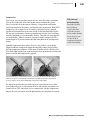
If your image-editing program offers Level or Curves adjustment tools and a
brightness and contrast tool, use the automatic or manual adjustments to tweak
the brightness and contrast of the image.
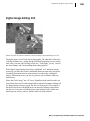
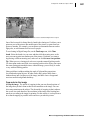
Then use the cloning tool to delete small imperfections such as dust, or use
the cloning tool to eliminate unwanted or distracting objects from the image.
If you clone large sections, be sure to resample, or set a new starting position,
frequently as you work. Frequent resampling gives the cloned area a more
realistic look.
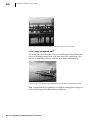
Next, use the crop tool in your image-editing program to crop the image. You
can crop to eliminate empty space or distracting objects in the image. You may
want to leave a little space around the object as a visual frame.
Before you begin the final step in the process, be sure you check the guidelines
of the auction site. Many auction sites set a 50KB file size limit to ensure
quick page viewing for visitors. Depending on the image-editing program
you’re using, you can resize the image so the image file meets the file size
requirements of the auction site, or you can use the option to save the image
for the Web. The latter option takes the guesswork out of the sizing process
because it shows you, as you work, what the final file size will be for each of the
size options.
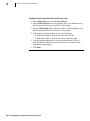
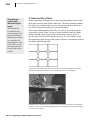
If you’re using Microsoft Digital Image Pro, just choose Save Special from the
File menu, then choose Save as a Web-ready Picture. Under Click a picture
size, choose an option that results in a file size (shown below the dropdown
box) that falls within the auction site’s guidelines. If you are not using Digital
Image Pro, look for the Image/Size or Resize command.
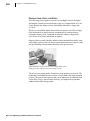
Storing auction photos
A picture, especially for an online auction, is certainly worth a thousand words.
If you’re selling a closet full of items online, you may quickly find that you
have hundreds of photos to store and track. Although MSN Photos does not
offer photo hosting for online auction photos, several other sites offer storage
services. For a list of sites that offer hosting services, go to the auction site and
search for a Help topic on submitting auction photos.
If you feel overwhelmed by the thought of overstuffed closets, attics, or
garages, consider how easy it is to sell the items on the auction sites. With a
little luck and some good pictures, you can be only days away from clutter-free
closets and a few extra dollars.
Microsoft® Digital Image 2006 Suite Edition User’s Manual