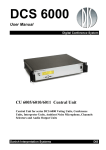
Download Shure RP6004 - User Guide
Transcript
DCS 6000 User Manual Digital Conference System RP 6004 Repeater Danish Interpretation Systems DIS Danish Interpretation Systems User Manual Copyright © 2003 Danish Interpretation Systems No part of this publication may be reproduced or utilised in any form or by any means without permission in writing from the publisher. Danish Interpretation Systems User Manual List of Contents List of Contents................................................. 3 Document version.......................................... 3 Important ......................................................... 4 Compliancy ................................................... 4 RP 6004 Repeater...........................................7 General description....................................... 7 Features....................................................... 7 User Controls, indications & connectors ........ 7 System design .............................................. 8 Installation precautions ................................. 4 Cleaning ........................................................ 4 Repacking...................................................... 4 Warranty....................................................... 4 Description of the DCS 6000 system.................. 5 Features......................................................... 5 System components ....................................... 6 Central equipment.........................................6 System Setup...................................................10 General guidelines........................................10 Built into 19” Racks .....................................10 Typical schematics .......................................11 Large sized conference microphone system.. 11 Various configurations with RP 6004 Repeater and PS 6000 Power Supply ......................... 12 Interpreter equipment ....................................6 Technical appendix .........................................13 Cabling ...................................................... 13 Conference equipment and channel selectors ..6 Accessories (not supplied) .......................... 13 Operating instructions ...................................... 7 Technical specifications ................................13 Document version Printed: 17-10-2004 Name: RP6004-REV-C.DOC Version: C Copyright © 2003 Danish Interpretation Systems No part of this publication may be reproduced or utilised in any form or by any means without permission in writing from the publisher. Danish Interpretation Systems User Manual Important Compliancy exposed to direct sunlight, excessive dust or humidity, mechanical vibration or shock. The equipment has been tested and found to comply with the limits of the following standards for digital devices: To avoid moisture condensations do not install the unit where the temperature may rise rapidly. • • • Cleaning EN55103-1 (Emission) EN55103-2 (Immunity) FCC rules part 15, class A (Emission) This device complies with part 15 of the FCC rules. Operation is subject to the following conditions: (1) This device may not cause harmful interference, and (2) this device must accept any interference received, including interference that may cause undesired operation. These limits are designed to provide reasonable protection against harmful interference when the equipment is operated in a commercial or light industrial environment. The equipment generates, uses, and can radiate radio frequency energy and if not installed and used in accordance with the user manual it may cause harmful interference to radio communications. You are cautioned that any changes or modifications not expressly approved in this manual could void your authority to operate this equipment. To keep the cabinet in its original condition, periodically clean it with a soft cloth. Stubborn stains may be removed with a cloth lightly dampened with a mild detergent solution. Never use organic solvents such as thinners or abrasive cleaners since these will damage the cabinet. Repacking Save the original shipping cardboard box and packing material; they will become handy if you ever have to ship the unit. For maximum protection, re-pack the unit as originally packed from the factory. Warranty The individual units in the DCS 6000 system are minimum covered by 12 months warranty against defects in materials or workmanship. Installation precautions Do not install the unit in a location near heat sources such as radiators or air ducts, or in a place . 4 Manual 01 18 04466 Danish Interpretation Systems User Manual Description of the DCS 6000 system RS232/RS422 connection on CU 6010 for external operation of the system of a PC or control system such as AMX or Crestron Features The DCS 6000 system has the following main features: • Fully digital • Excellent sound quality • “State of the Art” fully digital integrated interpretation, discussion and voting system offering interpretation, language distribution, conference microphone and voting facilities with attendance check with Chip Card ™. The SW 6000 is an optional software package, which expands the functionality of the DCS 6000 system. The software runs on standard computer technology (Standard PC with Windows 2000 or XP). Main features of the SW 6000 are: • Microphone management • Mimic panel operation • New, unique digital DATA and AUDIO bus. • Interpretation management • 39 incoming channels (8 floor channels + 31 interpreted channels) and one Line input. • Voting management • • Message handling 33 distributed channels (2 x floor + 31 interpreted channels) • Agenda handling • The Delegate and Interpreter units are powered and controlled by the CU 6010 Central Unit, which drives up to app. 200 units on 4 chains. • Data stored on SQL data base for easy export/import of data as well as easy links to external databases • EX 6010 Extension Units or PS 6000 Power Supplies available if more units are required • Multi language user interfaces • Supports different User types with different priorities, user interfaces and control possibilities • A total of 4000 units (delegate and/or interpreter units) can be connected to the system. • Using screened CAT5 or CAT5e cabling (FTP or STP) ensuring a very cost effective installation and easy set-up of portable systems • Firmware in Delegate units, Interpreter Units, Central Units etc. upgradeable through serial PC-connection (RS232 or RS422) • Can be operated with or without a PC. • Added functionality and comprehensive features provided by SW 6000 software package running on PC Variety of printing facilities such as speaker’s log, voting results, delegates list etc. Manual 01 18 04466 5 Danish Interpretation Systems User Manual Conference equipment and channel selectors System components The CU 6010 Central Unit supports all available units in the DCS 6000 series: Central equipment CU 6010 EX 6010 PS 6000 RP 6004 AO 6008 JB 6002 JB 6004 Central Unit Extension Power Unit Power Supply Repeater for four chains Audio Output box Junction Box with 2 outputs Junction Box with 4 outputs CS 6032FV/H CM/DM 6010P CM/DM 6020P CM/DM 6070P CM/DM 6090P CM/DM 6060F CM/DM 6510F Interpreter equipment IS 6032P IS 6132P LS 6032P Interpreter Set Interpreter Set Interpreter Loudspeaker CM/DM 6560F MU 6040C/D AM 6040 6 Manual 01 18 04466 Channel Selector (flush mounted) Conference Unit (portable) Conference Unit (portable) with XLR microphone connector Conference Unit (portable) with two built-in channel selectors Conference Unit (portable) with two built-in channel selectors and XLR microphone connector Conference Unit (flush mounted) with one built-in channel selectors Conference Unit (flush mounted) with Chip-card and 3 voting buttons Conference Unit (flush mounted) with one built-in channel selector, Chip-card and 3 voting buttons Microphone Unit for use with customised front plate with Loudspeaker, Microphone and Buttons. Available in Delegate (D) and Chairman (C) version Ambient Noise Microphone Danish Interpretation Systems User Manual Operating instructions RP 6004 Repeater Features General description The main features of the RP 6004 Repeater are: The RP 6004 Repeater provides repeater and splitter functionality for the DCS 6000 system. One CU 6010 Central Unit is needed in each DCS 6000 system, however for expansion of the system the RP 6004 Repeater is suitable. The RP 6004 consist of the following main parts: • Repeater board with 4 individual repeated outputs. • 4 outputs for connection to Delegate Units, Interpreter Units etc. • Loop through connectors for connecting additional RP 6004 or other units, which are part of the DCS 6000 system. • Delayed switching on of power to the four chains, to minimise the total ‘switch-on’ current on the Mains supply. • Designed in compact cabinet for easy installing remotely. • Optional 19” brackets. User Controls, indications & connectors Front plate layout The loop through connectors has auto-termination. Front plate controls The RP 6004 Repeater does not feature any controls or displays, however the following indications and connectors are available: q q Repeated Chain 1, 2, 3 & 4 RJ45 connector, 4 pieces DCS-LAN connectors. Used for connection to DM/CM6xxx, CS6032, EX6010, AO6008, JB 6002/4 or IS6032 Interpreter Sets. Loop through connectors RJ45 connector, 2 pieces DCS-LAN connectors. Used for connection to one of the chain connector on the CU 6010 for repeating the DCS-LAN chain. Unused repeated chains do not need termination The second connector is for connection to other units with DCS-LAN connector, such as more RP 6004. Manual 01 18 04466 7 Danish Interpretation Systems q User Manual q Power LED Those LED light up when Power is available on the connector next to the LED Incoming data LED Those LED flashes, when the unit receives incoming data from connected units on the connector next to the LED. System design There are no settings to be done on the RP 6004 Repeater. However it is important to observe, that the unit is only repeating one of the chains on the CU 6010 Central Unit. And as so, the specification, which applies to each of the chain outputs on the CU 6010 Central Units does also apply to all the repeated outputs in total. So when designing a system to incorporate RP 6004 Repeaters, bare in mind, that as the RP 6004 Repeater is repeating only one of the four outputs A (A1 or A2) or B (B1 or B2) the max. number of languages configured on the four outputs (1, 2, 3 and 4) is totally max. 16. If more languages are required, Interpreter sets for those languages have to be connected either to an other RP 6004 Repeater, which is connected to the other of the two chains (A or B) on the CU 6010, or directly to the other of the two chains (A or B) on a CU 6010. ‘Repeated chain’ connector When connecting the RP 6004 Repeaters to the CU 6010 the first RP 6004 is connected to the ‘Loop through’ connector. The next RP 6004 Repeaters can be connected to either the other ‘Loop through’ connector or to one of the ‘Repeated out’ connectors. If using the ‘Repeated’ outputs 8 maximum two more RP 6004 Repeaters can be connected extending the maximum cable length in one chain up to 650 m. The above schematic is showing the connection using the ‘‘Repeated out’ connectors. Manual 01 18 04466 Danish Interpretation Systems User Manual ‘Loop through’ connector When connecting a number of RP 6004 Repeaters to the CU 6010 an almost unlimited number of RP 6004 can be connected by using the ‘Loop through’ connector. The practical limitation is the maximum cable length in one chain, which is 200 m and supply of power to the RP 6004 repeaters. The following schematic is showing the connections using the ‘Loop through’ connectors. A combination of the two methods of connection can be seen in the ‘CU 6010 User Manual’. Manual 01 18 04466 9 Danish Interpretation Systems User Manual System Setup General guidelines Connect the RP 6004 to the various units using Cat 5 FTP or STP cables. Please observe the following guide lines: • Maximum cable length in one chain is 200 m without repeater. This includes interconnection cables between the units. The max. usable cable length depends on the units connected and length of feeding cables etc. • Maximum cable length in one chain when using repeaters is 650 m. • As the RP 6004 Repeater is repeating only one of the four outputs A (A1 or A2) or B (B1 or B2) the max. number of languages configured on the four outputs (1, 2, 3 and 4) is totally max. 16. If more languages are required, Interpreter sets for those languages have to be divided between both chains (A or B) on the CU 6010. Normally the languages are supposed to be divided equally on chains A (A1 or A2) and B (B1 or B2). • If the last unit in one chain is a CS 6032 Channel Selector, this unit has to be terminated with an external termination, as the CS 6032 does not have an internal termination. Built into 19” Racks The optional 19”-Brackets allow the unit to be mounted in a rack with either the front (connector side) or the blank backside to the front side of the rack. The height is 1HU and allows units to be stacked using only 44mm rack height. 10 Can also be mounted at the back of the rack cabinet freeing the space at the front of the rack. The cabinet shall then be deep enough to allow this. Manual 01 18 04466 Danish Interpretation Systems User Manual Typical schematics The following schematics are showing various configurations : Large sized conference microphone system Manual 01 18 04466 11 Danish Interpretation Systems User Manual Various configurations with RP 6004 Repeater and PS 6000 Power Supply 12 Manual 01 18 04466 Danish Interpretation Systems User Manual Technical appendix Pair 2: Pair 3: Pair 4: Cabling CAT5 Pin 3 & 6 Pin 4 & 5 Pin 7 & 8 The DCS 6000 system uses CAT5, CAT5e or CAT6 FTP or STP cables with screened RJ45 connectors. The phase of the pairs must be correct and the wiring spec. as stated in CAT5 (EIA 568-B) have to be followed. It is important to use only FTP or STP (screened) cables and screened RJ45 connectors and not UTP cable, which is unscreened. Note: CAT6 cables can normally only be terminated in sockets (female) and not in cable plugs. CAT6 should thus only be used for long cable draws terminating in wall outlets or patch panels. EIA 568-B wiring shall be used. How to wire a CAT5 (EIA 568-B) Cable : Pin Function 1 2 3 4 5 6 7 8 Note. In-going + In-going +48V 0V 0V +48V Outgoing Outgoing + Connector #1 Connector #2 Accessories (not supplied) ORG/WHT ORG GRN/WHT BLU BLU/WHT GRN BRN/WHT BRN Cat 5e Connection Cables (AWG24) ORG/WHT ORG GRN/WHT BLU BLU/WHT GRN BRN/WHT BRN If other colour codes are used then the four pairs are connected as follows: Pair 1: EC 6000-..5 Connection Cable 0,5 m ......................10 03 12500 EC 6000-01 Connection Cable 1 m .........................10 03 13101 EC 6000-02 Connection Cable 2 m .........................10 03 13201 EC 6000-05 Connection Cable 5 m .........................10 03 13501 EC 6000-10 Connection Cable 10 m .......................10 03 14102 EC 6000-20 Connection Cable 20 m .......................10 03 14202 EC 6000-50 Connection Cable 50 m .......................10 03 14502 Set of 1HU - 19” Brackets........................................................... Pin 1 & 2 Technical specifications General Dimensions (W x H x D) ..............................264 x 42 x 128 mm Power consumption ....................................................max. 10W Dimensions with 19” brackets...................482,6 x 44 x 128 mm Temperature to guarantee specified performance Connectors ............................. 5 Deg C. to 40 Deg C. (35 to 80% humidity) DCS-LAN loop through ........................................2 pieces RJ45 Storage temperature DCS-LAN repeated output ....................................4 pieces RJ45 ..........................-20 Deg C. to 60 Deg C. (10 to 80% humidity) Specifications are subject to change without notice. Weight................................................................................... 1 kg Manual 01 18 04466 13 Danish Interpretation Systems 14 User Manual Manual 01 18 04466