1
Video Player
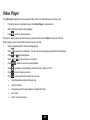
The Video Player application lets you play video files stored in the internal memory or memory card.
y
From Home screen or Application menu, Press Video Player to enter video list.
y
Select and Press a video to start playback.
y
Press
to return to previous screen.
On video list, select a video and hold to pop up a window, and then Press Delete to delete the video file.
While viewing a video, Press the OFN mouse to pop up a tool bar.
y
Drag the progressive bar to the desired playing point.
y
Press
y
Press
to adjust video brightness.
y
Press
or
y
Press
bookmark to set bookmarkˈthen the next time video playing will start from the bookmark.
to go to previous or next video.
to pause or resume the video playback.
y
Press
repeatedly to change display mode :full screen, original, 16:9, 4:3
y
Press
to return to previous screen.
y
Press
to pop up a selection window, then you can
¾
Delete Bookmark and play from beginning
¾
Delete bookmark
¾
Change play mode: Single, Repeat one, Repeat all, Return
¾
Get a help
¾
Return to previous screen
25