1
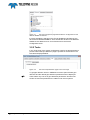
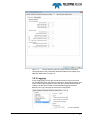
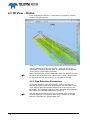
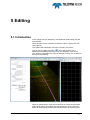
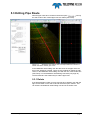
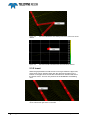
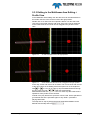
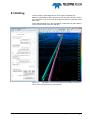
5.3 Editing Pipe Route After the pipe route file is created uncheck the option and only the edit circles of the created pipe route are visible (see below). Figure 5-2 Multibeam Area Editing view in the Pipe Detection mode and a Profile view with a created pipe route In the Multibeam Area Editing view the edit circles of the pipe route can be moved, deleted or inserted. There are two methods of editing the edit circles; in the Multibeam Area Editing view with the use of the Profile view (see below) or in the Multibeam Area Editing view itself (see page 18). The first method is the easiest way to edit the pipe route. 5.3.1 Delete If the detected pipe location is wrong and has to be deleted, click with the right mouse button on the edit circle and select the option ‘Delete’. This can be done in Multibeam Area Editing view and in the Profile view. PDS2000 - Pipe Detection Editing 15