1
What is Keystroke
Keystroke is a combination of a hardware interface and a software application that
allows any DMX based lighting controller to trigger keyboard commands on a
Windows XP based personal computer.
Because most applications on your PC can accept keyboard commands or shortcuts,
Keystroke allows you remotely control these applications from your lighting console.
The most popular use of Keystroke is to trigger PowerPoint slides in time with your
lighting cues; however, Keystroke can also activate sound cues, and other PC
applications you are using for controlling special effects.
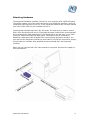
The Keystroke hardware "listens" to the DMX signal generated by a lighting console
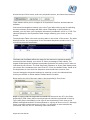
for the DMX channel (1-512) you assign in the Keystroke software. You will also
define the commands the slave pc executes when Keystroke receives a predefined
value at its DMX channel address. For example, if you were controlling a PowerPoint
slide show with Keystroke, you could assign the value of 100% (255) to send the
slave PC a SPACE bar command to advance to the next slide. Although complex
multi-stroke sequences may be programmed and assigned to specific value ranges,
each lighting cue only sends a single event to the slave PC. In other words,
Keystroke will not "hold down the space bar" and advance multiple slides.
System Requirements
Operating System: Windows XP
Memory Requirements: 128 megabytes (MB) of RAM or greater
Disk Requirements: 8 megabytes
Processor Speed: Intel Pentium 300-MHz or faster processor (Pentium III
recommended)
Interface: One Powered USB Port
Lighting console capable of transmitting DMX 512 (1990). A memory based console
is recommended.
Note: Do not attach the Keystroke hardware to computer that is currently connected
to the Horizon USB Package (available from Rosco). Performance of either software
will be affected.
Keystroke User Manual
5