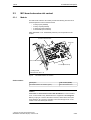
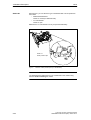
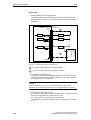
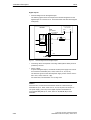
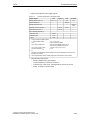
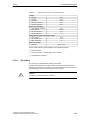
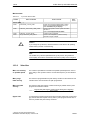
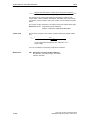
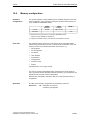
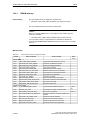
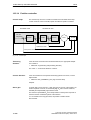
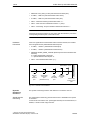
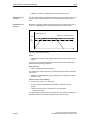
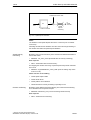
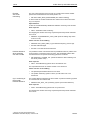
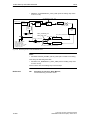
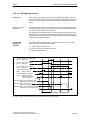
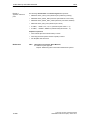
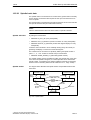
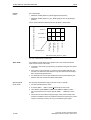
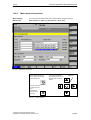
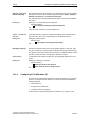
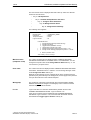
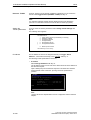
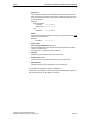
1
Manual Release 03/2004 sinumerik SINUMERIK 840Di General Notes 1 Hardware Descriptions 2 Design 3 EMC and ESD Measures 4 Power On and Power–Up 5 PLC Start–Up 6 MPI Communication 7 PROFIBUS DP Communication 8 Drive Start–Up (Preconditions) 9 NC Start–Up with HMI Advanced 10 Alarm and Message Texts 11 Axis/Spindle Dry Run 12 Drive Optimization with HMI Advanced 13 Valid for User Data Backup / Series Machine Start–Up 14 Control Software Version SINUMERIK 840DiE/840Di 3 Software Installation/ Update and Data Backup 15 840Di–Specific Data and Functions 16 Abbreviations A References B EC Declaration of Conformity C Index D SINUMERIK 840Di Manual Edition 03.2004 3ls SINUMERIK Documentation Printing history Brief details of this edition and previous editions are listed below. The status of each edition is shown by the code in the ”Remarks” column. Status code in the ”Remarks” column: A . . . . . New documentation. B . . . . . Unrevised reprint with new order no. C . . . . . Revised edition with new status. If factual changes have been made on the page since the last edition, this is indicated by a new edition coding in the header on that page. Edition 07.00 09.01 09.02 06.03 03.04 Order No. 6FC5 297–5AE60–0BP1 6FC5 297–6AE60–0BP0 6FC5 297–6AE60–0BP1 6FC5 297–6AE60–0BP2 6FC5 297–7AE60–0BP0 Remarks A C C C C This manual is included in the documentation available on CD–ROM (DOCONCD) Edition Order No. Remarks 03.04 6FC5 298–7CA00–0BG0 C SIMATIC, SIMATIC HMI, SIMATIC NET, SIROTEC, SINUMERIK, and SIMODRIVE are Siemens trademarks. Other product names used in this documentation may be trademarks which, if used by third parties, could infringe the rights of their owners. Further information is available on the Internet under: http://www.siemens.de/sinumerik This publication was produced with Interleaf V 7. The reproduction, transmission or use of this document or its contents is not permitted without express written authority Offenders will be liable for damages. All rights, including rights created by patent grant or registration of a utility model or design, are reserved. Siemens AG 2004 All rights reserved. Order No.6FC5 297–7AE60–0BP0 Printed in theFederal Republic of Germany Other functions not described in this documentation might be executable in the control. This does not, however, represent an obligation to supply such functions with a new control or when servicing. We have checked that the contents of this document correspond to the hardware and software described. Nevertheless, differences might exist and therefore we cannot guarantee that they are completely identical. The information given in this publication is reviewed at regular intervals and any corrections that might be necessary are made in subsequent editions. We welcome suggestions for improvement. Subject to technical changes without prior notice. Siemens–Aktiengesellschaft SINUMERIK 840Di Manual 03.04 Introduction INTRODUCTION Notes for the Reader The SINUMERIK documentation is organized in 4 parts: General Documentation User Documentation Manufacturer/Service documentation OEM Documentation This document is designed for machine tool manufacturers. The manual is only valid for the specific software version or up to the software version specified. When a new software version is released, the Description of Functions for that version must be ordered. Old manuals are only partly applicable for new software versions. More detailed information about other SINUMERIK 840D/840Di/810D brochures, and brochures for all SINUMERIK controllers (e.g. universal interface, measuring cycles, etc.) can be obtained from your local Siemens representative. Notice It may be possible to run functions that are not described in this document in your controller. This does not, however, represent an obligation to supply such functions with a new control or when servicing. Hotline If you have any questions on the control, please get in touch with our hotline: A&D Technical Support Phone: +49 (180) 5050 222 Fax: +49 (180) 5050–223 E–mail: [email protected] Please send any queries about the documentation (suggestions or corrections) to the following fax number: Fax: +49 (9131) 98–2176 E–mail: [email protected] Fax form: See the reply form at the end of the brochure Internet address SINUMERIK 840Di www.siemens.de/sinumerik Link Box The Link Box at the SINUMERIK 840Di end gives you direct access to all important information about the product. Then navigate further with: SINUMERIK 840Di. Siemens AG 2004 All Rights Reserved SINUMERIK 840Di Manual (HBI) – Edition 03.04 v SINUMERIK 840Di Manual 03.04 Introduction Objective This manual provides detailed information on the specific hardware and installation and start–up of a SINUMERIK 840Di system. This manual provides information about the control system design and the interfaces of the individual components. Furthermore, the procedure for starting up the SINUMERIK 840Di with PROFIBUS DP drives (for example, SIMODRIVE 611 universal) is described. For detailed information about individual functions, function assignment and performance data of individual components, please refer to the appropriate document for the subject concerned (e.g. manuals, function descriptions etc.). User–oriented activities such as the creation of parts programs and control operating procedures are described in detail in separate documentations (Programming Guide, Operator’s Guide, etc.). Separate descriptions are likewise provided of the tasks to be performed by the tool manufacturer such as configuring, design and PLC programming. Target groups The manual contained in the function descriptions is designed for: Design engineers PLC programmers who create PLC user programs Start–up engineers once the system has been configured and set up Maintenance personnel inspecting and interpreting status signals and alarms Who are qualified personnel For the purpose of this manual and product labels, a qualified person is one who is familiar with the installation, mounting, start–up and operation of the equipment and the hazards involved. Training and instruction, i.e. authority to switch on and off, to earth and to label circuits and equipment according to safety regulations. Trained in the proper care and use of protective equipment in accordance with established safety procedures and first aid. vi Siemens AG 2004 All Rights Reserved SINUMERIK 840Di Manual (HBI) – Edition 03.04 SINUMERIK 840Di Manual 03.04 Introduction Danger and warning strategy ! ! ! The following danger and warning signs are used in this document. Explanation of symbols used: Danger This symbol indicates that death, severe personal injury or substantial property damage will result if proper precautions are not taken. Warning This symbol indicates that death, severe personal injury or substantial property damage may result if proper precautions are not taken. Caution This warning (with the triangular symbol) means that minor physical injury or damage to property can occur if the appropriate precautions are not taken. Caution This symbol (without a warning triangle) indicates that damage to property may result if proper precautions are not taken. Notice This warning means that an undesirable result can occur if the information is ignored. Other Information ! Explanation of symbols Important This notice indicates important facts that must be taken into consideration. Notice Is an important item of information about the product, handling of the product or section of the documentation which requires particular attention. Machine manufacturer This pictorial symbol always appears in this document to indicate that the machine manufacturer can affect or modify the function described. Never ignore information provided by the machine manufacturer! Siemens AG 2004 All Rights Reserved SINUMERIK 840Di Manual (HBI) – Edition 03.04 vii SINUMERIK 840Di Manual 03.04 Introduction Danger notices ! The following notices are intended firstly for your personal safety and secondly to prevent damage occurring to the products described or any connected devices and machines. Warning When operating electrical devices, it is impossible to avoid applying hazardous voltages to certain parts of the equipment. Unqualified operator action of the device/system or failure to observe the warning notices may result in serious physical injury or material damage. Only suitably qualified personnel trained in assembling, installing, commissioning or operating the product should work on this device/system. Should it be necessary to test or take measurements on live equipment, then the specifications and procedures defined in Accident Prevention Regulation VBG 4.0 must be adhered to, in particular § 8 ”Permissible deviations when working on live components”. Suitable electric tools should be used. ! Warning Repairs to devices that have been supplied by our company must only be carried out by SIEMENS Customer Service or by repair centers authorized by SIEMENS. When replacing parts or components, only use those parts that are included in the spare parts list. Before opening the device, always disconnect the power supply. EMERGENCY STOP devices complying with EN 60204 IEC 204 (VDE 0113) must remain effective in all automation equipment modes. Resetting the EMERGENCY STOP device must not cause an uncontrolled or undefined restart. Anywhere in the automation equipment where faults might cause major material damage or even physical injury, in other words, where faults could be dangerous, additional external precautions must be taken, or facilities must be provided, that guarantee or enforce a safe operational state, even when there is a fault (e.g. using an independent limit value switch, mechanical interlocks etc.) ! Caution Connecting cables and signal lines should be installed so that inductive and capacitive interference does not in any way impair the automation functions. viii Siemens AG 2004 All Rights Reserved SINUMERIK 840Di Manual (HBI) – Edition 03.04 SINUMERIK 840Di Manual 03.04 Introduction ESD notices ! Electrostatically Sensitive Devices Important Handling of modules containing devices sensitive to electrostatic discharge: When handling electrostatically sensitive devices, make sure that operator, workplace and packing material are properly earthed. Generally, electronic modules must not be touched unless work has to be carried out on them. When handling PC boards make absolutely sure that you do not touch component pins or printed conductors. Touch components only if – you are permanently earthed by means of an antistatic chain, – you are wearing ESD boots or ESD boots with earthing strips in conjunction with ESD flooring. Modules may be placed only on electrically conductive surfaces (table with ESD top, conductive ESD foam plastic, ESD packing bags, ESD transport containers). Keep modules away from visual display units, monitors or TV sets (minimum distance from screen > 10 cm). Do not bring ESD–sensitive modules into contact with chargeable and highly–insulating materials, such as plastic, insulating table tops or clothing made of synthetic materials. Measurements on modules are allowed only if Intended use – the measuring instrument is properly earthed (e.g. equipment grounding conductor), or – before measuring with a potential–free measuring instrument, the probe is briefly discharged (e.g. touch the unpainted metal parts of the control housing). The device must only be put to the uses prescribed in the manual and only in conjunction with third party devices and components recommended or approved by SIEMENS (e.g. SINUMERIK 840D/FM–NC). Siemens AG 2004 All Rights Reserved SINUMERIK 840Di Manual (HBI) – Edition 03.04 ix SINUMERIK 840Di Manual 03.04 Introduction Notes x Siemens AG 2004 All Rights Reserved SINUMERIK 840Di Manual (HBI) – Edition 03.04 Table of Contents 1 2 General Notes on the SINUMERIK 840Di . . . . . . . . . . . . . . . . . . . . . . . . . . . . . . . 1-19 1.1 1.1.1 1.1.2 1.1.3 1.1.4 1.1.5 1.1.6 1.1.7 1.1.8 1.1.9 Overview of SINUMERIK 840Di . . . . . . . . . . . . . . . . . . . . . . . . . . . . . . . System components . . . . . . . . . . . . . . . . . . . . . . . . . . . . . . . . . . . . . . . . . System software packages and performance options . . . . . . . . . . . . . Hardware components . . . . . . . . . . . . . . . . . . . . . . . . . . . . . . . . . . . . . . . Software components . . . . . . . . . . . . . . . . . . . . . . . . . . . . . . . . . . . . . . . . Real–time properties . . . . . . . . . . . . . . . . . . . . . . . . . . . . . . . . . . . . . . . . . System integrity . . . . . . . . . . . . . . . . . . . . . . . . . . . . . . . . . . . . . . . . . . . . . Failure safety . . . . . . . . . . . . . . . . . . . . . . . . . . . . . . . . . . . . . . . . . . . . . . . Switching off . . . . . . . . . . . . . . . . . . . . . . . . . . . . . . . . . . . . . . . . . . . . . . . . UPS system . . . . . . . . . . . . . . . . . . . . . . . . . . . . . . . . . . . . . . . . . . . . . . . . 1-19 1-20 1-20 1-21 1-23 1-24 1-26 1-26 1-29 1-30 1.2 Overview of software components . . . . . . . . . . . . . . . . . . . . . . . . . . . . . 1-32 1.3 Notes on start–up . . . . . . . . . . . . . . . . . . . . . . . . . . . . . . . . . . . . . . . . . . . . 1-34 1.4 Standard/export version . . . . . . . . . . . . . . . . . . . . . . . . . . . . . . . . . . . . . . 1-36 1.5 1.5.1 840Di start–up . . . . . . . . . . . . . . . . . . . . . . . . . . . . . . . . . . . . . . . . . . . . . . Menu command: Window . . . . . . . . . . . . . . . . . . . . . . . . . . . . . . . . . . . . . 1-37 1-38 Hardware Descriptions . . . . . . . . . . . . . . . . . . . . . . . . . . . . . . . . . . . . . . . . . . . . . . . 2-41 2.1 Overview of hardware components . . . . . . . . . . . . . . . . . . . . . . . . . . . . . 2-41 2.2 2.2.1 2.2.2 2.2.3 2.2.4 2.2.5 MCI2 board . . . . . . . . . . . . . . . . . . . . . . . . . . . . . . . . . . . . . . . . . . . . . . . . . Module . . . . . . . . . . . . . . . . . . . . . . . . . . . . . . . . . . . . . . . . . . . . . . . . . . . . . Interface description . . . . . . . . . . . . . . . . . . . . . . . . . . . . . . . . . . . . . . . . . Replacing the battery . . . . . . . . . . . . . . . . . . . . . . . . . . . . . . . . . . . . . . . . . Module replacement . . . . . . . . . . . . . . . . . . . . . . . . . . . . . . . . . . . . . . . . . Technical data . . . . . . . . . . . . . . . . . . . . . . . . . . . . . . . . . . . . . . . . . . . . . . . 2-44 2-44 2-45 2-47 2-51 2-52 2.3 2.3.1 2.3.2 2.3.3 2.3.4 MCI board extension slot variant . . . . . . . . . . . . . . . . . . . . . . . . . . . . . . . Module . . . . . . . . . . . . . . . . . . . . . . . . . . . . . . . . . . . . . . . . . . . . . . . . . . . . . Installation instructions . . . . . . . . . . . . . . . . . . . . . . . . . . . . . . . . . . . . . . . Interface description . . . . . . . . . . . . . . . . . . . . . . . . . . . . . . . . . . . . . . . . . Technical data . . . . . . . . . . . . . . . . . . . . . . . . . . . . . . . . . . . . . . . . . . . . . . . 2-53 2-53 2-55 2-57 2-60 2.4 Cable distributor . . . . . . . . . . . . . . . . . . . . . . . . . . . . . . . . . . . . . . . . . . . . . 2-61 2.5 2.5.1 SINUMERIK Industrial PC . . . . . . . . . . . . . . . . . . . . . . . . . . . . . . . . . . . . SINUMERIK PCU 50 . . . . . . . . . . . . . . . . . . . . . . . . . . . . . . . . . . . . . . . . . 2-66 2-66 2.6 2.6.1 SINUMERIK operator panel fronts . . . . . . . . . . . . . . . . . . . . . . . . . . . . . Operator panel front OP 012 . . . . . . . . . . . . . . . . . . . . . . . . . . . . . . . . . . 2-68 2-68 2.7 Floppy disk drive 3.5’’ . . . . . . . . . . . . . . . . . . . . . . . . . . . . . . . . . . . . . . . . 2-70 2.8 2.8.1 Power supply . . . . . . . . . . . . . . . . . . . . . . . . . . . . . . . . . . . . . . . . . . . . . . . SITOP POWER standard 24V/10A . . . . . . . . . . . . . . . . . . . . . . . . . . . . . 2-71 2-71 2.9 Uninterruptible power supply (UPS) . . . . . . . . . . . . . . . . . . . . . . . . . . . . 2-73 Siemens AG 2004 All Rights Reserved SINUMERIK 840Di Manual (HBI) – Edition 03.04 xi SINUMERIK 840Di Manual 03.04 Table of Contents 3 4 5 xii 2.9.1 2.9.2 SITOP POWER DC UPS MODULE 15 . . . . . . . . . . . . . . . . . . . . . . . . . SITOP POWER ACCU MODULE 24V DC/10A/3,2AH . . . . . . . . . . . . 2-73 2-75 2.10 2.10.1 2.10.2 2.10.3 2.10.4 2.10.5 2.10.6 I/O module PP72/48 . . . . . . . . . . . . . . . . . . . . . . . . . . . . . . . . . . . . . . . . . Module . . . . . . . . . . . . . . . . . . . . . . . . . . . . . . . . . . . . . . . . . . . . . . . . . . . . . Interface description . . . . . . . . . . . . . . . . . . . . . . . . . . . . . . . . . . . . . . . . . Power supply . . . . . . . . . . . . . . . . . . . . . . . . . . . . . . . . . . . . . . . . . . . . . . . Grounding . . . . . . . . . . . . . . . . . . . . . . . . . . . . . . . . . . . . . . . . . . . . . . . . . . Dimension drawing . . . . . . . . . . . . . . . . . . . . . . . . . . . . . . . . . . . . . . . . . . . Technical data . . . . . . . . . . . . . . . . . . . . . . . . . . . . . . . . . . . . . . . . . . . . . . . 2-76 2-76 2-77 2-84 2-85 2-86 2-87 2.11 2.11.1 ADI4 (Analog Drive Interface for 4 Axes) . . . . . . . . . . . . . . . . . . . . . . . . Module . . . . . . . . . . . . . . . . . . . . . . . . . . . . . . . . . . . . . . . . . . . . . . . . . . . . . 2-88 2-88 Design . . . . . . . . . . . . . . . . . . . . . . . . . . . . . . . . . . . . . . . . . . . . . . . . . . . . . . . . . . . . . . 3-91 3.1 System overview . . . . . . . . . . . . . . . . . . . . . . . . . . . . . . . . . . . . . . . . . . . . 3-91 3.2 3.2.1 3.2.2 3.2.3 3.2.4 Electrical design . . . . . . . . . . . . . . . . . . . . . . . . . . . . . . . . . . . . . . . . . . . . . MCI board and PROFIBUS DP . . . . . . . . . . . . . . . . . . . . . . . . . . . . . . . . MCI board and MPI bus . . . . . . . . . . . . . . . . . . . . . . . . . . . . . . . . . . . . . . MCI board extension . . . . . . . . . . . . . . . . . . . . . . . . . . . . . . . . . . . . . . . . . PCU 50 . . . . . . . . . . . . . . . . . . . . . . . . . . . . . . . . . . . . . . . . . . . . . . . . . . . . 3-93 3-93 3-94 3-94 3-95 3.3 3.3.1 Overview of connections . . . . . . . . . . . . . . . . . . . . . . . . . . . . . . . . . . . . . . PCU50, MCI board and MCI board extension . . . . . . . . . . . . . . . . . . . . 3-96 3-96 EMC and ESD Measures . . . . . . . . . . . . . . . . . . . . . . . . . . . . . . . . . . . . . . . . . . . . . 4-99 4.1 Interference suppression measures . . . . . . . . . . . . . . . . . . . . . . . . . . . . 4-99 4.2 ESD measures . . . . . . . . . . . . . . . . . . . . . . . . . . . . . . . . . . . . . . . . . . . . . . 4-100 Power–On and Power–Up . . . . . . . . . . . . . . . . . . . . . . . . . . . . . . . . . . . . . . . . . . . . 5-101 5.1 5.1.1 5.1.2 Preparing for start–up . . . . . . . . . . . . . . . . . . . . . . . . . . . . . . . . . . . . . . . . Checklist . . . . . . . . . . . . . . . . . . . . . . . . . . . . . . . . . . . . . . . . . . . . . . . . . . . Recommended sequence for first start–up . . . . . . . . . . . . . . . . . . . . . . 5-101 5-101 5-102 5.2 5.2.1 5.2.2 5.2.3 5.2.4 First power–up . . . . . . . . . . . . . . . . . . . . . . . . . . . . . . . . . . . . . . . . . . . . . . Basic start–up of the system software . . . . . . . . . . . . . . . . . . . . . . . . . . Basic start–up of the PLC . . . . . . . . . . . . . . . . . . . . . . . . . . . . . . . . . . . . . Machine control panel (MCP) boot . . . . . . . . . . . . . . . . . . . . . . . . . . . . . Power–up SIMODRIVE 611 universal drives . . . . . . . . . . . . . . . . . . . . . 5-103 5-103 5-105 5-105 5-106 5.3 5.3.1 5.3.2 5.3.3 5.3.4 5.3.5 5-107 5-107 5-107 5-109 5-109 5.3.6 5.3.7 5.3.8 5.3.9 Booting . . . . . . . . . . . . . . . . . . . . . . . . . . . . . . . . . . . . . . . . . . . . . . . . . . . . . Boot manager . . . . . . . . . . . . . . . . . . . . . . . . . . . . . . . . . . . . . . . . . . . . . . . SRAM handling . . . . . . . . . . . . . . . . . . . . . . . . . . . . . . . . . . . . . . . . . . . . . . Start–up after battery replacement (backup battery of the MCI board) Start–up after replacement of the MCI board . . . . . . . . . . . . . . . . . . . . Start–up after replacement of the PCU (new) or reinstallation/Update of the 840Di software . . . . . . . . . . . . . . . . . . . . . . Start–up after replacement of the PCU or the MCI board . . . . . . . . . . Start–up after importing a backup copy . . . . . . . . . . . . . . . . . . . . . . . . . Start–up after power failure / Power Fail . . . . . . . . . . . . . . . . . . . . . . . . Power–up with shutdown signal . . . . . . . . . . . . . . . . . . . . . . . . . . . . . . . . 5.4 5.4.1 5.4.2 SINUMERIK desktop . . . . . . . . . . . . . . . . . . . . . . . . . . . . . . . . . . . . . . . . . Activating the SINUMERIK desktop . . . . . . . . . . . . . . . . . . . . . . . . . . . . Setting the power–up response for the SINUMERIK desktop . . . . . . 5-114 5-114 5-115 5-111 5-112 5-112 5-112 5-113 Siemens AG 2004 All Rights Reserved SINUMERIK 840Di Manual (HBI) – Edition 03.04 SINUMERIK 840Di Manual 03.04 Table of Contents 6 5.4.3 5.4.4 5.4.5 5.4.6 5.4.7 5.4.8 5.4.9 5.4.10 5.4.11 Setting the SINUMERIK HMI environment . . . . . . . . . . . . . . . . . . . . . . Testing system components . . . . . . . . . . . . . . . . . . . . . . . . . . . . . . . . . . . Authorizing SIMATIC Step7 . . . . . . . . . . . . . . . . . . . . . . . . . . . . . . . . . . . Serial mouse . . . . . . . . . . . . . . . . . . . . . . . . . . . . . . . . . . . . . . . . . . . . . . . . System information after ”Fatal exceptional error” . . . . . . . . . . . . . . . . OEM configuration . . . . . . . . . . . . . . . . . . . . . . . . . . . . . . . . . . . . . . . . . . . User–specific background images . . . . . . . . . . . . . . . . . . . . . . . . . . . . . . HMI Explorer . . . . . . . . . . . . . . . . . . . . . . . . . . . . . . . . . . . . . . . . . . . . . . . . SW installation/update . . . . . . . . . . . . . . . . . . . . . . . . . . . . . . . . . . . . . . . . 5-115 5-115 5-116 5-116 5-117 5-117 5-118 5-119 5-119 5.5 5.5.1 5.5.2 5.5.3 5.5.4 5.5.5 5.5.6 5.5.7 5.5.8 Service menu . . . . . . . . . . . . . . . . . . . . . . . . . . . . . . . . . . . . . . . . . . . . . . . Install/update SINUMERIK system . . . . . . . . . . . . . . . . . . . . . . . . . . . . . SINUMERIK tools and options . . . . . . . . . . . . . . . . . . . . . . . . . . . . . . . . . DOS Shell . . . . . . . . . . . . . . . . . . . . . . . . . . . . . . . . . . . . . . . . . . . . . . . . . . Starting Windows (service mode) . . . . . . . . . . . . . . . . . . . . . . . . . . . . . . SINUMERIK System Check . . . . . . . . . . . . . . . . . . . . . . . . . . . . . . . . . . . Backup/Restore . . . . . . . . . . . . . . . . . . . . . . . . . . . . . . . . . . . . . . . . . . . . . Restore Windows Partition E (Emergency) . . . . . . . . . . . . . . . . . . . . . . 840Di services . . . . . . . . . . . . . . . . . . . . . . . . . . . . . . . . . . . . . . . . . . . . . . 5-120 5-121 5-121 5-121 5-122 5-122 5-123 5-123 5-123 5.6 5.6.1 5.6.2 Configuring the network link of PCU (LAN/WAN) . . . . . . . . . . . . . . . . . Configuring the network link (Windows XP) . . . . . . . . . . . . . . . . . . . . . . Configuring the network link (DOS / Service menu) . . . . . . . . . . . . . . . 5-125 5-125 5-126 5.7 License management . . . . . . . . . . . . . . . . . . . . . . . . . . . . . . . . . . . . . . . . 5-130 PLC Start-Up . . . . . . . . . . . . . . . . . . . . . . . . . . . . . . . . . . . . . . . . . . . . . . . . . . . . . . . . 6-133 6.1 6.1.1 6.1.2 6.1.3 6.1.4 6.1.5 General . . . . . . . . . . . . . . . . . . . . . . . . . . . . . . . . . . . . . . . . . . . . . . . . . . . . Compatibility . . . . . . . . . . . . . . . . . . . . . . . . . . . . . . . . . . . . . . . . . . . . . . . . Performance data . . . . . . . . . . . . . . . . . . . . . . . . . . . . . . . . . . . . . . . . . . . . PLC program . . . . . . . . . . . . . . . . . . . . . . . . . . . . . . . . . . . . . . . . . . . . . . . . Installing the PLC basic program library . . . . . . . . . . . . . . . . . . . . . . . . . PLC user program . . . . . . . . . . . . . . . . . . . . . . . . . . . . . . . . . . . . . . . . . . . 6-133 6-133 6-133 6-134 6-134 6-135 6.2 6.2.1 6.2.2 6.2.3 Startup . . . . . . . . . . . . . . . . . . . . . . . . . . . . . . . . . . . . . . . . . . . . . . . . . . . . . Basic requirements . . . . . . . . . . . . . . . . . . . . . . . . . . . . . . . . . . . . . . . . . . MPI connection . . . . . . . . . . . . . . . . . . . . . . . . . . . . . . . . . . . . . . . . . . . . . . First start-up . . . . . . . . . . . . . . . . . . . . . . . . . . . . . . . . . . . . . . . . . . . . . . . . 6-137 6-137 6-137 6-139 6.3 6.3.1 6.3.2 6.3.3 6.3.4 6.3.5 6.3.6 6.3.7 Creating a SIMATIC S7 project . . . . . . . . . . . . . . . . . . . . . . . . . . . . . . . . Creating a project . . . . . . . . . . . . . . . . . . . . . . . . . . . . . . . . . . . . . . . . . . . . Inserting station 300 . . . . . . . . . . . . . . . . . . . . . . . . . . . . . . . . . . . . . . . . . HW-Config . . . . . . . . . . . . . . . . . . . . . . . . . . . . . . . . . . . . . . . . . . . . . . . . . . Inserting 840Di Rack . . . . . . . . . . . . . . . . . . . . . . . . . . . . . . . . . . . . . . . . . Parameterizing the PROFIBUS interface . . . . . . . . . . . . . . . . . . . . . . . . Parameterizing the MPI interface . . . . . . . . . . . . . . . . . . . . . . . . . . . . . . Parameterizing the NC (I/O data) . . . . . . . . . . . . . . . . . . . . . . . . . . . . . . 6-141 6-141 6-142 6-143 6-144 6-145 6-146 6-146 6.4 6.4.1 6.4.2 Creating a PLC program . . . . . . . . . . . . . . . . . . . . . . . . . . . . . . . . . . . . . . PLC basic program . . . . . . . . . . . . . . . . . . . . . . . . . . . . . . . . . . . . . . . . . . PLC user program . . . . . . . . . . . . . . . . . . . . . . . . . . . . . . . . . . . . . . . . . . . 6-148 6-148 6-149 6.5 Create an MPI configuration . . . . . . . . . . . . . . . . . . . . . . . . . . . . . . . . . . . 6-149 6.6 Creating a PROFIBUS configuration . . . . . . . . . . . . . . . . . . . . . . . . . . . . 6-149 6.7 6.7.1 Loading the configuration . . . . . . . . . . . . . . . . . . . . . . . . . . . . . . . . . . . . . Preconditions . . . . . . . . . . . . . . . . . . . . . . . . . . . . . . . . . . . . . . . . . . . . . . . 6-150 6-150 Siemens AG 2004 All Rights Reserved SINUMERIK 840Di Manual (HBI) – Edition 03.04 xiii SINUMERIK 840Di Manual 03.04 Table of Contents 7 xiv 6.7.2 6.7.3 Loading the configuration . . . . . . . . . . . . . . . . . . . . . . . . . . . . . . . . . . . . . Series machine start-up file . . . . . . . . . . . . . . . . . . . . . . . . . . . . . . . . . . . 6-150 6-151 6.8 6.8.1 6.8.2 6.8.3 6.8.4 Testing the PLC program . . . . . . . . . . . . . . . . . . . . . . . . . . . . . . . . . . . . . Start-up behavior . . . . . . . . . . . . . . . . . . . . . . . . . . . . . . . . . . . . . . . . . . . . Cyclic operation . . . . . . . . . . . . . . . . . . . . . . . . . . . . . . . . . . . . . . . . . . . . . Monitor/control using the SIMATIC Manager . . . . . . . . . . . . . . . . . . . . . Monitor/control using HMI Advanced . . . . . . . . . . . . . . . . . . . . . . . . . . . 6-152 6-152 6-153 6-153 6-154 MPI Communication . . . . . . . . . . . . . . . . . . . . . . . . . . . . . . . . . . . . . . . . . . . . . . . . . 7-157 7.1 Special features of SINUMERIK 840Di . . . . . . . . . . . . . . . . . . . . . . . . . . 7-157 7.2 Networking rules . . . . . . . . . . . . . . . . . . . . . . . . . . . . . . . . . . . . . . . . . . . . . 7-157 7.3 Global data communication . . . . . . . . . . . . . . . . . . . . . . . . . . . . . . . . . . . 7-159 7.4 Preconditions . . . . . . . . . . . . . . . . . . . . . . . . . . . . . . . . . . . . . . . . . . . . . . . 7-160 7.5 7.5.1 7.5.2 7.5.3 7.5.4 7.5.5 Creating an MPI configuration . . . . . . . . . . . . . . . . . . . . . . . . . . . . . . . . . Precondition . . . . . . . . . . . . . . . . . . . . . . . . . . . . . . . . . . . . . . . . . . . . . . . . Inserting the default configuration into the S7 project . . . . . . . . . . . . . Adapting organization block OB100 . . . . . . . . . . . . . . . . . . . . . . . . . . . . Adapting organization block OB1 . . . . . . . . . . . . . . . . . . . . . . . . . . . . . . Loading the configuration into the PLC . . . . . . . . . . . . . . . . . . . . . . . . . . 7-161 7-161 7-161 7-162 7-162 7-162 7.6 7.6.1 7.6.2 7.6.3 Default configuration . . . . . . . . . . . . . . . . . . . . . . . . . . . . . . . . . . . . . . . . . GD circle parameters . . . . . . . . . . . . . . . . . . . . . . . . . . . . . . . . . . . . . . . . . GD identifiers and MPI addresses . . . . . . . . . . . . . . . . . . . . . . . . . . . . . . Recommended MPI addresses . . . . . . . . . . . . . . . . . . . . . . . . . . . . . . . . 7-163 7-163 7-163 7-164 7.7 7.7.1 7.7.2 7.7.3 7.7.4 Machine control panel (MCP) . . . . . . . . . . . . . . . . . . . . . . . . . . . . . . . . . . Conditions for start-up . . . . . . . . . . . . . . . . . . . . . . . . . . . . . . . . . . . . . . . . Parameterization of the MCP . . . . . . . . . . . . . . . . . . . . . . . . . . . . . . . . . . Parameterization of the PLC . . . . . . . . . . . . . . . . . . . . . . . . . . . . . . . . . . Example: Connecting an MCP to SINUMERIK 840Di . . . . . . . . . . . . . 7-165 7-165 7-166 7-169 7-171 7.8 7.8.1 MPI interface for customer operator panel . . . . . . . . . . . . . . . . . . . . . . . Parameterization of the MPI interface . . . . . . . . . . . . . . . . . . . . . . . . . . 7-173 7-173 7.9 7.9.1 7.9.2 7.9.3 7.9.4 7.9.5 7.9.6 7.9.7 Handheld unit (B-MPI) . . . . . . . . . . . . . . . . . . . . . . . . . . . . . . . . . . . . . . . . Conditions for start-up . . . . . . . . . . . . . . . . . . . . . . . . . . . . . . . . . . . . . . . . Electrical connection . . . . . . . . . . . . . . . . . . . . . . . . . . . . . . . . . . . . . . . . . MPI parameters of the HHU . . . . . . . . . . . . . . . . . . . . . . . . . . . . . . . . . . . MPI parameterization of the PLC . . . . . . . . . . . . . . . . . . . . . . . . . . . . . . GD circle parameters of the HHU . . . . . . . . . . . . . . . . . . . . . . . . . . . . . . GD circle parameterization of the PLC . . . . . . . . . . . . . . . . . . . . . . . . . . Example: Connecting a HHU to SINUMERIK 840Di . . . . . . . . . . . . . . 7-175 7-175 7-176 7-177 7-178 7-180 7-181 7-181 7.10 7.10.1 7.10.2 7.10.3 7.10.4 7.10.5 Handheld Terminal HT 6 . . . . . . . . . . . . . . . . . . . . . . . . . . . . . . . . . . . . . . Conditions for start-up . . . . . . . . . . . . . . . . . . . . . . . . . . . . . . . . . . . . . . . . Parameterization of the HT 6 . . . . . . . . . . . . . . . . . . . . . . . . . . . . . . . . . . Parameterization of PLC . . . . . . . . . . . . . . . . . . . . . . . . . . . . . . . . . . . . . . Example: Connecting an HT 6 to SINUMERIK 840Di . . . . . . . . . . . . . Connecting and disconnecting the HT 6 during operation . . . . . . . . . . 7-183 7-183 7-185 7-185 7-188 7-189 7.11 7.11.1 7.11.2 7.11.3 HMI Advanced . . . . . . . . . . . . . . . . . . . . . . . . . . . . . . . . . . . . . . . . . . . . . . Conditions for start-up . . . . . . . . . . . . . . . . . . . . . . . . . . . . . . . . . . . . . . . . Parameterization . . . . . . . . . . . . . . . . . . . . . . . . . . . . . . . . . . . . . . . . . . . . Default languages . . . . . . . . . . . . . . . . . . . . . . . . . . . . . . . . . . . . . . . . . . . 7-190 7-190 7-190 7-192 Siemens AG 2004 All Rights Reserved SINUMERIK 840Di Manual (HBI) – Edition 03.04 SINUMERIK 840Di Manual 03.04 Table of Contents 8 9 10 PROFIBUS DP Communication . . . . . . . . . . . . . . . . . . . . . . . . . . . . . . . . . . . . . . . 8-195 8.1 8.1.1 8.1.2 8.1.3 8.1.4 General . . . . . . . . . . . . . . . . . . . . . . . . . . . . . . . . . . . . . . . . . . . . . . . . . . . . PROFIBUS DP with Motion Control option . . . . . . . . . . . . . . . . . . . . . . Message frame structure for cyclic DP communication . . . . . . . . . . . . Description of a DP cycle . . . . . . . . . . . . . . . . . . . . . . . . . . . . . . . . . . . . . Networking rules . . . . . . . . . . . . . . . . . . . . . . . . . . . . . . . . . . . . . . . . . . . . . 8-195 8-195 8-196 8-196 8-198 8.2 Preconditions . . . . . . . . . . . . . . . . . . . . . . . . . . . . . . . . . . . . . . . . . . . . . . . 8-199 8.3 8.3.1 8.3.2 8.3.3 8.3.4 8.3.5 8.3.6 8.3.7 8.3.8 Creating a PROFIBUS configuration . . . . . . . . . . . . . . . . . . . . . . . . . . . . Precondition . . . . . . . . . . . . . . . . . . . . . . . . . . . . . . . . . . . . . . . . . . . . . . . . SIMATIC S7 I/O devices (ET200...) . . . . . . . . . . . . . . . . . . . . . . . . . . . . DP slave: I/O Module PP72/48 . . . . . . . . . . . . . . . . . . . . . . . . . . . . . . . . DP slave: ADI4 . . . . . . . . . . . . . . . . . . . . . . . . . . . . . . . . . . . . . . . . . . . . . . DP slave: SIMODRIVE drives . . . . . . . . . . . . . . . . . . . . . . . . . . . . . . . . . Final parameterization of the equidistant DP slaves . . . . . . . . . . . . . . . Generating system data blocks (SDB) . . . . . . . . . . . . . . . . . . . . . . . . . . Loading a configuration into the PLC . . . . . . . . . . . . . . . . . . . . . . . . . . . 8-202 8-202 8-203 8-204 8-206 8-207 8-214 8-220 8-220 Drive Start–Up (Preconditions) . . . . . . . . . . . . . . . . . . . . . . . . . . . . . . . . . . . . . . . 9-221 9.1 9.1.1 9.1.2 9.1.3 9.1.4 9.1.5 9.1.6 9.1.7 SIMODRIVE 611 universal/E, POSMO CD/CA and SI . . . . . . . . . . . . Start–up variants . . . . . . . . . . . . . . . . . . . . . . . . . . . . . . . . . . . . . . . . . . . . Preconditions for an online connection . . . . . . . . . . . . . . . . . . . . . . . . . . Setting a PROFIBUS address (SIMODRIVE 611 universal / E) . . . . . Setting PROFIBUS address (SIMODRIVE POSMO SI/CD/CA) . . . . Setting the MPI interface . . . . . . . . . . . . . . . . . . . . . . . . . . . . . . . . . . . . . . Setting the routing information . . . . . . . . . . . . . . . . . . . . . . . . . . . . . . . . . Starting online operation . . . . . . . . . . . . . . . . . . . . . . . . . . . . . . . . . . . . . . 9-221 9-221 9-223 9-223 9-225 9-226 9-227 9-228 9.2 Installing SimoCom U . . . . . . . . . . . . . . . . . . . . . . . . . . . . . . . . . . . . . . . . 9-229 NC Start–Up with HMI Advanced . . . . . . . . . . . . . . . . . . . . . . . . . . . . . . . . . . . . . . 10-231 10.1 General procedure . . . . . . . . . . . . . . . . . . . . . . . . . . . . . . . . . . . . . . . . . . . 10-231 10.2 10.2.1 10.2.2 10.2.3 Machine and setting data . . . . . . . . . . . . . . . . . . . . . . . . . . . . . . . . . . . . . Display and input . . . . . . . . . . . . . . . . . . . . . . . . . . . . . . . . . . . . . . . . . . . . Protection levels . . . . . . . . . . . . . . . . . . . . . . . . . . . . . . . . . . . . . . . . . . . . . Machine data display filter . . . . . . . . . . . . . . . . . . . . . . . . . . . . . . . . . . . . 10-231 10-233 10-234 10-237 10.3 10.3.1 10.3.2 10.3.3 10.3.4 10.3.5 10.3.6 10.3.7 10.3.8 10.3.9 System data . . . . . . . . . . . . . . . . . . . . . . . . . . . . . . . . . . . . . . . . . . . . . . . . Resolutions . . . . . . . . . . . . . . . . . . . . . . . . . . . . . . . . . . . . . . . . . . . . . . . . . Normalization of phys. quantities of Machine and Setting data . . . . . Changing scaling machine data . . . . . . . . . . . . . . . . . . . . . . . . . . . . . . . . Loading default machine data . . . . . . . . . . . . . . . . . . . . . . . . . . . . . . . . . Switching over the measuring system . . . . . . . . . . . . . . . . . . . . . . . . . . Traversing ranges . . . . . . . . . . . . . . . . . . . . . . . . . . . . . . . . . . . . . . . . . . . Positioning accuracy . . . . . . . . . . . . . . . . . . . . . . . . . . . . . . . . . . . . . . . . . Cycle times . . . . . . . . . . . . . . . . . . . . . . . . . . . . . . . . . . . . . . . . . . . . . . . . . Velocities . . . . . . . . . . . . . . . . . . . . . . . . . . . . . . . . . . . . . . . . . . . . . . . . . . . 10-238 10-238 10-240 10-242 10-243 10-244 10-246 10-246 10-247 10-251 10.4 10.4.1 10.4.2 10.4.3 Memory configuration . . . . . . . . . . . . . . . . . . . . . . . . . . . . . . . . . . . . . . . . DRAM memory . . . . . . . . . . . . . . . . . . . . . . . . . . . . . . . . . . . . . . . . . . . . . . SRAM memory . . . . . . . . . . . . . . . . . . . . . . . . . . . . . . . . . . . . . . . . . . . . . . DRAM file system . . . . . . . . . . . . . . . . . . . . . . . . . . . . . . . . . . . . . . . . . . . . 10-253 10-254 10-255 10-257 10.5 Axes and spindles . . . . . . . . . . . . . . . . . . . . . . . . . . . . . . . . . . . . . . . . . . . 10-260 Siemens AG 2004 All Rights Reserved SINUMERIK 840Di Manual (HBI) – Edition 03.04 xv SINUMERIK 840Di Manual 03.04 Table of Contents 11 xvi 10.5.1 10.5.2 10.5.3 10.5.4 10.5.5 10.5.6 10.5.7 10.5.8 10.5.9 10.5.10 10.5.11 10.5.12 10.5.13 10.5.14 10.5.15 10.5.16 10.5.17 10.5.18 10.5.19 10.5.20 10.5.21 10.5.22 10.5.23 10.5.24 10.5.25 10.5.26 10.5.27 10.5.28 Axis configuration . . . . . . . . . . . . . . . . . . . . . . . . . . . . . . . . . . . . . . . . . . . . Axis names . . . . . . . . . . . . . . . . . . . . . . . . . . . . . . . . . . . . . . . . . . . . . . . . . Drive configuration . . . . . . . . . . . . . . . . . . . . . . . . . . . . . . . . . . . . . . . . . . . Setpoint/actual value channels . . . . . . . . . . . . . . . . . . . . . . . . . . . . . . . . Incremental measuring system settings . . . . . . . . . . . . . . . . . . . . . . . . . Parameterization of absolute measuring systems . . . . . . . . . . . . . . . . Parameterization of a 2nd measuring system with ADI4 . . . . . . . . . . . DSC (Dynamic Servo Control) . . . . . . . . . . . . . . . . . . . . . . . . . . . . . . . . . Drive optimization . . . . . . . . . . . . . . . . . . . . . . . . . . . . . . . . . . . . . . . . . . . . Rotary axes . . . . . . . . . . . . . . . . . . . . . . . . . . . . . . . . . . . . . . . . . . . . . . . . . Positioning axes . . . . . . . . . . . . . . . . . . . . . . . . . . . . . . . . . . . . . . . . . . . . . Indexing axes . . . . . . . . . . . . . . . . . . . . . . . . . . . . . . . . . . . . . . . . . . . . . . . Parameter sets of axis/spindle . . . . . . . . . . . . . . . . . . . . . . . . . . . . . . . . . Position controller . . . . . . . . . . . . . . . . . . . . . . . . . . . . . . . . . . . . . . . . . . . . Speed setpoint matching . . . . . . . . . . . . . . . . . . . . . . . . . . . . . . . . . . . . . . Drift compensation . . . . . . . . . . . . . . . . . . . . . . . . . . . . . . . . . . . . . . . . . . . Velocity matching (axis) . . . . . . . . . . . . . . . . . . . . . . . . . . . . . . . . . . . . . . Monitoring functions (axis) . . . . . . . . . . . . . . . . . . . . . . . . . . . . . . . . . . . . Referencing an axis . . . . . . . . . . . . . . . . . . . . . . . . . . . . . . . . . . . . . . . . . . Spindle basic data . . . . . . . . . . . . . . . . . . . . . . . . . . . . . . . . . . . . . . . . . . . Setpoint/actual–value channels of spindle . . . . . . . . . . . . . . . . . . . . . . . Gear stages . . . . . . . . . . . . . . . . . . . . . . . . . . . . . . . . . . . . . . . . . . . . . . . . . Measuring systems of spindle . . . . . . . . . . . . . . . . . . . . . . . . . . . . . . . . . Speeds and setpoint adjustment for spindle . . . . . . . . . . . . . . . . . . . . . Position spindle . . . . . . . . . . . . . . . . . . . . . . . . . . . . . . . . . . . . . . . . . . . . . . Synchronizing spindle . . . . . . . . . . . . . . . . . . . . . . . . . . . . . . . . . . . . . . . . Spindle monitoring . . . . . . . . . . . . . . . . . . . . . . . . . . . . . . . . . . . . . . . . . . . Spindle data . . . . . . . . . . . . . . . . . . . . . . . . . . . . . . . . . . . . . . . . . . . . . . . . 10-260 10-263 10-264 10-268 10-271 10-274 10-276 10-279 10-280 10-280 10-282 10-283 10-284 10-286 10-290 10-293 10-294 10-297 10-305 10-317 10-320 10-320 10-321 10-323 10-325 10-326 10-328 10-331 10.6 10.6.1 10.6.2 10.6.3 10.6.4 10.6.5 10.6.6 Digital and analog I/O devices . . . . . . . . . . . . . . . . . . . . . . . . . . . . . . . . . Parameterization of the number of inputs/outputs used . . . . . . . . . . . Assignment of inputs/outputs to the signal modules . . . . . . . . . . . . . . System variable $A_...[n] . . . . . . . . . . . . . . . . . . . . . . . . . . . . . . . . . . . . . Digital input/output bytes and system variables . . . . . . . . . . . . . . . . . . Dynamic response . . . . . . . . . . . . . . . . . . . . . . . . . . . . . . . . . . . . . . . . . . . Configuration example . . . . . . . . . . . . . . . . . . . . . . . . . . . . . . . . . . . . . . . . 10-334 10-334 10-335 10-336 10-337 10-338 10-339 10.7 10.7.1 10.7.2 10.7.3 10.7.4 Loadable compile cycles . . . . . . . . . . . . . . . . . . . . . . . . . . . . . . . . . . . . . . Loading compile cycles . . . . . . . . . . . . . . . . . . . . . . . . . . . . . . . . . . . . . . . Restrictions . . . . . . . . . . . . . . . . . . . . . . . . . . . . . . . . . . . . . . . . . . . . . . . . . Activating and licensing technology functions . . . . . . . . . . . . . . . . . . . . Data descriptions (MD) . . . . . . . . . . . . . . . . . . . . . . . . . . . . . . . . . . . . . . . 10-344 10-345 10-346 10-346 10-347 10.8 10.8.1 10.8.2 PROFIBUS–DP . . . . . . . . . . . . . . . . . . . . . . . . . . . . . . . . . . . . . . . . . . . . . Setting the parameters for the shut–down behavior . . . . . . . . . . . . . . . Data descriptions (MD) . . . . . . . . . . . . . . . . . . . . . . . . . . . . . . . . . . . . . . . 10-348 10-348 10-348 10.9 Initial settings . . . . . . . . . . . . . . . . . . . . . . . . . . . . . . . . . . . . . . . . . . . . . . . 10-349 10.10 10.10.1 10.10.2 NC/PLC Diagnosis . . . . . . . . . . . . . . . . . . . . . . . . . . . . . . . . . . . . . . . . . . . Menu: Diagnostics . . . . . . . . . . . . . . . . . . . . . . . . . . . . . . . . . . . . . . . . . . . Menu: Settings . . . . . . . . . . . . . . . . . . . . . . . . . . . . . . . . . . . . . . . . . . . . . . 10-350 10-350 10-354 Alarm and Message Texts . . . . . . . . . . . . . . . . . . . . . . . . . . . . . . . . . . . . . . . . . . . . 11-357 11.1 11.1.1 11-357 11-357 Alarm and Message Texts . . . . . . . . . . . . . . . . . . . . . . . . . . . . . . . . . . . . Configuration file MBDDE.INI . . . . . . . . . . . . . . . . . . . . . . . . . . . . . . . . . . Siemens AG 2004 All Rights Reserved SINUMERIK 840Di Manual (HBI) – Edition 03.04 SINUMERIK 840Di Manual 03.04 Table of Contents 11.1.2 11.1.3 11.1.4 11.1.5 12 13 14 15 Standard text files . . . . . . . . . . . . . . . . . . . . . . . . . . . . . . . . . . . . . . . . . . . User text files . . . . . . . . . . . . . . . . . . . . . . . . . . . . . . . . . . . . . . . . . . . . . . . Syntax for alarm text files . . . . . . . . . . . . . . . . . . . . . . . . . . . . . . . . . . . . . Setting the alarm log properties . . . . . . . . . . . . . . . . . . . . . . . . . . . . . . . . 11-358 11-358 11-360 11-362 Axis/Spindle Dry Run . . . . . . . . . . . . . . . . . . . . . . . . . . . . . . . . . . . . . . . . . . . . . . . . 12-365 12.1 Preconditions . . . . . . . . . . . . . . . . . . . . . . . . . . . . . . . . . . . . . . . . . . . . . . . 12-365 12.2 Axis dry run . . . . . . . . . . . . . . . . . . . . . . . . . . . . . . . . . . . . . . . . . . . . . . . . . 12-366 12.3 Spindle dry run . . . . . . . . . . . . . . . . . . . . . . . . . . . . . . . . . . . . . . . . . . . . . . 12-368 Drive optimization with HMI Advanced . . . . . . . . . . . . . . . . . . . . . . . . . . . . . . . . 13-371 13.1 Overview . . . . . . . . . . . . . . . . . . . . . . . . . . . . . . . . . . . . . . . . . . . . . . . . . . . 13-371 13.2 Measuring functions . . . . . . . . . . . . . . . . . . . . . . . . . . . . . . . . . . . . . . . . . . 13-373 13.3 Miscellaneous functions . . . . . . . . . . . . . . . . . . . . . . . . . . . . . . . . . . . . . . 13-375 13.4 13.4.1 13.4.2 13.4.3 Frequency response measurements . . . . . . . . . . . . . . . . . . . . . . . . . . . . Torque control loop measurement . . . . . . . . . . . . . . . . . . . . . . . . . . . . . . Speed control loop measurement . . . . . . . . . . . . . . . . . . . . . . . . . . . . . . Position control measurement . . . . . . . . . . . . . . . . . . . . . . . . . . . . . . . . . 13-377 13-377 13-377 13-381 13.5 Graphic display . . . . . . . . . . . . . . . . . . . . . . . . . . . . . . . . . . . . . . . . . . . . . . 13-385 13.6 13.6.1 13.6.2 13.6.3 13.6.4 13.6.5 Trace function . . . . . . . . . . . . . . . . . . . . . . . . . . . . . . . . . . . . . . . . . . . . . . . Trace function properties . . . . . . . . . . . . . . . . . . . . . . . . . . . . . . . . . . . . . Main menu and operation . . . . . . . . . . . . . . . . . . . . . . . . . . . . . . . . . . . . . Parameterization . . . . . . . . . . . . . . . . . . . . . . . . . . . . . . . . . . . . . . . . . . . . Performing the measurement . . . . . . . . . . . . . . . . . . . . . . . . . . . . . . . . . . Display function . . . . . . . . . . . . . . . . . . . . . . . . . . . . . . . . . . . . . . . . . . . . . 13-388 13-388 13-389 13-390 13-392 13-393 13.7 File function . . . . . . . . . . . . . . . . . . . . . . . . . . . . . . . . . . . . . . . . . . . . . . . . . 13-396 13.8 Print graphic . . . . . . . . . . . . . . . . . . . . . . . . . . . . . . . . . . . . . . . . . . . . . . . . 13-398 13.9 Automatic controller setting . . . . . . . . . . . . . . . . . . . . . . . . . . . . . . . . . . . 13-401 User Data Backup / Series Machine Start–Up . . . . . . . . . . . . . . . . . . . . . . . . . . 14-403 14.1 Explanations on data backup . . . . . . . . . . . . . . . . . . . . . . . . . . . . . . . . . . 14-403 14.2 14.2.1 14.2.2 14.2.3 Creating a series commissioning file . . . . . . . . . . . . . . . . . . . . . . . . . . . . General . . . . . . . . . . . . . . . . . . . . . . . . . . . . . . . . . . . . . . . . . . . . . . . . . . . . HMI Advanced (option) . . . . . . . . . . . . . . . . . . . . . . . . . . . . . . . . . . . . . . . SinuCom NC . . . . . . . . . . . . . . . . . . . . . . . . . . . . . . . . . . . . . . . . . . . . . . . . 14-404 14-404 14-406 14-407 14.3 Considerations when saving PLC data . . . . . . . . . . . . . . . . . . . . . . . . . . 14-408 14.4 Reading in a series machine start–up file with HMI Advanced . . . . . . 14-409 Software Installation/Update and Data Backup . . . . . . . . . . . . . . . . . . . . . . . . . 15-411 15.1 15.1.1 15.1.2 15.1.3 15.1.4 PTP network link (Windows) . . . . . . . . . . . . . . . . . . . . . . . . . . . . . . . . . . Network link . . . . . . . . . . . . . . . . . . . . . . . . . . . . . . . . . . . . . . . . . . . . . . . . . Configuring the external computer (Windows NT) . . . . . . . . . . . . . . . . Configuring the external computer (Windows XP) . . . . . . . . . . . . . . . . Configuring PCU (Windows XP) . . . . . . . . . . . . . . . . . . . . . . . . . . . . . . . 15-411 15-411 15-412 15-414 15-415 15.2 15.2.1 PTP network link (service menu/DOS) . . . . . . . . . . . . . . . . . . . . . . . . . . Network link . . . . . . . . . . . . . . . . . . . . . . . . . . . . . . . . . . . . . . . . . . . . . . . . . 15-416 15-416 Siemens AG 2004 All Rights Reserved SINUMERIK 840Di Manual (HBI) – Edition 03.04 xvii SINUMERIK 840Di Manual 03.04 Table of Contents 15.2.2 15.2.3 15.2.4 15.2.5 15.2.6 15.2.7 Configuring the external computer (Windows NT) . . . . . . . . . . . . . . . . Configuring the external computer (Windows XP) . . . . . . . . . . . . . . . . Configuring the PCU (DOS / Service menu) . . . . . . . . . . . . . . . . . . . . . Show connected network drives . . . . . . . . . . . . . . . . . . . . . . . . . . . . . . . Disconnecting from network drives . . . . . . . . . . . . . . . . . . . . . . . . . . . . . Restoring partition E: (Windows) from the emergency image file . . . . 15-416 15-416 15-416 15-420 15-421 15-422 15.3 Partitioning of the PCU harddisk . . . . . . . . . . . . . . . . . . . . . . . . . . . . . . . 15-423 15.4 Software installation/update (Windows) . . . . . . . . . . . . . . . . . . . . . . . . . 15-424 15.5 15.5.1 15.5.2 15.5.3 15.5.4 15.5.5 15.5.6 15.5.7 15.5.8 15.5.9 Data back–up (DOS/service menu) . . . . . . . . . . . . . . . . . . . . . . . . . . . . . Backing up the hard disk contents in an image file . . . . . . . . . . . . . . . . Restoring hard disk contents from an image file . . . . . . . . . . . . . . . . . . Configuring the Ghost parameters . . . . . . . . . . . . . . . . . . . . . . . . . . . . . Backing up partitions C:, E:, and F: to a local image file . . . . . . . . . . . Changing the maximum number of local image files . . . . . . . . . . . . . . Deleting local image files . . . . . . . . . . . . . . . . . . . . . . . . . . . . . . . . . . . . . Restoring partitions C:, E:, and F: from a local image file . . . . . . . . . . Restoring partition E: (Windows) from a local image file . . . . . . . . . . . Defining an emergency image for partition E: (Windows) . . . . . . . . . . 15-425 15-425 15-428 15-432 15-436 15-438 15-439 15-440 15-442 15-443 15.6 15.6.1 15.6.2 15.6.3 Restoring the as–delivered state . . . . . . . . . . . . . . . . . . . . . . . . . . . . . . . Preconditions . . . . . . . . . . . . . . . . . . . . . . . . . . . . . . . . . . . . . . . . . . . . . . . Restoring the partitions . . . . . . . . . . . . . . . . . . . . . . . . . . . . . . . . . . . . . . . Installation of the SINUMERIK 840Di applications . . . . . . . . . . . . . . . . 15-445 15-445 15-446 15-446 840Di–Specific Data and Functions . . . . . . . . . . . . . . . . . . . . . . . . . . . . . . . . . . . 16-449 16.1 16.1.1 16.1.2 Interface signals . . . . . . . . . . . . . . . . . . . . . . . . . . . . . . . . . . . . . . . . . . . . . 840Di–specific interface signals . . . . . . . . . . . . . . . . . . . . . . . . . . . . . . . . Interface signals not supported . . . . . . . . . . . . . . . . . . . . . . . . . . . . . . . . 16-449 16-449 16-449 16.2 16.2.1 16.2.2 16.2.3 16.2.4 16.2.5 16.2.6 Expanded message frame configuration . . . . . . . . . . . . . . . . . . . . . . . . Description of Functions . . . . . . . . . . . . . . . . . . . . . . . . . . . . . . . . . . . . . . Preconditions . . . . . . . . . . . . . . . . . . . . . . . . . . . . . . . . . . . . . . . . . . . . . . . Configuring SIMODRIVE drives . . . . . . . . . . . . . . . . . . . . . . . . . . . . . . . . Restrictions . . . . . . . . . . . . . . . . . . . . . . . . . . . . . . . . . . . . . . . . . . . . . . . . . Data descriptions (MD, system variable) . . . . . . . . . . . . . . . . . . . . . . . . Alarms . . . . . . . . . . . . . . . . . . . . . . . . . . . . . . . . . . . . . . . . . . . . . . . . . . . . . 16-451 16-451 16-453 16-454 16-458 16-459 16-460 16.3 16.3.1 16.3.2 16.3.3 16.3.4 16.3.5 16.3.6 16.3.7 Travel to fixed stop with high–resolution torque reduction . . . . . . . . . . Description of Functions . . . . . . . . . . . . . . . . . . . . . . . . . . . . . . . . . . . . . . Preconditions . . . . . . . . . . . . . . . . . . . . . . . . . . . . . . . . . . . . . . . . . . . . . . . Setting parameters for SIMODRIVE drives . . . . . . . . . . . . . . . . . . . . . . Setting parameters for the SINUMERIK 840Di NC . . . . . . . . . . . . . . . . Restrictions . . . . . . . . . . . . . . . . . . . . . . . . . . . . . . . . . . . . . . . . . . . . . . . . . Data description (MD) . . . . . . . . . . . . . . . . . . . . . . . . . . . . . . . . . . . . . . . . Alarms . . . . . . . . . . . . . . . . . . . . . . . . . . . . . . . . . . . . . . . . . . . . . . . . . . . . . 16-461 16-461 16-461 16-462 16-463 16-464 16-465 16-465 A Abbreviations . . . . . . . . . . . . . . . . . . . . . . . . . . . . . . . . . . . . . . . . . . . . . . . . . . . . . . . A-467 B References . . . . . . . . . . . . . . . . . . . . . . . . . . . . . . . . . . . . . . . . . . . . . . . . . . . . . . . . . . B-473 C EU Declaration of Conformity . . . . . . . . . . . . . . . . . . . . . . . . . . . . . . . . . . . . . . . . C-487 D Index . . . . . . . . . . . . . . . . . . . . . . . . . . . . . . . . . . . . . . . . . . . . . . . . . . . . . . . . . . . . . . . Index-489 16 xviii Siemens AG 2004 All Rights Reserved SINUMERIK 840Di Manual (HBI) – Edition 03.04 1 General Notes on the SINUMERIK 840Di 1.1 Overview of SINUMERIK 840Di With the SINUMERIK 840Di, Siemens can provide a complete PC–integrated control that controls the drive units and I/Os through the standard field bus PROFIBUS DP with Motion Control functionality and therefore permits a distributed design of the overall system. It therefore constitutes the basis for PC–based automation solutions and is generally especially designed for applications where decentralized automation solutions are required in the fields of PLC I/Os and drives and/or a complete PC–integrated control system is preferred, since this solution better fits into the intended or existing automation environment. Networking PCU 50 Handheld unit (e.g. TCP/IP) (HHU / HT 6) MCI board extension Measuring pulses (option) Programming devices MPI Handwheels MCI board (e.g. PG740) Fast I/Os PROFIBUS–DP (12 Mbaud) MCP Fig. 1-1 ET 200 SIMATIC DP PP72/48 I/O modules ADI4 Analog drives (HHU / HT 6) SIMODRIVE 611 universal Operator panels SIMODRIVE POSMO, SI, CD, CA (machine control panel) SINUMERIK 840Di System Overview Siemens AG 2004 All Rights Reserved SINUMERIK 840Di Manual (HBI) – Edition 03.04 1-19 1 General Notes on the SINUMERIK 840Di 1.1 Overview of SINUMERIK 840Di 1.1.1 03.04 System components This manual refers to the following system components: System components Version SINUMERIK 840Di system software SW 3.1 SINUMERIK Industrial PC PCU 50: Celeron 566 MHz, 256 Mbytes DRAM PCU 50: Celeron 1.2 GHz, 256 Mbytes DRAM PC operating system Windows XP Pro, ServicePack 1 MCI board MCI2 board Notice It is not possible to combine the named system components with older versions. 1.1.2 System software packages and performance options System software packages The following system software packages are available for SINUMERIK 840Di: Order No No.:: 1) System software Basic Universal Pl s Plus Quantity framework 6FC5 258–BX10–A Export 6FC5 258–BY10–A Standard 6FC5 258–BX20–A Export 6FC5 258–BY20–A Standard 6FC5 258–BX30–A 6FC5 258–BY30–A Export 1) . . .– . . .– . . .– . . .– . . .– Standard 0... X... 0... 0... X... –0BF0 –YBF0 –0BG1 –0BG2 –YBG3 current software version on the hard disk specific software version on hard disk single license without data medium software update service on data medium particular software version on CD–ROM without license. Single license without data medium (previously copy license) If a single license without data medium is purchased only the ”Certificate of License” (CoL) is supplied on paper. This allows you to install the system software from a data medium on any number of SINUMERIK 840Di machines and then license them as a single license. Specific software version: e.g. SW 3.1: X = 3, Y = 1 for more detailed information, please refer to: Ordering information in Catalog NC 60 The system software packages are each designed for the following quantities: Basic Axes Channels Mode groups Channels per mode group Basic: Max.: 1-20 Basic 5 1 1 1 Max. 6 2 2 2 Universal Basic Max. 5 10 1 2 1 2 1 2 Plus Basic 5 1 1 1 Max. 18 6 6 6 Number of components available in the basic version Maximum possible number of components with additional options Siemens AG 2004 All Rights Reserved SINUMERIK 840Di Manual (HBI) – Edition 03.04 1 General Notes on the SINUMERIK 840Di 03.04 1.1 Overview of SINUMERIK 840Di Performance options In addition to the system software packages, the SINUMERIK 840Di can be adapted to requirements using various Performance options Option: Advanced Processing 1 Option: Advanced Processing 2 IIPO cycles The following minimum IPO cycle times can be set with various system software packages or using the performance options: Basic Universal Plus 8 ms 8 ms 8 ms Adv. Processing 1 – 4 ms 4 ms Adv. Processing 2 – – 2 ms Basic version – Option not available Position controller cycles 1.1.3 The position controller cycle times are not subject to any restrictions concerning system software packages or performance options. Hardware components The hardware basis for the SINUMERIK 840Di is an industrial PC further referred to as PCU (PC–Unit) from Siemens A&D, in conjunction with the MCI board (Motion Control–Interface). PCU The SINUMERIK 840Di is available with the following PCU variants, each with 24 V power supply: Celeron 566 MHz, 256 MB SDRAM, 2 expansion slots Celeron 1.2 GHz, 256 MB SDRAM, 2 expansion slots PCU interfaces The PCU 50 features interfaces to connect the new SINUMERIK front panels (OP 0xx) as well as standard PC interfaces for connecting, e.g. monitor, keyboard, mouse, and Ethernet connection. PCU expansion slots The PCU 50 has the following expansion slots: MCI2 board – 1 x shared ISA/PCI (length: max. 175 mm, occupied with option MCI board extension and MCI board extension slot variant) – 1 x PCI (length: max. 265 mm, occupied by the MCI board) The MCI2 board, further referred to as the MCI board is a short PCI card with integrated SIMATIC S7 compatible CPU: PLC317–2 DP as a routing–capable DP Master. It has the following external interfaces: – PROFIBUS DP with Motion Control Functionality – MPI (Multi–Point Interface) – MCI board extension (option) Siemens AG 2004 All Rights Reserved SINUMERIK 840Di Manual (HBI) – Edition 03.04 1-21 1 General Notes on the SINUMERIK 840Di 1.1 Overview of SINUMERIK 840Di 03.04 PROFIBUS DP interface The PROFIBUS DP interface can be used to connect drives and ext. I/Os to the SINUMERIK 840Di in a distributed system by means of the PROFIBUS DP interface with Motion Control capability (synchronous and equidistant data exchange between DP master and DP slaves). MPI interface Machine control panels, handheld operator and programming units such as the ”PG 740” can be connected via the MIP interface. MCI board extension slot variation (option) A maximum of four fast digital I/Os, two sensing probes and two handwheels each can be connected using the optional MCI board extension slot variant. Either differential or TTL handwheels can be operated. Drives For interpolating traversing of axes on the PROFIBUS, the SINUMERIK 840Di uses the functionality defined in the PROFIDrive profile drive technology (Version 1.4.2, 01. Sept. 00) called ”Motion Control mit PROFIBUS DP”. The module occupies a slot in the PCU. But the slot is used for mechanical connection only. The electrical connection to the system is made with a ribbon cable to the MCI board. For this purpose, Siemens offers the following drives: – SIMODRIVE 611 universal with option module MotionControl mit PROFIBUS DP – SIMODRIVE 611 universal E with option module MotionControl with PROFIBUS DP – SIMODRIVE POSMO CD/CA – SIMODRIVE POSMO SI In addition to traversing axes with interpolation, it is also possible to have the drives positioned at PROFIBUS automatically and independently of other drives (operating mode: positioning). For this purpose, Siemens offers the following drives: – SIMODRIVE 611 universal with option module MotionControl mit PROFIBUS DP – SIMODRIVE 611 universal E with option module MotionControl with PROFIBUS DP – SIMODRIVE POSMO CD/CA – SIMODRIVE POSMO SI – SIMODRIVE POSMO A To operate drives with an analog setpoint interface, the following PROFIBUS module is available: – I/Os 1-22 ADI4 (Analog Drives Interface for 4 Axes). For use as distributed I/Os, the module range SIMATIC DP ET 200 (for connection conditions, see SIMATIC documentation) and the low–cost I/O module PP 72/48 are available. Siemens AG 2004 All Rights Reserved SINUMERIK 840Di Manual (HBI) – Edition 03.04 1 General Notes on the SINUMERIK 840Di 03.04 1.1 Overview of SINUMERIK 840Di Operator panel front 1.1.4 Choose one of the new operator panel fronts from the SINUMERIK range (OP 010, OP 010C, OP 010S, OP 012, OP 015) as an operator component. Software components The SINUMERIK 840Di is based on the following software components: Note For a detailed list of the installed software components or the ones required to prepare for installation, please refer to Section 1.2, Page 1-32. Windows XP The operating system basis of the SINUMERIK 840Di is Windows XP. Windows XP is the platform on which all applications, such as the individual user interfaces of the HMI modular system and the start–up tools run. As is generally known, Windows XP does not have full real–time capability. We call this soft real time. So SIEMENS has developed a procedure that allows operation of NC system software in hard real time without making it necessary to modify Windows XP. NC system software The NC system software mostly has the same functionality as the SINUMERIK 840D. It comprises both simple Motion Control processes (positioning and linear interpolation) and complex automation tasks of the type found on machining centers, handling and mounting, machine tools, and machine tool–related applications. NCK The NCK (Numerik Control Kernel) is part of the NC system software that realizes the real–time capability of the SINUMERIK 840Di. The NCK is characterized by the following features: Distribution of CPU time – The NCK is automatically started when Windows powers up. – The NCK runs cyclically in the background. – The current status of the NCK is displayed on the SINUMERIK 840Di standard user interface 840Di start–up: Menu command Window > Diagnosis > NC/PLC – The NCK is automatically ended when Windows XP is ended. – When the NCK is ended, it writes the SRAM data from NC and PLC to the hard disk of the PCU as a backup copy. – The maximum share CPU time allotted to the NCK can be specified via an NC machine data unselect. Windows XP and the NCK share the available processor power. The CPU time share used by the NCK (standard 65%) can be altered in the machine data. See Subsection 10.3.8, Page 10-247 ”Cycle times”. Siemens AG 2004 All Rights Reserved SINUMERIK 840Di Manual (HBI) – Edition 03.04 1-23 1 General Notes on the SINUMERIK 840Di 1.1 Overview of SINUMERIK 840Di 03.04 PLC system software The PLC system software, like the NC system software, largely has the same functionality as the SINUMERIK 840D. SinuCom NC SinuCom NC is a Windows–based tool for starting up the SINUMERIK 840Di NC using the possibilities for the: 840Di start–up – interactive parameterization of the NC – option management and license management – management of series machine start–up files. The Windows–based user interface 840Di start–up (see Section 1.5, Page 1-37) has the basic operation functionality to allow the operator to become familiar with the SINUMERIK 840Di. 840Di start–up is part of the scope of supply of a SINUMERIK 840Di and is already installed on the hard disk of the PCU. Optional HMI components The following components of the SINUMERIK HMI modular system can be used optionally: SINUMERIK HMI Advanced HMI Advanced is the SINUMERIK standard user interface intended especially for machine tools. SIMATIC Protool/Pro and Protool/Pro option SINUMERIK SIMATIC Protool/Pro and Protool/Pro Option SINUMERIK are configuring packages for creating technology–specific user interfaces. The ProTool/Pro runtime system is required to run a configured user interface. SINUMERIK HMI Programming Package The HMI Programming Package can be used to integrate OEM high–level language applications using standardized interfaces (COM/OPC). This gives the OEM the greatest possible flexibility to design user interfaces using standard development tools (for example Visual C++). The HMI programming package essentially contains a description of the interfaces and relevant example applications. Detailed information on the OPC interface can be called from the Internet at the address of OPC Foundation (http://www.opcfoundation.org.). 1.1.5 Real–time properties As already mentioned, Windows XP is not an operating system designed for hard real–time requirements. Hard real–time requirements mean the operating system will respond to an external event within a defined time frame of a few µseconds. The NC system software is therefore integrated into Windows XP as a ”Kernel mode driver”. This means it has its own integrated real–time system that runs concurrently with Windows XP to ensure the conditions for real–time processing are met. 1-24 Siemens AG 2004 All Rights Reserved SINUMERIK 840Di Manual (HBI) – Edition 03.04 1 General Notes on the SINUMERIK 840Di 03.04 1.1 Overview of SINUMERIK 840Di Real–time violations Real–time violations occur when unsuitable PC components block interrupt processing for too long, stopping the NC system software from being activated at the specified time. Inappropriate PC components are drivers or hardware extensions that have an adverse effect on the real–time behavior due to overly long interrupt disable times or PCI bus disables in PCI bus mastering. With real–time violations exceeding 200 µs, we cannot guarantee that the NC system software will operate correctly. The system will respond appropriately for the magnitude of the real–time violation: – Display of an error message – Alarm with axis stop from the NC – Alarm and drive–independent axis stop. The real–time response can be monitored in the NCK latency displays in the system diagnostics of the 840Di Start–up (see Subsection 1.5, Page 1-37) or the NC/PLC diagnostics of HMI Advanced (see Subsection 10.10, Page 10-350). Screen resolution and depth of color The following points must be taken into account for screen resolution and depth of color settings on the PCU. Screen resolution The standard screen resolution setting depends on the optimized value that was set for the operator panel. This value was defined for technical reasons and should be adhered to. Screen resolutions greater than 1024*768 pixels are not supported. Color depth The default color depth setting is 256 colors. Higher values can, in certain circumstances, increase the CPU time used by Windows XP and occasionally also by the real–time operating system. For safe operation in all real–time operating modes, the permissible color depth is restricted to 65536 colors. In unfavorable situations, e.g. if the software causes a high load on the CPU (e.g. due to a large number of axes or short interpolation cycles), sporadic real–time violations or a time–out on the interpolation level of the NCK can occur. Testing or switching over If it is necessary to test the screen resolution or switch to a different resolution and/or color depth, the NCK must be terminated first. Otherwise a malfunction may occur in the real–time response. Terminating the NCK The NCK is integrated in Windows XP as a ”SINUMERIK–NC” service. This service must be started and stopped manually in the service dialog box. Windows Start menu: Start > Programs > Administrative Tools > Services > ”SINUMERIK–NC” Siemens AG 2004 All Rights Reserved SINUMERIK 840Di Manual (HBI) – Edition 03.04 1-25 1 General Notes on the SINUMERIK 840Di 1.1 Overview of SINUMERIK 840Di ! 03.04 Warning Please pay attention to the following points with regard to the screen resolution and depth of color of the PCU. The maximum color depth is restricted to 65536 colors and the maximum screen resolution is restricted to 1024*768 pixels. Otherwise, in unfavorable situations, e.g. if the NC software causes a high load on the CPU, sporadic real–time violations or a time–out on the interpolation level of the NCK can occur. Changing the screen resolution and/or depth of color The NCK must be stopped before testing/switching the screen resolution and/or color depth on the PCU and started again explicitly after testing/switching using the Windows XP service ”SINUMERIK–NC”. Otherwise a malfunction may occur in the real–time response. 1.1.6 System integrity To offer high quality and wide functionality of the entire system, SINUMERIK 840Di comes completely configured and ready to operate. For this purpose, the system components used are subject to a certification procedure with Siemens as the system manufacturer. This is to certify and document compliance with real–time capability of the whole configuration. In the case of any modifications to or expansions of PC components (hardware or software), no binding statements can be made regarding compliance with the product features if any amendments are made by third persons. These are the sole responsibility of the OEMs or the user who has made the modifications. Certification of extensions A PC generally constitutes an open system, and expansions of and/or modifications to the software and hardware to achieve a certain functionality are in some cases inevitable. SIEMENS therefore offers testing and documentation of the real–time response of system configurations for systems deviating from the factory settings as a service. Please contact your local SIEMENS sales representative. 1.1.7 Failure safety Fatal exception error (blue screen) If Windows XP detects a fatal exception error during the operation of the NC system software, the following steps are taken: Windows XP stops. An error message appears on screen. NC and PLC continues to operate normally. The NC signals the fatal exception error detected to the PLC via the ”PC OS fault” interface signal. 1-26 Siemens AG 2004 All Rights Reserved SINUMERIK 840Di Manual (HBI) – Edition 03.04 1 General Notes on the SINUMERIK 840Di 03.04 1.1 Overview of SINUMERIK 840Di Depending on the current machining situation, the PLC user program can either continue or step machining. After completion of machining, the PLC user program can request a shutdown of the PC by sending the ”PC shutdown” interface signal. The ”PC shutdown” interface signal causes: – the retentive NC and PLC data to be stored. – the NC and PLC to be ended. Note For a brief description of the ”PC OS fault” and ”PC shutdown” interface signals, please refer to Subsection 16.1.1, Page 16-449. You can configure the response of Windows XP to a fatal exception error in the control panel (Windows start menu: Start >Settings > Control Panel > System). Dialog box Dialog box: System Properties Tab card: Advanced Button: ”Settings” Dialog box: Startup/Recovery Properties Group box: System failure Radio button: ”Automatically restart” OK OK Option: ”Automatically restart” – Not selected: Stop (blue screen) (default) – Selected: Automatic restart (reboot) Notice The ”PC shutdown” interface signal must be reset in the organization block OB100 (cold restart) of the PLC. Power failure A power failure lasting more than 5 msecs is detected by the POWER FAIL functionality of the SINUMERIK 840Di as a fault scenario and the following actions are initiated: – The background lighting of the operator panel display is switched off – The NC and PLC are shut down properly – The NC and PLC user data are saved in the SRAM of the MCI board. The battery–backed user data are available again immediately after the next SINUMERIK 840Di power–up. The SINUMERIK 840Di is therefore ready to use again immediately, without data loss. If the power supply recovers before final PCU shutdown, the following message box is displayed: Siemens AG 2004 All Rights Reserved SINUMERIK 840Di Manual (HBI) – Edition 03.04 1-27 1 General Notes on the SINUMERIK 840Di 1.1 Overview of SINUMERIK 840Di 03.04 SINUMERIK 840Di NCK/PLC Alarm: Power–Fail detected, NCK/PLC restart with OK. Notice 1. Supply voltage A supply voltage of the PCU of at least 24 V is required to ensure consistency of the NC and PLC user data. References /BH/ Operator Components, Manual Chapter: PCU 50 2. UPS system The internal power backup time after a power failure is not long enough for Windows NT to shut down correctly. To remedy this, we recommend using an uninterruptible power system (see Subsection 1.1.9, Page 1-30). 3. Replacing the MCI board or battery When Windows XP is shut down correctly, the current NCK and PLC user data are saved to the SRAM of the MCI board and to the PCU’s hard disk. If the MCI board or its battery is replaced after a power failure, this will result in a data loss of the user data battery–backed on the SRAM of the MCI board. How to proceed further: see Subsection 5.3.4, Page 5-109. Overtemperature The SINUMERIK 840Di monitors three different temperatures for their respective thresholds: 1. Housing temperature 2. CPU module temperature 3. CPU temperature Error response Alarm: ”2110 NCK temperature alarm” Logbook entry: ”Alarm: Critical temperature values: Case <Temp.>°C, CPU module <Temp.>°C, CPU <Temp.>°C” On a temperature alarm, a logbook entry records the temperature measured in the following components: case, CPU module and CPU. Cause of errors / error handling One of the three monitored temperatures has reached or exceeded its threshold. The temperature must fall to at least 7 °C below the threshold before the alarm is reset. If the temperature alarm occurs, the user and/or the machine manufacturer (PLC program) must decide whether to interrupt machining and end and shut down the SINUMERIK 840Di. 1-28 Siemens AG 2004 All Rights Reserved SINUMERIK 840Di Manual (HBI) – Edition 03.04 1 General Notes on the SINUMERIK 840Di 03.04 1.1 Overview of SINUMERIK 840Di 1.1.8 Switching off Windows XP To ensure safe operation of the SINUMERIK 840Di, WINDOWS NT must be shut down correctly before the PCU is switched off. Note Windows XP is shut down correctly as follows. – Windows XP start bar: Start > Shutdown – PLC interface signal: ”PC shutdown”, see Subsection 16.1.1, Page 16-449 Failure to shut down Windows XP correctly can damage the Windows XP installation, leaving the SINUMERIK 840Di unable to operate. NC and PLC On correct shutdown of Windows XP the following occurs: – The SINUMERIK 840Di components NC and PLC are terminated correctly – The NC and PLC user data in the SRAM of the MCI board and on the hard disk of the PCU are backed up. If the PCU is switched off without Windows XP having been correctly shut down, the SINUMERIK 840Di’s POWER FAIL functionality: – ends the NC and PLC correctly; – saves the NC and PLC user data in the SRAM of the MCI board. The NC and PLC user data cannot be backed up on the hard disk of the PCU. Notice If you switch off the PCU without first having correctly shut down Windows XP, please observe the following: 1. Supply voltage A supply voltage of the PCU of at least 24 V is required to ensure consistency of the NC and PLC user data. References /BH/ Operator Components, Manual Chapter: PCU 50 2. UPS system The internal power backup time after switch–off is not long enough for Windows NT to shut down correctly. To remedy this, we recommend using an uninterruptible power system (see Subsection 1.1.9, Page 1-30). 3. Replacing the MCI board or battery When Windows XP is shut down correctly, the current NCK and PLC user data are saved to the SRAM of the MCI board and to the PCU’s hard disk. If the MCI board or its battery is replaced after incorrect shutdown of Window XP, this will result in loss of the battery–backed user data on the SRAM of the MCI board. How to proceed further: see Subsection 5.3.4, Page 5-109. Siemens AG 2004 All Rights Reserved SINUMERIK 840Di Manual (HBI) – Edition 03.04 1-29 1 General Notes on the SINUMERIK 840Di 1.1 Overview of SINUMERIK 840Di 1.1.9 03.04 UPS system Physical SRAM The PCU features POWER FAIL detection that, in conjunction with the NC system software, ensures that the user data are backed up in the SRAM of the MCI board on a PCU power failure or power–off without Windows XP first having been shut down correctly. The internal power backup time is not long enough for Windows XP to shut down correctly. This can be avoided by using a UPS, e.g. SITOP POWER DC UPS MODULE 15 (see Section 2.9, Page 2-73). The UPS also backs up the power supply of the PCU for a settable duration or until a set battery voltage limit has been reached. This gives the user time to correctly shut down Windows XP manually, or permits automatic shutdown via a status signal from the UPS to the PLC, which then passes the ”PC shutdown” interface signal to the NC. Connection options The above UPS has the following connection options to signal the current status to the SINUMERIK 840Di: Table 1-1 Connection options of the UPS system Connection Signal to Remarks 1) UPS > PCU depending on the UPS type used: – Serial link – USB link Windows XP The UPS functionality is configured: see Configuration below. 2) Signal terminals via free interconnection –> S7 I/O inputs PLC Advantage: also works when the PLC user program is not active. Disadvantage: does not work in the event of serious exceptions from Windows XP (BlueScreen) 3) Signal terminals via NC free interconnection –> MCI board extension inputs Note re 3) The UPS functionality is configured using the PLC user program. Advantage: also works in the event of a fatal exception error of Windows XP (BlueScreen) Disadvantage: PLC user program must be active The UPS functionality is configured using menu: Settings in HMI Advanced (see Subsection 10.10.2, Page 10-354). Advantage: also works in the event of a fatal exception error of Windows XP (BlueScreen) and when the PLC user program is not active. Preconditions: MCI board extension (option) For power–up response of the SINUMERIK 840Di with pending shutdown signal, see Subsection 5.3.9, Page 5-113. Notice One of the following connection variants must be used for full back–up protection: – Variant 1: Connection 1) and 2) – 1-30 Variant 2: Connection 3) Siemens AG 2004 All Rights Reserved SINUMERIK 840Di Manual (HBI) – Edition 03.04 1 General Notes on the SINUMERIK 840Di 03.04 1.1 Overview of SINUMERIK 840Di Line infeed 110/220VAC, 60/50Hz SITOP POWER Standard 24V/10A SITOP POWER DC UPS module15 with SITOP POWER ACCU MODULE SIEMENS 2) Free wiring ET 200 I/Os PROFIBUS DP Fig. 1-2 Configuration 1) Serial or or USB connection 3) Free wiring SINUMERIK 840Di Possible connections: UPS The UPS functionality can be configured as follows: When using SITOP POWER DC UPS MODULE 15 (see Subsection 2.9, Page 2-73) with a special software tool. Download: www.siemens.de/sitop > Further topics: Download Software DC UPS 15 A With Windows XP standard tools. Start bar: Start > Settings > Control Panel > Power Options > tab card: UPS Notice If the SINUMERIK user interface HMI Advanced (option) is installed on the PCU, the following application must be executed with the UPS software: F:\mmc2\hmiexit.exe to close HMI Advanced before the PCU is shut down. Siemens AG 2004 All Rights Reserved SINUMERIK 840Di Manual (HBI) – Edition 03.04 1-31 1 General Notes on the SINUMERIK 840Di 1.2 Overview of software components 1.2 03.04 Overview of software components The software components listed below are part of the SINUMERIK 840Di system software. The first time the PCU is powered up, all the software components required to operate the SINUMERIK 840Di are automatically installed. Other software components including engineering tools or SIMATIC S7 add–on software are also available for installation on the PCU or an external computer. Note See Subsection 5.4.10, Page 5-119, for how to determine the installation path of the SINUMERIK 840Di system software (CD path). Before installing a software component, please read the information (*.txt, *.rtf, *.wri) for each application. Basic software The basic software essentially comprises the following components: 840Di Base as from Version 03.00.01.00 (installed) – NCK–specific real–time drivers – 840Di–specific MPI drivers – 840Di start–up PLC as from Version 20.72.09.00 (installed) NCK as from Version 06.05.05.00 (installed) PCU Base as from Version 07.03.02.04 (installed) – – Windows XP Pro, SP 1, English version Internet Explorer 6, English version – HMI Explorer – – MS–DOS MPI driver – Norton Ghost – – Norton GhostWalker Service menu – PCU–specific drivers HMI Base as from Version 06.03.14.00 (installed) – Engineering Tools HMI–specific display and communications drivers The Engineering Tools include applications for start–up of the SINUMERIK 840Di NC and SIMODRIVE drives: SinuCom NC (installed) Start–up tool for SINUMERIK 840Di NC SIMODRIVE 611 universal tool box Contents: – 1-32 PLC Toolbox as from Version 06.05.01 Various files for parameterizing an S7 configuration with SIMODRIVE drives (611U, POSMO SI, CD, CA) and PROFIdrive communicaiton (see readme.txt) (example files: <CD path>\611utb\toolbox\<version>\<file>) Siemens AG 2004 All Rights Reserved SINUMERIK 840Di Manual (HBI) – Edition 03.04 1 General Notes on the SINUMERIK 840Di 03.04 1.2 Overview of software components – SIMATIC S7 add–on software SimoCom U as from Version 06.03.07 start–up tool for SIMODRIVE 611 universal / E and SIMODRIVE POSMO SI, CD/CA drives (installed and for installation: <CD path>\611utb\SimoComU\Setup.exe) – SIMODRIVE 611 universal drive firmware (firmware file: <CD path>\611utb\Sys611U\<version>\611u.ufw) – SIMODRIVE 611 universal option module: ”Motion Control with PROFIBUS–DP” firmware (firmware file: <CD path>\611utb\dpc31\<version>\v1sl.ufw) – SIMODRIVE POSMO SI, CD/CA drive firmware (firmware file: <CD path>\611utb\SysPosmo\<version>\posmo.ufw) The SIMATIC S7 add–on software contains sample programs and applications: PLC toolbox Content: – PLC basic program – NC variable selector – PLC sample programs (installation software: <CD path>\installs\add_on\plc_tb\Setup.exe) SlaveOM for SINUMERIK 840Di as from Version 05.03 Object Manager for the dialog–based configuration of PROFIBUS DP drives using SIMATIC Manager STEP7 especially for SINUMERIK 840Di. (Installation software SlaveOM: <CD path>\installs\add_on\slaveom\setup.exe) GSD file for I/O modules PP72/48 Device master file with the information in ASCII format required for integration of the I/O module PP72/48 into a SIMATIC S7 project as DP slave. (DMF file: <CD path>\support\siem80a2.gsd) PLC application example Sample application of a SIMATIC S7 project for SINUMERIK 840Di with SIMODRIVE 611 universal drives and SIMATIC ET200 I/Os (ZIP file: <CD path>\support\840dismp\840dismp.zip) (archive file: <CD path>\support\840dismp\plc_smp.arc) Note The components supplied as SIMATIC S7 add–on software – PLC basic program – SlaveOM must be installed on the computer (PG/PC) on which the SIMATIC Manager S7 is installed for creating the S7 project for the SINUMERIK 840Di. Siemens AG 2004 All Rights Reserved SINUMERIK 840Di Manual (HBI) – Edition 03.04 1-33 1 General Notes on the SINUMERIK 840Di 1.3 Notes on start–up 1.3 03.04 Notes on start–up This SINUMERIK 840Di manual describes start–up of the following components: SINUMERIK 840Di NC and PLC MPI bus PROFIBUS DP For start–up of the components used with the SINUMERIK 840Di, such as: operator panel fronts (e.g. SINUMERIK OP 012) PROFIBUS DP drives (e.g. SIMODRIVE 611 universal), please refer to the relevant documentation. Notice We recommend performing start–up of the SINUMERIK 840Di in the order of the sections of this manual. Software To start up the SINUMERIK 840Di, the following software is needed, which is part of a SINUMERIK 840Di: To start up the SINUMERIK 840Di NC: – 840Di start–up – SinuCom NC To start up PLC, MPI, and PROFIBUS DP communication: – DriveOM – SlaveOM – PLC basic program To start up SIMODRIVE 611 universal drives – Additional software SinuCom U To start up the SINUMERIK 840Di, the following software is needed, which is not part of a SINUMERIK 840Di: To start up PLC, MPI, and PROFIBUS DP communication: – Additional hardware SIMATIC Manager STEP7: as from Version 5.2, Service Pack 2 To start up the SINUMERIK 840Di, the following additional hardware components are needed: a programming device with MPI interface, e.g. PG740: 1-34 Siemens AG 2004 All Rights Reserved SINUMERIK 840Di Manual (HBI) – Edition 03.04 1 General Notes on the SINUMERIK 840Di 03.04 1.3 Notes on start–up – for creating a SIMATIC S7 project to start up the SINUMERIK 840Di PLC, the MPI, and PROFIBUS DP communication – for installing additional software on the PCU. an MPI cable for connecting the PCU to the programming unit Note A programming device is not needed if: – the SIMATIC Manager STEP 7 is installed on the PCU of the SINUMERIK 840Di – an existing PC is used to install additional software. For installing software on the PCU, see Chapter 15, Page 15-411. Documentation The following documentation is required for start–up: /BH/ Operator Components Manual – Operator panel fronts – Component PCU 50 – Machine control panels – Operator panel, handheld terminal HT6 Depending on the NC and PLC functions used, the relevant Descriptions of Functions. /FB/ Description of Functions – Basic Machine /FB/ Description of Functions – Extended Functions /FB/ Description of Functions – Special Functions The list of references in the Appendix provides an overview of the contents of the individual Descriptions of Functions. /LIS/ Lists – Overview of functions – Machine, Setting Data and Variables – Interface Signals and PLC Blocks. /DA/ Diagnostics Guide, Contents: – Alarms Siemens AG 2004 All Rights Reserved SINUMERIK 840Di Manual (HBI) – Edition 03.04 1-35 1 General Notes on the SINUMERIK 840Di 1.4 Standard/export version 1.4 03.04 Standard/export version Export license requirement Because certain control functions require an export license acc. to the German Export List, the SINUMERIK 840Di is available in two variations. The standard version SINUMERIK 840Di can contain the full scope of functions of the control but this does mean that it requires export approval with regard to its type. In the export version SINUMERIK 840DiE, e.g. the following options are not available: Interpolation with more than 4 axes Machining package 5 axes Helical interpolation 2D + n (n greater than 2) OEM package The following restrictions apply to options that can be used: The sag compensation is limited to traversing a maximum distance of 10 mm. Note For a complete overview of the options not available with the export version, please refer to SINUMERIK Order Catalog NC 60. The corresponding option bits can be set but they have no effect (alarm output if functions programmed). The export version requires no export license with respect to its type. (This does not mean that there is not export license requirement with respect to the intended use. This is a separate matter and may apply in addition.) The characteristics of the control are defined by the system software which is available in two versions (standard and export). This means that the export license requirement of the system software (for details see delivery note or invoice) is passed on to the control system on which it is installed. It is important to be aware of this in the case of updates/upgrades of the system software because this might affect the export license requirement. Identification of the control In addition to the information provided on the delivery note and invoice, the hardware components supplied with the system software are also clearly identified by adhesive labels as standard or export versions. Note The adhesive labels supplied additionally in the packaging are intended to identify the control after installation and start–up and must be pasted into the control log book. In the case of license orders, a corresponding number of labels is provided, which must also be pasted into the log book. 1-36 Siemens AG 2004 All Rights Reserved SINUMERIK 840Di Manual (HBI) – Edition 03.04 1 General Notes on the SINUMERIK 840Di 03.04 1.5 840Di start–up When the control has booted, the export version can be identified by the additional character ’E’ on the Service screen of the NCU version. HMI Advanced (option): Diagnosis operating area > Service displays > Version > Version NCU Identification of control variants in this way is important for service personnel and can also be helpful as evidence on export, especially when using the embargo–exempt certificates provided for the export version. 1.5 840Di start–up The user interface 840Di start–up included in the scope of supply of the SINUMERIK 840Di is intended as an initial introduction to SINUMERIK 840Di functionality. Overview of functions The user interface comprises the following functions: Display of main screens Display of alarms and messages Management of parts programs ASCII editor NC, PLC, and PROFIBUS diagnoses Log book Menu bar The menu bar comprises the following menu commands: File Edit Window Display Context–sensitive menu functions The functions that can be called using the menu commands File and Edit are context–sensitive, i.e. only those functions are offered that are possible in the context of the currently active window. Example: The parts program management window is selected. The menu command Edit provides the following functions: – Copy – Paste – Paste ... – Load – Unload The window for display of the axis actual values is selected. The menu command Edit provides no further functions. Siemens AG 2004 All Rights Reserved SINUMERIK 840Di Manual (HBI) – Edition 03.04 1-37 1 General Notes on the SINUMERIK 840Di 1.5 840Di start–up 1.5.1 03.04 Menu command: Window The menu command Window provides the following functions: Menu command Functionality Window Basic screen General data Display of: – Channel status – Program status Axis actual values Display of: – Axis names – Axis positions in the selected coordinate system – Distance–to–go – Feed – Override Switchover of the position display between: – MCS – WCS 1-38 Current block display Display of: – Parts programs and up to 3 blocks Program control Selection of: – Machine function SBL1 – SBL2 after each block – Program test G functions / H functions Display of: – Current G functions – Current H functions Program pointer Display of: – Program name of the selected parts program – Number of passes P – Block number – Program levels: Main program and 3 subroutine levels Alarm Display of current alarms and messages Alarm log Display of all alarms and messages in chronological order Siemens AG 2004 All Rights Reserved SINUMERIK 840Di Manual (HBI) – Edition 03.04 1 General Notes on the SINUMERIK 840Di 03.04 1.5 840Di start–up Menu command Part programs Functionality Management of parts programs Menu command File – New ... – Open – Deletion – Exit Menu command Edit – Copy – Paste – Load – Unload – Select Editor Editing parts programs: – Menu command File > Open – Double–click the file with the left mouse button Editing files Start the editor with: – Menu command File > Open – Double–click the file with the left mouse button Menu command File – Open – Close – Cut – Exit Menu command Edit – Copy – Paste – Load – Unload – Select Diagnostics PROFIBUS Bus Display of bus configuration: – Baud rate – Cycle time – Synchr. portion (TDX) Display of status: Configuration Bus status – – Slaves Siemens AG 2004 All Rights Reserved SINUMERIK 840Di Manual (HBI) – Edition 03.04 Display of: – Slave no. (DP address) – Assignment – Active on the bus – Synchr. with NC – Number of slots – Details 1-39 1 General Notes on the SINUMERIK 840Di 1.5 840Di start–up 03.04 Menu command NC / PLC Functionality NC – – – Log book Display of NC status ”NC Reset” ”Clear NC memory” PLC – Display of PLC status – ”RUN–P” – ”RUN” – ”STOP” – ”MRES” Latency display – Current value – Maximum value – Number of violations – Oscilloscope Display of SINUMERIK 840Di system messages 1-40 Siemens AG 2004 All Rights Reserved SINUMERIK 840Di Manual (HBI) – Edition 03.04 Hardware Descriptions 2.1 2 Overview of hardware components SINUMERIK 840Di: Complete system A SINUMERIK 840Di control system can only be ordered as a complete system (PCU and MCI board). SINUMERIK 840Di PCU 50 with Celeron 566 MHz, 256 MB DRAM and MCI2 board, 24 V power supply Order number: 6FC5 220–0AA21–2AA0 SINUMERIK 840Di PCU 50 with Celeron 1.2 GHz, 256 MB DRAM and MCI2 board, 24 V power supply Order number: 6FC5 220–0AA22–2AA0 SINUMERIK 840Di: Spare parts The following hardware components are available as spare parts: SINUMERIK PCU 50 Celeron 566MHz, 256MB DRAM and Windows XP and MC12 board, 24 V power supply Spare part order number: 6FC5 210–0AA21–2AA0 SINUMERIK PCU 50 Celeron 1.2 GHz, 256MB DRAM and Windows XP and MC12 board, 24 V power supply Spare part order number: 6FC5 210–0AA22–2AA0 MCI2 board Spare part order number: 6FC5 222–0AA02–1AA0 Backup battery for MCI board Spare part order number: 6FC5 247–0AA18–0AA0 Note The SINUMERIK 840Di can be ordered both as a first order and with spare part orders (replacement of PCU), where necessary, together with the SINUMERIK 840Di system software installed on the hard disk of the PCU (see Subsection 1.1.2, Page 1-20). Siemens AG 2004 All Rights Reserved SINUMERIK 840Di Manual (HBI) – Edition 03.04 2-41 2 Hardware Description 2.1 Overview of hardware components Optional components MCI board extension 03.04 The following hardware components can be ordered as options: SINUMERIK 840Di MCI board extension slot variation Order number: 6FC5 222–0AA00–0AA1 Operation and display External memory medium SINUMERIK operator panel fronts – OP 010 Order number: 6FC5 203–0AF00–0AA0 – OP 010C Order number: 6FC5 203–0AF01–0AA0 – OP 010S Order number: 6FC5 203–0AF04–0AA0 – OP 012 Order number: 6FC5 203–0AF02–0AA0 – OP 015 Order number: 6FC5 203–0AF03–0AA0 Floppy disk drive 3.5’’ incl. 0.5 m connecting cable Order number: 6FC5 235–0AA05–0AA1 Power supply of the PCU SITOP POWER standard 24V/10A Order number: 6EP1 334–1SH01 Uninterruptible power supply (UPS) SITOP POWER DC UPS module 15 Order number: 6EP1 931–2EC11 SITOP POWER ACCU MODULE 24VDC/10A/3,2AH Order number: 6EP1 935–6MD11 PROFIBUS DP Modules S7 I/O modules SIMATIC ET 200 (distributed I/O system) for detailed order information see: References: /ST7/ SIMATIC S7 programmable logic controllers Catalog ST 70 I/O Module PP72/48 Order number: 6FC5 611–0CA01–0AA0 Interface modules ADI4 (Analog Drive Interface for 4 Axes) Order number: 6FC5 211–0BA01–0AA1 2-42 Siemens AG 2004 All Rights Reserved SINUMERIK 840Di Manual (HBI) – Edition 03.04 2 Hardware Description 2.1 Overview of hardware components 03.04 Drives SIMODRIVE 611 universal with option module MotionControl mit PROFIBUS DP SIMODRIVE 611 universal E with option module MotionControl with PROFIBUS DP SIMODRIVE POSMO CD/CA SIMODRIVE POSMO SI SIMODRIVE POSMO A For detailed ordering information on various drives, see: References: Siemens AG 2004 All Rights Reserved SINUMERIK 840Di Manual (HBI) – Edition 03.04 /BU/ SINUMERIK & SIMODRIVE Ordering Information Catalog NC 60 2-43 2 Hardware Description 2.2 MCI2 board 03.04 2.2 MCI2 board 2.2.1 Module The MC12 board is a short 32–bit PCI slot card. The MCI2 board referred to below simply as MCI board (Motion Control Interface) provides the following interfaces: PROFIBUS DP with Motion Control Functionality MPI (Multi–Point Interface) MCI board extension (slot variation: Section 2.3, Page 2-53) The MCI board also provides the following functionality: PLC: Compatible with SIMATIC S7 CPU 317–2 DP Static memory (SRAM) for storing retentive NCK and PLC–specific user data. X3: Backup battery X2: MCI board extension *) X102: MPI *) *) X11: PCI bus *) X101: PROFIBUS DP *) locking screws Internal thread: UNC 4–40 Fig. 2-1 Module: MCI2 board Caution Some parts of the MCI board are always live because of the backup battery. To avoid short circuits, do not place the MCI board on electrically conductive materials. 2-44 Siemens AG 2004 All Rights Reserved SINUMERIK 840Di Manual (HBI) – Edition 03.04 2 Hardware Description 2.2 MCI2 board 03.04 Order number: MCI2 board Order number: Bus connector Description Order number (MLFB) MCI2 board (as spare part) 6FC5 222–0AA02–1AA0 Description Order number (MLFB) Bus connector RS–485 for PROFIBUS DP and MPI Order number: Backup battery 2.2.2 Cable outlet 180° 6GK1 500–0EA02 Cable outlet 35°, without PG connection socket 6ES7 972–0BA40–0XA0 Cable outlet 35°, with PG connection socket 6ES7 972–0BB40–0XA0 Cable outlet 90°, without PG connection socket 6ES7 972–0BA11–0XA0 Cable outlet 90°, with PG connection socket 6ES7 972–0BB11–0XA0 Description Order number (MLFB) Backup battery 6FC5 247–0AA18–0AA0 Interface description Interface overview Interfaces of the MCI board module Table 2-1 Battery connection (X3) Interface overview: MCI board Interface Description Type PROFIBUS DP X101 Socket MPI X102 Socket connector MCI board extension X2 Plug connector Backup battery X3 Plug connector PCI bus X11 Direct connector Interface description of the battery connection (X3): Connection: 2–pin plug connector Pin assignment Table 2-2 Pin assignment: Battery connection (X3) Pin Description Type 1) 1 BATT– VI Minus pole of the battery BATT+ VI Plus pole of the battery 2 1) VI Function Voltage Input Siemens AG 2004 All Rights Reserved SINUMERIK 840Di Manual (HBI) – Edition 03.04 2-45 2 Hardware Description 2.2 MCI2 board PROFIBUS DP interface (X101) 03.04 Interface description PROFIBUS DP interface (X101): Connection: 9–pin SUB–D socket connector Pin assignment Table 2-3 Pin assignment: PROFIBUS DP interface (X101) Pin Description Type 1) 1 Not assigned – – 2 Not assigned – – 3 RS–DP B RS–485 differential signals Function 4 RTS O Request to Send 5 GNDext VO External ground 2) 6 P5ext VO ext. 5 V power supply 2) 7 Not assigned – – 8 XRS DP B RS–485 differential signals 9 Not assigned – – 1) VO Voltage Output O Output B Bidirectional 2) Pin 5 and 6 can only be used to supply the bus termination resistances Connecting cable: see Subsection 3.3.1, Page 3-96 MPI interface (X102) Interface description MPI interface (X102): In principle, interface X102 can be operated as a PROFIBUS DP or an MPI interface. In the SINUMERIK 840Di it is only used as an MPI interface. Connection: 9–pin SUB–D socket connector Pin assignment Table 2-4 Pin assignment: MPI interface (X102) Pin Description Type 1) 1 Not assigned – – 2 Not assigned – – 3 RS–MPI B RS–485 differential signals 4 RTS O Request to Send 5 GNDext VO External ground 2) 6 P5ext VO ext. 5 V power supply 2) 7 Not assigned – – 8 XRS–MPI B RS–485 differential signals 9 Not assigned – – Function 1) VO Voltage Output O Output B Bidirectional 2) Pin 5 and 6 can only be used to supply the bus termination resistances Connecting cable: see Subsection 3.3.1, Page 3-96 Notice The PROFIBUS DP (X101) and MPI bus (X102) interfaces are isolated both from one another and from the PCU. 2-46 Siemens AG 2004 All Rights Reserved SINUMERIK 840Di Manual (HBI) – Edition 03.04 2 Hardware Description 2.2 MCI2 board 03.04 2.2.3 Replacing the battery Battery type 3 V lithium battery Order number Description Order number (MLFB) Backup battery 6FC5 247–0AA18–0AA0 Service life Typical battery service life: > 3 years General for handling Please observe the following general rules when handling batteries: Do not recharge them Do not heat or throw into fires Do not pierce or crush Do not tamper with mechanically or electrically in any way! ! Criteria for replacing the battery Caution Improper handling of backup batteries results in the hazard of inflammation, burning or explosion. The 3 V lithium battery to back up the SRAMs and the clock module is monitored in stages: Battery voltage Signal 2.7 – 2.9 V Alarm: ”2100 NCK battery warning threshold reached” 2.4 – 2.6 V Alarm: ”2101 NCK battery alarm” Alarm: ”2102 NCK battery alarm” The alarm ”2101 NCK battery alarm” is output if battery low voltage is detected in cyclic operation. The alarm ”2102 NCK battery alarm” is output if battery low voltage is detected during power–up. Replacing the battery As soon as alarm ”2100 NCK battery warning threshold reached” is output and certainly no later than output of alarm ”210x NCK battery alarm”, you should replace the battery on the MCI board to avoid loss of data. Notice The module contains electrostatically sensitive devices. Electrostatically discharge your own body before touching the module. The simplest way of doing this is to touch an electrically conductive grounded object (e.g. a bare metal part of a cabinet or a power receptacle ground conductor). Siemens AG 2004 All Rights Reserved SINUMERIK 840Di Manual (HBI) – Edition 03.04 2-47 2 Hardware Description 2.2 MCI2 board ! 03.04 Warning When operating electrical devices, it is impossible to avoid applying hazardous voltages to certain parts of the equipment. Failure to properly maintain the equipment can result in death, serious bodily injury or substantial material damage. When servicing these devices, you should therefore observe all notices provided in this section and attached to the product itself. – This device may only be serviced by appropriately qualified personnel. – Before starting any maintenance and service work, disconnect the device from power supply. – – Use authorized spare parts only. Strictly observe the prescribed maintenance intervals, as well as the instructions for repair and replacement. To change the battery, proceed as follows: 1. Changing the battery (SRAM is not backed up during this time) can result in data loss in the SRAM of the MCI board. To avoid an expensive new start– up, make sure that an appropriate series machine start–up file (NC and PLC) exists prior to the battery change. For information on how to create a series machine start–up file, please refer to Chapter 14, Page 14-403. 2. Shut down the SINUMERIK 840Di and Windows XP correctly. Use one of the following methods to do this: Windows XP taskbar: Start > Shut Down Interface signal: ”PC shutdown”, see Subsection 16.1.1, Page 16-449 3. Disconnect your PC from power supply. 4. Remove the screws from the cover of the housing (Fig. 2-2) and open the housing of your PC, following the relevant safety regulations. Screws of the cover of the housing Fig. 2-2 2-48 Cover of the housing of the PCU 50 Siemens AG 2004 All Rights Reserved SINUMERIK 840Di Manual (HBI) – Edition 03.04 2 Hardware Description 2.2 MCI2 board 03.04 5. Optional: Remove interconnecting cable to the MCI board extension module, interface X2. 6. Remove the fastening screw of the module holding–down device (Fig. 2-3) and remove the module holding–down device. Fastening screw Board retainer Plastic support Fig. 2-3 Mounting of the module 7. Remove the fastening screw of the cover plate of the module. 8. Remove the module, observing the ESD measures. 9. Undo the battery receptacle using a suitable screw driver (see Fig. 2-4). Fig. 2-4 Undo the battery receptacle Siemens AG 2004 All Rights Reserved SINUMERIK 840Di Manual (HBI) – Edition 03.04 2-49 2 Hardware Description 2.2 MCI2 board 03.04 10. Remove the cable connection X3 (battery connector) from the module. 11. Remove the used battery and dispose of it acc. to the relevant standards. 12. Install the new battery and plug the battery connector onto the connection contacts without applying force (X3). Fig. 2-5 2 1 X3: Back–up battery: designation of the battery connector Battery connector 13. Secure the battery to the module again with the battery receptacle. Note The terminals must snap into position audibly. 14. Insert the module into the appropriate slot on the mother board and fasten it using the fastening screw on the cover plate. 15. Mount the board retainer. 16. Close the cover of the computer housing and fasten it with the two housing screws. Caution! Before you put back the cover make sure that the foam plastic pad has been placed on the rear of the module. Battery Foam plastic pad Fig. 2-6 Foam plastic pad 17. Connect your PC to power supply again and start it. 2-50 Siemens AG 2004 All Rights Reserved SINUMERIK 840Di Manual (HBI) – Edition 03.04 2 Hardware Description 2.2 MCI2 board 03.04 2.2.4 Module replacement Module replacement involves installing and removing a module in more or less the same way as changing the battery (see Subsection 2.2.3, Page 2-47). License key If the MCI board is to be inserted as a replacement (either only the MCI board or together with the PCU), you will need a new license key. Consult the central hotline. You will need the: – HW series number of the old MCI board – HW series number of the new MCI board The HW series number of the MCI board is to be found on the rating plate of the module (see Fig. 2-7). HW series number Fig. 2-7 MCI2 board: HW series number For instructions on how to enter the license key, see Subsection 5.7, Page 5-130. Note If the MCI board is to be inserted as a replacement (either only the MCI board or together with the PCU), you will need a new license key. Siemens AG 2004 All Rights Reserved SINUMERIK 840Di Manual (HBI) – Edition 03.04 2-51 2 Hardware Description 2.2 MCI2 board 2.2.5 03.04 Technical data Safety Degree of protection Protective class IP 00 Safety class I, acc. to VDE 0106 P1: 1982 (IEC 536) Safety regulations EN61131–1 Approvals Power consumption 5 V CE, UL, CSA Typically 3.75 W Maximum 5W Mechanical data Dimensions PCI card, short Weight 140 g Climatic ambient conditions Heat dissipation Temperature limiting values – MCI board alone – MCI board in PCU 50 Open circuit ventilation Operation Transportation/storage – –40 ... 70 °C 5 ... 55 °C –20 ... 60 °C Tested to DIN IEC 68–2–1, DIN IEC 68–2–2 (DIN EN 60068–2–2), DIN IEC 68–2–14 Relative air humidity limits 5 ... .80 % Tested to Rate of temperature change Condensation Quality assurance 5 ... .95 % DIN IEC 68–2–30 Per minute Per hour max. 1 K max. 10 K not permissible acc. to ISO 9001 Vibrational load during operation Class Frequency range Const. excursion / acceleration Tested to – module in PCU 50 Shock load during operation Acceleration Duration of nominal shock Tested to – module in PCU 50 3M4 10 ... 58 Hz / 58... 200 Hz 0.075 mm / 1 g DIN EN 60068–2–6 50 m/s2 30 ms DIN EN 60068–2–6 Notice The specified safety regulations, certifications, degree of protection and class of protection only apply if the module is plugged into a SINUMERIK PCU 50. 2-52 Siemens AG 2004 All Rights Reserved SINUMERIK 840Di Manual (HBI) – Edition 03.04 2 Hardware Description 2.3 MCI board extension slot variant 03.04 2.3 MCI board extension slot variant 2.3.1 Module The MCI board extension slot variant provides the following functions as an optional expansion board of the MCI board: – – 4 binary inputs (isolated) 4 binary outputs (isolated) – – 2 measuring inputs (isolated) 2 handwheels (non–isolated). Either differential or TTL handwheels (switch S1) can be operated on the module. X4: MCI board extension Switch S1 *) X121: Cable distributor *) PCI bus (mechanical) *) locking screws Internal thread: UNC 4–40 Fig. 2-8 MCI board extension slot variation Order number: Description Order number (MLFB) MCI board extension slot variation (option) 6FC5 222–0AA00–0AA1 Caution Connection or disconnection of the cable distributor to or from interface X121 on the module is only allowed when the equipment is de–energized. Before you plug in or remove the cable connector, switch off the PCU (shut down Windows XP correctly!). Otherwise, short circuits might occur on the module. This could destroy the module. Siemens AG 2004 All Rights Reserved SINUMERIK 840Di Manual (HBI) – Edition 03.04 2-53 2 Hardware Description 2.3 MCI board extension slot variant Switch S1 03.04 With switch S1 you can select the type of handwheel that is to be operated on the module: – Differential handwheels: switch S1 closed (as–delivered state) – TTL handwheels: switch S1 open Differential or TTL handwheels can only be operated alternately. Switch S1: Switch position open Fig. 2-9 Switch S1 switch position open (TTL handwheels) Notice You select between differential and TTL handwheels on the module using switch S1 before installing the module. 2-54 Siemens AG 2004 All Rights Reserved SINUMERIK 840Di Manual (HBI) – Edition 03.04 2 Hardware Description 2.3 MCI board extension slot variant 03.04 2.3.2 Installation instructions The connecting cable with the MCI board is part of the scope of supply and is already plugged into the MCI board extension slot variation. Mounting To install the module, proceed in the sequence described below. ! Warning When operating electrical devices, it is impossible to avoid applying hazardous voltages to certain parts of the equipment. Failure to properly maintain the equipment can result in death, serious bodily injury or substantial material damage. When servicing these devices, you should therefore observe all notices provided in this section and attached to the product itself. – This device may only be serviced by appropriately qualified personnel. – Before starting any maintenance and service work, disconnect the device from power supply. – Use authorized spare parts only. – Strictly observe the prescribed maintenance intervals, as well as the instructions for repair and replacement. Notice The module contains electrostatically sensitive devices. Electrostatically discharge your own body before touching the module. The simplest way of doing this is to touch an electrically conductive grounded object (e.g. a bare metal part of a cabinet or a power receptacle ground conductor). 1. Shut down the SINUMERIK 840Di and Windows XP correctly. Use one of the following methods to do this: Windows XP taskbar: Start > Shut Down Interface signal: ”PC shutdown”, see Subsection 16.1.1, Page 16-449 2. Disconnect your PC from power supply. 3. Remove the screws from the cover of the housing (Fig. 2-10) and open the housing of your PC, observing the relevant safety regulations. Siemens AG 2004 All Rights Reserved SINUMERIK 840Di Manual (HBI) – Edition 03.04 2-55 2 Hardware Description 2.3 MCI board extension slot variant 03.04 Screws of the cover of the housing Fig. 2-10 Cover of the housing of the PCU 50 4. Remove the fastening screw of the module holding–down device (Fig. 2-11) of the MCI board and remove the module holding–down device. Fastening screw Board retainer Plastic support Fig. 2-11 Mounting of the module 5. Remove the blanking plate of the free PCI slot. 6. Insert the module carefully but firmly into the PCI slot and tighten the connector plate of the module. 7. Plug the connector of the connecting cable into the MCI board. Make sure that the latches of the connectors have securely engaged on both modules. – – MCI board: Interface X2 MCI board extension: Interface X4 8. Mount the module holding–down device again. 9. Close the housing and fix it again with the two housing screws. 2-56 Siemens AG 2004 All Rights Reserved SINUMERIK 840Di Manual (HBI) – Edition 03.04 2 Hardware Description 2.3 MCI board extension slot variant 03.04 2.3.3 Interface description Interface overview Interfaces of the MCI board extension slot variant Table 2-5 Cable distributor (X121) Interfaces of the MCI board extension slot variation Interface Description Type Cable distributor X121 Male connector MCI board extension X4 Plug connector Interface description of the cable distributor interface (X121): Connector: 37–way Sub D connector (see cable distributor Section 2.4, Page 2-61) Pin assignment: Table 2-6 Pin assignment: Interface X121 Pin Description Type 1) 1 M24EXT VI/VO 24 V ground, 24 V output ground 2 M24EXT VI/VO 24 V ground, 24 V output ground 3 DOUT_CON(1) O 2nd output 24 V 4 DOUT_CON(0) O 1st output 24 V 5 DIN_CON(3) I 4th output 24 V 6 DIN_CON(2) I 3rd output 24 V 7 DIN_CON(1) I 2nd input 24 V 8 DIN_CON(0) I 1st input 24 V 9 MEPU0_S I 1st probe input (signal: 24 V) 10 MEPU0_C I 1st probe input (reference: 0 V) 11 MPG1_XA I Input 2nd handwheel, track A inverted 12 P5 VO Optional 5 V handwheel power supply 13 P5 VO Optional 5 V handwheel power supply 14 MPG1_XB I Input 2nd handwheel, track B inverted 15 MPG0_XA I Input 1st handwheel, track A inverted 16 P5 VO Optional 5 V handwheel power supply 17 P5 VO Optional 5 V handwheel power supply 18 MPG0_XB I Input 1st handwheel, track B inverted 19 Not assigned – – 20 P24EXT VI 24 V output load power supply 21 P24EXT VI 24 V output load power supply 22 DOUT_CON(3) O 4th output 24 V 23 DOUT_CON(2) O 3rd output 24 V 24 MEXT VO 24 V input ground 25 MEXT VO 24 V input ground 26 MEXT VO 24 V input ground 27 MEXT VO 24 V input ground 28 MEPU1_S I 2nd probe input (signal) 29 MEPU1_C I 2nd probe input (0 V) 30 MPG1_A I Input 2nd handwheel, track A 31 M (GND) VO Siemens AG 2004 All Rights Reserved SINUMERIK 840Di Manual (HBI) – Edition 03.04 Function Handwheel PS ground, TTL handwh. ground 2-57 2 Hardware Description 2.3 MCI board extension slot variant Table 2-6 03.04 Pin assignment: Interface X121 Pin Description Type 1) 32 M (GND) VO 33 MPG1_B I Input 2nd handwheel, track B 34 MPG0_A I Input 1st handwheel, track A 35 M (GND) VO Handwheel PS ground, TTL handwh. ground 36 M (GND) VO Handwheel PS ground, TTL handwh. ground 37 MPG0_B I 1) VI/VO VI VO I O Function Handwheel PS ground, TTL handwh. ground Input 1st handwheel, track B Voltage Input/Voltage Output Voltage Input Voltage Input Input Output Power supply of the digital inputs X121 Pin number: MCI board extension Ext. power supply +24V stabilized +24V 0V Optocoupler 5...8 24...27 M (GND) Power supply of the digital outputs X121 Pin number: MCI board extension Ext. power supply +24V stabilized +24V 0V 20,21 Optocoupler 3,4,22,23 Relays Driver 1,2 M (GND) The maximum cable length is 25 m for all functions. 2-58 Siemens AG 2004 All Rights Reserved SINUMERIK 840Di Manual (HBI) – Edition 03.04 2 Hardware Description 2.3 MCI board extension slot variant 03.04 Digital inputs Digital outputs Handwheels Please note the following points about the digital inputs: – Isolated from the board electronics – Connected to the same ground (MEXT) Please note the following points about the digital outputs: – Isolated from the board electronics – Connected to the same ground (GND24EXT), as is their the external 24V power supply The handwheels are not isolated from the board electronics. In the case of differential handwheels, the following signals are used: – MPGx_A – MPGx_B – MPGx_XA – MPGx_XB In the case of TTL handwheels, the following signals are used: – MPGx_A – MPGx_B – M (GND) Notice The optional power supply of the handwheels (P5) is electronically protected with 2 A. The maximum continuous load is 1 A. Per handwheel 500 mA. Sensor probes Please note the following points about sensor probes: – Sensor probes The sensor probes are isolated from each other and from all other potential areas (board electronics, dig. inputs, dig. outputs, and handwheels) The sensor probes are isolated among themselves and from the board electronics. Siemens AG 2004 All Rights Reserved SINUMERIK 840Di Manual (HBI) – Edition 03.04 2-59 2 Hardware Description 2.3 MCI board extension slot variant 2.3.4 03.04 Technical data Table 2-7 Technical data for MCI board extension, slot version Safety Degree of protection Protective class IP 20 Protection class I, in accordance with VDE 0106 P1: 1982 (IEC 536) Safety regulations EN61131–1 Approvals CE, UL, CSA Electrical data Power consumption without I/Os Power consumption with I/Os Max. current–carrying capacity of the 5 V power supply Maximum Typical 500 mW 350 mW 2.1 W 850 mW both handwheels per handwheel 1A 500 mA Mechanical data Dimensions Short PCI card Weight 110 g Climatic ambient conditions Heat dissipation Open circuit ventilation Operation Transportation/storage Temperature limiting values 5 ... 55 °C Tested to DIN IEC 68–2–1, DIN IEC 68–2–2 (DIN EN 60068–2–2), DIN IEC 68–2–14 Relative air humidity limits 5 ... .80 % Tested to Rate of temperature change Condensation Quality assurance –40 ... 70 °C 5 ... .95 % DIN IEC 68–2–30 Per minute Per hour max. 1 K max. 10 K not permissible acc. to ISO 9001 Vibrational load during operation Class Frequency range 3M4 10 ... 58 Hz / 58... 200 Hz Const. excursion/acceleration 0.075 mm / 1 g Tested to – module in PCU 50 Shock load during operation DIN EN 60068–2–6 Acceleration Duration of nominal shock Tested to – module in PCU 50 50 m/s2 30 ms DIN EN 60068–2–6 Notice The specified safety regulations, certifications, degree of protection and class of protection only apply if the module is plugged into a SINUMERIK PCU 50. 2-60 Siemens AG 2004 All Rights Reserved SINUMERIK 840Di Manual (HBI) – Edition 03.04 2 Hardware Description 2.4 Cable distributor 03.04 2.4 Cable distributor Order number Cable connection Description Order number (MLFB) Cable distributor 6FX2 006–1BA02 The cable distributor consists of a connector jacket for a 37–pin Sub–D connector with enlarged interior. The cable distributor is used to split the I/O electronic handwheel extension interface (X121) to a maximum of 7 single cables. These must be connected in the order shown in Table 2-9, Page 2-63. To supply the digital outputs, an external 24 V supply is possible at the cable distributor. Cable 6FX2002–4AA21–0 Cable 6FX2002–4AA41–0 90 Fig. 2-12 Cable distributor Plug the appropriate single cable into the opened cable distributor and connect it to the associated connector X1 to X10. When doing so, place the cable into the appropriate cable entry. Make sure that the shield jackets that became free have a large conductive connection to the metallic contact areas of the cable distributor. See Fig. 2-13, Page 2-62. Locate the upper terminal bar in such a way that its ”teeth” are Siemens AG 2004 All Rights Reserved SINUMERIK 840Di Manual (HBI) – Edition 03.04 2-61 2 Hardware Description 2.4 Cable distributor 03.04 facing the ”teeth” of the lower terminal bar and then retain the upper housing section. This will reliably press the cable shields between the contact areas of the contact springs and contact them safely. The shield potential is reliably routed to the housing of the PCU using the contact springs of the cable distributor on the front panel of the PCU. Location of interfaces Cable inlets Terminal caps Contact surfaces X1 X2 X3 X4 S2 S4 X5 X6 X7 X8 Plug–in connectors X1...X10 X9 X1 0 S1 S3 S5 S6 S1 to S6: Closed X11 Open Sub–D socket connector Fig. 2-13 DIP FIX switches The DIP FIX switches in the cable distributor must be set as follows: Table 2-8 Switches Open Closed 2-62 Position of the interfaces of the cable distributor Setting the DIP–FIX switches in the cable distributor S1 S2 S3 S4 x x x x S5 S6 x x Siemens AG 2004 All Rights Reserved SINUMERIK 840Di Manual (HBI) – Edition 03.04 2 Hardware Description 2.4 Cable distributor 03.04 Connector assignments Table 2-9 Connector assignments Connector No. Cable No. I/Os X1 1 (top) 1st Handwheel 2 2nd Handwheel 3 2nd probe 4 4 binary inputs X2 X3 X4 X5 X6 X7 X8 5 4 binary outputs X9 6 Supply for 4 binary outputs X10 7 (bottom) 1st probe Notice When assembling the cable distributor, make absolutely sure that the supplied washer is installed correctly and the coding pins are installed. Mounting The cable distributor is fastened using the two supplied adapter plates at the X121 cable distributor interface of the MCI board extension module using screws. Cable distributor: Top view Cable distributor: Side view Adapter plate Fig. 2-14 Mounting the cable distributor Siemens AG 2004 All Rights Reserved SINUMERIK 840Di Manual (HBI) – Edition 03.04 2-63 2 Hardware Description 2.4 Cable distributor Connection assignment Table 2-10 Pin no. 37–pin connector 03.04 Connector designation: Connector type: Connector pin assignment of the cable distributor Signal name DU BOX connector No./pin 10 – MEPUS 0 – MEPUC 0 X10/2 X10/1 X10/4 X10/3 1 20 2 21 M24EXT P24EXT M24EXT P24EXT X9/2 X9/1 X9/4 X9/3 3 22 4 23 OUTPUT 1 OUTPUT 3 OUTPUT 0 OUTPUT 2 X8/2 X8/1 X8/4 X8/3 5 24 6 25 7 26 8 27 INPUT 3 MEXT INPUT 2 MEXT INPUT 1 MEXT INPUT 0 MEXT X7/2 X7/1 X7/4 X7/3 X6/2 X6/1 X6/4 X6/3 29 – MEPUS 1 – MEPUC 1 X5/2 X5/1 X5/4 X5/3 11 30 12 31 13 32 14 33 MPG1 XA MPG1 A MPG1 5V MPG1 0V MPG1 5V MPG1 0V MPG1 XB MPG1 B X4/2 X4/1 X4/4 X4/3 X3/2 X3/1 X3/4 X3/3 15 34 16 35 17 36 18 37 MPG0 XA MPG0 A MPG0 5V MPG0 0V MPG0 5V MPG0 0V MPG0 XB MPG0 B X2/2 X2/1 X2/4 X2/3 X1/2 X1/1 X1/4 X1/3 9 28 2-64 X1...X10 DU–BOX plug connectors Cable No. 7 6 5 4 3 2 1 Cable order No. 6FX2002–4AA.... I/Os Terminal 1st probe Signal+24V 1st probe Reference 0V 41–0 rd or bn bk shield Parameterization of the 4 binary outputs / of the MPI connector Ground 24 V Ground 24 V 41–0 rd or bn bk shield 4 binary outputs 21–0 rd or bn bk gn ye vt bu shield 41–0 rd or bn bk shield 41–0 21–0 21–0 Core color rd or bn bk shield rd or bn bk gn ye vt bu shield rd or bn bk gn ye vt bu shield 4 binary inputs 2nd output 4th output 1st output 3rd output 4th input Ground 3rd input Ground 2nd input Ground 1st input Ground 2nd probe Signal +24 V 2nd probe Reference 0V 2nd handwheel 6FC9320–5DB 1st handwheel 6FC9320–5DB XA A 5V 0V 5V 0V XB B XA A 5V 0V 5V 0V XB B Siemens AG 2004 All Rights Reserved SINUMERIK 840Di Manual (HBI) – Edition 03.04 2 Hardware Description 2.4 Cable distributor 03.04 Signal names MPG0, 1 5 V MPG0, 1 0 V MPG0, 1 A, XA MPG0, 1 B, XB MEPUS 0, 1 MEPUC 0, 1 INPUT [0...3] MEXT OUTPUT [0...3] M24EXT P24EXT Supply voltage 1st / 2nd handwheel 5 V Supply voltage 1st / 2nd handwheel 0 V 1st / 2nd differential handwheel input A, XA 1st / 2nd differential handwheel input B, XB 1st / 2nd meas. pulse signal 1st / 2nd meas. pulse common (reference ground) 1st to 4th binary NC input Ext. ground (reference ground for binary NC inputs) 1st to 4th binary NC output External 24 V supply ( – ) for binary NC outputs External 24 V supply ( + ) for binary NC outputs Notice The maximum current carrying capacity of the handwheel interface is 1 A for both handwheels. 500 mA per handwheel. Colors rd or bn bk gn ye vt bu Siemens AG 2004 All Rights Reserved SINUMERIK 840Di Manual (HBI) – Edition 03.04 Red Orange Brown Black Green Yellow Violet Blue 2-65 2 Hardware Description 2.5 SINUMERIK Industrial PC 2.5 SINUMERIK Industrial PC 2.5.1 SINUMERIK PCU 50 03.04 **) top *) **) *) Orientation with reference to operation with OP 012 **) Fixing screws Housing cover Fig. 2-15 PCU 50: Perspective view with installed hard disk drive Order number PCU as spare part with MCI board: Description Order number (MLFB) PCU 50 with Windows XP and MCI board: Features Celeron 566 MHz, 256 MB DRAM 6FC5 220–0AA21–2AA0 Celeron 1.2 GHz, 256 MB DRAM 6FC5 220–0AA22–2AA0 The SINUMERIK Industrial PC ”PCU 50” provides together with the MCI board the basis for the SINUMERIK 840Di. The PCU 50 has the following important features: Versions: – – Celeron 566 MHz, 256 MB DRAM Celeron 1.2 GHz, 256 MB DRAM Hard disk min. 4.8 GB (replaceable) Operating system Windows XP US Robust design (continuous operation, high noise immunity) Space–saving installation thanks to compact dimensions (LxWxH): 296x267x100 mm Easy installation with four screws on the rear of the operator panel front 2-66 Siemens AG 2004 All Rights Reserved SINUMERIK 840Di Manual (HBI) – Edition 03.04 2 Hardware Description 2.5 SINUMERIK Industrial PC 03.04 Mounting position and location to a large degree variable Screen resolution 640 x 480 (VGA), up to 1024 x 768 (XGA) Power supply: 24 V DC Interfaces: – Parallel interface LPT1 – Serial interfaces: 1 x RS–232–C (25–pin), 1 x RS–232–C (9–pin) – PS/2 keyboard interface – PS/2 mouse interface – MPI/PROFIBUS DP (max. 12 Mbaud) – VGA interface for external monitor – Ethernet connection 10/100 Mbaud – Interfaces for operator panel: LVDS interface for SINUMERIK–OP, USB interface for SINUMERIK–OP (internal) – USB interfaces: with Celeron 566 MHz/1.2 GHz: 2 x USB interfaces Expansion slots Options – 1 expansion slot (length: max. 265 mm, occupied by the MCI board) – 1 x shared ISA/PCI expansion slot (length: max. 175 mm, occupied with option MCI board extension and MCI board extension slot variant) The following options are offered: External floppy disk drive Memory extension up to max. 512 MB DRAM. Distributed configuration of PCU and operator panel front via video link References: /BH/ Mounting bracket Mounting brackets are required to mount the PCU directly behind the operator panel front: – Spare part installation Operator Components Manual Distributed configuration Mounting bracket MLFB: 6FC5 248–0AF20–2AA0 When installing spare parts please note the following: When replacing the PCU, remove the mounting brackets (MLFB 6FC5 248–0AF20–2AA0) from the defective PCU and attach to the replacement part. References The complete documentation on the PCU 50 is to be found in: References: Siemens AG 2004 All Rights Reserved SINUMERIK 840Di Manual (HBI) – Edition 03.04 /BH/ Operator Components Manual Component PCU 50 2-67 2 Hardware Description 2.6 SINUMERIK operator panel fronts 2.6 03.04 SINUMERIK operator panel fronts Overview The individual SINUMERIK operator panel fronts can be connected using the PCU interfaces for TFT and STN displays: – OP 010 – OP 010C – OP 010S – OP 012 – OP 015 In the following section, the OP 012 operator front is described as an example in detail. Operator panel front OP 012 Alpha key group Softkeys and direct keys Softkeys and direct keys 2.6.1 Numerical key group Cursor key group Control key group USB front interface Softkeys Recall Fig. 2-16 Machine area ”ETC” key Area switchover Mouse View of OP 012 operator panel front Order number 2-68 Description Order number (MLFB) SINUMERIK OP 012 6FC5 203–0AF02–0AA0 Siemens AG 2004 All Rights Reserved SINUMERIK 840Di Manual (HBI) – Edition 03.04 2 Hardware Description 2.6 SINUMERIK operator panel fronts 03.04 Features The OP 012 operator front provides the following features: 12.1” TFT flat screen (color); resolution 800 x 600 pixels Membrane keyboard with alpha, numeric, cursor, and control key group Soft keys/direct keys: – 2 x 8 horizontal rows of keys with softkey function – 2 x 8 vertical key rows with softkey and direct key functions – Direct keys connectable using PP031–MC or directly to the I/Os Shift key for switchover to the second key level (not for switching over the letters, since uppercase letters only) Integrated mouse Status LEDs for power supply and overtemperature USB port at front Degree of protection IP65 Can be combined with the component PCU 50 External floppy disk drive can be connected. References For detailed documentation about the operator panel front OP 012 please see: References: Siemens AG 2004 All Rights Reserved SINUMERIK 840Di Manual (HBI) – Edition 03.04 /BH/ Operator Components Manual Operator panel front OP 012 2-69 2 Hardware Description 2.7 Floppy disk drive 3.5’’ 2.7 03.04 Floppy disk drive 3.5’’ Fig. 2-17 External floppy disk drive 3.5’’ Order number Features Description Order number (MLFB) Floppy disk drive 3.5’’ incl. 0.5 m cable 6FC5 235–0AA05–0AA1 Accessories: Cover of floppy disk drive with shutter, cover and bearing block 6FC5 247–0AA20–0AA0 The AT–compatible floppy disk drive serves to archive data and programs on 3.5’’ diskettes. It can be installed, e.g. in the front panel of the control cubicle. Input voltage 24 V DC Power consumption, max. 5W Degree of protection to DIN EN 60529 IP 54 (front) (IEC 60529) IP 00 (rear) Humidity rating based on DIN EN 60721–3–3 References For a complete description of the external 3.5’’ floppy disk drive, please refer to: References: 2-70 Cl. 3K5 without condensation and ice formation. Lowest air temperature 0 °C /BH/ Operator Components Manual 3.5” diskette drive Siemens AG 2004 All Rights Reserved SINUMERIK 840Di Manual (HBI) – Edition 03.04 2 Hardware Description 2.8 Power supply 03.04 2.8 Power supply 2.8.1 SITOP POWER standard 24V/10A Fig. 2-18 View: SITOP POWER standard 24V/10A Order number Features Description Order number (MLFB) SITOP POWER standard 24V/10A 6EP1 334–1SH01 The SITOP POWER Standard 24V/10A power supply mode provides the following features: Input voltage nominal value 120/230 V AC Input voltage range 93 ... 132 V/187 ... 264 V Power failure back–up time > 20 ms Line frequency nominal value 50/60 Hz Line frequency range 47 ... 63 Hz Input current nominal value 3.5/1.7 A Inrush current (25 °C) 55 A Output voltage nominal value 24 V DC Output voltage tolerance ±3% Efficiency > 87 % Siemens AG 2004 All Rights Reserved SINUMERIK 840Di Manual (HBI) – Edition 03.04 2-71 2 Hardware Description 2.8 Power supply 03.04 Output current nominal value 10 A Electron. short–circuit protection with automatic restart Galvanic isolation (SELV acc. to EN 60950) 2-72 Class of protection (IEC 536; VDE 1006 T1) class I Degree of protection (VDE 0470, IEC 529) IP 20 Radio interference level (EN 55011) class A Siemens AG 2004 All Rights Reserved SINUMERIK 840Di Manual (HBI) – Edition 03.04 2 Hardware Description 2.9 Uninterruptible power supply (UPS) 03.04 2.9 Uninterruptible power supply (UPS) 2.9.1 SITOP POWER DC UPS MODULE 15 Serial interface Fig. 2-19 USB interface View: SITOP POWER, DC–UPS MODULE 15 Order number Features Description Order number (MLFB) SITOP POWER DC UPS module 15 (serial interface) 6EP1 931–2EC31 SITOP POWER DC UPS module 15 (USB interface) 6EP1 931–2EC41 The SITOP POWER DC UPS module 15 provides the following features: Compact design (HxWxD: 125 mm x 50 mm x 125 mm) Nominal input voltage 24 V DC Nominal output voltage 24 V DC Nominal output current 15 A DC High efficiency approx. 96 % Class of protection (IEC 536; VDE 1006 T1) Class III Degree of protection (VDE 0470, IEC 529) IP 20 Setting options – – Connection threshold Charging current – End–of–charge voltage – – Operating state ON/OFF Backup time – Interruption of output voltage Protection and monitoring functions – Reverse voltage protection Siemens AG 2004 All Rights Reserved SINUMERIK 840Di Manual (HBI) – Edition 03.04 2-73 2 Hardware Description 2.9 Uninterruptible power supply (UPS) 03.04 – Overcurrent and short–circuit protection – Exhaustive discharge protection – Accu test Signaling of current status via LED – Normal operation – – >85 % full charge Battery standby supply – Buffer standby not available (alarm) Additional output of all signals via a PC–capable interface: 6 Serial interface – Type ....–2EC31: Serial interface – Type ....–2EC41: USB interface In the version with serial interface the connection to the PC is implemented with a 1:1 interconnected 9–pin SUB–D connecting cable (connector/socket). Only poles 2, 3, and 7 are required: Table 2-11 USB interface Pin Signal 2 RxD Data cable 3 TxD Negative supply voltage 7 RTS Positive supply voltage Description The USB interface corresponds to specification 2.0. Communication is however only performed at ”full speed” corr. to 12 Mbaud. A commercial type four–core shielded USB cable with a maximum cable length of 3 m can be used. Table 2-12 2-74 Signal assignment of 9–pin SUB–D–connector Signal assignment of USB connector Pin Signal Description 1 VBUS Supply voltage 2 D– Transmitted data 3 D+ Transmitted data 4 GRD Ground Siemens AG 2004 All Rights Reserved SINUMERIK 840Di Manual (HBI) – Edition 03.04 2 Hardware Description 2.9 Uninterruptible power supply (UPS) 03.04 2.9.2 SITOP POWER ACCU MODULE 24V DC/10A/3,2AH Fig. 2-20 View: SITOP POWER lead–acid battery module Order number Features Description Order number (MLFB) SITOP POWER ACCUMODULE 24VDC/10A/3,2AH 6EP1 935–6MD11 The SITOP POWER LEAD–ACID MODULE 24 V DC / 10 A / 3.2 AH features the following: It has two maintenance–free, closed lead–acid batteries from the same lot, which are installed in a holder and connected in series. Complete with battery retainer and terminals Low self–discharge rate of approx. 3 % per month (at +20 °C) Short circuit protection (battery fuse 15 A/32 V) Class of protection (IEC 536; VDE 1006 T1) Class III Degree of protection (EN 60 529; VDE 0470 T1) IP 00 Siemens AG 2004 All Rights Reserved SINUMERIK 840Di Manual (HBI) – Edition 03.04 2-75 2 Hardware Description 2.10 I/O module PP72/48 03.04 2.10 I/O module PP72/48 2.10.1 Module S1: DIL switch for setting the PROFIBUS address LED: POWER LED: OVTEMP LED: READY LED: EXCHANGE X2: PROFIBUS 1 X1: Power supply X333 8 ON OFF X222 X111 Digital input/outputs (50–pin ribbon cable connector) Fig. 2-21 I/O module PP72/48 Order number Features Description Order number (MLFB) I/O module PP72/48 6FC5 611–0CA01–0AA0 The I/O module PP72/48 is a simple and low–cost module (without a separate housing) for connecting digital input/outputs as part of an automation system based on PROFIBUS DP. The module has the following important features: PROFIBUS–DP connection (max. 12 Mbaud), specified by: PROFIDrive profile drive technology version 3, Draft V1.4.2, 01. September 00 72 digital inputs and 48 digital outputs On–board status display by means of 4 diagnostic LEDs To power the module and the digital outputs, an external power supply source (+ 24 V DC) is required. 2-76 Siemens AG 2004 All Rights Reserved SINUMERIK 840Di Manual (HBI) – Edition 03.04 2 Hardware Description 2.10 I/O module PP72/48 03.04 2.10.2 Interface description Interface overview Interfaces of I/O module PP72/48 Table 2-13 External power supply (X1) Interfaces of the I/O Module PP72/48 Interface Description Type Power supply connection X1 Screw–terminal block PROFIBUS DP X2 Socket connector PROFIBUS DP address S1 DIL switch Digital input/outputs 1 X111 Ribbon cable connector Digital input/outputs 2 X222 Ribbon cable connector Digital input/outputs 3 X333 Ribbon cable connector Interface description of the external power supply (X1): Screw–terminal block MSTBVA 2,5/3–G–5,08, Phoenix Pin assignment Table 2-14 Pin Pin assignment: ext. power supply (X1) Description Type Function 1) 1 P24 VI External power supply of the module (+ 24 V) 2 M24 VI Reference for external supply 3 PE VI Protective conductor of the external supply 1) VI Voltage Input Connecting cable The required connecting cables must be provided by the user: – Wire, conductor cross section: 1.0 – 1.5 mm2 (AWG17 – AWG16) Power supply For data concerning the power supply, see Subsection 2.10.3, Page 2-84. Siemens AG 2004 All Rights Reserved SINUMERIK 840Di Manual (HBI) – Edition 03.04 2-77 2 Hardware Description 2.10 I/O module PP72/48 PROFIBUS–DP (X2) 03.04 Interface description of the PROFIBUS DP interface (X2): Connection: 9–pin SUB–D socket connector Pin assignment Table 2-15 Pin assignment: PROFIBUS DP (X2) Pin Description Type Function 1) 1 – – – 2 – – – 3 RxD/TxD–P B Receive/transmit data P (B line) 4 RTS O Request to Send 5 DGND VO Data reference potential (M5V) 6 VP VO Supply voltage plus (P5V) 7 – – – 8 RxD/TxD–N B Receive/transmit data N (A line) 9 – – – 1) VO O B Voltage Output Output Bidirectional Male connector – 6ES7972–0BA40–0XA0; cable outlet 35°, without PC socket connector – – 6ES7972–0BB40–0XA0; cable outlet 35°, with PC socket connector 6ES7972–0BA11–0XA0; cable outlet 90°, without PG socket connector – 6ES7972–0BB11–0XA0; cable outlet 90°, with PG socket connector Cable – – 6XV1830–0EH10; by the meter, non–trailable 6XV1830–3BH10; by the meter, trailable Additional technical specifications Maximum possible data rate: 12 Mbits/s. PROFIBUS address (S1) The PROFIBUS address of the ADI4 can be set in the range 1 to 127 using switch S1. Table 2-16 Switches Meaning of switch S1 Meaning 1 PROFIBUS address: 20 = 1 2 PROFIBUS address: 21 = 2 3 PROFIBUS address: 22 = 4 4 PROFIBUS address: 23 = 8 5 PROFIBUS address: 24 = 16 6 PROFIBUS address: 25 = 32 7 PROFIBUS address: 26 = 64 8 Not used Notice A newly set PROFIBUS address will only come into effect after power ON. 2-78 Siemens AG 2004 All Rights Reserved SINUMERIK 840Di Manual (HBI) – Edition 03.04 2 Hardware Description 2.10 I/O module PP72/48 03.04 Digital inputs/outputs (X111/X222/X333) Interface description of the digital input/output interfaces (X111/X222/X333): Connector: 50–pin ribbon cable connector Pin assignment on each connector. Table 2-17 Pin assignment (X111/X222/X333) Pin Signal designation Type 1) Pin Signal designation 1 M (GND) VO 26 Input 2.7 Type 1) I 2 P24OUT VO 27 – – 3 Input 0.0 I 28 – – 4 Input 0.1 I 29 – – 5 Input 0.2 I 30 – – 6 Input 0.3 I 31 Output 0.0 O 7 Input 0.4 I 32 Output 0.1 O 8 Input 0.5 I 33 Output 0.2 O 9 Input 0.6 I 34 Output 0.3 O 10 Input 0.7 I 35 Output 0.4 O 11 Input 1.0 I 36 Output 0.5 O 12 Input 1.1 I 37 Output 0.6 O 13 Input 1.2 I 38 Output 0.7 O 14 Input 1.3 I 39 Output 1.0 O 15 Input 1.4 I 40 Output 1.1 O 16 Input 1.5 I 41 Output 1.2 O 17 Input 1.6 I 42 Output 1.3 O 18 Input 1.7 I 43 Output 1.4 O 19 Input 2.0 I 44 Output 1.5 O 20 Input 2.1 I 45 Output 1.6 O 21 Input 2.2 I 46 Output 1.7 O 22 Input 2.3 I 47 DOCOMx VI 23 Input 2.4 I 48 DOCOMx VI 24 Input 2.5 I 49 DOCOMx VI 25 Input 2.6 I 50 DOCOMx VI 1) VI Voltage Input VO Voltage Output I Signal Input O Signal Output x with x = 1,2,3 Siemens AG 2004 All Rights Reserved SINUMERIK 840Di Manual (HBI) – Edition 03.04 2-79 2 Hardware Description 2.10 I/O module PP72/48 03.04 Digital inputs Terminal assignment for the digital inputs The following figure shows an example of the terminal assignment for the digital inputs on connector X111. Connectors X222 and X333 are assigned analogously. P24OUT X111 pin number: (+24VDC) 2 1 3 Receiver 4 Receiver Receiver +24V 2 1 0V P24OUText : : : : 26 : : : : ext. power supply +24V stabilized PP72/48 M (GND) Fig. 2-22 Terminal assignment for the digital inputs 1 If you are using the internal power supply P24OUT 2 If you are using an external power supply P24OUText Internal power supply (P24OUT) The internal power supply for the digital inputs (X111, X222, X333: Pin 2) is derived from the general power supply of module X1, pin 2 (P24). Specification: See Section 2.10.3, Page 2-84 Caution A max. current of Iout = 0.5 A on X111, X222, X333: Pin 2 must not be exceeded. An exceeding of the maximum current might destroy the module. External power supply (P24OUText) If an external power supply Is used for the digital inputs, its reference ground must be connected with X111, X222, X333: Pin 1 (M). X111, X222, X333: Pin 1 (P24OUT) then remains open. For specification of the external power supply, see Subsection 2.10.3, Page 2-84. 2-80 Siemens AG 2004 All Rights Reserved SINUMERIK 840Di Manual (HBI) – Edition 03.04 2 Hardware Description 2.10 I/O module PP72/48 03.04 Connecting cable: The required connecting cables (ribbon cables) must be provided by the user. Electrical specification of the digital inputs: Table 2-18 Electrical specification of the digital inputs Digital outputs min. Typical max. Nominal Voltage at high level (VH) 15 V 1) 30 V 24 V Input current IIN at VH 2 mA – 15 mA – Voltage at low level (Vlo) –30 V – +5 V 0V Signal delay time TPHL 2) 0.5 ms – 3 ms – Supply voltage for digital inputs 1) typical output voltage: VCC: max. output current IOUT: max. short–circuit current: internal resistance RON: VCC – IOUTRON current operating voltage (P24OUT) at X111, X222, X333: Pin 2 500 mA per pin 4 A (max. 100 s, VCC= 24 V) 0.4 2) Moreover, the PROFIBUS communication time and the application cycle time must be taken into account. Polarity reversal causes neither high level nor destruction of the inputs. Siemens AG 2004 All Rights Reserved SINUMERIK 840Di Manual (HBI) – Edition 03.04 2-81 2 Hardware Description 2.10 I/O module PP72/48 03.04 Digital outputs Terminal assignment for the digital outputs The following figure shows an example of the terminal assignment for the digital outputs on connector X111. Connectors X222 and X333 are assigned analogously. Ext. power supply +24V stabilized PP72/48 X111 pin number: +24V 0V 47,48,49,50 (DOCOM1) 31 Relays Driver Driver 32 : : : : 46 : : : : Driver 1 (M) M (GND) Fig. 2-23 Terminal assignment for the digital outputs Connecting cable: The required connecting cables (ribbon cables) must be provided by the user. Supply voltage: To power the digital outputs, an external 24VDC power supply source must be connected to DOCOMx (X111, X222, X333: Pin 47, 48, 49, 50). The reference ground of the external power supply source must be connected to X111, X222, X333: Pin 1 (M). For further data, see Subsection 2.10.3, Page 2-84. Caution At the user end, it must be ensured that the maximum current drawn per DOCOMx Pin (X111, X222, X333: Pins 47, 48, 49, 50) does not exceed 1 A. The power supply (+24 V DC) for the digital outputs must therefore be connected to all 4 pins (X111, X222, X333: Pin 47, 48, 49, 50) for each DOCOMx. 2-82 Siemens AG 2004 All Rights Reserved SINUMERIK 840Di Manual (HBI) – Edition 03.04 2 Hardware Description 2.10 I/O module PP72/48 03.04 Electrical specification of the digital outputs: Table 2-19 Electrical specification of the digital outputs Digital outputs min. Typical max. Nominal VCC – 3 V 1) VCC 24 V Output voltage IOUT – – 500 mA – Voltage at low level (Vlo) – – – Output open Leakage current at low level – 50 A 400 A – Signal delay time TPHL 2) – 0.5 ms – – Resistive load 100 Hz – – – Inductive load 2 Hz – – – Lamp 11 Hz – – – Voltage at high level (VH) max. switching frequency 2) Supply voltage for digital outputs 1) typical output voltage: VCC – IOUTRON VCC: current operating voltage max. output voltage IOUT: 250 mA at simultaneity factor 100 % 500 mA at simultaneity factor 50 % max. short–circuit current: 4 A (max. 100 s, VCC= 24 V) internal resistance RON: 0.4 2) Moreover, the PROFIBUS communication time and the application cycle time must be taken into account. Incorrect polarization causes neither high level nor destruction of the outputs. General electrical properties – – Galvanic isolation using optocouplers Current limitation to a maximum of 500 mA – Protection from: short circuit, overtemperature, and loss of ground – Autom. shutdown on undervoltage Siemens AG 2004 All Rights Reserved SINUMERIK 840Di Manual (HBI) – Edition 03.04 2-83 2 Hardware Description 2.10 I/O module PP72/48 LED: Status display 03.04 The module has 3 LEDs through which the module status is displayed. Table 2-20 2.10.3 LED: Status display Description Color POWER Green Description Supply voltage OVTEMP Red EXCHANGE Green Overtemperature indication cycl. data exchange with DP master in progress READY Red Ready for cycl. data exchange with DP master Power supply Module The supply voltage (24 V DC) of the I/O module PP72/48 is connected to the screw terminal block X1. See Subsection 2.10.2, Page 2-77. Digital outputs To power the digital outputs (+24 V DC), an external power supply source is required. The power supply is connected through terminals X111, X222, X333, pins 47, 48, 49, 50 (DOCOMx). Digital inputs If the internal power supply from X111, X222, X333, Pin 2 (P24OUT) is not used to power the digital inputs, it can be replaced by an external power supply source (+24 V DC) as an option. The reference ground of the power supply source must be connected with X111, X222, X333, Pin 1 (GND). X111, X222, X333, Pin 2 (P24OUT) then remains open. Specification of the power supply voltages (+24VDC) The external power supply voltages must be generated as functional extra–low voltages with safe electrical isolation (according to IEC 204–1, Section 6.4, PELV) and must be grounded centrally by the user. The reference ground of the terminals X111, X222, X333, pin 1 (GND) must be connected to a common grounding point with the reference ground of the power supply of the I/O module PP27/48. Caution The external power supply voltages must be generated as function extra–low voltages with safe electrical isolation (IEC 204–1, Section 6.4, PELV) and must be grounded centrally by the user. Moreover, the external power supply voltages for the I/O modules PP72/48, the digital outputs, and optionally the digital inputs must meet the specifications according to Table 2-21. 2-84 Siemens AG 2004 All Rights Reserved SINUMERIK 840Di Manual (HBI) – Edition 03.04 2 Hardware Description 2.10 I/O module PP72/48 03.04 Table 2-21 Specification of the power supply voltage P24OUT Voltage Minimum Nominal 20.4 V 24 V Maximum 28.8 V Minimum (dynamic) 18.5 V Maximum (dynamic) 30.2 V Non–cyclic overvoltage Max. (absolute, transient) Max. duration 35 V 500 ms Min. recovery time 50 s Max. events per h 10 Voltage failure for min. power supply voltage Max. duration 1) 50 ms Min. recovery time 1s Max. events per h 10 Power consumption Maximum approx. 40 W On the module side the power supplies must be protected against: Polarity reversal Short–circuit (elec. current limitation of the outputs) Overload (fuse protection). 2.10.4 Grounding The module must be installed according to EN 60204. If a large–area, permanent metallic connection with the central ground point through the rear panel is not possible, the mounting plate must be connected to the grounding by means of a line (cross section >10 mm2). ! Caution A protective conductor must be connected. Siemens AG 2004 All Rights Reserved SINUMERIK 840Di Manual (HBI) – Edition 03.04 2-85 2 Hardware Description 2.10 I/O module PP72/48 2.10.5 03.04 Dimension drawing 6.5 306 325 10.5 194 10 10 170 35 35 Fig. 2-24 2-86 Dimension drawing: I/O module PP72/48 Siemens AG 2004 All Rights Reserved SINUMERIK 840Di Manual (HBI) – Edition 03.04 2 Hardware Description 2.10 I/O module PP72/48 03.04 2.10.6 Technical data Technical data of I/O module PP72/48 Safety Degree of protection Protective class IP 00 Protection class I, in accordance with VDE 0106 P1: 1982 (IEC 536); Protection against ingress of foreign bodies and water in accordance with IEC 529 Approvals Power consumption UL/CSA, CE At nominal load 11 W Mechanical data Dimensions WxHxD [mm] Weight 194 x 325 x 35 approx. 0.3 kg without mounting plate approx. 1.2 kg with mounting plate Climatic ambient conditions Heat dissipation Open circuit ventilation Operation Transportation/storage Temperature limiting values 0 ... 50 °C –20 ... 55 °C/–40 ... 70 °C Relative air humidity limits 5 ... 95 % without condensation 5 ... 95 % without condensation Condensation not permissible Atmospheric pressure 700 ... 1060 hPa 700 ... 1060 hPa Transportation altitude – –1000 ... 3000 m Shock stress during transportation Free fall in transport packaging Siemens AG 2004 All Rights Reserved SINUMERIK 840Di Manual (HBI) – Edition 03.04 1000 mm 2-87 2 Hardware Description 2.11 ADI4 (Analog Drive Interface for 4 Axes) 03.04 2.11.1 Module X1: External power supply 24 V DC X2: PROFIBUS connection S2: DIL switch for setting the PROFIBUS address X3: Analog setpoint outputs 10 V DC, Axis 1–4 8 corr. to PROFIBUS address: AH = 10D 1 OFF ADI4 (Analog Drive Interface for 4 Axes) ON 2.11 X4–2: Encoder connection for Axis 2 X4–1: Encoder connection for Axis 1 X5–2: Encoder connection for Axis 4 X5–1: Encoder connection for Axis 3 X6–2: Connection for digital input signals X6–1: Connection for digital output signals Diagnostic LEDs H1: H2: Fig. 2-25 2-88 PW EXCH TMP RDY Connection for protective ground Screw M6 Connection overview for ADI4 Siemens AG 2004 All Rights Reserved SINUMERIK 840Di Manual (HBI) – Edition 03.04 2 Hardware Description 2.11 ADI4 (Analog Drive Interface for 4 Axes) 03.04 Order number Features Description Order number (MLFB) ADI4 6FC5 211–0BA01–0AA1 The interface module ADI4 is suitable for operating up to 4 drives with an analog setpoint interface on the PROFIBUS DP. The module has the following important features: PROFIBUS–DP connection (max. 12 Mbits/s), specified by: PROFIDrive profile drive technology version 3, Draft V1.4.2, 01. September 00 4 servo interfaces each with one: – Input: TTL/SSI encoder for incremental and absolute measuring systems – Output 10 V analog General and drive–specific digital input/output signals On–board status display by means of 4 diagnostic LEDs To power the module and the digital outputs, an external power supply source (+24 V DC) is required. Notice Please observe the following framework conditions for operating the ADI4 DP slave: An ADI4 DP slave can only be operated on an equidistant PROFIBUS DP (see Subsection 8.3.4, Page 8-206). An ADI4 DP slave is not a DP standard slave certified as compliant with the PROFIDrive profile, e.g. the ADI4 DP slave does not support acyclic communication. References For detailed documentation about the operator panel front OP 012 please see: References: /ADI4/ Analog drive port for 4 axes Siemens AG 2004 All Rights Reserved SINUMERIK 840Di Manual (HBI) – Edition 03.04 2-89 2 Hardware Description 2.11 ADI4 (Analog Drive Interface for 4 Axes) 03.04 Notes 2-90 Siemens AG 2004 All Rights Reserved SINUMERIK 840Di Manual (HBI) – Edition 03.04 3 Design 3.1 System overview OP 010 OP 010S OP 010C OP 012 OP 015 MCI board extension slot variation MCI board PROFIBUS DP with MotionControl MPI bus Industrial PC: PCU 50 SIMODRIVE POSMO A ADI4 SIMODRIVE POSMO SI Decentr. I/O system SIMATIC ET 200 Mini HHU SIMODRIVE 611 universal option module: MotionControl with PROFIBUS DP SIMODRIVE POSMO CD/CA I/O Module PP72/48 Machine control panel Handheld unit type B–MPI Distribution box Fig. 3-1 ÄÄ ÄÄ Handheld terminal HT 6 PC/PG e.g. PG740 Distribution box or SINUMERIK 840Di system overview: PROFIBUS DP and MPI (as a diagram) Siemens AG 2004 All Rights Reserved SINUMERIK 840Di Manual (HBI) – Edition 03.04 3-91 3 Design 3.1 System overview 03.04 Operator panel front: OP 012 PS/2 mouse CD–ROM drive 3.5” diskette drive PS/2 keyboard (QWERTY) Industrial PC: PCU 50 PG / PC e.g. PG740 VGA monitor SITOP POWER standard 24V/10A SITOP DC UPS module 15 with SITOP POWER lead–acid module SIEMENS SIEMENS Optional Fig. 3-2 3-92 System overview: PCU components (as a diagram) Siemens AG 2004 All Rights Reserved SINUMERIK 840Di Manual (HBI) – Edition 03.04 3 Design 3.2 Electrical design 03.04 3.2 Electrical design Note For details on general accessories, such cables, connectors and prefabricated cables, please refer to: References: 3.2.1 /Z/ Catalog NC Z, Accessories and Equipment MCI board and PROFIBUS DP X2 / X5 X102 X2 SIMATIC DP ET200 X2 X101 X2 MCI board I/O PP72/48 SIMODRIVE 611 universal option module: MotionControl with PROFIBUS DP Module X2 *) SIMODRIVE POSMO A ADI4 *) *) SIMODRIVE POSMO SI SIMODRIVE POSMO CD/CA *) PROFIBUS DP connection conditions: References /POS1/ /POS3/ Fig. 3-3 SIMODRIVE POSMO A User Manual SIMODRIVE POSMO SI/CD/CA User Manual SINUMERIK 840Di MCI board and PROFIBUS DP components Siemens AG 2004 All Rights Reserved SINUMERIK 840Di Manual (HBI) – Edition 03.04 3-93 3 Design 3.2 Electrical design 3.2.2 03.04 MCI board and MPI bus X2 / X5 Handheld unit type B–MPI Machine control panel (rear view) X5 X20 X102 X4 ÄÄ Distribution box X101 X5 Or Handheld terminal HT 6 X4 MCI board Distributor box (4–core confirmation technique) PC / PG e.g. PG740 Fig. 3-4 3.2.3 SINUMERIK 840Di MCI board and MPI bus components MCI board extension X4 Cable distributor X121 2x sensor MCI board extension Fig. 3-5 3-94 2x handwheel 4x digit. input 4x digit. output SINUMERIK 840Di MCI Board Extension Siemens AG 2004 All Rights Reserved SINUMERIK 840Di Manual (HBI) – Edition 03.04 3 Design 3.2 Electrical design 03.04 3.2.4 PCU 50 Connection for an external floppy disk drive (32–pin plug connector) RESET Fan Reset pushbutton switch External floppy disk drive 3.5’’ Fig. 3-6 SINUMERIK 840Di PCU 50, left housing side SITOP DC UPS module 10 with SITOP POWER lead–acid module SITOP POWER 10 SIEMENS SIEMENS MCI board Power supply 24VDC X102 X101 PS2 mouse PS/2 mouse COM1 COM2 LPT1 VGA USB MPI/L2–DP Ethernet PC card slot PS/2 keyboard 1) X121 MCI board extension (option) PS2 keyboard (QWERTY) ext. CD–ROM drive VGA monitor 1) Only mouse and keyboard can be connected through the USB interface. Fig. 3-7 PG / PC e.g. PG740 SINUMERIK 840Di PCU 50 (right housing side) Siemens AG 2004 All Rights Reserved SINUMERIK 840Di Manual (HBI) – Edition 03.04 3-95 3 Design 3.3 Overview of connections 03.04 3.3 Overview of connections 3.3.1 PCU50, MCI board and MCI board extension Maximum 2 handwheels can be connected SINUMERIK 840Di PCU 50 Cable distributor 6FX2006–1BA01 X121 (optional) MCI board extension dig. I/O (max. of 4 each) The following is included in the scope of supply of the MCI board extension MCI board Cable: 6FX2002–4AA21–10 25 m, for handwheel signals Distributor 6FX2006–1BG00 4) Mini HHU Distributor 6FX2006–1BC01 6FX2006–1BF00 4) HHU type B–MPI 187.5 kbaud 1) X102 MPI X101 (PROFIBUS DP) Standard PC interfaces 5) 3-96 Electronic handwheel (max. of 2) 1) 2) X2 Probe (max. of 2) Cable: 6FX2002–4AA21–10 25 m Cable: 6FX2002–4AA21–10 25 m, for handwheel signals X4 Fig. 3-8 Cable: 6FX2002–4AA41–10 1) Distributor for 4–core confirmation 6FX2006–1BH01 Cable: 6FX2002–1AA23–10 40 m Handheld terminal HT 6 6) Programming device e.g. PG740 1) 7) Machine control panel 1) PROFIBUS DP drive e.g. SIMODRIVE 611 universal or SIMODRIVE POSMO 7) Pushbutton panel PP 031–MC 1) 3) 12 Mbaud (100 m => 187.5 Kbaud) 1) SIMATIC DP ET200 e.g. ET200M 1) I/O module PP72/48 1) 8) Interf. ADI4 modules Connection overview: PCU 50, MCI board, and MCI board extension Siemens AG 2004 All Rights Reserved SINUMERIK 840Di Manual (HBI) – Edition 03.04 3 Design 3.3 Overview of connections 03.04 1) Connector: 6ES7972–0BA40–0XA0; cable outlet 35°, without socket connector for programming device 6ES7972–0BB40–0XA0; cable outlet 35°, with socket connector for programming device 6ES7972–0BA11–0XA0; cable outlet 90°, without socket connector for programming device 6ES7972–0BB11–0XA0; cable outlet 90°, with socket connector for programming device Cable: 6XV1830–0EH10; available by the meter, not trailable 6XV1830–3BH10; available by the meter, trailable 2) Connector: 6GK1500–0EA02; cable outlet 180°, without socket connector for programming device Cable: 6XV1830–0EH10; available by the meter, not trailable 6XV1830–3BH10; available by the meter, trailable 3) Connector: 6ES7972–0BB40–0XA0; cable outlet 35°, without socket connector for programming device 6ES7972–0BB11–0XA0; cable outlet 90°, with socket connector for programming device Cable: 6XV1830–0EH10; available by the meter, not trailable 6XV1830–3BH10; available by the meter, trailable 4) The cable is included in the scope of supply of the HHU or mini HHU. 5) For an overview of the standard PC interfaces, see Fig. 3-6, Page 3-95 and Fig. 3-7, Page 3-95. References: /BH/ 6) Operator Components Manual Component PCU 50 – HT 6 always connected: Max. 200 m from connector X102 to HT 6 – HT 6 not always connected: Max. 200 m from connector X102 to HT 6 with repeater: RS485 (6ES7972–0AA01–1XA0) without repeater: Total length from connector X102 to distributor 5 m – The line –4EA04 is not permitted. Always connect the HT 6 at the end of the MPI line (integrated bus termination). Note The HT 6 can also be connected to a distributor with 3–core confirmation. – Distributor: 6FX2006–1BC01 – Cable: 6FX2002–1AA83–10 7) Machine control panel and pushbutton panel: PP 031–MC can be operated together. 8) For a detailed overview of the connection to the AD14 please refer to References: /ADI4/ Analog drive interface for four axes Connection overview Siemens AG 2004 All Rights Reserved SINUMERIK 840Di Manual (HBI) – Edition 03.04 3-97 3 Design 3.3 Overview of connections 03.04 Note The length codes for preassembled cables 6FX002–... can be found in: References: /BU/ SINUMERIK 840D/840Di/810D/FM–NC Ordering information Catalog NC 60 2000/2001 For conditions that may be applicable to the individual accessories, please refer to: References: /Z/ SINUMERIK, SIROTEC, SIMODRIVE Accessories and Equipment for Special–Purpose Machines Catalog NC Z 3-98 Siemens AG 2004 All Rights Reserved SINUMERIK 840Di Manual (HBI) – Edition 03.04 EMC and ESD Measures 4.1 4 Interference suppression measures Shielded signal cables To ensure safe, interference–free operation of the installation, it is essential to use the cables specified in the individual diagrams. Both ends of the shield must always be conductively connected to the equipment housing. Exception: If non–Siemens devices are connected (printers, programming devices, etc.), you can also use standard shielding cables connected at one end. These devices may not be connected to the control during normal operation. However, if the system cannot be operated without them, then the cable shields must be connected at both ends. Furthermore, the external device must be connected to the control via an equipotential bonding lead. Rules for routing cables To ensure that the entire installation (control, power section, machine) has the greatest possible immunity to interference, the following EMC measures must be taken: Signal cables and load cables must be routed at the greatest possible distance from one another. Only use SIEMENS signal cables for connecting to and from the NC or PLC. Signal cables may not be routed close to strong external magnetic fields (e.g. motors and transformers). Pulse–carrying HC/HV cables must always be laid completely separately from all other cables. If signal cables cannot be laid at a sufficient distance from other cables, then they must be installed in shielded cable ducts (metal). The distance (noise field) between the following leads should be as small as possible: ! – Signal cable and signal cable – Signal lead and associated equipotential bonding lead – Equipotential bonding lead and PE conductor (routed together). Important For further notes on interference suppression measures and the connection of shielded cables, please refer to References: /EMC/ EMC Installation Guide. Siemens AG 2004 All Rights Reserved SINUMERIK 840Di Manual (HBI) – Edition 03.04 4-99 4 EMC (ESD) Measures 4.2 ESD measures 4.2 03.04 ESD measures Notice Handling of modules containing devices sensitive to electrostatic discharge: When handling electrostatically sensitive devices, make sure that operator, workplace and packing material are properly grounded. As a general principle, electronic modules should only be touched if this is absolutely unavoidable (owing to repair work, etc.). When you are handling PCBs, therefore, make sure that you never touch any submodule pins or conducting paths. Touch components only if – you are permanently grounded by means of an antistatic chain, – you are wearing ESD boots or ESD boots with grounding strips in conjunction with ESD flooring. Modules may be placed only on electrically conductive surfaces (table with ESD top, conductive ESD foam plastic, ESD packing bags, ESD transport containers). Notice Exceptions to this are modules with their own power source (e.g. battery). These may not be placed on conductive surfaces, as this might result in short circuits and thus destroy the component on the module. Keep modules away from visual display units, monitors or TV sets (minimum distance from screen > 10 cm). Do not bring ESD–sensitive modules into contact with chargeable and highly–insulating materials, such as plastic, insulating table tops or clothing made of synthetic materials. Measurements on modules are allowed only if – the measuring instrument is grounded (e.g. via PE conductor) or – the measuring head on an isolated instrument is discharged briefly (e.g. by being brought into contact with bare metal part of control housing) before the measurement is taken. 4-100 Siemens AG 2004 All Rights Reserved SINUMERIK 840Di Manual (HBI) – Edition 03.04 Power–On and Power–Up 5.1 Preparing for start–up 5.1.1 Checklist SINUMERIK 840 Di 5 The following checklist will help you to start up the supplied components without undue problems and ensure high availability on your product: When handling the components, all ESD measures are observed. All screws are tightened with their prescribed torque. All connectors are plugged correctly and locked/screwed. All components are grounded and connected to shields. The load capacity of the central power supply is taken into account. SIMODRIVE 611 universal With regard to the SIMODRIVE 611 universal inverter systems, some additional points must be observed. For more detailed information, please refer to the following references: References: Limit values /FBU/ Description of Functions, SIMODRIVE 611 universal. All components are dimensioned for defined mechanical, climatic and electrical environmental conditions. No limit value may be exceeded, neither during operation, nor during transportation. In particular, the following must be observed: – Power supply conditions – Pollution burden – Function–impairing gases – Climatic ambient conditions – Transportation/storage – Shock stressing – Vibration stressing – Ambient temperature Siemens AG 2004 All Rights Reserved SINUMERIK 840Di Manual (HBI) – Edition 03.04 5-101 5 Power On and Power–Up 5.1 Preparing for start–up 5.1.2 03.04 Recommended sequence for first start–up The individual steps for first start–up are listed below in the recommended order. 1. The whole plant is mechanically and electrically connected and tested for errors acc. to the checklist (see above). – SINUMERIK 840Di – SIMODRIVE 611 universal inverter system – Motors – SIMATIC S7 I/O components – HMI user interfaces 2. The order numbers (MLFB) of the SIMODRIVE 611 universal drives and SIMATIC S7–I/O components should be available. When creating the SIMATIC S7 project, they are used to check whether the component chosen from the hardware catalog by ”HW Config” corresponds to the component used on the plant. 3. Configure the SINUMERIK 840Di completely on first booting (Chapter 5.2, Page 5-103) 4. Create the PLC default program (basic PLC program, PLC user program and configuration) supplied for the PLC or your own SIMATIC S7 project and load it into the PLC (Chapter 8, Page 8-195) 5. Prepare the SIMODRIVE 611 universal drives for communication on PROFIBUS DP (Chapter 9, Page 9-221) 6. Perform start–up of the NC (channels, axes and spindles, etc. (Chapter 10.5, Page 10-260)) 7. Set up the alarm texts (Chapter 11, Page 11-357) 8. Carry out start–up of the SIMODRIVE 611 universal drives through PROFIBUS DP using SimoCom U References: /FBU/ Description of Functions, SIMODRIVE 611 universal. 9. Carry out a dry run for all axes and the spindle (Chapter 12, Page 12-365) 10. Carry out the drive optimization of the SIMODRIVE 611 universal drives using HMI Advanced (Chapter 13, Page 13-371) and/or SimoCom U 11. Carry out a user data backup (series machine start–up file) (Chapter 14, Page 14-403) 12. If necessary, also carry out a complete data backup (partition and/or hard disk image) (Section 15.5, Page 15-425) 5-102 Siemens AG 2004 All Rights Reserved SINUMERIK 840Di Manual (HBI) – Edition 03.04 5 Power On and Power–Up 5.2 First power–up 03.04 5.2 First power–up 5.2.1 Basic start–up of the system software Objective of basic start–up After the basic start–up described in the following two chapters, the following conditions should apply: SINUMERIK 840Di–NC and PLC are operated in cyclic operation If a machine control panel is connected, no alarms or messages should be pending. The displayed axes of the NC can be traversed by simulation. As–delivered state On delivery, the hard disk of the PCU is already partitioned for running SINUMERIK 840Di and any other SINUMERIK applications. The software applications included in the delivery are ready for installation and are located on the hard disk under D:\Setup\Apps\< Application1> . . <Application n>. activ e C: FAT16 D: FAT16 Name: DOS Name: Install Content: DOS 6.2 Content: Images, Tools Setups, Updates Primary partition Fig. 5-1 Installing the software Extended partition with logical drive E: NTFS F: NTFS Name: WinXP Content: Windows XP Name: 840D System Content: Empty Primary partition Primary partition Partitioning of the harddisk When the PCU is first booted, the following menu is displayed: Welcome to SINUMERIK ! These SINUMERIK products will be installed now: <Application 1> <Version> : : : : <Application n> <Version> Install NOW Install on NEXT REBOOT CANCEL installation Siemens AG 2004 All Rights Reserved SINUMERIK 840Di Manual (HBI) – Edition 03.04 5-103 5 Power On and Power–Up 5.2 First power–up 03.04 Menu commands: Install NOW All the applications displayed will be installed in the listed order. During the installation procedure follow the instructions that appear on the screen. Notice You must not switch off the PCU during the entire installation procedure. Loss of data ! Install on NEXT REBOOT None of the listed applications are installed and you are taken to the Windows desktop. The installation menu is displayed again the next time the PCU is booted. CANCEL installation None of the listed applications are installed. Attention! It is not possible to repeat the installation process at a later time. Notice The installation menu is not displayed the next time the PCU is booted. It is not possible to repeat the installation process. Completion 5-104 Once the PCU has powered up again, you can continue with the basic start–up procedure of the PLC (Subsection 5.2.2, Page 5-105). Siemens AG 2004 All Rights Reserved SINUMERIK 840Di Manual (HBI) – Edition 03.04 5 Power On and Power–Up 5.2 First power–up 03.04 5.2.2 Basic start–up of the PLC SINUMERIK desktop When installation is complete rebooting automatically starts. In the next PCU power–up the boot manager menu is displayed (see Subsection 5.3.1, Page 5-107). To start the SINUMERIK desktop (Windows XP), confirm the active selection (SINUMERIK) with the input key or wait the preset time until the boot process is automatically continued. SinuCom NC Once the SINUMERIK desktop is active only the supplied PLC series machine start–up has to be loaded into the PLC for basic start–up. To do so, proceed as follows: 1. Start the ”SinuCom NC” start–up tool from the Windows taskbar: Start > Programs > SinuCom NC > SinuCom NC 2. Use SinuCom NC to load the supplied series machine start–up file PLC_SMP.ARC into the PLC. Menu command: File > SeriesStart–up archive > ReadIn Dialog box: Read–in archive – Radio button: Data management – Button: ”NEXT” – Select file PLC_SMP.ARC in directory Archive – Button: ”FINISH”. The PLC is now ready. NC and PLC run in cyclic mode. If a machine control panel is connected, the LEDs of the machine control panel should now no longer flash and no more alarms should be present on the NC. 5.2.3 Machine control panel (MCP) boot System software test When you press the keys ”Feed Start” and ”Feed Stop” when the machine control panel powers up (all LEDs flash), the software version of the machine control panel is displayed. This means that the system software of the machine control panel has booted correctly and waits until the cyclic communication is established by the PLC. Check the MPI communication Whether the machine control panel on the MPI bus is detected, can be checked as follows: SIMATIC Manager STEP7 The active nodes at the MPI bus are displayed using the SIMATIC Manager STEP7 by menu command Target system > Display accessible nodes. Siemens AG 2004 All Rights Reserved SINUMERIK 840Di Manual (HBI) – Edition 03.04 5-105 5 Power On and Power–Up 5.2 First power–up MPI standard addresses 03.04 The MPI default addresses of the individual components are: – PLC = 2 – NC = 2 (PLC routes to the NC) – 1st machine control panel or HT 6 = 14 See default configuration Chapter 7.6, Page 7-163. – HHU = 15 If the machine control panel is displayed as an MPI node with the correct address, it has been detected correctly. 5.2.4 Power–up SIMODRIVE 611 universal drives For detailed information on the power–up of SIMODRIVE 611 universal drives, please refer to: References: 5-106 /FBU/ SIMODRIVE 611 Universal, Description of Functions Siemens AG 2004 All Rights Reserved SINUMERIK 840Di Manual (HBI) – Edition 03.04 5 Power On and Power–Up 5.3 Booting 03.04 5.3 Booting 5.3.1 Boot manager The PCU powers up and the menu of the boot manager is displayed: OS Loader ... Please select the operating system to start: SINUMERIK Service Menu (not visible) Use and to move the highlight to your choice. Press Enter to choose. Make your selection with the cursor keys: and Your selection is automatically started when you press the Enter key or after expiry of a defined time. The following functions are available: SINUMERIK (normal case) See Section 5.4, Page 5-114. Service menu (service case) See Section 5.5, Page 5-120. Note The functions of the service menu are password protected. You require a password for protection levels 0 – 2. 5.3.2 – System – Manufacturer – Service SRAM handling The user data of the NC (machine data, setting data, user variables, parts programs, cycles, etc.), as well as the retentive data of the PLC are battery–backed in the static memory area (SRAM) of the MCI board. With each ”NCK power ON RESET” (warm restart) or shutting down Windows XP correctly, the contents of the SRAM is saved to the hard disk of the PCU as an SRAM image. In this case, the SRAM image valid until then also be saved to the hard disk of the PCU as an SRAM backup. In certain error or service cases, it is also possible to use the SRAM image or backup to be able to continue work immediately without recommissioning the SINUMERIK 840Di. Siemens AG 2004 All Rights Reserved SINUMERIK 840Di Manual (HBI) – Edition 03.04 5-107 5 Power On and Power–Up 5.3 Booting Table 5-1 03.04 SRAM handling Used user data / remark Serial No. MCI board SRAM MCI board ”OK” SRAM image (hard disk) ”OK” SRAM backup (hard disk) ”OK” Known Yes not applicable not applicable MCI / Normal power–up Known no Yes not applicable IMAGE / no message box or alarms; see Subsection 5.3.4; case 1 Known no no Yes BACKUP / message box and alarm; see Subsection 5.3.4; case 2 Start–up / Restart–up required Known no no no Unknown Yes Yes not applicable MCI or IMAGE / Request carried out; See Section 5.3.6 Unknown (SW update) Yes not applicable not applicable MCI / message box; See Subsection 5.3.5 Unknown Yes no Yes MCI or BACKUP / Request carried out; if BACKUP is selected, message box and alarm will occur; see Subsection 5.3.4; case 2 Unknown Yes no no MCI / message box; See Subsection 5.3.5 Unknown no Yes not applicable Unknown no no Yes BACKUP / message box and alarm; see Subsection 5.3.4; case 2 Unknown no no no Start–up / Restart–up required IMAGE / MessageBox; see Subsection 5.3.4; case 1 Serial no. of MCI board known: The serial no. of the MCI board complies with the serial number last stored on the PCU. unknown: The serial no. of the MCI board does not comply with the serial number last stored on the PCU. unknown: Provided that the SRAM of the MCI board is ”OK”, the system does not request which SRAM (MCI or IMAGE) is to be used when it runs up for the first time (SW update) The SRAM of the MCI board is always used. SRAM image or SRAM backup (hard disk) ”OK” yes: The following criteria must be fulfilled: 1. NC and PLC–SW version of SRAM image or backup must match the installed software version. 2.. Windows XP must be shut down correctly (for this, POWER FAIL mechanism of the SINUMERIK 840Di is also sufficient) 3. The checksum test using the SRAM image or backup must be successful. 4. The battery status at the time of saving the SRAM image must be O.K. Used user data 5-108 MCI: The battery–backed user data in the SRAM of the MCI board are used. IMAGE: The battery–backed user data in the SRAM image on the hard disk of the PCU are used. BACkUP: The battery–backed user data in the SRAM backup on the hard disk of the PCU are used. Start–up The user data of the NC are deleted and default machine data loaded. Siemens AG 2004 All Rights Reserved SINUMERIK 840Di Manual (HBI) – Edition 03.04 5 Power On and Power–Up 5.3 Booting 03.04 5.3.3 Start–up after battery replacement (backup battery of the MCI board) Correct shutdown Before you replaced the backup battery of the MCI board, the SINUMERIK 840Di or Windows XP must be shut down correctly. For shutting down, use one of the following options: Windows taskbar: Start > Shut Down Interface signal: ”PC shutdown”; see Subsection 16.1.1, Page 16-449 Inverting SRAM memory cells If SRAM memory cells are inverted when changing the battery, this will be detected during power–up. In this case, the SRAM image will be written back to the SRAM of the MCI board and the SINUMERIK 840Di is thus ready immediately. Responses None. Notice If Windows XP is shut down not correctly before changing the backup battery, an inversion of the SRAM memory cells during the battery change cannot reliably be detected. The SINUMERIK 840Di must then be restarted. 5.3.4 Start–up after replacement of the MCI board After the MCI board has been changed, the further procedure depends on the past history. The following cases are distinguished: 1. An up–to–date SRAM image exists 2. An up–to–date SRAM image does not exist. Case 1: An up–to–date SRAM image exists Before the MCI board has been changed, Windows XP could not be shut down correctly. An up–to–date SRAM image is thus provided. During power–up, the MCI board is detected as a new one using the serial number. The SRAM image will then be written back to the SRAM of the MCI board. The SINUMERIK 840Di is thus ready again immediately. Responses A note will appear in a message box, which must be acknowledged with ”OK”: Siemens AG 2004 All Rights Reserved SINUMERIK 840Di Manual (HBI) – Edition 03.04 5-109 5 Power On and Power–Up 5.3 Booting 03.04 SINUMERIK 840Di NCK/PLC Note: User data loaded into MCI card. Notice 1. If the MCI board is detected defective during the power–up of the SINUMERIK 840Di, the last SRAM image is kept when shutting down Windows XP. After the MCI board has been changed, proceed as described above. 2. If the MCI board is changed due to a supposed or an actual error (in the case of suspected errors, sporadic errors, etc.), we recommend starting up the SINUMERIK 840Di–NC and PLC; otherwise, data errors could be taken over from the SRAM image. Case 2: An up–to–date SRAM image does not exist A defect of the MCI board has occurred during operation of the SINUMERIK 840Di. Windows XP has possibly been shut down correctly, but no SRAM image could be created. After the MCI board has been changed, it will be identified as ”unknown” using the serial number. Since no up–to–date SRAM image exists, the SRAM backup is written back into the SRAM of the MCI board. The SINUMERIK 840Di is thus ”ready” again immediately. The user data or the operating state of the SINUMERIK 840Di must be checked to see whether they are suitable to be worked with in the future. It might be necessary to perform commissioning of the SINUMERIK 840Di NC and PLC again. Responses A note will appear in a message box, which must be acknowledged with ”OK”. SINUMERIK 840Di NCK/PLC Alarm: Old backup of user data loaded into MCI card. The user data were saved on 07.07.2000 10:30 5-110 Siemens AG 2004 All Rights Reserved SINUMERIK 840Di Manual (HBI) – Edition 03.04 5 Power On and Power–Up 5.3 Booting 03.04 In addition, an NC alarm is output, which is displayed on the appropriate user interface of the SINUMERIK 840Di (840Di start–up, HMI Advanced, etc.): Alarm: ”4065 Battery–backed memory has been restored from the hard disk (possible data loss)” To acknowlege the alarm you must first acknowledge the alarm itself with a special operation before executing the required NCK POWER ON Reset. See Subsection 10.10.1, Page 10-350ff. 5.3.5 Start–up after replacement of the PCU (new) or reinstallation/Update of the 840Di software If an MCI board used in a new PCU once is further used or if the 840Di software is reinstalled on a SINUMERIK 840Di that is already started up, the battery– backed user data in the SRAM of the MCI board are kept. To achieve this, it is essential that the current NC and PLC software version complies with the software version with which the battery–backed user data of the SRAM have been created. The SINUMERIK 840Di is thus ready again immediately. Responses A note will appear in a message box, which must be acknowledged with ”OK”: SINUMERIK 840Di NCK/PLC Note: User data from MCI card used. Notice If you do not wish to use the battery–backed user data further, you must repeat start–up of the SINUMERIK 840Di. Siemens AG 2004 All Rights Reserved SINUMERIK 840Di Manual (HBI) – Edition 03.04 5-111 5 Power On and Power–Up 5.3 Booting 5.3.6 03.04 Start–up after replacement of the PCU or the MCI board If it is detected during the power–up that both the SRAM image on the hard disk of the PCU and the SRAM of the MCI board have battery–backed valid, but different user data (both components were already used in a SINUMERIK 840Di), it is not possible to make an automatic selection. Responses The following message box is displayed with which the user has to decide which user data have to be used further. SINUMERIK 840Di NCK/PLC New MCI card detected. Valid user data are found: – on MCI card – on harddisk If you want to use the user data from MCI card press ”Yes” If you want to use the user data from the harddisk press ”No” Yes 5.3.7 No Start–up after importing a backup copy If a backup copy (ghost image) of a SINUMERIK 840Di already started up is loaded into the PCU again, the battery–backed user data in the SRAM of the MCI board will be used further. The SINUMERIK 840Di is thus ready again immediately. 5.3.8 Start–up after power failure / Power Fail Case 1: SRAM saved In case of a power failure, the SINUMERIK 840Di will save the user data in the SRAM of the MCI board thanks to the Power Fail detection integrated in the PCU. An SRAM image, however, cannot be created any more in this case. When the power returns or with the next power–up, the data will be available again. The SINUMERIK 840Di is thus ready again immediately. 5-112 Siemens AG 2004 All Rights Reserved SINUMERIK 840Di Manual (HBI) – Edition 03.04 5 Power On and Power–Up 5.3 Booting 03.04 Notice Saving of the user data in the SRAM of the MCI board in case of power failure is only guaranteed if the PCU is operated within its defined specifications. References: Case 2: SRAM not saved 5.3.9 /BH/ Operator Components, Manual Chapter: Component PCU 50 If the SINUMERIK 840Di has been operated outside its defined specifications, it is under certain circumstances possible that the user data could not be saved in the SRAM. Therefore, proceed as described in Subsection 5.3.4, Page 5-109 case 2. Power–up with shutdown signal If the SINUMERIK 840Di is operated with a UPS unit the shutdown signal must be configured accordingly. See Subsection 10.10.2, Page 10-354. If a shutdown signal is pending first the NC and PLC and then Windows XP are shut down correctly. 1. Power–up If power–up is executed with a pending shutdown signal Windows XP is immediately correctly shut down again. From 2nd power–up The system responds as follows if it is powered up a second time with pending shutdown signal: – Windows XP is not immediately shut down correctly. – NC and PLC are not started – The following message box appears: SINUMERIK 840Di NCK/PLC Alarm: NCK started while Power Failure, shutdown with OK OK This system response ensures that an error in the protection circuit of the MCI board extension module or in the configuration of the shutdown signal does not result in an endless loop (power–up > shutdown signal > power–up > etc.). As long as the message box has not been acknowledged the protective circuit of the MCI board extension module and the configuration of the shutdown signal (see Subsection 10.10.2, Page 10-354) can be checked and changed, if necessary. If the shutdown signal has been acknowledged from the message box, the NC and PLC are started. Otherwise Windows XP is again shut down correctly. Siemens AG 2004 All Rights Reserved SINUMERIK 840Di Manual (HBI) – Edition 03.04 5-113 5 Power On and Power–Up 5.4 SINUMERIK desktop 5.4 03.04 SINUMERIK desktop The SINUMERIK desktop is used for servicing and offers various SINUMERIK 840Di specific functions at Windows level together with Windows specific standard functions. 5.4.1 Activating the SINUMERIK desktop During the standard PCU power–up procedure the boot manager activates the SINUMERIK desktop after a set delay (see Subsection 5.3.1, Page 5-107) and the relevant HMI application is started automatically. In normal cases, therefore, the SINUMERIK desktop is not visible to the machine operator. Activation The SINUMERIK desktop is activated from the service menu. See Subsection 5.5.4, Page 5-122. Functions The following SINUMERIK 840Di specific functions can be accessed from the SINUMERIK desktop: Readme Notes and conditions concerning the installed SINUMERIK 840Di system software. Windows desktop Autostart of the HMI application: OFF HMI desktop Autostart of the HMI application: ON HMI Explorer The HMI Explorer is used to display the version and install or post–install the supplied SINUMERIK application. Original SINUMERIK HMI Environment Deactivates the user–specific extensions of the SINUMERIK HMI application (as–delivered state). See Subsection 5.4.3, Page 5-115. Current SINUMERIK HMI Environment Activates the user–specific extensions of the SINUMERIK HMI application (as–delivered state). See Subsection 5.4.3, Page 5-115. Check SINUMERIK System Checks all SINUMERIK relevant system data. See Subsection 5.4.4, Page 5-115. STEP 7 Authorizing Authorizes a SIMATIC STEP 7 installed on the PCU. See Subsection 5.4.10, Page 5-119. SINUMERIK 840Di Startup Simple SINUMERIK 840Di–specific user interface. Note When Windows NT starts up the SINUMERIK 840Di NC system software is automatically started in the background. 5-114 Siemens AG 2004 All Rights Reserved SINUMERIK 840Di Manual (HBI) – Edition 03.04 5 Power On and Power–Up 5.4 SINUMERIK desktop 03.04 5.4.2 Setting the power–up response for the SINUMERIK desktop After the service menu has been activated (see Subsection 5.5.4, Page 5-122), the SINUMERIK desktop is displayed the next time the PCU is started up. When the PCU is next started after that the HMI application is automatically started again. If this response is not desired, for example, when servicing, the response of the PCU after power–up can be set with the following applications on the SINUMERIK desktop: Windows desktop Autostart of the HMI application: OFF HMI desktop Autostart of the HMI application: ON 5.4.3 Setting the SINUMERIK HMI environment The data of the user–specific HMI system environment are located in the following directories: – – F:\ADD_ON F:\USER – F:\OEM – C:\RUNOEM The following functions are available as script files on the SINUMERIK desktop for setting the HMI system environment: Original HMI environment Before the HMI application is started the HMI system environment is restored to its as delivered state. For this the content of the above mentioned directories are saved. Then the directories are cleared. Current HMI environment Before the HMI application is started the user–specific HMI system environment is loaded. For this, the saved data are loaded into the above mentioned directories. Note This function can be also be run from the service menu (Chapter 5.5.4, Page 5-122). 5.4.4 Testing system components The following function on the SINUMERIK desktop is used to check the system components Check SINUMERIK System Siemens AG 2004 All Rights Reserved SINUMERIK 840Di Manual (HBI) – Edition 03.04 5-115 5 Power On and Power–Up 5.4 SINUMERIK desktop 03.04 and is available as a script file. The function tests the following system components: – Harddisk of PCU Partitions C:, D:, E: and F: are tested. Note This function can be also be run from the service menu (Subsection 5.5.5, Page 5-122). 5.4.5 Authorizing SIMATIC STEP 7 For authorizing SIMATIC STEP 7 software previously installed on the PCU, you can use the function on the SINUMERIK desktop STEP 7 authorizing which is available as a script file. Note This function can be also be run from the service menu (Subsection 5.5.2, Page 5-121). 5.4.6 Serial mouse The two COM interfaces of the PCU are by default set in such a way that serial devices (except for a serial mouse) can be used connected to them. Serial mouse Activating The following settings are required to operate a mouse: Modify the boot.ini file: – – With a Windows standard editor open file: C:\boot.ini In section: [operating systems] remove the option: /NoSerialMice – Save and close the changed file. Adjust the system setting to ”serial mouse”: – Dialog box Select the serial mouse used in the Mouse Properties dialog box from the Control Panel: Start > Settings > Control > Mouse Dialog box: Mouse Properties Tab card: General Button: ”Change...” Dialog box: Select Device Radio button: ”Show all devices Select relevant serial mouse OK OK 5-116 Siemens AG 2004 All Rights Reserved SINUMERIK 840Di Manual (HBI) – Edition 03.04 5 Power On and Power–Up 5.4 SINUMERIK desktop 03.04 Note After you have activated the serial mouse, a PS/2 mouse that you were previously using will no longer work. 5.4.7 System information after ”Fatal exceptional error” After a ”fatal exception error” (blue screen), system information is written to the following file: D:\Memory.dmp. 5.4.8 OEM configuration OEM directories OEM configuration provides the possibility of running Windows programs before starting the SINUMERIK system software. The Windows programs or links must be routed to special directories. 1. C:\RunOEM\SeqOnce Programs stored here are started once and sequentially. 2. C:\RunOEM\Seq Programs stored here are started on every power–up and sequentially. Note Sequentially means that a program is not launched until the previous program has been closed. 3. C:\RunOEM\ParOnce Programs stored here are started once. They run parallel with the HMI system software. 4. C:\RunOEM\Par Programs stored here are started on each start–up. They run parallel with the HMI system software. Order of execution Subdirectories and programs are executed in the order listed above. Subdirectories The subdirectories are executed in the order 1. to 4. listed above. Programs The programs within a subdirectory are started in the chronological order in which they were placed in the subdirectory. Siemens AG 2004 All Rights Reserved SINUMERIK 840Di Manual (HBI) – Edition 03.04 5-117 5 Power On and Power–Up 5.4 SINUMERIK desktop Data files 03.04 In addition to executable programs, you can also place data files in the subdirectories. They will be opened in the application with which their file type is associated. Example: 5.4.9 – File type: ”.txt” –> Notepad – File type: ”.htm” –> Internet Explorer User–specific background images User–specific background images can be displayed while the control is powering up. The background images in question must be stored in bitmap format (*.BMP) in a defined directory structure. Depending on the NCK type and screen resolution, the HMI application then automatically selects the relevant file. Directory structure The directory must be structured as follows: F:\OEM\IB\DATA\<NCK type>\<screen resolution>\<file name>.BMP Parameter: NCK type The different NCK types are displayed depending on the directory name. Only the following values may be used as directory names for the SINUMERIK 840Di: default If a directory: default is created, the background image stored under this directory will always be stored irrespective of the existing NCK type. 5000 Background images stored under directory: 5000 (ID for SINUMERIK 840Di) are only displayed by the HMI application together with a SINUMERIK 840Di. Parameter: Screen resolution The different screen resolutions of the individual display units are displayed depending on the directory name. The following values may be used as directory names: 640 ID for screen resolution: 640 x 480 800 ID for screen resolution: 800 x 600 1024 ID for screen resolution: 1024x 768 Note Directory: Screen resolution may only contain one file. Parameter: File name 5-118 You can choose any file name. Siemens AG 2004 All Rights Reserved SINUMERIK 840Di Manual (HBI) – Edition 03.04 5 Power On and Power–Up 5.4 SINUMERIK desktop 03.04 5.4.10 HMI Explorer The HMI Explorer is used to manage the Siemens A&D software components on the PCU. The following main functions are available: – Version display – Installation, de–installation, and re–installation – Application–specific information (detailed information, history, available language versions, etc.) – Installation directory HMI Explorer File View System Program Install Info SINUMERIK 840Di Product Current version Siemens SINUMERIK Products HMI Base V06.02.11.01 BaseSoftware WinXP V03.02.03.02 V06.03.11.00 HMI Advanced HMI Programming Package V06.02.11.00 HMI Service Pack 2 840Di V06.03.11.00 Siemens Other Products MPI Driver R06.03.11.00 STEP7 V05.03.01.00 SIMATIC ProTool/Pro CS V05.02.03.00 Release version V06.02.11.00 V02.03.02.03 V06.03.11.00 V06.02.11.00 2 V06.03.10.00 R06.03.11.00 V05.03.01.00 V05.02.03.00 Third Party Products Ready Fig. 5-2 Version display HMI Explorer: Product/Version Display (Example) The following versions are displayed for each software application: Current version Current version number Release version Version number with which product was first installed. Installation directory 5.4.11 The path of the installation directory of a software component is displayed in the Install dialog box: Menu command: Install SW installation/update The SINUMERIK desktop allows you to install or update software directly from an external computer using a specially configured network link. For a detailed description see Chapter 15, Page 15-411. Siemens AG 2004 All Rights Reserved SINUMERIK 840Di Manual (HBI) – Edition 03.04 5-119 5 Power On and Power–Up 5.5 Service menu 5.5 03.04 Service menu PLEASE SELECT 1 2 3 4 5 7 8 Install/Update SINUMERIK System SINUMERIK Tools and Options DOS Shell Start Windows XP (service mode) SINUMERIK System Check Backup/Restore Start PC Link 9 Reboot (warm restart) E P Restore Windows Partition E (Emergency) 840Di Services Your Choice [1,2,3,4,5,7,8,9,E,P] ? Fig. 5-3 Activation Main menu The service menu is opened from the boot manager with operating sequence ”Cursor down” and ”Enter” (see Subsection 5.3.1, Page 5-107). A password of protection levels 0 – 2 is required to execute the service menu: Functions – System – – Manufacturer Service The service menu provides the following functions at DOS level: Install/update SINUMERIK system Installation and addition or updating of the SINUMERIK system See Subsection 5.5.1, Page 5-121. SINUMERIK tools and options Loading additional tools and enabling options. See Subsection 5.5.2, Page 5-121. DOS Shell The DOS command interpreter is started. See Subsection 5.5.3, Page 5-121. Start Windows The Windows operating system is started See Subsection 5.5.4, Page 5-122. SINUMERIK System Check Consistency test and, if necessary, recovery (SCANDISK) of the file system See Subsection 5.5.5, Page 5-122. Backup/Restore Hard disk backup/restore with Norton Ghost See Subsection 5.5.6, Page 5-123. Start PC Link Installation of the PC link software (interlink/interserve) for data transmission via the parallel interface (no longer recommended) Reboot Restart of the system 840Di services Activate 840Di–specific functions See Subsection 5.5.8, Page 5-123. 5-120 Siemens AG 2004 All Rights Reserved SINUMERIK 840Di Manual (HBI) – Edition 03.04 5 Power On and Power–Up 5.5 Service menu 03.04 5.5.1 Install/update SINUMERIK system Operator action Starting from the main menu (see Fig. 5-3, Page 5-120) select Install/Update SINUMERIK System with key ”1”. You will find a detailed description of the function: SW–Installation/Update in Section 15.4, Page 15-424. 5.5.2 SINUMERIK tools and options Operator action Starting from the main menu (see Fig. 5-3, Page 5-120) select SINUMERIK Tools and Options with key ”2”. Following menu: PLEASE SELECT 1 Activate Step7 for PCU 9 Return to Main Menu Your Choice [1, 9] ? Functions You can execute the following functions via the menu: Activate Step7 for PCU SIMATIC STEP7 is authorized automatically when the PCU is next started up under Windows. Note SIMATIC STEP7 will only be authorized on the PCU if the SIMATIC STEP7 software has already been installed on the PCU. Authorization can also be performed on the SINUMERIK desktop by starting the function ”STEP7 Authorizing”. 5.5.3 DOS Shell Operator action Starting from the main menu (see Fig. 5-3, Page 5-120) select DOS Shell with key ”3”. The DOS command interpreter is started. To leave the DOS Shell enter ”exit” and conclude the command with the ”Return” key. Version display: Basic software The version of the basic software is displayed with the command: C:\BaseVers.txt. Siemens AG 2004 All Rights Reserved SINUMERIK 840Di Manual (HBI) – Edition 03.04 5-121 5 Power On and Power–Up 5.5 Service menu 5.5.4 03.04 Starting Windows (service mode) Operator action Starting from the main menu (see Fig. 5-3, Page 5-120) select Start Windows (ServiceMode) with key ”4”. Following menu: PLEASE SELECT 1 Standard Windows (without starting SINUMERIK HMI) 4 Original SINUMERIK HMI environment 5 Current SINUMERIK HMI environment 9 Return to Main Menu Your Choice [1,4,5,9] ? Functions You can execute the following functions via the menu: Standard Windows (without starting SINUMERIK HMI) After the PCU has started up, Windows is started without starting any SINUMERIK HMI application. Original SINUMERIK HMI environment SINUMERIK HMI is started in the as–delivered state, i.e. the content of the directories: – F:\ADD_ON – F:\USER – F:\OEM – C:\RUNOEM has been backed up and the directories then cleared. Current SINUMERIK HMI environment Before SINUMERIK HMI is started, the backed up files from the above directories are loaded. After you have selected the function, the system is rebooted. The function is actually executed during the ensuing start–up of Windows before the HMI system software is started. Note The HMI environment can also be set on the SINUMERIK desktop by starting the functions: – Original SINUMERIK HMI Environ – 5.5.5 Current SINUMERIK HMI Environ SINUMERIK System Check Operator action Starting from the main menu (see Fig. 5-3, Page 5-120) select SINUMERIK System CHECK with key ”5”. Functions You can execute the following functions via the menu: 5-122 Siemens AG 2004 All Rights Reserved SINUMERIK 840Di Manual (HBI) – Edition 03.04 5 Power On and Power–Up 5.5 Service menu 03.04 Hard disk of the PCU Partitions C:, D:, E: and F: are tested. After you have selected the function, the system is rebooted. The function is actually executed during the ensuing start–up of Windows before the HMI system software is started. Note You can also starting testing of the system components from the SINUMERIK desktop by starting the function ”Check SINUMERIK System”. 5.5.6 Backup/Restore Operator action Starting from the main menu (see Fig. 5-3, Page 5-120) select Backup/Restore with key ”7”. You will find a detailed description of the backup/restore functions (data backup) in Section 15.5, Page 15-425. 5.5.7 Restore Windows Partition E (Emergency) Operator action Starting from the main menu (see Fig. 5-3, Page 5-120) select Restore Windows Partition E (Emergency) with key ”E”. A detailed description of the restore function is to be found in Subsection 15.2.7, Page 15-422. 5.5.8 840Di services Operator action Starting from the main menu (see Fig. 5-3, Page 5-120) select 840Di–Services with key ”P”. Following menu: PLEASE SELECT 1 Set PLC–Mode to STOP 2 Set PLC–Mode to RUN 3 Set PLC–Mode to RUNP 4 Initialize NCK Data (You will loose all NCK user data) 5 Boot without starting NCK / PLC 9 Return to Main Menu Your Choice [1,2,3,4,9] ? Functions You can execute the following functions via the menu: Set PLC Mode to STOP Set PLC Mode to RUN Siemens AG 2004 All Rights Reserved SINUMERIK 840Di Manual (HBI) – Edition 03.04 5-123 5 Power On and Power–Up 5.5 Service menu 03.04 Set PLC Mode to RUNP Initialize NCK Data (You will loose all NCK user data) Notice! This function deletes all user data. Boot without starting NCK / PLC After you have selected the function, the system is rebooted. The function is actually executed when the PCU is next started up. The following message box is displayed to show that 840Di Service is being executed: SINUMERIK 840Di NCK/PLC Alarm: System order executed. The message box must be acknowledged with ”OK”. The selected function is executed after start–up of the corresponding SINUMERIK 840Di component. 5-124 Siemens AG 2004 All Rights Reserved SINUMERIK 840Di Manual (HBI) – Edition 03.04 5 Power On and Power–Up 5.6 Configuring the network link of PCU (LAN/WAN) 03.04 5.6 Configuring the network link of PCU (LAN/WAN) 5.6.1 Configuring the network link (Windows XP) To perform service functions (software instllation/update) the SINUMERIK 840Di requires an active connection to an external computer at least for the duration of the service task. PTP link The PTP link (peer–to–peer) to a single computer is described in Section 15.1, Page 15-411. LAN/WAN link The PCU basic software is preconfigured for a PTP network link via Ethernet with the TCP/IP protocol. The settings for the local network links (Windows taskbar: Start > Settings > Network Connections >> Local Area Connections) regarding IP address and domain are assigned as follows: Dialog box: Local Area Connections Properties Tab card: General – IP address via DHCP Option: Obtain an IP address automatically – Automatic DNS server address Option: Obtain a DNS server address automatically Tab card: Alternate Configuration – Automatic IP address as alternative configuration Option: Automatic private IP address If changes have been made or a network link cannot be established, settings regarding: TCP/IP protocol IP address and subnet mask Computer name and domain/workgroup must be made and/or checked. Note You may have to consult your network administrator to obtain the above information or any other information required for your current network. Siemens AG 2004 All Rights Reserved SINUMERIK 840Di Manual (HBI) – Edition 03.04 5-125 5 Power On and Power–Up 5.6 Configuring the network link of PCU (LAN/WAN) 5.6.2 03.04 Configuring the network link (DOS / Service menu) To perform service functions (create/import data backup) the SINUMERIK 840Di requires an active link under DOS / service menu to an external computer at least for the duration of the service task. PTP link The PTP link (peer–to–peer) to a single computer is described in Section 15.2, Page 15-416. LAN/WAN link An example of how to configure a PCU network link in a larger network (LAN/ WAN) using the service menu is given below. You must set and check the following parameters: Machine name (computer name) User name Workgroup / domain TCP/IP protocol TCP/IP parameters (IP address, subnet mask, etc.) Note You may have to consult your network administrator to obtain the information provided below or any other information required for your current network. Service menu The service menu is activated by the boot manager when the PCU is started up. See Subsection 5.3.1, Page 5-107. The main menu of the service menu is displayed when start–up is complete: PLEASE SELECT 1 2 3 4 5 7 8 Install/Update SINUMERIK System SINUMERIK Tools and Options DOS Shell Start Windows (service mode) SINUMERIK System Check Backup/Restore Start PC Link 9 Reboot (Warmstart) P 840Di Services Your Choice [1,2,3,4,5,7,8,9,P] ? Network settings One after the other select: – – Key ”1”: Harddisk Backup/Restore with Ghost – Key ”1”: Configure Ghost Parameters – Key ”6”: Manage Network Drives – 5-126 Key ”7”: Backup/Restore Key ”4”: Change Network Settings Siemens AG 2004 All Rights Reserved SINUMERIK 840Di Manual (HBI) – Edition 03.04 5 Power On and Power–Up 5.6 Configuring the network link of PCU (LAN/WAN) 03.04 The following menu appears: CURRENT NETWORK SETTINGS Machine Name User Name Transport Protocol Logon to Domain : <COMPUTER_NAME> : auduser : TCP/IP : No PLEASE SELECT [ [ 1 2 3 4 5 6 Change Machine Name (for DOS–Net only) Change User Name Toggle Protocol (NetBEUI / TCP/IP) Toggle logon to Domain (Yes or No) Change Domain Name ] displayed only when 4 = Yes Change TCP/IP Settings ] displayed only when 3 = TCP/IP 9 Back to previous menu Your Choice [1,2,3,4,5,7,8,9,P] ? Machine name (computer name) The current computer name is displayed under CURRENT NETWORK SETTINGS: Machine Name. The default name is: ”PCUXXXXXXX”. You can change the computer name under Change Machine Name with key ”1”. In normal circumstances the computer name displayed is identical to that valid under windows, unless it has been changed with menu item: ”Change Machine Name (for DOS–Net only)”. However, this change is only valid at DOS level until the PCU is next started up. Restrictions You can choose any computer name. The computer name must be unique in the domain to which the PCU is linked. User name The current user name is displayed under CURRENT NETWORK SETTINGS: User Name. The default name is: ”auduser”. You can change the logon name under Change User Name with key ”2”. With domain server If the PC is registered in a particular domain the user (logon name) and the password must be known to the domain server to allow a network link to an enabled directory of an external computer. Without domain server If the PCU is not registered in a domain the user (logon name) must be set up as the local user on the external computer to allow a network link to an enabled directory of an external computer. Workgroup / domain The workgroup of the PCU is permanently set to Windows default: WORKGROUP and cannot be changed. Logon of the PCU in a domain is deactivated by default. Shown under CURRENT NETWORK SETTINGS: Logon to domain = No. Siemens AG 2004 All Rights Reserved SINUMERIK 840Di Manual (HBI) – Edition 03.04 5-127 5 Power On and Power–Up 5.6 Configuring the network link of PCU (LAN/WAN) 03.04 Workgroup If the PCU is a node of a network without a domain server the workgroup names of the external computers to which a network link is to be established must be set to WORKGROUP. Domain The PCU is logged into a domain with ”Toggle logon to domain” with key ”4”. In the following dialog you must enter the domain name and the user password of the user entered under the logon name. You can change the domain name under Change Domain Name with key ”5”. Protocol: TCP/IP Protocol: TCP/IP is set by default. If NetBEUI is displayed, you must switch to TCP/IP under Toggle Protocol (NetBEUI / TCP/IP) and key ”3”. Note If a network link already existed with the displayed protocol the alternative protocol is not activated until the next time the PCU is started up (restart). Setting the TCP/IP parameters To set or check the TCP/IP parameters select Change TCP/IP Settings with key ”6”. The following menu appears: PLEASE SELECT [ [ 1 2 3 4 5 6 Toggle ”Get IP Adress” (automatically or manually) Change IP Address Change Subnetmask Change Gateway Domain Name Server Change DNS Extension 9 Back to previous menu Your Choice [1,2,3,4,5,7,8,9] ? Automatic IP addressing (DHCP) If the IP address is assigned for the PCU automatically via a DHCP server, set ”automatically” under toggle ”Get IP Address” with key ”1”: The following TCP/IP parameters only have to be set manually because the relevant data are sent by the DHCP server. – Subnet mask – – Gateway Domain name server – DNS extension The network link with DHGP is now configured. Confirm the query whether you want to store the network parameters when you exit the menu with key ”Y” (the settings are stored). 5-128 Siemens AG 2004 All Rights Reserved SINUMERIK 840Di Manual (HBI) – Edition 03.04 5 Power On and Power–Up 5.6 Configuring the network link of PCU (LAN/WAN) 03.04 Manual IP addressing If the IP address is assigned for the PCU manually because no DHCP server exists in the network, set ”manually” undertoggle ”Get IP Address” with key ”1”. The following TCP/IP parameters must then be set manually: IP address Select Change IP Address with key ”2”. Enter the IP address of the PCU. Syntax In the service menu the IP address of the PCU must be entered with a blank used as the tuple separator. Example IP address: 169 254 10 1 Subnet mask Select Change Subnetmask with key ”3”. Enter the subnet mask. Together with the subnet mask the IP address specifies which network the PCU belongs to. For information on syntax see above: IP address. Gateway (optional) Select Change Gateway with key ”4”. Enter the IP address of the standard gateway via which the PCU can exchange data with other networks. For information on syntax see above: IP address. Domain Name Server (optional) If a domain name server exists in the network, select Domain Name Server with key ”5”. Enter the IP address of the Domain Name Server that is to be contacted when a connection is established to the external computer. For information on syntax see above: IP address. DNS extension (optional) If a domain name server exists in the network, select Change DNS Extension with key ”6”. Enter the DNS extension to be used to extend the name of the external computer to its full domain name. Example Computer name: COMPUTER_1 DNS extension: COMPANY.COM Domain name of external computer: COMPUTER_1.COMPANY.COM The network link using manual parameterization is now configured. Confirm the query whether you want to store the network parameters when you exit the menu with key ”Y” (the settings are stored). Siemens AG 2004 All Rights Reserved SINUMERIK 840Di Manual (HBI) – Edition 03.04 5-129 5 Power On and Power–Up 5.7 License management 5.7 03.04 License management To use SINUMERIK 840Di system software and the activated options, you need to assign the corresponding software licenses to the SINUMERIK 840Di hardware. During the assignment procedure, you will be given a license key that electronically links the software (system software or options) to the SINUMERIK 840Di hardware. You can also activate options without the license keys and use them for test purposes. The control will then cyclically display a reminder/alarm that a license has not yet been registered for the option. Ordering up to entering the license key of an option is performed as follows: 1. Order and purchase of the relevant license packages and/or single licenses: Order catalog: NC 60 2. Activate the options SinuCom NC on the relevant SINUMERIK 840Di 3. Obtain the license key for the required control. Web License Manager through the Internet on the SINUMERIK 840Di or external PC under: www.siemens.com/automation/license 4. Complete the entry procedure for the license key: SinuCom NC on the relevant SINUMERIK 840Di SinuCom NC Control–spec. administration of the options and licenses is performed exclusively through SinuCom NC on the SINUMERIK 840Di in question. Start SinuCom NC from the Windows taskbar: Start > Programs > SinuCom NC > SinuCom NC Option menu To license the options you can with the SINUMERIK 840Di you can access the machine data block by double–clicking with the left mouse button as soon as SinuCom NC has established the online link (Fig. 5-4). SinuCom NC – [[Online]SinuCom_NC_Project] Machine data block Sinumerik – Project objects Sinumerik 840Di(1) [connected] Machine data Fig. 5-4 License key 5-130 MD block1 SinuCom NC: Main menu The option menu allows setting of new and additional options in the appropriate input fields (Fig. 5-5). Siemens AG 2004 All Rights Reserved SINUMERIK 840Di Manual (HBI) – Edition 03.04 5 Power On and Power–Up 5.7 License management 03.04 The procedure described above (Items 1. to 4.) is triggered with button ”Get a new License Key” (Fig. 5-5). The follow further instructions in the following dialog boxes. SinuCom NC – [[Online]SinuCom_NC_Project : MD block1] MD–block1 Options Channel Mode gro PROFIBUS assign Axis configuration AX1:X1 AX2:Y1 AX4:A1 AX3:Z1 Functions Options: /MD–block1 Show all Show not licensed only Option System software Set Licensed UNIVERSAL 6FC5251– Mode group (BAG), additional 3 0 3 0 6FC5251–0AD00–0AA0 Processing channel, additional Input fields: Options 6FC5251–0AA07–0AA0 Cycles in DRAM Current License Key is not sufficient Get a new License Key Button: License key Fig. 5-5 SinuCom NC: Option menu Siemens AG 2004 All Rights Reserved SINUMERIK 840Di Manual (HBI) – Edition 03.04 5-131 5 Power On and Power–Up 5.7 License management 03.04 Notes 5-132 Siemens AG 2004 All Rights Reserved SINUMERIK 840Di Manual (HBI) – Edition 03.04 6 PLC Start-Up 6.1 General 6.1.1 Compatibility The PLC integrated on the MCI board of the SINUMERIK 840Di is compatible with the SIMATIC S7-PLC: AS317-2 DP. 6.1.2 Performance data The PLC of the SINUMERIK 840Di has the following features: Table 6-1 Performance data of the PLC PLC317-2DP (6FC5 317-2AJ10-0AB0) Memory for PLC basic program and user program 768 kbytes Data block memory max. 256 kbytes Memory submodule No Bit memories 32768 Timers 512 Counters 512 Clock memories 8 Program and data blocks OB 1, 10, 20–21, 32–35, 40, 55–57, 80, 82, 85–87, 100, 121–122 FB 0–2048 FC 0–2048 DB 1–2048 Max. length of data block 32 kbytes Max. block length FC, FB 64 kbytes Inputs/outputs (addressing capacity) Notice The inputs/outputs above 4096 are reserved for integrated drives. Digital/analog 4096 / 4096 bytes Incl. reserved area 8192 / 8192 bytes Process image Inputs/outputs (addressing) Row 0 is integrated in the NC. Rows 1 to 3 are available for I/O devices Siemens AG 2004 All Rights Reserved SINUMERIK 840Di Manual (HBI) – Edition 03.04 256 / 256 bytes Through optional configuring of I/O devices 6-133 6 PLC Start-Up 6.1 General 03.04 Table 6-1 Performance data of the PLC PLC317-2DP (6FC5 317-2AJ10-0AB0) Digital From I/O byte 0 Analog From PI/PO byte 272 only Profibus Processing time Bit instructions (I/O) <= 0.031 ms/kA Word instructions 0.1 ms/kA PDIAG (Alarm S,SQ) Yes PROFIBUS Master/Slave Number of PROFIBUS slaves (see note below) 6.1.3 Max. 125 PBC programmable block communication Yes Consistent data to standard slave via SFC 14, 15 128 PLC program The PLC program is modular in design. It comprises the two parts: References – PLC basic program The PLC basic program organizes the exchange of signals and data between the PLC user program and the NC, HMI, and machine control panel components. The PLC basic program is part of the PLC toolbox supplied with SINUMERIK 840Di. – PLC user program The PLC user program is the user-specific part of the PLC program by which the basic PLC program has been added to or extended. For a complete description of the basic PLC program, its structure and all modules including their call parameters, please refer to: References: /FB1/ Description of Functions, Basic Machine Chapter: P3, Basic PLC Program 6.1.4 Installing the PLC basic program library To be able to use the blocks of the basic PLC program (OBs, FBs, DBs, etc.) in a SIMATIC S7 project, the library must first be installed in the SIMATIC manager. Information that you need to install the PLC basic program (storage path of file: setup.exe and additional installation instructions) are included in file: <Installation path>\importantinfo.rtf Notice The basic PLC program must be installed on that computer on which the SIMATIC manager required to install the S7 project is already installed. 6-134 Siemens AG 2004 All Rights Reserved SINUMERIK 840Di Manual (HBI) – Edition 03.04 6 PLC Start-Up 6.1 General 03.04 6.1.5 PLC user program The organization blocks: OB100 (cold restart) OB1 (cyclic processing) OB40 (process alarm) contain the entry points for the appropriate parts of the PLC user program. ÎÎÎÎ OB 100 Cold restart ÎÎÎÎÎ ÎÎÎÎÎ FB 1 Start-up: e.g. HHU parameters User program OB 1 Cyclic processing FC 27 MCP_INT FC 2 GP-OB 1 NCK Mode group Channel Axis Spindle FC 14 MCP, HHU FC 6 TM FC 19/25/26 User program MCP: MCP_IFM MCP_IFT HPU_MCP FC 7/8/22 TM: TM_Trans TM_Dir FC 17 FC (9/15/16/18) ASUB, con. axes/ spindles FB 2/3/4 Var. read/ write, PI services Star/delta FC 10 Error and operational messages ÎÎÎ ÎÎÎ OB 40 Process alarm FC 13 HHU: Display contr. FC 3 GP_PRAL G group Distributor User program Fig. 6-1 Structure of the PLC program Siemens AG 2004 All Rights Reserved SINUMERIK 840Di Manual (HBI) – Edition 03.04 6-135 6 PLC Start-Up 6.1 General 03.04 OB 100 Cold restart FB 1 Startup User program OB 1 Cyclical execution FC 2 GP-OB 1 NCK Mode group Channel Axis Spindle FC 14 MCP, HHU FC 6 TM (not FM NC) User program FC 19/25 MCP: MCP_IFM MCP_IFT FC 7/8/22 TM: TM_Trans TM_Dir FC 17 Star/delta OB 40 Process alarm FC 10 Error and operational messages FC 3 GP_PRAL FC (9/15/16/18) ASUB, con. axes/ spindles FB 2/3/4 Var. read/ write, PI services FC 13 HHU: Display contr. G group distributor User program Fig. 6-2 Processing modules Structure of the PLC program The individual blocks in the basic PLC program can be processed in the SIMATIC manager: Select the appropriate block, e.g. OB 100 in the folder Blocks of the corresponding Module Use the menu command Edit > Open Object to open the block or doubleclick the block with the left mouse button Edit the block using the LAD/STL/CSF editor Switch over the block display using the menu command View > LAD or STL or CSF 6-136 Siemens AG 2004 All Rights Reserved SINUMERIK 840Di Manual (HBI) – Edition 03.04 6 PLC Start-Up 6.2 Startup 03.04 6.2 Startup The PLC can be started up by: Creating an S7 project and loading the configuration. For how to create an S7 project using the PLC basic program supplied with the SINUMIERK 840Di and basic parameterization of MPI and PROFIBUS communication please refer to Section 6.3, Page 6-141. Loading an existing series start-up file. For how to create and read in a series start-up file please refer to Chapter 14, Page 14-403. 6.2.1 Basic requirements The following basic requirements for PLC start-up must be met: – SIMATIC STEP 7 – SINUMERIK 840Di has powered up – NC in cyclic mode – PLC in status: RUN The NC and PLC status can be checked with: User interface 840Di startup See corresponding online help Start-up tool: SinuCom NC See relevant online help User interface HMI-Advanced (optional) See Section 10.10, Page 10-350. 6.2.2 MPI connection To load the configuration into the PLC you must ensure that the MPI connection is established. We distinguish between the following situations: External computer – SIMATIC STEP 7 on external computer (PC/PG) – SIMATIC STEP 7 on SINUMERIK 840Di (PCU) If the configuration is to be loaded onto the PLC from an external computer (PG/PC), the following conditions must be fulfilled: An MPI card exists (e.g. CP5611) MPI driver is installed Parameterization of the PG/PC interface: CP5611 (MPI) Data transfer rate: 187.5 kbaud The MPI interface of the PG/PC is linked to the MPI interface of the MPI board via an MPI cable. Siemens AG 2004 All Rights Reserved SINUMERIK 840Di Manual (HBI) – Edition 03.04 6-137 6 PLC Start-Up 6.2 Startup SINUMERIK 840Di 03.04 If the configuration is to be loaded onto the PLC from the SINUMERIK 840Di the following conditions must be fulfilled: MPI driver is installed Parameterization of the PG/PC interface: SINUMERIK MCI board (MPI) Data transfer rate: 187.5 kbaud Parameterizing the MPI interface Parameterization of the MPI interface is carried out with the SIMATIC Manager using menu command Tools > Set PG/PC Interface. Dialog box Dialog box: Setting the PG/PC interface Tab card: Access Path Interface parameter assignment used: With ext. PG/PC: CP5611 (MPI) or With local PC: SOFTMC Button: “Properties” Dialog box: Properties Group box: Network parameters Transmission rate: 187.5 kbaud OK OK Note Parameterization of the MPI interface can be effected or changed from the SIMATIC Manager at any time. PLC status and MPI interface checked PLC general reset The PLC status and therefore also the MPI connection to the PLC can be chekked from “HW Config” via menu: Target system > Status. – If the current operating status of the PLC is displayed, the MPI connection is operating correctly. – If the current operating status of the PLC is not displayed, the MPI interface must be checked for correct parameterization. If no connection is established to the PLC despite correct parameterization, a general reset of the PLC is necessary. General reset of the PLC can be performed using 840Di Start-up or HMI Advanced (option): 840Di start-up – Start 840Di start-up: Windows XP taskbar > Start > Programs > SINUMERIK 840Di > 840Di Startup. – Open the dialog box: Menu command Window > Diagnosis > NC/PLC. HMI Advanced (option) – 6-138 Open the dialog box: Operating area switchover > Start-up > NC/PLC Diagnosis Siemens AG 2004 All Rights Reserved SINUMERIK 840Di Manual (HBI) – Edition 03.04 6 PLC Start-Up 6.2 Startup 03.04 Request general reset of PLC: “PLC Delete Program”. After general reset the PLC is in RUN mode, i.e. the LED in the display is lit: “RUN” green. 6.2.3 First start-up On initial start-up of the PLC, a general reset of the PLC has to be performed after the SINUMERIK 840Di has been switched on and booted. To obtain a defined initial state of the whole system (NC and PLC), the NC data should also be deleted. – PLC general reset General reset puts the PLC in a defined initial state by deleting and initializing all system and user data. – PLC general reset, deleting NC data Delete NC data After a request to delete NC data, all user data are deleted and the system data are reinitialized on the next NC power-up, e.g. after NC Reset. General reset of the PLC and deletion of NC data can be performed using 840Di Start-up or HMI Advanced. 840Di start-up – Start: Windows NT taskbar: Start > Programs > SINUMERIK 840Di > 840Di Start-up – Open the dialog box: Menu command Window > Diagnosis > NC/PLC HMI Advanced – Dialog box Open the dialog box: Operating area switchover > Start-up > NC/PLC Diagnosis Proceed as follows in the dialog boxes: 1. PLC general reset PLC group Button: “PLC Delete Program” Notice The following parameters are reset by the PLC general reset: – MPI address of the PLC = 2 – MPI data transfer rate = 187.5 kbaud 2. Delete NC data NC group Button: “NCK Default Data” Siemens AG 2004 All Rights Reserved SINUMERIK 840Di Manual (HBI) – Edition 03.04 6-139 6 PLC Start-Up 6.2 Startup 03.04 3. Trigger NC reset To start cyclic operation or NC/PLC communication, NC reset (button: “NCK Reset”) must be triggered: The subsequent SINUMERIK 840Di power-up has been successfully completed if the following display appears in the dialog box: NC status: NC group 6 NC in cyclic mode PLC status: PLC group LED RUN constantly lit Note Since no PLC program is executed after PLC general reset, the following alarms are displayed: Alarm: “120201 Communication failed” Alarm: “380040 PROFIBUS DP: Configuring error 3, parameter” Alarm: “2001 PLC not booted” These alarms have no influence on how to continue. 6-140 Siemens AG 2004 All Rights Reserved SINUMERIK 840Di Manual (HBI) – Edition 03.04 6 PLC Start-Up 6.3 Creating a SIMATIC S7 project 03.04 6.3 Creating a SIMATIC S7 project This section describes the creation of an S7 project for basic start-up of the PLC, the MPI and PROFIBUS interface, and the input/output data areas of the NC. To do this you will have to perform the following operations: MPI – Create a project – Set up a station – Parameterize the MPI interface – Parameterize the PROFIBUS interface – Parameterize the input/output data areas of the NC When setting up the station, parameterization of the MPI communication is limited to parameterization of the MPI addresses of the PLC and NC and the data transfer rate in the MPI bus (see Subsection 6.3.4, Page 6-144). A full description of how to parameterize the MPI communication is given in Chapter 7, Page 7-157. PROFIBUS DP In the case of the SINUMERIK 840Di, the position controller cycle of the NC is derived directly from the equidistant PROFIBUS cycle. Defined values must therefore always be entered for the following PROFIBUS parameters: – Equidistant PROFIBUS DP cycle – Equidistance time on PROFIBUS DP A full description of how to parameterize the PROFIBUS communication is given in Chapter 8, Page 8-195. Note The instructions given in this chapter are essentially limited to the special characteristics of the SINUMERIK 840Di. For more details on working with the SIMATIC Manager please refer to the relevant SIMATIC documentation or online help. 6.3.1 Creating a project To create a new project select menu items File > New in the SIMATIC Manager. Enter the following project data in the dialog box: – Name (for example: SIN840Di) – Storage location (path) – Type and confirm the dialog box with OK. The project window is now displayed showing an empty S7 project structure. Siemens AG 2004 All Rights Reserved SINUMERIK 840Di Manual (HBI) – Edition 03.04 6-141 6 PLC Start-Up 6.3 Creating a SIMATIC S7 project 6.3.2 03.04 Inserting station 300 Before you can insert the required hardware in the S7 project you must first insert a SIMATIC station 300 in the project. To do that, select menu item: Insert > Station > SIMATIC Station-300. SIMATIC Manager – SIN840Di Station Edit Insert Target System View Tools Window Help <No filter> SIN840Di – <Installation path>\step7\s7proj\SIN840Di SI Cut Ctrl+X N Copy Ctrl+ Paste Ctrl+V Delete Del Insert new object PLC SIMATIC 400 Station SIMATIC 300 Station SIMATIC H Station Rename F2 SIMATIC PC Station Object Properties... Alt+Return Other stations SIMATIC S5 SG PG/PC MPI PROFIBUS Industrial Ethernet PTP Project window Fig. 6-3 Starting HW–Config S7 Program M7 Program SIMOTION drives Inserting the SIMATIC 300 station Start “HW Config” by opening the station and double-clicking the hardware icon. SIN840Di – <Installation path>\step7\s7proj\SIN840Di SIN840Di Hardware SIMATIC 300(1) Fig. 6-4 Inserting the SIMATIC 300 station We recommend giving the inserted station 300 a meaningful name, for example, 840Di. 6-142 Siemens AG 2004 All Rights Reserved SINUMERIK 840Di Manual (HBI) – Edition 03.04 6 PLC Start-Up 6.3 Creating a SIMATIC S7 project 03.04 6.3.3 HW-Config The user interface of “HW-Config” mainly contains: – Station window The station window is split. The upper part displays the structure of the station graphically, and the lower part provides a detailed view of the selected module. – Hardware catalog If the hardware catalog is not displayed, open it using the menu command: View > Catalog. HW–Config – [SIMATIC 300(1) (Configuration) –– SIN840Di] Station Edit Insert Target System View Tools Window Help Hardware catalog Stations window: Station structure SIMATIC 300(1) Slot Description Stations window: Detailed view Fig. 6-5 Profile Standard : PROFIBUS DP PROFIBUS–PA SIMATIC 300 C7 CP–300 CPU–300 FM–300 IM–300 M7 EXTENSION Gateway PS–300 RACK–300 SM–300 SINUMERIK 810D / 840D 840Di 840Di with PLC3 with PLC317–2AJ 840Di with PLC3 840Di_PLC317M–2DP_2AJ10 SINUMERIK 840Di with integrated PLC 317–2DP (2AJ10) HW-Config: Names of the main areas Note To check whether a module selected from the hardware catalog complies with the module in the automation system, the following procedure is recommended: 1. Put down the MLFB numbers of all modules used in the automation system. 2. Select the appropriate module from the hardware catalog and compare the order number (MLFB) displayed with the noted MLFB number. The MLFB numbers must be identical. Siemens AG 2004 All Rights Reserved SINUMERIK 840Di Manual (HBI) – Edition 03.04 6-143 6 PLC Start-Up 6.3 Creating a SIMATIC S7 project 6.3.4 03.04 Inserting 840Di Rack 840Di Rack contains the already partially preconfigured components: SINUMERIK 840Di PLC Standard designation: PLC317-2DP 2AJ10 MPI/DP interface Standard designation: MPI/DP PROFIBUS DP interface Standard designation: DP SINUMERIK 840Di NC Standard designation: S7 FM NCU Inserting 840Di Rack The 840Di Rack is located in the hardware catalog under: Profile: Default SIMATIC 300 > SINUMERIK > 840Di > 840Di with PLC317-2AJ10 Use the right mouse button to select 840Di Rack and drag it to the Station window, holding down the mouse button. When you release the mouse button, 840Di Rack will be inserted in the S7 project. HW–Config – [SIMATIC 300(1) (Configuration) –– SIN840Di] Station Edit Insert Target System View Tools Window Help PROFIBUS(1): DP master system(1) Profile Standard : PROFIBUS DP PROFIBUS–PA (0) 840Di SIMATIC 300 C7 CP–300 CPU–300 FM–300 IM–300 M7 EXTENSION Gateway PS–300 RACK–300 (0) 840Di Slot Module... SM–300 B... Fi... M... E... A... K... SINUMERIK 810D / 840D 840Di 840Di with PLC315–2A with PLC317–2AJ 840Di with PLC315–2A 840Di_PLC317M–2DP_2AJ10 SINUMERIK 840Di with integrated PLC 317–2DP (2AJ10) Fig. 6-6 6-144 HW-Config: SINUMERIK 840Di Rack Siemens AG 2004 All Rights Reserved SINUMERIK 840Di Manual (HBI) – Edition 03.04 6 PLC Start-Up 6.3 Creating a SIMATIC S7 project 03.04 6.3.5 Parameterizing the PROFIBUS interface When you have inserted the 840Di Rack, the dialog box for configuring the PROFIBUS interface opens automatically. Make the following settings in the Properties box: PROFIBUS address of DP master The default setting of the PROFIBUS address is 2. It is recommended to keep this setting. Subnetwork Equidistant DP cycle Equidistant time Equidistant time The SINUMERIK 840Di will accept the set equidistant DP cycle as the NC system clock cycle and position controller cycle. Position controller cycle = NC system clock cycle = equidistant DP cycle The time you can set for the equidistant DP cycle depends on: 1. The cyclic communication load by the drives and field devices on the PROFIBUS DP 2. The capacity utilization of the cyclic position controller level by the NC due to the number of position-controlled machine axes and active functions Dialog box Dialog box: Properties – PROFIBUS interface DP Tab card: Parameter Address: 2 Subnetwork: Button: “New...” Dialog box: Properties – New PROFIBUS Subnetwork Tab card: General S7 subnetwork ID: <Subnetwork ID> (see below: Note) Tab card: Network settings Data transfer rate: 12 Mbits/s Profile: DP Button: “Options...” Dialog box: Options Tab Card Equidistance Activate equidistant bus cycle: Equidistant DP cycle: <Equidistance time> OK OK OK Note We recommend making a note of the S7 subnetwork ID, since it will be needed later to parameterize the routing settings of the drive start-up tool SimoCom U. See Subsection 9.1.6, Page 9-227. Siemens AG 2004 All Rights Reserved SINUMERIK 840Di Manual (HBI) – Edition 03.04 6-145 6 PLC Start-Up 6.3 Creating a SIMATIC S7 project 6.3.6 03.04 Parameterizing the MPI interface When you have completed the “Properties – PROFIBUS Interface DP” dialog box (see previous Subsection 6.3.5, Page 6-145) the 840Di Rack is displayed in the station window. To parameterize the MPI interface you will have to make the following parameter settings: Interface type Data transfer rate Double-click on module: MPI/DP, slot X1 in the 840Di Rack, to open the MPI/DP Properties dialog box. Dialog box Dialog box: MPI/DP Properties Tab card: General Group box: Interface Type: MPI Button: “Properties...” Dialog box: Properties – MPI Interface MPI/DP Tab card: Parameter Address: 2 (see note) Subnetwork: MPI(1) 187.5 kbaud OK OK Notice With SINUMERIK 840Di, the MPI address of the PLC must always be set to 2. 6.3.7 Parameterizing the NC (I/O data) To parameterize the input/output data storage areas of the NC you will have to set the following parameters: Beginning of input data Beginning of output data To do that, open the Properties dialog box by double-clicking on the NC: S7 FM-NCU, slot 4 in the 840Di Rack. Dialog box Dialog box: Properties – S7 FM-NCU Tab card: Addresses Group box: Inputs Beginning: 256 Group box: Outputs Beginning: 256 OK 6-146 Siemens AG 2004 All Rights Reserved SINUMERIK 840Di Manual (HBI) – Edition 03.04 6 PLC Start-Up 6.3 Creating a SIMATIC S7 project 03.04 Notice The MPI address of the NC and PLC have a fixed relation to each other. MPI bus The PLC routes to the NC: MPI address of the NC = MPI address of the PLC Softbus MPI address der NC = (MPI address of the PLC) + 1 Notice The beginning of the address range of the input/output data of the NC must be set to 256. There is no monitoring. Part program processing in der NC If the value is not equal to 256, auxiliary functions that are transferred from the NC to the PLC cannot be acknowledged by the PLC. As a result, part program processing is not continued by the NC. No alarm or error message is output. Siemens AG 2004 All Rights Reserved SINUMERIK 840Di Manual (HBI) – Edition 03.04 6-147 6 PLC Start-Up 6.4 Creating a PLC program 03.04 6.4 Creating a PLC program 6.4.1 PLC basic program Opening the library To insert the PLC basic program in the S7 project: SIN840Di you have created, open the library installed in Subsection 6.1.4, Page 6-134 with menu item: Open > File. Select the library of the PLC basic program: for example, gp8x0d65 and confirm the dialog box with OK. Opening a project User projects Sample projects Multiple proj. Name Storage path gp8x0d65 mcp840Di SIMATIC_NET_CP Standard Library stdlibs (V2) F:\Program F:\Program F:\Program F:\Program F:\Program Fig. 6-7 Copying blocks Libraries Files\Siemens\Step7\S7libs\gp8x0d65 Files\Siemens\Step7\S7proj\mcp840Di Files\Siemens\Step7\S7libs\simaticn Files\Siemens\Step7\S7libs\StdLib30 Files\Siemens\Step7\S7libs\STDLIBS Opening the library of the PLC basic program Copy all blocks of the PLC basic program from the library to the block directory of the PLC. SIMATIC Manager – SIN840Di File Edit Insert Target System View Tools Window Help < No filter > SIN840Di –– <Installation path>\Step7\S7Proj\SIN840Di SIN840Di OB1 SIMATIC 300(1) PLC 317–2DP 2AJ10 S7–Program(1) Sources Blocks gp8x0d65 –– F:\Siemens\Step7\S7libs\gp8x0d65 gp8x0d65 gp8x0d Sources Blocks Fig. 6-8 OB40 OB100 FB1 FB2 FB3 FB4 FB5 FB6 FB7 FB9 FB10 FB11 FB16 FB17 FB18 Inserting blocks of the PLC basic program Overwriting OB 1 6-148 OB1 Inserting blocks overwrites the existing organization block OB1. Confirm the query as to whether you want to overwrite the block with “Yes”. Siemens AG 2004 All Rights Reserved SINUMERIK 840Di Manual (HBI) – Edition 03.04 6 PLC Start-Up 6.5 Create an MPI configuration 03.04 6.4.2 PLC user program The PLC user program according to its definition contains all functions required to process user-specific automation tasks. Tasks of the PLC user program include: – Defining the conditions for a restart (warm restart) and PLC restart. – Processing process data, for example, combining signals, reading in and evaluating analog values, defining signals for output and outputting analog values. – Responding to alarms – Processing faults in normal program execution The basis of the PLC user program is the PLC basic program already included in the S7 project. Now expand and alter the PLC basic program to suit your automation task. 6.5 Create an MPI configuration Creation of an MPI configuration is described in a separate chapter. See Chapter 7, Page 7-157. 6.6 Creating a PROFIBUS configuration Creation of a PROFIBUS configuration is described in a separate chapter. See Chapter 8, Page 8-195. Siemens AG 2004 All Rights Reserved SINUMERIK 840Di Manual (HBI) – Edition 03.04 6-149 6 PLC Start-Up 6.7 Loading the configuration 6.7 Loading the configuration 6.7.1 Preconditions 03.04 For loading the configuration into the PLC, the following prerequisites must be fulfilled: An MPI connection exists between STEP 7 and the PLC. The configuration to be loaded corresponds to the actual station configuration. SINUMERIK 840Di is active: 6.7.2 – NC is in cyclic mode – PLC in RUN or STOP status Loading the configuration Note You are recommended to check consistency of the configuration before loading it. Supplementary condition The following supplementary conditions regarding the system data blocks are observed when the configuration is loaded: – SIMATIC Manager When loading the configuration via the SIMATIC manager all the system data blocks are loaded into the module. – HW-Config When loading the configuration via HW-Config, only the system data blocks generated by HW-Config during compilation of the configuration are loaded into the module. System data block SDB210 of the MPI configuration is therefore not additionally loaded. First loading As part of the MPI configuration, system data block SDB210 has also been loaded into the block directory of the PLC. Because of the supplementary conditions stated above system data block SDB210 is only loaded into the PLC if it is loaded with the SIMATIC Manager. When the configuration is loaded into the PLC for the first time, it must be loaded from the SIMATIC Manager. Notice When loading the configuration into the PLC, the system data block of MPI configuration SDB210 is only loaded with the SIMATIC Manager, not with HW-Config. 6-150 Siemens AG 2004 All Rights Reserved SINUMERIK 840Di Manual (HBI) – Edition 03.04 6 PLC Start-Up 6.7 Loading the configuration 03.04 Loading in the module To load the configuration into the PLC select the following menu item: Target System > Load in Module. The dialog box for loading the configuration now displayed offers the following options: – Set the PLC to the operating status STOP. See note below. – Compress the memory if not enough contiguous free memory is available – Reset PLC to operating status RUN Note When the PLC program is loaded in the RUN operating status, each block loaded becomes active immediately. This can result in inconsistencies when executing the active PLC program. You are therefore advised to place the PLC in the STOP state before loading the configuration. NC reset triggered The STOP condition of the PLC which is taken by the PLC for a short time on loading is interpreted by the NC as a PLC failure with an appropriate alarm response. Once the configuration has been loaded you must therefore initiate an “NC Reset”, for example, via the “840Di-Startup” user interface. In “840Di-Startup” select menu item: Window > Diagnostics > NC/PLC: Dialog box 6.7.3 Dialog box: NC/PLC Diagnosis Group box NC Button: “NC Reset” Series machine start-up file The PLC user data can be backed up by creating a series-start-up file or loading an existing series start-up file using the following applications: – SinuCom NC (component of the SINUMERIK 840Di installation) – HMI Advanced (optional) For detailed information about data back-up please refer to Chapter 14, Page 14-403 or: References SinuCom NC Online Help HMI Advanced /BAD/ Operator’s Guide HMI Advanced Chapter: Start-up functions Siemens AG 2004 All Rights Reserved SINUMERIK 840Di Manual (HBI) – Edition 03.04 6-151 6 PLC Start-Up 6.8 Testing the PLC program 6.8 Testing the PLC program 6.8.1 Start-up behavior 03.04 Start-up of a SIMATIC-CPU module can be set for the following start-up modes: – Restart – Cold restart (warm restart) – Cold start With SINUMERIK 840Di the start-up type of the PLC is permanently set to COLD RESTART. It cannot be changed. Start-up mode: RESTART With COLD RESTART block “OB100” is executed first. Then cyclic operation starts with call-up of block “OB1”. The following data are kept in the case of COLD RESTART: Retentive ranges – All data blocks and their contents – Retentive timers, counters and flags The ranges of the timers, counters and flags that are to be retentive must be set using the dialog box Properties, tab card Retention of the PLC-CPU module. Notice The retention of the data areas can only be achieved with the backup supply (backup battery) active. If the battery backup is empty, the PLC will not restart. The following operations are performed during a restart: 6-152 – UStack, BStack and non-retentive flags, timers and counters will be deleted – The process output image (POI) will be deleted – Process and diagnostics alarms will be canceled – The system status list will be updated – Parameterization objects of modules (from SD100 onwards) will be evaluated or defaults parameters will be output to all modules in single-processor mode – OB100 (cold restart) is executed – The process input image (PII) is read in – The command output disable (COD) is canceled Siemens AG 2004 All Rights Reserved SINUMERIK 840Di Manual (HBI) – Edition 03.04 6 PLC Start-Up 6.8 Testing the PLC program 03.04 6.8.2 Cyclic operation In cyclic operation, communication or exchange of data and signals is carried out between the PLC and the components NC, HMI (e.g. HMI Advanced) and MCP (machine control panel). The execution of the PLC program is carried out such that – with regard to time – the basic PLC user program is executed prior to the PLC user program. NC communication Communication of the PLC with the NC is carried out using the NC/PLC interface. The interface is divided into the following areas: Mode groups Channels Axes/spindles General NC data Data exchange through the NC/PLC interface is carried out in the basic PLC program at the beginning of “OB 1”. This ensures that the data for the PLC remain constant over the entire PLC cycle. The current G functions of the NC channels are transferred to the PLC (provided function is activated) on the process alarm level (OB40). Sign-of-life monitoring A cyclic, mutual sign-of-life monitoring function is activated between PLC and NCK once power-up and the first OB1 cycle have been completed. In case of failure of the PLC or in case of STOP of the PLC program execution, the following alarm is displayed: Alarm: “2000 sign-of-life monitoring for PLC” 6.8.3 Monitor/control using the SIMATIC Manager The SIMATIC Manager provides extensive functionality for testing the PLC program or the module. Monitoring and controlling the variable The menu command Target System > Monitor/Control Variable is used to start the tool “Monitor/control variable”. The following functions can be performed with “Monitor/Control Variable”: Monitoring variables Displaying the current value of individual variables of the PLC user program or CPU module. Controlling variables Assigning values to variables of the PLC user program or CPU module. Siemens AG 2004 All Rights Reserved SINUMERIK 840Di Manual (HBI) – Edition 03.04 6-153 6 PLC Start-Up 6.8 Testing the PLC program 03.04 Enabling PA and activating control values Assigning values to I/O outputs of the PLC user program or CPU module in the STOP state. Forcing variables Assigning values to variables of the PLC user program or CPU module that cannot be overwritten from the PLC user program. Variable types The values of the following variable types can be defined or displayed: – Inputs, outputs, flags, timers, and counters – Contents of data blocks – I/Os The variables that are to be displayed or controlled are grouped in variable tables. You determine when and how often variables will be monitored or overwritten with values by defining trigger points and trigger conditions. Additional test functions 6.8.4 The menu command Target System > ... provides the following additional test functions: – Display accessible nodes – CPU messages ... – Display force values – Diagnose hardware – Module status ... – Operating status ... Monitor/control using HMI Advanced PLC status display The PLC status display of HMI Advanced is used to monitor and control: – Inputs, outputs, flags, timers, and counters – Contents of data blocks The menu of the PLC status display is located at operation path: Operating Area Switchover > Diagnosis > PLC Status. Input syntax 6-154 The following two tables show the input syntax of the fields: Operand and Format of the PLC status display. Siemens AG 2004 All Rights Reserved SINUMERIK 840Di Manual (HBI) – Edition 03.04 6 PLC Start-Up 6.8 Testing the PLC program 03.04 Table 6-2 Input field: Operand Syntax Meaning In.x Input byte n, bit x IBn Input byte n IWn Input word n IDn Input double-word n DBn.DBXm.x Data block n, byte m, bit x DBn.DBBm Data block n, byte m DBn.DBWm Data block n, word m DBn.DBDm Data block n, double word m On Output n Fn Flag n Tn Timer n Cn Counter n Table 6-3 Input field: Format Syntax Meaning H Hexadecimal D Decimal B Binary G Floating point (only in conjunction with double word) Monitoring After the variable to be displayed has been input in the field Operand using the syntax described above, the current value of the variable is displayed in the format you have set. Controlling: Start Use the softkey Change to switch over to Control mode. Now you can use the field Value to specify new values for the displayed variables. The entered value must be within the definition range of the set format. Controlling: End As long as Control mode is active, the entered values are not imported. Only when you quit the mode using the soft key Accept, the entered values are written to the variables and processed in the PLC program. Siemens AG 2004 All Rights Reserved SINUMERIK 840Di Manual (HBI) – Edition 03.04 6-155 6 PLC Start-Up 6.8 Testing the PLC program 03.04 Notes 6-156 Siemens AG 2004 All Rights Reserved SINUMERIK 840Di Manual (HBI) – Edition 03.04 MPI Communication 7.1 7 Special features of SINUMERIK 840Di Data transfer rate The data transfer rate at the MPI bus of the SINUMERIK 840Di must be set to 187.5 kbaud. Notice The data transmission rate must be set to 187.5 kbaud. Insertion/removal No nodes must be plugged in or removed from the MPI bus of the SINUMERIK 840Di while it is in operation. Notice No nodes must be plugged in or removed during operation. 7.2 Networking rules Observe the following rules when installing an MPI network: 1. A unique bus address in the range 0...31 must be assigned to every bus node. 2. An MPI bus line must be terminated at both ends. To this aim, enable the terminating resistor in the MPI connector of the first and last nodes and disable the remaining terminating resistors. 3. At least one MPI line termination must be supplied with a 5 V voltage. Note An MPI connector with terminating resistor inserted to an energized device must be connected to supply the MPI line with the necessary 5 V voltage. For this purpose, the MPI connection on the MPI board of the SINUMERIK 840Di can be used. 4. Stubs (feeding cable from the bus segment to the node) should be as short as possible, i.e. < 5m. Any spur lines that are not assigned should be removed if possible. Note Spur lines should be avoided where possible. 5. Every MPI node must first be connected to the bus and then activated. The node must first be deactivated before it is removed. Then you can disconnect the node from the bus. Siemens AG 2004 All Rights Reserved SINUMERIK 840Di Manual (HBI) – Edition 03.04 7-157 7 MPI Communication 7.2 Networking rules 03.04 6. A maximum of 2 of the following components can be connected per bus segment: – Machine control panel (MCP) – Handheld unit (HHU) – Handheld terminal 6 (HT 6) 7. Do not enable the bus terminating resistors at the distributor boxes of an HHU or HT 6, since they are already built into the appropriate device. 8. Maximum cable lengths: 200 m per bus segment 2,000 m overall length with RS-485 repeater Example HT 6 PCU 50 with OP 012 and HMI Advanced MCP on Distribution box off off SINUMERIK 840Di off PCU 50 MPI bus on Terminating resistor integrated on Fig. 7-1 Communication interference MCI board Terminating resistor inserted in connector on MPI network with terminating resistors If no communication can be established as a whole or with individual nodes at the MPI bus, check the following: Is the data transfer rate of all nodes whose data transfer rate is set manually (DIP switches) set to 187.5 kbaud. Do all nodes have a unique consistent MPI bus address. – In the S7 configuration – MPI address set on node Are there any loose cable connections. Are all bus segments terminated correctly. Notice The terminating resistor is built into some components: Handheld unit (HHU) Handheld terminal 6 (HT 6) 7-158 Siemens AG 2004 All Rights Reserved SINUMERIK 840Di Manual (HBI) – Edition 03.04 7 MPI Communication 7.3 Global data communication 03.04 7.3 Global data communication General GD communication is a simple form of communication integrated in the operating system of the PLC that permits cyclic data exchange between the CPUs via the MPI interface. Data exchange is executed with the normal process image. Transfer of global data is a system service and therefore not programmed. GD communication is ordered by GD circles. A GD circle is uniquely identified by its GD circle number. A GD identifier is structured as follows: GD x.y.z Global data – x = GD circle number – y = GI number – z = Object number Global data such as are used for GD communication are the following operand ranges of a CPU: – Inputs, outputs (from the process image!) – Markers – Ranges from data blocks – Timers, counters Not recommended because the values at the receiver end are no longer up to date; can only be configured as send operand ranges! I/O ranges and local data cannot be used for GD communication. Data transmission procedure GD communication is performed according to the broadcast principle, i.e. GD reception is not acknowledged! The sender receives no information whether a recipient and which recipient has received the transmitted global data. GD table The operand ranges participating in global data communication are configured in a GD table with STEP 7: Once the GD table has been filled, compiled and the participating CPUs loaded, these CPUs send and receive cyclically via these operand ranges at the cycle control point (i.e. at the same time when process image updating is taking place). Default configuration – Each column is assigned to exactly one CPU, i.e. the columns represent the CPUs participating in data exchange (maximum 15 CPUs) – Each row (more precisely: Each editable field of a row) represents the operand ranges via which exactly one CPU sends and one or several CPUs receive GD communication is configured with STEP 7. To simply installation and startup, a default configuration of the GD communication is included in the supply of a SINUMIERK 840Di. The default configuration allows the connection of the following components to the MPI bus without further configuration of the GD communication: – Machine control panel (MCP) and/or interface customer operator panel – Handheld terminal, e.g. HT 6 – Handheld unit, e.g. B-MPI Siemens AG 2004 All Rights Reserved SINUMERIK 840Di Manual (HBI) – Edition 03.04 7-159 7 MPI Communication 7.4 Preconditions 7.4 03.04 Preconditions As a condition for creating an MPI configuration using the default configuration the following components are required: SIMATIC STEP 7 Archive file: mcp840di.zip The archive file contains data and function blocks for a default configuration of the GD communication. The archive file is included in the supply of the SINUMERIK 840Di. SIMATIC STEP 7 SIMATIC STEP 7 (option) is required in the following version or later: SIMATIC STEP 7 as from Version 5.2, Service Pack 1 SIMATIC STEP 7 can either be installed directly on the SINUMERIK 840Di-PCU or on an external computer (PG/PC). SINUMERIK 840Di If SIMATIC STEP 7 is installed in the SINUMERIK 840Di, no additional MPI cable is required to load the configuration into the PLC because Windows applications that are executed on the SINUMERIK 840Di have direct access to the PLC via the internal MPI interface on the MCI board. Installation of additional software on the SINUMERIK 840Di is described in detail in Chapter 15, Page 15-411. External computer If SIMATIC STEP 7 is installed on an external computer (PG/PC), it must fulfill the following conditions: MPI interface parameterized with 187.5 kbaud MPI connection between external computer and SINUMERIK 840Di Archive file: mcp840di.zip To be able to use the blocks of GD communication in a separate SIMATIC S7 project, the archive must first be dearchived via the SIMATIC Manager. Storage path The archive file is stored at the following address on the PCU’s hard disk: D:\SUPPORT\mcp840di.zip To dearchive in the SIMATIC Manager please use menu item: File > Dearchive. In dialog box: “Select target directory” select the directory into which you want to unpack the archive. The existing default setting: “S7Proj” can be kept. 7-160 Siemens AG 2004 All Rights Reserved SINUMERIK 840Di Manual (HBI) – Edition 03.04 7 MPI Communication 7.5 Creating an MPI configuration 03.04 7.5 Creating an MPI configuration 7.5.1 Precondition S7 project The procedure for creating an MPI configuration described in this chapter is based on an S7 project created using the description in Section 6.3, Page 6-141. The following status of the S7 project is required: – S7 project is has been set up (name: SIN840Di) – Station 300 has been set up – MPI interface is parameterized – PROFIBUS interface is parameterized – Input/output data areas of the NC are parameterized Note The instructions given in this chapter are essentially limited to the special characteristics of the SINUMERIK 840Di. For more details about working with SIMATIC STEP 7 please refer to the relevant SIMATIC documentation or online help. Archive file: mcp840di.zip 7.5.2 The archive file: mcp840di has been dearchived using the SIMATIC Manager See previous Section 7.4, Page 7-160. Inserting the default configuration into the S7 project Opening the library To insert the default configuration in S7 project: SIN840Di you have created, open the library dearchived in Section 7.4, Page 7-160 with menu command: Open > File. Select library mcp840Di and confirm the dialog box with OK. Opening a project User projects Libraries Sample projects Name Storage path gp8x0d65 mcp840Di SIMATIC_NET_CP Standard Library stdlibs (V2) F:\Program F:\Program F:\Program F:\Program F:\Program Fig. 7-2 Multiple proj. Files\Siemens\Step7\S7libs\gp8x0d65 Files\Siemens\Step7\S7proj\mcp840Di Files\Siemens\Step7\S7libs\simaticn Files\Siemens\Step7\S7libs\StdLib30 Files\Siemens\Step7\S7libs\STDLIBS Opening the library of the default configuration In the library open directory: “Blocks” of S7 program: mcp4mci2. The S7 program contains the following blocks: – System data: SDB210 – Function block: FC27 – Data block: DB77 Siemens AG 2004 All Rights Reserved SINUMERIK 840Di Manual (HBI) – Edition 03.04 7-161 7 MPI Communication 7.5 Creating an MPI configuration 03.04 Copy all blocks of the library into the block directory of the PLC of project: SIN840Di. SIMATIC Manager – SIN840Di File Edit Insert Target System View Tools Window Help < No filter > SIN840Di –– <Installation path>\Step7\S7Proj\SIN840Di SIN840Di SIMATIC 300(1) PLC 317-2DP 2AJ10 S7-Program(1) Sources Blocks System data OB1 OB40 OB100 FB1 FB2 FB3 FB4 FB5 FB6 FB7 FB9 FB10 FB11 FB16 FB17 FB18 FB19 FC1 FC2 FC3 FC4 FC6 FC7 mcp840Di –– <Installation path>\Step7\S7Proj\mcp840Di System data mcp840Di FC27 DB77 mcp4mci2 Sources Blocks Fig. 7-3 7.5.3 Inserting library: mcp849Di (already contains PLC basic program) Adapting organization block OB100 The following call parameters must be adapted in organization block OB100 for calling function block B1 “RUN_UP”: – MCP1BusAdr (MPI address of 1st machine control panel) Settable addresses according to default configuration: 13, 14, 15 Recommended address: 14 (default MPI address of handheld terminal HT 6) – MCPSDB210 (system data block SDB210 exists) The parameter must be set to value: TRUE. 7.5.4 Adapting organization block OB1 In organization block OB1, first function block FC27 “MCP_INT” must be called up. In the 1st line of OB1 enter call: CALL FC27 7.5.5 Loading the configuration into the PLC Once you have inserted and adapted the blocks you can load the configuration into the PLC. Loading of the configuration is described in detail as part of PLC installation and start-up in Section 6.7, Page 6-150. 7-162 Siemens AG 2004 All Rights Reserved SINUMERIK 840Di Manual (HBI) – Edition 03.04 7 MPI Communication 7.6 Default configuration 03.04 7.6 Default configuration 7.6.1 GD circle parameters The following 3 GD circles are parameterized in the default configuration: MPI(1) (global data) –– SIN840Di 840Di\ PLC 317–2DP 2AJ10 GD identification 1 MCP1\ CPU315 MCP2\ CPU315 GST GDS 1.1 DB77.DBD16 3 4 SR 1.1 1 GD 1.1.1 5 GDS 1.2 6 SR 1.2 DB77.DBB8:8 DB77.DBD20 1 7 8 GD 1.2.1 GDS 2.1 DB77.DBD40 SR 2.1 1 ID40 1 GD 2.1.1 GDS 2.2 SR 2.2 DB77.DBB32:8 DB77.DBD44 OD26 1 1 2 9 10 11 12 13 14 15 16 GD 2.2.1 GDS 3.1 SR 3.1 HHU\ CPU315 ID36 1 IWO:8 1st GD circle OD22 1 OWO:8 DB77.DBB0:8 IW8:8 2nd GD circle OW8:8 DB77.DBB24:8 DB77.DBD80 ID44 1 1 DB77.DBB60:20 17 GD 3.1.1 GDS 3.2 DB77.DBD84 IW16:20 OD30 18 SR 3.2 1 1 19 GD 3.2.1 DB77.DBb48:6 Fig. 7-4 7.6.2 3rd GD circle OW16:6 Default configuration GD identifiers and MPI addresses Correlation In the case of the following components there is a defined correlation between the MPI address and the GD identifiers which must be taken into account when setting the MPI address and configuring the GD circles: – Machine control panel – MPI interface for customer operator panel – Handheld terminal e.g. HT 6 Table 7-1 Correlation: MPI address / GD circle parameters MPI address GD identification Receive Send 13, 14, 15 1.1.1 1.2.1 11, 12 2.1.1 2.2.1 9, 10 3.1.1 3.2.1 7, 8 4.1.1 4.2.1 4, 5 5.1.1 0, 1, 2, 3, 6 Siemens AG 2004 All Rights Reserved SINUMERIK 840Di Manual (HBI) – Edition 03.04 5.2.1 Reserved 7-163 7 MPI Communication 7.6 Default configuration Default configuration 03.04 Because of the GD circle parameterization of the default configuration the following MPI addresses must be used for the above components (see Table 7-2, Page 7-164): Table 7-2 Default configuration: MPI address / GD circle parameters Component Machine control panel MPI address Default MPI address 13,, 14,, 15 6 1) 6 1) MPI interface for customer operator panel Handheld terminal, e.g. HT 6 14 Machine control panel 6 1) 11,, 12 6 1) MPI interface for customer operator panel Handheld unit, e.g. B-MPI 15 1) 9, 10 1) CAUTION: The default MPI addresses must be adapted! 7.6.3 Recommended MPI addresses Programming device e.g. PG 740 1st MCP – Machine control panel – Interface MPI for customer operator panel – Handheld terminal e.g. HT 6 0 2nd MCP – Machine control panel – Interface MPI for customer operator panel 11 14 MPI bus 2 2 User interface e.g. HMI Advanced PLC PLC routes to NC SINUMERIK 840Di (PCU with MCI board) 1 3 NC Softbus 15 x MPI address on MPI bus x MPI address on softbus Fig. 7-5 7-164 Handheld unit e.g. B-MPI 1 User interface e.g. HMI Advanced Recommended MPI addresses for SINUMERIK 840Di Siemens AG 2004 All Rights Reserved SINUMERIK 840Di Manual (HBI) – Edition 03.04 7 MPI Communication 7.7 Machine control panel (MCP) 03.04 7.7 Fig. 7-6 Machine control panel (MCP) Machine control panel front side; example: Version T (turning machine) 7.7.1 Hardware Conditions for start-up To start up an MCP you require the following hardware: MPI bus cable The MCP is connected to the SINUMERIK 840Di through the MPI bus. A terminating resistor for the MPI bus is not integrated in the MCP. Programming device (e.g. PG740) A programming device is required for the SIMATIC Manager STEP7 as the platform to match the basic PLC or PLC user program to the requirements of the appropriate automation system with regard to the operation of an MCP and to load it then into the PLC. Note A programming device is not required if the SIMATIC Manager is installed on the SINUMERIK 840Di. How to install additional software is described in Chapter 15, page 15-411. Software To start up an MCP, the following software is required: MCP firmware At least MCP firmware Version 4.1.5 is required. The version number can be checked when the MCP powers up. Basic PLC program The MCP relevant modules of the basic PLC program are FB 1 (MCP communication parameters), FC 19 (interface parameter assignment version: Milling) and FC 25 (interface parameter assignment, version: Turning). The PLC basic program is included on the SINUMERIK 840Di installation CD. The installation of the basic PLC program as a SIMATIC S7 library is described in Section 6.4 (page 6-148) in detail. SIMATIC Manager SIMATIC Manager is used for adapting the basic PLC and user programs (e.g. call of FC 25). Siemens AG 2004 All Rights Reserved SINUMERIK 840Di Manual (HBI) – Edition 03.04 7-165 7 MPI Communication 7.7 Machine control panel (MCP) References 03.04 The following manuals are required to start up an MCP: /FB1/ Description of Functions, Basic Machine P3, Basic PLC Program Description of the program structure and modules of the PLC basic program. /BH/ Operator Components Manual Description of MCP (interfaces, electrical connection, etc.) /Z/ Catalog NCZ Connection Components: Cables, connectors, etc. Automation system To start up the MCP, the automation system must be completely electrically and mechanically connected with respect to NCK, PLC and MCP. The drives must be secured against accidental moving. 7.7.2 Parameterization of the MCP Interfaces Fig. 7-7 below shows the interfaces on the rear of the module: Connection for equipotential bonding conductor LEDs 1...4 1 2 3 4 X20 3 1 4 2 S3 X10 Power supply 1 2 S3 DIP switch EMERGENCY STOP button connections 3 SHIELD M24 Fig. 7-8 MPI interface P24 Position of interfaces on rear panel of MCP For a detailed description of the electrical and mechanical design and of the MCP interfaces, please refer to: References: Display of the software version /BH/ Operator Components, Manual Chapter: Machine control panel (MCP) After the MCP has been electrically connected, all LEDs on the front side of the MCP flash until communication is established between MCP and PLC. Simultaneously pressing the two keys “Feed stop” and “Feed enable” (in the bottom right corner) displays the version number of the current software version using the LEDs now lighting continuously. 7-166 Siemens AG 2004 All Rights Reserved SINUMERIK 840Di Manual (HBI) – Edition 03.04 7 MPI Communication 7.7 Machine control panel (MCP) 03.04 Version number = V “Number of lit LEDs on the left LED block”. “Number of lit LEDs on the center LED block”. “Number of lit LEDs on the right LED block” In the example (Fig. 7-9), version number V 4.1.5 is displayed. Left key/LED group Right key/LED group Middle key/LED group Fig. 7-9 Enable software version display (press both keys simultaneously) MCP software version display Data transfer rate The data transfer rate on the MPI bus of the SINUMERIK 840Di is 187.5 kbaud. The factory setting of the data transfer rate is 1.5 Mbaud. You can make the setting on switch S3: See Table 7-3, Page 7-168. Notice To operate the module on a SINUMERIK 840Di you must set the data transfer rate to 187.5 kbaud. MPI address The MPI address factory setting on the machine control panel is 6. This default setting is not suitable for operation on a SINUMERIK 840Di with default configuration. Default configuration If the default configuration is used the MPI address of the machine control panel must be set to one of the following values: – – As 1st machine control panel: 13, 14, 15 As 2nd machine control panel: 11, 12 Notice The factory setting default MPI address 6 is not suitable of operation of the machine control panel on a SINUMERIK 840Di. Siemens AG 2004 All Rights Reserved SINUMERIK 840Di Manual (HBI) – Edition 03.04 7-167 7 MPI Communication 7.7 Machine control panel (MCP) 03.04 Plant-specific configuration If the module is operated in an MPI configuration other than the standard configuration the GD circle parameterization used will define the MPI address to be set. See Subsection 7.6.3, Page 7-164. You can set the MPI address on switch S3: See Table 7-3 below, Page 7-168. Switch S3 Set parameters: Data transfer rate Transmission frequency and receive monitoring MPI address Operator component type with switch S3 on the rear of the MCP. Table 7-3 1 2 Meaning of the S3 switch 3 4 5 6 7 8 on off Meaning: Data transfer rate = 1.5 Mbaud Data transfer rate = 187.5 kbaud on off off off on off 200 ms Cyclic transmission frequency / 2400 ms Reception monitoring 100 ms Cyclic transmission frequency / 1200 ms Reception monitoring 50 ms Cyclic transmission frequency / 600 ms Reception monitoring on on on on on on on on off off off off off off off off on on on on off off off off on on on on off off off off on on off off on on off off on on off off on on off off on off on off on off on off on off on off on off on off MPI address: 15 (1st machine control panel) 14 (1st machine control panel) 13 (1st machine control panel) 12 (2nd machine control panel) 11 (2nd machine control panel) 10 9 8 7 6 (default setting) 5 4 3 2 1 0 on Type = interface to customer operator panel off Type = machine control panel on off on off on on off off As-delivered state off off on on on on off off Recommended setting for 840Di Data transfer rate: 187.5 kbaud Cyclic transmission frequency: 100 ms MPI address: 14 (1st machine control panel) Type: Machine control panel 7-168 Siemens AG 2004 All Rights Reserved SINUMERIK 840Di Manual (HBI) – Edition 03.04 7 MPI Communication 7.7 Machine control panel (MCP) 03.04 7.7.3 Parameterization of the PLC Program structure The PLC program is modular in design. It comprises function blocks: Startup and synchronization (OB 100) Cyclical mode (OB 1) Process interrupt handling (OB 40) The user (machine manufacturer) must call the appropriate section of the basic program in OBs 1, 40, and 100 (see Fig. 7-10). ÎÎÎÎ ÎÎÎÎ ÎÎÎÎ OB 100 Cold restart FB 1 Start-up: e.g. HHU parameters User program OB 1 Cyclic processing FC 27 MCP_INT FC 2 GP-OB 1 NCK Mode group Channel Axis Spindle FC 14 MCP, HHU FC 6 TM FC 19/25/26 User program MCP: MCP_IFM MCP_IFT HPU_MCP FC 7/8/22 TM: TM_Trans TM_Dir FC 17 FC (9/15/16/18) ASUB, con. axes/ spindles FB 2/3/4 Var. read/ write, PI services Star/delta FC 10 Error and operational messages ÎÎÎÎ ÎÎÎÎ OB 40 Process alarm FC 13 HHU: Display contr. FC 3 GP_PRAL G group Distributor User program Fig. 7-10 Structure of the PLC program Siemens AG 2004 All Rights Reserved SINUMERIK 840Di Manual (HBI) – Edition 03.04 7-169 7 MPI Communication 7.7 Machine control panel (MCP) Setting the communication parameters (FB1) 03.04 The communication parameters of the MCP are denoted MCPx... (where x = 1 or 2) in function block FB1. In addition to a first MCP, a second MCP or an HT 6 (for HT 6, see Section 7.10, page 7-183) can be active as another operator component at the same time. To synchronize several operator components, the PLC program must be adapted accordingly. This is the user’s (machine manufacturer’s) responsibility. /MCPNum: INT // Number of active operator components // MCP/HT 6 (default = 1; max. = 2) MCP1In: MCP1Out: POINTER POINTER // Address of MCP 1 input signals // Address of MCP 1 output signals MCP1StatSend: POINTER MCP1StatRec: POINTER // Addr. of MCP 1 send status data // Addr. of MCP 1 receive status data MCP1BusAdr: INT // Default MPI address of MCP MCP1Timeout: MCP1Cycl: S5TIME S5TIME // Default setting should be kept // Default setting should be kept MCPMPI: BOOL // MCP/HT 6 operated on “extended” MPI // bus The MCP2... parameters are only needed if in addition to the 1st MCP, a 2nd MCP or HT 6 is used: MCP2In: MCP2Out: POINTER POINTER // Address of input signals MCP/HT 6 2 // Address of output signals MCP/HT 6 2 MCP2StatSend: POINTER MCP2StatRec: POINTER // Addr. of MCP/HT 6 2 send status data // Addr. of MCP/HT 6 2 receive status data MCP2BusAdr: INT // MPI address MCP2Timeout: MCP2Cycl: S5TIME S5TIME // Default setting should be kept // Default setting should be kept The parameters listed below serve to synchronize two operator components: MCP1Stop: MCP2Stop: BOOL BOOL // Transfer of each operator component: // FALSE = start; TRUE = stop MCP1NotSend: MCP2NotSend: BOOL BOOL // Send and receive operation of each // operator component: // FALSE = send and receive active // TRUE = only receive active The following parameter is used to announce that an MPI configuration exists in system data block SDB210: MCPSDB210: BOOL // MPI configuration via SDB210 Notice A maximum of two MCP/HT 6 can be operated on an MPI line. To be able to use MCP and HT 6 on an automation system alternately or simultaneously, the user (machine manufacturer) has to adapt the PLC program accordingly. 7-170 Siemens AG 2004 All Rights Reserved SINUMERIK 840Di Manual (HBI) – Edition 03.04 7 MPI Communication 7.7 Machine control panel (MCP) 03.04 References For a detailed description of the basic PLC program or of function block FB 1, please refer to: /FB1/ NC interface parameter assignment Description of Functions, Basic Machine P3, Basic PLC Program Chapter: FB 1: RUN_UP Basic program, startup section FC 19 (for version “M” MCP, milling) or FC 25 (for version “T” MCP, turning) transfers the signals of the MCP to the NC through the interface. Notice Block FC 19 or FC 25 is part of the basic PLC program. It is the user’s (machine manufacturer’s) responsibility to call the block correctly and/or assign the interface the appropriate parameters. References For a detailed description of FC 19 and FC 25, please refer to: /FB1/ 7.7.4 Description of Functions, Basic Machine P3 PLC Basic Program Section: FC 19 MCP_IFM Transfer of MCP signals to the interface Section: FC 25 MCP_IFT Transfer of MCP signals to the interface Example: Connecting an MCP to SINUMERIK 840Di 1. Connect the MCP electrically. Use the terminating resistor integrated in the MPI connector according to the general rules for connecting components to the MPI bus. As function block FB1 is not yet parameterized in the basic PLC program, communication with the PLC is not yet established and all LEDs on the MCP front panel flash. 2. Checking the software version Simultaneously pressing the keys “Feed stop” and “Feed enable” displays the software version with the LEDs located on the front side. 3. Set call parameters of function block FB 1 in organization block OB 100. Example of a machine control panel parameterization: MCPNum := 1 // An MCP is available MCP1In MCP1Out := P#E 0.0 := P#A 0.0 // Address of input data (8 bytes) // Address of output data (8 bytes) MCP1StatSend MCP1StatRec := P#A 8.0 := P#A 12.0 // Address of send status data (4 bytes) // Address of receive status data (4 bytes) MCP1BusAdr := 14 // Standard address MCP1Timeout MCP1Cycl := S5T#700MS := S5T#200MS // Default setting // Default setting Siemens AG 2004 All Rights Reserved SINUMERIK 840Di Manual (HBI) – Edition 03.04 7-171 7 MPI Communication 7.7 Machine control panel (MCP) 03.04 MCPMPI := FALSE MCP1Stop MCP1NotSend := FALSE := FALSE MCPSDB210 := TRUE // MCP/HT 6 operated on “extended” MPI bus // MPI configuration via SDB210 4. Insert call of function block FC27 as 1st line in organization block FB1. 5. Insert block FC 19 or FC 25 in cyclic part of the PLC program (see Fig. 7-10, Page 7-169). 6. Load the modified blocks into the PLC and then restart the PLC. 7. After communication with the PLC has been established, the LEDs on the MCP front stop flashing. The LED of the basic settings for: – Mode: Referencing – Spindle stop – Feed stop light up continuously. 7-172 Siemens AG 2004 All Rights Reserved SINUMERIK 840Di Manual (HBI) – Edition 03.04 7 MPI Communication 7.8 MPI interface for customer operator panel 03.04 7.8 MPI interface for customer operator panel Application The “Interface MPI for customer operator panel” is a module for connecting custom made operator panels to a SINUMERIK 840Di. To this aim, the module provides 3 I/O interfaces with a total of 64 digital outputs with C-MOS level (5V). Startup Start-up of an “Interface MPI module” is to a large degree identical to start-up of a machine control panel (MCP), Section 7.7, Page 7-165. Therefore, only the differences from an MCP start-up are explained below. 7.8.1 Parameterization of the MPI interface Interfaces Fig. 7-11 below shows the interfaces on the rear of the module: Connection for equipotential bonding conductor MPI interface X20 X21 1 Interface I/O interfaces X231 X221 X10 Power supply 3 2 LEDs1...4: H3 H1 H4 H2 S3 DIP switch 1 P24 M24 SHIELD Fig. 7-11 Interfaces of the interface MPI for customer operator panels For a detailed description of the electrical and mechanical design and interfaces of the module, please refer to: References: Siemens AG 2004 All Rights Reserved SINUMERIK 840Di Manual (HBI) – Edition 03.04 /BH/ Operator Components, Manual Chapter: Multi-point interface (MPI) for the customer operator panel 7-173 7 MPI Communication 7.8 MPI interface for customer operator panel 03.04 Display of the software version A label indicating the current software version is to be found on the firmware EPROM. Data transfer rate The data transfer rate is set with switch S3. The data transfer rate set on the MPI bus of the SINUMERIK 840Di is 187.5 Kbaud. You can make this setting on switch S3 on the rear of the module (see below). MPI address The MPI address factory setting on the module is 6. This default setting is not suitable for operation on a SINUMERIK 840Di with default configuration. The parameters are set using switch S3 on the rear side of the module (see below). Default configuration If the default configuration is used the MPI address of the module must be set to one of the following values: – As 1st machine control panel: 13, 14, 15 – As 2nd machine control panel: 11, 12 Notice The factory setting default MPI address 6 is not suitable of operation of the module on a SINUMERIK 840Di. Plant-specific configuration If the module is operated in an MPI configuration other than the standard configuration the GD circle parameterization used will define the MPI address to be set. See Subsection 7.6.3, Page 7-164. Switch S3 7-174 See Table 7-3, Page 7-168 for settings of switch S3. Siemens AG 2004 All Rights Reserved SINUMERIK 840Di Manual (HBI) – Edition 03.04 7 MPI Communication 7.9 Handheld unit (B-MPI) 03.04 7.9 Handheld unit (B-MPI) Distributor box Fig. 7-12 7.9.1 Hardware Handheld unit (B-MPI) with distributor box Conditions for start-up The following hardware components are required to start up the handheld unit (HHU): Distributor box The distributor box incorporates the MPI module interface, the HHU interface, as well as a terminal block for connecting EMERGENCY STOP, enable keys, handwheel and 24 V power supply. HHU connection cable The HHU is connected to the distributor box using the HHU cable. MPI bus cable Under no circumstances may the MPI connector for connecting the HHU contain an integrated bus terminating resistor, since a bus terminating resistor is already integrated in the HHU. Programming device (e.g. PG740) A programming device is required for the SIMATIC Manager as the platform to match the basic PLC or PLC user program to the requirements of the appropriate automation system with regard to the operation of an MCP and to load it then into the PLC. Note A programming device is not required if the SIMATIC Manager is installed on the SINUMERIK 840Di. How to install additional software is described in Chapter 15, page 15-411. Siemens AG 2004 All Rights Reserved SINUMERIK 840Di Manual (HBI) – Edition 03.04 7-175 7 MPI Communication 7.9 Handheld unit (B-MPI) Software 03.04 The following software components are required to start up the HHU: Basic PLC program The PLC basic program is included on the SINUMERIK 840Di installation CD. This must be installed before the PLC basic program can be used. See Subsection 6.1.4, Page 6-134. Blocks of the PLC basic program relevant to the HHU of the PLC are: – FB1 (HHU parameters) – FC13 (display control) SIMATIC Manager The SIMATIC Manager is used for adapting the PLC basic and user programs (e.g. call of FC 13). References The following manuals are required to start up the HHU: /BH/ Operator Components Manual Description of HHU (interfaces, electrical connection, etc.) /FB1/ Description of Functions, Basic Machine P3, Basic PLC Program Description of the program structure and modules of the PLC basic program. /Z/ Catalog NCZ Connection Components: Cables, connectors, etc. Automation system 7.9.2 To start up the HHU, the automation system must be completely electrically and mechanically connected with respect to NC, PLC and MCP. The drives must be secured against accidental moving. Electrical connection Connecting the HHU electrically To connect HHU electrically and for MPI communication, a distributor box is used. The distributor box has an interface to the MPI bus, as well as a terminal block for connecting EMERGENCY STOP, enable keys, handwheel and 24 V power supply. Connecting several HHUs If you wish to connect more than two HHUs to a bus segment or if the HHU cannot be connected at the bus end, it is generally recommended to use a PROFIBUS repeater for connecting the HHUs. SINUMERIK 840Di ON MPI OFF OFF ON Distributor box Repeater RS-485 OFF Open terminating resistor ON Closed terminating resistor Fig. 7-13 7-176 HHU ON MCP HHU ON Connecting using a repeater Siemens AG 2004 All Rights Reserved SINUMERIK 840Di Manual (HBI) – Edition 03.04 7 MPI Communication 7.9 Handheld unit (B-MPI) 03.04 Note If a HHU is connected to the bus end, no repeater is required. For a detailed description of the electrical and mechanical design, as well as for the interfaces of the HHU module, please refer to: References: 7.9.3 /BH/ Operator Components, Manual Chapter: Handheld Unit and Distributor Box MPI parameters of the HHU Setting the MPI parameters The HHU parameters required for MPI communication: – MPI address – Data transfer rate – IDLE time are set as follows: – Up to SW V04.01.01: Via DIP switch on the HHU – As from SW V04.01.01: By means of the HHU display To check or modify the parameters, disconnect the HHU from mains. After loosening the fastening screws, you can remove the HHU front plate. ON S1 OFF Settings with 4 DIP switch 3 187.5 kbaud 2 1 IDLE time 100 ms ON Via display OFF 4 3 Switch setting (no function) 2 S1 1 ON OFF S1 4 S2 3 S2 2 4 Default MPI address 15D Switch setting (no function) 1 Fig. 7-14 Data transfer rate 3 S2 2 1 Settings required on the HHU for SINUMERIK 840Di The data transfer rate must be set together with the SINUMIERK 840Di to 187.5 kbaud. Notice To operate the HHU on the MPI bus of the SINUMERIK 840Di the data transfer rate has to be set to 187.5 kbaud. Siemens AG 2004 All Rights Reserved SINUMERIK 840Di Manual (HBI) – Edition 03.04 7-177 7 MPI Communication 7.9 Handheld unit (B-MPI) MPI address 03.04 The MPI address is set to FH = 15D by default. This address can normally be kept. Table 7-4 MPI addresses that can be set using S2 S2 Display of software version and MPI address MPI address 1 2 3 4 on on on on on on on on off off off off off off off off on on on on off off off off on on on on off off off off on on off off on on off off on on off off on on off off on off on off on off on off on off on off on off on off FH = 15D (default address) EH = 14D DH = 13D CH = 12D BH = 11D AH = 10D 9 8 7 6 5 4 3 2 1 0 After the HHU has been electrically connected the following message is displayed until communication is established between HHU and PLC: “Waiting for PLC”, together with the software version and the MPI address. SIEMENS Waiting for PLC V04.01.01 F Software version: Version 4.1.1 Fig. 7-15 7.9.4 MPI address: FH = 15D Software version and MPI address MPI parameterization of the PLC Program structure The PLC program has a modular structure. It comprises function blocks: – Startup and synchronization (OB 100) – Cyclical mode (OB 1) – Process interrupt handling (OB 40) The user (machine manufacturer) must call the appropriate section of the basic program in OBs 1, 40, and, 100 (see Fig. 7-16, Page 7-179). 7-178 Siemens AG 2004 All Rights Reserved SINUMERIK 840Di Manual (HBI) – Edition 03.04 7 MPI Communication 7.9 Handheld unit (B-MPI) 03.04 ÎÎÎÎ ÎÎÎÎ ÎÎÎÎ OB 100 Cold restart FB 1 Start-up: e.g. HHU parameters User program OB 1 Cyclic processing FC 27 MCP_INT FC 2 GP-OB 1 NCK Mode group Channel Axis Spindle FC 14 MCP, HHU FC 6 TM FC 19/25/26 User program MCP: MCP_IFM MCP_IFT HPU_MCP FC 7/8/22 TM: TM_Trans TM_Dir FC 17 FC (9/15/16/18) ASUB, con. axes/ spindles FB 2/3/4 Var. read/ write, PI services Star/delta FC 10 Error and operational messages ÎÎÎÎ ÎÎÎÎ OB 40 Process alarm FC 13 HHU: Display contr. FC 3 GP_PRAL G group distributor User program Fig. 7-16 Setting the MPI parameters (FB 1) Structure of the PLC program The MPI parameters are set on the PLC side in function block FB 1. Since the data transfer rate of the MPI bus with SINUMERIK 840Di is 187.5 kbaud, the parameters have to be set as follows: HHU: BHGMPI INT:= 2; BOOL:= FALSE // The HHU is operated on an MPI bus with // 187.5 kbaud Notice To be able to use HHU on an automation system alternately or simultaneously together with MCP/HT 6, the user (machine manufacturer) has to adapt the PLC program accordingly. Siemens AG 2004 All Rights Reserved SINUMERIK 840Di Manual (HBI) – Edition 03.04 7-179 7 MPI Communication 7.9 Handheld unit (B-MPI) References 03.04 For a detailed description of the PLC basic program, please refer to: /FB1/ 7.9.5 Description of Functions, Basic Machine PLC Basic Program P3 Chapter: FB 1: RUN_UP Basic program, start-up section Chapter: FC 13: BHGDisp Display control for handheld unit GD circle parameters of the HHU Default values The GD circle parameters of the HHU are assigned the following default values. The default values cannot be kept if the default configuration is used. Table 7-5 GD circle parameters Parameters Description 1 Default value Value range GD circle No. Rec-GD-No: 2 1–16 GI No. Rec-GI-No: 1 – 3 Object No. Rec-Obj-No: 1 – 4 GD circle No. Send-GD-No: 2 1–16 – 2 5 Setting the GD circle parameters HHU Display Receive GI No. Send-GI-No: 2 6 Send Object No. Send-Obj-No: 1 – 7 Baud rate Baud rate: 1.5M 187.5K/ 1.5M 8 MPI bus address Bus address: 15 0–31 The current values of the GD circle parameters of the HHU can be set and/or checked on the HHU display (see Fig. 7-17, Page 7-180). Activate display While the message “Waiting for PLC” is displayed on the HHU display, the uppermost right and left keys must be pressed simultaneously (see Fig. 7-17). Then the first GD circle parameter is displayed. Modify value The value of a GD circle parameter can be modified within its admissible range of values using the + or – keys (see Fig. 7-17). Display next parameter Press the 2nd key from the left in the uppermost key row (see Fig. 7-17) to advance to the next parameter. After the last GD circle parameter has been reached, the set values will be automatically saved in the Flash-EPROM of the HHU. Activate display (press simultaneously) Display next parameter Current value + 1 Current value – 1 Fig. 7-17 7-180 Displaying and modifying GD circle parameters Siemens AG 2004 All Rights Reserved SINUMERIK 840Di Manual (HBI) – Edition 03.04 7 MPI Communication 7.9 Handheld unit (B-MPI) 03.04 Default configuration 7.9.6 If the default configuration is used the GD circle parameters must be set to the following values: – Send: 3.2.1 – Receive: 3.1.1 GD circle parameterization of the PLC Setting the GD circle parameters (FB 1) The GD circle parameters on the side of the PLC are set side in function block FB 1. For editing FB1, it has to be loaded into SIMATIC Manager STEP 7. The HHU GD circle parameters of FB1 must comply with the GD circle parameters set in the HHU. In this context, you should note that the GD circle parameters for sending and receiving HHU and PLC (FB1) must be identical one across the other, i.e. the send parameters of the HHU are the receive parameters of the PLC and the receive parameters of the HHU are send parameters of the PLC. HHU GD circle parameters Fig. 7-18 PLC (FB 1) GD circle parameters Send GD No. HHUSendGD No. Send GI No. HHUSendGI No. Send Obj No. HHUSendObj No Rec GD No. HURecGD No. Rec GI No. HHURecGI No. Rec Obj No. HHURecObj No. Crosswise coincidence of GD circle parameters Notice The GD circle parameters of sender and receiver must be identical crosswise. 7.9.7 Example: Connecting a HHU to SINUMERIK 840Di 1. Checking the HHU for MPI bus capability: “B-MPI” must be indicated on the rating plate attached to the HHU’s rear. 2. Check and, if necessary, set the MPI/GD circle parameters: – Data transfer rate = 187.5 kbaud – IDLE TIME = 100 ms – MPI address = 15D 3. The terminating resistor in the MPI bus connector on the distributor box for connecting the HHU must be disabled. (The HHU has an integrated MPI bus terminator). Siemens AG 2004 All Rights Reserved SINUMERIK 840Di Manual (HBI) – Edition 03.04 7-181 7 MPI Communication 7.9 Handheld unit (B-MPI) 03.04 4. Connect the distributor box electrically to the HHU. As soon as the HHU is under power, message: Waiting for PLC V 04.01.01 F is displayed. 5. Setting the HHU GD circle parameters (see: Fig. 7-17, Page 7-180) according to the values of the default configuration. 6. Set call parameters of function block FB 1 in organization block OB100 according to the values of the default configuration. HHU BHGMPI := 2 := TRUE // (HHU is operated on an MPI bus // with 187.5 kbaud) BHGIn BHGOut := P#E 0.0 := P#A 8.0 // Address of input data // Address of output data // (Caution! See below: Note) BHGInLen BHGOutLen := B#16#6 := B#16#14 // Length of input data (6 bytes) // Length of output data (20 bytes) BHGStatSend BHGStatRec := P#A 28.0 := P#A 32.0 // Addr. of send status data (4 bytes) // Addr. of receive status data (4 bytes) BHGTimeout BHGCycl := S5T#700MS := S5T#400MS BHGRecGDNo BHGRecGBZNo BHGRecObjNo := 3 := 2 := 1 // GD circle parameters of HHU: // Send (default configuration) BHGSendGDNo BHGSendGBZNo BHGSendObjNo := 3 := 1 := 1 // GD circle parameters of HHU: // Receive (default configuration) MCPSDB210 := TRUE // MPI configuration via SDB210 Notice BIT7 in 1st output byte (parameter: HHUOut; in the example, O 8.7), must be permanently set to 1. 7. Insert call of function block FC27 as 1st line in organization block OB1. 8. Load the modified function blocks into the PLC and then restart the PLC. 9. After communication with the PLC has been established, the message “Waiting for PLC ...” will disappear from the HHU display. Now, the display set by way of the block FC13 will appear on the display. References: 7-182 /FB1/ Description of Functions Fundamentals: P3, Basic PLC Program Chapter: FC 13: BHGDisp Display control for handheld unit Siemens AG 2004 All Rights Reserved SINUMERIK 840Di Manual (HBI) – Edition 03.04 7 MPI Communication 7.10 Handheld Terminal HT 6 03.04 7.10 Handheld Terminal HT 6 The HT 6 (Handheld Terminal with 6” screen diagonal) is a compact operator component consisting of an HMI and a machine control panel component. EMERGENCY STOP Fig. 7-19 7.10.1 Hardware Override Handheld Terminal HT 6 front side Conditions for start-up The following hardware components are required to start up the HT 6: Distributor box The distributor box incorporates the MPI module interface, the HT 6 interface, as well as a terminal block for connecting EMERGENCY STOP, enable keys, handwheel and 24 V power supply. For the distributor box, see Section 3.3, Page 3-96. HT 6 connection cable The HT 6 is connected to the distributor box using the HT 6 cable. For the HT 6 connection cable, see Section 3.3, Page 3-96. MPI bus cable Under no circumstances may the MPI bus cable contain an integrated bus terminating resistor, since a bus terminating resistor is already integrated in the HT 6. For the MPI cable, see Section 3.3, page 3-96. Programming device (e.g. PG740) A programming device/PC is required for the SIMATIC Manager STEP 7 as the platform to match the basic PLC or PLC user program to the requirements of the appropriate automation system with regard to the operation of an HT 6 and to load it then into the PLC. For adapting the basic PLC or PLC user program, see Chapter 6, Page 6-133. Siemens AG 2004 All Rights Reserved SINUMERIK 840Di Manual (HBI) – Edition 03.04 7-183 7 MPI Communication 7.10 Handheld Terminal HT 6 03.04 Note A programming device/PC is not required if the SIMATIC Manager STEP7 is installed on the SINUMERIK 840Di. The installation of additional software on the SINUMERIK 840Di is described in Chapter 15, page 15-411. A PC/programming device is also required if the HT 6 user interface or the MPI address is modified using the HT 6 system software and the whole modified software is then to be loaded into the HT 6. Software The following software components are required to start up the HT 6: Basic PLC program The basic PLC program is included on the SINUMERIK 840Di installation CD. HT 6-relevant modules of the basic PLC program are FB 1 (HT 6/PLC communication) and FC 26 (NC/PLC communication). For the archiving location of the basic PLC program, please refer to Section 1.2, Page 1-33. For use of the PLC basic program see Chapter 6, Page 6-133. SIMATIC Manager STEP7 SIMATIC Manager STEP7 is used for adapting the PLC basic program (e.g. parameterization of FB 1). HT 6 system software (optional) The HT 6 system software (CD-ROM) provides the following possibilities: – Language selection for the 1st and 2nd Language – Creation of the user’s alarm texts – Modification of the MPI address Order No.: 6FK5 453-AX10-AG0 (version dependent) References The following manuals are required to start up the HT 6: /BH/ Operator Components Manual Description of the HT 6 interfaces, electrical connection at the distributor, interface signals etc. /Z/ Catalog NC Z Connection Components: Cables, connectors, etc. Further references on the HT 6 /FBPH/ Description of Functions HT 6 Configuring the HT 6 user interface /IAM BE1/ Description of Functions HT 6 Expanding the user interface Automation system To start up the HT 6, the automation system must be completely electrically and mechanically connected with respect to NC, PLC and HT 6. The drives must be secured against accidental moving. 7-184 Siemens AG 2004 All Rights Reserved SINUMERIK 840Di Manual (HBI) – Edition 03.04 7 MPI Communication 7.10 Handheld Terminal HT 6 03.04 7.10.2 Parameterization of the HT 6 Electrical connection To connect HT 6 electrically and for the MPI communication, a distributor box is used. Notice Under no circumstances may the MPI connector for connecting the HT 6 be enabled, since the HT 6 already contains an integrated bus terminator. Please observe the warning notices with respect to the MPI cables and the EMERGENCY STOP jumper. (For a detailed description, please refer to the relevant references). For a detailed description of the electrical and mechanical design of the distributor box, as well as for the electrical and data interfaces of the HT 6, please refer to: References: /BH/ Operator Components, Manual Chapter: Handheld Terminal HT 6 Data transfer rate The HT 6 detects the data transfer rate at the MPI bus automatically. MPI address The factory-set MPI address of the HT 6 is 14D (decimal). The default address can only be modified using the HT 6 system software. Display of the software version The current software version of the HT 6 is displayed in a menu of the user interface. After power-up of the HT 6, you will get to this menu using the following sequence of operations: 1. Key MENU SELECT 2. Softkeys Diagnosis > Service display > Version > Vers. MMC 7.10.3 Parameterization of PLC Program structure The PLC program is modular in design. It comprises function blocks: Startup and synchronization (OB 100) Cyclical mode (OB 1) Process interrupt handling (OB 40) The user (machine manufacturer) must call the relevant part of the basic program in the OBs 1, 40 and 100, as shown in Fig. 7-20. Siemens AG 2004 All Rights Reserved SINUMERIK 840Di Manual (HBI) – Edition 03.04 7-185 7 MPI Communication 7.10 Handheld Terminal HT 6 03.04 ÎÎÎÎ ÎÎÎÎÎ ÎÎÎÎÎ OB 100 Cold restart FB 1 Start-up: e.g. HHU parameters User program OB 1 Cyclic processing FC 27 MCP_INT FC 2 GP-OB 1 NCK Mode group Channel Axis Spindle FC 14 MCP, HHU FC 6 TM FC 19/25/26 User program MCP: MCP_IFM MCP_IFT HPU_MCP FC 7/8/22 TM: TM_Trans TM_Dir FC 17 FC (9/15/16/18) ASUB, con. axes/ spindles FB 2/3/4 Var. read/ write, PI services Star/delta FC 10 Error and operational messages FC 13 HHU: Display contr. ÎÎÎÎ ÎÎÎÎ OB 40 Process alarm Fig. 7-20 Setting the communication parameters (FB1) FC 3 GP_PRAL G group distributor User program Structure of the PLC program The HT 6 is parameterized as a machine control panel (MCP) in organization block OB 100 in the call parameters of function block FB 1. The HT 6 can be operated either as an MCP substitute or, in addition to an MCP, as a 2nd operator component. To synchronize several operator components, the PLC program must be adapted accordingly. This is the user’s (machine manufacturer’s) responsibility. 7-186 Siemens AG 2004 All Rights Reserved SINUMERIK 840Di Manual (HBI) – Edition 03.04 7 MPI Communication 7.10 Handheld Terminal HT 6 03.04 MCPNum: INT // 1: 1 operator component MCP/HT 6 (default) // 2: 2 operator components MCP/HT 6 MCP1In: MCP1Out: POINTER POINTER // Address of input signals MCP/HT 6 1 // Address of output signals MCP/HT 6 1 MCP1StatSend: POINTER MCP1StatRec: POINTER // Addr. of MCP/HT 6 1 send status data // Addr. of MCP/HT 6 1 receive status data MCP1BusAdr: INT // MPI address of HT 6 MCP1Timeout: MCP1Cycl: S5TIME S5TIME // Default setting should be kept // Default setting should be kept MCPMPI: BOOL // MSTT/HT 6 operated on “extended” // MPI bus The MCP2... parameters are only needed if in addition to the 1st MCP/HT 6 a HT 6 is additionally used: MCP2In: MCP2Out: POINTER POINTER // Address of input signals MCP/HT 6 2 // Address of output signals MCP/HT 6 2 MCP2StatSend: POINTER MCP2StatRec: POINTER // Addr. of MCP/HT 6 2 send status data // Addr. of MCP/HT 6 2 receive status data MCP2BusAdr: INT // MPI address MCP2Timeout: MCP2Cycl: S5TIME S5TIME // Default setting should be kept // Default setting should be kept The parameters listed below serve to synchronize two operator components: MCP1Stop: MCP2Stop: BOOL BOOL // 0: Start trans. of MCP/HT 6 signals // 1: Stop transfer of MCP/HT 6 signals MCP1NotSend: MCP2NotSend: BOOL BOOL // 0: Send and receive mode is active // 1: Only reception of MCP/HT 6 signals The following parameter is used to announce that an MPI configuration exists in system data block SDB210: MCPSDB210: BOOL // MPI configuration via SDB210 Notice A maximum of two MCP/HT 6 can be operated on an MPI line. To be able to use MCP and HT 6 on an automation system alternately or simultaneously, the user (machine manufacturer) has to adapt the PLC program accordingly. References For a detailed description of the PLC basic program or of function block FB1, please refer to: /FB1/ Description of Functions, Basic Machine P3, Basic PLC Program Chapter: FB 1: RUN_UP Basic program, startup section Siemens AG 2004 All Rights Reserved SINUMERIK 840Di Manual (HBI) – Edition 03.04 7-187 7 MPI Communication 7.10 Handheld Terminal HT 6 Parameter assignment of the NC interface (FC 26) 03.04 The FC 26 transfers the signals of the HT 6 with regard to: – Mode groups – WCS/MCS switchover commands – Traversing keys – Override to the NC through the PLC interface. Notice Block FC 26 or FC is part of the PLC basic program. It is the user’s (machine manufacturer’s) responsibility to call the block correctly and/or assign the interface the appropriate parameters. References For a detailed description of FC 26 and FC, please refer to: /FB1/ 7.10.4 Description of Functions, Basic Machine P3, Basic PLC Program Chapter:FC 26 HPU_MCP Transfer of HT 6 signals to interface Example: Connecting an HT 6 to SINUMERIK 840Di 1. Connect the distributor box electrically to the HT 6. The terminating resistor in the MPI bus connector on the distributor box for connecting the HHU must be disabled. (An MPI bus terminating resistor is a permanent part of the HT 6.) Once power is present on the HT 6, the start screen for communication with the HT 6 system software is displayed for some seconds. (Press key “6” below the keyboard label “PARAM” to open the selection menu for the data transmission rate of the serial interface of the HT 6) After a short time or pressing the key, message: Waiting for PLC V 04.01.01 date time is displayed. As function block FB 1 in the PLC basic program is not yet parameterized, no communication is established with the PLC. 2. Setting the call parameters of function block FB 1 in organization block OB 100. HT 6 is parameterized as the first and only MCP as an example: 7-188 MCPNum := 1 // One HT 6 exists MCP1In MCP1Out := P#E 0.0 := P#A 0.0 // Address of input data (8 bytes) // Address of output data (8 bytes) MCP1StatSend MCP1StatRec := P#A 8.0 := P#A 12.0 // Address of send status data (4 bytes) // Address of receive status data (4 bytes) MCP1BusAdr := 14 // Default MPI address of the HT 6 Siemens AG 2004 All Rights Reserved SINUMERIK 840Di Manual (HBI) – Edition 03.04 7 MPI Communication 7.10 Handheld Terminal HT 6 03.04 MCP1Timeout MCP1Cycl := S5T#700MS := S5T#200MS // Default setting // Default setting MCPMPI := FALSE // The HT 6 is operated at the “extended” // MPI bus MCP1Stop MCP1NotSend := FALSE := FALSE MCPSDB210 := TRUE // MPI configuration via SDB210 3. Insert call of function block FC27 as 1st line in organization block FB1. 4. Insert call of function block FC 26 into the cyclic parts of the PLC program (see Fig. 7-20, Page 7-186). 5. Load the modified blocks into the PLC and then restart the PLC. 6. After communication with the PLC has been established, the message “Waiting for PLC ...” will disappear from the HT 6 main screen. The MMC user interface is displayed. 7.10.5 Connecting and disconnecting the HT 6 during operation To be able to connect an HT 6 to or disconnect from an automation system without any trouble during operation, make the following arrangements: The EMERGENCY STOP of the HT 6 must be enabled or jumpered The HT 6 must be connected to the MPI bus through a PROFIBUS repeater References For a detailed description of the actions to be taken and the devices required, please refer to: /BH/ Handheld Terminal HT 6 Chapter: Handheld Terminal HT 6 Connecting and disconnecting the HT 6 during operation Siemens AG 2004 All Rights Reserved SINUMERIK 840Di Manual (HBI) – Edition 03.04 7-189 7 MPI Communication 7.11 HMI Advanced 7.11 03.04 HMI Advanced Depending on where the user interface is implemented, a distinction is made between internal and external HMI Advanced: Internal HMI Advanced SINUMERIK 840Di and HMI Advanced are performed on the same PCU. External HMI Advanced SINUMERIK 840Di and HMI Advanced are performed on different PCU. 7.11.1 Conditions for start-up Internal If internal HMI Advanced is used the following conditions must be fulfilled: Hardware No special requirements need to be fulfilled. Software Please observe the compatibility list available from the Internet. See Section 15.4, Page 15-424. External If external HMI Advanced is used the following conditions must be fulfilled: Hardware To start up an external HMI, Advanced the following hardware is required: MPI bus cable The external computer (PCU) is connected to the SINUMERIK 840Di through the MPI bus. A terminating resistor for the MPI bus is not integrated in the MCP. Software Please observe the compatibility list available from the Internet. See Section 15.4, Page 15-424. References The following manuals are required to start up HMI Advanced: /IAM/ Installation and Start-Up Guide HMI/MMC Installation and Start-Up Guide HMI Advanced (IM4) /Z/ Catalog NCZ Connection Components: Cables, connectors, etc. 7.11.2 Parameterization Parameterization is performed in menu “Operator panel interface parameters”: Operating area switchover > Installation > MMC > Operator panel 7-190 Siemens AG 2004 All Rights Reserved SINUMERIK 840Di Manual (HBI) – Edition 03.04 7 MPI Communication 7.11 HMI Advanced 03.04 Internal When an internal HMI Advanced is parameterized the following conditions must be fulfilled: Connection Only a 1:1 connection is possible. Function M:N (M SINUMERIK 840Di communicate with N HMI Advanced) is not enabled for SINUMERIK 840Di. Bus Set “Softbus MC” as the bus type. Highest bus address 31 is the highest permissible bus address. MMC address The bus address set here must match the corresponding bus address of the configuration loaded in the SINUMERIK 840Di PLC. This is not checked. NCK address See MMC address above. PLC address See MMC address above. External When an external HMI Advanced is parameterized the following conditions must be fulfilled: Connection Only a 1:1 connection is possible. Function M:N (M SINUMERIK 840Di communicate with N HMI Advanced) is not enabled for SINUMERIK 840Di. Bus Set “MCI2 (840Di-187.5 kbaud)” as the bus type. Highest bus address 31 is the highest permissible bus address. MMC address The bus address set here must match the corresponding bus address of the configuration loaded in the SINUMERIK 840Di PLC. This is not checked. NCK address You do not have to define an NCK address because communication to/from the NCK is routed via the PLC. PLC address See MMC address above. Siemens AG 2004 All Rights Reserved SINUMERIK 840Di Manual (HBI) – Edition 03.04 7-191 7 MPI Communication 7.11 HMI Advanced 7.11.3 03.04 Default languages Language switchover To be able to switch between the two configured languages even when the operator is not familiar with the selected language, the switchover between the languages must be performed “blindly”: 1. Select menu bar 2. Select Start-up (3rd horizontal soft key from right) 3. Switch to the highest level with RECALL 4. Select Change language (3rd vertical soft key from top) HMI Advanced HMI Advanced offers several possibilities to switch over the language during operation: Switchover between two preset languages. Online change of the second language. Language switchover concept The displayable languages are set and managed in a file. When the language is switched in online operation, the first language remains as originally set and only the second language can be changed. Switching between two languages The vertical soft key labeled “Change language” in the “Start-up” display is used to switch between two languages. The switchover takes effect immediately. This key can only be used to switch between two predefined languages. Online change of the 2nd language Different languages are selected in the “Start-up/MMC/Languages” display (provided that languages are loaded). This screen displays a list from which the user can choose the desired language(s). The user selects the desired language and acknowledges his/her selection with “OK”. The user can then change over between the first language and the language just set by selecting the “Change language” soft key in the “Start-up” display. The 2nd language can always be changed in online mode. Installing languages packages 7-192 HMI Advanced contains the languages German and English as default languages. Supplementary packages 1 and 2 are also available. Supplementary package 1: European languages: GR German (default) SP Spanish FR French UK English (default) IT Italian Supplementary package 2: Asian languages: KO Korean logographic language, (Korea) TW Chinese logographic language, (Taiwan) CH Chinese logographic language, (Mainland China) Siemens AG 2004 All Rights Reserved SINUMERIK 840Di Manual (HBI) – Edition 03.04 7 MPI Communication 7.11 HMI Advanced 03.04 Definition of usable languages The languages to be used on the MMC are configured in file c:<Installationspfad>\mmc2\mmc.ini. Any modifications to the file described in the following can be made using the editor provided to the user under Start-up/MMC. Presettings without activation of logographic languages Two languages can be set from selection of several optional languages: GR German (default) SP Spanish FR French UK English (default) IT Italian Example: 1st language German, 2nd language English File MMC.INI must be altered as shown below. Extract from MMC.INI: ... [LANGUAGE] Language=GR LanguageFont=Europe Language2=UK LanguageFont2=Europe ... Notice When editing the MMC.INI file, please make sure you only change the highlighted (bold print) texts. Make sure that your entries are spelled correctly. Default setting with logographic activation Two languages can be set from selection of several optional languages: GR German (Standard) SP Spanish FR French UK English (default) IT Italian TW Chinese characters, (Taiwan) CH Chinese characters, (Mainland China) Example: 1st language German, 2nd language Chinese File MMC.INI must be altered as shown in the figure. Siemens AG 2004 All Rights Reserved SINUMERIK 840Di Manual (HBI) – Edition 03.04 7-193 7 MPI Communication 7.11 HMI Advanced 03.04 Extract from MMC.INI: ... [LANGUAGE] Language=GR LanguageFont=Europe Language2=CH LanguageFont2=China ;LanguageList=GR, SP, FR, UK, IT ;FontList=Europe, Europe, Europe, Europe, Europe ;LBList=espanol, francais, english, italiano LanguageList=GR, CH, TW, SP, FR, UK, IT FontList=Europe, China, China, Europe, Europe, Europe, Europe LBList=chinese, taiwan, espanol, francais, english, italiano AddOnProd=c:\cstar20\cstar20.exe ... Add-on products To be able to operate the control with pictographic languages, the appropriate add-on product must be installed for each selectable language. Languages based on different add-on products cannot be configured at the same time. Notice When you change the “LanguageList”, “FontList”, “LBList” and “AddOnProd” lines, make sure that you only manipulate (shift, delete) the “;” character representing the comment. When editing file MMC.IN only change highlighted text. Make sure that your entries are spelled correctly. 7-194 Siemens AG 2004 All Rights Reserved SINUMERIK 840Di Manual (HBI) – Edition 03.04 PROFIBUS DP Communication 8.1 General 8.1.1 PROFIBUS DP with Motion Control option PROFIBUS DP 8 PROFIBUS DP is an international, open field bus standard defined in the European field bus standard EN 50170 Part 2. PROFIBUS DP is optimized for fast, time-critical data communication on the field level. The components communicating via the PROFIBUS DP are categorized as either master or slave components. 1. Master (active node) Components operating on the bus as master determine the data exchange on the bus and are therefore also designated active nodes. Masters divide into two classes: DP master, class 1 (DPMC1): This term denotes central master devices that exchange information with the slaves within defined message cycles. Examples: SIMATIC S5, SIMATIC S7, etc. DP master, class 2 (DPMC2): These are devices for configuring, start-up, operation and monitoring during running bus operation. Examples: Programming devices, operator control and monitoring devices 2. Slaves (passive nodes) These devices may only receive messages, acknowledge them and transfer message to the master on its request. Examples: Drives, I/O modules Motion Control expansion Communication between SINUMERIK 840Di (NC and PLC), as the master, and the slave components on PROFIBUS DP is based on PROFIBUS DP with the MotionControl extension. The MotionControl extension is characterized by: Configurable equidistant DP cycle Cyclic synchronization of the DP slaves using GlobalControl message frames from the DP master Automatic maintenance of the internal clock by the DP slaves during a short communication failure between the DP master and DP slave References: Siemens AG 2004 All Rights Reserved SINUMERIK 840Di Manual (HBI) – Edition 03.04 /PPA/ PROFIDrive Profile Drive Technology Version 3, Draft V1.4.2, 01. September 00 8-195 8 PROFIBUS DP Communication 8.1 General 8.1.2 03.04 Message frame structure for cyclic DP communication This is the message frame structure for cyclic DP communication using the drive “SIMODRIVE 611 universal”. Message frame structure The message frames for cyclic data transmission have the following basic structure: Drive A Protocol frame (header) Drive B Useful data (PPO) Parameter identifier value (PIV) Process data (PDA) Useful data (PPO) Parameter identifier value (PIV) Process data (PDA) Protocol frame (trailer) Note: The useful data for drive B are only transmitted when “DP slave 611U” is operated as a double-axis module. Fig. 8-1 Useful data structure Message frame structure for cyclic data transmission The useful data for cyclic operation are termed parameter process data objects (PPO). They are subdivided into two areas within the message frame: Parameter area (PIV, parameter identifier value) This part of the message frame is for reading and/or writing parameters and for reading out faults. Process data area (PDA, process data) This area contains the control words, setpoints, or additional information and actual values. The following data are transmitted with the process data: 8.1.3 – Control words and setpoints (requests: Master ––> drive) or – Status words and actual values (responses: Drive ––> master) Description of a DP cycle Actual values At time TI, the current actual values are read from all equidistant drives (DP slaves). In the next DP cycle, the actual values are transferred to the DP master in the time TDX. Position controller The NC position controller is started at the time TM, with TM > TDX, and computes the new speed setpoints on the basis of the transferred actual positions. Setpoints At the start of the next DP cycle, the speed setpoints are transferred from the DP master to the DP slaves (drives) in the time TDX. At time TO, the speed setpoints are taken as new specified values for all drive controllers. 8-196 Siemens AG 2004 All Rights Reserved SINUMERIK 840Di Manual (HBI) – Edition 03.04 8 PROFIBUS DP Communication 8.1 General 03.04 TMAPC = TDP NC: Master or position controller PROFIBUS DP communication TM DPV1 RGT R TDX TDX 1 2 GC Dx Dx Dx DPV1 RGT GC Dx Dx Dx R R Speed control cycle Drives: DP slaves: 1 to 3 R R R R R R R R TO TI Fig. 8-2 R R R R R R TI TO Example: Optimized DP cycle with 3 DP 611U slaves Key to Fig. 8-2: TMAPC Master application cycle NC position control cycle the following always applies for SINUMERIK 840Di: TMAPC = TDP TDP DP cycle time: DP cycle time TDX Data exchange time: Sum of transfer times of all DP slaves TM Master Time: Offset of the start time for NC position control TI Input Time: Time of the actual value acquisition. The actual values are transferred to the DP master in the next DP cycle. TO Output Time: Time of the setpoint transfer. The setpoints were generated by the DP master application in the previous DP cycle. GC Global control message frame (broadcast message) to the cyclic synchronization of the equidistance between the DP master and DP slaves R Computation time for speed position control Dx Exchange of user data between DP master and DP slaves DPV1 After cycl. communication an acyclic service is sent if the token holding time TTH is not yet exceeded. TTH is calculated by the configuring system. GAP An attempt is made during GAP to accept new active stations. TOKEN The token passing is either to itself or other masters. RES The reserve is used as an “active pause” for the station to send the token to itself until the equidistant cycle is terminated. Siemens AG 2004 All Rights Reserved SINUMERIK 840Di Manual (HBI) – Edition 03.04 8-197 8 PROFIBUS DP Communication 8.1 General 03.04 1 The actual values for the current DP cycles / position control cycle are transferred from the DP slave drives to the NC position controller 2 8.1.4 The setpoints computed by the NC position controller are transferred to the DP slave drives Networking rules The following basic rules must be observed: 1. The bus line must be terminated at both ends. For this purpose, enable the terminator in the PROFIBUS DP connector of the first and of the last nodes and disable the remaining terminators. Notice Only two enabled terminating resistors are permitted per bus line. 2. At least 1 terminal must be supplied with 5 V. This is done by connecting an PROFIBUS DP connector with the terminating resistor inserted to an energized device. 3. No tap lines may be routed on the PROFIBUS DP. 4. Every PROFIBUS DP node must first be connected and then activated. When disconnecting a node, first deactivate the connection and then remove the connector. 5. The cable of a PROFIBUS DP bus segment may be max. 100 m. Example: PROFIBUS DP network installation Field device SIMATIC ET200 Field device SIMATIC ET200 off on SINUMERIK 840Di PCU PROFIBUS DP on (max. of 100 m) MCI board PROFIBUS DP off Drive SIMODRIVE 611 universal Fig. 8-3 8-198 off Drive SIMODRIVE 611 universal on Terminating resistor in the connector enabled off Terminating resistor in the connector not enabled Example of a PROFIBUS DP network installation Siemens AG 2004 All Rights Reserved SINUMERIK 840Di Manual (HBI) – Edition 03.04 8 PROFIBUS DP Communication 8.2 Preconditions 03.04 8.2 Preconditions As a condition for creating a PROFIBUS configuration using the default configuration the following components are required: SIMATIC STEP 7 840Di Rack (a SIMATIC S7-300 station preconfigured for SINUMERIK 840Di. Part of the PLC basic program) SlaveOM (part of the scope of supply of a SINUMERIK 840Di: SIMATIC S7 add-on Software) SIMATIC STEP 7 SIMATIC STEP 7 (option) is required in the following version or later: SIMATIC STEP 7 as from Version 5.2, Service Pack 1 SIMATIC STEP 7 can either be installed directly on the SINUMERIK 840Di-PCU or on an external computer (PG/PC). SINUMERIK 840Di If SIMATIC STEP 7 is installed on the SINUMERIK 840Di no additional MPI cable is required to load the configuration onto the PLC. Windows applications executed on the SINUMERIK 840Di have direct access to the PLC through the internal MPI interface of the MCI board. Installation of additional software on the SINUMERIK 840Di is described in detail in Chapter 15, Page 15-411. External computer If SIMATIC STEP 7 is installed on an external computer (PG/PC), it must fulfill the following conditions: MPI interface parameterized with 187.5 kbaud MPI connection between external computer and SINUMERIK 840Di 840Di Rack The 840Di Rack us a SIMATIC S7-300 station preconfigured for SINUMERIK 840Di. The following version is available in the hardware catalog of HW-Config: 840Di with PLC 317-2DP 2AJ10 Installation – SINUMERIK 840Di PLC Standard designation: PLC317-2DP M/S 2AJ10 – PROFIBUS DP Master Standard designation: DP master – SINUMERIK 840Di NC Standard designation: S7 FM NCU The 840Di Rack is part of the PLC Toolbox. When the PLC basic program which is also included in the PLC toolbox is installed it is automatically installed in SIMATIC STEP7, too. Siemens AG 2004 All Rights Reserved SINUMERIK 840Di Manual (HBI) – Edition 03.04 8-199 8 PROFIBUS DP Communication 8.2 Preconditions 03.04 Note The PLC basic program must be installed on the computer on which SIMATIC STEP 7 is installed. For installing the PLC basic program, please observe the appropriate notes in the file: <Installation path>\importantinfo.rtf Once the PLC basic program has been successfully installed the 840Di Rack can be accessed in the hardware catalog of SIMATIC STEP 7, “HW-Config”: “HW-Config” hardware catalog: Profile: Default SIMATIC 300 > SINUMERIK > 840Di > 840Di with PLC317-2AJ10 SlaveOM The SlaveOM (Slave Object Manager) for SINUMERIK 840Di permits dialog-based configuration of the following PROFIBUS drives: – SIMODRIVE 611 universal or universal E – SIMODRIVE POSMO CD/CA – SIMODRIVE POSMO SI – SIMODRIVE POSMO A – ADI4 (Analog Drive Interface for 4 Axes) Notice If the SlaveOM is used in conjunction with other PLC-CPUs, a consistency error is signaled when compiling the configuration and no system data blocks are generated. Installation The Slave OM is included in the supply of the SINUMERIK 840Di. Once you have installed the SlaveOM the specified DP slave drives are available at the following location in the hardware catalog of “HW-Config”: “HW-Config” hardware catalog: Profile: Standard – PROFIBUS DP > SIMODRIVE > SIMODRIVE 611 universal – SIMODRIVE POSMO CD – SIMODRIVE POSMO CA – SIMODRIVE POSMO SI – SIMODRIVE POSMO A – PROFIBUS DP > SINUMERIK > ADI4 Note The slaveOM must be installed on the same computer as SIMATIC STEP 7. To install the Object Managers, please refer to the appropriate notes in the file: <Installation path>\importantinfo.rtf 8-200 Siemens AG 2004 All Rights Reserved SINUMERIK 840Di Manual (HBI) – Edition 03.04 8 PROFIBUS DP Communication 8.2 Preconditions 03.04 DMF file All properties of a DP slave are stored in a DMF file (Device Master File) in ASCII format. STEP 7 requires one module-specific DMF file each for each DP slave so that the DP slave can be selected from the hardware catalog. If a DP slave is not displayed in the hardware catalog of “HW-Config”, you must install a DMF file. To do that, use menu command Tools > Install new DMF file. As soon as you have installed the DMF file the DP slave is available in the hardware catalog at the following location: “HW-Config” hardware catalog: Profile: Standard PROFIBUS DP > Further field units > <DP slave> Notice The DMF files must be installed on that computer on which the SIMATIC STEP 7 required to install the S7 project is already installed. To install a DMF file, please refer to the appropriate notes in the file: <Installation path>\importantinfo.rtf Siemens AG 2004 All Rights Reserved SINUMERIK 840Di Manual (HBI) – Edition 03.04 8-201 8 PROFIBUS DP Communication 8.3 Creating a PROFIBUS configuration 03.04 8.3 Creating a PROFIBUS configuration 8.3.1 Precondition S7 project The procedure described in this section for setting up the PROFIBUS configuration as well as the parameterization of various components (for example, SIMODRIVE drives, AD14), is based on an S7 project created using the description in Section 8.3, Page 8-202. The following status of the S7 project is required: – S7 project is has been set up (name: SIN840Di) – Station 300 has been set up – MPI interface is parameterized – PROFIBUS interface is parameterized – Input/output data areas of the NC are parameterized Note The instructions given in this chapter are essentially limited to the special characteristics of the SINUMERIK 840Di. For more details about working with SIMATIC STEP 7 please refer to the relevant SIMATIC documentation or online help. Starting HW-Config Start “HW-Config” by opening the station and double-clicking on the hardware icon. SIN840Di – <Installation path>\step7\s7proj\SIN840Di SIN840Di SIMATIC 300(1) Hardware PLC 317-2DP 2AJ10 PLC 317-2DP 2AJ10 Fig. 8-4 Inserting the SIMATIC 300 station In HW-Config, now insert the required PROFIBUS modules from the hardware catalog into the S7 project. HW–Config – [SIMATIC 300(1) (Configuration) –– SIN840Di] Station Edit Insert Target System View Tools Window Help PROFIBUS(1): DP master system (1) Profile: Standard NC (10) SIMOD (0) 840Di 2 X1 X2 4 PLC 317-2DP 2AJ10 MPI/DP DP S7 FM NCU Network components Controller Switchgear Sensor equipment SIMADYN SIMATIC SIMODRIVE SIMODRIVE 611 universa SIMODRIVE 611 universa Fig. 8-5 8-202 HW-Config: Insert modules e.g. SIMODRIVE 611universal Siemens AG 2004 All Rights Reserved SINUMERIK 840Di Manual (HBI) – Edition 03.04 8 PROFIBUS DP Communication 8.3 Creating a PROFIBUS configuration 03.04 8.3.2 SIMATIC S7 I/O devices (ET200...) The SIMATIC I/O devices of the series ET200, e.g. ET200M, are integrated into the S7 project as usual using HW-Config and configured. Note To simplify parameterization of the equidistant communication on the PROFIBUS DP, you must first insert all the SIMATIC S7 I/Os you require into the configuration before parameterization of the DP drives (e.g. DP slave 611U or ADI4). Note To check whether a module selected from the hardware catalog complies with the module in the automation system, the following procedure is recommended: 1. Put down the MLFB numbers of all modules used in the automation system. 2. Select the appropriate module from the hardware catalog and compare the order number (MLFB) with the MLFB number of the module displayed in the hardware catalog. Both MLFB numbers must be the same. Siemens AG 2004 All Rights Reserved SINUMERIK 840Di Manual (HBI) – Edition 03.04 8-203 8 PROFIBUS DP Communication 8.3 Creating a PROFIBUS configuration 8.3.3 03.04 DP slave: I/O Module PP72/48 DMF file A PP72/48 I/O module is parameterized with a DMF file. – The DMF file is part of the SINUMERIK 840Di software. See Section 1.2, Page 1-33: SIMATIC S7 AddOn software > DMF file for I/O module PP72/48 – For installation of the DMF file, see Subsection 8.1.4., Page 8-201 DMF files. Note To make parameterization of equidistant communication with PROFIBUS DP easier, we recommend inserting all required DP slaves 611U into the configuration before setting the times for equidistant communication. Insert To insert a DP slave PP72/48 into the configuration, open the hardware catalog using menu command View > Catalog. The DP slave PP72/48 is to be found at: Profile: Standard PROFIBUS DP > Further field units > Drives > IO > PP input/ output module Click with the left mouse button on the DP slave PP72/48 (PP input/output module) in the hardware catalog and drag it onto the DP master system in the station window, holding down the left mouse button. The DP master system is displayed in the station window with the following symbol: When you release the left mouse button, the DP slave PP72/48 is inserted into the configuration. Note Make sure that the cursor that appears as a crossed-out circle when dragging the DP slave is positioned exactly on the DP master system so that it can be inserted into the configuration. PROFIBUS parameters As soon as you have inserted DP slave PP72/48 into the configuration, dialog box “PROFIBUS properties interface PP input/output” is displayed. The following PROFIBUS parameters must either be set or verified: 8-204 – PROFIBUS address – Data transfer rate – Profile Siemens AG 2004 All Rights Reserved SINUMERIK 840Di Manual (HBI) – Edition 03.04 8 PROFIBUS DP Communication 8.3 Creating a PROFIBUS configuration 03.04 Notice The PROFIBUS address of DP slave PP72/48 set in the S7 project must match the PROFIBUS address set on the module using switch S1 (see Section 2.10, Page 2-76). There is no automatic adjustment! The following data must match. 1. SIMATIC S7 configuration of DP slave PP72/48 PROFIBUS address 2. I/O module PP72/48 PROFIBUS address (switch S1) Dialog box Dialog box: PROFIBUS properties Interface PP input/output Tab card: Parameter Address: <PROFIBUS address> Button: “Properties...” Dialog box: Properties – PROFIBUS Tab card: Network settings Data transfer rate: 12 Mbaud Profile: DP OK OK I/O addresses Wen the dialog box is closed DP slave PP72/48 is inserted into the DP master system and the detail view of DP slave PP72/48 is displayed in the station window. Select one of the modules listed under DP slave PP72/48 (PP input/output module) from the hardware catalog and insert it in slot 1 of the detail view. The I/O addresses are assigned by “HW-Config” automatically and should be changed taking into account the following supplementary conditions: I/O address range of the NC For compatibility reasons and for future system expansions, the I/O addresses 256 – 271 should not be assigned. Selective access to inputs/outputs by the PLC The PLC cannot directly access individual inputs/outputs of I/O addresses >256. The input/output data must first be copied into internal flags of the PLC with the system functions SFC14 and 15. For the reasons above, it is recommended to assign the I/O addresses to the range between 0 and 255. The dialog box offers the following configurations to choose from: 1. I/O 6/9 O222 I212121 2. I/O 6/9 O411 I212121 3. I/O 6/9 O42 I41 For DP slave PP72/48, select the 1st configuration and click OK to confirm the dialog box. Siemens AG 2004 All Rights Reserved SINUMERIK 840Di Manual (HBI) – Edition 03.04 8-205 8 PROFIBUS DP Communication 8.3 Creating a PROFIBUS configuration 8.3.4 03.04 DP slave: ADI4 Notice The ADI4 DP slave can only be operated on an equidistant PROFIBUS DP. SlaveOM Parameterization of the configuration with regard to the ADI4 interface modules, called DP slave ADI4 here, is performed with the SlaveOM for SINUMERIK 840Di. For how to install the slaveOM, see below: References. Note To simplify parameterization of the equidistant communication on the PROFIBUS DP, you must first insert all the DP slaves (drives, ADI4, I/O modules, etc.) you require into the configuration before parameterization of the DP drives, before you set the times for equidistant communication. DP slave ADI4 inserting To insert an AD14 DP slave in the configuration, open the hardware catalog via the menu command View > Catalog. The DP slave ADI4 is to be found at: Profile: Standard PROFIBUS DP > SINUMERIK > ADI4 Select DP slave ADI4 by clicking it with the left mouse button and drag it to the DP master system in the Station window holding down the mouse button. The DP master system is displayed in the station window with the following symbol: When you release the left mouse button, the DP slave ADI4 is inserted into the configuration. Note Make sure that the cursor, which appears as a crossed-out circle when dragging the DP slave, is positioned exactly on the DP master system so that the DP slave is inserted into the configuration. References For a complete description of the parameterization of an AD14 DP slave please refer to: References: /ADI4/ 8-206 Analog drive interface for four axes Chapter: Parameterization Siemens AG 2004 All Rights Reserved SINUMERIK 840Di Manual (HBI) – Edition 03.04 8 PROFIBUS DP Communication 8.3 Creating a PROFIBUS configuration 03.04 8.3.5 DP slave: SIMODRIVE drives Parameterization of the configuration with regards to the SIMODRIVE drives: – SIMODRIVE 611 universal or universal E – SIMODRIVE POSMO CD/CA – SIMODRIVE POSMO SI is exemplified here by parameterization of the SIMODRIVE 611 universal. SlaveOM The drives are parameterized using the SlaveOM for SINUMERIK 840Di (for installation of the SlaveOM, see Section 8.1, Page 8-195: DriveOM / SlaveOM). Note To simplify parameterization of the equidistant communication on the PROFIBUS DP, you must first insert all the DP slaves (drives, ADI4, I/O modules, etc.) you require into the configuration before parameterization of the DP drives, before you set the times for equidistant DP communication. DP Slave 611U inserting To insert a DP slave 611U into the configuration, open the hardware catalog using the menu command View > Catalog. The DP slave 611U is to be found at: Profile: Standard PROFIBUS DP > SIMODRIVE > SIMODRIVE 611 universal, PROFIBUS DP1 Select DP slave 611U by clicking it with the left mouse button and drag it to the DP master system in the Station window holding down the mouse button. The DP master system is displayed in the station window with the following symbol: When you release the left mouse button, the DP slave 611U is inserted into the configuration. Note Make sure that the cursor, which appears as a crossed-out circle when dragging the DP slave, is positioned exactly on the DP master system so that the DP slave is inserted into the configuration. Expanded message frame configuration In SW 2.2 and higher, “expanded message frame configuration” has been provided to transfer drive data to the NC in the cyclic PROFIBUS message frame in addition to the process data (PDA) for the selected standard message frame type (102 to 107). The expanded message frame configuration is described in Section 16.2, Page 16-451. Siemens AG 2004 All Rights Reserved SINUMERIK 840Di Manual (HBI) – Edition 03.04 8-207 8 PROFIBUS DP Communication 8.3 Creating a PROFIBUS configuration 03.04 DP slave 611U parameterization Parameterization of the DP slave 611U is divided into 2 steps: Step 1 In Step 1, DP slave 611U-specific parameter settings are made for: PROFIBUS address Number of axes and encoders (message frame type) I/O addresses Expanded message frame configuration (SW 2.2 and higher) Step 1 should first be carried out for all DP slaves 611U required for the configuration. Step 2 Step 2 includes parameterization of equidistant DP communication. Step 2 can be carried out finally, for any DP slave 611U. The settings made during the operational sequence above can be transferred to all of the remaining DP slaves 611U using the matching function of SlaveOM. PROFIBUS address Inserting a DP slave 611U into the configuration will open the dialog for parameterizing the PROFIBUS DP properties. SlaveOM sets the PROFIBUS address to the next free PROFIBUS address automatically. The PROFIBUS address can generally be freely selected. It must, however, match the PROFIBUS address set in the drive (e.g. with SimoCom U) (parameter P0918). Notice The PROFIBUS address of DP slave 611U, which is set on the SlaveOM, must match with the PROFIBUS address set in the drive: There is no automatic adjustment! The following data must match. 1. SIMATIC S7 configuration of DP slave 611U PROFIBUS address 2. SIMODRIVE 611 universal Parameter P0918 (PROFIBUS node address) Dialog box Dialog box: Properties – PROFIBUS Interface SIMODRIVE 611U DP2, DP3 Tab card: Parameter Address: PROFIBUS address OK 8-208 Siemens AG 2004 All Rights Reserved SINUMERIK 840Di Manual (HBI) – Edition 03.04 8 PROFIBUS DP Communication 8.3 Creating a PROFIBUS configuration 03.04 Message frame type After this dialog box has been confirmed using the button: “OK”, the dialog box: “DP Slave Properties” opens. Depending on the drive functionality to be used, you must select the correct message frame type from the listbox: Default. The selected message frame type only defines the number of cyclically transferred process data units within the cyclic message frames. The number of cyclically transferred process data units depends on: – The number of axes per drive module – The number of encoders used per axis – The drive functionality used The following message frame types are predefined for parameterization of the DP slave 611U: Table 8-1 Message frame types Message frame type Description 1 axis, Message frame type 102, PDA 6/10 nset interface with encoder 1 2 axes, Message frame type 102, PDA 6/10 nset interface with encoder 1 1 axis, Message frame type 103/104, PDA 7/15 nset interface with encoders 1 and 2 (103) or encoders 1 and 3 (104) 2 axes, Message frame type 104, PDA 7/15 nset interface with encoders 1 and 3 1 axis, Message frame type 105, PDA 10/10 nset interface with DSC and encoder 2 axes, Message frame type 105, PDA 10/10 nset interface with DSC and encoders 1 and 2 1 axis, Message frame type 106/107, PDA 7/15 nset interface with DSC and encoders 1 and 2 (106) or encoders 1 and 3 (107) 2 axes, Message frame type 106/107, PDA 7/15 nset interface with DSC and encoders 1 and 2 (106) or encoders 1 and 3 (107) PDA x/y Number of process data words, x: Setpoints, y: Actual values DSC Functionality “Dynamic Servo Control” Encoder 1 Encoder 2 Encoder 1 Encoder 2 Encoder 3 SIMODRIVE 611 universal Dialog box SIMODRIVE 611 universal E Dialog box: DP slave properties Tab card: Configuration Default: <Message frame type> OK Siemens AG 2004 All Rights Reserved SINUMERIK 840Di Manual (HBI) – Edition 03.04 8-209 8 PROFIBUS DP Communication 8.3 Creating a PROFIBUS configuration 03.04 Notice The message frame type of DP slave 611U, which is set on the SlaveOM, must match with the PROFIBUS address set on the NC and the drive: There is no automatic adjustment! The following data must match. 1. SIMATIC S7 configuration DP slave 611U Message frame type 2. SINUMERIK 840Di-NC MD13060 DRIVE_TELEGRAM_TYP 3. SIMODRIVE 611 universal Parameter P0922 (PROFIBUS message frame type selection) For a detailed description of the different message frame types, please see: SIMODRIVE 611 universal and universal E: References: /FBU/ Description of Functions SIMODRIVE 611 universal SIMODRIVE POSMO SI/CD/CA References: /POS3/ User Manual SIMODRIVE POSMO SI/CD/CA in each case in Section: Communication on PROFIBUS DP. I/O addresses Communication between NC and the individual axes of the DP slaves 611U in the SINUMERIK 840Di can only take place if the I/O addresses for setpoint and actual value of an axis are the same. This prerequisite is taken into account by SlaveOM automatically when inserting a DP slave 611U into a configuration. Notice The I/O addresses for set and actual values of an axis must be the same. I/O address actual value = = I/O address setpoint If a DP slave 611U is inserted into an S7 project due to a copying process (e.g. from another S7 project), the I/O addresses are assigned exclusively under the control of “HW-Config”. This may have the consequence that one axis are assigned different I/O addresses for set and actual values. In this case, the I/O addresses must be corrected manually. To avoid access conflicts between PROFIBUS DP drives and I/O modules, you need to set values 272 for ADI4 DP slave 611U I/O addresses. 8-210 Siemens AG 2004 All Rights Reserved SINUMERIK 840Di Manual (HBI) – Edition 03.04 8 PROFIBUS DP Communication 8.3 Creating a PROFIBUS configuration 03.04 Notice The I/O address set by the SlaveOM for an axis must match the I/O address set in the NC. There is no automatic adjustment! The following data must match. 1. SIMATIC S7 configuration of DP slave 611U I/O address 2. SINUMERIK 840Di-NC MD13060 DRIVE_LOGIC_ADDRESS[n], (logical drive address) Note To avoid any modifications to the I/O addresses in NC machine data: MD 13050 DRIVE_LOGIC_ADDRESS[n] it is recommended to use the default values of the machine data when configuring the I/O addresses within the configuration: 1st axis: Default I/O address = 272 mth axis: Default I/O address = 272 + (m–1)*20 The default setting for the machine data is described in Subsection 10.5.1, Page 10-260. Dialog box Dialog box: DP slave properties Tab card: Configuration Entry in table: PROFIBUS Partner, I/O address: <I/O address> OK After you have confirmed this dialog box using the button: “OK”, the dialog box: “DP slave properties” closes. Step 1 of parameterization of DP slave 611U is then complete. Consistency The default setting with regard to the consistency of the I/O data is whole length. This setting results in: Direct accesses from the PLC user program (e.g. byte, word or double word) to this address range are not admitted by the PLC operating system. Accesses to this address range must be carried out using the system functions SFC 14 and SFC 15. The system functions SFC 14 and SFC 15 guarantee consistent reading/ writing of the data of an axis, e.g.: – Message frame type 102: 6 words for the set value or 10 words for the actual value Siemens AG 2004 All Rights Reserved SINUMERIK 840Di Manual (HBI) – Edition 03.04 8-211 8 PROFIBUS DP Communication 8.3 Creating a PROFIBUS configuration 03.04 Because DP slaves 611U can be assigned both to the NC and to the PLC, check system functions SFC 14 and SFC 15 when writing data to see whether the drive belongs to the writing component. If this is not the case, the data access is denied. Dependencies: PROFIBUS DP communication The overview example shows the interrelations or interdependencies when configuring the PROFIBUS DP communication between the components: NC DP master DP Slave 611U 1 NC DP master I/O address, message frame type PROFIBUS address, slot and I/O address (message frame type) MD13050: DRIVE_LOGIK_ADDRESS[ n ] 1st machine axis: 272 2nd machine axis: 292 MD 13060: DRIVE_TELEGRAM_TYP[ n ] 1st machine axis: 102 2nd machine axis: 102 PROFIBUS addr.: 10 Axis 1: Slot 5/6, I/O addr. 272 Axis 2: Slot 9/10, I/O addr. 292 (message frame type: 102) 2 PROFIBUS DP Cyclic message frame: 102 PIV/PDA Header Axis 1 / Drive A PIV/PDA Axis 2 / Drive B Trailer 3 DP Slave 611U PROFIBUS address, message frame type PROFIBUS addr.: 10 Message frame type: 102 Axis 1 / Drive A Axis 2 / Drive B Fig. 8-6 Dependencies: NC, PLC/DP master and DP slave (SIMODRIVE 611 universal) 1 NC The NC reads/writes the axis data in the relevant I/O area of the PLC/DP master on the basis of the I/O address entered in MD13050: DRIVE_LOGIC_ADDRESS[ n ] MD 31060: DRIVE_TELEGRAM_TYP[ n ] and the message frame type of the machine axis: 8-212 Siemens AG 2004 All Rights Reserved SINUMERIK 840Di Manual (HBI) – Edition 03.04 8 PROFIBUS DP Communication 8.3 Creating a PROFIBUS configuration 03.04 1st machine axis: I/O address Message frame type 272 102 2nd machine axis: I/O address Message frame type 292 102 For configuring the drive within the framework of the NC start-up, please refer to Subsection 10.5.3, page 10-264. 2 DP master The information regarding the individual DP slaves are known to the DP masters from the PROFIBUS SDB generated from the configuration. DP master equidistantly transfers the data to/from the DP slaves cyclically using the following information: PROFIBUS addr. 10: Setpoint: Actual value: Slot 5, Slot 6, I/O address 272 I/O address 272 Setpoint: Actual value: Slot 9, Slot 10, I/O address 292 I/O address 292 Message frame type 102 For a 2 axis-closed-loop control module of a SIMODRIVE 611 universal, the following assignment applies: Slot 5 / 6 => Axis 1 or Drive A Slot 9 / 10 => Axis 2 or Drive B 3 DP Slave 611U DP slave interprets the message frames received from the DP master because of the drive parameters Parameter P0922 (PROFIBUS message frame type selection) Message frame type set: Message frame type 102 Final parameterization After all PROFIBUS components (drives, ADI4, I/O devices, etc.) have been inserted into the configuration and parameterized, the equidistant DP cycle is parameterized in the final step. Siemens AG 2004 All Rights Reserved SINUMERIK 840Di Manual (HBI) – Edition 03.04 8-213 8 PROFIBUS DP Communication 8.3 Creating a PROFIBUS configuration 8.3.6 03.04 Final parameterization of the equidistant DP slaves After all the planned DP slaves have been inserted into the configuration and parameterized individually, the following parameters of the equidistant DP slaves are set in two separate steps for final parameterization of the equidistant DP communication: Step1: Activation of the equidistant DP cycle Equidistance master cyclic component TDX Step2: Equidistant DP cycle TDP Master application cycle TMAPC Actual value acquisition TI Setpoint acceptance TO An overview of the various times of a DP cycle is shown in Fig. 8-2, Page 8-197. Note The procedure of final parameterization of equidistant DP communication is exemplified by one DP slave 611U. For other equidistant DP slaves, e.g. SIMODRIVE POSMO SI, CD/CA; ADI4; etc., proceed analogously. Notice If a project you want to perform final parameterization on contains DP slave ADI4 interfaces certain boundary conditions must be observed. See also: References /ADI4/ Activation of the equidistant DP cycle ADI4 Analog drive interface for four axes Chapter: Parameterization Parameterization of DP communication Boundary conditions If you double-click on a DP slave 611U in the station window, the dialog box: “DP Slave Properties” opens. We recommend activating the equidistant DP cycle for all DP slaves 611U by activating the equidistant DP cycle within the selected DP slave 611U and finally adjusting. During adjustment all the values displayed in dialog box: DP Slave Properties Tab card: Cycle clock synchronization are transferred to all DP slaves of the same type in the configuration, here DP slave 611U. 8-214 Siemens AG 2004 All Rights Reserved SINUMERIK 840Di Manual (HBI) – Edition 03.04 8 PROFIBUS DP Communication 8.3 Creating a PROFIBUS configuration 03.04 Dialog box: Start Dialog box: DP slave properties Tab card: Cycle clock synchronization Radio button: “Synchronize drive to equidistant DP cycle” Button: “Adjust” DP Slave Properties General Configuration Cycle clock synchronization Peer-to-peer transmission overview Synchronize drive to equidistant DP cycle Network settings in ms Equidistant bus cycle activated Equidistant DP cycle: 4.000 Master application 1.000 Component Data_Exchange_Time Tdx: 0.367 Factor = cycle [msec]: DP cycle [msec]: 1 Increment/base time [ms] x Factor 1.000 = 8 Increment/base time [ms] x Factor Time Ti [ms] Actual value acquisition: 0.125 = 1 Setpoint acceptance: 0.500 = 4 0.125 Increment/base time [ms] x Factor Time To [ms] 1.000 0.125 Increment/base time [ms] x 0.125 Adjust OK Fig. 8-7 Cancel Help Enabled equidistant DP cycle Notice If there are different types of equidistant DP slaves in a S7 project, e.g. different SIMODRIVE drives, ADI4, etc., the following steps: 1. Synchronize drive to equidistant DP cycle 2. Perform adjustment must be performed for each type of DP slave first before you can go on to set the other parameters. Equid. master cycl. percentage TDX After synchronization to the equidistant DP cycle has been activated for all DP slaves, the timer requirement of the cyclic portion of DP communication must be calculated. Calculation is performed by the DP master on activation of the equidistant bus cycle. Siemens AG 2004 All Rights Reserved SINUMERIK 840Di Manual (HBI) – Edition 03.04 8-215 8 PROFIBUS DP Communication 8.3 Creating a PROFIBUS configuration Dialog box: Continuation 03.04 Tab card: General Group box: Station/Master System Button: “PROFIBUS...” Dialog box: Properties – PROFIBUS Interface SIMODRIVE ... Tab card: Parameter Button: “Properties...” Dialog box: Properties PROFIBUS Tab card: Network settings Button: “Options...” Dialog box: Options 1st radio button: Activate equidistant bus cycle 2nd radio button: Activate equidistant bus cycle Equidistant DP cycle TDP When calculating the cyclic portion of the PROFIBUS communication, the time for the equidistant DP cycle is automatically changed to the time required as the minimum. This change must be undone by reentering the time intended for the equidistant DP cycle. Dialog box: Continuation Group box: Equidistant time in ms Equidistant DP cycle: Equidistant time OK OK OK Options Equidistance Network nodes Lines Activate equidistant bus cycle Optimize DP cycle (and, if nec. Ti, To): Recalculate Number of PGs/OPs/TDs on the PROFIBUS Configured: 0 Total: 0 Graduation: Equidistant DP cycle: 2.000 ms 0.125 ms Details ... (min = 1.000 ms; max = 32.000 ms) Synchronization of the slaves Times Ti and To same for all slaves (If not: Set in properties – slaves) Time Ti (Input process values) m s Time To (Output process values) m s OK Fig. 8-8 8-216 Cancel Help Dialog box: Options Siemens AG 2004 All Rights Reserved SINUMERIK 840Di Manual (HBI) – Edition 03.04 8 PROFIBUS DP Communication 8.3 Creating a PROFIBUS configuration 03.04 Note You are advised not to activate the option “Times Ti and To same for all slaves” in the “Synchronization of the slaves” group. On tab card “Clock synchronization” the following parameters are now set for each type of DP slave: – Equidistant DP cycle TDP – Master application cycle TMAPC – Actual value acquisition Ti – Setpoint acceptance To with switch S3 on the rear of the MCP. DP Slave Properties General Configuration Cycle clock synchronization Peer-to-peer transmission overview Synchronize drive to equidistant DP cycle Network settings in ms Equidistant bus cycle activated Equidistant DP cycle: 2.000 Cyclic portion of equidistant master Factor Master application 2.000 = cycle [msec]: DP cycle [msec]: 1 Increment/base time [ms] x Factor 2.000 = 16 0.125 = (actual value acquisition): Time To [ms] 1 = 12 0.125 Increment/base time [ms] x Factor 1.500 2.000 Increment/base time [ms] x Factor Time Ti [ms] 1.258 0.125 Increment/base time [ms] x 0.125 (setpoint acceptance): Adjust Cancel OK Fig. 8-9 DP cycle TDP Help Dialog box: DP Slave Properties The “DP cycle” of DP slave 611U must be set to the cycle time of the DP master displayed under > “Equidistant DP cycle” in group box “Network settings in ms”. Notice For DP cycle time TDP the following condition must be fulfilled: DP cycle = equidist. DP cycle Siemens AG 2004 All Rights Reserved SINUMERIK 840Di Manual (HBI) – Edition 03.04 8-217 8 PROFIBUS DP Communication 8.3 Creating a PROFIBUS configuration Master application cycle TMAPC 03.04 Via parameter: Master Application Cycle TMAPC defines the integer ration between the master application (NC position controller) and the equidistant DP cycle. Using ratios other then 1:1, the dead times of the position controller can be reduced if NC hardware of the lower performance range is used. Notice On a DP slave 611U used with SINUMERIK 840Di, the ratio between the master application cycle T MAC and DP cycle time TDP must be 1:1. Master application cycle = DP cycle Dialog box: Continuation Actual value acquisition Ti Tab card: Clock synchronization Master application cycle [msec]: Factor: 1 Via parameter: Actual-value sensing Ti defines the time at which the actual value (actual position value) can be read in from a DP slave 611U. Note You are strongly recommended to use the same value for the time of actual value acquisition Ti for all DP slaves 611U, in particular if the axes interpolate. Notice The following condition must be observed for the time of actual-value sensing TI: DP cycle >= actual value acquisition >= base time Dialog box: Continuation Setpoint acceptance To Tab card: Clock synchronization Actual value acquisition [ms]: Factor: Factor Via parameter: Setpoint acceptance To defines the time when the speed setpoint of the NC position controller is accepted by a DP slave 611U. Note You are strongly recommended to use the same value for the time of setpoint acceptance To for all DP slaves 611U, in particular if the axes interpolate. 8-218 Siemens AG 2004 All Rights Reserved SINUMERIK 840Di Manual (HBI) – Edition 03.04 8 PROFIBUS DP Communication 8.3 Creating a PROFIBUS configuration 03.04 Notice The following condition must be observed for the time of setpoint acceptance TO: DP cycle >= setpoint accept. >= equidistant master cycl. percentage + base time Dialog box: Continuation Adjustment Tab card: Clock synchronization Setpoint acceptance [ms]: Factor: Factor Activating button: Adjust transfers the values displayed in the “Clock Synchronization” of current DP slave 611U to all other DP slaves 611U of the configuration. This adjustment must be carried out at the end, and the dialog box must then be confirmed with OK. Dialog box: End Tab card: Clock synchronization Button: “Adjust” OK Notice If there are different types of equidistant DP slaves in a S7 project, e.g. different SIMODRIVE drives, ADI4, etc., the following parameters: – Equidistant DP cycle TDP – Master application cycle TMAPC – Actual value acquisition TI – Setpoint acceptance TO must be set for each DP slave type separately as described above, and then adjusted. Adjustment only transfers the values displayed on tab card: “Clock Synchronization” to the DP slave of the same type. Siemens AG 2004 All Rights Reserved SINUMERIK 840Di Manual (HBI) – Edition 03.04 8-219 8 PROFIBUS DP Communication 8.3 Creating a PROFIBUS configuration 8.3.7 03.04 Generating system data blocks (SDB) System data blocks (SDB) contain all the information required for PROFIBUS communication between the DP master and connected DP slaves. System data blocks are generated by compiling the current configuration with “HW-Config”. Consistency check Always check that the system data blocks are error-free before storing and compiling them. To do that select menu item: Station > Check configuration in HW Config. If inconsistencies are detected in the configuration an error dialog box is displayed and the relevant error messages and help are displayed. Save and compile The menu command Station > Save and Compile saves the current configuration in S7 as object: “Station” and is then compiled. System data blocks If the configuration is compiled without error the system data blocks are generated and stored in directory: “Blocks” of the PLC. In example project: “SIN840Di” the system data blocks are located at: SIN840Di SIMATIC 300(1) PLC317-2DP 2AJ10 S7 Program(3) Blocks > System data The current system data blocks can be displayed by double-clicking on the icon: “System data” in dialog box: “System Data Blocks”. Note System data blocks cannot be edited individually. Only the configuration as a whole can be edited. 8.3.8 Loading a configuration into the PLC Once you have successfully generated the system data blocks you can load the configuration into the PLC. Loading of the configuration is described in detail as part of PLC installation and start-up in Section 6.7, Page 6-150. 8-220 Siemens AG 2004 All Rights Reserved SINUMERIK 840Di Manual (HBI) – Edition 03.04 9 Drive Start–Up (Preconditions) Section ”Drive start–up (preconditions)” describes the Preconditions of the SINUMERIK 840Di for optimum start–up of the drives as regards material and cost. It is not the section’s objective to explain in detail how a drive is started up. For start–up of the drive, please refer to the relevant drive documentation. 9.1 SIMODRIVE 611 universal/E, POSMO CD/CA and SI 9.1.1 Start–up variants The following distinction is made between start–up of the above SIMODRIVE drives: Initial start–up Series start–up Initial start–up A first start–up must only be carried out if no matching parameter record is available for the drive in the form of the parameter file. Series start–up A series machine start–up must only be carried out if no matching parameter record is available for the drive in the form of the parameter file. The parameter file is then loaded into the drive to be started up using SimoCom U in online mode (for online mode, see: Subsection 9.1.2, page 9-223). Possible procedures The possible ways of starting up a drive are: Using a display and operator unit directly on the drive (611U/E only) Using SimoCom U: 1. SimoCom U is installed on any PG/PC with a serial interface and is direct connected to the corresponding drive using a RS–232 cable. 2. SimoCom U is installed on any PG/PC with a PROFIBUS DP interface and connected to all drives using a PROFIBUS cable: – – PG 740 or PCU 50 with integrated PROFIBUS DP interface Standard PC with CPU module, e.g. CP 5611 Siemens AG 2004 All Rights Reserved SINUMERIK 840Di Manual (HBI) – Edition 03.04 9-221 9 Drive Start–Up 9.1 SIMODRIVE 611 universal/E, POSMO CD/CA and SI 03.04 3. SimoCom U is installed on the SINUMERIK 840Di and is routed from the PLC to the PROFIBUS. Via the PROFIBUS DP interface of the MCI board, SimoCom U is connected to all drives using a PROFIBUS cable. Recommended procedure: Within the framework of SINUMERIK 840Di, the procedure described above (Point 3.) is recommended: The advantages of this procedure are: SimoCom U is always available for: – start–up – diagnosis – controller optimization – software upgrade of drive firmware – software upgrade of option module firmware No additional PG/PC required No additional cables required 9-222 Siemens AG 2004 All Rights Reserved SINUMERIK 840Di Manual (HBI) – Edition 03.04 9 Drive Start–Up 9.1 SIMODRIVE 611 universal/E, POSMO CD/CA and SI 03.04 9.1.2 Preconditions for an online connection To be able to establish an online connection between SimoCom U and the SIMODRIVE 611 universal drives connected using PROFIBUS DP, the following preconditions must be fulfilled: SimoCom U must be installed. – For installing SimoCom U, see Section 9.2, Page 9-229 A PROFIBUS connection must exist from the PROFIBUS interface of the MCI board to all drives. – For network rules, see Subsection 8.1.4, Page 8-198 With all drives, the PROFIBUS address must be set. – For SIMODRIVE 611 universal/E see Subsection 9.1.3, Page 9-223 – For SIMODRIVE POSMO CD/CA and SI see Subsection 9.1.4, Page 9-225 The SINUMERIK 840Di PLC must be networked using MPI. – For networking the PLC, see Subsection 6.3.3, Page 6-143 The configuration must be loaded into the PLC. – – For creating an S7 project, see Section 6.3, Page 6-141 For loading the PLC, see Subsection 8.3.6, Page 8-214 The MPI interface must be set on the ”SINUMERIK MCI Card (MPI)”. – For setting the MPI interface, see Subsection 9.1.5 , Page 9-226 The routing information must be set. – 9.1.3 For setting the routing Information, see Subsection 9.1.6, Page 9-227 Setting a PROFIBUS address (SIMODRIVE 611 universal / E) For SimoCom U to be able to enter online operation with the SIMODRIVE drives connected to the PROFIBUS, the PROFIBUS address specified in the S7 project (see Section 6.3, Page 6-141f) must be set on DP slave 611U or UE in question using the display and operator unit. Display + Fig. 9-1 P – Control unit Display and control unit Siemens AG 2004 All Rights Reserved SINUMERIK 840Di Manual (HBI) – Edition 03.04 9-223 9 Drive Start–Up 9.1 SIMODRIVE 611 universal/E, POSMO CD/CA and SI Preconditions 03.04 The precondition for setting the PROFIBUS address on the control unit is that no faults or warnings are displayed. If faults or warnings are displayed (display: E_xxxx), press the ”–” key to switch from the alarm mode to parameterization mode. Sequence of operations To set the PROFIBUS address, proceed as follows: 1. Setting the PROFIBUS address (parameter P0918) – Hold down key ”P” longer than 3 seconds. => The current value of the parameter P0918 (PROFIBUS address) is displayed. – Use keys ”+” and ”–” to set the desired PROFIBUS address. – Press ”P” again to quit the input mode. 2. Saving the PROFIBUS node address in the FEPROM – Press the ”+” or ”–” key => Parameter P0652 (acceptance into FEPROM) is displayed – Press ”P” again to call the input mode. – Use the ”+” key to change the value to 1 (start writing) and wait until the write process is acknowledged with 0 on the display. 3. Carrying out POWER ON Reset – Push the ”POWER ON–RESET” button on the front panel of the drive module. => After power–up, the set PROFIBUS address is active. References For detailed information on start–up of SIMODRIVE 611 universal drives, refer to: /FBU/ SIMODRIVE 611 universal Description of Functions Chapter: Parameterizing the Module Parameterization via display and control unit and Chapter: PROFIBUS–DP master settings Start–up 9-224 Siemens AG 2004 All Rights Reserved SINUMERIK 840Di Manual (HBI) – Edition 03.04 9 Drive Start–Up 9.1 SIMODRIVE 611 universal/E, POSMO CD/CA and SI 03.04 9.1.4 Setting PROFIBUS address (SIMODRIVE POSMO SI/CD/CA) For SimoCom U to be able to enter online operation with the SIMODRIVE drives connected to the PROFIBUS, the PROFIBUS address specified in the S7 project (see Section 6.3, Page 6-141f) must be set on DP slave POSMO SI/CD/CA in question using the DIL switches of the PROFIBUS unit in question. Keyswitch pos. OFF=0 12 34 1 2345 678 ON=1 Terminating resistor active ÏÏ Ï Ï Ï ÏÏÏÏÏ 1 2 3 ON 4 PROFIBUS address ÏÏ ÏÏ ÏÏ ÏÏ ÏÏ Ï Ï Ï ÏÏ ÏÏ ÏÏÏÏ ÏÏÏÏÏ ON 1 Terminating resistor inactive = OFF 2 3 4 5 6 7 8 20 21 22 23 24 25 26 (reserved) (1) (2) (4) (8) (16) (32) (64) Example: PROFIBUS address = 37 ON 1 2 3 Note: 4 ON 1 2 3 1 + 4 The valid settable address are: 4 5 + 6 32 7 8 = 37 3 to 126 The set address is read by POSMO SI/CD/CA and displayed using P0918 (PROFIBUS node address). Fig. 9-2 Setting the PROFIBUS address and terminating resistor Notice To set the PROFIBUS address and terminating resistor it is necessary to remove the PROFIBUS unit. References For detailed information on start–up of SIMODRIVE POSMO CD/CA and SI universal drives, refer to: /POS3/ SIMODRIVE POSMO SI/CD/CA User Manual Chapter: Connecting the PROFIBUS unit Siemens AG 2004 All Rights Reserved SINUMERIK 840Di Manual (HBI) – Edition 03.04 9-225 9 Drive Start–Up 9.1 SIMODRIVE 611 universal/E, POSMO CD/CA and SI 9.1.5 03.04 Setting the MPI interface The MPI interface through which SimoCom U accesses the drives connected to PROFIBUS by means of routing, must be parameterized as follows: – – Access point of application S7ONLINE STEP7 ––> SINUMERIK MCI board (MPI) Interface parameterization SINUMERIK MCI board (MPI) The MPI interface can be parameterized direct from SimoCom U. To do so, proceed as follows: 1. Start SimoCom U from the WINDOWS NT taskbar: Start > Programs > SimoComU > SimoComU 2. In SimoCom U, open the interface dialog using the menu command: Tools > Communication SimoCom U dialog box: Start PG/PC interface dialog box: Start Dialog box: Interface Radio button: ”Route through S7–CPU” Button: ”Set PG/PC interface...” Dialog box: Setting the PG/PC interface Tab card: Access path Access point of the application: S7ONLINE STEP7 ––> SOFTMC Interface parameter assignment used: SOFTMC If ”SINUMERIK MCI board (MPI)” cannot be selected for the interface parameterization, the interface has to be installed first. PG/PC interface dialog box: End Button: ”Select...” Dialog box: Install / remove interface Selection: SOFTMC Button: ”Install––>” Close OK Finally, the routing information must be set in the interface dialog of SimoCom U. 9-226 Siemens AG 2004 All Rights Reserved SINUMERIK 840Di Manual (HBI) – Edition 03.04 9 Drive Start–Up 9.1 SIMODRIVE 611 universal/E, POSMO CD/CA and SI 03.04 9.1.6 Setting the routing information Setting the routing information: – MPI address of the PLC – PROFIBUS subnetwork ID. The easiest method to do so is the expert mode after resetting the routing information. Notice To use the PLC as a router between MPI and PROFIBUS DP, the MPI networking of the PLC must be parameterized in the S7 project. See Subsection 6.3.3, Page 6-143. SimoCom U dialog box: End Button: ”Reset routing information...” Radio button: Export mode MPI No: 2 (see note) PROFIBUS: <Subnetwork ID> (see below) OK or Go online Notice With SINUMERIK 840Di, the routing of the MPI interface to the PROFIBUS DP is provided by the PLC. Therefore, the MPI address of the PLC must be specified as the ”MPI No”. With SINUMERIK 840Di, the PLC always has the MPI address 2. Entering the PROFIBUS S7 subnetwork ID Enter the 8–digit PROFIBUS S7 subnetwork ID of DP master (S7 project) in the 12–digit input form of the SimoCom U dialog box as follows: Example: S7 project: 8–digit S7 subnetwork ID: 0010 – 0005 SimoCom U: 12–digit S7 subnetwork ID: 00 Determining the PROFIBUS S7 subnetwork ID 10 00 00 00 05 If you do not have the PROFIBUS S7 subnetwork ID, you can call it using the SIMATIC Manager STEP 7 To do so, proceed as follows: Open the appropriate S7 project in the SIMATIC Manager S7. Select the appropriate station (in the example project: SIMATIC 300) Siemens AG 2004 All Rights Reserved SINUMERIK 840Di Manual (HBI) – Edition 03.04 9-227 9 Drive Start–Up 9.1 SIMODRIVE 611 universal/E, POSMO CD/CA and SI 03.04 Open the hardware configuration of the station (double–click with left mouse button on: Hardware; ”HW-Config” will be started) Open DP master (in the example project: DP master) (double–click with left mouse button on DP master) You will find the subnetwork ID as follows using the Properties dialog box of the DP master: Dialog box Dialog box: Properties – DP Master Tab card: General Group box: Interface Type: PROFIBUS address: 2 Button: ”Properties...” Dialog box: Properties – PROFIBUS interface DP Master Tab card: Parameter Subnetwork: PROFIBUS Button: ”Properties...” Dialog box: Properties PROFIBUS Tab card: General S7 subnetwork ID: 0010 – 0005 (Example) Cancel Cancel Cancel The online operation with the drives connected to PROFIBUS can now be started. 9.1.7 Starting online operation After parameterization of the MPI interface and entry of the routing information, SimoCom U can enter online operation with the SIMODRIVE drives. Start search To start the search for any drives connected, – quit the above dialog box for setting the MPI interface with button: ”Go online” – use menu command Start–up > Search for online drives. Or Display of the drives 9-228 The SIMODRIVE drives with which SimoCom U could start the online operation are displayed in the SimoCom U main screen: – Drive and dialog browser (left window) – Status overview (upper status bar). Siemens AG 2004 All Rights Reserved SINUMERIK 840Di Manual (HBI) – Edition 03.04 9 Drive Start–Up 9.2 Installing SimoCom U 03.04 9.2 Installing SimoCom U Installation SimoCom U is part of the 611U toolbox supplied with the SINUMERIK 840Di in directory: Installation directory: See Section 1.2, Page 1-32ff Engineering Tools > SIMODRIVE 611 Universal Toolbox > SimoCom U To install SimoCom U, start file setup.exe and follow the further installation instructions. Note Before you install SimoCom U please consult the relevant notes in the readme.txt file in the installation directory. Scope of functions Online Help References SimoCom U provides the following functions: – Make an online connection to the drives – Upgrade the firmware – Optimize the control parameters – Traverse the axes – Diagnose the drive status After installation, the documentation for SimoCom U is available electronically. Use the menu command Help in SimoCom U to call information on the topics: – Short introduction... – How to Use WINDOWS Help... – Help Topics... – Key Operation... – Wiring... – About SimoCom U... You will also find a detailed description about SimoCom U in: /FBU/ SIMODRIVE 611 universal Description of Functions Siemens AG 2004 All Rights Reserved SINUMERIK 840Di Manual (HBI) – Edition 03.04 9-229 9 Drive Start–Up 9.2 Installing SimoCom U 03.04 Notes 9-230 Siemens AG 2004 All Rights Reserved SINUMERIK 840Di Manual (HBI) – Edition 03.04 NC Start–Up with HMI Advanced 10.1 10 General procedure The NC is parameterized for the connected machine by setting system variables. These system variables are called: Machine data (MD) Setting data (SD). 10.2 Machine and setting data Machine data Machine data are system variables used to adapt the NC to the machine. Name of identifier The identifier of a machine data is subject to the scheme: $ M k _IdentifierString where the following applies: – $ System variable – – M k Maschine data Component k identifies the components of the NC parameterizing the appropriate machine data: – N NC Activation – C Channel – – A D Axis Drive – M MMC Activation when referring to a machine data indicates the NC status in which a change to a machine data becomes active. Activation categories are: POWER ON Reconfiguration Reset Effective immediately. Siemens AG 2004 All Rights Reserved SINUMERIK 840Di Manual (HBI) – Edition 03.04 10-231 10 NC Start–Up with HMI Advanced 10.2 Machine and setting data 03.04 Setting data Setting data are system variables that indicate the current machine properties to the NC. Name of identifier The identifier of a setting data is subject to the scheme: $ S k _IdentifierString where the following applies: – $ System variable – S Setting data – k Component k identifies the components of the NC parameterizing the appropriate machine data: – – N C NC Channel – A Axis Activation Unlike machine data, changes to setting data always become effective immediately. Overview of machine data The machine data are divided into the following areas: Table 10-1 Overview of machine data Description Range Overview of setting data from 1000 to 1799 Machine data for drives ($MD_....) from 9000 to 9999 Machine data for operator panel ($MM_....) from 10000 to 18999 NC–specific machine data ($MN_....) from 19000 to 19999 Reserved from 20000 to 28999 Channel–specific machine data ($MC_....) from 29000 to 29999 Reserved from 30000 to 38999 Axis–specific machine data ($MA_....) from 39000 to 39999 Reserved from 51000 to 61999 General machine data for compile cycles from 62000 to 62999 Channel–specific machine data for compile cycles from 63000 to 63999 Axis–specific machine data for compile cycles The setting data are divided into the following areas: Table 10-2 Overview of setting data Range Data description Description from 41000 to 41999 General setting data ($SN_....) from 42000 to 42999 Channel–specific setting data ($SC_....) from 43000 to 43999 Axis–specific setting data ($SA_....) For a detailed description of the machine or setting data, please refer to the description of the function that uses the machine data in question, e.g.: References:: /FB/ /FB/ /FB/ 10-232 Description of Functions – Basic Machine Description of Functions – Extended Functions Description of Functions – Special Functions Siemens AG 2004 All Rights Reserved SINUMERIK 840Di Manual (HBI) – Edition 03.04 10 NC Start–Up with HMI Advanced 10.2 Machine and setting data 03.04 A concise table of all machine and setting data is to be found in: References: /LIS/ Lists Machine and Setting Data Note To search for information regarding machine and setting data, it is recommended to use the search functions in the electronic documentation: SINUMERIK DOConCD. 10.2.1 Display and input Machine data screen forms To display and input machine data, appropriate screen forms are provided. The screen forms are found on the HMI Advanced user interface at: Area Switchover –> Start–up –> Machine Data. Notice To input machine data, at least the password of protection level 2 (default: ”EVENING”) must be set. Bit editor To facilitate the input of machine data in the bit format (HEX), a bit editor is provided. If the input cursor is on a machine data in HEX format in the MD list, you can call up the editor by pressing the toggle key (in the middle of the cursor keys). Fig. 10-1 Input screen form of the bit editor for HEX machine data Siemens AG 2004 All Rights Reserved SINUMERIK 840Di Manual (HBI) – Edition 03.04 10-233 10 NC Start–Up with HMI Advanced 10.2 Machine and setting data 03.04 You can set or reset single bits by clicking them with the mouse or by selecting them with the cursor keys and then pressing the toggle key. With the soft key OK, you can terminate the bit editor and accept the value set. With the soft key Abort, you can quit the bit editor and discard the value set. The previous setting is then valid again. 10.2.2 Protection levels Access rights Access to programs, data and functions is useroriented and controlled via 8 hierarchical protection levels. These are divided into (see Table 10-3): 4 password levels for Siemens, machine manufacturer and end user 4 keyswitch positions for end user This provides a multilevel safety concept for controlling access rights. Table 10-3 Protection level Protection levels Type User Access to (examples) 0 Key word Siemens All functions, programs, and data 1 Key word Machine manufacturer: Development Defined functions, programs and data; for example: Enter options 2 Key word Machine manufacturer: Start–up engineer Defined functions, programs, and data; for example: Majority of machine data 3 Key word End user: Service Assigned functions, programs, and data 4 Key pos. Pos. 3 End user: Programmer machine setter Lower than protection level 0 to 3; Defined by machine manufacturer or End user 5 Key pos. Pos. 2 End user: qualified user, who does not program Lower than protection level 0 to 3; Defined by end user 6 Key pos. Pos. 1 End user: Trained user, who does not program Example: Program selection only, Tool wear input and input of zero offset 7 Key pos. Pos. 0 End user: Semi–skiller operator Example: No inputs or program selection poss., only machine control panel can be operated 10-234 Decreasing access rights Siemens AG 2004 All Rights Reserved SINUMERIK 840Di Manual (HBI) – Edition 03.04 10 NC Start–Up with HMI Advanced 10.2 Machine and setting data 03.04 Setting the password For the four possible password levels with their access permissions, the passwords can be entered in the control area DIAGNOSIS by actuating the soft key SET PASSWORD. References: /BA/ Operator’s Guide Resetting the password Please note that a password remains valid until access authorization is reset with the soft key DELETE PASSWORD. Access authorization is therefore not automatically deleted during POWER ON! Possible characters Up to eight characters are possible for a password. We recommend that you restrict yourself to the character set of the operator panel in selecting a password. Where a password consists of less than eight characters, the additional characters are interpreted as blanks. Default passwords The following default passwords have been set for protection levels 1 to 3: – Protection level 1: SUNRISE – – Protection level 2: EVENING Protection level 3: CUSTOMER Notice A system power–up with loading the default machine data (after ”Delete NCK data”, e.g. using 840Di Start–up) will reset the passwords to the default values. These passwords should be changed to ensure effective access protection. Redefining protection levels The protection levels of machine and/or setting data can be modified both with respect to complete machine or setting data ranges and for single data. Data areas Table 10-4 Number Protection levels: Machine data Name of identifier Name Reference MMC machine data ($MM_.... ) 9200 USER_CLASS_READ_TOA Read tool offsets 9201 USER_CLASS_WRITE_TOA_GEO Write tool geometry 9202 USER_CLASS_WRITE_TOA_WEAR Write tool wear data 9203 USER_CLASS_WRITE_FINE Write Fine 9204 USER_CLASS_WRITE_TOA_SC Change additive tool offsets 9205 USER_CLASS_WRITE_TOA_EC Change tool setup offsets 9206 USER_CLASS_WRITE_TOA_SUPVIS Change tool monitoring limit values 9207 USER_CLASS_WRITE_TOA_ASSDNO Change D No. assigned to a tool edge 9208 USER_CLASS_WRITE_MAG_WGROUP Change wear group magazine location/mag. 9209 USER_CLASS_WRITE_TOA_ADAPT Tool adapter data 9210 USER_CLASS_WRITE_ZOA Write settable zero offset 9213 USER_CLASS_OVERSTORE_HIGH Extended overstore Siemens AG 2004 All Rights Reserved SINUMERIK 840Di Manual (HBI) – Edition 03.04 10-235 10 NC Start–Up with HMI Advanced 10.2 Machine and setting data Number 03.04 Name of identifier Name 9214 USER_CLASS_WRITE_PRG_CONDIT Program control 9215 USER_CLASS_WRITE_SEA Write setting data 9218 USER_CLASS_SELECT_PROGRAM Program selection 9219 USER_CLASS_TEACH_IN TEACH IN 9220 USER_CLASS_PRESET PRESET 9221 USER_CLASS_CLEAR_RPA Delete R variables 9222 USER_CLASS_WRITE_RPA Write R parameters 9231 USER_CLASS_WRITE_RPA_1 Write protection for first RPA area 9232 USER_BEGIN_WRITE_RPA_1 Start of the first RPA area 9233 USER_END_WRITE_RPA_1 End of the first RPA area 9234 USER_CLASS_WRITE_RPA_2 Write protection for second RPA area 9235 USER_BEGIN_WRITE_RPA_2 Start of the second RPA area 9236 USER_END_WRITE_RPA_2 End of the second RPA area 9237 USER_CLASS_WRITE_RPA_3 Write protection for third RPA area 9238 USER_BEGIN_WRITE_RPA_3 Start of the third RPA area 9239 USER_END_WRITE_RPA_3 End of the third RPA area 9240 USER_CLASS_WRITE_TOA_NAME Change tool designation and duplo 9241 USER_CLASS_WRITE_TOA_TYPE Change tool type 9247 USER_CLASS_BASE_ZERO_OFF_PA Basic offset PA 9248 USER_CLASS_BASE_ZERO_OFF_MA Basic offset MA References: Individual data /FB/ Reference Description of Functions Basic Machine: A2 Various Inteface Signals Chapter: MMC machine data for protection levels The protection level of individual machine and/or setting data can be modified in the file SGUD.DEF. Example: The axial machine data item CTRLOUT_SEGMENT_NR requires protection level 3 for reading and protection level 2 for writing. Syntax: REDEF $Machine data string APR n APW m APR n: Defining the protection level for reading (Read) the data APW m: Defining the protection level for writing (Write) the data Datei SGUD.DEF: %_N_SGUD_DEF ;$PATH=/_N_DEF_DIR REDEF $MA_CTRLOUT_SEGMENT_NR APR 3 APW 2 M30 References: 10-236 /PGA/ Programming Guide Advanced Chapter: File and Program Management Defining protection levels for user data (GUD) Siemens AG 2004 All Rights Reserved SINUMERIK 840Di Manual (HBI) – Edition 03.04 10 NC Start–Up with HMI Advanced 10.2 Machine and setting data 03.04 10.2.3 Machine data display filter Through the use of the machine data display filter, it is possible to reduce the number of displayed machine data of a certain area, e.g. general machine data or channel machine data, for special purposes. Machine data areas Display filters are provided for the following machine data areas: General machine data Channelspecific machine data Axisspecific machine data Drive machine data Display filter To parameterize the display filter of a machine data area, use the vertical soft key Display Options... in the appropriate machine data area. Example: Display filter for channel machine data Operating area: Start–up –> Machine Data –> Channel MD –> Display Options... Note The parameter: Display Filter of the corresponding machine data description indicates to which display group a machine data item belongs. References: /LIS/ Display groups Lists A display group contains machine data within a machine data area that belong to the same topic. By selecting/deselecting the display groups, the number of displayed machine data of the current machine data area increases or decreases. Expert mode If the Expert mode display filter is disabled, only the machine data of a machine data range are displayed that are required for the basic functionality of the NC. Index from to The index filter refers to the machine data fields. On the display, these machine data can be identified by the field index attached to the machine data string. Example: 10000 AXCONF_MACHAX_NAME_TAB[index] If the index filter is activated, machine data fields are only displayed in the specified index area. Siemens AG 2004 All Rights Reserved SINUMERIK 840Di Manual (HBI) – Edition 03.04 10-237 10 NC Start–Up with HMI Advanced 10.3 System data 10.3 System data 10.3.1 Resolutions 03.04 The following types of resolution, e.g. resolution of linear and angular positions, velocities, accelerations and jerk, must be differentiated as follows: the input resolution, i.e. the input of data from the user interface or using the parts programs. the display resolution, i.e. the display of data on the user interface. the computational resolution, i.e. the internal representation of the data input through the user interface or the parts program. Input and display resolution The input and display resolution is determined by the control unit used whereby the display resolution for position values can be modified using the MD 9004: DISPLAY_RESOLUTION (display resolution). The MD 9011: DISPLAY_RESOLUTION_INCH (INCH unit system display resolution) can be used to configure the display resolution for position values with inch setting. This allows you to display up to six decimal places with the inch setting. For the programming of parts programs, the input resolutions listed in the Programming Guide apply. Computational resolution The computational resolution defines the maximum number of effective decimal places for all data the physical unit of which is referred to a length or an angle, e.g. position values, velocities, tool offsets, zero offsets, etc. The desired computational resolution is defined using the machine data MD 10200: INT_INCR_PER_MM (computational resolution for linear positions) MD 10210: INT_INCR_PER_DEG (computational resolution for angle positions) The default assignment is: 1000 increments/mm 1000 increments/degrees The computational resolution thus also determines the maximum achievable precision for positions and selected offsets. However, it is essential that the measuring system is adapted to this degree of precision. Note Although the computational resolution is generally independent of the input/display resolution, it should have at least the same resolution. Rounding 10-238 The precision of angle and linear positions is limited to the computational resolution by rounding the product of the programmed value with the computational resolution to an integer number. Siemens AG 2004 All Rights Reserved SINUMERIK 840Di Manual (HBI) – Edition 03.04 10 NC Start–Up with HMI Advanced 10.3 System data 03.04 Example of rounding: Computational resolution: 1000 increments/mm Programmed path: 97.3786 mm Effective value = 97.379 mm Note To keep rounding easily understandable, it is better to use powers of 10 for the computational resolution (100, 1000, 10,000). Display resolution In MD 9004: DISPLAY_RESOLUTION you can set the number of decimal places after the decimal point for the position values on the operator panel. Input and display limit values The input value limitation depends on the display options and input options of the operator panel. This limit is 10 decimal places plus decimal point plus sign. Example of programming in the 1 /10 – m range: All linear axes of a machine should be programmed and traversed in the value range 0.1 ... 1000 m. To position to 0.1 m accuracy, the computational resolution must be set to 104 incr. / mm: MD 10200: INT_INCR_PER_MM = 10000 [incr. /mm]: Example of related parts program: N20 G0 X 1.0000 Y 1.0000 ; Traverse axis to positon X=1.0000 mm, Y=1.0000 mm; Traverse axis to position X=5.0002 mm, Y=2.0003 mm N25 G0 X 5.0002 Y 2.0003 ; Machine data Table 10-5 Resolutions: Machine data Number Name of identifier Name / remarks Reference General ($MN_ ... ) 9004 DISPLAY_RESOLUTION Display resolution G2 9011 DISPLAY_RESOLUTION_INCH Display resolution for INCH system of measurement G2 10200 INT_INCR_PER_MM Computational resolution for linear positions G2 10210 INT_INCR_PER_DEG Computational resolution for angular positions G2 References /FB/ Description of Functions Basic Machine G2 Velocities, Traversing Ranges, Accuracies, Section: Input/display resolution, computational resolution Siemens AG 2004 All Rights Reserved SINUMERIK 840Di Manual (HBI) – Edition 03.04 10-239 10 NC Start–Up with HMI Advanced 10.3 System data 10.3.2 03.04 Normalization of phys. quantities of Machine and Setting data Standard Machine and setting data having a physical unit are interpreted in the input/output units listed in Table 10-6 by default, depending on the scaling system (metric/inch). The internally used units which the NC uses are independent and fixed. Table 10-6 Normalization of phys. units of machine data and setting data Input/output units for the default scaling system Physical unit Metric Internally used unit Inch Linear position 1 mm 1 inch 1 mm Angular position 1 deg. 1 deg. 1 deg. Linear velocity 1 mm/min 1 inch/min 1 mm/s Angular velocity 1 rpm 1 rpm 1 deg./s 1 m/s2 1 rev/s2 1 m/s3 Angular jerk 1 rev/s3 Time 1s 1s 1s Position controller servo gain 1 s–1 1 s–1 1 s–1 Rev. feedrate 1 mm/rev 1 inch/rev 1 mm/degree Compensation value linear position 1 mm 1 inch 1 mm Compensation value angular position 1 deg. 1 deg. 1 deg. Linear acceleration Angular acceleration Linear jerk User–defined 1 inch/s2 1 mm/s2 1 rev/s2 1 degree/s2 1 inch/s3 1 mm/s3 1 rev/s3 1 degree/s3 The user can define different input/output units for machine and setting data. For this purpose, MD 10220: SCALING_USER_DEF_MASK (activation of scaling factors) and MD 10230: SCALING_FACTORS_USER_DEF[n] (scaling factors of the physical quantities) allow you to set the adaptation between the newly selected input/output units and the internal units. Input values for machine data MD 10220 Scaling factor activated? no Internal scaling Yes MD 10230 Scaling factor Internal physical unit 10-240 Siemens AG 2004 All Rights Reserved SINUMERIK 840Di Manual (HBI) – Edition 03.04 10 NC Start–Up with HMI Advanced 10.3 System data 03.04 The following applies: Selected inputoutput unit MD : SCALING_FACTORS_USER_DEF[n] * Internal unit Enter the actual value corresponding to the approached position in MD 10230: SCALING_FACTORS_USER_DEF[n]. Table 10-7 Bit number and index for user definition Physical unit MD 10220: Bit number MD 10230: Index n Linear position 0 0 Angular position 1 1 Linear velocity 2 2 Angular velocity 3 3 Linear acceleration 4 4 Angular acceleration 5 5 Linear jerk 6 6 Angular jerk 7 7 Time 8 8 KV factor 9 9 Rev. feedrate 10 10 Compensation value linear position 11 11 Compensation value angular position 12 12 Example 1: Machine data input/output of the linear velocities is to be in m/min instead of mm/min (initial setting). The internal unit is mm/s. MD 10220: SCALING_USER_DEF_MASK Bit2 = 1 is used to enter the scaling factor for linear velocities as a user–defined value. The scaling factor is calculated using the following formula: MD : SCALING_FACTORS_USER_DEF[n] MD : SCALING_FACTORS_USER_DEF[n] Selected inputoutput unit Internal unit m 1 min 1 mm s 1000mm 60s 1 mm s 1000 16.667; 60 MD : SCALING_FACTORS_USER_DEF[2] 16.667 Index 2 specifies the ”linear velocity” (see above). Example 2: In addition to the change of example 1, the machine data input/output of linear accelerations, is to be performed in ft/s2, instead of m/s2 (default) (the internal unit is mm/s2). Siemens AG 2004 All Rights Reserved SINUMERIK 840Di Manual (HBI) – Edition 03.04 10-241 10 NC Start–Up with HMI Advanced 10.3 System data 03.04 MD : SCALING_USER_DEF_MASK H14; (bit no. 4 and bit no. 2 from example 1 as hex value) MD : SCALING_FACTORS_USER_DEF[n] ft s2 1 mm s2 1 12 * 25.4 mm 2 s 1 mm 2 304.8; s MD : SCALING_FACTORS_USER_DEF[4] 304.8 Index 4 specifies the ”linear acceleration” (see above). Machine data Table 10-8 Normalization of phys. units of machine data and setting data: Machine data Name of identifier Number Name / remarks Reference General ($MN_ ... ) 10220 SCALING_USER_DEF_MASK Activation of scaling factors 10230 SCALING_FACTORS_USER_DEF[n] Scaling factors of physical quantities 10240 SCALING_SYSTEM_IS_METRIC Basic system metric 10250 SCALING_VALUE_INCH Conversion factor for switchover to inch system 10260 CONVERT_SCALING_SYSTEM Basic system switchover active 10270 POS_TAB_SCALING_SYSTEM System of measurement of position tables 10290 CC_TDA_PARAM_UNIT Physical units of the tool data for CC 10292 CC_TOA_PARAM_UNIT Physical units of the tool edge data for CC 10.3.3 T1 Changing scaling machine data The scaling of machine data having physical units is defined by the following machine data: MD 10220: SCALING_USER_DEF_MASK (activation of scaling factors) MD 10230: SCALING_FACTORS_USER_DEF (scaling factors of physical quantities) MD 10240: SCALING_SYSTEM_IS_METRIC (basic system metric) MD 10250: SCALING_VALUE_INCH (conversion factor for switchover to INCH system) MD 30300: IS_ROT_AX (rotary axis) When scaling machine data are modified, all machine data affected by this modification due to their physical unit are converted with the next NCK reset. Example: Redefining an A1 axis from linear to rotary axis. 10-242 Siemens AG 2004 All Rights Reserved SINUMERIK 840Di Manual (HBI) – Edition 03.04 10 NC Start–Up with HMI Advanced 10.3 System data 03.04 The control has been started up with default values. Axis A1 is declared as a linear axis. MD30300: IS_ROT_AX[A1] = 0 (no rotary axis) MD32000: MAX_AX_VELO [A1] = 1000 [mm/min] (max. axis velocity). Axis A1 is now declared as a rotary axis containing the following machine data: MD30300: IS_ROT_AX[A1] = 1 (rotary axis) MD32000: MAX_AX_VELO [A1] = 1000 [mm/min] (max. axis velocity). With the next NCK reset, the control system recognizes that axis A1 is defined as a rotary axis and rescales MD32000: MAX_AX_VELO to [rev./min] with reference to a rotary axis. MD30300: IS_ROT_AX[A1] = 1 (rotary axis) MD32000: MAX_AX_VELO [A1]= 2.778 [rev./min]. Note If a scaling machine data item is altered, then the control outputs alarm ”4070 Scaling data changed”. Modifying manually The following procedure is recommended when modifying scaling machine data manually: 1. Set all scaling machine data 2. Carry out NCK reset 3. Set all dependent machine data after the NC has powered up. 10.3.4 Loading default machine data The default machine data can be loaded in different ways. 840Di start–up With SINUMERIK 840Di standard user interface 840Di start–up: Menu command Window > Diagnosis > NC/PLC Button: ”Delete NCK Data” Button: ”NCK RESET” Notice With deleting the NCK data, all user data are lost. To avoid data loss, a series machine start–up file should be created before the NCK data are deleted. How to create a series machine start–up file is described in Section 14.2, Page 14-404. Siemens AG 2004 All Rights Reserved SINUMERIK 840Di Manual (HBI) – Edition 03.04 10-243 10 NC Start–Up with HMI Advanced 10.3 System data MD11200: INIT_MD 03.04 The input values in MD11200: INIT_MD (loading the default machine data with the ”next” NC boot), which are listed below, various data areas can be loaded when the NC boots next time. After setting the machine data, NCK reset must be carried out twice: 1. NCK RESET: The machine data is activated. 2. NCK RESET: Depending on the input value, the appropriate machine data are set to their default values and MD11200: INIT_MD is reset again to the value ”0”. Input values MD11200: INIT_MD = 1 On the next NC power–up, all machine data (with the exception of the memory configuring data) are overwritten with default values. MD11200: INIT_MD = 2 On the next NC power–up, all memory–configuring machine data are overwritten with default values. 10.3.5 Switching over the measuring system The unit system is switched over for the entire machine using a soft key in the HMI Advanced operating area ”MACHINE”. The switchover is only accepted if: MD10260: CONVERT_SCALING_SYSTEM=1. Bit 0 of MD20110: RESET_MODE_MASK is enabled in every channel. All channels are in the Reset state. Axes are not traversing with JOG, DRF or PLC control. Constant grinding wheel peripheral speed (GWPS) is not active. Actions such as parts program start or mode change are disabled for the duration of the switchover. If the switchover cannot be performed, this is indicated by a message in the user interface. These measures ensure that a consistent set of data is always used for a running program with reference to the system of measurement. The actual switchover of the system of measurement is performed internally by writing all the necessary machine data and subsequently activating them with a Reset. MD10240: SCALING_SYSTEM_IS_METRIC and the corresponding settings G70/G71/G700/G710 in MD20150: GCODE_RESET_VALUES are automatically switched over consistently for all configured channels. During this process, the value specified in MD20150: GCODE_RESET_VALUES[12] alternates between G700 and G710. This process takes place independently of the protection level currently set. 10-244 Siemens AG 2004 All Rights Reserved SINUMERIK 840Di Manual (HBI) – Edition 03.04 10 NC Start–Up with HMI Advanced 10.3 System data 03.04 System data When the system of measurement is changed, all lengthrelated parameters are automatically converted to the new system of measurement from the perspective of the operator. This includes: – Positions – Feedrates – Acceleration rates – Jerk – Tool offsets – Programmable, settable and work offsets external and DRF offsets – Compensation values – Protection zones – Machine data – Jog and handwheel factors After switching, all above mentioned data are available in the physical units as described in Subsection 10.3.2, Page 10-240. Data for which no unique physical units are defined, such as: – R parameters – GUDs (Global User Data) – LUDs (Local User Data) – PUDs (Program global User Data) – Analog I/Os – Data exchange via FC21 are not converted automatically. In this case, the user must allow for the current system of measurement in MD 10240: SCALING_SYSTEM_IS_METRIC. The current system of measurement setting can be read at the PLC interface via the ”inch system” signal DB10.DBX107.7. DB10.DBB71 can be used to read out the ”system of measurement change counter”. Machine data Table 10-9 Switching over the unit system: Machine data Number Name of identifier Name / remarks Reference General ($MN_ ... ) 10240 SCALING_SYSTEM_IS_METRIC Basic system metric 10250 SCALING_VALUE_INCH Conversion factor for switchover to inch system 10260 CONVERT_SCALING_SYSTEM Basic system switchover active Axis specific ($MA_ ... ) 32711 CEC_SCALING_SYSTEM_METRIC References /FB/ System of measurement of sag compensation G2 Description of Functions, Basic Machine,, G2 Velocities, Setpoint/Actual Value Systems, Closed–Loop Control, Chapter: Metric/inch measuring system Siemens AG 2004 All Rights Reserved SINUMERIK 840Di Manual (HBI) – Edition 03.04 10-245 10 NC Start–Up with HMI Advanced 10.3 System data 10.3.6 03.04 Traversing ranges Computational resolution and traversing ranges The range of values of the traversing ranges directly depends on the selected computational resolution (see Subsection 10.3.1, Page 10-238). With the default assignment of the machine data for the computational resolution 1000 inc./mm 1000 inc./deg. the following traversing ranges result: Table 10-10 Traversing ranges Traversing range in the metric system Traversing range in the inch system Linear axes 999,999.999 [mm; deg.] 399,999.999 [inch; deg.] Rotary axes 999,999.999 [mm; deg.] 999,999.999 [inch; deg.] Interpolation parameters I, J, K 999,999.999 [mm; deg.] 399,999.999 [inch; deg.] 10.3.7 Positioning accuracy Computational resolution and traversing ranges The positioning accuracy depends on: the computational accuracy (internal increments/(mm or degrees)) the actual–value resolution (encoder increments/(mm or degrees)). The rougher resolution of both determines the positioning accuracy of the NC. The input resolution, the position control and interpolation clock do not affect the accuracy. Machine data Table 10-11 Positioning accuracy: Machine data Number Name of identifier Name / remarks Reference General ($MN_ ... ) 10200 INT_INCR_PER_MM Computational resolution for linear positions G2 10210 INT_INCR_PER_DEG Computational resolution for angular positions G2 Axis-specific ($MA_ ... ) 31020 10-246 ENC_RESOL[n] Encoder pulses per revolution Siemens AG 2004 All Rights Reserved SINUMERIK 840Di Manual (HBI) – Edition 03.04 10 NC Start–Up with HMI Advanced 10.3 System data 03.04 10.3.8 Cycle times On the SINUMERIK 840Di the system clock cycle, the position controller cycle, and the interpolation cycle of the NC are based on the DP cycle time configured in STEP 7 ”HW Config”. See Section 6.3, Page 6-141f. System basic cycle The system clock cycle is set fixed to the ratio of 1:1 with regard to the DP cycle time. In the machine data, the active value is displayed. It cannot be changed. MD10050: SYSCLOCK_CYCLE_TIME (system clock cycle). Position control cycle The position control cycle is set to the fixed ratio 1:1 with respect to the system clock cycle. It cannot be changed. Position control cycle offset The position controller cycle offset (M) must be set such that the following conditions are fulfilled within a PROFIBUS DP/system clock cycle: – The cyclic communication with the DP slaves (drives) must be completed before the position controller is started. Condition: TM > TDX – The position controller must be completed before the DP cycle/system clock is completed. Condition: TM + TPos < TDP TDP TM NC: Position controller TPos R R R TDX PROFIBUS DP communication DP slaves: Drives Fig. 10-2 MSG RES GC Dx Dx Dx MSG RES GC Dx Dx Dx R R R R R R R R R R R R R R R R R R R R R R R R R R R R R R R R R R R R R R R R R R R R R Position control cycle offset compared to PROFIBUS DP cycle Siemens AG 2004 All Rights Reserved SINUMERIK 840Di Manual (HBI) – Edition 03.04 10-247 10 NC Start–Up with HMI Advanced 10.3 System data 03.04 Key to Fig. 10-2: TPos CPU time required by position controller TDP DP cycle time: DP cycle time TDX Data exchange time: Sum of transfer times of all DP slaves TM Master time: Offset of the start time for NC position control GC Global control: Broadcast message for cyclic synchronization of the equidistance between DP master and DP slaves R CPU time Dx Exchange of user data between DP master and DP slaves MSG Acyclic services (e.g. DP/V1, pass token) RES Reserve: ”active break” until the equidistant cycle has elapsed MD10062 POSCTRL_CYCLE_DELAY (position control cycle offset) The following setting is recommended as approximate value for the position control cycle offset: TM = TDP – 3*Tpos max – TDP The DP cycle time is equivalent to the position controller cycle of the SINUMERIK 840Di – Tpos max Display using HMI Advanced (optional): Operating area switchover> Diagnosis > Service displays > System resources Error response Alarm: ”380005 PROFIBUS DP: Bus access conflict, type t, counter z” Cause of errors / error handling t=1 The position control cycle offset chosen is too small. The cyclic PROFIBUS DP communication with the drives was not yet completed with the start of the position controller. Remedy: Increase the position control cycle offset. t=2 The position control cycle offset selected is too large. The cyclic PROFIBUS DP communication with the drives started before the position controller was completed. The position controller requires more computational time than available within the DP cycle. – Remedy: Decrease the position control cycle offset Or – 10-248 Remedy: Increase the DP cycle time. The DP cycle time is set using STEP7 ”HW-Config”. See Section 6.3, Page 6-141f. Siemens AG 2004 All Rights Reserved SINUMERIK 840Di Manual (HBI) – Edition 03.04 10 NC Start–Up with HMI Advanced 10.3 System data 03.04 Interpolation cycle The interpolator cycle may be chosen freely as a whole multiple of the position control cycle. MD10070 IPO_SYSCLOCK_TIME_RATIO (factor for the interpolation cycle) NCK CPU time share The processor power of the PCU must be shared between the NC and Windows XP. By default, the NC is assigned 65 %. The value for the CPU time share of the NC is the maximum value that the NC will only use in the worst case. If the NCK requires less CPU time, it will cede it dynamically to Windows XP. TDP TM ÉÉÉÉ ÉÉÉÉ ÉÉÉÉ Windows XP Part 1 Fig. 10-3 Default value NC Part 1 (general) ÉÉÉÉÉ ÉÉÉÉÉ ÉÉÉÉÉ NC Part 2 Windows XP (position controller and Part 2 interpolator) TDP DP cycle time: DP cycle time TM master time: Offset of the start time for NC position control CPU time division between Windows XP and NC Via machine data item MD10185: NCK_PCOS_TIME_RATIO (CPU time component NCK) the maximum CPU time share of the NC is set with reference to a DP cycle. The default value is 65 %. Individual setting An individual setting can only be made by the following formula: MD10185 >= 300 * (Tpos max * MD10070 + TIPO max + 0.2 ms) / MD10071 where: – Tpos max and TIPO max Tpos max [ms] and TIPO max [ms] are the maximum net run time of each position controller or interpolator. The data are displayed by with HMI Advanced (option) under: Operating area switchover > Diagnosis > Service displays > System resources – MD10070: IPO_SYSCLOCK_TIME_RATIO (factor for interpolation clock pulse) – MD10071: IPO_CYCLE_TIME (interpolator clock pulse) [ms] Siemens AG 2004 All Rights Reserved SINUMERIK 840Di Manual (HBI) – Edition 03.04 10-249 10 NC Start–Up with HMI Advanced 10.3 System data 03.04 Note The values displayed in menu: System resources of HMI Advanced refer to the total power of the CPU, not to the CPU time share of the NCK set in MD 10185: NCK_PCOS_TIME_RATIO. The values for Tpos max and IPO max are considerably influenced by applications active under Windows XP due to cache effects of the PCU processor. To calculate these value, it is therefore necessary to activate Windows XP applications demanding a lot of CPU time in parallel with execution of NC parts programs. When the maximum values for Tpos and TIPO displayed as you proceed as described above no longer change, you can calculate the above formula with a value of 200 instead of 300. The maximum value for the NCK CPU time share of 75 % must not be exceeded. A value greater than 75 % can lead to significant impairment (slowing down) of Windows XP applications. If necessary, the values must be adapted to the system clock cycle/position controller cycle (DP cycle time) and/or interpolation cycle. Error response Alarm: ”4240 CPU time overflow on the IPO or position controller level” Cause of errors / error handling The DP cycle time/position controller cycle, the interpolation cycle, or the NC CPU time share is set in such a way that not enough CPU time is available for one of the two cyclic levels of the NC (position controller or interpolator). Remedial action: Calculate the maximum values for Tpos max and TIPO max (see above) and adapt the following machine data: MD10185: NCK_PCOS_TIME_RATIO (CPU time component NCK) MD10070: IPO_SYSCLOCK_TIME_RATIO (factor for interpolator cycle) MD10050: SYSCLOCK_CYCLE_TIME (system basic time) Note You must adjust the system clock cycle by changing the DP cycle time using STEP7 ”HW-Config”. To do that, proceed as you would for final parameterization of a DP slave 611U. See Subsection 8.3.5, Page 8-207f. References 10-250 /FB/ Description of Functions – Special Functions G3 Cycle Times Siemens AG 2004 All Rights Reserved SINUMERIK 840Di Manual (HBI) – Edition 03.04 10 NC Start–Up with HMI Advanced 10.3 System data 03.04 Machine data Table 10-12 Cycle times: Machine data Number Name of identifier Name / remarks Reference General ($MN_ ... ) 10050 SYSCLOCK_CYCLE_TIME System clock cycle/only display data; is always equal to the equidistant PROFIBUS DP cycle. Note: with 840Di, only for display! 10060 POSCTRL_SYSCLOCK_TIME_RATIO Factor for the position control cycle/is set fixed to the factor 1. Note: is not displayed with the 840Di! 10062 POSCTRL_CYCLE_DELAY Position control cycle offset 10070 IPO_SYSCLOCK_TIME_RATIO Factor for the interpolator cycle/can be freely selected in integer multiples. ! Caution If you change the cycle times, check the behavior of the drive in all operating modes before you finish commissioning. Note The smaller the cycle times (PROFIBUS DP cycle) chosen, the greater the control quality for the drive and the better the surface quality on the workpiece. 10.3.9 Velocities Max. axis velocity or spindle speed The maximum possible axis velocities and spindle speeds depend on the machine design, drive dynamics and the encoder limit frequency of the individual drives. Max. progr. Path velocity The maximum programmable tool path velocity results from the maximum axis velocities of the axes involved in the path programmed. Max. tool path velocity The maximum tool path velocity at which traversing is possible within a parts program block results as follows: Vmax Upper limit Programmed path length in parts program block [mm or degrees] IPO cycle [s] To guarantee that parts program blocks are executed continuously (control margin), the NC limits the tool path velocity within a parts program block to 90% of the max. possible tool path velocity as follows: Siemens AG 2004 All Rights Reserved SINUMERIK 840Di Manual (HBI) – Edition 03.04 10-251 10 NC Start–Up with HMI Advanced 10.3 System data Vmax 03.04 Programmed path length in parts program block [mm or degrees] * 0.9 IPO cycle [s] For example, in the case of parts programs generated by means of CAD system, which contain extremely short blocks, this limiting of the path velocity can result in a strong reduction of the path velocity over several parts program blocks. The function ”Online compressor” can help to avoid such sudden velocity dips. References: /PGA/ Programming Guide, Advanced Chapter: Compressor COMPON/COMPCURVE Lower limit The minimum tool path or axis velocity at which traversing is possible results from: Vmin 10 3 Computational resolution[mm orincr. ] * IPO cycle [s] degrees (for the computational resolution, see: Subsection 10.3.1, Page 10-238) If Vmin is not reached, no traversing movement is carried out. References 10-252 /FB/ Description of Functions Basich Machine G2 Velocities, Traversing Ranges, Accuracies, Chapter: Velocities Siemens AG 2004 All Rights Reserved SINUMERIK 840Di Manual (HBI) – Edition 03.04 10 NC Start–Up with HMI Advanced 10.4 Memory configuration 03.04 10.4 Memory configuration Hardware configuration The dynamic (DRAM) or static (SRAM) memory available depends on the hardware configuration of the components used (PCU and MCI board) and the memory available for SINUMERIK 840Di. SRAM 2) DRAM Maximum DRAM for 840Di 1) PCU 50 256 MB approx.16 MB – MCI board – – 5 MB 1) DRAM component (main memory) occupied by SINUMERIK 840Di and thus no longer available for Windows XP. 2) 5 Mbytes of the SRAM memory of the MCI board are available to the user. User data The individual memory areas of the user data are set to reasonable default values during general reset of the NC. To obtain optimum utilization of the user memory the size of the indvidual data areas can be set for, e.g.: Part programs Tool management Tool offsets User variables R parameters Compensation Protection zones Frames (see Subsection 10.4.2, Page 10-255): The memory must be sectionalized before commencement of the actual NC start–up process because all battery–backed user data (e.g. part programs, tool offsets) are lost when the memory is reallocated. Machine data, setting data, and option data are not lost when the memory is reorganized. Activation The MDs for the memory configuration are activated by power ON. References: Siemens AG 2004 All Rights Reserved SINUMERIK 840Di Manual (HBI) – Edition 03.04 /FB/ Description of Functions S7 Memory Configuration 10-253 10 NC Start–Up with HMI Advanced 10.4 Memory configuration 10.4.1 03.04 DRAM memory Free memory The free DRAM memory is displayed in machine data MD18050: INFO_FREE_MEM_DYNAMIC (free dynamic memory) The free DRAM should not be less than 15,000 bytes. Caution Before you enlarge DRAM areas, you should first check whether the free memory is sufficient: MD18050: INFO_FREE_MEM_DYNAMIC (free dynamic memory) If more dynamic memory is requested than is available, the SRAM and therefore all user data will be cleared without prior warning on the next NCK start–up! Machine data Table 10-13 Machine data required to configure the DRAM Number Name of identifier Name / remarks Reference General ($MN_ ... ) 18050 INFO_FREE_MEM_DYNAMIC Display data of the free dynamic memory 18170 MM_NUM_MAX_FUNC_NAMES Number of miscellaneous functions 18180 MM_NUM_MAX_FUNC_PARAM Number of additional parameters 18210 MM_USER_MEM_DYNAMIC User memory in DRAM 18240 MM_LUD_HASH_TABLE_SIZE Hash table size for user variables 18242 MM_MAX_SIZE_OF_LUD_VALUE Maximum field size of the LUD variables 18250 MM_CHAN_HASH_TABLE_SIZE Hash table size for channel–specific data 18260 MM_NCK_HASH_TABLE_SIZE Hash table size for global data 18340 MM_NUM_CEC_NAMES Number of LEC tables 18342 MM_CEC_MAX_POINTS Max. table size for sag compensation 18500 MM_EXTCOM_TASK_STACK_SIZE Stack size for external communication task 18510 MM_SERVO_TASK_STACK_SIZE Stack size of servo task 18520 MM_DRIVE_TASK_STACK_SIZE Stack size of drive task Channel–specific ($MC_ ... ) 20096 T_M_ADDRESS_EXIT_SPINO Spindle number as address extension 27900 REORG_LOG_LIMIT Percentage of IPO buffer for log file enable 28000 MM_REORG_LOG_FILE_MEM Memory size for REORG 28010 MM_NUM_REORG_LUD_MODULES Number of modules for local user variables with REORG 28020 MM_NUM_LUD_NAMES_TOTAL Number of local user variables 28040 MM_LUD_VALUES_MEM Memory size for local user variables 28060 MM_IPO_BUFFER_SIZE Number of NC blocks in the IPO buffer 28070 MM_NUM_BLOCKS_IN_PREP Number of blocks for block preparation 10-254 /FBW/, W1 /FB/, K1 Siemens AG 2004 All Rights Reserved SINUMERIK 840Di Manual (HBI) – Edition 03.04 10 NC Start–Up with HMI Advanced 10.4 Memory configuration 03.04 Number Name of identifier Name / remarks 28090 MM_NUM_CC_BLOCK_ELEMENTS Number of block elements for Compile cycles 28100 MM_NUM_CC_BLOCK_USER_MEM Size of block memory for Compile cycles 28105 MM_NUM_CC_HEAP_MEM Heap memory for compile cycle applications 28210 MM_NUM_PROTECT_AREA_ACTIVE Number of simultaneously active protection zones 28500 MM_PREP_TASK_STACK_SIZE Stack size of preparation task 28510 MM_IPO_TASK_STACK_SIZE Stack size of IPO task 28550 MM_PRSATZ_MEM_SIZE Available memory for internal blocks Reference /FB/, A3 Axis–specific ($MA_ ... ) 38010 MM_QEC_MAX_POINTS 10.4.2 Number of values for quadrant error compensation /FB/, K3 /IAD/ SRAM memory Free memory The free SRAM memory is displayed in machine data MD18060: INFO_FREE_MEM_DYNAMIC (free static memory). The free SRAM should not be less than 15,000 bytes to ensure that data (e.g. tool offsets) can be read in at all times. Reconfiguation of the SRAM memory Modifying the machine data listed in Table 10-14 results in a reconfiguration of the SRAM with a loss of all user data. Before the change comes into effect in the NC, the following alarm message is output: Alarm: ”4400 MD change results in reorganization of the buffered memory (loss of data!)” Notice When reconfiguring the SRAM memory, all user data are lost. To avoid data loss, a series machine start–up file should be created before reconfiguration (see Section 14.2, Page 14-404). Machine data Table 10-14 Machine data required to configure the SRAM Number Name of identifier Name / remarks Reference General ($MN_ ... ) 18060 INFO_FREE_MEM_STATIC Display data of the free static memory 18080 MM_TOOL_MANAGEMENT_MASK Screen form for reserving memory for the tool management 18082 MM_NUM_TOOL Number of tools managed by NCK 18084 MM_NUM_MAGAZINE Number of magazines managed by NCK /FBW/ 18086 MM_NUM_MAGAZINE_LOCATION Number of magazine locations /FBW/ Siemens AG 2004 All Rights Reserved SINUMERIK 840Di Manual (HBI) – Edition 03.04 /FBW/ 10-255 10 NC Start–Up with HMI Advanced 10.4 Memory configuration 03.04 General ($MN_ ... ) 18090 MM_NUM_CC_MAGAZINE_PARAM Compile cycles of tool management: Number of magazine data /FBW/ 18092 MM_NUM_CC_MAGLOC_PARAM Compile cycles of tool management: Number of magazine location data /FBW/ 18094 MM_NUM_CC_TDA_PARAM Compile cycles of tool management: Number of TDA data /FBW/ 18096 MM_NUM_CC_TOA_PARAM Compile cycles of tool management: Number of TOA data /FBW/ 18098 MM_NUM_CC_MON_PARAM Compile cycles of tool management: Number of monitor data /FBW/ 18100 MM_NUM_CUTTING_EDGES_IN_TOA Number of tool offsets in NCK 18118 MM_NUM_GUD_MODULES Number of GUD modules 18120 MM_NUM_GUD_NAMES_NCK Number of global user variables 18130 MM_NUM_GUD_NAMES_CHAN Number of channel–specific user variables 18140 MM_NUM_GUD_NAMES_AXIS Number of axis–specific user variables 18150 MM_GUD_VALUES_MEM Memory reserved for global user variables 18160 MM_NUM_USER_MACROS Number of macros 18190 MM_NUM_PROTECT_AREA_NCK Number of protection zones in NCK 18230 MM_USER_MEM_BUFFERED. User memory in SRAM 18270 MM_NUM_SUBDIR_PER_DIR Number of subdirectories 18280 MM_NUM_FILES_PER_DIR Number of files per directory 18290 MM_FILE_HASH_TABLE_SIZE Hash table size for files in a directory 18300 MM_DIR_HASH_TABLE_SIZE Hash table size for subdirectories 18310 MM_NUM_DIR_IN_FILESYSTEM Number of directories in passive file system 18320 MM_NUM_FILES_IN_FILESYSTEM Number of files in passive file system 18330 MM_CHAR_LENGTH_OF_BLOCK Max. length of an NC block 18350 MM_USER_FILE_MEM_MINIMUM Minimum NC program memory 28050 MM_NUM_R_PARAM Number of channel–specific R parameters 28080 MM_NUM_USER_FRAMES Number of settable frames 28085 MM_LINK_TOA_UNIT Allocation of a TO unit to a channel /FBW/, W1 28200 MM_NUM_PROTECT_AREA_CHAN Number of modules for channel–specific protection zones /FB/, A3 Number of intermediate points with interpolatory compensation /FB/, K3 /FB/, A3 Axis–specific ($MA_ ... ) 38000 10-256 MM_ENC_COMP_MAX_POINTS Siemens AG 2004 All Rights Reserved SINUMERIK 840Di Manual (HBI) – Edition 03.04 10 NC Start–Up with HMI Advanced 10.4 Memory configuration 03.04 10.4.3 DRAM file system Function For historical reasons, the passive file system of the NCK in which the user data, such as parts programs, user cycles, etc. are located is in the SRAM area of the NCK. The SINUMERIK 840Di has retained this system architecture, among other reasons, because of the increased data security: – Data retention also in case of a power fail event – Protection from overwriting because no access to this memory area is possible by Windows XP applications. The function DRAM file system permits relocation of data areas are in the SRAM area of the NCK by default into the DRAM file system by activating a machine data. The memory that that releases in the SRAM can be used, for example, for more or larger parts programs. Retentive background memory Because when you switch off the NCK, the memory content of the DRAM is lost, the DRAM file system requires a retentive background memory. The DRAM file system is reloaded from this retentive background memory every time the NCK is booted. On the SINUMERIK 840Di, the hard disk of the PCU is used as the background memory. Clearing the NC memory To ensure data consistency, not only the entire SRAM but also the retentive background memory of the DRAM file system is cleared with the function ”Clear NC data”, for example, before restart–up of the NCK. Machine data The maximum size of the DRAM file system in Kbytes can be set in the machine data: MD18351: MM_DRAM_FILE_SIZE (size of DRAM file system) To ensure system compatibility with the SINUMERIK 840D, the DRAM file system of the SINUMERIK 840Di requires configuration of a flash file system (FFS). The size of the FFS in Kbytes can be set in the machine data: MD18332: MM_FLASH_FILE_SYSTEM_MEM_SIZE (size of the FFS) Notice The size of the DRAM file system and the FFS should currently be set to be equal, but in any case, the FFS must be greater than or equal to the DRAM file system. The max. size per file system is 4MB. Cycles In SW 2.2 and higher, standard and/or user cycles can be relocated to the DRAM file system. Relocation does not change the way cycles are used. Siemens AG 2004 All Rights Reserved SINUMERIK 840Di Manual (HBI) – Edition 03.04 10-257 10 NC Start–Up with HMI Advanced 10.4 Memory configuration Option 03.04 Relocation of cycles into the DRAM file system is an option: ”Cycle storage separate from the CNC user memory” Relocation of cycles The cycle areas that are to be relocated into the DRAM file system are selected in the machine data: MD11290: DRAM_FILESYSTEM_MASK (selection of directories in the DRAM) Backing up cycles – Bit 0 = 1: Siemens cycles (CST) – – Bit 1 = 1: Machine manufacturer cycles (CMA) Bit 2 = 1: User cycles (CUS) Cycle areas to be saved to the retentive background memory on NCK POWER–ON Reset (warm restart) or when Windows NT is properly shut down are selected by machine data: MD11291: DRAM_FILESYST_SAVE_MASK (selection of directories in the DRAM) – Bit 0 = 1: Siemens cycles (CST) – – Bit 1 = 1: Machine manufacturer cycles (CMA) Bit 2 = 1: User cycles (CUS) The machine data default setting ensures that all specified cycle areas are saved to the retentive background memory by default. Loading of cycles When loading a serial start–up file or a single cycle into the NCK, if the function is activated, the cycles are first written to the retentive background memory and then loaded into the DRAM file system. Changing external cycles Cycles relocated into the DRAM file system can be changed (edited). The changes take effect immediately. Retentive storage of the changes in the background memory is not effected until the next: – ”NCK–power ON reset” (warm start) – Proper shutdown of Windows NT Notice If the SINUMERIK 840Di is switched off or if a ”serious exception” (blue screen) has occurred although – ”NCK–power ON reset” (warm start) – Proper shutdown of Windows NT has not been performed, all changes to the cycles made until that time will be lost. Alarms The following error status can occur in connection with relocation of cycles into the DRAM file system: Too little memory available in the DRAM file system 10-258 Siemens AG 2004 All Rights Reserved SINUMERIK 840Di Manual (HBI) – Edition 03.04 10 NC Start–Up with HMI Advanced 10.4 Memory configuration 03.04 During start–up of the NCK, the cycles are loaded from the background memory into the DRAM file system. If the configured memory is no longer sufficient during loading, from this time on cycles still to be loaded will be loaded into the SRAM file system. If there is insufficient space in the SRAM, too, loading is stopped and the following alarm is output: – Alarm: ”6690 cycles from the NC card cannot be copied into the passive file system” Remedy: Adapt the DRAM file system size in the machine data: – MD18351: MM_DRAM_FILE_MEM_SIZE (size of DRAM file system) Too little memory available in the FFS When a cycle is stored in the DRAM file system, it is also stored in the FFS. If there is not enough free space in the FFS, the following alarm is output: – Alarm: ”6691 cycles in the passive file system cannot be saved to the NC card” Remedy: Adapt the FFS size in the machine data: – MD18332: MM_FLASH_FILE_SYSTEM_SIZE (size of the FFS) or deletion of cycles from the DRAM file system (the cycles are also deleted from the FFS). 11290: DRAM_FILESYSTEM_MASK (select directories in DRAM) Changed cycles cannot be saved in the background memory. If the control is switched off although the cycles have not been saved in the background memory, the following alarm is output the next time the NC starts up: – Alarm: ”6692 cycle has been lost” Machine data Table 10-15 Machine data required to configure the FFS Name of identifier Number Name / remarks Reference General ($MN_ ... ) 11290 DRAM_FILESYSTEM_MASK Select directories in DRAM Memory–spec. ($MM_ ... ) 18332 FLASH_FILE_SYSTEM_SIZE Size of flash file system (FFS) 18351 DRAM_FILE_MEM_SIZE Size of DRAM file system Siemens AG 2004 All Rights Reserved SINUMERIK 840Di Manual (HBI) – Edition 03.04 10-259 10 NC Start–Up with HMI Advanced 10.5 Axes and spindles 10.5 Axes and spindles 10.5.1 Axis configuration Definition 03.04 The term ”axis” is often used either as a single term in conjunction with SINUMERIK 840Di or in a compound, e.g. machine axis, channel axis, etc. To provide an overview of the philosophy used as the basis, here is a brief explanation of this term. Generally, 3 types of axes are distinguished: 1. Coordinate axes 2. Machine axes 3. Geometry and special axes Coordinate axes Coordinate axes (abscissa, ordinate, applicate) are the axes of a Cartesian coordinate system. Machine axes Machine axes are the motion units existing on a machine, which can also be designated as linear or rotary axes, depending on their usable movement. Channel axes The total of all machine, geometry and special axes assigned to a channel is designated as channel axes. In this context, the geometry and special axes constitute the program–technological part of the machining process, i.e. they are used for programming in the parts program. The machine axes constitute the physical part of the machining process, i.e. they carry out the programmed traversing movements on the machine. Geometry axes The geometry axes constitute the rectangular Cartesian basic coordinate system of a channel. Generally (Cartesian arrangement of the machine axes), direct imaging of the geometry axes to the machine axes is possible. If the arrangement of the machine axes, however, is not Cartesian at right angles, the imaging is performed using a kinematic transformation. Special axes 10-260 Additional axes are all other channel axes that are not geometry axes. Unlike for geometry axes (Cartesian coordinate system), no geometric context is defined for additional axes, neither between additional axes or with respect to geometry axes. Siemens AG 2004 All Rights Reserved SINUMERIK 840Di Manual (HBI) – Edition 03.04 10 NC Start–Up with HMI Advanced 10.5 Axes and spindles 03.04 Axis assignment The assignment of drives, machine axes, channel axes and geometry axes using the corresponding machine data is shown in the following Fig. 10-4: 3 List of all geometry axes of the channel 4 MD20070: AXCONF_MACHAX_USED[n] MD20050: AXCONF_GEOAX_ASSIGN_TAB[n] Channel 1 Channel 1 [0] = 1 [1] = 2 [2] = 3 Special axes 2 List of all channel axes of the channel [0] = 1 [1] = 2 [2] = 3 [3] = 4 [4] = 5 Machine axes of the NC MD30110: CTRLOUT_MODULE_NR[0] MD30220: ENC_MODULE_NR[0] Machine axis 1 [0] = 1 Machine axis 2 [0] = 2 1 List of all drives of the NC MD13050: DRIVE_LOGIC_ADDRESS[n] Machine axis 3 [0] = 3 . . [0] = 4 . . . [0] = 5 . . NC [0] = I/O address of drive [1] = I/O address of drive [2] = I/O address of drive [3] = I/O address of drive [4] = I/O address of drive [5] = I/O address of drive [6] = I/O address of drive [7] = I/O address of drive [0] = 6 . . . [0] = 7 . [0] = 8 Fig. 10-4 Axis assignment Siemens AG 2004 All Rights Reserved SINUMERIK 840Di Manual (HBI) – Edition 03.04 10-261 10 NC Start–Up with HMI Advanced 10.5 Axes and spindles 1 03.04 Machine data MD13050: DRIVE_LOGIC_ADDRESS[n] (I/O address of the drive) tells the NC the I/O addresses of the drives defined in the S7 project using ”HW-Config”. The machine data index (n+1) is the logical drive number for the NC. 2 The machine data MD30110: MODULE_NR[0] (setpoint assignment) MD30220: ENC_MODULE_NR[0] (actual–value assignment) are used to assign each individual machine axis to a drive. The logical drive number m to be entered in the two machine data refers to the entry with the index n=(m–1) in the list described under Point 1 MD13050: DRIVE_LOGIC_ADDRESS[n]. 3 Machine data MD20070: AXCONF_MACHAX_USED[n] (machine axis number valid in channel) defines explicitly which channel axis and which machine axis is used and defines implicitly how many channel axes exist in the channel. The machine axis number m to be entered in the machine data (with m=1,2,3...) is referred to the appropriate machine axis m. 4 Machine data MD20050: AXCONF_GEOAX_ASSIGN_TAB[n] (assignment geometry axis – channel axis) (n = 0...2) defines explicitly which channel axis is a geometry axis and defines implicitly how many geometry axes exist in the channel. The channel axis number k to be entered in the machine data (k=1,2,3...) is referred to the entry with the index n (n=(k–1)=0,1,2...) in the list of the channel axes MD20070: AXCONFIG_MACHAX_USED[n] (see Point 3). 10-262 Siemens AG 2004 All Rights Reserved SINUMERIK 840Di Manual (HBI) – Edition 03.04 10 NC Start–Up with HMI Advanced 10.5 Axes and spindles 03.04 Machine data Table 10-16 Axis configuration: Machine data Number Name of identifier Name / remarks Reference General ($MN_ ... ) 13050 DRIVE_LOGIC_ADDRESS I/O address of drive Channel-specific ($MC_ ... ) 20050 AXCONF_GEOAX_ASSIGN_TAB Assignment of geometry axis to channel axis 20070 AXCONF_MACHAX_USED Machine axis number valid in channel Axis-specific ($MA_ ... ) 30110 CTRLOUT_MODULE_NR Setpoint assignment 30220 ENC_MODULE_NR Actual–value assignment References 10.5.2 /FB/ Description of Functions, Basic Machine,, K2 Axes, Coordinate Systems, Frames, Actual–Value System for Workpiece, Chapter: Axes Axis names Each machine, channel and geometry axis can/must be assigned an individual name unambiguously identifying it in its name range. Machine axes Machine data MD10000: AXCONF_MACHAX_NAME_TAB [n] (machine axis name) is used to define the machine axis names. Machine axis names must be unambiguous for the entire NC. The names and the corresponding index defined in the machine data above is used for Accessing axis–specific machine data (loading, saving, displaying) Reference point approach from the parts program G74 Measuring Test point traversing from the parts program G75 Traversing the machine axis from PLC Display of axis–specific alarms Display in the actual–value system (machine–related) DRF handwheel function Channel axes Machine data MD20080: AXCONF_CHANAX_NAME_TAB[n] (name of the channel axis in the channel) is used to define the channel axis names. Channel axis names must be unambiguous for the entire channel. Siemens AG 2004 All Rights Reserved SINUMERIK 840Di Manual (HBI) – Edition 03.04 10-263 10 NC Start–Up with HMI Advanced 10.5 Axes and spindles Geometry axes 03.04 Machine data MD20060: AXCONF_GEOAX_NAME_TAB[n] (name of the geometry axis in the channel) is used to define the geometry axis names. Geometry axis names must be unambiguous for the entire channel. The axis names for channel and geometry axes are used in the parts program for programming general traversing movements or to describe the workpiece contour. The axis names are used for Path axes Synchronized axes Positioning axes Command axes Spindles Gantry axes Coupled axes Guide value coupling axes Machine data Table 10-17 Axis names: Machine data Number Name of identifier Name / remarks Reference General ($MN_ ... ) 10000 AXCONF_MACHAX_NAME_TAB Machine axis name Channel-specific ($MC_ ... ) 20060 AXCONF_GEOAX_NAME_TAB Geometry axis name in channel 20080 AXCONF_CHANAX_NAME_TAB Channel axis name/special axis name in channel References 10.5.3 /FB/ Description of Functions, Basic Machine,, K2 Axes, Coordinate Systems, Frames, Actual–Value System for Workpiece, Chapter: Axes Drive configuration I/O addresses To allow the NC to communicate with the drives connected to PROFIBUS DP, it must know the I/O addresses of setpoint and actual value of the axes. The I/O addresses of the axes set in the SIMATIC S7 project are entered in MD13050: DRIVE_LOGIC_ADDRESS[n] (logical I/O address) For parameterizing the drives with regard to PROFIBUS DP, see Subsection 8.3.5, page 8-207. 10-264 Siemens AG 2004 All Rights Reserved SINUMERIK 840Di Manual (HBI) – Edition 03.04 10 NC Start–Up with HMI Advanced 10.5 Axes and spindles 03.04 Default values The default values of the machine data are dimensioned such that they leave sufficient distance per axis with one measuring circuit each, beginning from I/O address 272 (the I/O addresses from 256 plus 16 bytes for the PLC are reserved for the PROFIBUS drives): Default values MD13050: DRIVE_LOGIC_ADDRESS[n] = 272 + n*20 Notice Any changes in the I/O addresses must be carried out consistently: DP slave 611U (SIMATIC S7 project, HW Config): I/O address for setpoint and actual value NC: MD13050: DRIVE_LOGIC_ADDRESS[n] No automatic adjustment takes place! Message frame type The message frame type describes the data volume and the data structure of the message frames exchanged between NC and drive on PROFIBUS DP during the cyclic communication. For parameterizing the message frame type, see Section 6.3, page 6-141f. Note You will find a detailed description of the message frame structure of each message frame type in the following documents, in each case in Section: Communication on PROFIBUS DP: SIMODRIVE 611 universal and universal E: References: /FBU/ Description of Functions SIMODRIVE 611 universal SIMODRIVE POSMO A References: /POS1/ User Manual SIMODRIVE POSMO A SIMODRIVE POSMO SI/CD/CA References: /POS3/ User Manual SIMODRIVE POSMO SI/CD/CA ADI4 References: /Subsection 8.3.4; Page 8-206. The message frame type defined in the S7 project is entered in machine data MD13060: DRIVE_TELEGRAM_TYPE[n] (drive message frame type) Default values The default values of the machine data refer to the default message frame type of SIMODRIVE 611 universal with 1 or 2 axes per drive module and 1 motor encoder per axis. Siemens AG 2004 All Rights Reserved SINUMERIK 840Di Manual (HBI) – Edition 03.04 10-265 10 NC Start–Up with HMI Advanced 10.5 Axes and spindles 03.04 Notice 1. A change of the message frame type has to be carried out consistently: DP slave 611U (SIMATIC S7 project, HW Config): Message frame type NC: MD13060: DRIVE_TELEGRAM_TYPE[n] SIMODRIVE 611 universal: Parameter P0922 message frame selection PROFIBUS No automatic adjustment takes place! 2. The order of the drives to which reference is made in the machine data MD13050: DRIVE_LOGIC_ADDRESS[n] MD13060: DRIVE_TELEGRAM_TYPE[n] must be identical in both machine data. SIMODRIVE 611U functions If a PROFIBUS drive does not support individual SIMODRIVE 611U–specific fucntions that are active by default, they must be deactived on the NC side via the following drive–specific machine data: MD13070: DRIVE_FUNCTION_MASK[n] (used DP functions) Bit ADI4 Function 0 Deactivation of the 611U–specific drive alarm generation 1 Deactivation of the 611U–specific drive type detection 2 Deactivation of the 611U–specific parameter accesses encoder drivers 3 Deactivation of the 611U–specific parameter accesses output drivers 4 Activation third–party drive: DSC functions (Direct Servo Control) 5 Deactivation of 611U–specific drive parking 6 Deactivation of the 611U–specific travel to fixed stop 7 Deactivation of the 611U–specific motor switchover internal 8 Deactivation of the 611U–specific ramp block With an ADI4 module you can operate up to 4 drives with analog setpoint interface on an isochronous PROFIBUS. For these drives, the 611U–specific functions are deactivated according to the machine data bits 0 to 3. This requires that the value 0FH be entered for each drive operated via ADI4: MD13070: DRIVE_FUNCTION_MASK[n] = 0FH Notice For all drives connected via ADI4, the 611U–specific functions are deactivated according to the machine data bits 0 to 3. MD13070: DRIVE_FUNCTION_MASK[n] = 0FH 10-266 Siemens AG 2004 All Rights Reserved SINUMERIK 840Di Manual (HBI) – Edition 03.04 10 NC Start–Up with HMI Advanced 10.5 Axes and spindles 03.04 Drive type DP The NC attempts to ascertain the drive type for each parameterized PROFIBUS drive. The drive type is shown in the following machine data: MD13080: DRIVE_TYP_DP[n] (drive type PROFIBUS DP) The following drive types are shown by the NC: – – 1 2 FSD (SRM: Synchronous Rotary Motor) MSD (ARM: Asynchronous Rotary Motor) – 3 Linear drive If the drive type cannot be ascertained by the NC because, for example, the drive does not support acyclic communication or it has been deactivated via machine data: MD13070: DRIVE_FUNCTION_MASK (DP functions being used) the following value is displayed: – Drive type DP: 4 0 No drive or drive type not known If drive type 0 is displayed for a parameterized PROFIBUS drive, the value can be manually set to: – 4 Drive does not support acyclic communication Setting the drive type to value 4 has the following effects in HMI Advanced: Drive parameters No drive parameters are read. Current and speed controller cycles The current and speed controller cycles are not displayed. Drive type ANA is displayed as the drive type. Speed control loop The dialog box for measuring the speed control loop only offers measurements of the reference frequency response and setpoint step change. Current control loop The dialog box for measuring the current control loop is not offered. ADI4 Because a ADI4 module does not support acyclic communication on the PROFIBUS, we recommend entering value 4 as the drive type for any drive operated via ADI4: MD13080: DRIVE_TYP_DP[n] = 4 Note We recommand entering drive type 4 manually for drives connected via ADI4: MD13080: DRIVE_TYP_DP[n] = 4 Siemens AG 2004 All Rights Reserved SINUMERIK 840Di Manual (HBI) – Edition 03.04 10-267 10 NC Start–Up with HMI Advanced 10.5 Axes and spindles 03.04 Machine data Table 10-18 Drive configuration: Machine data Number Name of identifier Name / remarks Reference General ($MN_ ... ) 13050 DRIVE_LOGIC_ADDRESS[n] Logical I/O address of drive G2 13060 DRIVE_TELEGRAM_TYPE[n] Drive message frame type for the drives connected to PROFIBUS DP G2 13070 DRIVE_FUNCTION_MASK[n] 611U–specific DP functions in use G2 13080 DRIVE_TYPE_DP[n] Drive type PROFIBUS DP G2 10.5.4 Setpoint/actual value channels Note In order to guarantee that the control runs up reliably, all machine axes are declared as simulation axes (without hardware). MD30130: CTRLOUT_TYPE (output type of setpoint value) = 0 MD30240: ENC_TYPE (actual–value acquisition mode) = 0 Traversing of the axes in servo mode is simulated without speed setpoint output, and no hardware–specific alarms are output. Machine data MD 30350: SIMU_AX_VDI_OUTPUT (output of axis signals with simulation axes) can be used to select whether the interface signals of a simulation axis are output at the PLC interface (e.g. during program test, if there is no drive hardware). Assignment of the setpoint/actual value channels For each machine axis that a drive is to be assigned, a setpoint channel and at least one actual value channel must be parameterized. A second actual value channel can be set up as an option. Notice The motor measuring system is always used for the speed control function. Motor and motor measuring system must therefore always be connected to the same drive module. 10-268 Siemens AG 2004 All Rights Reserved SINUMERIK 840Di Manual (HBI) – Edition 03.04 10 NC Start–Up with HMI Advanced 10.5 Axes and spindles 03.04 In the two axis–specific machine data: MD30110: CTRLOUT_MODULE_NR[0] (setpoint assignment: logic drive number) MD30220: ENC_MODUL_NR[n] (actual–value assignment: logic drive number) must always be entered the same logic drive number m of the drive representing the machine axis. The entered value m refers to the drive whose I/O address is defined under the index n = (m–1) in MD13050: DRIVE_LOGIC_ADDRESS[n] (see Subsection 10.5.3, Page 10-264). NCK reset Once the drive configuration and setpoint/actual value assignment have been parameterized, an NCK reset must be executed to initiate a warm restart. After the NC has powered up, the set configuration is effective. Measuring system switchover The interface signals DB31, ... DBX1.5 (position measuring system 1 selected) DB31, ... DBX1.6 (position measuring system 2 selected) can be used to switch from the PLC between the two position measuring systems of a machine axis. References: /FB/ Description of Functions Basic Machine A2 Various Inteface Signals Machine data Table 10-19 Number Setpoint/actual value channels: Machine data Name of identifier Name / remarks Reference Axis-specific ($MA_ ... ) 30100 CTRLOUT_SEGMENT_NR Setpoint assignment: Drive type 5 = PROFIBUS DP 30110 CTRLOUT_MODULE_NR Setpoint assignment: Logical drive number 30130 CTRLOUT_TYPE Output type of setpoint 0 = simulation 1 = speed setpoint output 30200 NUM_ENCS Number of measuring channels 1 = one position measuring system installed 2 = two position measuring systems installed 30210 ENC_SEGMENT_NR[0] Actual value assignment Drive type 5 = PROFIBUS DP 30220 ENC_MODULE_NR[0] Actual value assignment: Logic drive number for position measuring system 1 30220 ENC_MODULE_NR[1] Actual value assignment: Logic drive number for position measuring system 2 30230 ENC_INPUT_NR[0] Actual value assignment: Position measuring system 1 1 = motor measuring system 2 = direct measuring system Siemens AG 2004 All Rights Reserved SINUMERIK 840Di Manual (HBI) – Edition 03.04 10-269 10 NC Start–Up with HMI Advanced 10.5 Axes and spindles Number 03.04 Name of identifier Name / remarks 30230 ENC_INPUT_NR[1] Actual value assignment: Position measuring system 2 1 = motor measuring system 2 = direct measuring system 30240 ENC_TYPE[0] Actual value acquisition modes 0 = simulation 1 = incremental encoder 4 = absolute encoder with EnDat interface Reference Interface signals Table 10-20 DB number Switching over the position measuring system: Interface signals Bit, byte Name Axis-/spindle-specific Signals from PLC to axis/spindle 31, ... 1.5 Position measuring system 1 31, ... 1.6 Position measuring system 2 References 10-270 Reference /FB/ Description of Functions, Basic Machine, G2 Velocities, Setpoint/Actual Value Systems, Closed–Loop Control, Chapter: Setpoint/Actual Value System /FB/ Description of Functions Basic Machine A2 Various Interface Signals Chapter: Interface signals to axis/spindle Siemens AG 2004 All Rights Reserved SINUMERIK 840Di Manual (HBI) – Edition 03.04 10 NC Start–Up with HMI Advanced 10.5 Axes and spindles 03.04 10.5.5 Incremental measuring system settings Rotary measuring system Linear axis with encoder at motor The diagrams below show the general possibilities of arranging a rotary incremental measuring system with regard to motor and load, as well as the resulting values for the appropriate machine data. ENC_IS_LINEAR=0 IS_ROT_AX=0 n Encoder ENC_IS_DIRECT=0 G ÍÍÍÍÍ ÍÍÍÍÍ Load gearbox Measuring gearbox Table Ball screw M (GND) LEADSCREW_PITCH nSpindle nMotor ENC_RESOL DRIVE_AX_RATIO_NUMERA = DRIVE_AX_RATIO_DENOM motor revs spindle revs motor revs DRIVE_ENC_RATIO_NUMERA = DRIVE_ENC_RATIO_DENOM encoder revs Fig. 10-5 Linear axis with encoder on motor Linear axis with encoder on the machine DRIVE_AX_RATIO_NUMERA = DRIVE_AX_RATIO_DENOM motor revs spindle revs ENC_IS_DIRECT=1 IS_ROT_AX=0 ÍÍÍÍÍ Table M (GND) Measuring gearbox Ball screw Load gearbox n Motor n Spindle motor revs encoder revs Fig. 10-6 LEADSCREW_PITCH = n Spindle ENC_IS_LINEAR=0 G ENC_RESOL ENC_TYPE=1 ENC_IS_LINEAR=0 n Encoder ENC_RESOL DRIVE_ENC_RATIO_NUMERA DRIVE_ENC_RATIO_DENOM Linear axis with encoder on the machine Siemens AG 2004 All Rights Reserved SINUMERIK 840Di Manual (HBI) – Edition 03.04 10-271 10 NC Start–Up with HMI Advanced 10.5 Axes and spindles 03.04 Rotary axis with encoder on motor n Load ENC_IS_DIRECT=0 n Encoder IS_ROT_AX=1 Measuring Load gearbox gearbox G L M (GND) n Rotary table DRIVE_AX_RATIO_NUMERA Motor DRIVE_AX_RATIO_DENOM ENC_TYPE=1 ENC_IS_LINEAR=0 DRIVE_ENC_RATIO_NUMERA ENC_RESOL DRIVE_ENC_RATIO_DENOM = motor revs load revs motor revs = encoder revs ENC_IS_DIRECT=0 Fig. 10-7 Rotary axis with encoder on motor Rotary axis with encoder on the machine ENC_TYPE=1 ENC_IS_LINEAR=0 n ENC_IS_DIRECT=1 Motor n Load Load gearbox ENC_IS_DIRECT=1 n Measuring Encoder gearbox L M (GND) G DRIVE_ENC_RATIO_NUMERA encoder revs = DRIVE_ENC_RATIO_DENOM load revs IS_ROT_AX=1 DRIVE_AX_RATIO_NUMERA DRIVE_AX_RATIO_DENOM Fig. 10-8 ENC_RESOL = motor revs load revs Linear axis with encoder on the machine Machine data Table 10-21 Number Incremental measuring systems: Machine data Name of identifier Name / remarks Reference Axis-specific ($MA_ ... ) 30240 ENC_TYPE[n] Actual value acquisition modes 1 = incremental signal generator 30242 ENC_IS_INDEPENDENT[n] Encoder is independent 30300 IS_ROT_AX Rotary axis 31000 ENC_IS_LINEAR[n] Direct measuring system (linear scale) 31020 ENC_RESOL[n] Encoder pulses per revolution 31030 LEADSCREW_PITCH Leadscrew pitch 31040 ENC_IS_DIRECT[n] Encoder is connected directly to the machine 31050 DRIVE_AX_RATIO_DENOM[n] Denominator load gearbox 31060 DRIVE_AX_RATIO_NUMERA[n] Numerator load gearbox 31070 DRIVE_ENC_RATIO_DENOM[n] Denominator of resolver gearbox 31080 DRIVE_ENC_RATIO_NUMERA[n] Numerator of resolver gearbox 10-272 R2 Siemens AG 2004 All Rights Reserved SINUMERIK 840Di Manual (HBI) – Edition 03.04 10 NC Start–Up with HMI Advanced 10.5 Axes and spindles 03.04 Linear measuring system The diagrams below show the general possibilities of arranging a rotary incremental measuring system with regard to motor and load, as well as the resulting values for the respective machine data. Linear axis with linear scale DRIVE_AX_RATIO_NUMERA motor revs = DRIVE_AX_RATIO_DENOM spindle revs IS_ROT_AX=0 ÍÍÍÍÍÍ Table M (GND) Ball screw Load gearbox LEADSCREW_PITCH Linear scale ENC_IS_LINEAR=1 ENC_IS_DIRECT=1 ENC_GRID_POINT_DIST ENC_FEEDBACK_POL= [1 or –1] Fig. 10-9 Linear axis with linear scale Machine data Table 10-22 Number Linear measuring systems: Machine data Name of identifier Name / remarks Reference Axis-specific ($MA_ ... ) 30240 ENC_TYPE[n] Actual–value acquisition modes 1 = incremental signal generator 30242 ENC_IS_INDEPENDENT[n] Encoder is independent 30300 IS_ROT_AX Rotary axis 31000 ENC_IS_LINEAR[n] Direct measuring system (linear scale) 31010 ENC_GRID_POINT_DIST[n] Distance between reference marks on linear scales 31030 LEADSCREW_PITCH Leadscrew pitch 31040 ENC_IS_DIRECT[n] Encoder is connected directly to the machine 31050 DRIVE_AX_RATIO_DENOM[n] Denominator load gearbox 31060 DRIVE_AX_RATIO_NUMERA[n] Numerator load gearbox 32110 ENC_FEEDBACK_POL[n] Sign actual value (feedback polarity) Siemens AG 2004 All Rights Reserved SINUMERIK 840Di Manual (HBI) – Edition 03.04 R2 10-273 10 NC Start–Up with HMI Advanced 10.5 Axes and spindles 10.5.6 03.04 Parameterization of absolute measuring systems Encoder types The following encoder types are currently supported: Single–turn absolute value encoder Multi–turn absolute value encoder with EnDat protocol and incremental sinusoidal encoder signals A and B, e.g. Haidenhain EQN 1325. EQN 1325 The absolute value encoder EQN 1325 from Heidenhain has the following properties: EnDat protocol PPR count: 2048 = 211 (encoder fine resolution) Positions/revolution: 8192 (13 bits) Differentiable revolutions: 4096 (12 bits) Encoder signals A/B: 1Vpp sin/cos Calibration Synchronization of the measuring system with the machine positions is performed by calibration of the absolute value encoder in absolute measuring systems. For calibration of the absolute value encoder, see Subsection 10.5.19, Page 10-312. Rotary measuring systems An absolute encoder can currently exclusively be used as a motor encoder (indirect measuring system). Linear axis with rotary absolute encoder motor revs DRIVE_ENC_RATIO_NUMERA = DRIVE_ENC_RATIO_DENOM encoder revs ENC_IS_LINEAR=0 IS_ROT_AX=0 ENC_IS_DIRECT=0 n Encoder ÍÍÍÍÍÍ Load gearbox G M (GND) Measuring gearbox nMotor Table Ball screw nSpindle LEADSCREW_PITCH ENC_TYPE=4 ENC_ABS_TURNS_MODULO=4096 ENC_REFP_MODE=2 DRIVE_AX_RATIO_NUMERA DRIVE_AX_RATIO_DENOM = motor revs spindle revs Fig. 10-10 Linear axis with absolute value encoder on motor 10-274 Siemens AG 2004 All Rights Reserved SINUMERIK 840Di Manual (HBI) – Edition 03.04 10 NC Start–Up with HMI Advanced 10.5 Axes and spindles 03.04 Rotary axis with absolute value encoder on motor ENC_IS_LINEAR=0 DRIVE_ENC_RATIO_NUMERA motor revs = DRIVE_ENC_RATIO_DENOM encoder revs n Load ENC_IS_DIRECT=0 n Encoder IS_ROT_AX=1 Load gearbox G L M (GND) Measuring gearbox ENC_TYPE=4 n Rotary table DRIVE_AX_RATIO_NUMERA motor revs = DRIVE_AX_RATIO_DENOM load revs Motor ENC_ABS_TURNS_MODULO=4096 ENC_REFP_MODE=2 Fig. 10-11 Rotary axis with absolute value encoder on motor (ADI4) On a machine axis whose measuring system consists of an absolute value encoder on an ADI4 module, the fine resolution configured in the ADI4 must be entered in the machine data: MD30260: $MA_ABS_INC_RATIO[n] (encoder fine resolution) References: /ADI4/ Analog drive interface for four axes Chapter: Function parameters (SINUMERIK 840Di) and (SIMOTION) Reserved bits for fine resolution Machine data Table 10-23 Number Incremental measuring systems: Machine data Name of identifier Name / remarks Reference Axis-specific ($MA_ ... ) 30240 ENC_TYPE[n] Actual value acquisition modes 30242 ENC_IS_INDEPENDENT[n] Encoder is independent 30260 ABS_INC_RATION[n] Encoder fine resolution (absolute value encoder) 30300 IS_ROT_AX[n] Rotary axis 31000 ENC_IS_LINEAR[n] Direct measuring sytem (linear scale) 31030 LEADSCREW_PITCH[n] Leadscrew pitch 31040 ENC_IS_DIRECT[n] Encoder is connected directly to the machine 31050 DRIVE_AX_RATIO_DENOM[n] Denominator load gearbox 31060 DRIVE_AX_RATIO_NUMERA[n] Numerator load gearbox 31070 DRIVE_ENC_RATIO_DENOM[n] Denominator measuring gearbox 31080 DRIVE_ENC_RATIO_NUMERA[n] Numerator measuring gearbox 34200 ENC_REFP_MODE[n] Referencing mode 34210 ENC_REFP_STATE[n] State of absolute encoder 34220 ENC_ABS_TURNS_MODULO[n] Absolute value encoder range for rotary encoders (multi–turn resolution) Siemens AG 2004 All Rights Reserved SINUMERIK 840Di Manual (HBI) – Edition 03.04 R2 R2 10-275 10 NC Start–Up with HMI Advanced 10.5 Axes and spindles 10.5.7 03.04 Parameterization of a 2nd measuring system with ADI4 Up to 2 measuring system can be parameterized for a machine axis. If it is not possible to connect the 2nd measuring system directly to the associated drive module, it is possible to use a ADI4 module. Note Detailed information about the measuring systems that can be connected to the ADI4 is to be found in: References: /ADI4/ Analog drive interface for four axes Chapter: Hardware Description Parameterization example The following parameterization examples illustrates the basic procedure for parameterizing the NC for a 2nd measuring system of a machine axis connected via ADI4. It assumes the following: NC 2 measuring systems are to be parameterized for the 1st machine axis. – 1st measuring system: ”motor measuring system” of the drive – 2nd measuring system: ”direct measuring system” Drive SIMODRIVE 611U 1 axis module is used as the drive with a connection option for a measuring system (motor encoder). ADI4 The 2nd measuring system is connected via the encoder interface of the 1st axis of an ADI4 module. (Connection is possible via any axis of the ADI4 module.) Configuration The configuration is shown in Fig. 10-12. 840Di (configuration) –– 611U_ADI4 PROFIBUS(1): DP master system (1) (0) 840Di 2 X2 4 PLC317–2DP DP master S7 FM NCU (10) SIMOD (15) ADI4 Fig. 10-12 Configuration: Axis with 2nd measuring system on ADI4 10-276 Siemens AG 2004 All Rights Reserved SINUMERIK 840Di Manual (HBI) – Edition 03.04 10 NC Start–Up with HMI Advanced 10.5 Axes and spindles 03.04 I/O addresses and message frame types The I/O addresses and message frame types for the drive and ADI4 axis are set to the following values in the configuration: Drive – – I/O address: 258 Message frame type: Message frame 102 DP slave properties General Configuration Cycle clock synchroniz. Encoder 1 axis, message frame 102, PZD–6/10 Slot 4 5 6 Drive Type No PKW Actual point Setpoint PROFIBUS partner Addr... Type PR... I/O add... Length Unit PDA1 Input PDA1 Output 2 2 258 258 10 6 Consistency Word Total length Word Total length Fig. 10-13 DP slave properties: SIMODRIVE 611U ADI4 – I/O address: 472 – Message frame type: Standard message frame 3 DP slave properties General Configuration Cycle clock synchroniz. Encoder 4 axes each with one encoder, standard message frame 3+IO, PDA–5/9 A Slot 4 5 6 Drive Type No PKW Actual point Setpoint PROFIBUS partner Addr... Type PR... I/O add... Length Unit PDA1 Input PDA1 Output 2 2 472 472 9 5 Consistency Word Total length Word Total length Fig. 10-14 DP slave properties: ADI4 NC machine data The general and axis–specific NC machine data are then set as follows: Drive assignment The axis of the SIMODRIVE 611U drive module is assigned to the NC as the 1st machine axis. This requires entry of its I/O address and message frame type under index 0: MD13050: DRIVE_LOGIC_ADRESS[0] = 258 MD13060: DRIVE_TELEGRAM_TYPE[0] = 102 The I/O address and the message frame type of the 1st axis of the ADI4 module will be entered in the next free machine data (e.g. Index 3): MD13050: DRIVE_LOGIC_ADRESS[3] = 472 MD13060: DRIVE_TELEGRAM_TYPE[3] = 3 Siemens AG 2004 All Rights Reserved SINUMERIK 840Di Manual (HBI) – Edition 03.04 10-277 10 NC Start–Up with HMI Advanced 10.5 Axes and spindles 03.04 Assignment of the actual value channels Assignment of the 1st measuring system (index 0) of the machine axis to the measuring circuit input of the SIMODRIVE 611U drive module is performed via the axis–specific machine data: MD30220: ENC_MODUL_NR[0] = 1 with 1 = (Index 0 of the corresponding MD13050 + 1) Assignment of the 2nd measuring system (index 1) of the machine axis to the measuring circuit input of the ADI4 module is performed via the axis–specific machine data: MD30220: ENC_MODUL_NR[1] = 4 with 4 = (Index 3 of the corresponding MD13050 + 1) See Subsection 10.5.4, Page 10-268. Machine data Table 10-24 Drive configuration: Machine data Name of identifier Number Name / remarks Reference General ($MN_ ... ) 13050 DRIVE_LOGIC_ADDRESS[n] Logical I/O address of drive G2 13060 DRIVE_TELEGRAM_TYPE[n] Drive message frame type for the drives connected to PROFIBUS DP G2 30220 ENC_MODULE_NR[0] Actual value assignment: Logic drive number for position measuring system 1 30220 ENC_MODULE_NR[1] Actual value assignment: Logic drive number for position measuring system 2 Interface signals Table 10-25 DB Number Switching over the position measuring system: Interface signals Bit, byte Name Axis-/spindle-specific Signals from PLC to axis/spindle 31, ... 1.5 Position measuring system 1 31, ... 1.6 Position measuring system 2 10-278 Reference Siemens AG 2004 All Rights Reserved SINUMERIK 840Di Manual (HBI) – Edition 03.04 10 NC Start–Up with HMI Advanced 10.5 Axes and spindles 03.04 10.5.8 DSC (Dynamic Servo Control) The DSC function eliminates the deadtime that necessarily exist at the speed setpoint interface normally used between the NC and drive due to relocation of the position controller into the drive. That results in the following advantages for an axis operated with DSC: Considerably improved fault response/stability of the position control loop Improved control behavior (contour precision) if the higher servo gain (KV factor) that can be set in conjunction with DSC is used. A reduction of the cyclic communication load on the PROFIBUS, if the position controller cycle/PROFIBUS cycle is reduced by adjusting the above parameters even if the control loop performance is the same. Note The speed feedforward control can be used in conjunction with DSC. Preconditions Before you can activate DSC mode, the following preconditions must be fulfilled: DSC–capable drive, e.g.: – SIMODRIVE 611 universal – SIMODRIVE POSMO CD/CA – SIMODRIVE POSMO SI A DSC–capable message frame type has been parameterized in the S7 project for the drive (see Subsection 8.3.5, Page 7-163). Switch ON/OFF The DSC function is switched ON in the axis–spec. NC machine data MD32640: STIFFNESS_CONTROL_ENABLE (dyn. stiffness control) activated. If DSC operation is switched ON or OFF, it might be necessary to adjust the following machine data: MD32200: POSCRTL_GAIN (KV factor) MD32610: VELO_FFW_WEIGHT (feedforward control factor) MD32810: EQUIV_SPEEDCTRL_TIME (substitute time const. of the closed speed control loop). Notice Before you can switch off DSC operation you might have to adapt (reduce) the KV factor of the axis. Otherwise, instability of the position control loop might result. Siemens AG 2004 All Rights Reserved SINUMERIK 840Di Manual (HBI) – Edition 03.04 10-279 10 NC Start–Up with HMI Advanced 10.5 Axes and spindles 03.04 Speed setpoint filter If you use DSC, a speed setpoint filter for rounding the speed setpoint steps is no longer necessary. The speed setpoint filter is then only of any use with difference injection to support the position controller, for example, to suppress resonance. Measuring system DSC is only possible in conjunction with the motor measuring system. Machine data Table 10-26 DSC: Machine data Number Name of identifier Name Reference Axis-specific ($MA_ ... ) 32640 STIFFNESS_CONTROL_ENABLE Dyn. stiffness control DD2 32200 POSCRTL_GAIN Servo gain factor (Kv) G2 10.5.9 Drive optimization Optimization of the control loop (current, speed, and position control loop) of the drives can be performed with: HMI Advanced (see Chapter 13, Page 13-371) – All drives Start–up tool SimoCom U – – SIMODRIVE 611 universal / E SIMODRIVE POSMO CD/ CA – SIMODRIVE POSMO SI Note You will find detailed information about frequency measurement and optimization of the SIMODRIVE 611 universal/E, POSMO CD/CA and SI drives in the online help of the start–up tool SimoCom U under: Menu command: Help > Help topics > Index – – Measuring function Optimization of speed control loop 10.5.10 Rotary axes Rotary axes A machine axis is parameterized as a rotary axis in MD30300: IS_ROT_AX (rotary axis) = 1 The machine data is a scaling machine data. A change results in a conversion of all machine data of the machine axis with length–related units. 10-280 Siemens AG 2004 All Rights Reserved SINUMERIK 840Di Manual (HBI) – Edition 03.04 10 NC Start–Up with HMI Advanced 10.5 Axes and spindles 03.04 For the recommended procedure with respect to scaling machine data, please refer to Subsection 10.3.3, Page 10-242. Modulo display Machine data MD30320: DISPLAY_IS_MODULO (modulo 360 degrees display for rotary axes) is used to display the rotary axis position modulo 360 degrees. Endlessly rotating rotary axis The machine data MD 30310: ROT_IS_MODULO (modulo conversion for rotary axis) is used to traverse the rotary axis modulo 360 degrees. The limit switches are not monitored during this process. The rotary axis can thus rotate endlessly. Machine data Table 10-27 Rotary axes: Machine data Number Name of identifier Name Reference General ($MN_ ... ) 10210 INT_INCR_PER_DEG Computational resolution for angular positions G2 Axis-specific ($MA_ ... ) 30300 IS_ROT_AX Axis is rotary axis 30310 ROT_IS_MODULO Modulo conversion for rotary axis 30320 DISPLAY_IS_MODULO Actual value display modulo 36100 POS_LIMIT_MINUS Software limit switch minus A3 36110 POS_LIMIT_PLUS Software limit switch plus A3 Setting data Table 10-28 Rotary axes: Setting data Number Name of identifier Name Reference General ($SN_ ...) 41130 JOG_ROT_AX_SET_VELO JOG speed for rotary axes H1 Axis-specific ($SA_ ... ) 43430 WORKAREA_LIMIT_MINUS Working area limitation minus A3 43420 WORKAREA_LIMIT_PLUS Working area limitation plus A3 References /FB/ Description of Functions – Extended Functions R2 Rotary axes Siemens AG 2004 All Rights Reserved SINUMERIK 840Di Manual (HBI) – Edition 03.04 10-281 10 NC Start–Up with HMI Advanced 10.5 Axes and spindles 03.04 10.5.11 Positioning axes Positioning axes are channel axes traversing parallel to the path axes without interpolating with them. Positioning axes can be traversed either from the parts program or from the PLC. Concurrent positioning axes The machine data MD30450: IS_CONCURRENT_POS_AX (concurr. positioning axis) = 1 is used to assign the PLC a channel axis by default. To traverse it from the parts program later, it must be requested explicitly using a parts program statement (GET). Positioning axis feed If a positioning axis is programmed in the parts program without specifying an axis–specific feedrate, the feedrate entered in MD32060: POS_AX_VELO (initial setting for positioning axis velocity) will apply to this axis automatically. This feedrate will apply until an axis–specific feedrate is programmed in the parts program for this axis. Machine data Table 10-29 Positioning axes: Machine data Number Name of identifier Name Reference Channel-specific ($MC_ ... ) 22240 AUXFU_F_SYNC_TYPE Output timing of F functions H2 Axis-specific ($MA_ ... ) 30450 IS_CONCURRENT_POS_AX Concurrent positioning axis 32060 POS_AX_VELO Feedrate for positioning axis Interface signals Table 10-30 Positioning axes: Interface signals DB number Bit, byte Axis-/spindle-specific 31,... 0 31,... 2.2 Name Reference Signals from PLC to axis/spindle Feedrate override, axis–specific Delete distance–to–go, axis–specific Signals from axis/spindle to PLC 31,... 74.5 Positioning axis 31,... 78–81 F function (feedrate) for positioning axis References 10-282 /FB/ Description of Functions – Extended Functions, P2 Positioning axes Siemens AG 2004 All Rights Reserved SINUMERIK 840Di Manual (HBI) – Edition 03.04 10 NC Start–Up with HMI Advanced 10.5 Axes and spindles 03.04 10.5.12 Indexing axes Indexing axis are rotary or linear axes that may only be traversed within their traversing range to defined positions, the indexing positions. Traversing to indexing positions using the parts program or manually is only effective if the corresponding machine axis has been successfully referenced. The indexing positions are stored in tables. Indexing axis Machine data MD 30500: INDEX_AX_ASSIGN_POS_TAB[n] (axis is indexing axis) assigns the machine axis the relevant table of indexing positions and also defines the machine axis as an indexing axis. Indexing position tables The indexing positions are stored in one of 2 possible tables. MD10900: INDEX_AX_LENGTH_POS_TAB_1 (number of positions of indexing table 1) MD10910: INDEX_AX_POS_TAB_1[n] (indexing position table 1) MD10920: INDEX_AX_LENGTH_POS_TAB_2 (number of positions of indexing table 2) MD10930: INDEX_AX_POS_TAB_2[n] (indexing position table 2) Machine data Table 10-31 Indexing axes: Machine data Number Name of identifier Name Reference General ($MN_ ... ) 10260 CONVERT_SCALING_SYSTEM Basic system switchover active 10270 POS_TAB_SCALING_SYSTEM System of measurement of position tables 10900 INDEX_AX_LENGTH_POS_TAB_1 Number of indexing positions used in Table 1 10910 INDEX_AX_POS_TAB_1[n] Indexing position table 1 10920 INDEX_AX_LENGTH_POS_TAB_2 Number of indexing positions used in Table 2 10930 INDEX_AX_POS_TAB_2[n] Indexing position table 2 G2 Axis-/spindle-specific ($MA_ ...) 30300 IS_ROT_AX Rotary axis R2 30310 ROT_IS_MODULO Modulo conversion for rotary axis R2 30320 DISPLAY_IS_MODULO Position display modulo 360o R2 30500 INDEX_AX_ASSIGN_POS_TAB Axis is indexing axis 30501 INDEX_AX_NUMERATOR Numerator for indexing axes with equidistant positions Siemens AG 2004 All Rights Reserved SINUMERIK 840Di Manual (HBI) – Edition 03.04 10-283 10 NC Start–Up with HMI Advanced 10.5 Axes and spindles 03.04 Interface signals Table 10-32 DB number Indexing axes: Interface signals Bit, byte Axis-/spindle-specific Name Signals from axis/spindle to PLC 31,... 60.4, 60.5 Referenced/synchronized 1, referenced/synchronized 2 31,... 76.6 Indexing axis in position References Reference /FB/ R1 Description of Functions – Extended Functions, T1 Indexing axes 10.5.13 Parameter sets of axis/spindle Per machine axis, 6 parameter sets are available. They are used as follows on an axis: for accommodation of the own dynamic response to another machine axis, e.g. when tapping or thread cutting. on a spindle: quick accommodation of the position controller to modified properties of the machine during operation, e.g. when switching the gearbox. Tapping, thread cutting The following applies to axes: For a machine axis that is not involved in tapping or thread cutting, the 1st set of parameters (index=0) is active in all cases. The other parameter sets can be ignored. Machine axes involved in tapping or thread cutting: the parameter set for the current gear stage is activated. All sets of parameters corresponding to the gear stages of the spindle have to be parameterized. The following applies to spindles: With spindles, each gear stage is assigned a parameter set of its own. The parameter set is selected from the PLC using the interface signal DB31, ... DBX16.0 – 16.2 (actual gear stage). All sets of parameters corresponding to the gear stages of the spindle have to be parameterized. For example, in HMI Advanced, the active parameter set of a machine axis is displayed in the control area ”DIAGNOSIS” in the screen form ”Service Axis”. 10-284 Siemens AG 2004 All Rights Reserved SINUMERIK 840Di Manual (HBI) – Edition 03.04 10 NC Start–Up with HMI Advanced 10.5 Axes and spindles 03.04 Spindle gear stage Parameter set no. Axis Spindle 0 Standard Axis mode 1 Axis interpolates with spindle (G33) Spindle mode 1st 2 Axis interpolates with spindle (G33) Spindle mode 2nd 3 Axis interpolates with spindle (G33) Spindle mode 3rd 4 Axis interpolates with spindle (G33) Spindle mode 4th 5 Axis interpolates with spindle (G33) Spindle mode 5th As specified by manufacturer Fig. 10-15 Validity of parameter sets for axis and spindle modes Machine data The following machine data of a machine axis depend on the parameter set: n = parameter set number (0 ... 5) Table 10-33 Number Parameter–set–dependent machine data Name of identifier Name Reference Axis-/spindle-specific ($MA_ ...) 31050 DRIVE_AX_RATIO_DENOM[n] Denominator load gearbox 31060 DRIVE_AX_RATIO_NUMERA[n] Numerator load gearbox 32200 POSCTRL_GAIN [n] Kv factor 32810 EQUIV_SPEEDCTRL_TIME [n] Equivalent time constant, of speed control loop for feedforward control 32910 DYN_MATCH_TIME [n] Time constant for dynamic matching 35110 GEAR_STEP_MAX_VELO[n] Maximum speed for gear change 35120 GEAR_STEP_MIN_VELO[n] Minimum speed for gear change 35130 GEAR_STEP_MAX_VELO_LIMIT[n] Maximum speed of gear stage 35140 GEAR_STEP_MIN_VELO_LIMIT[n] Minimum speed of gear stage 35200 GEAR_STEP_SPEEDCTRL_ACCEL[n] Acceleration in speed control mode 35210 GEAR_STEP_POSCTRL_ACCEL[n] Acceleration in position control mode 36200 AX_VELO_LIMIT [n] Threshold value for velocity monitoring Siemens AG 2004 All Rights Reserved SINUMERIK 840Di Manual (HBI) – Edition 03.04 10-285 10 NC Start–Up with HMI Advanced 10.5 Axes and spindles 03.04 10.5.14 Position controller Control loops The closed–loop control of a machine consists of the cascaded closed–loop control circuits of current controller, speed controller and position controller. SINUMERIK 840Di Position setpoint from the Interpolator Position controller PROFIBUS DP drive Speed controller nset nact Current controller iset Motor Encoder iact Actual current value Speed actual value Actual position value Fig. 10-16 Control loops Traversing direction If the axis does not traverse into the desired direction, the appropriate adaptation is made in MD32100: AX_MOTION_DIR (traversing direction) The value ”–1” reverses the direction of motion. Control direction If the control direction of the position measuring system is incorrect, it can be adjusted with MD32110: ENC_FEEDBACK_POL (sign of actual value) adapted. Servo gain To obtain high contour accuracy, a high loop gain (KV factor) of the position controller is required. However, an excessively high KV factor causes overshoot, instability and impermissibly high machine loads. The maximum permissible KV factor is dependent on the dynamic response of the drive and the mechanical system of the machine. If ”0” is entered for the loop gain factor, the position controller will be disconnected. 10-286 Siemens AG 2004 All Rights Reserved SINUMERIK 840Di Manual (HBI) – Edition 03.04 10 NC Start–Up with HMI Advanced 10.5 Axes and spindles 03.04 Definition of KV factor The servo gain factor is defined as the ratio of velocity in m/min and the resulting following error in mm Velocity KV = Following error [m/min] [mm] i.e. with a Kv factor of 1 and a velocity of 1 m/min, the following error will be 1 mm. Via MD32200: POSCTRL_GAIN (Kv factor) is used to specify the Kv factor of the machine axis. Note To adapt the input/output unit of the Kv factor selected by default to the internal unit [1/sec], the following machine data are assigned by default: MD10230: SCALING_FACTORS_USER_DEF[9] = 16.666667 MD10220: SCALING_USER_DEF_MASK = ’H200’; (bit no 9 as hex value). When entering the servo gain factor it is important to check that the gain factor of the whole position control loop is still dependent on other parameters of the controlled system. These factors are: MD32260: RATED_VELO MD32250: RATED_OUTVAL Tacho adjustment on the speed controller Tacho generator on drive. Notice Machine axis that interpolate one with another must have the same following error at the same velocities. This can be achieved by setting the same KV factor or dynamic response adaptation in: MD32900: DYN_MATCH_ENABLE MD32910: DYN_MATCH_TIME The real servo gain factor can be checked with the following error in the service display. e.g. HMI Advanced: Operating area ”DIAGNOSIS” > Service displays > Service axis. Siemens AG 2004 All Rights Reserved SINUMERIK 840Di Manual (HBI) – Edition 03.04 10-287 10 NC Start–Up with HMI Advanced 10.5 Axes and spindles Checking the loop gain 03.04 If a KV factor is already known for a machine in question, this can be set and checked. For checking, reduce the acceleration of the axis in MD32300: MAX_AX_ACCEL (axis acceleration) to make sure that the drive does not reach its current limit when accelerating and decelerating. The KV factor must also be checked for high speeds of the rotary axis and spindle (e.g. for spindle positioning, tapping). The approach behavior at various speeds can be checked by means of a storage oscilloscope or the HMI Advanced servo trace software. The speed setpoint is recorded for this purpose. nset [V] nset [V] ”Badly” ”Well” selected Kv factor selected Kv factor t [ms] t [ms] Fig. 10-17 Speed setpoint characteristic No overshoots may occur while the drive is approaching the static states; this applies to all speed ranges. Overshoot in the control loop The reasons for an overshoot in the control loop can be: Acceleration too high (current limit is reached) Rise time too long (re–optimization necessary) Mechanical backlash Mechanical components canted For safety reasons set the KV factor to a little less than the maximum possible value. The real KV factor must precisely match that set because monitoring functions are derived from the KV factor that would otherwise respond (e.g. contour monitoring). Acceleration The machine axes are accelerated and decelerated with the acceleration entered in MD 32300: MAX_AX_ACCEL (axis acceleration) This value should allow the axes to be accelerated and positioned rapidly and accurately while ensuring that the machine is not unduly loaded. Default values 10-288 The default values of the acceleration are in the range from 0.5 m/s2 to 2 m/s2. Siemens AG 2004 All Rights Reserved SINUMERIK 840Di Manual (HBI) – Edition 03.04 10 NC Start–Up with HMI Advanced 10.5 Axes and spindles 03.04 Checking the acceleration The sign of a properly adjusted acceleration of a machine axis is acceleration and positioning free from overshoot at rapid traverse rate and maximum load (heavy workpiece). After the acceleration has been entered, the axis is traversed rapidly and the actual current values and current setpoint are recorded. Note With SIMODRIVE 611 universal drives, the current actual value and the current setpoint can be recorded using the SimoCom U start–up tool (trace function). For further information, please refer to the online help of SimoCom U. This recording shows whether the drive reaches the current limit. During this, the current limit can be reached for a short time. However, the current must be well below the current limit before the rapid traverse velocity or the final position is reached. Load changes during machining must not cause the current limit to be reached. Excessive current during machining causes falsification of the contour. For this reason, the acceleration value should be a little bit less than the maximum acceleration value. Machine axes can have different acceleration values, even if they interpolate with each other. Machine data Table 10-34 Position control: Machine data Number Name of identifier Name / remarks Reference Axis specific ($MA_ ... ) 32100 AX_MOTION_DIR[n] Traversing direction 32110 ENC_FEEDBACK_POL[n] Actual value sign 32200 POSCTRL_GAIN [n] Servo gain factor Kv 32300 MAX_AX_ACCEL[n] Axis acceleration 32900 DYN_MATCH_ENABLE[n] DYN_MATCH_TIME [n] Dynamic response adaptation 32910 References /FB/ Time constant for dynamic matching Description of Functions, Basic Machine,, G2 Velocities, Setpoint/Actual Value Systems, Closed–Loop Control, Chapter: Closed–loop control Siemens AG 2004 All Rights Reserved SINUMERIK 840Di Manual (HBI) – Edition 03.04 10-289 10 NC Start–Up with HMI Advanced 10.5 Axes and spindles 03.04 10.5.15 Speed setpoint matching In speed setpoint matching the NC is informed for parameterization of the axial control and monitoring which motor speed in the drive corresponds to which speed setpoint. Speed setpoint matching can be performed automatically or manually. Automatic matching It is possible to perform automatic speed setpoint matching if the drive supports acyclic services on the PROFIBUS DP Acyclic services on the PROFIBUS DP are supported by the following SIMODRIVE drives: – – SIMODRIVE 611 universal / E SIMODRIVE POSMO CD/CA – SIMODRIVE POSMO SI and the value 0 must be entered in machine data: MD32250: RATED_OUTVAL (rated output voltage) [ % ] During start–up of the NC, speed setpoint matching between the NC and the drive is then performed automatically. Note If automatic speed setpoint matching fails for one axis, the following message is output on a traverse request for his axis: Message: ”Wait, axis enable missing” This axis and any axes that interpolate with it are not traversed. Manual matching If a value not equal to 0 is entered in machine data MD32250: RATED_OUTVAL (rated output voltage) [ % ] the NC assumes that speed setpoint matching will be performed manually. SIMODRIVE 611 universal / E POSMO CD/CA POSMO SI The rated motor speed entered in axis–specific matching data: MD32260: RATED_VELO (rated motor speed) [ rev/min ] with reference to 100% must be equal to the speed evaluation entered in the drive (P880): P880: Speed evaluation PROFIBUS [rpm] (ARM/SRM) or [ m/min ] (SLM) SINUMERIK 840Di NC MD32260: RATED_VELO SIMODRIVE 611 universal * 100 = P880 MD32250: RATED_OUTVAL 10-290 Siemens AG 2004 All Rights Reserved SINUMERIK 840Di Manual (HBI) – Edition 03.04 10 NC Start–Up with HMI Advanced 10.5 Axes and spindles 03.04 ADI4 Because ADI4 does not support acyclic services on the PROFIBUS DP, manual speed setpoint matching must be performed. Via the two axis–specific NC machine data: MD32260: RATED_VELO (rated motor speed) [ rev/min ] MD32250: RATED_OUTVAL (rated output voltage) [ % ] the reference between the speed setpoint set by the NC and the associated output voltage at the setpoint output of the ADI4 is established (reference voltage = 10 V). SINUMERIK 840Di NC MD32260: RATED_VELO ADI4 10V * MD32250: RATED_OUTVAL 100 Note The max. upper limit for the speed setpoint is set in machine data MD36210: CTRLOUT_LIMIT (max. speed setpoint) [ % ] Values greater than 100% make sense in connection with ADI4 because the DACs of the ADI4 limit the output voltage to 10 V. Calculation of the motor speed If the motor speed required for speed setpoint matching is not known directly, it can be calculated as follows with reference to the required axis velocity (linear axis) or load speed (rotary axis/spindle): Motor speed for linear axis MD31060: DRIVE_RATIO_NUMERA vAxis nMotor * MD31050: DRIVE_RATIO_DENOM = MD31030: LEADSCREW_PITCH Motor speed for rotary axis/spindle nMotor = MD31060: DRIVE_RATIO_NUMERA nLoad * MD31050: DRIVE_RATIO_DENOM – vAxis [ mm/min ] – MD31060: DRIVE_RATIO_NUMERA (numerator load gearbox) – MD31050: DRIVE_RATIO_DENOM (denominator load gearbox) – MD31030: LEADSCREW_PITCH (pitch of the ball screw) [ mm/rev ] – nMotor [ rpm ] – nLoad [ rpm ] Siemens AG 2004 All Rights Reserved SINUMERIK 840Di Manual (HBI) – Edition 03.04 10-291 10 NC Start–Up with HMI Advanced 10.5 Axes and spindles Checking of matching 03.04 Incorrect speed setpoint matching has a negative impact on the real servo gain of the axis. To check speed setpoint matching it is necessary for a defined traverse velocity to compare the actual following error with the desired following error that should be set if speed setpoint matching is correct. Desired following error = Traversing velocity MD32200: POSCTRL_GAIN – Desired following error [ mm ] – Traversing velocity [ m/min ] – MD32200: POSCTRL_GAIN (Kv factor) [ (m/min)/mm ] The actual following error is shown in the axis–specific service data: HMI Advanced: Operating area switchover > Diagnosis > Service displays > Service axis/spindle Machine data Table 10-35 Speed setpoint matching: Machine data Number Name of identifier Name / remarks Reference Axis specific ($MA_ ... ) 32250 RATED_OUTVAL Rated output voltage G2 32260 RATED_VELO[n] Rated motor speed G2 References 10-292 /FB/ Description of Functions, Basic Machine,, G2 Velocities, Setpoint/Actual Value Systems, Closed–Loop Control, Chapter: Velocities, traversing ranges, accuracies Siemens AG 2004 All Rights Reserved SINUMERIK 840Di Manual (HBI) – Edition 03.04 10 NC Start–Up with HMI Advanced 10.5 Axes and spindles 03.04 10.5.16 Drift compensation Digital drives Digital drives are not subject to drift or compensate for it automatically. ADI4 Because ADI4 does not support acyclic services on the PROFIBUS DP, drift compensation must be performed manually by entering the appropriate compensation value in the axial machine data MD36720 DRIFT_VALUE (basic drive value) Manual drift compensation Manual drift compensation is performed with the axis at zero speed as follows: Preconditions – – Zero speed of the axis Axis enables pending Speed–controlled axis The drift causes constant traversing of the axis. To compensate for the drift, the compensation value is incremented/decremented step by step depending on the direction of the drift until the axis reaches zero speed. Position–controlled axis The drift causes a constant following error or position setpoint 0. To compensate for the drift, the compensation value is incremented/decremented step by step depending on the direction of the drift until following error or position setpoint = 0 is displayed. HMI Advanced: Operating area switchover > Diagnosis > Service displays > Service axis/spindle Warning ! If an axis is used for the function DSC (Direct Servo Control) MD32640: STIFFNESS_CONTROL_ENABLE (dyn. stiffness control) = 1 drift compensation must not be enabled for that axis. Drift compensation causes extreme speed fluctuations during switch–on/off of the DSC function. Machine data Table 10-36 Number Drift compensation: Machine data Name of identifier Name / remarks Reference Axis specific ($MA_ ... ) 36720 DRIFT_VALUE Siemens AG 2004 All Rights Reserved SINUMERIK 840Di Manual (HBI) – Edition 03.04 Basic drift value G2 10-293 10 NC Start–Up with HMI Advanced 10.5 Axes and spindles 03.04 10.5.17 Velocity matching (axis) Max. axis velocity The value entered in machine data MD32000: MAX_AX_VELO[n] (max. axis velocity) entered value is the limit velocity up to which a machine axis can accelerate (rapid traverse limiting). It depends on the machine and drive dynamics and the limit frequency of actual–value acquisition. The max. axis velocity is used for traversing in the parts program when rapid traverse (G00) is programmed. Depending on MD30300: IS_ROT_AX[n], the maximum linear and rotary axis velocity must be entered in the machine data. Rapid traverse in JOG mode The value entered in machine data MD32010: JOG_VELO_RAPID[n] (rapid traverse in JOG mode) or MD32040: JOG_REV_VELO_RAPID[n] (revolutional feedrate in JOG mode with rapid traverse override) is the velocity at which the machine axis traverses in JOG mode with the rapid traverse override key actuated and with an axial feedrate override of 100%. The entered value may not exceed the max. permissible axis velocity. This machine data will not be used for the programmed rapid traverse G00. Axis velocity in JOG mode The value entered in machine data MD32020: JOG_VELO[n] (axis velocity in JOG mode) or MD32050: JOG_REV_VELO[n] (revolutional feedrate in JOG mode) is the velocity at which the machine axis traverses in JOG mode with an axial feedrate override of 100%. The velocity defined in MD32020: JOG_VELO[n] or MD32050: JOG_REV_VELO[n] will only be used if for linear axes: SD41110: JOG_SET_VELO = 0 for rotary axes: SD41130: JOG_ROT_AX_SET_VELO = 0 or at revolutional feed: 10-294 SD41120: JOG_REV_SET_VELO = 0. Siemens AG 2004 All Rights Reserved SINUMERIK 840Di Manual (HBI) – Edition 03.04 10 NC Start–Up with HMI Advanced 10.5 Axes and spindles 03.04 If the above mentioned setting data are unequal to 0, the JOG velocity results as follows: 1. SD: JOG_REV_IS_ACTIVE (revolutional feedrate in JOG mode) = 0 => linear feed (G94) Linear axes: JOG velocity = SD41110: JOG_SET_VELO (JOG velocity for G94) Rotary axes: JOG velocity = SD41130: JOG_ROT_AX_SET_VELO (JOG velocity for rotary axes) 2. SD: JOG_REV_IS_ACTIVE (revolutional feedrate in JOG mode) = 1 JOG velocity = SD41120: JOG_REV_SET_VELO (JOG speed with G95) The entered value may not exceed the max. permissible axis velocity. Notice Depending on MD30300: IS_ROT_AX[n], the velocities have to be entered in mm/min, inch/min, or rpm. If the velocities change, MD 36200: AX_VELO_LIMIT[n] (threshold value for velocity monitoring) must be adapted accordingly. Siemens AG 2004 All Rights Reserved SINUMERIK 840Di Manual (HBI) – Edition 03.04 10-295 10 NC Start–Up with HMI Advanced 10.5 Axes and spindles 03.04 Machine data Table 10-37 Velocities: Machine data Number Name of identifier Name / remarks Reference Axis specific ($MA_ ... ) 30300 IS_ROT_AX[n] Rotary axis 32000 MAX_AX_VELO[n] Maximum axis velocity 32010 JOG_VELO_RAPID[n] Rapid traverse in JOG mode 32020 JOG_VELO[n] JOG axis velocity 32040 JOG_REV_VELO_RAPID[n] Revolutions feedrate in JOG mode with rapid traverse override 32050 JOG_REV_VELO[n] Revolutional feedrate in JOG mode 32060 POS_AX_VELO[n] Initial setting for positioning axis velocity 32250 RATED_OUTVAL Rated output voltage 32260 RATED_VELO[n] Rated motor speed G2 P2 Setting data Table 10-38 Velocities: Setting data Number Name of identifier Name / remarks Reference General ($SN_ ...) 41100 JOG_REV_IS_ACTIVE Revolutional feedrate in JOG mode active 41110 JOG_SET_VELO JOG velocity for linear axes (for G94) 41120 JOG_REV_SET_VELO JOG velocity (for G95) 41130 JOG_ROT_AX_SET_VELO JOG speed for rotary axes 41200 JOG_SPIND_SET_VELO JOG velocity for the spindle References 10-296 /FB/ Description of Functions, Basic Machine,, G2 Velocities, Setpoint/Actual Value Systems, Closed–Loop Control, Chapter: Velocities, traversing ranges, accuracies /FB/ Description of Functions – Extended Functions, H1Jog with/without Handwheel Siemens AG 2004 All Rights Reserved SINUMERIK 840Di Manual (HBI) – Edition 03.04 10 NC Start–Up with HMI Advanced 10.5 Axes and spindles 03.04 10.5.18 Monitoring functions (axis) Static monitoring functions The static monitoring functions with reference to a machine axis are: Exact stop coarse Window around the setpoint position within which exact stop coarse is detected. MD36000: STOP_LIMIT_COARSE (exact stop coarse) IS: DB31,... DBX60.6 (Position reached with exact stop coarse) Exact stop fine Window around the setpoint position within which exact stop fine is detected. MD36010: STOP_LIMIT_FINE (exact stop fine) IS: DB31,... DBX60.7 (Position reached with exact stop coarse) Delay time exact stop fine Delay time after which the actual value must have reached the tolerance window ”Exact stop fine” when the setpoint position is reached. MD36020: POSITIONING_TIME (delay time exact stop fine) Alarm: ”25080 Positioning monitoring” and follow–up mode. Zero speed tolerance Position tolerance which a standing machine axis may not leave. MD36030: STANDSTILL_POS_TOL (zero speed tolerance) Alarm: ”25040 Zero speed control” and follow–up mode. Delay time zero speed monitoring Delay time after which the actual value must have reached the tolerance window ”Zero speed tolerance” when the setpoint position is reached. MD36040: STANDSTILL_DELAY_TIME (delay time zero speed control) Alarm: ”25040 Zero speed control” and follow–up mode. Clamping tolerance Tolerance window for a standing machine axis while the signal ”Clamping active” is present at the PLC interface. MD36050: CLAMP_POS_TOL (clamping tolerance) IS: DB31,... DBX2.3 (Clamping active) Alarm: ”26000 Clamping monitoring” Siemens AG 2004 All Rights Reserved SINUMERIK 840Di Manual (HBI) – Edition 03.04 10-297 10 NC Start–Up with HMI Advanced 10.5 Axes and spindles 03.04 S IS: ”Exact stop coarse” IS: ”Exact stop fine” Actual point IS: ”Clamping active” CLAMP_POS_TOL Setpoint STANDSTILL_POS_TOL STOP_LIMIT_COARSE STOP_LIMIT_FINE Time t STANDSTILL_ DELAY_TIME POSITIONING_TIME Fig. 10-18 Static monitoring functions Working area limitation The permissible working area of the machine axes can be adapted to the particular machining situation using the ”dynamic” working area limitation. SD43400: WORKAREA_PLUS_ENABLE (working area limitation active in the positive direction) SD43410: WORKAREA_PLUS_ENABLE (working area limitation active in the negative direction) SD43420: WORKAREA_LIMIT_PLUS (working area limitation plus) SD43430: WORKAREA_LIMIT_MINUS (working area limitation minus) Alarm: ”10630 Axis reaching operating range limit +/–” Alarm: ”10631 Axis is at operating range limit +/– (JOG)” Alarm: ”10730 Progr. end point is behind working area limitation +/–”. Software limit switch Two software limit switch pairs are provided per machine axis. The active software limit switch pair is selected in the PLC. MD36100: POS_LIMIT_MINUS (1st software limit switch minus) MD36110: POS_LIMIT_PLUS (1st software limit switch plus) MD36120: POS_LIMIT_MINUS2 (2nd software limit switch minus) 10-298 Siemens AG 2004 All Rights Reserved SINUMERIK 840Di Manual (HBI) – Edition 03.04 10 NC Start–Up with HMI Advanced 10.5 Axes and spindles 03.04 MD36130: POS_LIMIT_PLUS2 (2nd software limit switch plus) IS: DB31,... DBX12.2 (2nd software limit switch minus) IS: DB31,... DBX12.3 (2nd software limit switch plus) Alarm: ”10620 Axis reaching software limit switch +/–” Alarm: ”10621 Axis is at software limit switch +/– (JOG)” Alarm: ”10720 Progr. end point is behind software limit switch +/–” Notice All position monitoring functions are only active with valid reference point of the corresponding reference point of the machine axis. Hardware limit switch If the PLC signals that a hardware limit switch has been reached, the machine axis is stopped with the parameterized brake response. IS: DB31, ... DBX12.1 (Hardware limit switch plus) IS: DB31, ... DBX12.0 (Hardware limit switch minus) MD36600: BRAKE_MODE_CHOICE (brake response at the hardware limit switches) 0 = brake characteristic is observed 1 = rapid deceleration with setpoint ”0” Alarm: ”21614 hardware limit switch [+/–]” EMERGENCY STOP Working area limitation plus 2nd software limit switch plus (activated in PLC) 1st software limit switch plus Hardware limit switch plus Mechanical traversing end plus Fig. 10-19 Overview of end limitations Dynamic monitoring functions The dynamic monitoring functions with reference to a machine axis are: Speed setpoint monitoring The speed setpoint monitoring prevents that the max. admissible motor speed is exceeded. It must be set such that the max. speed (rapid traverse) can be reached and, in addition, a certain control margin remains. Siemens AG 2004 All Rights Reserved SINUMERIK 840Di Manual (HBI) – Edition 03.04 10-299 10 NC Start–Up with HMI Advanced 10.5 Axes and spindles 03.04 MD36210: CTRLOUT_LIMIT[n] (maximum speed setpoint in %) SIMODRIVE 611 universal The max. permissible motor speed is specified in P1401:0 ”Speed for max. useful motor speed” of the SIMODRIVE 611 universal assigned to the machine axis. SIMODRIVE 611 universal MD36210: CTRLOUT_LIMIT[n] corresponds to P1405:0 ”Monitoring speed of motor” of the SIMODRIVE 611 universal assigned to the machine axis. Speed setpoint [ %] 100% MD36210: CTRLOUT_LIMIT[n] e.g. 80% MD36210: CTRLOUT_LIMIT[n+1] (for test mode) Fig. 10-20 Speed setpoint monitoring Where MD 36220: CTRLOUT_LIMIT_TIME[n] (delay time for speed setpoint monitoring) defines how long the speed setpoint may remain within the limits before the speed setpoint monitoring responses. Error response Alarm: ”25060 Speed setpoint limiting” and stopping the machine axis using a speed setpoint ramp whose characteristic is set in MD36610: AX_EMERGENCY_STOP_TIME (Time for braking ramp when an error occurs). Cause of errors / error handling A control loop or drive error is present. Too high setpoint specifications (accelerations, velocities, reducing factors) Obstacle in work area (e.g. positioning on a working table) => Remove obstacle. The speed setpoint consists of the speed setpoint of the position controller and the feedforward control parameter (if feedforward control is active). 10-300 Siemens AG 2004 All Rights Reserved SINUMERIK 840Di Manual (HBI) – Edition 03.04 10 NC Start–Up with HMI Advanced 10.5 Axes and spindles 03.04 Feedforward control value KV Following error to speed controller + Position controller Speed setpoint monitoring Fig. 10-21 Speed setpoint calculation Notice The limitation of the speed setpoint will turn the control loop into a nonlinear control loop. Generally, this will result in deviations from the contour and longer dwelling of the machine axis within the speed setpoint limitation. Actual velocity monitoring Monitoring due to the actual velocity of the machine axis determined based on the encoder values MD36020: AX_VELO_LIMIT (threshold value for velocity monitoring) Error response Alarm: ”25030 Alarm limit of actual velocity” and stopping the machine axis using a speed setpoint ramp whose characteristic is set in MD36610: AX_EMERGENCY_STOP_TIME (Time for braking ramp when an error occurs). Cause of errors / error handling Check speed setpoint cable Check actual values Check position control direction Threshold value for velocity monitoring is possibly too low. Contour monitoring Monitoring of the difference between following error measured and following error calculated from the position setpoint. MD36400: CONTOUR_TOL (contour monitoring tolerance band) Error response Alarm: ”25050 Contour monitoring” Siemens AG 2004 All Rights Reserved SINUMERIK 840Di Manual (HBI) – Edition 03.04 10-301 10 NC Start–Up with HMI Advanced 10.5 Axes and spindles 03.04 and stopping the machine axis using a speed setpoint ramp whose characteristic is set in MD36610: AX_EMERGENCY_STOP_TIME (Time for braking ramp when an error occurs). Cause of errors / error handling Contour errors are due to signal distortions in the position–control loop. Remedy: Increase the tolerance band Check the Kv factor. The real servo gain must correspond to the desired servo gain set by MD 32200: POSCTRL_GAIN[n]. HMI Advanced operation area: DIAGNOSIS > Service displays > Service of axis Check optimization of the speed controller Check smooth running of the axes Check machine data for traversing movements (feed override, acceleration, max. speeds, ...) Operation with feedforward control: MD 32810: EQUIV_SPEEDCTRL_TIME (equivalent time constant of speed control loop for feedforward control) If the machines are set too inexactly, MD 36400: CONTOUR_TOL must be increased. Encoder limit frequency monitoring Monitoring of the limit frequency of the encoder of a machine axis. MD 36300: ENC_FREQ_LIMIT (encoder limit frequency) Error response Alarm: ”21610 Encoder frequency exceeded” IS: DB31, ... DBX60.2 ”Encoder limit frequency exceeded 1” IS: DB31, ... DBX60.3 ”Encoder limit frequency exceeded 2” and stopping the machine axis using a speed setpoint ramp whose characteristic is set in MD36610: AX_EMERGENCY_STOP_TIME (Time for braking ramp when an error occurs). Cause of errors / error handling The position control resumes automatically after the axes have stopped. Notice The axis affected must be rereferenced. 10-302 Siemens AG 2004 All Rights Reserved SINUMERIK 840Di Manual (HBI) – Edition 03.04 10 NC Start–Up with HMI Advanced 10.5 Axes and spindles 03.04 Encoder zero mark monitoring The zero mark monitoring of the encoder of a machine axis checks whether pulses were lost between two zero mark passes. Via MD 36310: ENC_ZERO_MONITORING (zero mark monitoring) is used to enter the number of detected zero mark errors at which the monitoring is to respond. Special feature: A value of 100 will additionally disable the hardware monitoring of the encoder. Error response Alarm: ”25020 Zero mark monitoring” and stopping the machine axis using a speed setpoint ramp whose characteristic is set in MD36610: AX_EMERGENCY_STOP_TIME (Time for braking ramp when an error occurs). Cause of errors / error handling MD36300: ENC_FREQ_LIMIT [n] (encoder limit frequency) set too high. Encoder cable damaged. Encoder or encoder electronics defective. Position tolerance when switching over the encoder It is possible to switch over between the two possible encoders or position measuring systems of a machine axis at any time. The permissible position difference between the two position measuring systems is monitored. MD 36500 ENC_CHANGE_TOL (maximum tolerance when switching over the actual position value) Error response Alarm: ”25100 Measuring system cannot be switched over” The requested switchover to another encoder is not carried out. Cause of errors / error handling The specified permissible tolerance is too small. The position measuring system to which you will switch over is not referenced. Cycl. monitoring of the encoder Position tolerance The position difference between the two encoder or position measuring systems of a machine axis is monitored with MD36510 ENC_DIFF_TOL (measuring system synchronism tolerance) Error response Alarm: ”25105 Measuring systems are not synchronous” and stopping the machine axis using a speed setpoint ramp whose characteristic is set in Siemens AG 2004 All Rights Reserved SINUMERIK 840Di Manual (HBI) – Edition 03.04 10-303 10 NC Start–Up with HMI Advanced 10.5 Axes and spindles 03.04 MD36610: AX_EMERGENCY_STOP_TIME (Time for braking ramp when an error occurs). AX_EMERGENCY_STOP_TIME Setpoints from Interpolator Setpoint processing Braking ramp Pos. controller Speed setpoint CTRLOUT_LIMIT Control loop model PROFIBUS DP drive ENC_CHANGE_TOL ENC_DIFF_TOL CONTOUR_TOL ENC_ZERO_MONITORING ENC_FREQ_LIMIT Following error Act. val. processing 1 STSTILL_VELO_TOL STOP_LIMIT_COURSE STOP_LIMIT_FINE POSITIONING_TIME STANDSTILL_DELAY_TIME STANDSTILL_POS_TOL CLAMP_POS_TOL AX_VELO_LIMIT Act. val. processing 2 IS ”Position measuring system 1/2 active” Fig. 10-22 Monitoring functions with SINUMERIK 840Di Notice MD 36620: SERVO_DISABLE_DELAY_TIME (servo enable cutout delay) must always be selected greater than MD 36610: AX_EMERGENCY_STOP_TIME (Time for braking ramp when an error occurs). If this is not the case, the braking ramp cannot be kept. References 10-304 /FB/ Description of Functions, Basic Machine, A3 Axis Monitoring, Protection Zones Siemens AG 2004 All Rights Reserved SINUMERIK 840Di Manual (HBI) – Edition 03.04 10 NC Start–Up with HMI Advanced 10.5 Axes and spindles 03.04 10.5.19 Referencing an axis Referencing When referencing a machine axis, the actual position value system of the machine axis is synchronized with the machine geometry. Depending on the encoder type used, the machine axis is referenced with or without traversing movements. Reference point approach For all machine axes which are not equipped with an encoder providing an absolute actual position value, referencing is carried out by traversing the machine axis, the so–called reference point approach. The reference point approach can be carried out either manually in JOG mode, submode REF, or using a parts program. Reference point approach is started using traverse direction keys PLUS or MINUS (depending on the parameterized reference point approach direction). Incremental measuring systems With incremental measuring systems, referencing is carried out using a reference point approach divided into 3 phases: 1. Traversing to the reference cam 2. Synchronizing to the encoder zero marker 3. Approach reference point IS ”Reference point approach delay” (DB31, ... DBX12.7) IS ”Traversing command plus” (DB31, ... DBX64.7) IS ”Traversing command minus” (DB31, ... DBX64.6) IS ”Traverse key plus/minus” (DB31, ... DBX4.7 and 4.6) IS ”Referenced/synchronized” (DB31, ... DBX60.4 and 60.5) Zero marker of position measuring system Velocity MD 34020: REFP_VELO_SEARCH_CAM Reference–point approach velocity MD 34070: REFP_VELO_POS Reference–point positioning velocity MD 34040: REFP_VELO_SEARCH_MARKER Reference–point shutdown velocity t Phase 1 Phase 2 Phase 3 Fig. 10-23 Signal chart: Referencing with an incremental measuring system (principle) Siemens AG 2004 All Rights Reserved SINUMERIK 840Di Manual (HBI) – Edition 03.04 10-305 10 NC Start–Up with HMI Advanced 10.5 Axes and spindles Phase–independent data 03.04 The following machine data and interface signals are independent with respect to the individual phases of reference point approach: MD11300: JOG_INC_MODE_LEVELTRIGGRD (INC/REF in jog mode) MD34000: REFP_CAM_IS_ACTIVE (axis with reference cam) MD34110: REFP_CYCLE_NR (axis sequence for channelspecific reference point approach) MD30240: ENC_TYPE (encoder type) MD34200: ENC_REFP_MODE (referencing mode) IS: DB21, ... DBX1.0 (”Activate referencing”) IS: DB21, ... DBX33.0 (”Referencing active”) Phase 1: The following machine data and interface signals are important: Traversing to the reference cam MD34010: REFP_CAM_DIR_IS_MINUS (approach reference cam in negative direction) MD34020: REFP_VELO_SEARCH_CAM (reference cam approach velocity) MD34030: REFP_MAX_MARKER_DIST (maximum distance to reference cam) MD 34092: REFP_CAM_SHIFT (electr. cam offset, incremental measuring systems with equidistant zero markers) IS: DB21, ... DBX36.2 (”All axes to be referenced are referenced”) IS: DB31, ... DBX4.7/DBX4.6 (”Traversing keys plus/minus”) IS: DB31, ... DBX12.7 (”Reference point approach delay”) IS: DB31, ... DBX60.4, DBX60.5 (”Referenced/synchronized 1, 2”) Properties of phase 1: The feedrate override (feedrate switch) is active. The feed stop (channel-specific and axis-specific) is active. The machine axis can be stopped and restarted with NC stop/NC start. If the machine axis traverses a distance defined in – MD 34030: REFP_MAX_CAM_DIST (max. distance to the reference cam) without reaching the reference cam – IS: DB31, ... DBX12.7 (”Reference point approach delayed”) = 0 the axis stops, and – alarm 20000 ”Reference cam not reached” is output. 10-306 Siemens AG 2004 All Rights Reserved SINUMERIK 840Di Manual (HBI) – Edition 03.04 10 NC Start–Up with HMI Advanced 10.5 Axes and spindles 03.04 ! Warning If the reference cam is not calibrated exactly, it is possible that a wrong zero marker is evaluated after the reference cam has been left. As a result, the control system will take a wrong machine zero. Software limit switches, protection areas and work area limits will thus also be active for the wrong positions. The difference is equivalent to one encoder revolution in each case. Danger for man and machine exists. Phase 2: The following machine data and interface signals are important: Synchronizing to the encoder zero marker MD 34040: REFP_VELO_SEARCH_MARKER (creep velocity) MD 34050: REFP_SEARCH_MARKER_REVERSE (direction reversal to reference cam) MD 34060: REFP_MAX_MARKER_DIST (maximum distance from cam to reference mark) Properties of phase 2: Feed override (the feed override switch) is not active. If a feed override of 0% is selected via the feed override switch, the traverse movement is stopped. Feed stop (channel–specific and axis–specific) is active. On a feed stop, the traverse movement is stopped and the alarm displayed: Alarm 20005 ”Reference point approach canceled” NC–Stop/NC–Start is inactive. If the machine axis travels as from exiting the reference cam: IS: DB31, ... DBX12.7 (”Reference point approach delay”) = 0 a max. distance parameterized in the machine data: MD 34060: REFP_MAX_MARKER_DIST (max. distance to the reference mark) without the zero mark being detected, the machine axis stops and the following alarm is displayed: Alarm 20002 ”Zero mark missing” Siemens AG 2004 All Rights Reserved SINUMERIK 840Di Manual (HBI) – Edition 03.04 10-307 10 NC Start–Up with HMI Advanced 10.5 Axes and spindles 03.04 Phase 3: The following machine data and interface signals are important: Approach reference point MD34070: REFP_VELO_POS (reference point positioning velocity) MD34080: REFP_MOVE_DIST (reference point distance to zero mark) MD34090: REFP_MOVE_DIST_CORR (reference point offset, additive) MD34100: REFP_SET_POS (reference point value) IS: DB31, ... DBX2.4, 2.5, 2.6, 2.7 (”Reference point values 1...4”) IS: DB31, ... DBX60.4, DBX60.5 (”Referenced/synchronized 1, 2”) Properties of phase 3: Feed override (the feed override switch) is active. Feed stop (channel–specific and axis–specific) is active. NC–Stop/NC–Start are active. References 10-308 /FB1/ Description of Functions, Basic Machine, R1 Reference point approach Chapter: Referencing with incremental measurement systems Siemens AG 2004 All Rights Reserved SINUMERIK 840Di Manual (HBI) – Edition 03.04 10 NC Start–Up with HMI Advanced 10.5 Axes and spindles 03.04 Distance–coded reference marks When clearance–coded reference marks are used, referencing is divided into 2 phases: 1. Synchronize by overriding 2 reference marks 2. Traverse to target point IS ”Reference point approach delay” (DB31, ... DBX12.7) IS ”Traverse command minus” (DB31, ... DBX64.6) IS ”Traverse key plus/minus” (DB31, ... DBX4.7 and 4.6) IS ”Referenced/synchronized” (DB31, ... DBX60.4 and 60.5) Reference marks length measuring system Velocity MD 34070: REFP_VELO_POS (Reference–point positioning velocity) MD 34040: REFP_VELO_SEARCH_MARKER (Reference–point shutdown velocity) t Phase 1 Phase 2 Fig. 10-24 Signal chart: Distance–coded reference marks (principle) Phase–independent data The following machine data and interface signals are independent with respect to the individual phases of reference point approach: MD11300: JOG_INC_MODE_LEVELTRIGGRD (INC/REF in jog mode) MD34000: REFP_CAM_IS_ACTIVE (axis with reference cam) MD34110: REFP_CYCLE_NR (axis sequence for channel-specific reference point approach) MD30240: ENC_TYPE (encoder type) MD34200: ENC_REFP_MODE (referencing mode) MD 34310: ENC_MARKER_INC (interval between two reference marks) MD 34320: ENC_INVERS (inverse measuring system) IS: DB21, ... DBX1.0 (”Activate referencing”) IS: DB21, ... DBX33.0 (”Referencing active”) Siemens AG 2004 All Rights Reserved SINUMERIK 840Di Manual (HBI) – Edition 03.04 10-309 10 NC Start–Up with HMI Advanced 10.5 Axes and spindles 03.04 Phase 1: The following machine data and interface signals are important: Synchronize by overriding 2 reference marks MD34010: REFP_CAM_DIR_IS_MINUS (approach reference cam in negative direction) MD34040: REFP_VELO_SEARCH_MARKER (referencing velocity) MD34060: REFP_MAX_MARKER_DIST (maximum distance between 2 reference marks) MD34300: ENC_REFP_MARKER_DIST (reference marker distance) IS: DB21 .. 30, DBX36.2 (”All axes to be referenced are referenced”) IS: DB31, ... DBX4.7/DBX4.6 (”Traversing keys plus/minus”) IS: DB31, ... DBX12.7 (”Reference point approach delay”) IS: DB31, ... DBX60.4, DBX60.5 (”Referenced/synchronized 1, 2”) Properties of phase 1 If the machine axis traverses a distance defined in MD – MD 34300: REFP_MARKER_DIST (max. distance to the reference mark) without overtraveling the two reference marks, the machine axis stops and – alarm 20004 ”Reference mark missing” is output. Phase 2: The following machine data and interface signals are important: Traversing to the target point MD 34070: REFP_VELO_POS (reference point positioning velocity) MD 34090: REFP_MOVE_DIST_CORR (absolute offset) MD 34100: REFP_SET_POS (target point) MD 34330: REFP_STOP_AT_ABS_MARKER (with/without target point) IS: DB31, ... DBX60.4, DBX60.5 (”Referenced/synchronized 1, 2”) Properties of phase 2 The feedrate override (feedrate switch) is active. The feed stop (channel-specific and axis-specific) is active. The machine axis can be stopped and restarted with NC stop/NC start. Determining the absolute offset To determine the absolute offset between the measuring system zero point and the machine zero, the following procedure is recommended: 1. Determining the actual position of the measuring system After two reference marks following one after the other (synchronized) have been overtraveled, the actual position of the length measuring system can be read on the user interface at ”Actual position”. The absolute offset must be zero at this time: MD 34090: REFP_MOVE_DIST_CORR = 0 10-310 Siemens AG 2004 All Rights Reserved SINUMERIK 840Di Manual (HBI) – Edition 03.04 10 NC Start–Up with HMI Advanced 10.5 Axes and spindles 03.04 2. Determine the absolute machine actual position Determining the absolute machine actual position, e.g., can be performed by traversing the machine axis to a known position (fixed stop). Or it can be measured at any position (laser interferometer). 3. Calculate the absolute offset – Linear measurement system noninverse to machine system: Absolute offset = machine actual position + actual position of the measuring system – Linear measurement system inverse to machine system: Absolute offset = machine actual position – actual position of the measuring system MD34090: REFP_MOVE_DIST_CORR (reference point/absolute offset) ! Warning After you have determined the absolute offset and made an entry in MD34090: REFP_MOVE_DIST_CORR (absolute offset) the position measuring system must be re–referenced. References /FB1/ Description of Functions, Basic Machine, R1 Reference point approach Chapter: Referencing on linear measuring systems with distance–coded reference marks Siemens AG 2004 All Rights Reserved SINUMERIK 840Di Manual (HBI) – Edition 03.04 10-311 10 NC Start–Up with HMI Advanced 10.5 Axes and spindles 03.04 Absolute encoder Initial referencing of the measuring system of a machine axis with absolute value encoder is performed by calibrating the encoder. Follow–up referencing Follow–up referencing of a machine axis is performed automatically while the NC starts up without axis movement. The following conditions must be fulfilled: The measuring system of the machine axis active after NC start–up works with the absolute value encoder The absolute value encoder is calibrated: MD 34210: ENC_REFP_STATE[n] = 2 (absolute value encoder is calibrated) Calibration To calibrate the the absolute encoder, the actual value of the encoder is matched with the machine zero once and then enabled. The SINUMERIK 840Di supports the following types of calibration: Operator–assisted calibration Automatic calibration using probe Calibration using BERO The calibration using the probe and BERO is described in: References: Operator–assisted calibration /FB/, Description of Functions, Basic Machine R1 Reference point approach Chapter: Automatic calibration using probe Calibration with BERO During operator–assisted calibration, the machine axis of the absolute value encoder is move to the known machine position (reference position). The position value of the reference position is taken over by the NC as the reference point value. Recommended procedure: 1. Parameterization of referencing mode MD34200: $MA_ENC_REFP_MODE[n] = 0 2. Approaching referencing position Traversing the machine axis to the referencing position in JOG mode. Approach direction according to machine data: MD34010: $MA_REFP_CAM_DIR_IS_MINUS (reference point approach in minus direction) (0 = positive, 1 = negative approach direction) Notice To avoid the actual position of the machine axis being falsified by backlash in the drive train, reference point approach must be performed at low velocity and always from the same direction. 3. Taking over the reference position into the NC The reference position is entered in the machine data: MD34100: $MA_REFP_SET_POS[n] (reference point value) 4. Enabling encoder calibration Encoder calibration is performed in the machine data: 10-312 Siemens AG 2004 All Rights Reserved SINUMERIK 840Di Manual (HBI) – Edition 03.04 10 NC Start–Up with HMI Advanced 10.5 Axes and spindles 03.04 MD34210: $MA_ENC_REFP_STATE[n] = 1 5. Activate changed machine data by NCK reset. 6. Completing encoder calibration To complete encoder calibration after NC start–up, it is necessary to press the same traverse direction key for the machine axis as under item 2. in JOG > REF mode: – Select JOG > REF mode – – Select machine axis Press traverse direction key Note Pressing the traverse direction key does not move the machine axis! The NC then calculates the reference point offset and enters it in the machine data: MD34090: $MA_REFP_MOVE_DIST_CORR[n] (reference point offset) To indicate that calibration has been completed, the value in the machine data changes from 1 = enable encoder calibration to 2 = encoder calibrated: MD34210: $MA_ENC_REFP_STATE[n] = 2 The value from the machine data is shown as the actual position of the machine axis on the user interface: MD34100: $MA_REFP_SET_POS[n] (reference point value) Calibrating several absolute value encoders For time–optimized calibration of the absolute value encoders of several machine axes, the following procedure is recommended: 1. Depending on the machine design, move all or several machine axes to their reference position. See above: Items 1. – 4. 2. Perform an NCK reset. See above: Item 5. 3. Complete encoder calibration for all machine axes. See item 6. Recalibration Recalibration of the absolute encoder is required after: – Gear change between load and absolute encoder – Removal/installation of the absolute value encoder – Removal/installation of the motor with the absolute value encoder – NC SRAM data loss, battery voltage failure, and PRESET Siemens AG 2004 All Rights Reserved SINUMERIK 840Di Manual (HBI) – Edition 03.04 10-313 10 NC Start–Up with HMI Advanced 10.5 Axes and spindles 03.04 Notice The status of the absolute value encoder is only automatically reset to 0 = ”encoder not calibrated” by the NC on gear change: MD34210: $MA_ENC_REFP_STATE[n] = 0 In all other cases, it is the sole responsibility of the NC user to indicated the uncalibrated state of the absolute value encoder by setting the status to 0 = ”encoder not calibrated” manually and to perform calibration again. References /FB1/ Description of Functions, Basic Machine, R1 Reference point approach Chapter: Referencing with absolute value encoders Interface signals Table 10-39 Referencing: Interface signals DB number Bit, byte Mode group–specific 11, ... 0.7 11, ... 1.2 Mode group–specific 11, ... 5.2 Channel–specific 21, ... 1.0 Channel–specific Name Signals from PLC to mode group Mode group RESET K1 Machine function REF K1 Signals from mode group to PLC Active machine function REF K1 Signals from PLC to channel Activate referencing Signals from channel to PLC 21, ... 28.7 (MMC –––> PLC) REF 21, ... 33.0 Referencing active 21, ... 35.7 Reset 21, ... 36.2 All axes referenced Axis–specific Reference K1 K1 Signals from PLC to axis/spindle 31, ... 1.5 / 1.6 Position measurement system 1/Position measurement system 2 31, ... 2.4–2.7 Reference point value 1 to 4 31, ... 4.6 / 4.7 Traversing keys minus / plus 31, ... 12.7 Reference point approach delay Axis–specific A2 H1 Signals from axis/spindle to PLC 31, ... 60.4 / 60.5 Referenced, synchronized 1 / Referenced, synchronized 2 31, ... 64.6 / 64.7 Traverse command minus / plus H1 Machine data Table 10-40 10-314 Referencing: Machine data Siemens AG 2004 All Rights Reserved SINUMERIK 840Di Manual (HBI) – Edition 03.04 10 NC Start–Up with HMI Advanced 10.5 Axes and spindles 03.04 Number Name of identifier Name Reference General ($MN_ ... ) 11300 JOG_INC_MODE_LEVELTRIGGRD INC/REF in jog/continuous mode H1 Channel-specific ($MC_ ... ) 20700 REFP_NC_START_LOCK NC start disable without reference point Axis-specific ($MA_ ... ) 30200 NUM_ENCS Number of encoders 30240 ENC_TYP Actual value encoder type 30242 ENC_IS_INDEPENDENT Encoder is independent G2 31122 BERO_DELAY_TIME_PLUS BERO delay time in plus direction S1 31123 BERO_DELAY_TIME_MINUS BERO delay time in minus direction S1 34000 REFP_CAM_IS_ACTIVE Axis with reference cam 34010 REFP_CAM_DIR_IS_MINUS Reference point approach in minus direction 34020 REFP_VELO_SEARCH_CAM Reference point approach velocity 34030 REFP_MAX_CAM_DIST Maximum distance to reference cam 34040 REFP_VELO_SEARCH_MARKER[n] Reference point creep speed [encoder number] 34050 REFP_SEARCH_MARKER_REVERSE[n] Direction reversal at reference cam [encoder number] 34060 REFP_MAX_MARKER_DIST[n] Maximum distance to reference mark; Maximum distance to 2 reference marks with distance-coded scales [encoder number] 34070 REFP_VELO_POS Reference point start velocity 34080 REFP_MOVE_DIST[n] Reference point distance/destination for distance-coded system [encoder number] 34090 REFP_MOVE_DIST_CORR[n] Reference point/absolute offset, distance-coded [encoder number] 34092 REFP_CAM_SHIFT Electronic reference cam shift for incremental measurement systems with equidistant zero marks. 34100 REFP_SET_POS[n] Reference point value [reference point number] 34102 REFP_SYNC_ENCS Actual value adjustment to the referencing measurement system 34110 REFP_CYCLE_NR Axis sequence for channel-specific Referencing 34120 REFP_BERO_LOW_ACTIVE Polarity change of BERO 34200 ENC_REFP_MODE[n] Referencing mode [encoder number] 34210 ENC_REFP_STATE[n] Status of absolute value encoder [encoder number] 34220 ENC_ABS_TURNS_MODULO Absolute value encoder range for rotary encoders 34300 ENC_REFP_MARKER_DIST[n] Reference marker distance with distance-coded scales [encoder number] 34310 ENC_MARKER_INC[n] Differential distance between two reference markers with distance-coded scales [encoder no.] 34320 ENC_INVERS[encoder] Linear measuring system inverse to machine system [encoder number] 34330 REFP_STOP_AT_ABS_MARKER[n] Distance-coded linear measurement system without destination point [encoder number] 35150 SPIND_DES_VELO_TOL Spindle speed tolerance 36302 ENC_FREQ_LIMIT_LOW Encoder limit frequency resynchronization 36310 ENC_ZERO_MONITORING Zero mark monitoring 30250 ACT_POS_ABS Absolute encoder position at time of deactivation. Siemens AG 2004 All Rights Reserved SINUMERIK 840Di Manual (HBI) – Edition 03.04 G2 R2 S1 10-315 10 NC Start–Up with HMI Advanced 10.5 Axes and spindles References 10-316 /FB/ 03.04 Description of Functions, Basic Machine, R1 Reference point approach Siemens AG 2004 All Rights Reserved SINUMERIK 840Di Manual (HBI) – Edition 03.04 10 NC Start–Up with HMI Advanced 10.5 Axes and spindles 03.04 10.5.20 Spindle basic data The spindle mode of a machine axis is a subset of the general axis functionality. For this reason, the machine data required to start up an axis have also to be set for a spindle. The machine data to parameterize a spindle are therefore to be found under the axis–specific machine data (from MD 35000 onwards). Notice After the default machine data have been loaded, no spindle is defined. Spindle definition By setting the machine data MD30300: IS_ROT_AX (rotary axis/spindle) MD30310: ROT_IS_MODULO (modulo conversion for rotary axis/spindle) MD30320: DISPLAY_IS_MODULO (modulo 360 degrees display for rotary axis/spindle) a machine axis is declared to be an endlessly rotating rotary axis whose programming and display is carried out modulo 360 degrees. The machine axis is converted to a spindle by defining the spindle number x (with x = 1, 2, ...max. number of channel axes) in machine data MD35000: SPIND_ASSIGN_TO_MACHAX (spindle number) The spindle number must be unambiguous within the channel axes of the channel to which the spindle is assigned, i.e. several spindles can be defined with spindle number 1 provided they are assigned different channels (for assigning machine axes to channels, please refer to Subsection 10.5.1, Page 10-260). Spindle modes The diagram below illustrates the spindle modes and possible transitions between them. Synchronous mode Oscillation mode gearbox stage change gearbox stage COUPON changed SPOS and SPOSA Control mode SPCOF M3, M4, M5 M4145 M70 SPCOF M3, M4, M5 M4145 Positioning mode SPOS SPOSA Axis name Axis mode G332 COUPOF G331 Rigid tapping Fig. 10-25 Spindle modes Siemens AG 2004 All Rights Reserved SINUMERIK 840Di Manual (HBI) – Edition 03.04 10-317 10 NC Start–Up with HMI Advanced 10.5 Axes and spindles Default mode 03.04 The machine data MD35020: SPIND_DEFAULT_MODE (spindle park position) MD35030: SPIND_DEFAULT_ACT_MASK (effective time of spindle park position) RESET 2 NC–START 1 2 3 Axis mode Standard setting 1 Positioning mode 0 Speed mode with pos. contr. Power ON 0 Speed mode w/o pos. contr. MD 35030: SPIND_DEFAULT_ACT_MASK can be used to define the default mode of a spindle at a defined time: MD 35020: SPIND_DEFAULT_MODE Fig. 10-26 Default setting of spindle mode Axis mode It is possible to switch directly from spindle mode to axis mode provided the same drive is used for both modes. 1. Transition to axis mode by programming the spindles using their axis names or by M70. 2. If the axis is not synchronized, e.g. position control enabled with M70, the axis has to be referenced with G74 first. Only then does the mechanical position match the programmed one. 3. It is switched over to the current feedforward control mode marked by the machine data and commands FFWON and FFWOF. Special points to be noted The following characteristics apply to the axis mode of a spindle: 1. The feed override switch is active. 2. IS ”Reset” (DB21, ... DBX7.7) does not terminate the axis mode. 3. The interface signals DBB16 to DBB19 and DBB82 to DBB91 in DB31, ... are not important if the IS ”Axis/no spindle” (DB31, ... DBX60.0) is set to zero. 4. Axis mode can be activated in all gear stages. If the position actual value encoder is installed on the motor (indirect measurement system), the positioning and contouring accuracy can vary for the different gear stages. 10-318 Siemens AG 2004 All Rights Reserved SINUMERIK 840Di Manual (HBI) – Edition 03.04 10 NC Start–Up with HMI Advanced 10.5 Axes and spindles 03.04 5. The gear stage cannot be changed when the axis mode is active. The spindle must be switched to control mode This is done using M41 ... M45. 6. In axis mode, the machine data of the 1st parameter record (index zero) will apply to be able to make adaptations. Master spindle To be able to use various spindle functions, such as Revolutional feed (G95) Tapping with compensation chuck (G63) Thread cutting (G33) Dwell time in spindle revolutions (G4 S...) in a channel, a master spindle has to be defined in the corresponding channel: MD20090: SPIND_DEF_MASTER_SPIND (master spindle initial setting in channel) In machine data MD35000: SPIND_ASSIGN_TO_MACHAX (spindle number) the defined spindle number of the spindle of the channel is entered, which will be the master spindle. Spindle reset Machine data MD 35040: SPIND_ACTIVE_AFTER_RESET (spindle active via reset) defines whether the spindle is to remain active beyond Reset (IS: DB21,... DBX7.7) End of program (M02/M30). To cancel spindle movements, an independent spindle reset is required: IS: DB31,... DBX2.2 (spindle reset). References /FB1/ Description of Functions, Basic Machine, S1 Spindles Siemens AG 2004 All Rights Reserved SINUMERIK 840Di Manual (HBI) – Edition 03.04 10-319 10 NC Start–Up with HMI Advanced 10.5 Axes and spindles 03.04 10.5.21 Setpoint/actual value channels of spindle Parameterization of the setpoint/actual value channels of a spindle is identical to parameterization of the setpoint and actual value channels of an axis. See above, Subsection 10.5.4, Page 10-268. 10.5.22 Gear stages Enabling of gear stage change The gear stage change is generally carried out in MD35010: GEAR_STEP_CHANGE_ENABLE (gear stage change possible, spindle has several gear stages) If this machine data is not set, the system assumes that the spindle has no gear stages. Parameter sets In Spindle mode of a spindle, the NC will select the parameter set that suits the current gear stage best. Gear stage x => parameter set (x+1) => index [x] In axis mode of a spindle, the NC always selects the 1st parameter set (index [0], independent of the current gear stage. The machine data listed in the following are gear stage–dependent machine data of a spindle: MD35110: GEAR_STEP_MAX_VELO[n] (nmax for gear stage change) MD35120: GEAR_STEP_MIN_VELO[n] (nmin for gear stage change) MD35130: GEAR_STEP_MAX_VELO_LIMIT[n] (nmax for gear stage) MD35140: GEAR_STEP_MIN_VELO_LIMIT[n] (nmin for gear stage) MD35200: GEAR_STEP_SPEEDCTRL_ACCEL[n] (acceleration in speed– control mode) MD35210: GEAR_STEP_POSCTRL_ACCEL[n] (acceleration in position control mode) For further information on parameter sets, see above, Subsection 10.5.13, Page 10-284. References 10-320 /FB1/ Description of Functions, Basic Machine, S1 Spindles Chapter: Gear step change Siemens AG 2004 All Rights Reserved SINUMERIK 840Di Manual (HBI) – Edition 03.04 10 NC Start–Up with HMI Advanced 10.5 Axes and spindles 03.04 10.5.23 Measuring systems of spindle Encoder matching When parameterizing the measuring systems of spindles, the same conditions apply as for parameterization of the measuring systems of rotary axes. This multiple is 2048. For incremental measuring systems, see above, Subsection 10.5.5, Page 10-271. For absolute measuring systems, see above, Subsection 10.5.6, Page 10-274. Notice If the motor encoder is used for actual–value sensing, the encoder matching data must be entered in the machine data for each individual gear stage if several gear stages are present. Pulse multiplication factor The maximum multiplication of the appropriate drive is always used as the multiplication of the increments. SIMODRIVE 611 universal The pulse multiplication with SIMODRIVE 611 universal is 128. Examples of encoder adaptation Example A: encoder on the spindle Supposed the following conditions are provided: The incremental encoder is mounted on the spindle. Encoder pulses = 500 [pulses/rev.] Pulse multiplication = 128 Internal precision = 1000 [increment/degree] Encoder gear stage = 1:1 Load gear stage = 1:1 The machine data are set acc. to the values above: MD10210: INT_INC_PER_DEG (computational resolution) = 1,000 [incr./ degree] MD31020: ENC_RESOL (encoder resolution) = 500 [pulses/rev.] MD31050: DRIVE_AX_RATION_DENOM (load rev. denominator) = 1 MD31060: DRIVE_AX_RATION_NUMERA (load rev. numerator) = 1 MD31070: DRIVE_ENC_RATION_DENOM (load rev. denominator) = 1 MD31080: DRIVE_ENC_RATION_NUMERA (load rev. numerator) = 1 Siemens AG 2004 All Rights Reserved SINUMERIK 840Di Manual (HBI) – Edition 03.04 10-321 10 NC Start–Up with HMI Advanced 10.5 Axes and spindles Internal resolution = 03.04 360 deg. MD 31080 * MD31020 * pulse rev. 360 Internal resolution = 500 * 128 1 * MD 31070 MD 31050 * MD 31060 1 * 1 1 * 1000 = 5.625 * MD10210 int. increments encoder pulse One encoder increment corresponds to 5.625 internal increments. One encoder increment corresponds to 0.005625 degrees (highest possible positioning resolution). Example B: encoder at motor Supposed the following conditions are provided: The incremental encoder is mounted on the motor. Encoder pulses = 2048 [pulses/rev.] Pulse multiplication = 128 Internal precision = 1000 [increment/degree] Encoder gear stage = 1:1 Load gear stage 1= 2.5:1 [motor rev./spindle rev.] Load gear stage 2= 1:1 [motor rev./spindle rev.] Gear stage 1 Internal resolution = 360 deg. MD 31080 * MD 31020 * pulse rev. 360 Internal = resolution 2048 * 128 1 * 1 MD 31070 MD 31050 * MD 31060 * MD10210 1 * int. increments * 1000 = 0.54932 encoder pulse 2.5 One encoder increment corresponds to 0.54932 internal increments. One encoder increment corresponds to 0.00054932 degrees (highest possible positioning resolution). Gear stage 2 360 Internal = resolution 2048 * 128 1 * 1 1 * 1 * 1000 = 1.3733 int. increments encoder pulse One encoder increment corresponds to 1.3733 internal increments. An encoder increment corresponds to 0.0013733 degrees (highest possible positioning resolution). 10-322 Siemens AG 2004 All Rights Reserved SINUMERIK 840Di Manual (HBI) – Edition 03.04 10 NC Start–Up with HMI Advanced 10.5 Axes and spindles 03.04 10.5.24 Speeds and setpoint adjustment for spindle Speeds, gear stages In SINUMERIK 840Di, data for five gear stages are implemented. These stages are defined by a minimum and maximum speed for the stage itself and by a minimum and maximum speed for the automatic gear stage changeover. A new set gear stage is output only if the new programmed speed cannot be traversed in the current gear stage. For the sake of simplification, the oscillation times for gear stage changeovers can be specified directly in the NC; the oscillation function must otherwise be implemented in the PLC. The oscillation function is initiated via the PLC. Spindle speed (rev/min) ÉÉÉ ÉÉÉ ÉÉÉ ÉÉÉ ÉÉÉ ÉÉÉ ÉÉÉ ÉÉÉ ÉÉÉ ÉÉÉ ÉÉÉ ÉÉÉ ÉÉÉ Maximum spindle speed Maximum speed of gear stage 2 Maximum speed for gear change 2 Maximum speed of gear stage 1 Maximum speed for gear change 1 Minimum speed for gear change 2 Minimum speed for gear stage 2 Minimum speed for gear change 1 Minimum speed for gear stage 1 Min. spindle speed 0 1 2 Gear stage Fig. 10-27 Example for speed ranges for automatic gear stage selection (M40) Speeds for conventional operation The speeds of the spindle in conventional mode are entered in the machine data: MD32010: JOG_VELO_RAPID (rapid traverse in JOG mode) MD32020: JOG_VELO (JOG axis velocity) The direction of rotation is specified via the appropriate directional keys for the spindle on the MCP. Direction of rotation The direction of rotation of a spindle corresponds to the traversing direction of an axis. Setpoint matching The speeds must be transferred with standardized values for the drive controller. The values are scaled in the NC using the selected load gear and the appropriate drive parameter. Siemens AG 2004 All Rights Reserved SINUMERIK 840Di Manual (HBI) – Edition 03.04 10-323 10 NC Start–Up with HMI Advanced 10.5 Axes and spindles SIMODRIVE 611 universal 03.04 Drive parameter P0880: PROFIBUS speed evaluation Speed n Normalization value P0880 4000H Speed setpoint (low resolution) 4000 0000H Speed setpoint (high resolution) Fig. 10-28 Speed setpoint normalization The desired speed on the spindle is obtained using a mechanical gear stage. Machine data Table 10-41 Speeds and setpoint adjustment for spindle: Machine data Axis-specific ($MA_ ... ) 31050 DRIVE_AX_RATIO_DENOM Denominator load gearbox G2 31060 DRIVE_AX_RATIO_NUMERA Numerator load gearbox G2 32010 JOG_VELO_RAPID Rapid traverse in JOG mode 32020 JOG_VELO JOG axis velocity 35010 GEAR_STEP_CHANGE_ENABLE Gear stage change possible 35020 SPIND_DEFAULT_MODE Basic spindle setting 35030 SPIND_DEFAULT_ACT_MASK Activate initial spindle setting 35040 SPIND_ACTIVE_AFTER_RESET Spindle active after reset 35200 GEAR_STEP_SPEEDCTRL_ACCEL[n] Acceleration in speed control mode 35220 ACCEL_REDUCTION_SPEED_POINT Speed limit for reduced acceleration 35230 ACCEL_REDUCTION_FACTOR Reduced acceleration 35400 SPIND_OSCILL_DES_VELO Oscillation speed 35410 SPIND_OSCILL_ACCEL Oscillation acceleration 35430 SPIND_OSCILL_START_DIR Oscillation start direction 35440 SPIND_OSCILL_TIME_CW Oscillation time for M3 direction 35450 SPIND_OSCILL_TIME_CCW Oscillation time for M4 direction Interface signals Table 10-42 DB number Speeds and setpoint adjustment for spindle: Interface signals Bit, byte Axis-specific Name Signals from PLC to axis/spindle 31, ... 4.6 Traversing keys minus 31, ... 4.7 Traversing keys plus 10-324 Reference Siemens AG 2004 All Rights Reserved SINUMERIK 840Di Manual (HBI) – Edition 03.04 10 NC Start–Up with HMI Advanced 10.5 Axes and spindles 03.04 Axis-specific Signals from PLC to axis/spindle 31, ... 16.2–16.0 Actual gear step 31, ... 16.3 Gear changed 31, ... 16.6 No speed monitoring when changing the gear 31, ... 18.4 Oscillation via PLC 31, ... 18.5 Oscillation speed Axis-specific Signals from axis/spindle to PLC 31, ... 82.2–82.0 Set gear step 31, ... 82.3 Change gear 31, ... 84.7 Active spindle control mode 31, ... 84.6 Active spindle mode oscillation mode 10.5.25 Position spindle The NC provides an oriented spindle stop function with which the spindle can be moved into a certain position and held there (e.g. for tool changing purposes). Several programming commands are available for this function which define the approach and program processing. References: Functionality /PA/ Programming Guide S1 Spindles To absolute position (0–360 degrees) Incremental position (+/– 999999.99 degrees) Block change when position reached Block change on block end criterion The control brakes the spindle down to creep speed at the acceleration rate for speed operation. If the creep speed has been reached (INT ”Spindle in setpoint range”), the control branches into position control mode and the acceleration rate for position control mode and the KV factor become active. The interface signal ”Exact stop fine” is output to indicate that the programmed position has been reached (block change when position reached). The acceleration rate for position control mode must be set such that the current limit is not reached. The acceleration rate must be entered separately for each gear stage. If the spindle is positioned from zero speed, it is accelerated up to a maximum speed corresponding to creep speed; the direction is defined via machine data. The contour monitoring function is activated as soon as the control mode switches to position control. Machine data Table 10-43 Spindle positioning: Machine data Axis-specific ($MA_ ... ) 35300 SPIND_POSCTRL_VELO Creep speed 35350 SPIND_POSITIONING_DIR Direction of rotation when positioning from the standstill 35210 GEAR_STEP_POSCTRL_ACCEL Acceleration in position control mode Siemens AG 2004 All Rights Reserved SINUMERIK 840Di Manual (HBI) – Edition 03.04 10-325 10 NC Start–Up with HMI Advanced 10.5 Axes and spindles 03.04 Axis-specific ($MA_ ... ) 36000 STOP_LIMIT_COARSE Exact stop coarse 36010 STOP_LIMIT_FINE Exact stop fine 32200 POSCTRL_GAIN KV factor 36400 CONTOUR_TOL Contour monitoring Interface signals Table 10-44 DB number Spindle positioning: Interface signals Bit, byte Axis-specific Name Reference Signals from axis/spindle to PLC 31, ... 60.6 Position reached with exact stop ”fine” 31, ... 60.7 Position reached with exact stop ”coarse” 31, ... 84.5 Positioning mode 10.5.26 Synchronizing spindle To allow the spindle to be positioned from the NC, its position has to be adjusted using the measuring system. This operation is called ”synchronization”. As a rule, synchronizing is done to the zero mark of the connected encoder or to a BERO as zero mark substitute. Machine data MD34100: REFP_SET_POS (reference point value) defines the actual position of the spindle at the zero mark position. The machine data MD34090: REFP_MOVE_DIST_CORR (reference–point offset) is used to enter the zero mark offset. Machine data MD 34200 ENC_REFP_MODE (referencing mode) specifies which signal is used for synchronization: 1 = encoder zero mark 2 = BERO. SIMODRIVE 611 universal The drive SIMODRIVE 611 universal supports the connection of a BERO as a zero mark substitute for synchronizing the spindle. For the exact procedure of operating a BERO on SIMODRIVE 611 universal, see: References: 10-326 /FBU/ Descriptions of Functions SIMODRIVE 611 universal Chapter: Motion Control with PROFIBUS–DP (as from SW 3.1) Zero mark substitute via PROFIBUS Siemens AG 2004 All Rights Reserved SINUMERIK 840Di Manual (HBI) – Edition 03.04 10 NC Start–Up with HMI Advanced 10.5 Axes and spindles 03.04 Chuck Gearbox Power connection Toothed belt Motor Motor encoder BERO Motor encoder cable SIMODRIVE 611 universal Fig. 10-29 Synchronization using BERO When is synchronization necessary? The spindle will be synchronized: after the NC has powered up when the spindle is moved using a programming command after request for resynchronizing from the PLC IS DB31,... DBX16.4 (resynchronize spindle 1) IS DB31,... DBX16.5 (resynchronize spindle 2) after each gear stage change when an indirect measuring system is used MD 31040: ENC_IS_DIRECT (direct measuring system) = 0 when the encoder limit frequency falls below the programmed value after a speed has been programmed which is above the encoder limit frequency. Notice To synchronize the spindle, it must always be rotated using a programming command (e.g. M3, M4, SPOS). The specification of a spindle speed using the direction keys of the machine control panel is not sufficient. If the spindle encoder is not mounted directly on the spindle and there are speed–transforming gears between the encoder and spindle (e.g. encoder mounted on motor), then a BERO signal connected to the drive module must be used for synchronization. The control then automatically resynchronizes the spindle after each gear change. No manual intervention is required on the part of the user. In general, backlash, gearbox elasticity and proximity switch hysteresis reduce the accuracy achievable during synchronization. Machine data Table 10-45 Synchronizing spindle: Machine data Axis-specific ($MA_ ... ) 34100 REFP_SET_POS Reference point value 34090 REFP_MOVE_DIST_CORR Reference point offset 34200 REFP_MODE Referencing mode Siemens AG 2004 All Rights Reserved SINUMERIK 840Di Manual (HBI) – Edition 03.04 10-327 10 NC Start–Up with HMI Advanced 10.5 Axes and spindles 03.04 Interface signals Table 10-46 Synchronizing spindle: Interface signals DB number Bit, byte Axis-specific Name Reference Signals from PLC to axis/spindle 31, ... 16.4 31, ... 16.5 Axis-specific Synchronize spindle 1 Synchronize spindle 2 Signals from axis/spindle to PLC 31, ... 60.4 Referenced/synchronized 1 31, ... 60.5 Referenced/synchronized 2 10.5.27 Spindle monitoring Axis/spindle at a standstill If the actual speed entered in machine data MD36060: STANDSTILL_VELO_TOL (maximum velocity/speed for ”axis/ spindle stopped”) falls below the programmed velocity/speed, the interface signal IS DB31,... DBX61.4 (axis/spindle stationary) is set. If MD35510: SPIND_STOPPED_AT_IPO_START (feed enable for ”Spindle stopped”) is set, the path feed is enabled. Spindle in set range If the spindle reaches the tolerance range specified in machine data MD35150: SPIND_DES_VELO_TOL (spindle speed tolerance) interface signal IS DB31,... DBX83.5 (spindle in setpoint range) is set. If MD35510: SPIND_STOPPED_AT_IPO_START (feed enable for ”Spindle stopped”) is set, the path feed is enabled. Max. spindle speed The maximum spindle speed is entered in machine data MD35100: SPIND_VELO_LIMIT (max. spindle speed) The NC limits the spindle speed to this value. Error response If the speed is nevertheless exceeded by the speed tolerance (drive error), the following signal is output: IS DB31,... DBX83.0 (speed limit exceeded) = 1 Alarm ”22150 Maximum number of chucks exceeded” 10-328 Siemens AG 2004 All Rights Reserved SINUMERIK 840Di Manual (HBI) – Edition 03.04 10 NC Start–Up with HMI Advanced 10.5 Axes and spindles 03.04 Machine data MD36200: AX_VELO_LIMIT (threshold value for velocity monitoring) also limits the speed of the spindle. When the speed is exceeded, an alarm is generated. In position–controlled mode (e.g. SPCON), the NC limits the specified maximum speed specified in machine or setting data to 90% of the maximum value (control reserve). Gear stage speed min. / max. The max./min. gear stage speed is entered in: MD35130: GEAR_STEP_MAX_VELO_LIMIT (maximum speed for gear stage) MD35140: GEAR_STEP_MIN_VELO_LIMIT (minimum speed for gear stage) The speed cannot leave this range when the appropriate gear stage is engaged. Progr. spindle speed limitations The functions G25 S ... (min. spindle speed) G26 S ... (max. spindle speed) can be used to specify a spindle speed limitation in a parts program. The limitation is active in all operating modes. The function LIMS=... LIMS=... (Speed limitation (G96)) can be used to specify a spindle speed limit for G96 (constant cutting rate). This limitation is operative only when G96 is active. Encoder cut–off frequency If the encoder cut–off frequency MD36300: ENC_FREQ_LIMIT (encoder limit frequency) is exceeded, the synchronization of the spindle is lost and the spindle functionality reduced (thread, G95, G96). The spindle will be resynchronized once the encoder frequency falls below the value defined in machine data MD36302: ENC_FREQ_LIMIT_LOW (encoder limit frequency at which the encoder is turned on again). The encoder limit frequency value must be such that the mechanical encoder speed limit is not exceeded or else the synchronization from high speeds will be incorrect. Siemens AG 2004 All Rights Reserved SINUMERIK 840Di Manual (HBI) – Edition 03.04 10-329 10 NC Start–Up with HMI Advanced 10.5 Axes and spindles 03.04 Spindle speed Maximum encoder limit frequency Maximum spindle speed Maximum spindle speed for current gear stage Programmable spindle speed limit G26 Programmable spindle speed limit LIMS Programmable minimum spindle speed G25 Minimum spindle speed for current gear stage IS: Referenced/synchronized Speed range of current gear stage Speed range of spindle or spindle chuck IS: Axis/spindle stationary (n<n min) 0 Speed range of current gear stage limited by G25 and G26 Speed range of current gear stage with constant cutting rate G96 and G97 Max. velocity/speed ”Axis/spindle stopped” Fig. 10-30 Ranges of spindle monitoring functions/speeds References 10-330 /FB1/ Description of Functions, Basic Machine, S1 Spindles Chapter: Spindle monitoring Siemens AG 2004 All Rights Reserved SINUMERIK 840Di Manual (HBI) – Edition 03.04 10 NC Start–Up with HMI Advanced 10.5 Axes and spindles 03.04 10.5.28 Spindle data Machine data Table 10-47 Spindle: Machine data Number Name of identifier Name Reference General ($MN_ ... ) 12060 OVR_SPIND_IS_GRAY_CODE Spindle override with Gray coding V1 12070 OVR_FACTOR_SPIND_SPEED Evaluation of spindle speed override switch V1 12080 OVR_REFERENCE_IS_PROG_FEED Override reference velocity V1 Channel-specific ($MC_ ... ) 20090 SPIND_DEF_MASTER_SPIND Initial setting for master spindle on channel 20092 SPIND_ASSIGN_TAB_ENABLE Enabling/disabling of spindle converter 20118 GEOAX_CHANGE_RESET Allow automatic geometry axis change 22400 S_VALUES_ACTIVE_AFTER_RESET S function active after RESET Axis-specific ($MA_ ... ) 30300 IS_ROT_AX Rotary axis R2 30310 ROT_IS_MODULO Modulo conversion R2 30320 DISPLAY_IS_MODULO Position display R2 31050 DRIVE_AX_RATIO_DENOM Denominator load gearbox G2 31060 DRIVE_AX_RATIO_NUMERA Numerator load gearbox G2 31122 BERO_DELAY_TIME_PLUS BERO delay time in plus direction 31123 BERO_DELAY_TIME_MINUS BERO delay time in minus direction 32200 POSCTRL_GAIN Servo gain factor (Kv) G2 32810 EQUIV_SPEEDCTRL_TIME Equivalent time constant speed control loop for feedforward control K3 32910 DYN_MATCH_TIME Time constant for dynamic matching G2 34040 REFP_VELO_SEARCH_MARKER Reference point creep speed R1 34060 REFP_MAX_MARKER_DIST Monitoring of zero mark distance R1 34080 REFP_MOVE_DIST Reference point distance/destination point for distance-coded system R1 34090 REFP_MOVE_DIST_CORR Reference point offset/absolute offset, distance-coded R1 34100 REFP_SET_POS Reference point value R1 34200 ENC_REFP_MODE Referencing mode R1 35000 SPIND_ASSIGN_TO_MACHAX Assignment of spindle to machine axis 35010 GEAR_STEP_CHANGE_ENABLE Gear stage change possible 35012 GEAR_STEP_CHANGE_POSITION Gear stage change position 35020 SPIND_DEFAULT_MODE Basic spindle setting 35030 SPIND_DEFAULT_ACT_MASK Activate initial spindle setting 35040 SPIND_ACTIVE_AFTER_RESET Spindle active after reset 35100 SPIND_VELO_LIMIT Maximum spindle speed 35110 GEAR_STEP_MAX_VELO[n] Maximum speed for gear change 35120 GEAR_STEP_MIN_VELO[n] Minimum speed for gear change 35130 GEAR_STEP_MAX_VELO_LIMIT[n] Maximum speed of gear stage 35140 GEAR_STEP_MIN_VELO_LIMIT[n] Minimum speed of gear stage 35150 SPIND_DES_VELO_TOL Spindle speed tolerance 35160 SPIND_EXTERN_VELO_LIMIT Spindle speed limitation via PLC 35200 GEAR_STEP_SPEEDCTRL_ACCEL[n] Acceleration in speed control mode Siemens AG 2004 All Rights Reserved SINUMERIK 840Di Manual (HBI) – Edition 03.04 10-331 10 NC Start–Up with HMI Advanced 10.5 Axes and spindles Number 03.04 Name of identifier Name Reference Axis-specific ($MA_ ... ) 35210 GEAR_STEP_POSCTRL_ACCEL[n] Acceleration in position control mode 35220 ACCEL_REDUCTION_SPEED_POINT Speed limit for reduced acceleration 35230 ACCEL_REDUCTION_FACTOR Reduced acceleration 35300 SPIND_POSCTRL_VELO position control activation speed 35350 SPIND_POSITIONING_DIR Positioning direction of rotation for non–synchronized spindle 35400 SPIND_OSCILL_DES_VELO Oscillation speed 35410 SPIND_OSCILL_ACCEL Oscillation acceleration 35430 SPIND_OSCILL_START_DIR Oscillation start direction 35440 SPIND_OSCILL_TIME_CW Oscillation time for M3 direction 35450 SPIND_OSCILL_TIME_CCW Oscillation time for M4 direction 35500 SPIND_ON_SPEED_AT_IPO_START Feed enable with spindle in setpoint range 35510 SPIND_STOPPED_AT_IPO_START Feed enable with stationary spindle 35590 PARAMSET_CHANGE_ENABLE Parameter set definition possible from PLC A2 36060 STANDSTILL_VELO_TOL Threshold velocity ”Axis/spindle stationary” A3 36200 AX_VELO_LIMIT Threshold value for velocity monitoring A3 Setting data Table 10-48 Spindle: Setting data Name of identifier Number Name Reference Spindle-specific ($SS_ ... ) 42600 JOG_FEED_PER_REF_SOURCE Revolutional feedrate control in JOG mode 42800 SPIND_ASSIGN_TAB Spindle number converter V1 42900 MIRROR_TOOL_LENGTH Mirror tool length offset 42910 MIRROR_TOOL_WEAR Mirror wear values of tool length compensation W1 42920 WEAR_SIGN_CUTPOS Mirror wear values of machining plane W1 42930 WEAR_SIGN Invert sign of all wear values W1 42940 TOOL_LENGTH_CONST Retain the assignment of tool length components when changing the machining plane (G17 to G19) W1 43210 SPIND_MIN_VELO_G25 Progr. spindle speed limitation G25 43220 SPIND_MAX_VELO_G26 Progr. spindle speed limitation G26 43230 SPIND_MAX_VELO_LIMS Progr. spindle speed limitation with G96 43300 ASSIGN_FEED_PER_REF_SOURCE Rotational feedrate for positioning axes/spindles W1 V1, P2 Interface signals Table 10-49 Spindle: Interface signals DB number Bit, byte Axis-specific Name Reference Signals from PLC to axis/spindle 31, ... 0 Feed override V1 31, ... 1.7 Override active V1 10-332 Siemens AG 2004 All Rights Reserved SINUMERIK 840Di Manual (HBI) – Edition 03.04 10 NC Start–Up with HMI Advanced 10.5 Axes and spindles 03.04 Axis-specific Signals from PLC to axis/spindle 31, ... 1.6 Position measuring system 2 A2 31, ... 1.5 Position measuring system 1 A2 31, ... 1.4 Followup mode A2 31, ... 1.3 Axis/spindle disable A2 31, ... 2.2 Spindle reset/delete distance-to-go A2 31, ... 2.1 Servo enable A2 31, ... 3.6 Velocity/spindle speed limitation A3 31, ... 16.7 Delete S value 31, ... 16.5 Resynchronize spindle 2 31, ... 16.4 Resynchronize spindle 1 31, ... 16.3 Gear changed 31, ... 16.2–16.0 Actual gear stage A to C 31, ... 17.6 Invert M3/M4 31, ... 17.5 Resynchronize spindle during positioning 2 31, ... 17.4 Resynchronize spindle during positioning 1 31, ... 18.7 Direction of rotation setpoint left 31, ... 18.6 Direction of rotation setpoint right 31, ... 18.5 Oscillation speed 31, ... 18.4 Oscillation via PLC 31, ... 19.7 – 19.0 Axis-specific Spindle offset H – A V1 Signals from axis/spindle to PLC 31, ... 60.7 Position reached with exact stop fine 31, ... 60.6 Position reached with exact stop coarse B1 31, ... 60.5 Referenced/synchronized 2 R1 31, ... 60.4 Referenced/synchronized 1 R1 31, ... 60.3 Encoder limit frequency exceeded 2 A3 31, ... 60.2 Encoder limit frequency exceeded 1 A3 31, ... 60.0 Axis/no spindle 31, ... 61.7 Current controller active A2 31, ... 61.6 Speed control loop active A2 31, ... 61.5 Position controller active A2 31, ... 61.4 Axis/spindle stationary (n < nmin) A2 31, ... 82.3 Change gear 31, ... 82.2–82.0 Set gear stage AC 31, ... 83.7 Actual direction of rotation clockwise 31, ... 83.5 Spindle in setpoint range 31, ... 83.2 Setpoint speed increased 31, ... 83.1 Setpoint speed limited 31, ... 83.0 Speed limit exceeded 31, ... 84.7 Active spindle control mode 31, ... 84.6 Active spindle mode oscillation mode 31, ... 84.5 Active spindle positioning mode 31, ... 84.3 Rigid tapping active 31, ... 86 and 87 M function for spindle 31, ... 88–91 S function for spindle Siemens AG 2004 All Rights Reserved SINUMERIK 840Di Manual (HBI) – Edition 03.04 B1 10-333 10 NC Start–Up with HMI Advanced 10.6 Digital and analog I/O devices 10.6 03.04 Digital and analog I/O devices The following digital and analog signal modules are available: Digital I/O modules – MCI board extension module (option) On the MCI board extension module (option) there are 4 digital inputs/ outputs (Section 2.3, Page 2-53). – PP 72/48 The I/O module PP 72/48 has 72 digital inputs and 48 digital outputs (Section 2.10, Page 2-76). – ADI4 The ADI4 has two digital input and output bytes that are used for ADI4–internal functions and as I/O signals at the interfaces of the module (Section 2.11, Page 2-88). – SIMATIC S7: ET200 modules Via the PROFIBUS DP it is possible to connect all subtypes of SIMATIC S7 I/O modules of type ET200 (e.g. ET200M) as long as they support a data transmission rate of 12 Mbaud. Analog I/O modules – SIMATIC S7: ET200 modules See above. Notice The digital and analog input/outputs connected on PROFIBUS DP are provided for both NC and PLC. It is the sole responsibility of the user to avoid access conflicts: On the side of the NC: Parts program/synchronized action On the side of the PLC: PLC user program References 10.6.1 Description of Functions, Extended Functions, A4 Digital and Analog NCK I/Os Parameterization of the number of inputs/outputs used Max. number 10-334 /FB/ The maximum number of digital or analog input/outputs that can be used for the NC is: Total MCI board extension PROFIBUS modules Analog inputs 8 – 8 Analog outputs 8 – 8 Digital inputs 36 4 32 Digital outputs 36 4 32 Siemens AG 2004 All Rights Reserved SINUMERIK 840Di Manual (HBI) – Edition 03.04 10 NC Start–Up with HMI Advanced 10.6 Digital and analog I/O devices 03.04 Note The first digital input and output byte is permanently assigned to the MCI board extension module (option). Therefore you can connect a maximum of 4 additional input/output bytes to the PROFIBUS DP via signal modules. See configuration example Subsection 10.6.6, Page 10-339. Machine data The number of used analog and digital inputs/outputs is set in the following machine data parameters: Analog I/Os MD10300: FASTIO_ANA_NUM_INPUTS (”Number of active analog NC inputs”) MD10310: FASTIO_ANA_NUM_OUTPUTS (”Number of active analog NC outputs”) Digital input/outputs MD10350: FASTIO_DIG_NUM_INPUTS (”Number of active digital NC input bytes”) MD10360: FASTIO_DIG_NUM_OUTPUTS (”Number of active digital NC output bytes”) 10.6.2 Assignment of inputs/outputs to the signal modules On the NC side, the analog and digital inputs/outputs are assigned to the respective signal modules on the PROFIBUS DP via the appropriate I/O addresses in the machine data: Machine data Analog I/Os MD10362: HW_ASSIGN_ANA_FASTIN[n] (”hardware assignment of external analog inputs”), per input, where n = 0–7 MD10364: HW_ASSIGN_ANA_FASTOUT[n] (”hardware assignment of external analog outputs”), per output, where n = 0–7. Digital input/outputs MD10366: HW_ASSIGN_DIG_FASTIN[n] (”hardware assignment of external digital inputs”), per input byte, where n = 0–3 MD10368: HW_ASSIGN_DIG_FASTOUT[n] (”hardware assignment of external digital outputs”), per output byte, where n = 0–3 Input format 05 00 I/O high I/O low S7 I/O address Low part (hexadecimal) S7 I/O address High part (hexadecimal) always 00 always 05 (identifier: PROFIBUS I/Os) Siemens AG 2004 All Rights Reserved SINUMERIK 840Di Manual (HBI) – Edition 03.04 10-335 10 NC Start–Up with HMI Advanced 10.6 Digital and analog I/O devices 03.04 Note The first digital input/outputs bytes defined via machine data: MD10350: FASTIO_DIG_NUM_INPUTS MD10360: FASTIO_DIG_NUM_OUTPUTS always refers to the 4 digital input/outputs on the MCI board extension module. Explicit assignment in machine data is not possible. Therefore, the machine data required to assign the digital and analog input/outputs refer exclusively to the signal modules connected via the PROFIBUS DP. The I/O address to be entered in the machine data hexadecimally is the decimal I/O address of the slot of the signal module allocated by ”HW-Config” or set manually. 10.6.3 System variable $A_...[n] The digital and analog input/outputs are available in the NC (parts program, ASUP, synchronized action, etc.) in the form of system variables. Analog I/Os $A_INA[n] $A_OUTA[n] (”Read analog input n, where n=1...8”) (”Write analog output n, where n=1...8”) Digital input/outputs $A_IN[n] $A_OUT[n] (”Read digital input (Bit) n, where n=1...4 and 9...40”) (”Write digital output n, where n=1...4 and 9...40”) Hardware assign machine data System variables Analog I/Os MD10362: HW_ASSIGN_ANA_FASTIN[ 0–7 ] $A_INA[ 1–8 ] MD10364: HW_ASSIGN_ANA_FASTOUT[ 0–7 ] $A_OUTA[ 1–8 ] Digital I/Os MCI board extension: Digital inputs 1–4 $A_IN[ 1–4 ] MD10366: HW_ASSIGN_DIG_FASTIN[ 0–3] $A_IN[ 9–40 ] MCI board extension: Digital outputs 1–4 $A_OUT[ 1–4 ] MD10368: HW_ASSIGN_DIG_FASTOUT[ 0–3] $A_OUT[ 9–40 ] Note The digital input/outputs are organized as follows: Hardware assign machine data: Byte by byte System variables: Bit by bit 10-336 Siemens AG 2004 All Rights Reserved SINUMERIK 840Di Manual (HBI) – Edition 03.04 10 NC Start–Up with HMI Advanced 10.6 Digital and analog I/O devices 03.04 10.6.4 Digital input/output bytes and system variables Digital inputs The following configuration example shows the relation between digital input bytes and system variables by means of the configuration of 3 digital inputs bytes. This configuration example requires the following: – – MCI board extension module: 1 input byte PROFIBUS–DP signal modules: 2 input bytes The MCI board extension module is always assigned to a digital input byte. Digital input bytes of external signal modules must therefore always be counted as additional input bytes: MD10350: FASTIO_DIG_NUM_INPUTS = 1 + m, where m = number of inputs bytes of external signal modules Because the 1st input byte is permanently assigned to the MCI board extension module, only the input bytes of the external signal modules have to be explicitly assigned to the system variables. MD10366: HW_ASSIGN_DIG_FASTIN[0] –> 1st external input byte MD10366: HW_ASSIGN_DIG_FASTIN[1] –> 2nd external input byte MD10350: FASTIO_DIG_NUM_INPUTS = 3 = 1 + m where: 1 –> 1st dig. input byte of the MCI board extension module (permanently always 1, see text) m=2 –> 2nd and 3rd dig. input byte via PROFIBUS I/O modules (number of input bytes of external signal modules used) MCI board ext. module System variable: $A_IN[1] ... $A_IN[4] MD10366: HW_ASSIGN_DIG_FASTIN [n] 05 00 I/O high I/O low 0 $A_IN[9] ... $A_IN[16] 05 00 I/O high I/O low 1 $A_IN[17] ... $A_IN[24] : : n Fig. 10-31 Configuration example: 3 digital input bytes If the optional MCI board extension module does not exist, assignment in the machine data must still be made as stated because the 1st input byte is internally permanently assigned to this module. System variables $A_IN[1] to $A_IN[4] do not then contain information. Digital outputs Digital outputs must be configured as described above for digital inputs. Siemens AG 2004 All Rights Reserved SINUMERIK 840Di Manual (HBI) – Edition 03.04 10-337 10 NC Start–Up with HMI Advanced 10.6 Digital and analog I/O devices 10.6.5 03.04 Dynamic response After the system variables have been set, e.g. $A_OUT[8] for setting the 8th digital output of the NC on a SIMATIC S7 signal module connected on PROFIBUS DP, the system variable is transferred from DP master to the signal module along PROFIBUS DP during the next position controller cycle. The signal module will then provide the signal to the appropriate with the output next output cycle. The PROFIBUS DP cycle and the cycle of the signal module are not synchronized during this process. The transmission cycle described is illustrated in Fig. 10-32, Page 10-338. The time properties when reading in a digital or analog input are analogously to the properties described above. TMAPC 1 TM NC: Position controller and interpolator RPos. RInterpol. TDX TDP 2 PROFIBUS–DP communication DP slave: Signal module MSG RES GC Dx Dx Dx R R MSG R RES GC Dx Dx Dx R R R 3 Fig. 10-32 Time response when outputting an output signal with optimized DP cycle Key to Fig. 10-32: 10-338 TMAPC Master application cycle: NC position control cycle the following always applies for SINUMERIK 840Di: TMAPC = TDP TDP DP cycle time: DP cycle time TDX Data exchange time: Sum of transfer times of all DP slaves TM Master time: Offset of the start time for NC position control GC Global control: Broadcast message for cyclic synchronization of the equidistance between DP master and DP slaves Siemens AG 2004 All Rights Reserved SINUMERIK 840Di Manual (HBI) – Edition 03.04 10 NC Start–Up with HMI Advanced 10.6 Digital and analog I/O devices 03.04 R Computational time of position controller and/or signal module Dx Exchange of user data between DP master and DP slaves MSG Acyclic services (e.g. DP/V1, pass token) RES Reserve: ”active break” until the equidistant cycle has elapsed Set the system variables, e.g. $A_OUT[8] in the parts program or 1 synchronized action Transmit the output signal to the signal module on 2 PROFIBUS DP Connect the signal to the output of the module. 3 10.6.6 Configuration example In the following configuration example the following input/outputs are available to the NC: ET200 – – 24 digital inputs 16 digital outputs ADI4 – – 8 digital inputs 16 digital outputs Note The I/O addresses of the modules are assigned automatically by ”HW-Config”. (Manual adjustment is possible.) Each I/O address refers to an input/output byte. 840Di (configuration) –– 840Di_ET200_ADI4 PROFIBUS(2): DP master system (2) (5) IM 153 (6) ADI4 (0)840Di UR (0) 2 X2 PLC317–2DP M/S 2AJ10 4 CP 342–5 DP master Fig. 10-33 Example configuration: SINUMERIK 840Di with ET200 and ADI4 Siemens AG 2004 All Rights Reserved SINUMERIK 840Di Manual (HBI) – Edition 03.04 10-339 10 NC Start–Up with HMI Advanced 10.6 Digital and analog I/O devices 03.04 ET200 I/Os: IM 153 Slot Module I address O address 4 SM 322 DO16xDC24V/0.5A – 128...129 5 SM 322 DO32xDC24V/0.5A – 130...133 6 SM 321 DI16xDC24V/0.5A 128...129 – 7 SM 321 DI32xDC24V/0.5A 130...133 – I address O address Comment ADI4 Slot Module 4 Drive modules 5 Drive modules 6 Drive modules 7 Drive modules 8 Drive modules 9 Drive modules 10 Drive modules 11 Drive modules 12 Drive modules 13 Drive modules 14 Drive modules 15 Drive modules 16 Drive modules 17 Drive modules 18 Drive modules 19 Drive modules 20 Drive modules 21 Drive modules 22 Drive modules 258...275 Comment 1st axis 258...267 332...349 1st axis 2nd axis 332...341 350...367 2nd axis 3rd axis 350...359 312...329 3rd axis 4th axis 312...321 4th axis 330...331 O word 330...331 I word Note: The structure of the PROFIBUS message frame is described in Subsection 8.3.4, Page 8-206f. Machine data Parameterization of the NC machine data is shown below: Number of inputs bytes ET200 3 input bytes ADI4 1 input byte Note Although only 4 input bytes are used, 5 must be declared. The 1st input byte is always assigned to the MCI board extension module, even if it does not exist: – 10-340 MD10350: FASTIO_DIG_NUM_INPUTS = 5 Siemens AG 2004 All Rights Reserved SINUMERIK 840Di Manual (HBI) – Edition 03.04 10 NC Start–Up with HMI Advanced 10.6 Digital and analog I/O devices 03.04 Number of outputs bytes ET200 2 output bytes ADI4 2 output bytes. Note Although only 4 output bytes are used, 5 must be declared. The 1st output byte is always assigned to the MCI board extension module even if it is not installed: – Hardware assignment: input bytes MD10360: FASTIO_DIG_NUM_OUTPUTS = 5 The following input bytes are used by the NC: ET200 Both input bytes of the input module (slot 6) – – MD10366: HW_ASSIGN_DIG_FASTIN[0] = H05000080 (128D) MD10366: HW_ASSIGN_DIG_FASTIN[1] = H05000081 (129D) The 4th of the 4 input bytes of the signal module (slot 7) – MD10366: HW_ASSIGN_DIG_FASTIN[2] = H05000085 (133D) ADI4 The high byte of the input word (slot 21) – Hardware assignment: output bytes MD10366: HW_ASSIGN_DIG_FASTIN[3] = H0500014B (331D) The following output bytes are used by the NC: ET200 The 1st output byte of the output modules (slots 4 and 5) – – MD10368: HW_ASSIGN_DIG_FASTOUT[0] = H05000080 (128D) MD10368: HW_ASSIGN_DIG_FASTOUT[1] = H05000082 (130D) ADI4 Both output bytes of the output word (slot 22) – – MD10366: HW_ASSIGN_DIG_FASTOUT[2] = H0500014A (330D) MD10366: HW_ASSIGN_DIG_FASTOUT[3] = H0500014B (331D) Siemens AG 2004 All Rights Reserved SINUMERIK 840Di Manual (HBI) – Edition 03.04 10-341 10 NC Start–Up with HMI Advanced 10.6 Digital and analog I/O devices 03.04 Machine data Table 10-50 Digital and analog I/Os: Machine data Number Name of identifier Name Reference General ($MN_ ... ) 10300 FASTIO_ANA_NUM_INPUTS Number of active analog NC inputs 10310 FASTIO_ANA_NUM_OUTPUTS Number of active analog NC outputs 10320 FASTIO_ANA_INPUT_WEIGHT Weighting factor for analog NC inputs 10330 FASTIO_ANA_OUTPUT_WEIGHT Weighting factor for analog NC outputs 10350 FASTIO_DIG_NUM_INPUTS Number of active digital NC input bytes 10360 FASTIO_DIG_NUM_OUTPUTS Number of active digital NC output bytes 10362 HW_ASSIGN_ANA_FASTIN Hardware assignment of the external analog NC inputs 10364 HW_ASSIGN_ANA_FASTOUT Hardware assignment of the external analog NC outputs 10366 HW_ASSIGN_DIG_FASTIN Hardware assignment of the external digital NC inputs 10368 HW_ASSIGN_DIG_FASTOUT Hardware assignment of the external digital NC outputs 10380 HW_UPDATE_RATE_FASTIO Update rate of the synchronous external NC I/Os 10382 HW_LEAD_TIME_FASTIO Lead time of the synchronous external NC I/Os 10384 HW_CLOCKED_MODULE_MASK Synchronous processing of the external NC I/Os 10394 PLCIO_NUM_BYTES_IN Number of directly readable input bytes of the PLC I/Os 10395 PLCIO_LOGIC_ADDRESS_IN Start address of the directly readable input bytes of the PLC I/Os 10396 PLCIO_NUM_BYTES_OUT Number of directly writeable output bytes of the PLC I/Os 10397 PLCIO_LOGIC_ADDRESS_OUT Start address of the directly writeable output bytes of the PLC I/Os 10530 COMPAR_ASSIGN_ANA_INPUT_1 Hardware assignment of the NC analog inputs for comparator byte 1 10531 COMPAR_ASSIGN_ANA_INPUT_2 Hardware assignment of the NC analog inputs for comparator byte 2 10540 COMPAR_TYPE_1 Parameterization for comparator byte 1 10541 COMPAR_TYPE_2 Parameterization for comparator byte 2 Channel-specific ($MC_ ... ) 21220 MULTFEED_ASSIGN_FASTIN Assignment of the input bytes of the NC I/Os for ”Several feedrates in a block” V1 Setting data Table 10-51 Digital and analog I/Os: Setting data Number Name of identifier Name Reference General ($SN_ ...) 41600 COMPAR_THRESHOLD_1 Threshold values for comparator byte 1 41601 COMPAR_THRESHOLD_2 Threshold values for comparator byte 2 10-342 Siemens AG 2004 All Rights Reserved SINUMERIK 840Di Manual (HBI) – Edition 03.04 10 NC Start–Up with HMI Advanced 10.6 Digital and analog I/O devices 03.04 Interface signals Table 10-52 Digital and analog I/Os: Interface signals DB number Bit, byte General Name Reference Signals from NC to PLC 10 0, 122, 124, 126, 128 Disable digital NC inputs 10 1, 123, 125, 127, 129 Set digital NC inputs from the PLC 10 4, 130, 134, 138, 142 Disable digital NC outputs 10 5, 131, 135, 139, 143 Overwrite screen form of digital NC outputs 10 6, 132, 136, 140, 144 Setting value of digital NC outputs from PLC 10 7, 133, 137, 141, 145 Setting screen form of digital NC outputs 10 146 Disable analog NC inputs 10 147 Setting screen form of analog NC inputs 10 148–163 Setting value for analog NC inputs from PLC 10 166 Overwrite screen form of analog NC outputs 10 167 Setting screen form of analog NC outputs 10 168 Disable analog NC outputs 10 170–185 Setting value for analog NC outputs from PLC Signals from NC to PLC 10 60, 186–189 Actual value of digital NC inputs 10 64, 190–193 Setpoint of digital NC outputs 10 194–209 Actual value of analog NC inputs 10 210–225 Setpoint of analog NC outputs Siemens AG 2004 All Rights Reserved SINUMERIK 840Di Manual (HBI) – Edition 03.04 10-343 10 NC Start–Up with HMI Advanced 10.7 Loadable compile cycles 10.7 03.04 Loadable compile cycles Brief description Compile cycles are functional expansions of the NCK system software that can be created by the operator and/or by Siemens and then imported in the control later. As part of the open NCK system architecture, compile cycles have comprehensive access to data and functions of the NCK system level via defined software interfaces. Therefore, you can use compile cycles to expand the functionality of the NCK as much as you require or redefine it as far as allowed by the interfaces. Including a compile cycle in the NCK system software is performed by loading the compile cycle into the file system of the NCK. The compile cycle can be loaded at any time. The generating step that used to be necessary to link the compile cycle with the NCK system software to form a complete system is no longer required. Siemens compile cycles The following technological functions are available from Siemens as loadable compile cycles: – 1D/3D clearance control in position controller cycle Order No.: 6FC5 251–0AC05–0AA0 References: /FB3/ Description of Functions Special Functions Chapter Distance Control (TE1) – Continue Machining at the Contour (Retrace Support) Order No.: 6FC5 251–0AE72–0AA0 References: /FB3/ Description of Functions Special Functions Chapter Retrace Support (TE7) – Fast Laser Switching Signal Order No.: 6FC5 251–0AE74–0AA0 References: /FB3/ Description of Functions Special Functions Chapter Unclocked Path–Synchronous Switching Signal Output TE8 When you order one of the listed technological functions, you are given the corresponding software license number. To obtain the compile cycle in the form of a loadable file (.ELF extension for executable and linking format), please contact your regional Siemens sales partner. Note Compile cycles created by Siemens are options that require explicit activation and licensing. References: Ordering information in Catalog NC 60 User compile cycles To create your own compile cycles, in addition to the necessary NCK–specific development environment, you need the SINUMERIK Open Architecture component ”OA package NCK”. Note To use the SINUMERIK Open Architecture component ”OA package NCK”, you need to conclude an OEM contract. 10-344 Siemens AG 2004 All Rights Reserved SINUMERIK 840Di Manual (HBI) – Edition 03.04 10 NC Start–Up with HMI Advanced 10.7 Loadable compile cycles 03.04 10.7.1 Loading compile cycles Preconditions: Control The following requirements must be met to enable loading a compile cycle to the NCK: 1. A flash file system (FFS) of at least 512KB is set up on the NCK. MD18332: MM_FLASH_FILE_SYSTEM_MEM_SIZE (size of the FFS) 2. To transfer the compile cycle to the control, you need one of the following transfer media: – Floppy disk drive (option) – Network connection via the Ethernet interface of the PCU with the external PC/PG containing the compile cycles file. 3. To copy the compile cycle to the FFS of the NCK, you need SinuCom NC Version 6.2.12 or higher. Loading Proceed as follows to transfer a compile cycle to the NCK: 1. Exit any active HMI Advanced windows and activate the Windows desktop. 2. Use the Windows Explorer to copy the compile cycle file (e.g. ccresu.elf) from the diskette drive or external PC/PG to a directory of your choice on the PCU hard disk, (e.g. F:\techfunctions) 3. Copy the compile cycle file with SinuCom NC from the directory used in Step 2 on the PCU hard disk to the NCK FFS. SinuCom NC menu command: File > Load compile cycle Load compile cycle NC flash file system – Loaded compile cycles Name Size CCCLC.ELF 80,985 7/30/02 10:38 Changed on Deletion Free memory space (bytes): ,431,015 Hard disk – Load compile cycle Look in: techfunctions Name Size Type Modified Attribute ccclc.elf ccresu.elf 79kB 64KB 7/30/02 10:38 7/30/02 10:38 A A cchslc.elf 80KB 7/30/02 10:38 A File name: ccresu.elf Files of type: Compile cycles (*.elf) Load Abort Fig. 10-34 SinuCom NC: Loading a compile cycle After copying the compile to the FFS, you need to reset the NCK. The compile cycle is loaded in the NCK system software the time the NCK is booted. Siemens AG 2004 All Rights Reserved SINUMERIK 840Di Manual (HBI) – Edition 03.04 10-345 10 NC Start–Up with HMI Advanced 10.7 Loadable compile cycles 03.04 Note Several compile cycles can be copied to the NCK FSS in succession; you do not need to perform an NCK reset after each copy procedure. 10.7.2 Restrictions The following checks are performed for all loaded compile cycles when the NCK boots: Interface versions If the interface version of the compile cycle is incompatible with the interface version of the NCK system software, the following alarm is issued: Alarm ”7200 Version_conflict_with_CCNCKInterfaceVersion”. Dependencies If a compile cycle has a functional dependency on another one which is not loaded to the NCK, the following alarm is issued: Alarm ”7200 CC<name>_ELF Loader_problem_from_dFixup” System enables If the compile cycle is not enabled in conjunction with SINUMERIK 840Di/840DiE, the following alarm is issued: Not enabled for SINUMERIK 840Di Alarm ”7200 CC<name>_ELF NO_840Di” Not enabled for SINUMERIK 840DiE Alarm ”7200 CC<name>_ELF NO_EMBARGO” Notice If alarm ”7200 . . . ” is pending after an NCK start–up, none of the loaded compile cycles is active. 10.7.3 Activating and licensing technology functions Activating and licensing the option To activate the technological function loaded with the compile cycle to the NCK, you need to set and license the respective option. Activating the technological function Each loaded compile cycle generates a technological function–specific global machine data: For information about how to activate and license options, please see Section 5.7, Page 5-130. $MN_CC_ACTIVE_IN_CHAN_<name>[n], where n = 0, 1 in the machine data number range 60900 to 60999. 10-346 Siemens AG 2004 All Rights Reserved SINUMERIK 840Di Manual (HBI) – Edition 03.04 10 NC Start–Up with HMI Advanced 10.7 Loadable compile cycles 03.04 You can activate the entire technological function in the individual NC channels or individual subfunctions via the above mentioned general NCK machine date. For a description of the machine data, please see Subsection 10.7.4, Page 10-347. References The individual technological functions are described in: /FB3/ Version display: HMI Advanced (option) 10.7.4 Description of Functions Special Functions Chapters TE1 to TE8 The compile cycles loaded in the FSS NCK are displayed together with the respective version of HMI Advanced (option) in the following menu: Operating area switchover > Service > Version > Compile cycles Data descriptions (MD) General Machine data 60900 + i where i = 0. 1. 2. 3 ... MD number CC_ACTIV_IN_CHAN_XXXX[n] where: XXXX = function identifier, n = 0 or 1 n = 0: Activate technology function in NC channels n = 1: Additional functions within the technology function Default setting: 0 Minimum input limit: 0 Maximum input limit: FFFF Changes effective after RESET Protection level: 2 / 7 Unit: – Data type: UINT16 Applies as from SW version: 2.2 Meaning: Activate technology function in NC channels: The technology function is activated in the NC channels by means of index n = 0. Bit 0 = 1: Technology function activated in NC channel 1 Bit n = 1: Technology function activated in NC channel n+1 For more details about which NC channels a technological function can be activated, please refer to the manuals below. Additional functions within the technology function: The MD with index n = 1 activates additional functions within the relevant technology function. See References below. References: /FB3/ Description of Functions Special Functions TE1 – TE8. Siemens AG 2004 All Rights Reserved SINUMERIK 840Di Manual (HBI) – Edition 03.04 10-347 10 NC Start–Up with HMI Advanced 10.8 PROFIBUS–DP 03.04 10.8 PROFIBUS–DP 10.8.1 Setting the parameters for the shut–down behavior If specific DP slaves react to an abrupt shut–down of PROFIBUS DP communication with error states, e.g. in response to a power–on NC reset (warm restart), machine data: MD11250 PROFIBUS_SHUTDOWN_TYPE (PROFIBUS shutdown handling) can be used to configure the staged shut–down of PROFIBUS DP communication. Note The drives available for SINUMERIK 840Di: – SIMODRIVE 611U / UE – SIMODRIVE POSMO SI / CD / CA can be operated by default with mode 0 (abrupt shut–down of PROFIBUS DP communication). This corresponds to the initialized default setting of the machine data (see Subsection 10.8.2, Page 10-348). 10.8.2 Data descriptions (MD) General Machine data 11250 PROFIBUS_SHUTDOWN_TYPE MD number PROFIBUS shutdown handling Default setting: 0 Minimum input limit: 0 Maximum input limit: 2 Changes effective after RESET Protection level: 2 / 7 Unit: – Data type: UINT8 Applies as from SW version: 2.2 Meaning: Shut–down modes of PROFIBUS DP communication: 10-348 0= PROFIBUS DP communication is shut down at the DP master end without any warning. 1= The PROFIBUS–DP is put in the CLEAR state for at least 20 cycles. Then PROFIBUS–DP communication is deactivated. If PROFIBUS–DP cannot be put in the CLEAR state, proceed as described under 2. To be used for: SINUMERIK 840D with DP–Link module. 2= Null vales are transmitted for at least 20 clock cycles for all DP slave drives connected to PROFIBUS DP for the following frame data: – Control word 1 – Control word 2 PROFIBUS DP communication is then shut down. To be used for: SINUMERIK 840Di with PLC 315–2DP, 314–2C, 317–2DP. Siemens AG 2004 All Rights Reserved SINUMERIK 840Di Manual (HBI) – Edition 03.04 10 NC Start–Up with HMI Advanced 10.9 Initial settings 03.04 10.9 Initial settings Concept The status of an NC function, e.g. G codes, tool length compensation, transformation, coupled motion (of an axis) etc., which is taken in a certain status of a channel is a default setting. Channel states for which default settings can be parameterized are: 1. Power up (NCK reset), reset (channel or mode group reset) and end of parts program and 2. Parts program start The default setting of an NC function remains stored until it is explicitly changed by operation or programming. Initial settings parameterization The machine data: MD20110: RESET_MODE_MASK (”Definition of the control default settings in case of reset”) MD 20112: START_MODE_MASK (”Definition of the control default settings in case of NC start”) MD20150: GCODE_RESET_VALUES (”Reset position of the G groups”) MD20152: GCODE_RESET_MODE (”G code initial setting in case of reset”) are used to define the relevant default settings. Table 10-53 Default settings that can be parameterized through MD State References parameterizable through MD Power up (POWER ON) MD20110: RESET_MODE_MASK MD20150: GCODE_RESET_VALUES RESET/parts program end MD20110: RESET_MODE_MASK MD20150: GCODE_RESET_VALUES MD20152: GCODE_RESET_MODE Parts program start MD20112: START_MODE_MASK MD20110: RESET_MODE_MASK /FB1/ Description of Functions, Basic Machine, K2 Axes, Coordinate Systems, Frames, Actual–Value System for Workpiece Chapter: Workpiece–related actual value system/reset behavior Siemens AG 2004 All Rights Reserved SINUMERIK 840Di Manual (HBI) – Edition 03.04 10-349 10 NC Start–Up with HMI Advanced 10.10NC/PLC Diagnosis 10.10 03.04 NC/PLC Diagnosis 10.10.1 Menu: Diagnostics Operating path The menu of the NC/PLC diagnostics is in the following operating path: Operating area switchover > Diagnosis > NC/PLC Diagnosis > Diagnosis Start– up JOG Ref CHAN1 MPF0 Channel RESET Program aborted ROV NCK PLC RUN–P PLC RUN PLC 6 running SF NCK Reset NCK Default Data RUN–P BATL Acknowledge alarm 4065 NCK latencies BATF RUN FORCE STOP RUN 200 STOP s BUS 1 BUS 2 PLC Delete Program PLC Default Data PLC STOP PLC Delete Prg. PLC Default Data NCK Reset NCK Default Data 0 0 56 Time (sec) >> Diagnostics Set– tings Fig. 10-35 Menu: NC/PLC Diagnosis Group box: NCK The following functions are grouped together in the NCK group box: NCK state The current state of the NCK is displayed via the output field: 10-350 – 0 not started – – 1 started 2 initializing data – 3 initializing data – – 4 start–up 5 waiting for PLC – 6 running – F NCK error Siemens AG 2004 All Rights Reserved SINUMERIK 840Di Manual (HBI) – Edition 03.04 10 NC Start–Up with HMI Advanced 10.10NC/PLC Diagnosis 03.04 NCK Reset Via the ”NCK reset” button, an NCK POWER ON reset is triggered. On a NCK POWER ON reset, all active machining operations are stopped. Drives that are in motion are not decelerated on their acceleration ramp but at that their current limit. After start–up, the NC is in the reset state. Machine and user data are not changed. NCK Default Data Via the ”NCK reset” button, an NCK POWER ON reset is triggered followed by NCK general reset. All active machining operations are stopped as described under ”NCK Reset”. After start–up, the NC is in the reset state. All machine and user data are deleted and standard machine data are loaded. Notice After ”NCK Default Data” has been triggered, the NC must be started up again or a series start–up file read in (see Chapter 14, Page 14-403). Acknowledge alarm 4065 Via button ”Acknowledge alarm 4065”: Alarm: ”4065 Battery–backed memory has been restored from back–up copy. (possible data loss!)” is acknowledged and an NCK–POWER ON reset is triggered. To acknowledge the alarm via softkey, it is first necessary to switch to the follow–up softkey bar with the ”ETC” key. Note Alarm 4065 is also acknowledged by NCK–POWER ON reset via ”NCK Default Data”. Then the NC must be started up again or a series start–up file read in (see Chapter 14, Page 14-403). Group box: PLC The following functions are grouped together in the PLC group box: PLC RUN–P With the ”PLC RUN–P” button, the PLC is put in the ”RUN–PROGRAMMING” state. In this operating state, changes can be made to the PLC user program without activation of the password. PLC RUN With the ”PLC RUN” button, the PLC is put in the ”RUN” state. Only read accesses are possible via a programming device (PG) in this mode. It is not possible to make changes to the PLC user program until the password has been set. Siemens AG 2004 All Rights Reserved SINUMERIK 840Di Manual (HBI) – Edition 03.04 10-351 10 NC Start–Up with HMI Advanced 10.10NC/PLC Diagnosis 03.04 PLC STOP With the ”PLC STOP” button, the PLC is put in the STOP state. Processing of the PLC user program has stopped and all outputs are set to substitute values. PLC Delete Program The PLC is put in the STOP state with ”PLC Delete Program” button and then PLC general reset (default data) is performed. The following actions are performed by the PLC: 1. The PLC disconnects all links. 2. The user data are deleted (data and program blocks) 3. The system data blocks (SDB) are deleted. 4. Battery–backed data are copied back into the RAM area from the PLC after general reset. 5. The diagnostics buffer, the MPI parameters, the clock time, and the operating hours counter are not reset. PLC default data The PLC is put in the STOP state with ”PLC Default Data” button and then an extended PLC general reset is performed. The actions stated above under item 1. – 4. and those under item 5. are reset. Status displays The status displays, which are made to look like LEDs, indicate the following: SF (System Fault) lights up on PLC sytem errors, such as: Hardware, programming, parameterizating, computing, time, battery, and communication errors. BATL (Battery Low) lights up if the 5 V power supply (back–up battery) falls below its permissible value. BATF (Battery Fault) lights up on failure of the 5 V power supply (back–up battery). FORCE lights up if the FORCE function is active. The FORCE function sets user variables to permanent values that cannot be overwritten by the user program. For detailed information on this, see the Online Help of the SIMATIC Manager STEP 7. RUN: See Table 10-54 below. STOP: See Table 10-54 below. BUS 1 (Group fault–DistributedI/Os) lights up on an error signaled by the distributed I/Os. BU 2F (Bus fault) lights up on PROFIBUS–DP e.g.: 10-352 – Bus fault (e.g. short–circuit or interruption) – Interface error (e.g. error in S7 parameterization) Siemens AG 2004 All Rights Reserved SINUMERIK 840Di Manual (HBI) – Edition 03.04 10 NC Start–Up with HMI Advanced 10.10NC/PLC Diagnosis 03.04 Table 10-54 PLC operating state display by means of RUN/STOP evaluation RUN Group box: NCK latency STOP PLC operating state lights up Off RUN: The PLC program is being processed. Off lights up STOP: The PLC program is not being processed. STOP can be triggered by the PLC program, an error, or an operator input. Flashes at 0.5 Hz lights up HALT: The PLC user program has been halted (triggered by a test function) Flashes at 2 Hz lights up RESTART: A PLC start–up is performed (transition from STOP to RUN). Transition to STOP occurs on start–up abort. Off – lit – 3 sec off – lit MEMORY RESET: A general reset is requested. Off – lit – flashing at 2 Hz for at least 3 sec – lit MEMORY RESET: A general reset is active The following information is grouped together in the NCK latency group box: NCK latency The basis of the SINUMERIK 840Di realtime property is activation of the NC system software cyclically in defined time intervals. Because the NC and Windows XP share the available processor power of the PCU, delays, called latencies, may occur when calling the NCK. If latencies are longer than 200µs they are considered to be violation of realtime with which the NC functionality is now longer ensured. On the NCK latency display it is possible to observe the NCK’s latency behavior continuously for a period of 50 seconds. This can be used, for example, ascertaining to what extent the realtime response of the NCK has been affected after replacing or expanding hardware and/or software components. Note For detailed information about the realtime properties of the SINUMERIK 840Di, see Subsection 1.1.5, Page 1-24. Siemens AG 2004 All Rights Reserved SINUMERIK 840Di Manual (HBI) – Edition 03.04 10-353 10 NC Start–Up with HMI Advanced 10.10NC/PLC Diagnosis 03.04 10.10.2 Menu: Settings Operating path The menu for the SINUMERIK 840Di specific settings is in the following operating path: Operating area switchover > Diagnosis > NC/PLC Diagnosis > Settings Start– CHAN1 up Channel RESET JOG Ref MPF0 Program aborted ROV Settings Signal input for shutdown behavior Signal source Signal level deactivated – Modified Diagnostics Set– tings Fig. 10-36 Menu: Settings Modifying data After switching to the menu, the displayed data are read–only. To change the data, press the ”Change” softkey first. Group box: Settings The following functions are grouped together via the ”Settings” group box: Signal input for shutdown behavior: Signal source This selection field is for configuring the digital input used for the shutdown signal of the UPS: deactivated No input signal is present. NCK input 0...3 The shutdown signal of the UPS is connected to the configured digital input of the MCI board extension module (See Subsection 2.3.3, Page 2-57). 10-354 Siemens AG 2004 All Rights Reserved SINUMERIK 840Di Manual (HBI) – Edition 03.04 10 NC Start–Up with HMI Advanced 10.10NC/PLC Diagnosis 03.04 Signal input for shutdown behavior: Signal level This selection field is for configuring the level of the shutdown signal of the UPS: Low active On detection of the low level (0) at the configured input, SINUMERIK 840Di NCK / PLC and then Windows XP is ended. High active On detection of the high level (1) at the configured input, SINUMERIK 840Di NCK / PLC and then Windows XP is ended. Making changes To apply the changes you have made, press the ”Accept” softkey. The message box that is then displayed has to be acknowledged again with the ”Accept” softkey. The ”Cancel” softkey rejects all changes and displayes the original settings again. Start– CHAN1 up Channel RESET JOG Ref MPF0 Program aborted ROV Settings Applying changes can cause loss of the NC user data. 2560 KB RAM / HD backed up Non–volatile user memory Make sure these data are stored in a series start–up file. 1. Memory settings havebehavior been changed. Signal input for shutdown Changes are not active until after a comlete system reboot. Signal source deactivated 2. The shutdown behavior has Signal been changed. level – Incorrect configuration causes data loss on a power failure. Do you really want to apply the changes now? Cancel Accept Diagnostics Set– tings Fig. 10-37 Making settings Notice We urgently recommend creating a series start–up file before changing the data described above. See Chapter 14, Page 14-403. Siemens AG 2004 All Rights Reserved SINUMERIK 840Di Manual (HBI) – Edition 03.04 10-355 10 NC Start–Up with HMI Advanced 10.10NC/PLC Diagnosis 03.04 Notes 10-356 Siemens AG 2004 All Rights Reserved SINUMERIK 840Di Manual (HBI) – Edition 03.04 Alarm and Message Texts 11.1 11 Alarm and Message Texts To enable easy adaptation of alarm and message texts to the specific requirements of an automation system, the alarm and message texts are stored in freely accessible ASCII text files. The alarm and message texts contained in the text files are used commonly by all SINUMERIK user interfaces: SinuCom NC 840Di start–up HMI Advanced By changing/modifying the texts or files or by creating new texts/files, a flexible adaptation to the current requirements is possible. Storing the text files 11.1.1 Files containing the alarm and message texts are stored on the hard disk in directory <installation path>\dh\mb.dir\. Configuration file MBDDE.INI Structure of the file MBDDE.INI The alarm and message texts to be used are set in the file <installation path>\mmc2\mbdde.ini. For this purpose, the appropriate paths to the application–specific standard and user files must be stored in the [Textfiles] section of file MBDDE.INI. Extract from file ”MBDDE.INI”: ... [Textfiles] MMC= <installation path>\dh\mb.dir\alm_ NCK= <installation path>\dh\mb.dir\aln_ PLC= <installation path>\dh\mb.dir\plc_ ZYK= <installation path>\dh\mb.dir\alz_ CZYK= <installation path>\dh\mb.dir\alc_ UserMMC= UserNCK= UserPLC= <installation path>\dh\mb.dir\myplc_ UserZyk= UserCZyk= ... Siemens AG 2004 All Rights Reserved SINUMERIK 840Di Manual (HBI) – Edition 03.04 11-357 11 Alarm and Message Texts 11.1 Alarm and Message Texts 11.1.2 03.04 Standard text files Default text files The standard alarm and message texts in ASCII format are stored in the following files on the hard disk: – MMC : <installation path>\dh\mb.dir\alm_XX.com – NCK : <installation path>\dh\mb.dir\aln_XX.com – PLC : <installation path>\dh\mb.dir\alp_XX.com – ZYK : <installation path>\dh\mb.dir\alz_XX.com – CZYK : <installation path>\dh\mb.dir\alc_XX.com ”XX” stands for the abbreviation of the appropriate language (see Table 11-1, Page 11-359). The standard text files should not be modified for adaptation of the alarm and message texts. In the case of a software update, the inserted or modified user– specific texts would be lost by overwriting the existing data. It is therefore urgently recommended to store user–specific alarm and message texts in separate user text files. 11.1.3 User text files User text files You can replace the alarm and message texts stored in the standard text files by your own user–specific text files or extend them. Note To edit the text files, any ASCII editor can be used. When editing the text files with a different editor, make sure that they are then stored in ASCII format. The alarm and message texts from the user files replace the standard texts with the same alarm and message numbers. Texts for alarm or message numbers not contained in the standard texts are additionally provided. Notice The maximum length of an alarm or message text displayed over two lines is 110 characters. Storage path 11-358 The user–specific text files must be copied with operating area: Services into directory: <installation path> \dh\mb.dir . Siemens AG 2004 All Rights Reserved SINUMERIK 840Di Manual (HBI) – Edition 03.04 11 Alarm and Message Texts 11.1 Alarm and Message Texts 03.04 Language–specific nature of alarm texts Language assignment of the user–specific alarm texts is achieved via the name of the text file. The appropriate code and the file extension .com are added to the user file name entered in MBDDE.INI: Table 11-1 Announcement in the system Language codes Language Abbreviation German English gr uk French fr Italian Spanish it sp The user–specific text files that are now in the directory: <installation path>\dh\mb.dir are announced to the system using an appropriate entry in the file MBDDE.INI. Note To make sure that the modified file MBDDE.INI is not overwritten when the software is updated, it is strictly recommended to store it in the intended USER path ( <installation path>\user\mbdde.ini ). Example Example of adding an additional text file MYPLC_GR.COM: Note If the text file MYPLC_GR.COM is created on an external PC and then read in through the serial interface (e.g. with PCIN), the following lines must be contained at the beginning of the file: %_N_MYPLC_GR_COM ;$Path=/_N_MB_DIR MYPLC_GR.COM: user–spec. file for user’s own German PLC alarm texts %_N_MYPLC_GR_COM ;$Path=/_N_MB_DIR 700000 0 0 ”DB2.DBX180.0 set” 700001 0 0 ”Lubrication pressure missing” .... MBDDE.INI: [Textfiles] UserPLC= <installation path>\dh\mb.dir\myplc_ Notice Any modifications to alarm texts come only into effect after the appropriate user interface has been rebooted. When creating text files, make sure that the date and time are correctly set on the PCU. Otherwise, the user texts may not appear on screen. Siemens AG 2004 All Rights Reserved SINUMERIK 840Di Manual (HBI) – Edition 03.04 11-359 11 Alarm and Message Texts 11.1 Alarm and Message Texts 11.1.4 03.04 Syntax for alarm text files Alarm numbers The following alarm numbers are available for the cycle, compile cycle and PLC alarms: Table 11-2 Alarm numbers for cycle, compile cycle and PLC alarms Number range Description 60000 – 60999 Effect Cycle y alarms (Si (Siemens) ) 61000 – 61999 62000 – 62999 63000 – 64999 Reserved 65000 – 65999 Cycle y alarms ( (user) ) 66000 – 66999 67000 – 67999 Format of the text file for cycle alarm texts 68000 – 69000 Reserved 70000 – 79999 Compile cycle alarms 400000 – 499999 PLC alarms general 500000 – 599999 PLC alarms for channel 600000 – 699999 PLC alarms for axis and spindle 700000 – 799999 PLC alarms for user 800000 – 899999 PLC alarms for sequence cascades/graphs Deletion Display, NC start disable Reset Display, NC start disable, axis/spindle standstill Reset Display Cancel Display, NC start disable Reset Display, NC start disable, axis/spindle standstill Reset Display Cancel The structure of the text file for cycle and compile cycle alarms is as follows: Table 11-3 Structure of text file for cycle alarm texts Alarm number Display Help ID Text or alarm number 60100 1 0 ”No D number %1 is programmed” 60101 1 0 60100 ... ... ... ... 65202 0 1 ”Axis %2 in channel %1 is still moving” // Alarm text file for cycles in German References: /FB/, Description of Functions, Basic Machine P3 PLC Basic Program Chapter: Lists Alarm number List of alarm numbers Display This number defines the alarm display type: 0: Display in alarm line 1: Display in a dialog box 11-360 Siemens AG 2004 All Rights Reserved SINUMERIK 840Di Manual (HBI) – Edition 03.04 11 Alarm and Message Texts 11.1 Alarm and Message Texts 03.04 Help ID The default assignment ”0” means: The help file supplied by Siemens provides a detailed description of the alarm. A value between 1 and 9 uses an assignment entry in the MBDDE.INI file to refer to a help file created by the user. See also Subsection 11.1.5, Page 11-362, Section: HelpContext. Text or alarm number The associated text is given in inverted commas with the position parameters. Characters ” and # must not be used in alarm texts. The % character is reserved for displaying parameters. If an existing text is to be used, this can be done with a reference to the corresponding alarm. 5–digit alarm number instead of ”text”. The alarm file can contain comment lines, these must start with ”//”. The maximum length of the alarm text is 110 characters for a 2–line display. If the text is too long, it is truncated and the symbol ”* is added to indicate missing text. Parameter ”%1”: Channel number Parameter ”%2”: Block number Format of the text file for PLC alarm texts The ASCII file for PLC alarm texts has the following structure: Table 11-4 Structure of text file for PLC alarm texts Alarm no. Display Help ID Text Text on MMC 510000 1 600124 1 0 ”Channel %K FDDIS all” Channel 1 FDDISd all 0 ”Feed disable axis %A” 600224 1 0 Feed disable axis 1 600124 Feed disable axis 2 600324 1 703210 1 0 600224 Feed disable axis 3 1 ”User Text” User Text 1 1 ” User text%A ...” User Text Axis 1 ... ... 703211 // Alarm text file for PLC alarm References: /FB/, Description of Functions, Basic Machine P3 PLC Basic Program Display This number defines the alarm display type: 0: Display in alarm line 1: Display in a dialog box Help ID Default setting ”0” means: The help file supplied by Siemens provides a detailed description of the alarm. A value between 1 and 9 uses an assignment entry in the MBDDE.INI file to refer to a help file created by the user. See also Subsection 11.1.5, Page 11-362, Section: HelpContext. Siemens AG 2004 All Rights Reserved SINUMERIK 840Di Manual (HBI) – Edition 03.04 11-361 11 Alarm and Message Texts 11.1 Alarm and Message Texts Text or alarm number 03.04 The associated text is given in inverted commas with the position parameters. Characters ” and # must not be used in alarm texts. The % character is reserved for displaying parameters. If an existing text is to be used, this can be done with a reference to the corresponding alarm. 6–digit alarm number instead of ”text”. The alarm file can contain comment lines, these must start with ”//”. The maximum length of the alarm text is 110 characters for a 2–line display. If the text is too long, it is truncated and the symbol ”*” is added to indicate missing text. Parameter ”%K”: Channel number (2nd digit of alarm number) Parameter ”%A”: The parameter is replaced by the signal group no. (e.g. axis no., user area no., sequence cascade no.) Parameter ”%N”: Signal number Parameter ”%Z”: Status number 11.1.5 Setting the alarm log properties In addition to the current alarms, an alarm log showing the alarms occurred hitherto is displayed on the user interface in the form of a list. The properties of the alarm list can be changed in the MBDDE.INI file. Table 11-5 Sections of the MBDDE.INI file Section Meaning Alarms General information about the alarm list : e.g. time/date format of messages TextFiles Path/file specification of the alarm/text files: e.g. UserPLC = <installation path>\dh\mb.dir\myplc_ HelpContext Name and path of help files: e.g. File0 = hlp\alarm_ DEFAULTPRIO Priority of various alarm types: e.g. POWERON = 100 PROTOCOL Properties of the protocol: e.g. file=.\proto.txt <name and path of the protocol file>) KEYS Information about keys with which alarms can be reset: e.g. Cancel = +F10 <deletes alarms with key combination Shift+F10> For further details of the file entries, refer to References: 11-362 /BN/ User Guide: OEM package for MMC Siemens AG 2004 All Rights Reserved SINUMERIK 840Di Manual (HBI) – Edition 03.04 11 Alarm and Message Texts 11.1 Alarm and Message Texts 03.04 Section: [Alarms] The settings in this section define the following alarm list properties: TimeFormat Here, the pattern is entered which is to be used for output of date and time. It is the same as the CTime::Format of the Microsoft Foundation Classes. MaxNo Defines the maximum size of the alarm list. ORDER Defines the sequence in which alarms are sorted in the alarm list: FIRST places the most recent alarms at the top of the list, LAST places the most recent alarms at the bottom of the list. Example Example for the section: [Alarms] – Time format: day.month.year hour:minute:second – Maximum size of alarm list: 50 – Order: New alarms are to be put at the end of the list [Alarms] TimeFormat=%d.%m.%y %H:%M:%S MaxNr=50 ORDER=FIRST Siemens AG 2004 All Rights Reserved SINUMERIK 840Di Manual (HBI) – Edition 03.04 11-363 11 Alarm and Message Texts 11.1 Alarm and Message Texts 03.04 Notes 11-364 Siemens AG 2004 All Rights Reserved SINUMERIK 840Di Manual (HBI) – Edition 03.04 12 Axis/Spindle Dry Run 12.1 Preconditions Enables for axes To allow an axis to be traversed from the control system, it is necessary to supply enabling terminals on the drive and to set enabling bits on the interface. DBxx The data block designated DBxx depends on the maximum configuration of the machine axes currently validated for SINUMERIK 840Di. Enables on the drive References: Enabling through PLC interface 112 9 63 9 64 9 48 9 Setup mode +24 V Pulse enable +24 V Drive enable +24 V DC–link start +24 V 663 9 Pulse enable +24 V Mains supply module Drive module /FBU/ SIMODRIVE 611 universal, Description of Functions The following signals must be made available at the PLC interface for axis or spindle: IS ”Servo enable” IS ”Pulse enable” (DB31–DBxx, DBX2.1) (DB31–DBxx, DBX21.7) IS ”Position measuring system 1 or 2” (DB31–DBxx, DBX1.5, DBX 1.6) The following signals on the interface must not be set or else the axis/spindle motion will be disabled: IS ”Feed/spindle override switch” (DB31–DBxx, DBB0) not at 0% IS ”Axis/spindle lock” IS ”Follow–up mode” (DB31–DBxx, DBX1.3) (DB31–DBxx, DBX1.4) IS ”Distance to go/spindle reset” (DB31–DBxx, DBX2.2) IS ”Feed stop/Spindle stop” IS ”Traversing key lock” (DB31–DBxx, DBX4.3) (DB31–DBxx, DBX4.4) IS ”Ramp–function generator lock” (DB31–DBxx, DBX20.1) Siemens AG 2004 All Rights Reserved SINUMERIK 840Di Manual (HBI) – Edition 03.04 12-365 12 Dry Run of Axis and Spindle 12.2 Axis dry run 03.04 References Limit switch 12.2 /FB/ Description of Functions Basic Machine: A2 Various Interface Signals and Functions Setting of hardware limit switches and interface signal check: Hardware limit switch PLUS DB31–DBxx.DBX12.1 Hardware limit switch MINUS DB31–DBxx.DBX12.0. Axis dry run – Select JOG mode – Traverse axis using direction key Does the axis move? no Yes Is traversing direction okay? no Checking the enables at the drive I/RF module: Terminal 63 (pulse enable) Terminal 64 (drive enable) Terminal 48 (start intermed. circuit) FSD module: Terminal 663 (pulse enable) Checking interface signals (DB 31 – 48) DBB0 Feed override switch DBX1.7 Override effective DBX1.5/1.6 Position measuring system 1/2 DBX1.4 Follow–up mode DBX1.3 Axis disable DBX2.2 Delete distance–to–go DBX2.1 Controller enable DBX4.3 Feed STOP / spindle STOP DBX5.0–5.5 JOG INC DBX4.6/4.7 Traversing keys DBX20.1 RFGIS (drive) DBX21.7 Pulse enable (611D) Checking machine data MD32000–32050 Velocities MD36000–36620 Monitoring MD32110 Actual value sign MD32250 Rated output voltage 1) MD32260 Rated output speed Service display Check: MD32100: AX_MOTION_DIR Yes Specified path 10 mm Is path evaluation okay? Yes 1 12-366 no Check: MD31000 – 31080: (encoder matching) 1) Speed setpoint matching – ADI4: –> MD32250 0 – SIMODRIVE 611 universal / E; POSMO CD/CA, SI –> MD32250 = 0 Siemens AG 2004 All Rights Reserved SINUMERIK 840Di Manual (HBI) – Edition 03.04 12 Dry Run of Axis and Spindle 12.2 Axis dry run 03.04 1 Traverse with 1. 1000 mm/min feedrate 2. rapid traverse Yes Alarm? 1. Interprete alarm 2. Check: MD of velocity adaptation no no Following error correct? Yes End Siemens AG 2004 All Rights Reserved SINUMERIK 840Di Manual (HBI) – Edition 03.04 Check machine data MD32200 KV factor MD32410 Time constant of jerk limitation MD32910 Dynamic response adaptation MD31050/31060 Load gearbox MD32610 Feedforward control MD of velocity adaptation Check drive parameters P880 Speed evaluation PROFIBUS 12-367 12 Dry Run of Axis and Spindle 12.3 Spindle dry run 12.3 03.04 Spindle dry run Enable spindle (controller enable NC, enable on drive) Specify spindle speed Does the spindle rotate? no Yes Is traversing direction okay? no Checking the enables at the drive I/RF module 63 Pulse enable 64 Drive enable 48 Start intermediate circuit Drive module 663 Pulse enable Checking interface signals (DB31–48) DBB0 Spindle speed override DBX1.7 Offset active DBX1.5/DBX1.6 Pos. meas. system 1/2 DBX1.3 Axis/spindle disable DBX2.1 Servo enable DBX16.7 Delete S value DBX3.6 Vel./spindle speed limitation and MD 35160 DBX4.3 Feed stop/Spindle stop DBX20.1 RFGIS DBX2.2 Spindle reset when MD 35050=1 DBX21.7 Pulse enable Check machine and setting data MD32250 Rated output voltage 1) MD32260 Rated output speed MD 35100–35150 Spindle speed limitation MD 36200 AX_VELO_LIMIT SD 41200 JOG_SPIND_SET_VELO SD 43220 SPIND_MAX_VELO_G26 SD 43210 SPIND_MIN_VELO_G25 Service display Check: MD32100: AX_MOTION_DIR Yes Specified speed 100 rev/min Actual speed = Set speed? no Check: MD31000 – 31080: (encoder matching) Yes 1 1) Speed setpoint matching – ADI4: –> MD32250 0 – SIMODRIVE 611 universal / E; POSMO CD/CA, SI –> MD32250 = 0 12-368 Siemens AG 2004 All Rights Reserved SINUMERIK 840Di Manual (HBI) – Edition 03.04 12 Dry Run of Axis and Spindle 12.3 Spindle dry run 03.04 1 IS ”Spindle in setpoint range” (DB31–DBxx, DBX83.5)? Change over gear stage no no Check machine data and interface signals MD 35110–35140 Speeds for gear stages MD 35150 Spindle speed tolerance IS ”Actual gear stage” (DB31–DBxx, DBB16) IS ”Drive parameter set selection” (DB31–DBxx, DBB21) IS ”Set gear stage” (DB31–DBxx, DBB82) IS ”Active drive parameter set” (DB31–DBxx, DBB93) Yes All gear stages tested? Yes Perform spindle positioning? no End Yes Position reached from: 1. high speed 2. zero speed no Change over gear stage Yes no Check machine data MD 36000 Exact stop coarse MD 36010 Exact stop fine MD 32200 KV factor MD 35210 Acceleration in position control range MD 35300 Creep speed MD 36300 Encoder limit frequency MD34200 Spindle synchonization MD of encoder matching All gear stages tested? Yes End Siemens AG 2004 All Rights Reserved SINUMERIK 840Di Manual (HBI) – Edition 03.04 12-369 12 Dry Run of Axis and Spindle 12.3 Spindle dry run 03.04 Notes 12-370 Siemens AG 2004 All Rights Reserved SINUMERIK 840Di Manual (HBI) – Edition 03.04 Drive optimization with HMI Advanced 13.1 13 Overview Start–up: drive/servo In the operating area Start–up of HMI Advanced, the following functions can be chosen from the menu item Drives/Servo for analyzing speed and position controller of a drive, as well as individual drive/servo data: Frequency response measurement of speed control loop Frequency response measurement of position control loop Function Generator Circularity test Servo trace Notice A measurement of the torque control loop with HMI Advanced is not possible within the framework of SINUMERIK 840Di. Measuring functions The measuring functions make it possible to evaluate the most important speed and position control loop quantities in the time and frequency range of a drive without any external measuring instruments. Integrated FFT analysis The integrated FFT analysis (Fast Fourier Transformation) provides a powerful means to assess the control loop quality and, in addition, also to analyze the given mechanical properties. The FFT analysis should be used whenever: Circularity test – unsteady speed or position signal curves indicate problems with stability – only long rise times can be obtained in the speed loop. The circularity test serves to analyze the contour accuracy on the quadrant transitions of circular contours achieved by means of friction compensation (conventional or neural quadrant error compensation). References: Siemens AG 2004 All Rights Reserved SINUMERIK 840Di Manual (HBI) – Edition 03.04 /FB/, Description of Functions K3 Compensation Chapter: Circularity test 13-371 13 Drive optimization with HMI Advanced 13.1 Overview Servo trace 03.04 Servo trace provides a graphically assisted analysis of the time response of servo and drive data. For example: Actual position value Position setpoint Following error Contour deviation Saving measurement results 13-372 The diagrams determined can be archived using file functions. Thus, they can be used both for documenting the machine settings and to facilitate remote diagnosis. Siemens AG 2004 All Rights Reserved SINUMERIK 840Di Manual (HBI) – Edition 03.04 13 Drive optimization with HMI Advanced 13.2 Measuring functions 03.04 13.2 Measuring functions Explanation A range of measuring functions allow the time and/or frequency response of drives and closed–loop controls to be displayed in graphic form on the screen. For this purpose, test signals with an adjustable interval are connected to the drives. Measurement/ signal parameters The test setpoints are adapted to the application in question by means of measurement or signal parameters, the units of which are determined by the relevant measuring function or operating mode. The measurement or signal parameter units are subject to the following conditions: Table 13-1 Quantity and units for measurement or signal parameters Size Unit Velocity Metric system: Data in mm/min or rev/min for translation and rotation respectively Inch system: Data in inch/min or rev/min for translation and rotation respectively Path Metric system: Data in mm or degrees for translation and rotation respectively Inch system: Data in mm or degrees for translation and rotation respectively Time Specified in ms Frequency Specified in Hz Note The default setting for all parameters is 0. Preconditions for starting measuring functions ! To ensure that no erroneous traversing movements due to parts programs can be carried out, the measuring functions have to be started in JOG mode. Caution When traversing movements are carried out within the framework of measuring functions, no software limit switches and working area limitations are monitored, since these are carried out in follow–up mode. Prior to starting traversing motions, the user must therefore ensure that the axes are positioned such that the traversing limits specified within the framework of the measuring functions are sufficient to prevent collision with the machine. Siemens AG 2004 All Rights Reserved SINUMERIK 840Di Manual (HBI) – Edition 03.04 13-373 13 Drive optimization with HMI Advanced 13.2 Measuring functions Starting measuring functions 03.04 Measuring functions initiating a traversing movement are only selected using the specific soft key. The actual start of the measuring function and thus of the traversing movement is always carried out with NC START on the machine control panel. If the main screen of the measuring function is quitted without the traversing motion being initiated, the selection of the traversing function is canceled. Once the traversing function has been started, the main screen can be quitted without any affect on the traversing motion. Note JOG mode must be selected when measuring functions are started. Further safety notices Canceling measuring functions 13-374 The user must ensure that when the measuring functions are used: – the EMERGENCY STOP button is always within the reach; – no obstacles are in the traversing range. The following events will cancel active measuring functions: – Hardware limit switch reached – Traversing range limits exceeded – Emergency stop – Reset (mode group, channel) – NC STOP – No controller enabling command – Canceling drive enable – Canceling traversing enable – Selection of parking (in position–controlled operation). – Feed override = 0% – Spindle override = 50% – Change in operating mode (JOG) or operating mode JOG not selected – Actuation of traversing keys – Actuation of handwheel – Alarms leading to axis shutdown Siemens AG 2004 All Rights Reserved SINUMERIK 840Di Manual (HBI) – Edition 03.04 13 Drive optimization with HMI Advanced 13.3 Miscellaneous functions 03.04 13.3 Miscellaneous functions Interface signals: Drive test Traversing request, Traversing enable In conjunction with the measuring functions, another 2 axis–specific interface signals are provided: DB31–DBx, DBX61.0 ”Drive test traversing request” DB31–DBx, DBX1.0 ”Drive test traversing enable” In the PLC user program, this can be used in conjunction with measuring functions to realize an additional axis–specific traversing enable. Activation Fig. 13-1 The interface signals are activated from the main menu of the appropriate measuring function in the group ”Drive test traversing enable”. See Fig. 13-1, Page 13-375. Main menu: Position control loop measurement Choose the type of traversing enable from the selection list either by using the Toggle key or by clicking with the right mouse button on the desired enable type: – Without PLC Traversing of the axis to be measured is enabled depending on the interface signals typical for JOG mode (servo enable, pulse enable, etc.). Siemens AG 2004 All Rights Reserved SINUMERIK 840Di Manual (HBI) – Edition 03.04 13-375 13 Drive optimization with HMI Advanced 13.3 Miscellaneous functions – 03.04 With PLC Traversing of the axis to be measured is enabled in addition to the interface signals typical for JOG mode depending on the interface signal. ”Drive test traversing enable”. Toggle key Traversing range monitoring The measuring functions have their own traversing range monitoring. This traversing range monitoring can be used to limit or monitor the traversing range of an axis to be measured without referencing this axis. The basis is the absolute axis position displayed in the ”Status” group at the time of measurement. Activation The traversing range monitoring is activated from the main menu of the appropriate measuring function in the group ”Traversing range”. See Fig. 13-1, Page 13-375. Choose the type of traversing range monitoring from the selection list ”Monitoring” either using the Toggle key or by clicking with the right mouse button on the desired type of traversing range monitoring: 13-376 – Inactive The axis is traversed without monitoring of the traversing range. – Active The axis is traversed with monitoring of the traversing range, depending on the traversing range limits set: – Upper limit – Voltage limit Siemens AG 2004 All Rights Reserved SINUMERIK 840Di Manual (HBI) – Edition 03.04 13 Drive optimization with HMI Advanced 13.4 Frequency response measurements 03.04 13.4 Frequency response measurements You can measure both digital and analog drives. However, the bandwidth available for measuring is limited by the position controller or PROFIBUS cycles. Note You will find detailed information about frequency measurement and optimization of the torque/current and speed control loop of the SIMODRIVE 611 universal/E, POSMO CD/CA and SI drives in the online help of the start–up tool SimoCom U: Menu command: Help > Help topics > Index – – 13.4.1 Measuring function Optimization of speed control loop Torque control loop measurement A measurement of the torque control loop with HMI Advanced is not possible within the framework of SINUMERIK 840Di. 13.4.2 Speed control loop measurement Note You will find information about optimization of the torque/current and speed control loop of the SIMODRIVE 611 universal/E, POSMO CD/CA and SI drives in the online help of the start–up tool SimoCom U, Index: ”Optimization of speed control loop” Functionality This measurement function basically analyses the response to the motor measuring system. Depending on which basic measurement setting has been selected, various measurement parameters lists as described below are made available. Procedure The traversing range monitoring function is set and the enabling logic (external/ internal) selected in the speed control loop measurement main screen. 1. Setting the traverse range monitoring and the enable logic in the main screen. One of four possible measurements can be selected: – Reference frequency response – Setpoint step change – Interference frequency response – Disturbance step change – Speed controlled system Siemens AG 2004 All Rights Reserved SINUMERIK 840Di Manual (HBI) – Edition 03.04 13-377 13 Drive optimization with HMI Advanced 13.4 Frequency response measurements 03.04 2. Set the required parameters in the measurement parameter screen. 3. Display of the measurement result on the screen with the soft key Display. Measurement: Reference frequency response Fig. 13-2 The reference frequency response measurement determines the transmission ratio of the speed controller. The response range should be as wide as possible and without resonance. It may be necessary to use bandstop or low–pass filters. Particular care must be taken to prevent resonance within the speed controller limit frequency range (stability limit approx. 200–500 Hz). Example: Measurement results of a reference frequency response measurement Measurement: Interference frequency response Alternatively, the interference frequency response can be recorded in order to assess how well the control suppresses interference. Measurement parameters: Reference and interference frequency response Amplitude This parameter determines the magnitude of the test signal amplitude. This should give rise to only a very low speed of a few (approximately 1 to 2) rev/min at the motor end. 13-378 Siemens AG 2004 All Rights Reserved SINUMERIK 840Di Manual (HBI) – Edition 03.04 13 Drive optimization with HMI Advanced 13.4 Frequency response measurements 03.04 Bandwidth The bandwidth parameter is used to set the analyzed frequency range. The larger this value, the finer the frequency resolution and the longer the measurement time. The maximum value is given by the position control cycle (T position controller). Bandwidthmax [ Hz ] = 1 / (2 * Tposition controller [ s ]) Example: Position controller cycle: 2 ms Bandwidthmax = 1 / (2 * 2*10–3 ) = 250Hz Averaging The accuracy of the measurement, but the measurement duration, too, will increase with this value. A value of 20 is normally suitable. Settling time This value represents the delay between recording of the measured data and injection of the test setpoint and offset. A value of between 0.2 and 1 s is recommended. Do not set too low a value for the settling times or the frequency response and phase diagrams will be distorted. Offset The measurement requires a slight speed offset of a few motor revolutions per minute. The offset must be set to a higher value than the amplitude. The Offset is run up via an acceleration ramp. The acceleration value is defined for one Axis: Spindle: MD 32300: MAX_AX_ACCEL MD 35200: GEAR_STEP_SPEEDCTRL_ACCEL MD 35210: GEAR_STEP_POSCTRL_ACCEL The following applies: Acceleration value = 0, no ramp Acceleration value > 0, ramp active The actual measuring function becomes active only when the offset value is reached. Measurement parameters: Setpoint/disturban ce step changes The transient response (response to setpoint changes or disturbances) of the speed control in the time range can be assessed with the step stimulation function. The test signal is connected to the speed controller output for recording of the response to disturbances. Amplitude This parameter determines the magnitude of the specified setpoint or disturbance step change. Measurement time This parameter determines the period of time to be recorded (maximum of 2048 x speed controller cycles). Siemens AG 2004 All Rights Reserved SINUMERIK 840Di Manual (HBI) – Edition 03.04 13-379 13 Drive optimization with HMI Advanced 13.4 Frequency response measurements 03.04 Offset A low offset of a few motor revolutions per minute can be selected to rule out an influence of the static friction. The Offset is run up via an acceleration ramp. The acceleration value is defined for one Axis: Spindle: MD 32300: MAX_AX_ACCEL MD 35200: GEAR_STEP_SPEEDCTRL_ACCEL MD 35210: GEAR_STEP_POSCTRL_ACCEL The following applies: Acceleration value = 0, no ramp Acceleration value > 0, ramp active The actual measuring function becomes active only when the offset value is reached. Settling time This value represents the delay between measured data recording/test setpoint output and the injection of the offset. Speed setpoint Amplitude Offset Time Settling time 0 Position characteristic Measurement time Time 0 Fig. 13-3 Additional information 13-380 Setpoint signal for speed control loop/step response measuring function The measurement parameters and measurement results (diagrams) can be loaded and saved via the soft key File functions. Siemens AG 2004 All Rights Reserved SINUMERIK 840Di Manual (HBI) – Edition 03.04 13 Drive optimization with HMI Advanced 13.4 Frequency response measurements 03.04 13.4.3 Position control measurement Functionality This measurement function basically analyzes the response to the active position measuring system. If the function is activated for a spindle without a position measuring system, the NCK generates an error message. Depending on which basic measurement setting has been selected, various measurement parameters lists as described below are made available. Procedure 1. Setting the traverse range monitoring and the enable logic in the main screen. One of three possible measurements can be selected: Reference frequency response Setpoint step change Setpoint ramp 2. Set the required parameters in the measurement parameter screen. 3. Display of the measurement result on the screen with the soft key Display. Measurement: Reference frequency response The reference frequency response measurement determines the transmission ratio of the position controller in the frequency range (active position measuring system). The setpoint filters, Kv value and feedforward control must be parameterized such that resonance is avoided wherever possible over the entire frequency range. In the case of dips in the frequency response, the setting of the feedforward control balancing filters should be checked. Excessive resonance requires 1. Decrease of the Kv value 2. Decrease of the feedforward control value 3. Use of setpoint filters The effects of these measures can also be checked in the time range. Siemens AG 2004 All Rights Reserved SINUMERIK 840Di Manual (HBI) – Edition 03.04 13-381 13 Drive optimization with HMI Advanced 13.4 Frequency response measurements Fig. 13-4 03.04 Example: Measurement results of a reference frequency response measurement Measurement parameters: Reference frequency response Amplitude This parameter determines the magnitude of the test signal amplitude. It should be set to the smallest possible value (e.g. 0.01 mm). Bandwidth The bandwidth parameter is used to set the analyzed frequency range. The larger this value, the finer the frequency resolution and the longer the measurement time. The maximum value is given by the position control cycle (T position controller). Bandwidthmax [ Hz ] = 1 / (2 * Tposition controller [ sec ]) Example: Position controller cycle: 2 ms Bandwidthmax = 1 / (2 * 2*10–3 ) = 250Hz Averaging The accuracy of the measurement, but the measurement duration, too, will increase with this value. A value of 20 is normally suitable. Settling time This value represents the delay between recording of the measured data and injection of the test setpoint and offset. A value of between 0.2 and 1 s is recommended. Do not set too low a value for the settling times or the frequency response and phase diagrams will be distorted. 13-382 Siemens AG 2004 All Rights Reserved SINUMERIK 840Di Manual (HBI) – Edition 03.04 13 Drive optimization with HMI Advanced 13.4 Frequency response measurements 03.04 Offset The measurement requires a slight speed offset of a few motor revolutions per minute. The offset must be set such that no speed zero crossings occur at the set amplitude. Measurement parameters: Setpoint step change and setpoint ramp The transient or positioning response of the position control in the time range, and in particular the effect of setpoint filters, can be assessed with the step and ramp stimulation functions. If an offset value other than zero is input, the step change is stimulated during traversal. For the sake of clarity, the displayed position actual value does not include this speed offset. The following quantities can be measured: – Actual position value (active position measuring system) – Control deviation (following error) Amplitude This parameter determines the magnitude of the specified setpoint step change or ramp. Measurement time This parameter determines the period of time to be recorded (maximum: 2048 position controller cycles). Settling time This value represents the delay between measured data recording/test setpoint output and the injection of the offset. Ramp duration In basic setting Setpoint ramp the position setpoint is preset according to the set ramp duration. In this case, the acceleration limits which currently apply to the axis or spindle are effective. A jerk–controlled motion can be set axis–specifically with MD 32400 AX_JERK_ENABLE (axial jerk limitation) =1 MD34210 AX_JERK_TIME (time constant for the axial jerk filter). The position setpoint and the actual value of the active measuring system are recorded in each case. Offset The step is stimulated from standstill or starting from the constant traverse speed set in this parameter. Siemens AG 2004 All Rights Reserved SINUMERIK 840Di Manual (HBI) – Edition 03.04 13-383 13 Drive optimization with HMI Advanced 13.4 Frequency response measurements 03.04 Position Amplitude t 0 Settling time Ramp time Spindle speed Measurement time Offset t 0 Fig. 13-5 Signal chart for position setpoint/ramp measuring function At maximum axis velocity, there is a (virtual) step change in the velocity (continuous line). The curves represented by the dashed line correspond to a realistic, finite value. The offset component is excluded from the display graphic in order to emphasize the transient processes. Step height To avoid damage to the machine, the step height for the setpoint step change is limited to the value specified in MD 32000 MAX_AX_VELO (maximum axis velocity). This can prevent the desired step height from being achieved. Similarly, the following apply to the setpoint ramp in the ramp range: MD 32000 MAX_AX_VELO (maximum axis velocity) MD 32300 MAX_AX_ACCEL (max. axis acceleration) The max. axis velocity limits the ramp rate of rise (velocity limitation) whereby the drive does not reach the programmed end position (amplitude). The acceleration limitation caused by the max. acceleration ”rounds” the transition at the beginning and end of the ramp. Caution Changing: MD 32000 MAX_AX_VELO (maximum axis velocity). MD 32300 MAX_AX_ACCEL (max. axis acceleration) may only be carried out with utmost care, e.g. by a certain step height. These machine data are exactly matched with the machine! 13-384 Siemens AG 2004 All Rights Reserved SINUMERIK 840Di Manual (HBI) – Edition 03.04 13 Drive optimization with HMI Advanced 13.5 Graphic display 03.04 13.5 Graphic display Display of measurement results Fig. 13-6 You can have the measurement results displayed by pressing soft key Display in the relevant main menu of the measuring function after completion of measurement. Menu: Display of measurement with marker X = ON Soft keys: X marker ON Y marker ON When the soft keys X marker ON and Y marker ON are pressed, a vertical or horizontal line with a circle is displayed on the measurement curve. The corresponding values, e.g. for damping, frequency, degrees, etc. are displayed in the appropriate diagram. Use the cursor keys to move the markers: – slowly: Cursor key – fast: Shift key + cursor key Siemens AG 2004 All Rights Reserved SINUMERIK 840Di Manual (HBI) – Edition 03.04 13-385 13 Drive optimization with HMI Advanced 13.5 Graphic display Soft keys: 2nd marker, zoom, fullscreen 03.04 If a marker is active, a 2nd line is shown in the diagram via the 2nd marker softkey. These two lines define the range that you can then have displayed over the entire display range by pressing soft key Zoom. The process of zooming a range (marker ON, 2nd marker, zoom) can be repeated as often as desired until the maximum size of representation is reached. Use the soft key Fullscreen to switch the display of the diagrams back to their original size. Note X and Y markers can be active at a time. Soft key: Scale Use the soft key Scale to change the scaling of the traces and of the marker ranges in the two graphs. The scaling can be switched over between auto (default setting) and fixed. The Y range (Y min/max) to be displayed can only be changed in fixed mode. Fig. 13-7 13-386 Menu: Scaling of graphics Siemens AG 2004 All Rights Reserved SINUMERIK 840Di Manual (HBI) – Edition 03.04 13 Drive optimization with HMI Advanced 13.5 Graphic display 03.04 Soft keys: Graphics ... Use the Graphics ... soft key shown in Fig. 13-6, Page 13-385 to call the following functions: – Switching over the display from double to single graphics and vice versa (this function also exists in the scaling menu Fig. 13-7, Page 13-386) – Printing graphics Printing the graphics into a file (bitmap) or output to a connected printer. – Printer selection Selecting the output of the graphics to a bitmap file or to a connected printer. Siemens AG 2004 All Rights Reserved SINUMERIK 840Di Manual (HBI) – Edition 03.04 13-387 13 Drive optimization with HMI Advanced 13.6 Trace function 13.6 Trace function 13.6.1 Trace function properties 03.04 The trace function with a graphical user interface serves to record the time change of data (values, signals, states, etc.) in the servo range and partially in the range of the drives, too. You can select measuring signals and set the measuring parameters with soft keys and drop–down lists. The function is operated using the mouse or keyboard. Function overview The trace function offers the following features: Four trace buffers with up to 2,048 values each Selection of SERVO and drive signals (in position control cycle) Trace/trigger signals can be set using absolute address and value masking Different trigger conditions to start recording (triggering always on Trace 1) Both pre– and post–triggering. Measuring signal display. Selection of fixed Y scaling for each trace. Marker function selectable for each trace Expand function in the time axis Selective loading and saving of the measurement parameters and traces 13-388 Siemens AG 2004 All Rights Reserved SINUMERIK 840Di Manual (HBI) – Edition 03.04 13 Drive optimization with HMI Advanced 13.6 Trace function 03.04 13.6.2 Main menu and operation Basic display Servo trace Fig. 13-8 You can access the main screen of this trace function using the soft keys Area switchover > Start–up > Drives/servo > Servo trace. Main menu: Servo trace If the cursor is placed on a list box, press the insert key to open the list box. The cursor is controlled using the arrow keys on the operator panel or with the mouse. Toggle key You can scroll down by using the arrow keys. You accept a value using the input key. Fig. 13-9 Cursor operation Siemens AG 2004 All Rights Reserved SINUMERIK 840Di Manual (HBI) – Edition 03.04 13-389 13 Drive optimization with HMI Advanced 13.6 Trace function 13.6.3 03.04 Parameterization Basic screen settings The following settings have to be made in the basic screen – The axis/spindle to be measured – The signal to be measured – Measurement time – Trigger time – Trigger type – Trigger threshold Signal selection Input field: Axis/spindle name The cursor must be positioned on the Axis/spindle name list box of the trace concerned. You can select it with the soft keys Axis+ and Axis– or by accepting a value from the dropdown list. Input field: Signal selection The cursor must be positioned on the Signal selection list box of the trace concerned. Then activate the desired items by selecting them from the list box. Measuring parameters Input field: Measurement time The measuring time is written directly into the Measuring duration input field. Input field: Trigger time Direct input of pre– or post–triggering. With negative input values (leading sign minus –) recording begins at the set time before the trigger event. With positive input values (without sign) recording starts the time set after the triggering event. Condition: Trigger time + measuring period 0. Input field: Trigger The triggering mode is selected from the Trigger dropdown list. The trigger always refers to trace 1. After the trigger condition has been fulfilled, traces 2 to 4 are started simultaneously. Settable trigger conditions: No trigger, i.e. measurement starts when you operate the soft key Start (all traces are started in synchronism). Positive edge Negative edge Input field: Threshold 13-390 Direct input of the trigger threshold. The threshold is only effective with trigger types ”Positive edge” and ”Negative edge”. The unit refers to the selected signal. Siemens AG 2004 All Rights Reserved SINUMERIK 840Di Manual (HBI) – Edition 03.04 13 Drive optimization with HMI Advanced 13.6 Trace function 03.04 Soft key: Axis + Axis – To select the axis/spindle, position the cursor on the appropriate ”Axis/spindle name” list field. Soft key: Start Stop With the Start soft key, trace function recording is started. Soft key: Physical Address Within the framework of the trace function, it is also possible to select data using its physical address. You can also select the axis/spindle directly in the list box from the dropdown list using the cursor. With the Stop or RESET soft key, you can cancel a running measurement. Fig. 13-10 Menu: Physical address for trace x To do so, proceed as follows: – Choose the signal type Physical address from the desired trace. – Press the soft key Physical address. – Enter the desired values in the input screen form. – Press the soft keys OK to complete your input. Notice This function is only required in exceptional cases, for example, if the information provided by the known signals (see Signal selection list field) is not adequate. Before using this function, you should contact the SINUMERIK hotline. The input of all parameters is carried out in the hexadecimal number format. Input field: Screen form This screen form is used to select the data format to be evaluated when recording. – Byte: 0000 00FF – Word: 0000 FFFF – Double word: FFFF FFFF Siemens AG 2004 All Rights Reserved SINUMERIK 840Di Manual (HBI) – Edition 03.04 13-391 13 Drive optimization with HMI Advanced 13.6 Trace function – 03.04 Individual bits: xxxx xxxx – 1: selected – 0: not selected. By default, all bits are selected. Input field: Threshold 13.6.4 The input field Threshold is only used to enter the triggering threshold for the physical address of trace 1. If you exit the input screen form with the Ok soft key, this hex value is then entered in the field Threshold of the main screen of the trace function. Performing the measurement Soft key: Start After parameterization has been completed, you then enable measurement by pressing soft key Start. The measurement is carried out once the set trigger condition of trace 1 is fulfilled. Terminating the measurement The measurement is completed after the set measurement duration is expired. Soft key: Stop With the Stop soft key, you can cancel a running measurement at any time. A canceled measurement cannot be displayed. 13-392 With the end of the measurement, the graphics are prepared automatically. Use the Display soft key to call the display functions of the graphics (see next Section). Siemens AG 2004 All Rights Reserved SINUMERIK 840Di Manual (HBI) – Edition 03.04 13 Drive optimization with HMI Advanced 13.6 Trace function 03.04 13.6.5 Display function If you press the Display soft key after the set measurement time has expired and the measurement results have been prepared automatically, you can call the graphical display function of the measurement results. Fig. 13-11 Measurement results: Trace function Soft keys: X marker ON Y marker ON When the soft keys X marker ON and Y marker ON are pressed, a vertical or horizontal line with a circle is displayed on the measurement curve. The corresponding values, e.g. for damping, frequency, degrees, etc. are displayed in the appropriate diagram. Use the cursor keys to move the markers: – slowly: Cursor key – fast: Shift key + cursor key Siemens AG 2004 All Rights Reserved SINUMERIK 840Di Manual (HBI) – Edition 03.04 13-393 13 Drive optimization with HMI Advanced 13.6 Trace function Soft keys: 2nd marker, zoom, fullscreen 03.04 If a marker is active, a 2nd line is shown in the diagram via the 2nd marker softkey. These two lines define the range that you can then have displayed over the entire display range by pressing soft key Zoom. The process of zooming a range (marker ON, 2nd marker, zoom) can be repeated as often as desired until the maximum size of representation is reached. Use the soft key Fullscreen to switch the display of the diagrams back to their original size. Note X and Y markers can be active at a time. Soft key: Scale Use the soft key Scale to change the scaling of the traces and of the marker ranges in the two graphs. The scaling can be switched over between auto (default setting) and fixed. The Y range (Y min/max) to be displayed can only be changed in fixed mode. Fig. 13-12 Menu: Scaling of graphics 13-394 Siemens AG 2004 All Rights Reserved SINUMERIK 840Di Manual (HBI) – Edition 03.04 13 Drive optimization with HMI Advanced 13.6 Trace function 03.04 Soft keys: Graphics ... Use the Graphics ... soft key shown in Fig. 13-11, Page 13-393 to call the following functions: – Switching over the display from double to single graphics and vice versa (this function also exists in the scaling menu Fig. 13-12, Page 13-394) – Printing graphics Printing the graphics into a file (bitmap) or output to a connected printer. – Printer selection Selecting the output of the graphics to a bitmap file or to a connected printer. Siemens AG 2004 All Rights Reserved SINUMERIK 840Di Manual (HBI) – Edition 03.04 13-395 13 Drive optimization with HMI Advanced 13.7 File function 13.7 03.04 File function Description Use the File functions soft key to call the appropriate screen form. This is where the parameters set for the measurements, axis–specific machine data, and measurement results are stored, loaded, and deleted. The file functions are not intended as a replacement for a complete copy of the system and user data, e.g. for archiving or series machine start–up, but only for the simplified and flexible management of the specific measurement data. Fig. 13-13 Menu: File functions Naming files In the File group, you can select an existing file from the drop–down list or enter one in the text field underneath. Selecting the directory In the Directory group, you can select the directory where you want to save the file. This can also be a directory in the Services operating area you have created by yourself or the basic directory of the data management (list entry: Standard directory). Selecting data type In the Data group, you can select the data you want to save. Only one data type can be selected at once. Use either the mouse button or the cursor or toggle key for selection. 13-396 Siemens AG 2004 All Rights Reserved SINUMERIK 840Di Manual (HBI) – Edition 03.04 13 Drive optimization with HMI Advanced 13.7 File function 03.04 Creating subdirectories If you do not wish the data of the trace function to be stored in the ”default directory”, you can create user–specific directories. New directories are created in the operating area Operating area switchover > Services > Manage data. New subdirectories can be created below the Diagnosis directory. For the description of the operating area Services, please refer to: References: Siemens AG 2004 All Rights Reserved SINUMERIK 840Di Manual (HBI) – Edition 03.04 /BA/ Operator’s Guide 13-397 13 Drive optimization with HMI Advanced 13.8 Print graphic 13.8 03.04 Print graphic Printer selection The soft key Graphics in the main screens of the measuring functions opens the menu to select the printer and to print the graphics. Fig. 13-14 Graphics soft keys Soft key: Printer selection Use the soft key Printer selection to open the appropriate menu, Fig. 13-15, Page 13-399. Choose the type of file output from the selection list of the menu ”Select printer” using either the Toggle key or by double–clicking with the right mouse button on the desired file output type: – Bitmap file – Printer Toggle key 13-398 Siemens AG 2004 All Rights Reserved SINUMERIK 840Di Manual (HBI) – Edition 03.04 13 Drive optimization with HMI Advanced 13.8 Print graphic 03.04 Fig. 13-15 Menu: Printer selection Output to printer Choose the printer to which you wish the file to be output from the list field using either the Toggle key or by double–clicking with the right mouse button on the desired printer. Output as a bitmap file The graphics is to be saved in a bitmap file (*.bmp): In the selection field for printer setting, set Output to bitmap file Press the soft key Print graphics Enter the required file name. You can enter a new file name or choose an existing file from the drop– down list. Siemens AG 2004 All Rights Reserved SINUMERIK 840Di Manual (HBI) – Edition 03.04 13-399 13 Drive optimization with HMI Advanced 13.8 Print graphic Soft key: Print graphic 03.04 Use the soft key Print graphics Fig. 13-14, Page 13-398 to output the graphics to the set medium: – Printer – Bitmap file Printer The graphics is output directly to the selected printer. Bitmap file If you wish the graphics to be output to a bitmap file, the following specifications are still required in the submenu ”File name for bitmap printout”: – File names – Directory Fig. 13-16 Menu: File name for bitmap printing Naming files In the File name group, you can select an existing file from the drop–down list or enter one in the text field underneath. Selecting the directory In the Directory group, you can select the directory where you want to save the file. This can also be a directory in the operating area Services > Data you have created by yourself or the basic directory of the data management (list entry: Standard directory). For the description of the operating area Services, please refer to: References: /BA/ Operator’s Guide The file is saved using the soft key OK. With the soft key Cancel you can return to the current graphic display. 13-400 Siemens AG 2004 All Rights Reserved SINUMERIK 840Di Manual (HBI) – Edition 03.04 13 Drive optimization with HMI Advanced 13.9 Automatic controller setting 03.04 13.9 Automatic controller setting An automatic controller adjustment with HMI Advanced is not possible within the framework of SINUMERIK 840Di. SIMODRIVE 611 universal For a description how to carry out an automatic controller adjustment of SIMODRIVE 611 universal drives, please refer to: References: /FBU/ Description of FunctionsSIMODRIVE 611 universal Section: Description of Functions Optimization of the Current and Speed Controller Siemens AG 2004 All Rights Reserved SINUMERIK 840Di Manual (HBI) – Edition 03.04 13-401 13 Drive optimization with HMI Advanced 13.9 Automatic controller setting 03.04 Notes 13-402 Siemens AG 2004 All Rights Reserved SINUMERIK 840Di Manual (HBI) – Edition 03.04 User Data Backup/Series Machine Start-Up 14.1 14 Explanations on data backup User data User data are called all data or data areas that can be entered by the user to achieve the specific functionality of the SINUMERIK 840Di or the connected SIMODRIVE drives. In the case of a data backup, e.g. after start–up of the control system, the user data selected through the user interface are written to a so–called series machine start–up file. After a series machine start–up file has been read in, the control system is in its original status again as it was at the time of data backup. Times for data backup Data backup of various components The past has shown that the following times are recommended to carry out data backups: – After start–up – After changing machine–specific settings – After service, e.g. after replacment of a hardware component, software upgrade, etc. – Before activation of memory–configuring machine data. A warning prompting you to back up is displayed automatically. Data back–up is performed with one of the applications: HMI Advanced (option). SinuCom NC For the components of a SINUMERIK 840Di: – NC – PLC – HMI – SIMODRIVE PROFIBUS drives data back–up can be performed separately for each component or jointly. For detailed information on data backup, please refer to: References: SinuCom NC: Online Help HMI Advanced: /BAI/ Operator’s Guide HMI Advanced Siemens AG 2004 All Rights Reserved SINUMERIK 840Di Manual (HBI) – Edition 03.04 14-403 14 User Data Backup 14.2 Creating a series commissioning file 03.04 14.2 Creating a series commissioning file 14.2.1 General Note Because of its file extension ”.arc”, the series machine start–up file is also called archive. Archive content The following components can be selected as the content of a series commissioning file: NC with/without compensation data (see below: Note) PLC HMI SIMODRIVE PROFIBUS drives When selecting, any combinations are possible. However, it is recommended to save the individual components separately in separate series machine start–up files. It is thus possible to reload them independently of each other and with maximum flexibility. Note Machine–specific compensation data only needs to be archived if the series machine start–up file is to be reloaded into the same control system (backup). NC 14-404 The contents of a series machine start–up file created for the NC comprises mainly the following data: – – Machine data Setting data – Option data – – Global (GUD) and local (LUD) user data Tool and magazine data – Protection zone data – – R parameters Work offsets – – Compensation data Display machine data – Workpieces, global part programs and subroutines – – Standard and user cycles Definitions and macros Siemens AG 2004 All Rights Reserved SINUMERIK 840Di Manual (HBI) – Edition 03.04 14 User Data Backup 14.2 Creating a series commissioning file 03.04 PLC HMI The contents of a series machine start–up file created for the PLC comprise all blocks loaded at the time when the data backup was made: – OB (organization blocks) – – FB (function blocks) SFB (system function blocks) – – FC (functions) SFC (system functions) – DB (data blocks) – SDB (system data blocks). The contents of a series machine start–up file created for the HMI Advanced comprise all data stored in the HMI database in the directory dh at the moment when the data backup was made. Siemens AG 2004 All Rights Reserved SINUMERIK 840Di Manual (HBI) – Edition 03.04 14-405 14 User Data Backup 14.2 Creating a series commissioning file 14.2.2 03.04 HMI Advanced (option) The creation of a series machine start–up file with HMI Advanced is divided into the following steps: 1. Open the menu to create a series machine start–up file: Operating area switchover > Services > ETC key ”>” > Series machine start–up > Create start–up archive 2. Selection of components to be backed up (see figure: archive content) 3. Assignment of a filename (see figure: archive name) 4. Create the series machine start–up file by selecting the device to which you wish the file to be output (see figure): – RS–232–C (parameterizable COM1 or COM2) Output to a device connected to the serial interface. – – – PG (parameterizable COM1 or COM2) Output to a programming device (e.g. PG740) or PC. Diskette Output to diskette drive that can optionally be connected to the 840Di. Archive Storeage of the file in the archive directory on the hard disk of the PCU. Service CHAN1 s Channel RESET AUTO MPF0 Program aborted ROV HMI data selection Read in start–up archiv Creating a series start–up archive RS–232–C Archive content HMI NC PG with compensation data Disk PLC Archive PROFIBUS drives Archive name Series start–up Fig. 14-1 14-406 MMCNCPLCANTR Up– grade Menu: Creating a series start–up archive Siemens AG 2004 All Rights Reserved SINUMERIK 840Di Manual (HBI) – Edition 03.04 14 User Data Backup 14.2 Creating a series commissioning file 03.04 14.2.3 SinuCom NC Starting SinuCom NC can be started as follows to create a series start–up file: SINUMERIK Desktop (see Section 5.4, Page 5-114) Windows XP taskbar: Start > Programs > SinuCom NC > SinuCom NC HMI Advanced Operating area switchover > ETC key ”>” SinuCom NC Creating a new file Creating a series start–up file with SinuCom NC is subdivided into the following steps (see Fig. 14-2 below): 1. Starting SinuCom NC 2. Selecting the storage location 3. Selecting the components to back up (archive content) 4. Continuing (”Next >”) Create archive Storage location Data management File system Archive content NC with compensation data PLC PROFIBUS drives MMC Next > Fig. 14-2 Menu: Creating a series start–up archive 5. The following data can be selected in the following menus, depending on the selected components: – – NC: MMC: part programs MMC archives 6. Creating the series start–up file (”Finish”) Siemens AG 2004 All Rights Reserved SINUMERIK 840Di Manual (HBI) – Edition 03.04 14-407 14 User Data Backup 14.3 Considerations when saving PLC data 14.3 03.04 Considerations when saving PLC data When creating a series machine start–up file that contains PLC data, the PLC image that is saved during this process is dependent on the status of the PLC at the time of creation. Depending on the status of the PLC, the following PLC images result: Original image – Original image – Instantaneous image – Inconsistent image The original image of the PLC is represented by the PLC data immediately after loading the S7 project into the PLC. Operating sequence: 1. Set the PLC to the operating status STOP 2. Load the appropriate S7 project into the PLC using the SIMATIC Manager STEP 7. 3. Create a series machine start–up file with PLC data 4. Set the PLC to the operating status RUN Instantaneous image If you cannot use the procedure described above, you can use the following alternative procedure to save an original image: Operating sequence: 1. Set the PLC to the operating status STOP 2. Archive PLC data 3. Set the PLC to the operating status RUN Inconsistent image An inconsistent image results if a series machine start–up file with PLC data is created and the PLC is in the status RUN (cyclic operation). The data blocks of the PLC are saved at different times with contents that under certain circumstances may meanwhile have changed. This may result in a data inconsistency that after copying the data backup back into the PLC may under certain circumstances result in PLC stop in the user program. Notice The creation of a series machine start–up file with PLC data while the PLC is in the RUN status (cyclic operation) may result in an inconsistent PLC image in the series machine start–up archive. After this series machine start–up file has been copied back, this data inconsistency in the PLC user program may under certain circumstances result in the stop of the PLC. 14-408 Siemens AG 2004 All Rights Reserved SINUMERIK 840Di Manual (HBI) – Edition 03.04 14 User Data Backup 14.4Reading in a series machine start–up file with HMI Advanced 03.04 Changing the PLC operating status To change the PLC operating status, proceed as follows: With 840Di start–up: – Start 840Di start–up Windows XP taskbar > Start > Programs > SINUMERIK 840Di > 840Di Startup. – Open the dialog box: Menu command Fenster > Diagnosis > NC/PLC. With HMI Advanced (840Di SW 2.2 and higher and HMI Advanced SW 6.2 and higher) – Open the dialog box: Operating area switchover > Start–up > NC/ PLC Diagnosis Change the PLC operating state: Group box PLC, buttons: ”STOP” and ”RUN”. NC and PLC must then be resynchronized: Group box PLC, buttons: ”NC Reset”. 14.4 Reading in a series machine start–up file with HMI Advanced Reading in a series machine start–up file is divided into the following steps: 1. Open the menu to read in a series machine start–up file: Operating area switchover > Services > key: ”>” > Series machine start–up > Read in start–up archive 2. Select the series machine start–up file 3. Start read in: Start Note Because of the file extension ”.arc” of the series machine start–up files, this is also called archive. Siemens AG 2004 All Rights Reserved SINUMERIK 840Di Manual (HBI) – Edition 03.04 14-409 14 User Data Backup 14.4 Reading in a series machine start–up file with HMI Advanced 03.04 Notes 14-410 Siemens AG 2004 All Rights Reserved SINUMERIK 840Di Manual (HBI) – Edition 03.04 Software Installation/Update and Data Backup 15.1 15 PTP network link (Windows) Brief description The functions described in this section (software installation/update) require a network link with an external computer (PG/PC) on which a directory is shared for network access. If the SINUMERIK 840Di is not part of a larger network (WAN, LAN), a simple PTP (peer–to–peer) link via Ethernet and TCP/IP can be established for service applications. 15.1.1 Network link For the network link, the PCU 50 is connected with the external computer directly via a crossed Ethernet cable (twisted pair crossed 10baseT/100baseTX ethernet cable). SINUMERIK 840Di PCU 50 PG/PC e.g. PG 740 Ethernet cable ”Twisted pair crossed 10baseT/100baseTX” Fig. 15-1 PTP link: PCU 50 – external computer (PG/PC) RJ–45 Signal name Signal name Pin 1: TD+ Pin 2: TD– Pin 3: RD+ Pin 4: RD– Pin 1: TD+ Pin 2: TD– Pin 3: RD+ Pin 4: RD– UTP connector Fig. 15-2 Crossed Ethernet cable (twisted pair crossed 10baseT/100baseTX) Siemens AG 2004 All Rights Reserved SINUMERIK 840Di Manual (HBI) – Edition 03.04 15-411 15 Software Installation/Update and Data Backup 15.1 PTP network link (Windows) 03.04 Network protocol TCP/IP The network protocol used is: TCP/IP. TCP/IP permits high data transmission rates and it is simple to configure. TCP/IP is preconfigured both in the PCU basic software and in the service menu. Requirements on the ext. computer The following requirements must apply on the external computer: 15.1.2 – A network adapter is installed. – The TCP/IP network protocol is installed. – The external computer is connected with the PCU via crossed Ethernet cable. – The IP address of the external computer is within the same subnet as the PCU. – A directory is shared as the network drive. Configuring the external computer (Windows NT) This section illustrates how to make and check settings for network configuration on the external computer: TCP/IP protocol IP address and subnet mask Computer name and workgroup Service: ”Server service” Directory sharing TCP/IP protocol Via the network dialog box of the Control Panel (Windows taskbar: Start > Settings > Control Panel >> Network), the installed network protocols are shown on the ”Protocols” tab card. If the TCP/IP protocol is not shown, it can be installed now. Dialog box: Start Dialog box: Network Tab card: Protocols Button: ”Add...” Dialog box: Network protocol selection Network protocol: TCP/IP protocol Note The question about DHCP must be answered ”No”. OK IP address and subnet mask After installation of the protocol and to simplify setting up communication with the PCU, it is necessary to check the IP address and the subnet mask and set them, if necessary: IP address We recommend using an IP address from the address range used by Windows XP for automatic configuration, if no DHCP server is accessible (Automatic Private IP Addressing: 169.254.x.x). 15-412 Siemens AG 2004 All Rights Reserved SINUMERIK 840Di Manual (HBI) – Edition 03.04 15 Software Installation/Update and Data Backup 15.1 PTP network link (Windows) 03.04 The last two digits must be in the range 1 – 254. – Subnet mask The subnet mask must be permanently set to the specified value: – Dialog box: Continuation 169.254. 10. 1 255.255. 0. 0 Dialog box: Network Tab card: Protocols Button: ”Properties...” Dialog box: Properties of Microsoft TCP/IP Specify IP address IP address: <169.254. 10. 1> Subnet mask: <255.255. 0. 0> OK Computer name and workgroup Dialog box: Continuation Because it is a PTP link, any computer name and workgroup may be selected. Tab card: Identification Button: ”Change...” Dialog box: Identification change Computer name: <COMPUTER NAME> Workgroup: <WORKGROUP> OK Server service The ”Server service” must be run on the ”Services” tab card. This corresponds to general sharing: ”File and Printer Sharing” under Windows 9x or Windows XP. If this service is not active, no directories can be shared. If the service is not running, it can be installed now: Dialog box: End Tab card: Services Button: ”Add...” Dialog box: Network service selection Network service: Server service OK OK Directory sharing Sharing for network access is effected in the properties dialog box > ”Share” tab card of the directory in question (directory selected with the right mouse button) The directory name is the default name for sharing. If a different sharing name is specified, it must be stated on activating the directory connection. Authorization Access authorization to the drive is ”Everyone” and ”Full access” by default. Dialog box Dialog box: Properties of <directory> Tab card: Sharing Shared as: Sharing name: <SHARED AS> OK Siemens AG 2004 All Rights Reserved SINUMERIK 840Di Manual (HBI) – Edition 03.04 15-413 15 Software Installation/Update and Data Backup 15.1 PTP network link (Windows) 15.1.3 03.04 Configuring the external computer (Windows XP) This section illustrates how to make and check settings for network configuration on the external computer: TCP/IP protocol IP address and subnet mask Computer name and workgroup Service: ”File and Printer Sharing” Directory sharing TCP/IP protocol The installed network protocols can be viewed on the ”General” tab card of the properties dialog box for the local area connections (Windows taskbar: Start > Settings > Network Connections >> Local Area Connections). The TCP/IP protocol must be installed and active: Dialog box Dialog box: Local Area Connections Properties Tab card: General Internet Protocol (TCP/IP) OK If the protocol is not shown, it can be installed now. IP address and subnet mask The IP address and the subnet mask are automatically set by Windows XP on connection. This requires that the function: ”Automatic Private IP Addressing” be active. The function of the properties dialog box of the protocol: TCP/IP is activated (the function is active by default). Dialog box Dialog box: Internet Protocol (TCP/IP) Properties Tab card: Alternate Configuration Automatic Private IP Address OK Computer name and workgroup Because it is a PTP link, any computer name and workgroup may be selected. Dialog box Dialog box: System Properties Tab card: Computer Name Button: ”Change...” Dialog box: Change Computer Name Computer name: <COMPUTER NAME> The setting is made via the properties dialog box of the Control Panel. Windows taskbar: Start > Control Panel > System. Workgroup: <WORKGROUP> OK 15-414 Siemens AG 2004 All Rights Reserved SINUMERIK 840Di Manual (HBI) – Edition 03.04 15 Software Installation/Update and Data Backup 15.1 PTP network link (Windows) 03.04 Service: ”File and Printer Sharing” The installed services can be viewed on the ”General” tab card of the properties dialog box for the local area connections (Windows taskbar: Start > Settings > Network Connections >> Local Area Connections). The ”File and Printer Sharing for Microsoft Networks” service must be installed and active: Dialog box Dialog box: Local Area Connections Properties Tab card: General File and Printer Sharing for Microsoft Networks OK If the service is not running, it can be installed now. Option: ”Simple File Sharing” To simplify directory sharing, the ”Simple File Sharing” option should be activated under menu item: Tools > Folder Options in the Windows Explorer. Dialog box Dialog box: Folder Options Tab card: View Use simple file sharing (Recommended) OK Directory sharing Sharing for network access is set in the properties dialog box > tab card: ”Sharing” of the directory in question (directory selected with the right mouse button) The directory name is the default name for sharing. If a different sharing name is specified, it must be stated on activating the directory connection. Authorization To allow files to be created in the directory, the appropriate authorization must be set. Dialog box Dialog box: <Directory> Properties Tab card: Sharing Share this folder on the network Allow network users to change my files OK 15.1.4 Configuring PCU (Windows XP) The basic PCU software is preconfigured for a PTP network link via the TCP/IP protocol. If changes have been made or a network link cannot be established, settings regarding: TCP/IP protocol IP address and subnet mask Computer name and workgroup must be made or checked as described in Subsection 15.1.3, Page 15-414. Siemens AG 2004 All Rights Reserved SINUMERIK 840Di Manual (HBI) – Edition 03.04 15-415 15 Software Installation/Update and Data Backup 15.2 PTP network link (service menu/DOS) 15.2 03.04 PTP network link (service menu/DOS) Brief description Some of the functions described in this section (data back–up) require a network link with an external computer (PG/PC) on which a directory is shared for network access. If the SINUMERIK 840Di is not part of a larger network (LAN, WAN), a simple PTP (peer–to–peer) link via Ethernet and TCP/IP can be established for service applications. Note A network link to the PCU already configured under Windows cannot be used for the service menu under DOS. For the service menu under DOS, a new network link has to be configured. 15.2.1 Network link For the network link of the external computer, refer to Subsection 15.1.1, Page 15-411. 15.2.2 Configuring the external computer (Windows NT) For the configuration of the external computer, refer to Subsection 15.1.2, Page 15-412. 15.2.3 Configuring the external computer (Windows XP) For the configuration of the external computer, refer to Subsection 15.1.3, Page 15-414. 15.2.4 Configuring the PCU (DOS / Service menu) For data back–up a network link with an external computer must be configured in the service menu under DOS. The basic PCU software is preconfigured for a PTP network link via the TCP/IP protocol. If changes have been made or a network link cannot be established, the following settings must be checked: Machine name (computer name) Workgroup TCP/IP protocol TCP/IP parameter (IP address, subnet mask, etc.) Service menu 15-416 After the PCU has been switched on, the menu of the boot manager is displayed. Select the menu option Service menu (hidden) using the CursorDown key and then press the Input key. Siemens AG 2004 All Rights Reserved SINUMERIK 840Di Manual (HBI) – Edition 03.04 15 Software Installation/Update and Data Backup 15.2PTP network link (service menu/DOS) 03.04 The main service menu is displayed after PCU start–up. Select one after the other from the main menu: – Key ”7”: Backup/Restore – Key ”1”: Harddisk Backup/Restore with Ghost – Key ”1”: Configure Ghost Parameters – Key ”6”: Manage Network Drives – Key ”4”: Change Network Settings The following menu appears: CURRENT NETWORK SETTINGS Machine Name User Name Transport Protocol Logon to Domain : <COMPUTER_NAME> : auduser : TCP/IP : No PLEASE SELECT [ [ 1 2 3 4 5 6 Change Machine Name (for DOS–Net only) Change User Name Toggle Protocol (NetBEUI / TCP/IP) Toggle logon to Domain (Yes or No) Change Domain Name ] displayed only when 4 = Yes Change TCP/IP Settings ] displayed only when 3 = TCP/IP 9 Back to previous menu Your Choice [1,2,3,4,5,7,8,9,P] ? Machine name (computer name) The current computer name is displayed under CURRENT NETWORK SETTINGS: Machine Name. The default name is: ”PCUXXXXXXX”. You can change the computer name under Change Machine Name with key ”1”. You can choose any computer name. User name The current user name is displayed under CURRENT NETWORK SETTINGS: User Name. The default name is: ”auduser”. You can change the logon name under Change User Name with key ”2”. Because a PTP link does not use a domain server, which would process the password query automatically in the background, the user (login name) must be set up as the local user on the external computer. Workgroup The workgroup of the PCU is permanently set to Windows default: WORKGROUP and cannot be changed. The workgroup name of the PCU and the external computer must be identical. Domain Logon of the PCU in a domain is deactivated by default. Shown under CURRENT NETWORK SETTINGS: Logon to domain = No. If the current computer name is displayed under CURRENT NETWORK SETTINGS: Logon to domain = Yes, connection with the domain must be deactivated with ”Toggle logon to domain” with key ”4”. Siemens AG 2004 All Rights Reserved SINUMERIK 840Di Manual (HBI) – Edition 03.04 15-417 15 Software Installation/Update and Data Backup 15.2 PTP network link (service menu/DOS) Protocol: TCP/IP 03.04 Protocol: TCP/IP is set by default. If NetBEUI is displayed, you must switch to TCP/IP under Toggle Protocol (NetBEUI / TCP/IP) and key ”3”. Note If a network link already existed with the displayed protocol the alternative protocol is not activated until the next time the PCU is started up (restart). Setting the TCP/IP parameters To set or check the TCP/IP parameters select Change TCP/IP Settings with key ”6”. The following menu appears: PLEASE SELECT [ [ 1 2 3 4 5 6 Toggle ”Get IP Adress” (automatically or manually) Change IP Address Change Subnetmask Change Gateway Domain Name Server Change DNS Extension 9 Back to previous menu Your Choice [1,2,3,4,5,7,8,9] ? IP address The IP address for the PCU is assigned manually. Via Toggle ”Get IP Address”, it is therefore necessary to set ”manually” with key ”1”. The following TCP/IP parameters must be set: IP address Select Change IP Address with key ”2”. The IP address of the PCU must be in the same subnet as the IP address of the external computer. Open a DOS prompt on the external computer to ascertain its IP address and the subnet mask. Command: ”ipconfig” shows the parameters in question: Prompt H:\>ipconfig Windows NT IP configuration Ethernet Adapter E190x1l: IP Address .........: 169.254.10.1 Subnet Mask... .....: 255.255.0.0 Default Gateway.....: H:\> Note ”ipconfig /all” shows all parameters of the IP configuration and the Ethernet adapter. 15-418 Siemens AG 2004 All Rights Reserved SINUMERIK 840Di Manual (HBI) – Edition 03.04 15 Software Installation/Update and Data Backup 15.2PTP network link (service menu/DOS) 03.04 Restrictions The IP address of the PCU must be different from that of the external computer, but must be in the same subnet. The IP address of the PCU must differ by at least one digit that is 0 in the subnet mask and all digits that are not 0 must be identical. Example External computer IP address: 169.254.10.1 Subnet mask: 255.255. 0.0 PCU IP address: 169.254.10.2 Syntax In the service menu the IP address of the PCU must be entered with a blank used as the tuple separator. Example IP address: 169 254 10 2 Subnet mask Select Change Subnetmask with key ”3”. Enter the subnet mask of the external computer determined via command ”ipconfig” for the PCU, too. For information on syntax see above: IP address. Gateway No gateway must be specified for a PTP network link. Domain name server No domain name server must be specified for a PTP network link. DNS extension No DNS extension must be specified for a PTP network link. This completes configuration of the PTP network link. Confirm the query whether you want to store the network parameters when you exit the menu with key ”Y” (the settings are stored). Siemens AG 2004 All Rights Reserved SINUMERIK 840Di Manual (HBI) – Edition 03.04 15-419 15 Software Installation/Update and Data Backup 15.2 PTP network link (service menu/DOS) 15.2.5 03.04 Show connected network drives Service menu After the PCU has been switched on, the menu of the boot manager is displayed. Select the menu option Service menu (hidden) using the CursorDown key and then press the Input key. The main service menu is displayed after PCU start–up. Select one after the other from the main menu: – Key ”1”: Install/update SINUMERIK system – Key ”3”: Install from Network Drive – Key ”1”: Manage Network Drives Or – Key ”7”: Backup/Restore – Key ”1”: Harddisk Backup/Restore with Ghost – Key ”1”: Configure Ghost Parameters – Key ”6”: Manage Network Drives The following menu appears: PLEASE SELECT: 1 2 3 Connect to Network Drive Show connected Network Drives Disconnect from all Network Drives 9 Back to previous Menu Your Choice [1,2,3,9] ? Choose Show Connected Network Drives using the key ”2”. Following menu: Status Local Name Remote Name OK <Drive>: \\<Sharing name> All currently connected drives are displayed. 15-420 Siemens AG 2004 All Rights Reserved SINUMERIK 840Di Manual (HBI) – Edition 03.04 15 Software Installation/Update and Data Backup 15.2PTP network link (service menu/DOS) 03.04 15.2.6 Disconnecting from network drives Service menu After the PCU has been turned on, the menu of the boot manager is displayed. Select the menu option Service menu (hidden) using the CursorDown key and then press the Input key. The main service menu is displayed after PCU start–up. Select one after the other from the main menu: – Key ”1”: Install/update SINUMERIK system – Key ”3”: Install from Network Drive – Key ”1”: Manage Network Drives Or – Key ”7”: Backup/Restore – Key ”1”: Harddisk Backup/Restore with Ghost – Key ”1”: Configure Ghost Parameters – Key ”6”: Manage Network Drives The following menu appears: PLEASE SELECT: 1 2 3 Connect to Network Drive Show connected Network Drives Disconnect from all Network Drives 9 Back to previous Menu Your Choice [1,2,3,9] ? Choose Disconnect form all Network Drives using the key ”3”. Following menu: Connected Network Drives (last): –none– All network drives have been disconnected. Siemens AG 2004 All Rights Reserved SINUMERIK 840Di Manual (HBI) – Edition 03.04 15-421 15 Software Installation/Update and Data Backup 15.2 PTP network link (service menu/DOS) 15.2.7 03.04 Restoring partition E: (Windows) from the emergency image file Brief description This subsection describes how to restore the operating system partition E: from an emergency image file. You may have to restore the operating system partition. This may be necessary if Windows is no longer bootable, or if the realtime properties of the SINUMERIK 840Di are no longer ensured because subsequently installed unsuitable software can no longer be uninstalled. Preconditions The following conditions must be fulfilled: An image file must be present locally on the hard disk of the PCU under D:\IMAGES (see Subsection 15.5.4, Page 15-436). An image file must have been seelcted as the emergency image file (see Subsection 15.5.9, Page 15-443). Service menu After the PCU has been switched on, the menu of the boot manager is displayed. Select the menu option Service menu (hidden) using the CursorDown key and then press the Input key. The following menu appears: PLEASE SELECT 1 2 3 4 5 7 8 Install/Update SINUMERIK System SINUMERIK Tools and Options DOS Shell Start Windows XP (Service Mode) SINUMERIK System Check Backup/Restore Start PC Link 9 Reboot E P Restore Windows Partition E (Emergency) 840Di Services Your Choice [1,2,3,4,5,7,8,9,E,P] ? Choose Restore Windows Partition E (Emergency) using key ”E”. The system prompts you to enter a password: You require a password for protection level 0 –3: – – System Manufacturer – Service – Customer For safety reasons, the following warning is shown before the partition is overwritten: Caution: Partition E: will be overwritten! After you have acknowledged this, partition E: will be restored from the emergency image file. On next start–up of the PCU under Windows, partition E: is checked by the CHKDISK diagnostic program. After completion of the check, the system with the restored backup copy is active. 15-422 Siemens AG 2004 All Rights Reserved SINUMERIK 840Di Manual (HBI) – Edition 03.04 15 Software Installation/Update and Data Backup 15.3Partitioning of the PCU harddisk 03.04 15.3 Partitioning of the PCU harddisk The PCU harddisk is divided into 4 partitions (3 primary partitions and an extended partition). For reasons of data security, the SINUMERIK 840Di system software, the Windows system software and the Service software are installed in different partitions. Partitions The diagram below shows the partitioning of the harddisk when the control system is supplied: active C: FAT16 Name: DOS Content: Tools Primary partition Fig. 15-3 D: FAT16 Name: TMP Content: Images, Install, Updates Extended partition with logic drive E: NTFS Name: WinNT Content: WinNT 4.0 Primary partition F: NTFS Name: 840D system Content: 840Di system software, further appl. Primary partition Partitioning of the harddisk 1st partition / drive C: Drive C: contains MS DOS 6.2, tools (e.g. Norton Ghost) and scripts implemented by the service menu. 2nd partition / drive D: Drive D: contains: – The Images directory with the images preinstalled and created by the user. – The Install directory into which the software to be installed is to be copied first before the installation process itself is carried out under Windows XP. – The Update directory for later installation of Windows XP system software. 3rd partition / drive E: Drive E: is reserved for the Windows XP system software. 4th partition / drive F: Drive F: contains the Windows XP applications, e.g. the SINUMERIK 840Di system software. Further applications, such as HMI system software, HMI–OEM applications, SIMATIC Manager STEP7 or customer–specific applications (e.g. user interfaces created using Protocol/Pro MC), will also be installed here. Siemens AG 2004 All Rights Reserved SINUMERIK 840Di Manual (HBI) – Edition 03.04 15-423 15 Software Installation/Update and Data Backup 15.4 Software installation/update (Windows) 15.4 03.04 Software installation/update (Windows) Brief description This section describes how to install/update software via a Windows–based network link to an external computer (PC/PG) in which a directory is shared for this purpose. The entire operation is performed via the SINUMERIK desktop (Windows user interface) of the SINUMERIK 840Di. The SINUMERIK desktop is activated from the service menu. See Subsection 5.5.4, Page 5-122. Using the applications Windows desktop Autostart of the HMI application: OFF HMI desktop Autostart of the HMI application: ON it is possible to activate the SINUMERIK desktop permanently and deactivate it again after completion of service actions. These applications are part of the SINUMERIK 840Di’s basic software Compatibility list Before installing/updating software components, check they are compatible with existing software components. See the compatibility list for your SINUMERIK 840Di software version in the Internet: www.siemens.de/sinumerik> SINUMERIK 840Di > Link Box > Support > Update > Tab card: Update > SINUMERIK 840Di: Delivery Release System Software ... > Compatibility List: Compatibility_List.PDF Notice We urgently recommend checking compatibility of new software components with existing software components before installing/updating them (compatibility list). Preconditions The following condition must be fulfilled: Network link with an external computer. See Section 15.1, Page 15-411. Recommended procedure: This is the recommended procedure for installing/updating software on the PCU: 1. Back up the NC and PLC user data by creating a series machine start–up file. See Chapter 14, Page 14-403f. 2. Establish a network link to a shared directory of an external computer (PG/ PC) containing the software to be installed. See Section 15.1, Page 15-411. 3. Perform installation/updating of the software via the network link. 4. Initialize the control with ”Delete NC data” and ”PLC memory reset”. See Subsection 6.2.1, Page 6-137. 5. Import the series machine start–up file created in Step 1. See Section 14.4, Page 14-409. 15-424 Siemens AG 2004 All Rights Reserved SINUMERIK 840Di Manual (HBI) – Edition 03.04 15 Software Installation/Update and Data Backup 15.5Data back–up (DOS/service menu) 03.04 Note For historical reasons, it is still possible to install/update software via the service menu. However, it is not recommended. 15.5 Data back–up (DOS/service menu) 15.5.1 Backing up the hard disk contents in an image file Brief description This subsection describes backing up the contents of the hard disk of the PCU by means of a hard disk image. The image file is transferred to a shared directory on an external computer (PC/PG) via a DOS–based network link. The entire operation is performed via the service menu (DOS user interface) of the SINUMERIK 840Di. Preconditions The following condition must be fulfilled: Network link with an external computer. See Section 15.1, Page 15-411. There is sufficient free space in the shared directory. Notice Before transferring hard disk back–up (image file), make sure there is enough free space on the drive of the external computer (PC/PG). Operator actions After the PCU has been switched on, the menu of the boot manager is displayed. 1. Select the menu option Service menu (hidden) using the CursorDown key and then press the Input key. The following menu appears: PLEASE SELECT 1 2 3 4 5 7 8 Install/Update SINUMERIK System SINUMERIK Tools and Options DOS Shell Start Windows XP (Service Mode) SINUMERIK System Check Backup/Restore Start PC Link 9 Reboot E P Restore Windows Partition E (Emergency) 840Di Services Your Choice [1,2,3,4,5,7,8,9,E,P] ? Siemens AG 2004 All Rights Reserved SINUMERIK 840Di Manual (HBI) – Edition 03.04 15-425 15 Software Installation/Update and Data Backup 15.5 Data back–up (DOS/service menu) 03.04 2. Choose Backup/Restore with key ”7”. The system prompts you to enter a password: You require a password for protection level 0 –2: – System – Manufacturer – Service Following menu: PLEASE SELECT 1 4 Harddisk Backup/Restore with GHOST Partitions Backup/Restore with GHOST 9 Back to previous Menu Your Choice [1,4,9] ? 3. Choose Harddisk Backup/Restore with Ghost with key ”1”. Following menu: PLEASE SELECT 1 2 3 Configure GHOST Parameters Harddisk Backup to <PATH>, Mode... Harddisk Backup from <PATH>, Mode... 9 Back to previous Menu Your Choice [1,2,3,9] ? 4. If necessary, to check or configure the ghost parameters, select Configure GHOST Parameters with key ”1”. Configuration of the ghost parameters is described in Subsection 15.5.3, Page 15-432. PLEASE SELECT 1 2 3 Configure GHOST Parameters Harddisk Backup to H:\<PATH>\SICHER01.GHO, Mode LOCAL Harddisk Backup from H:\<PFAD>\SICHER01.GHO, Mode LOCAL 9 Back to previous Menu Your Choice [1,2,3,9] ? 5. To start the data transfer, choose Hard disk Backup to ... with key ”2”. Following menu: PLEASE SELECT 1 2 Backup WITHOUT Local Images Backup WITH Local Images 9 Back to previous Menu Your Choice [1,2,9] ? 15-426 Siemens AG 2004 All Rights Reserved SINUMERIK 840Di Manual (HBI) – Edition 03.04 15 Software Installation/Update and Data Backup 15.5Data back–up (DOS/service menu) 03.04 6. If you do not want also to back up the image files of backed–up partitions on the hard disk of the PCU (partition image: see Subsection 15.5.4, Page 15-436), select: – Backup WITHOUT Local Images with key ”1”. Otherwise, choose: – Backup WITH Local Images with key ”2”. A message box appears: – You are prompted to check that the connection between the PCU and the external computer is up. – The destination path is displayed at which the backup copy will be stored on the external computer. – Press ”Y” to start backup. Backup is now performed by Norton Ghost. The following information is shown in the message box: – Transmission progress – Paths used – Data volume Size of backup copy with compression: 4.8 GB harddisk –> approx. 330 B image file Time for transfer: approx. 15 min Siemens AG 2004 All Rights Reserved SINUMERIK 840Di Manual (HBI) – Edition 03.04 15-427 15 Software Installation/Update and Data Backup 15.5 Data back–up (DOS/service menu) 15.5.2 03.04 Restoring hard disk contents from an image file Brief description This subsection describes how to restore the hard disk contents of the PCU from a hard disk image created as described in Subsection 15.5.1, Page 15-425. The image file is read from a shared directory on an external computer (PC/PG) via a DOS–based network link. Preconditions The following condition must be fulfilled: Network link with an external computer. See Section 15.1, Page 15-411. Operator actions After the PCU has been switched on, the menu of the boot manager is displayed. 1. Select the menu option Service menu (hidden) using the CursorDown key and then press the Input key. The following menu appears: PLEASE SELECT 1 2 3 4 5 7 8 Install/Update SINUMERIK System SINUMERIK Tools and Options DOS Shell Start Windows XP (Service Mode) SINUMERIK System Check Backup/Restore Start PC Link 9 Reboot E P Restore Windows Partition E (Emergency) 840Di Services Your Choice [1,2,3,4,5,7,8,9,E,P] ? 2. Choose Backup/Restore with key ”7”. The system prompts you to enter a password: You require a password for protection level 0 –2: – System – Manufacturer – Service Following menu: PLEASE SELECT 1 4 Harddisk Backup/Restore with GHOST Partitions Backup/Restore with GHOST 9 Back to previous Menu Your Choice [1,4,9] ? 3. Choose Harddisk Backup/Restore with Ghost with key ”1”. 15-428 Siemens AG 2004 All Rights Reserved SINUMERIK 840Di Manual (HBI) – Edition 03.04 15 Software Installation/Update and Data Backup 15.5Data back–up (DOS/service menu) 03.04 Following menu: PLEASE SELECT 1 2 3 Configure GHOST Parameters Harddisk Backup to <PATH>, Mode... Harddisk Backup from <PATH>, Mode... 9 Back to previous Menu Your Choice [1,2,3,9] ? 4. If necessary, to check or configure the ghost parameters, select Configure GHOST Parameters with key ”1”. Configuration of the ghost parameters is described in Subsection 15.5.3, Page 15-432. PLEASE SELECT 1 2 3 Configure GHOST Parameters Harddisk Backup to H:\<PATH>\SICHER01.GHO, Mode LOCAL Harddisk Backup from H:\<PATH>\SICHER01.GHO, Mode LOCAL 9 Back to previous Menu Your Choice [1,2,3,9] ? 5. Select Harddisk Backup from... with key ”3”. Following menu: For partitioning the disk it’s important to know the SYSTEM BASE of the imaged configuration. Please select the SYSTEM BASE the image was created by! PLEASE SELECT 1 2 3 4 5 Windows XP Windows NT Win95 WfW3.11 DOS (sparepart) 9 Back to previous Menu Your Choice [1,2,3,4,5,9] ? 6. Choose the operating system used as the basis for the backup copy. For SINUMERIK 840Di, this is in the current version, excluding Windows XP. Therefore, choose Windows XP with key ”1”. Following menu: What kind of disk partitioning do you want? 1 2 3 Standard Partitioning (default) User–defined Partitioning Image–Partitioning Your Choice [1,2,3] ? Siemens AG 2004 All Rights Reserved SINUMERIK 840Di Manual (HBI) – Edition 03.04 15-429 15 Software Installation/Update and Data Backup 15.5 Data back–up (DOS/service menu) 03.04 – Standard Partitioning (default) The hard disk partitioning of the PCU is set to the default partitioning of the as–delivered state. – User–defined Partitioning The hard disk partitioning of the PCU can be set manually. – Image–Partitioning The hard disk partitioning is set according to the partition size of the image file. Answer the confirmation question with ”Y” to start restoring. Norton Ghost is now started. The following information is displayed in the message box that opens: – Transmission progress – Paths used – Data volume Size of backup copy with compression: 4.8 GB harddisk –> approx. 330 MB image file Time for transfer: approx. 15 min Notice If you cancel transfer, data on the PCU will be inconsistent and it might not be possible to boot the system. In that case, special boot diskettes with DOS, Norton Ghost, and network software are required. 1. You can make your own boot diskettes using an application supplied. The application and a description of how to use it are on the hard disk of the PCU in directory: D:/EBOOT 2. You will find diskettes available for downloading from A&D MC eSupport at: eSupport > Download > Sinumerik Software > 840d/810d/fm–nc > add-on tools > bootdisk > Bootdisk 02.05.00 Norton Ghost closes automatically when the importing is completed. 7. With restoring the backup copy to the PCU, the last valid computer name with which the PCU has been identified on the network has been overwritten. To make sure that the PCU is assigned a valid computer name again, you must type a new name of the computer. The following menu appears: PLEASE SELECT 1 2 Input Machine Name MANUALLY Input Machine Name RANDOMLY 9 Abort Your Choice [1,2,9] ? 15-430 Siemens AG 2004 All Rights Reserved SINUMERIK 840Di Manual (HBI) – Edition 03.04 15 Software Installation/Update and Data Backup 15.5Data back–up (DOS/service menu) 03.04 Input Machine Name MANUALLY Type the new 10–digit computer name into the input screen form displayed. When you confirm the new name using the Input key, the computer name is taken over into the system. Input Machine Name RANDOMLY A random computer name is generated and taken over into the system. Abort The computer name taken over with the image is kept. The computer name can be changed using Norton Ghost Walker. Note In networks where the function: ”Microsoft Domain Security” is active, changing the computer name causes new system and user IDs to be generated even if the same computer name is used. The computer and local user must then be re–administered in the network. 8. After Norton Ghost Walker has updated the computer name, the following menu is displayed: It seems, that Ghost Restore succeeded. Hit any Key to reboot the System. The next time the PCU is booted under Windows XP, partitions E: and F: will be checked one after the other by the diagnostic program CHKDISK. The PCU automatically reboots between checks. After completion of the check, the system with the restored backup copy is active. Siemens AG 2004 All Rights Reserved SINUMERIK 840Di Manual (HBI) – Edition 03.04 15-431 15 Software Installation/Update and Data Backup 15.5 Data back–up (DOS/service menu) 15.5.3 03.04 Configuring the Ghost parameters Brief description This subsection describes how to configure the Ghost parameters for transmission of image files during hard disk back–up from/to a shared directory on an external computer. Preconditions No special requirements need to be fulfilled. Operator action After the PCU has been switched on, the menu of the boot manager is displayed. Select the menu option Service menu (hidden) using the CursorDown key and then press the Input key. The main service menu is displayed after PCU start–up. Select one after the other from the main menu: – Key ”7”: Backup/Restore – Key ”4”: Partitions Backup/Restore with Ghost (locally) The following menu appears: PLEASE SELECT 1 2 3 Configure GHOST Parameters Harddisk Backup to <PATH>, Mode... Harddisk Backup from <PATH>, Mode... 9 Back to previous Menu Your Choice [1,2,3,9] ? Choose Configure GHOST parameters with key ”1” to set the following parameters: – Machine name (computer name) – Phone line type – Network parameters – Network connection – Path and file name – Split mode Following menu: PLEASE SELECT 1 2 3 4 5 6 Set Connection Mode PARALLEL Set Connection Mode LOCAL Change Backup Image Filename Change Restore Image Filename Change Machine Name (for Windows and DOS net) Manage Network Drives 9 Back to previous Menu Your Choice [1,2,3,4,5,6,9] ? 15-432 Siemens AG 2004 All Rights Reserved SINUMERIK 840Di Manual (HBI) – Edition 03.04 15 Software Installation/Update and Data Backup 15.5Data back–up (DOS/service menu) 03.04 Computer name To change the computer name, choose Change Machine Name (for Windows and DOS net) with key ”5”. The computer name is changed at the Windows and DOS levels. This function permits assignment of a unique computer name, e.g. on first start–up by importing a hard disk image (series start–up) or when replacing a defective hard disk on a PCU. Note In networks where the function: ”Microsoft Domain Security” is active, changing the computer name causes new system and user IDs to be generated. This even applies of the same computer name is used again. The computer and local user must then be re–administered in the network. Phone line type To set the connection mode ”Network Connection”, choose the menu item Set Connection Mode LOCAL with key ”2”. Network parameters If network parameters have not yet been set for the PCU, you can make the settings now. To set the network parameters of the PCU, choose Manage Network Drives with key ”6” and then Change Network Settings with key ”4”. Following menu: CURRENT NETWORK SETTINGS Machine Name User Name Transport Protocol Logon to Domain Connect Network Drive (last) : <COMPUTER_NAME> : auduser : TCP/IP : No : PLEASE SELECT [ [ 1 2 3 4 5 6 Change Machine Name (for DOS–Net only) Change User Name Toggle Protocol (NetBEUI / TCP/IP) Toggle logon to Domain (Yes or No) Change Domain Name ] displayed only when 4 = Yes Change TCP/IP Settings ] displayed only when 3 = TCP/IP 9 Back to previous menu Your Choice [1,2,3,4,5,7,8,9,P] ? Setting network parameters for a PTP network link is described in Section 15.2, Page 15-416. Return to the next highest menu level after setting the parameters with Back to previous menu by hitting key ”9”. Be sure to save the parameter settings. Siemens AG 2004 All Rights Reserved SINUMERIK 840Di Manual (HBI) – Edition 03.04 15-433 15 Software Installation/Update and Data Backup 15.5 Data back–up (DOS/service menu) 03.04 Following menu: CURRENT NETWORK SETTINGS Machine Name User Name Transport Protocol Logon to Domain Connect Network Drive (last) : <COMPUTER_NAME> : auduser : TCP/IP : No : PLEASE SELECT: 1 2 3 4 Connect to Network Drive Show connected Network Drives Disconnect from all Network Drives Change Network Settings 9 Back to previous Menu Your Choice [1,2,3,9] ? Network link Choose Connect to Network Drive with key ”1”. – TYPE YOUR PASSWORD Enter the Password for accessing the external computer. For later verification, you may be prompted to confirm saving of the password. Note Under Windows NT / XP the password entered must belong to a local user set up on the external computer. – LETTER FOR NETWORK DRIVE Specify the drive letter under which the shared directory is to be accessed from the PCU (e.g. ”H”). – DIRECTORY TO BE MOUNTED Enter the computer name and the directory or sharing name of the shared directory: \\<COMPUTER_NAME>\<SHARING_NAME> Example: \\R3344\MY_BACKUP The network link is displayed. Connected Network Drive (last) H: (\\R3344\MY_BACKUP) Note Instead of the computer, it is also possible to use the IP address of the external computer: \\<IP_ADDRESS>\<SHARING_NAME> Example: \\169.254.10.1\MY_BACKUP For how to set or ascertain the network parameters of an external computer, see Section 15.2, Page 15-416. 15-434 Siemens AG 2004 All Rights Reserved SINUMERIK 840Di Manual (HBI) – Edition 03.04 15 Software Installation/Update and Data Backup 15.5Data back–up (DOS/service menu) 03.04 Return to the next highest menu level after setting the parameters with Back to previous menu by hitting key ”9”. Be sure to save the parameter settings. Following menu: PLEASE SELECT 1 2 3 4 5 6 Set Connection Mode PARALLEL Set Connection Mode LOCAL Change Backup Image Filename Change Restore Image Filename Change Machine Name (for Windows and DOS net) Manage Network Drives 9 Back to previous Menu Your Choice [1,2,3,4,5,6,9] ? Path and file name To set the path or the file name under which you wish the backup copy to be stored on the external computer, select the menu option Change Backup Image Filename with key ”3”. Always state the entire path: <drive letter>:<\full path\><file name.GHO> – Drive letter The drive letter to specify is the drive letter stated under LETTER FOR NETWORK DRIVE above. In this example: H – Full path (optional) If applicable, enter the path. This allows you to place the back–up copy in a subdirectory under the shared drive/directory of the external computer, e.g. \SERVICE\PCU\ – File name The image file is stored in this file name, e.g. SICHER01.GHO Example: H:\SERVICE\PCU\SICHER01.GHO Split mode To set that size of files to split the hard disk image into, choose Change Split Mode with key ”7”. Default file size: Maximum file size: 640 Mbytes 2048 Mbytes (2 Gbytes) Splitting: <file name>.GHO, <file name>.001, <file name>.002, etc. Return to the next highest menu level after setting the parameters with Back to previous menu by hitting key ”9”. Be sure to save the parameter settings. Siemens AG 2004 All Rights Reserved SINUMERIK 840Di Manual (HBI) – Edition 03.04 15-435 15 Software Installation/Update and Data Backup 15.5 Data back–up (DOS/service menu) 15.5.4 03.04 Backing up partitions C:, E:, and F: to a local image file Brief description This subsection describes how to create an image file of partitions C:, E:, and F:. The image file is stored under D:\IMAGES. The image files can be back up onto an external medium (hard disk of an external computer, CD, DVD, etc.) while backing up the entire contents of the hard disk (see Subsection 15.5.1, Page 15-425). Preconditions The following conditions must be fulfilled: Partition D: must contain enough free space because the image files are always stored under D:\IMAGES. The maximum number of possible partition backups may not yet be reached. Operator actions After the PCU has been turned on, the menu of the boot manager is displayed. 1. Select the menu option Service menu (hidden) using the CursorDown key and then press the Input key. The following menu appears: PLEASE SELECT 1 2 3 4 5 7 8 Install/Update SINUMERIK System SINUMERIK Tools and Options DOS Shell Start Windows XP (Service Mode) SINUMERIK System Check Backup/Restore Start PC Link 9 Reboot E P Restore Windows Partition E (Emergency) 840Di Services Your Choice [1,2,3,4,5,7,8,9,E,P] ? 2. Choose Backup/Restore with key ”7”. The system prompts you to enter a password: You require a password for protection level 0 –2: – System – – Manufacturer Service Following menu: PLEASE SELECT 1 4 5 Harddisk Backup/Restore with GHOST Partitions Backup/Restore with GHOST (locally) ADDM Backup/Restore 9 Back to previous Menu Your Choice [1,4,5,9] ? 15-436 Siemens AG 2004 All Rights Reserved SINUMERIK 840Di Manual (HBI) – Edition 03.04 15 Software Installation/Update and Data Backup 15.5Data back–up (DOS/service menu) 03.04 3. Choose Partitions Backup/Restore with Ghost (locally) with key ”4”. Following menu: Ghost Connection Mode: Maximum Backup Images: Current Backup Images: LOCAL <Max_number> <Cur_number> PLEASE SELECT 1 2 3 4 8 Configure GHOST Parameters Partitions Backup, Mode LOCAL Partitions Restore, Mode LOCAL Partition E (only Windwow) Restore, Mode LOCAL Delete Image 9 Back to previous Menu Your Choice [1,2,3,4,8,9] ? Make sure that the displayed max. number of possible partition backups is not yet reached. Note – Changing the max. number of partition back–ups: Subsection 15.5.5, Page 15-438. – Deleting partition back–ups: Subsection 15.5.6, Page 15-439. 4. Choose Partitions Backup, Mode LOCAL with key ”2”. Following menu: You must specify the image name (max. 7 characters long): Image Name: 5. Type the name under which you wish the partition backup to be stored (max. 7 characters). In the example: IBNZWST If more than one partition backup is possible, the input option of a description is offered. You can store a description text along with the image: Description [Local Backup]: When you select a partition backup to restore it, this description is displayed together with date and time to identify the partition backup. To facilitate the identification of the partition backup, a clear description should be used. In the example: Start–up intermediate version 1. When you confirm the specifications above, the partition backup will be started. After the partition backup has been made, a check can then be carried out using CRC Check. Siemens AG 2004 All Rights Reserved SINUMERIK 840Di Manual (HBI) – Edition 03.04 15-437 15 Software Installation/Update and Data Backup 15.5 Data back–up (DOS/service menu) Storing a partition backup 03.04 Saving each of the partitions C:, E:, and F: creates a separate image file under D:\IMAGES. Its name starts with the name of the partition backup, e.g.: – for partition C: IBNZWST.GH1 – for partition E: IBNZWST.GH3 – for partition F: IBNZWST.GH4 When restoring the partition backup, however, the 3 individual files will be addressed as one partition backup with the description entered under Item 5. 15.5.5 Changing the maximum number of local image files Service menu After the PCU has been switched on, the menu of the boot manager is displayed. Select the menu option Service menu (hidden) using the CursorDown key and then press the Input key. The main service menu is displayed after PCU start–up. Select one after the other from the main menu: – – – Key ”7”: Backup/Restore Key ”4”: Partitions Backup/Restore with Ghost (locally) Key ”1”: Configure Ghost Parameters The following menu appears: GHOST Connection Mode: Maximum Backup Images: Current Backup Images: LOCAL <Max_number> <Cur_number> PLEASE SELECT 1 2 Change maximum Backup Images Define Emergency Backup Image 9 Back to previous Menu Your Choice [1,2,9] ? Choose Change maximum Backup Images with key ”1”. Enter the new maximum number of possible image files in the following menu and confirm the query to back up the Ghost parameters with key ”Y”. 15-438 Siemens AG 2004 All Rights Reserved SINUMERIK 840Di Manual (HBI) – Edition 03.04 15 Software Installation/Update and Data Backup 15.5Data back–up (DOS/service menu) 03.04 15.5.6 Deleting local image files Service menu After the PCU has been switched on, the menu of the boot manager is displayed. Select the menu option Service menu (hidden) using the CursorDown key and then press the Input key. The main service menu is displayed after PCU start–up. Select one after the other from the main menu: – – Key ”7”: Backup/Restore Key ”4”: Partitions Backup/Restore with Ghost (locally) The following menu appears: Ghost Connection Mode: Maximum Backup Images: Current Backup Images: LOCAL <Max_number> <Cur_number> PLEASE SELECT 1 2 3 4 8 Configure GHOST Parameters Partitions Backup, Mode LOCAL Partitions Restore, Mode LOCAL Partition E (only Windows) Restore, Mode LOCAL Delete Image 9 Back to previous Menu Your Choice [1,2,3,4,8,9] ? Choose Delete Image with key ”8”. Following menu: PLEASE SELECT 1 EMERG 2 3 PCU Base Software V06.01.04 Win NT 4.0 [05.09.2000; 05.30.32pm] Start–up intermediate status 1 [05–10–2000; 04:03:15pm] Data backup1 [06–11–2000; 10:34:17am] 9 Back to previous Menu : : : Your Choice [1,2,3. . . .,9] ? Select the partition back–up to be deleted and confirm the query with key ”Y”. Siemens AG 2004 All Rights Reserved SINUMERIK 840Di Manual (HBI) – Edition 03.04 15-439 15 Software Installation/Update and Data Backup 15.5 Data back–up (DOS/service menu) 15.5.7 03.04 Restoring partitions C:, E:, and F: from a local image file Brief description This subsection describes how to restore partitions C:, E:, and F: from an image file. Preconditions The following conditions must be fulfilled: The image file must be present locally on the hard disk of the PCU under D:\IMAGES (see Subsection 15.5.4, Page 15-436). Operator actions After the PCU has been switched on, the menu of the boot manager is displayed. 1. Select the menu option Service menu (hidden) using the CursorDown key and then press the Input key. The following menu appears: PLEASE SELECT 1 2 3 4 5 7 8 Install/Update SINUMERIK System SINUMERIK Tools and Options DOS Shell Start Windows XP (Service Mode) SINUMERIK System Check Backup/Restore Start PC Link 9 Reboot E P Restore Windows Partition E (Emergency) 840Di Services Your Choice [1,2,3,4,5,7,8,9,E,P] ? 2. Choose Backup/Restore with key ”7”. The system prompts you to enter a password: You require a password for protection level 0 –2: – System – – Manufacturer Service Following menu: PLEASE SELECT 1 4 5 Harddisk Backup/Restore with GHOST Partitions Backup/Restore with GHOST (locally) ADDM Backup/Restore 9 Back to previous Menu Your Choice [1,4,5,9] ? 3. Choose Partitions Backup/Restore with Ghost with key ”4”. 15-440 Siemens AG 2004 All Rights Reserved SINUMERIK 840Di Manual (HBI) – Edition 03.04 15 Software Installation/Update and Data Backup 15.5Data back–up (DOS/service menu) 03.04 Following menu: Ghost Connection Mode: Maximum Backup Images: Current Backup Images: LOCAL <Max_number> <Cur_number> PLEASE SELECT 1 2 3 4 8 Configure GHOST Parameters Partitions Backup, Mode LOCAL Partitions Restore, Mode LOCAL Partition E (only Windows) Restore, Mode LOCAL Delete Image 9 Back to previous Menu Your Choice [1,2,3,4,8,9] ? 4. Choose Partitions Restore, Mode LOCAL with key ”3”. Following menu: PLEASE SELECT 1 EMERG 2 3 Base software V07.03.02 Win XP [05.09.2004; 05.30.32pm] Start–up intermediate status 1 [05–10–2004; 04:03:15pm] Data backup1 [06–11–2004; 10:34:17am] 9 Back to previous Menu : : : Your Choice [1,2,3. . . .,9] ? 5. The descriptions that have been specified for the individual partition bakkups are displayed. Select the partition back up that you want to import now, e.g. ”Start–up intermediate version 1” with key ”2”. After confirmation, a warning is displayed: Caution: All data will be overwritten! If you confirm again, the partitions of the harddisk are restored. Following menu: It seems, that Ghost Restore succeeded. Hit any Key to reboot the System. On next start–up of the PCU under Windows, partitions E: and F: are checked by the CHKDISK diagnostic program. After partition E: has been checked, rebooting is performed automatically. After completion of the check of partition F:, the system with the restored back-up copy is active. Siemens AG 2004 All Rights Reserved SINUMERIK 840Di Manual (HBI) – Edition 03.04 15-441 15 Software Installation/Update and Data Backup 15.5 Data back–up (DOS/service menu) 15.5.8 03.04 Restoring partition E: (Windows) from a local image file Brief description This subsection describes how to restore the operating system partition E: exclusively from an image file. Preconditions The following conditions must be fulfilled: The image file must be present locally on the hard disk of the PCU under D:\IMAGES (see Subsection 15.5.4, Page 15-436). Operator actions Proceed as described in Subsection 15.5.7, Page 15-440: Item 1. to item 3. The following menu appears: Ghost Connection Mode: Maximum Backup Images: Current Backup Images: LOCAL <Max_number> <Cur_number> PLEASE SELECT 1 2 3 4 8 Configure GHOST Parameters Partitions Backup, Mode LOCAL Partitions Restore, Mode LOCAL Partition E (only Windows) Restore, Mode LOCAL Delete Image 9 Back to previous Menu Your Choice [1,2,3,4,8,9] ? Choose Partition E (only Windows) Restore, Mode LOCAL with key ”4”. Following menu: PLEASE SELECT 1 EMERG 2 3 PCU Base Software V06.01.04 Win NT 4.0 [05.09.2000; 05.30.32pm] Start–up intermediate status 1 [05–10–2000; 04:03:15pm] Data backup1 [06–11–2000; 10:34:17am] 9 Back to previous Menu : : : Your Choice [1,2,3. . . .,9] ? To complete partition restoration, proceed as described in Subsection 15.5.7, Page 15-437: item 5. 15-442 Siemens AG 2004 All Rights Reserved SINUMERIK 840Di Manual (HBI) – Edition 03.04 15 Software Installation/Update and Data Backup 15.5Data back–up (DOS/service menu) 03.04 15.5.9 Defining an emergency image for partition E: (Windows) Brief description This subsection describes how to define an image file as an emergency image to restore operating system partition E:, if necessary. You may have to restore the operating system partition. This may be necessary if Windows is no longer bootable, or if the realtime properties of the SINUMERIK 840Di are no longer ensured because subsequently installed unsuitable software can no longer be uninstalled. Preconditions The following conditions must be fulfilled: At least one image file must be present locally on the hard disk of the PCU under D:\IMAGES (see Subsection 15.5.4, Page 15-436). Operator actions After the PCU has been switched on, the menu of the boot manager is displayed. 1. Select the menu option Service menu (hidden) using the CursorDown key and then press the Input key. The following menu appears: PLEASE SELECT 1 2 3 4 5 7 8 Install/Update SINUMERIK System SINUMERIK Tools and Options DOS Shell Start Windows XP (Service Mode) SINUMERIK System Check Backup/Restore Start PC Link 9 Reboot E P Restore Windows Partition E (Emergency) 840Di Services Your Choice [1,2,3,4,5,7,8,9,E,P] ? 2. Choose Backup/Restore with key ”7”. The system prompts you to enter a password: You require a password for protection level 0 – 2: – – System Manufacturer – Service Following menu: PLEASE SELECT 1 4 5 Harddisk Backup/Restore with GHOST Partitions Backup/Restore with GHOST (locally) ADDM Backup/Restore 9 Back to previous Menu Your Choice [1,4,5,9] ? 3. Choose Partitions Backup/Restore with Ghost with key ”4”. Siemens AG 2004 All Rights Reserved SINUMERIK 840Di Manual (HBI) – Edition 03.04 15-443 15 Software Installation/Update and Data Backup 15.5 Data back–up (DOS/service menu) 03.04 Following menu: Ghost Connection Mode: Maximum Backup Images: Current Backup Images: LOCAL <Max_number> <Cur_number> PLEASE SELECT 1 2 3 4 8 Configure GHOST Parameters Partitions Backup, Mode LOCAL Partitions Restore, Mode LOCAL Partition E (only Windows) Restore, Mode LOCAL Delete Image 9 Back to previous Menu Your Choice [1,2,3,4,8,9] ? 4. Choose Partitions Restore, Mode LOCAL with key ”3”. 15-444 Siemens AG 2004 All Rights Reserved SINUMERIK 840Di Manual (HBI) – Edition 03.04 15 Software Installation/Update and Data Backup 15.6Restoring the as–delivered state 03.04 15.6 Restoring the as–delivered state If the current installation has become unusable for some reason, it is possible to restore the as–delivered state of partitions C: (DOS), E: (Windows XP), and F: (840Di System) of the PCU hard disk. This sections describes the basic steps: Up to SW 2.1 – Restoring the partitions As from SW 2.2 – Restoring the partitions – Installation of the SINUMERIK 840Di applications Notice If the as–delivered state is restored, all data will be lost on the following partitions of the PCU hard disk: – C: (DOS) 15.6.1 – E: (Windows XP) – F: (840Di System) Preconditions The precondition that must be met before restoring the as–delivered state is that the following files supplied with the SINUMERIK 840Di be stored locally on the hard disk of the PCU: Up to SW 2.1 – D:\IMAGES\sin840di.gho (image file) – D:\IMAGES\sin840di.inf As from SW 2.2 – D:\IMAGES\base_ou.gho (image file) – D:\IMAGES\base_ou.inf Image file The image file *.gho contains the data to be restored. Info file The info file *.inf contains the description of the data to be restored. The information in this file is required by the services menu to configure the image program Norton Ghost. Notice If the info file is not available, the service menu cannot restore the partitions. Siemens AG 2004 All Rights Reserved SINUMERIK 840Di Manual (HBI) – Edition 03.04 15-445 15 Software Installation/Update and Data Backup 15.6 Restoring the as–delivered state 15.6.2 03.04 Restoring the partitions The procedure for restoring partitions C:, E:, and F: from a local image file is described in Subsection 15.5.7, Page 15-440. Select the image file from which the partitions are to be restored in accordance with the existing SINUMERIK 840Di software version: Name up to SW 2.1 – Sinumerik 840Di Software <Version> <Date> Name as from SW 2.2 – Basic software <Version> <Date> SW 2.1 and lower On a SINUMERIK 840Di SW 2.1 and lower, restoring the as–delivered state is now complete because the image file also contains the SINUMERIK 840Di applications. SW 2.2 and higher On a SINUMERIK 840Di SW 2.2 and higher, the SINUMERIK 840Di applications have to be installed as described in the following Sections after the partitions have been restored. 15.6.3 Installation of the SINUMERIK 840Di applications The installation programs of the SINUMERIK 840Di applications under D:\INSTALL are not executed automatically after restoration of the partitions as they were on initial start–up of the PCU. To do this manually in the correct sequence, proceed as follows: 1. On next PCU start–up after restoration of the partitions, you are prompted to enter the password for the SINUMERIK desktop. Start the Windows Explorer on the SINUMERIK desktop and open the directory: D:\SETUP\APPS The subdirectories contained in directory: APPS contain: – – \001 \002 – .... – \xxx Installation directories of the 1st application Installation directories of the 2nd application Installation directories of the xxxth application The numbers in the directory name indicate order in which the applications have to be installed. 2. Next open directory: D:\SETUP\APPS\001 The subdirectories contained in directory \001 contain: – \000 Installation directories of the application – \001 – \xxx Installation directories of options, patches, etc. The numbers in the directory name indicate order in which the installation programs have to be run. 15-446 Siemens AG 2004 All Rights Reserved SINUMERIK 840Di Manual (HBI) – Edition 03.04 15 Software Installation/Update and Data Backup 15.6Restoring the as–delivered state 03.04 3. Next open directory: D:\SETUP\APPS\001\000 and start the installation program in the directory (SETUP.EXE). Then following the installation instructions shown. Notice If you are prompted to reboot during installation, always confirm this with ”Yes” and reboot. 4. Proceed with all (existing) directories D:\SETUP\APPS\001\001 to \xxx as described in item 3. 5. Proceed with all (existing) directories D:\SETUP\APPS\002 to \xxx as described in item 2. If all installation programs are executed in the described order, partitions C:, E:, and F: of the PCU hard disk will be in their as–delivered state after the final reboot. Example Fig. 15-4 shows an example of a directory structure under directory D:\SETUP\APPS with 2 applications and the resulting installation sequence. The first application contains 3, the second application 2 installation programs. INSTALL (D:) SETUP APPS Installation sequence 001 000 SETUP.EXE 1. 001 SETUP.EXE 2. 002 SETUP.EXE 3. 000 SETUP.EXE 4. 001 SETUP.EXE 5. 002 Fig. 15-4 Installation sequence Siemens AG 2004 All Rights Reserved SINUMERIK 840Di Manual (HBI) – Edition 03.04 15-447 15 Software Installation/Update and Data Backup 15.6 Restoring the as–delivered state 03.04 Notes 15-448 Siemens AG 2004 All Rights Reserved SINUMERIK 840Di Manual (HBI) – Edition 03.04 840Di–Specific Data and Functions 16.1 16 Interface signals For detailed information on interface signals, please refer to the descriptions of functions: /FB1/ Description of Functions – Basic Machine /FB2/ Description of Functions – Extended Functions /FB3/ Description of Functions – Special Functions /FBSY/ Description of Functions – Synchronized Actions For a complete list of all existing interface signals, please refer to: /LIS/ 16.1.1 Lists, Chapter: Interface signals 840Di–specific interface signals DB number Byte, bit Name Doc. reference Signals from NC to PLC 10 108.2 MMC ready, communication via MPI 10 108.3 MMC ready, communication via Softbus 10 109.4 PC OS fault 10 57.3 PC shutdown 16.1.2 Interface signals not supported DB number Byte, bit Axis-/spindle-specific 31, ... 20.0 31, ... 20.2 Name Doc. reference Signals from PLC to axis/spindle Acceleration switch V/Hz operation Torque limit 2 Safety Integrated signals from PLC to axis/spindle 31, ... 22.0 Deselection of safe velocity and zero speed (deselection of SBH/SG) 31, ... 22.1 Deselection of safe operational stop (deselection of SBH) 31, ... 22.3 Velocity limit, bit value 0 (SG selection) 31, ... 22.4 Velocity limit, bit value 1 31, ... 23.0–23.2 Ration selection, bit value 0 to bit value 2 31, ... 23.5 Enable limit switch pair 2 31, ... 23.7 Enable test stop Signals from axis/spindle to PLC 31, ... 92.0 Setup mode active 31, ... 92.2 Torque limit 2 active Siemens AG 2004 All Rights Reserved SINUMERIK 840Di Manual (HBI) – Edition 03.04 16-449 16 840Di–Specific Data 16.1 Interface signals DB number 03.04 Byte, bit Name Doc. reference Safety Integrated signals from axis/spindle to PLC 31, ... 108.0 Safe velocity or zero speed (SBH/SG active) 31, ... 108.2 Clear status pulses 31, ... 108.7 Axis referenced safely 31, ... 109.0–109.7 Cam signals of plus and minus cams (SN1+/1– to SN4+/4–) 31, ... 110.1 Safe operational stop active (SBH active) 31, ... 110.3–110.4 Safe velocity active, bit value 0 to bit value 1 31, ... 110.5 n < nx 31, ... 111.1 Safe operational stop active (SBH active) 31, ... 111.4–11.7 Stop A/B to Stop E active 16-450 Siemens AG 2004 All Rights Reserved SINUMERIK 840Di Manual (HBI) – Edition 03.04 16 840Di–Specific Data 16.2 Expanded message frame configuration 03.04 16.2 Expanded message frame configuration 16.2.1 Description of functions The PROFIdrive profile provides two different possibilities for defining the quantity and meaning of message frame data transferred between the DP master and DP slave drives within the framework of the cyclic PROFIBUS communication: 1. Select a predefined standard message frame You can uniquely define the quantity and meaning of the transferred data by selecting a standard message frame type in the associated components DP slave drive, DP master and NC. 2. Customizable message frame configuration With customizable message frame configuration, a user–specific frame type is defined, in which you need to separately inform each associated component – DP slave, DP master and NC – of the quantity and meaning of the transferred data. SINUMERIK 840Di supports extended message frame configuration. By combining standard message frame and free message frame configuration, it is possible to transmit not only the process data (PDA) configured in the standard message frame but also additional drive data cyclically from the drive (DP slave) to the NC (DP master). Message frame structure The drive data transferred in addition to the standard message frame process data must always be appended at the end of the standard message frame. PDA for expanded message frame PDA: Standard message frame PDA1 Fig. 16-1 NC system variables ..... PDAx PDA: Additional drive data PDAx+1 ..... PDAy Standard message frame with additional process data (PDA) According to the selected functionality, for each axis the additional drive data is available on the NC side in individual specified system variables or the entire frame as an array of neutral data words via a general system variable. In both cases, the system variables are read–only. Select the required setting in the NC machine data: MD 36730: DRIVE_SIGNAL_TRACKING[n] (acquisition of additional drive actual values) Siemens AG 2004 All Rights Reserved SINUMERIK 840Di Manual (HBI) – Edition 03.04 16-451 16 840Di–Specific Data 16.2 Expanded message frame configuration Specific system variables 03.04 The specific drive data listed below is transferred in individually specified system variables with the machine data setting: MD 36730: DRIVE_SIGNAL_TRACKING[n] = 1 The drive data must be configured as additional process data on the drive with the exact meaning in the exact order specified in Table 16-1. Table 16-1 Specific drive data PDA Drive data System variables x+1 Load $AA_LOAD x+2 Smoothed torque setpoint (Mset) $AA_TORQUE x+3 Active power (Pact) $AA_POWER x+4 Smoothed torque–producing current Iq (IqGl) $AA_CURR Note Transfer of specific drive data can only take place if the following is applicable: Standard message frame data + additional data max. number process data. Currently a message frame can contain up to 16 process data items (PDA1 to PDA16). General system variable The entire message frame with standard process data and additional process data is transferred in a general system variable as an array of 16–bit integer data words via: MD 36730: DRIVE_SIGNAL_TRACKING[n] = 2 System variable: $VA_DP_ACT_TEL[n, a] where n = Index: 0,2,...15 a = machine axis identifier. Note When using the system variable $VA_DP_ACT_TEL[n, a], it is only permissible to use a constant as index n. Application example for system variables in a synchronized action: IDS=1 DO $AC_MARKER[0] = $VA_DP_ACT_TEL[12, X] Data formats The user must take the following points into account with regard to the data formats of the process data stored in the system variables: The process data are transferred in the message frame in the following format: – unsigned 16–bit integer (UINT16) They are stored in the system variables in the format – signed 32–bit integer (INT32) 16-452 Siemens AG 2004 All Rights Reserved SINUMERIK 840Di Manual (HBI) – Edition 03.04 16 840Di–Specific Data 16.2 Expanded message frame configuration 03.04 In the necessary format conversion, bit 15 of the unsigned 16–bit integer PDA value is transferred to bits 16 to 31 of the signed 32–bit integer value in the system variable. For the physical unit as well as the drive–end weighting of the drive actual values transferred in the additional PDA, please refer to the data description of the specific drive documentation. Drive actual values composed of 2 PDAs (both 16–bit) e.g. – Encoder 2 position actual value 1 (G2_XACT1) – Encoder 2 position actual value 2 (G2_XACT2) are mapped on two separate data items (both 32–bit) in the system variable $VA_DP_ACT_TEL. Fig. 16-2 shows how the process data of the message frame are mapped onto system variable $VA_DP_ACT_TEL: PDA for expanded message frame PDA: Standard message frame 15 0 PDA1 16 15 PDA1 PDAx 0 15 0 PDAx+1 15 ..... 0 PDAy Bit 31...16 = bit 15 Bit 31...16 = bit 15 Bit 31...16 = bit 15 31 15 ..... PDA: Additional drive data 0 31 ..... 16 15 PDAx Index n = 0 Index n = x 0 31 16 15 Bit 31...16 = bit 15 0 PDAx+1 31 ..... Index n = x+1 16 15 0 PDAy Index n = y System variable $VA_DP_ACT_TEL[n, a] Fig. 16-2 Mapping principle: PDA on system variable $VA_DP_ACT_TEL Notice The responsibility for possibly necessary format conversions or correct interpretation of the physical unit and significance of a system variable used in parts programs or synchronized actions lies exclusively with the user. Due to system restrictions, it is not possible for the NC to perform a consistency check. 16.2.2 Preconditions The following conditions must be met to configure an expanded message frame: Drive The drive to be used for the expanded message frame configuration must support customizable message frame configuration in addition to selection of standard message frames. Siemens AG 2004 All Rights Reserved SINUMERIK 840Di Manual (HBI) – Edition 03.04 16-453 16 840Di–Specific Data 16.2 Expanded message frame configuration 03.04 DP master / SIMATIC STEP 7 No additional requirements SINUMERIK 840Di NC – Option: ”Evaluation of internal drive variables”, Order No. (MLFB): 6FC5 251–0AB17–0BA0 – NC machine data for activating the data transfer for the additional PDA in the system variables: MD 36730: DRIVE_SIGNAL_TRACKING[n] (acquisition of additional drive actual values) 16.2.3 Configuring SIMODRIVE drives Expanded message frame configuration in relation to SIMODRIVE drives: – SIMODRIVE 611 universal or universal E – SIMODRIVE POSMO CD/CA – SIMODRIVE POSMO SI is illustrated on the basis of an example using SIMODRIVE 611 universal (DP slave 611U). Please adapt your procedure for the other SIMODRIVE drives. Recommended configuration sequence We recommend proceeding in the following order to configure the components included in the expanded message frame configuration: 1. Configure the DP master with SIMATIC STEP 7 2. Configure the DP slave 611U with the start–up tool: SimoCom U 3. SINUMERIK 840Di NC with start–up tool: SinuCom NC or the user interface: HMI Advanced (option). Default configuration Before performing the expanded message frame configuration, please define the following: – Which standard message frame the drive axis/axes is supposed to operate with. – How many additional drive actual values/PDA are to be transferred. Note It is advisable to configure each component first with the appropriate standard message frame and then expand the frame by the additional PDA. 16-454 Siemens AG 2004 All Rights Reserved SINUMERIK 840Di Manual (HBI) – Edition 03.04 16 840Di–Specific Data 16.2 Expanded message frame configuration 03.04 Step 1: Configuring the DP master Before performing the expanded message frame configuration, you need to configure the DP slave 611U with the standard message frame required for this drive. Default configuration For information on how to perform a standard configuration of the DP master, please see Subsection 8.3.5, Page 8-207ff. Extended message frame configuration To transfer the additional process data, you need to change the configuration of the DP slave 611U as follows: 1. The length of the PDA which is already configured with the standard message frame must been expanded by the length of the additional PDA. 2. As the I/O address of setpoint and the actual value of an axis must be the same, change the I/O address of the setpoint to the I/O address of the actual value which is automatically adapted by the HW Config if necessary. Dialog box Dialog box: DP slave properties Tab card: Configuration Actual value > length: <Length standard PDA + length additional PDA PDA> Setpoint > I/O address: <I/O address actual value> (see above 2.) OK Notice The I/O address for setpoint and actual values of an axis must be the same. I/O address actual value = = I/O address setpoint The I/O address set by the SlaveOM for an axis must match the I/O address set in the NC. There is no automatic adjustment ! The following data must match: 1. SIMATIC S7 configuration of DP slave 611U I/O address 2. SINUMERIK 840Di–NC MD13060: DRIVE_LOGIC_ADDRESS[n] (logical drive address) Note After increasing the length of the actual value PDA (dialog box: DP slave Properties > Configuration > Actual value > Length), when the Properties dialog box is opened again, in message frame type: Dialog box: DP slave properties Tab card: Configuration Default: <Message frame type> the message frame type that was originally selected is no longer displayed, but the message frame that matches the modified PDA or no message frame type. Siemens AG 2004 All Rights Reserved SINUMERIK 840Di Manual (HBI) – Edition 03.04 16-455 16 840Di–Specific Data 16.2 Expanded message frame configuration 03.04 Step 2: Configuring the DP slave 611U Before performing expanded message frame configuration, you first need to perform the standard configuration or start–up of the drive. Default configuration For the standard configuration/start–up of the drive, please see: Start–up (requirements) – Section 9.1, Page 9-221 Standard configuration/start–up Extended message frame configuration – SIMODRIVE 611 universal and universal E: References:/FBU/ Description of Functions SIMODRIVE 611 universal – SIMODRIVE POSMO SI/CD/CA References:/POS3/ User Manual SIMODRIVE POSMO SI/CD/CA – SimoCom U start–up tool References:Online help for SimoCom U. To configure the additional drive actual values, modify the standard configuration of the drive e.g. starting at standard message frame 102 as follows with the SimoCom U start–up tool: Notice Before configuring the additional drive actual values, please ensure that the correct drive – and if using a multiple axis module, the correct axis – was selected in the SimoCom U start–up tool. Activating the customizable message frame configuration. To activate the customizable message frame configuration, replace the message frame type of the selected standard message frame in the menu: PROFIBUS Parameter Settings (menu command Start–up > Parameterization Views > PROFIBUS Parameter Settings) with ”0”. SimoCom U 12A drive File Edit Start–up Operation Diagnostics Tools Help Online to drive 12A => data are modified directly in the drive! Configuratin Analog input Mechanics Limitation Digital input Digital output Analog output Monitoring Controller Traverse block Shaft–angle encoder interface PROFIBUS Spindle position Fig. 16-3 16-456 Option module type 4 PROFIBUS station address Expected option module type 4 Message frame selection 12 0 Received data PDA Sent data PDA 1 Control word 1 (CTW1) 1 Status word 1 (STW1) 2 Speed setpoint B (NSET_B) 2 Speed actual value B (NACT_B) 3 Speed setpoint B (NSET_B) 3 Speed actual value B (NACT_B) 4 Control word 2 (CTW2) 4 Status word 2 (STW2) 5 Torque reduction (TorRed) 5 Torque reduction (TorRed) 6 Encoder 1 control word (G1_CTW) 6 Encoder 1 status word (G1_STW) 7 No signal (NIL) 7 Encod. 1 pos. act. val. 1 (G1_XACT1) 8 No signal (NIL) 8 Encod. 1 pos. act. val. 1 (G1_XACT1) 9 No signal (NIL) 9 Encod. 1 pos. act. val. 2 (G1_XACT2) Activating the customizable message frame configuration Siemens AG 2004 All Rights Reserved SINUMERIK 840Di Manual (HBI) – Edition 03.04 16 840Di–Specific Data 16.2 Expanded message frame configuration 03.04 Configuring the additional drive actual values The drive utilization for PDA11 is configured via the selection list of the corresponding parameter (PROFIDrive parameter P0916[x]) in Fig. 16-4. SimoCom U 12A drive File Edit Start–up Operation Diagnostics Tools Help Online to drive 12A => data are modified directly in the drive! PROFIBUS OFF1 Configuration Analog input Mechanics Limitation Digital input Digital output Analog output Monitoring Controller Traverse blocks Shaft–angle encoder interface PROFIBUS Spindle position Fig. 16-4 Control of clock–synchronized PROFIBUS 5 Torque reduction (TorRed) 5 Message word (MessW) 6 Encoder 1 control word (G1_CTW) 6 Encoder 1 status word (G1_STW) 7 No signal (NIL) 7 Encoder 1 position actual value 1 (G1_XACT1) 8 No signal (NIL) 8 Encoder 1 position actual value 1 (G1_XACT1) 9 No signal (NIL) 9 Encoder 1 position actual value 2 (G1_XACT2) 10 No signal (NIL) 10 Encoder 1 position actual value 2 (G1_XACT2) 11 No signal (NIL) 11 Currently selected block (CurrBlo) 12 No signal (NIL) 12 Analog input T. 56.x/14 (ADC1) 13 No signal (NIL) 13 Digital inputs (DIG_IN) 14 No signal (NIL) 14 No signal (NIL) 15 No signal (NIL) 15 No signal (NIL) 16 No signal (NIL) 16 No signal (NIL) Analog input T. 24.x/20 (ADC2) Load Speed actual value A (NACT_A) Configuring the additional drive actual values Step 3: Configuring the NC Before configuring the expanded message frames, you first need to perform the standard configuration on the NC for the drive. Default configuration How to proceed with the standard configuration of a drive is described in Subsection 10.5.3, page 10-264. Extended message frame configuration On the NC for the expanded message frame configuration, you only need to activate PDA transfer in the respective system variable. – – Option: ”Evaluation of internal drive variables”, Order number (MLFB): 6FC5 251–0AB17–0BA0 NC machine data for activating the data transfer in the system variables: MD 36730: DRIVE_SIGNAL_TRACKING[n] (acquisition of additional drive actual values) Note After configuring the expanded message frames, the standard message frame with which the axis is driven is only explicitly visible in the NC machine data: MD 13060: DRIVE_TELEGRAM_TYPE[n] (drive message frame type) Siemens AG 2004 All Rights Reserved SINUMERIK 840Di Manual (HBI) – Edition 03.04 16-457 16 840Di–Specific Data 16.2 Expanded message frame configuration 16.2.4 03.04 Restrictions Restrictions The following restrictions are applicable with regard to the ”expanded message frame configuration” function: Additional data can only be transferred from the drive to the SINUMERIK 840Di NC (actual value channel). You cannot transfer data in the other direction, i.e. from the NC to the DP slave drive (setpoint channel). You can only have read access to the drive data stored in the system variables. Consistency check At SINUMERIK 840Di boot, the NC checks the consistency of the process data configuration (PDA) of the parameters relevant to the cyclic PROFIBUS communication: NC – MD 13060: DRIVE_TELEGRAM_TYPE[n] (drive message frame type) DP master (configuration) – – DP Slave Properties > Configuration > Setpoint: Length DP Slave Properties > Configuration > Actual Value: Length Drive – Parameter P0922 message frame selection – – Parameter P0915[x] PDA setpoint assignment Parameter P0916[x] PDA actual value assignment. If the number of process data expected from the NC set in the message frame (telegram) type parameter in the NC machine data: MD 13060: DRIVE_TELEGRAM_TYPE[n] (drive message frame type) is greater than the number of process data configured with STEP7: HW Config for the DP slave drive: DP Slave Properties > Configuration > Setpoint: Length DP Slave Properties > Configuration > Actual Value: Length or if the process data configuration determined at the drive–end from the drive parameters: P0922 message frame selection P0915[x] PDA setpoint assignment P0916[x] PDA actual value assignment does not match the message frame type of the NC machine data, then the following alarm is issued: Alarm 26015 ”Axis axis identifier machine data $MN_DRIVE_TELEGRAM_TYPE[index] value not permissible”. No acyclic communication possible If acyclic communication is not supported by a drive, or if acyclic communication was not explicitly deactivated for a drive via the axis–specific NC machine data: MD 13070: DRIVE_FUNCTION_MASK[n] (used DP functions) then responsibility lies solely with the start–up engineer to perform a consistency check on the above data. 16-458 Siemens AG 2004 All Rights Reserved SINUMERIK 840Di Manual (HBI) – Edition 03.04 16 840Di–Specific Data 16.2 Expanded message frame configuration 03.04 ! Warning For reasons relating to the system, the consistency check – which is performed during SINUMERIK 840Di boot and based on acyclic communication with the drive – runs parallel in time with the already active cyclic communication between NC and drive. As setpoint and actual values are already being exchanged between the NC position control and drive as part of the cyclic communication, uncontrolled system states can occur on the drive side due to faulty process data configurations which cannot be detected yet at this point in time. The same applies if acyclic communication is not supported by a drive, or if acyclic communication was deactivated for a drive via the axis–specific NC machine data: MD 13070: DRIVE_FUNCTION_MASK[n] (used DP functions) and therefore it is not possible for the NC to perform a consistency check. Therefore, the responsibility lies with the start–up engineer to implement suitable measures (e.g. connecting terminals 64/65A/65B/ 663) to avoid uncontrolled traversing of the drives during start–up, caused by inconsistencies in the above mentioned data. An error can present a risk of danger to person or machine. 16.2.5 Data descriptions (MD, system variable) General machine data 13070 MD number DRIVE_FUNCTION_MASK Bit–coded screen for selecting the functional scope expected by the NCK with PROFIBUS drives Default setting: 0 Minimum input limit: 0 Maximum input limit: FFFF FFFF Changes effective after POWER ON Protection level: 2/7 Unit: – Data type: DWORD Applies as from SW version: 2.1 Meaning: Meaning of set bits: Bit 0: Deactivation of the 611U–specific drive alarm mapping Bit 1: Deactivation of the 611U–specific drive type detection Bit 2: Deactivation of the 611U–specific parameter accesses encoder drivers Bit 3: Deactivation of the 611U–specific parameter accesses output drivers Bit 4: Activation third–party drive: DSC bits (STW1.12/STA1.12) Bit 5: Deactivation of the 611U–specific drive parking (STW2.7/STA2.7) Bit 6: Deactivation of the 611U–specific travel to fixed stop (STW2.8/STA2.8) Bit 7: Deactivation of the 611U–specific internal motor switchover (STA2.9–11) Bit 8: Deactivation of the 611U–specific ramp block (STW1.13) Bit 9: Deactivation of the 611U–specific function generator functions (STW1.8/STA1.13) Bit 14: Selection of non–cyclic DP communication: 0=DPT; 1=DPV1 Bit 15: Deactivation of consistency check for PROFIBUS message frame configuration MD irrelevant for ... ... CTW: STW: PDA: ––– Control word (PDA word in the PROFIDrive message frame to DP slave) Status word (PDA word in the PROFIDrive message frame from DP slave) Process data Siemens AG 2004 All Rights Reserved SINUMERIK 840Di Manual (HBI) – Edition 03.04 16-459 16 840Di–Specific Data 16.2 Expanded message frame configuration 03.04 Axis-specific machine data 36730 DRIVE_SIGNAL_TRACKING MD number Detection of additional drive actual values Default setting: 0 Minimum input limit: 0 Maximum input limit: 4 Changes effective after POWER ON Protection level: 2/7 Unit: – Data type: BYTE Applies as from SW version: 2.1 Meaning: The MD: DRIVE_SIGNAL_TRACKING (acquisition of additional drive actual values) informs the NC which additional drive actual values are transferred in the PROFIDrive message frame and in which system variables they should be stored. Coding: 0: No additional drive actual values 1: The following drive actual values are transmitted and stored in system variables: Actual value System variable Load $AA_LOAD Torque setpoint $AA_TORQUE Active power $AA_POWER Current actual value t$AA_CURR MD irrelevant for ... ... 2: The entire PROFIDrive message frame is stored in a system variable: Actual value System variable PROFIDrive message frame $VA_DP_ACT_TEL ––– System variables Name $VA_DP_ACT_TEL[n, a] Meaning Word by word mapping of the PROFIBUS message frame from the DP slave Data type INTEGER Value range [0, 65535] Indices n: Array index Value range [0,20] a : Machine axis Value range Machine axis identifier Parts programs Synchronized action OPI Accesses Read Attribute 16.2.6 Read Read Implicit preprocessing stop Cross–channel Read Yes Alarms Detailed information on the individual alarms can be found in: References: /DA/ Diagnostics Guide For systems with HMI Advanced you can refer to the online help. 16-460 Siemens AG 2004 All Rights Reserved SINUMERIK 840Di Manual (HBI) – Edition 03.04 16 840Di–Specific Data 16.3 Travel to fixed stop with high–resolution torque reduction 03.04 16.3 Travel to fixed stop with high–resolution torque reduction The full description of functions for ”Travel to fixed stop” can be found in: References: 16.3.1 /FB1/ Description of Functions, Basic Machine Chapter: F1 Travel to fixed stop Description of Functions With travel to fixed stop, you specify the torque reduction of the drive torque effective in the drive (terminal torque) via the parts program instruction FXST. For PROFIBUS drives, up to now the torque reduction was at a resolution of 1% and could not be changed. You can now set the torque reduction in the range from 0.01% to 10% providing the required NC and drive parameters have been set. 16.3.2 Preconditions Basic requirements Automatic adjustment The following basic requirements must be met to set the parameters for torque reduction resolution: – There must be a parameter in the drive via which the resolution for the torque reduction can be set at the drive end. – The drive is operating with a message frame type containing the control word: TorRed (torque reduction) e.g. SIMODRIVE standard message frame 102 to 107. To simplify the start–up of torque reduction, the SINUMERIK 840Di NC carries out an automatic matching procedure using the torque reduction resolution parameterized in the drive. The following requirements must be met: – The drive supports acyclic communication and it is enabled on the NC side. For information on how to enable acyclic communication on the NC, please see the description of NC machine data: MD 13070: DRIVE_FUNCTION_MASK[n] (used DP functions) – Parameter P881 is present in the drive with the corresponding meaning and a scaling of 16384 1%. During SINUMERIK 840Di boot and in the state: ”Incoming station” of the DP slave 611U, the SINUMERIK 840Di NC cyclically reads parameter P881 from the drive and transfers it to the appropriate axis–specific NC machine data: MD 37620: PROFIBUS_TORQUE_RED_RESOL (torque reduction resolution on PROFIBUS (LSB weighting)). Siemens AG 2004 All Rights Reserved SINUMERIK 840Di Manual (HBI) – Edition 03.04 16-461 16 840Di–Specific Data 16.3 Travel to fixed stop with high–resolution torque reduction Manual comparison 16.3.3 03.04 If the requirements are not met for automatic adjustment, then the parameters can be set manually for the SINUMERIK 840Di NC if the resolution of the torque reduction is parameterized in principle in the mappable range (0.01% to 10%). Setting parameters for SIMODRIVE drives The requirements for an automatic or manual adjustment of the following SIMODRIVE drives: – SIMODRIVE 611 universal or universal E – SIMODRIVE POSMO CD/CA – SIMODRIVE POSMO SI are met with SW 4.1 and higher. The following describes the function on the basis of a SIMODRIVE 611 universal (DP slave 611U) drive. Please adapt your procedure for the other SIMODRIVE drives. Note If third–party drives are used, please read the manufacturer’s documentation to see whether and how to set the parameters on the drive. Parameter P0881 The resolution of the torque reduction is parameterized in the DP slave 611U in parameter: P0881 Torque reduction evaluation Normalization As standard, in the DP slave parameter P0881 is scaled to: 16384.00 1% Examples for other resolutions: – 1638.40 0.1% – Setpoint torque Tset 163.84 0.01% Setpoint torque Tset of the drive is therefore calculated by: Tset = Tmax * ( 1 – P0881 * TorRed[%] ) 16384 * 100% Mmax: Maximum possible drive torque from rated motor torque and parameter P1230 Torque limit value. MomRed: The percent specified via FXST for the reduced drive (control word in SIMODRIVE standard message frame 102 to 107). 16-462 Siemens AG 2004 All Rights Reserved SINUMERIK 840Di Manual (HBI) – Edition 03.04 16 840Di–Specific Data 16.3 Travel to fixed stop with high–resolution torque reduction 03.04 16.3.4 Setting parameters for the SINUMERIK 840Di NC In the SINUMERIK 840Di NC system, the parameters for the resolution of the torque reduction are set via the axis–specific machine data: MD 37620: PROFIBUS_TORQUE_RED_RESOL (torque reduction resolution on PROFIBUS (LSB weighting)). Automatic parameterization To simplify the start–up of torque reduction, as standard the NC tried to perform an automatic matching procedure. The adjustment is carried out in the following system states: – – SINUMERIK 840Di boot ”Incoming station” of the DP slave 611U. The NC reads the resolution set in the parameters on the drive via parameter P0881 using acyclic communication and transforms the read value into the format of the above mentioned machine data. If the detected drive–end resolution is not equal to the resolution currently set in the parameters in the NC machine data, the value determined by the drive is transferred to the NC machine data. The resulting NC–end rescaling of the torque reduction for this machine axis is indicated in the following alarm: Alarm 26024 ”Axis axis identifier machine data $MA_PROFIBUS_TORQUE_RED_RESOL value adapted”. If the value of parameter P0881 converted into NC format lies outside the admissible limit values, the value set in the NC machine data is retained. An alarm is then not issued. Note You can disable automatic adjustment via: MD 13070: DRIVE_FUNCTION_MASK[n], bit 15 = 0 Manual parameterization If one of the requirements listed above for automatically adjusting the torque reduction resolution is not met, it is possible to set the parameters manually to achieve consistence if the torque reduction resolution was parameterized in the mappable range (0.01% to 10%). Example The following conditions apply: – – Machine axis X1 corresponds to drive 12A The torque reduction resolution is to be 0.1%. Parameterizing the DP slave 611U The value 1638.40 is entered in parameter P0881. The parameters are set with the start–up tool SimoCom U: menu command Start–up > Additional Parameters > Expert List > Number > 881 The parameter is immediately effective. Siemens AG 2004 All Rights Reserved SINUMERIK 840Di Manual (HBI) – Edition 03.04 16-463 16 840Di–Specific Data 16.3 Travel to fixed stop with high–resolution torque reduction 03.04 SimoCom U 12A drive File Edit Start–up Operation Diagnostics Tools Help Online to drive 12A => data are modified directly in the drive! PROFIBUS OFF1 Number 881 Fig. 16-5 Control of clock–synchronized PROFIBUS Text Value Evaluation of torque/power reduction PRO Unit 1638.40 % Effective immediate Set parameter P0881 Setting parameters for the SINUMERIK 840Di NC In the axis–specific machine data of machine axis X1 MD 37620: PROFIBUS_TORQUE_RED_RESOL (torque reduction resolution on PROFIBUS (LSB weighting)). the value 0.1 is entered. The machine data is effective after NC reset (warm restart). 16.3.5 Restrictions Notice It is the start–up engineer’s responsibility to ensure that the parameter settings are consistent in the SINUMERIK 840Di NC and all relevant drives for which torque reduction is being performed. The following data must be consistent in terms of values and meaning: 1. SINUMERIK 840Di NC machine data MD 37620: PROFIBUS_TORQUE_RED_RESOL (torque reduction resolution on PROFIBUS (LSB weighting)). 2. Drive with automatic adjustment: Parameter P0881 Torque reduction evaluation with manual adjustment: The parameter corresponding in meaning to the DP slave 611U: parameter P0881 If automatic adjustment cannot be performed by the SINUMERIK 840Di NC due to requirements that are not met, of if the drive returns a value for parameter P0881 that lies beyond the NC machine data limit values, or if the torque reduction is not rescaled on the NC end, no alarm is issued. The machine data MD 37620: PROFIBUS_TORQUE_RED_RESOL (torque reduction resolution on PROFIBUS (LSB weighting)). is effective in all cases independently. 16-464 Siemens AG 2004 All Rights Reserved SINUMERIK 840Di Manual (HBI) – Edition 03.04 16 840Di–Specific Data 16.3 Travel to fixed stop with high–resolution torque reduction 03.04 16.3.6 Data description (MD) General machine data 13070 MD number DRIVE_FUNCTION_MASK Bit–coded screen for selecting the functional scope expected by the NCK with PROFIBUS drives Default setting: 0 Minimum input limit: 0 Maximum input limit: FFFF FFFF Changes effective after POWER ON Protection level: 2/7 Unit: – Data type: DWORD Applies as from SW version: 2.1 Meaning: Meaning of set bits: Bit 0: Deactivation of the 611U–specific drive alarm mapping Bit 1: Deactivation of the 611U–specific drive type detection Bit 2: Deactivation of the 611U–specific parameter accesses encoder drivers Bit 3: Deactivation of the 611U–specific parameter accesses output drivers Bit 4: Activation third–party drive: DSC bits (STW1.12/STA1.12) Bit 5: Deactivation of the 611U–specific drive parking (STW2.7/STA2.7) Bit 6: Deactivation of the 611U–specific travel to fixed stop (STW2.8/STA2.8) Bit 7: Deactivation of the 611U–specific internal motor switchover (STA2.9–11) Bit 8: Deactivation of the 611U–specific ramp block (STW1.13) Bit 9: Deactivation of the 611U–specific function generator functions (STW1.8/STA1.13) Bit 14: Selection of non–cyclic DP communication: 0=DPT; 1=DPV1 Bit 15: Deactivation of consistency check for PROFIBUS message frame configuration MD irrelevant for ... ... CTW: STW: PDA: ––– Control word (PDA word in the PROFIDrive message frame to DP slave) Status word (PDA word in the PROFIDrive message frame from DP slave) Process data Axisspecific machine data 37620 PROFIBUS_TORQUE_RED_RESOL MD number torque reduction resolution on PROFIBUS (LSB weighting) Default setting: 1 Minimum input limit: 0.01 Maximum input limit: 10 Change valid after NEWCONF Protection level: 2 / 7 Unit: % Data type: DOUBLE Applies as from SW version: 2.2 Meaning: For the drives connected via PROFIBUS, the MD defines the resolution of the torque reduction transferred in the cyclic SIMODRIVE standard message frames 102 to 107 (control word: TorRed). The torque reduction is e.g. required as part of the function ”Travel to fixed stop” (FXST). At automatic adjustment, the machine data must be set so that it is consistent with the meaning of drive parameter P0881: ”Torque reduction evaluation”; or with manual adjustment with the drive–end interpretation of the control word: TorRed. The default value of 1% corresponds to the resolution that was valid prior to SW 2.2. 16.3.7 Alarms Detailed information on the individual alarms can be found in: References: /DA/ Diagnostics Guide For systems with HMI Advanced you can refer to the online help. Siemens AG 2004 All Rights Reserved SINUMERIK 840Di Manual (HBI) – Edition 03.04 16-465 16 840Di–Specific Data 16.3 Travel to fixed stop with high–resolution torque reduction 03.04 Notes 16-466 Siemens AG 2004 All Rights Reserved SINUMERIK 840Di Manual (HBI) – Edition 03.04 Abbreviations A ADI4 Analog Drive Interface for 4 Axis ARM Asynchronous Rotary Motor ASCII American Standard Code for Information Interchange: American coding standard for the exchange of information ASUB Asynchronous Subroutine BA Mode BAG Mode group BB Ready BCD Binary Coded Decimals: Decimals with each digit coded in binary BP Basic Program COM Communication CPU Central Processor Unit CRC Cutter Radius Correction DAC Digital–to–Analog Converter DB Data Block DBB Data Block Byte DBX Data Block Bit DHCP Dynamic Host Configuration Protocol: Protocol for automatic assignment of IP addresses from a DHCP server to a client computer DPR Dual–Port RAM DRAM Dynamic memory (volatile) DRF Differential Resolver Function DRY Dry Run: Dry run feedrate DSR Data Send Ready: Signal to indicate that serial data interfaces are ready DW Data Word EFP Compact I/O module (PLC I/O module) EPROM Erasable Programmable Read–Only Memory Siemens AG 2004 All Rights Reserved SINUMERIK 840Di Manual (HBI) – Edition 03.04 A-467 A Abbreviations 03.04 ETC ETC key > extension of softkey menu in the same menu FC Function Call, function block on the PLC FEPROM Flash EPROM: Read and write memory FIFO First In first Out: Memory that works without address specification and whose data are read in the same order in which they were stored. FIPO Fine InterPOlator FSD Feed Drive FST Feed Stop GEO Geometry GND Signal GRouNd HASH Software procedure for mapping a large quantity of identifiers onto a finite memory area HEX Hexadecimal number HHU Handheld Unit HMI Human–Machine Interface HW Hardware HW-Config SIMATIC S7 Tool to configure and parameterize S7 hardware within an S7 project HW limit switch Hardware limit switch INC INCrement INI INItializing data INTV Internal multiplication IS Interface Signal ISO code Special punched tape code, number of holes per character always even JOG Jogging: Setup mode K1 Channel 1 KV Servo gain factor KUE Transmission ratio LEC Leadscrew Error Compensation LED Light Emitting Diode LSB Least Significant Bit MCI Motion Control Interface MCP Machine Control Panel A-468 Siemens AG 2004 All Rights Reserved SINUMERIK 840Di Manual (HBI) – Edition 03.04 A Abbreviations 03.04 MCS Machine Coordinate System MD Machine Data MDA Manual Data Automatic: NC mode for entering and processing individual part program blocks or block sequences MLFB Machine–readable product designation: Order number MMC Man–Machine Communication: SINUMERIK operator interface for operating, programming, and simulation MPF Main Program File: NC part program (main program) MPI Multi–Point Interface MSD Main Spindle Drive NC Numerical Control NCK Numerical Control Kernel: NC kernel with block preparation, traversing range, etc. NCU Numerical Control Unit: NC module OB Organization Block: Block type of PLC basic or user program PCMCIA Personal Computer Memory Card International Association PCW Program Control Word PD Process Data: Process data part of a PPO PG Programming device PID Parameter identification: Part of a PIV PIV Parameter identification value: Parameterizing part of a PPO PLC Programmable Logic Controller PMS1 Position measuring system 1 PMS2 Position measuring system 2 PNO PROFIBUS user organization PO Power ON POSMO A Positioning Motor Actuator POSMO CA Positioning Motor Compact AC: Complete drive unit with integrated power and control modul as well as positioning unit and program memory; AC infeed. POSMO CD Positioning Motor Compact DC: Like CA but with DC infeed POSMO SI Positioning Motor Servo Integrated: Positioning motor, DC infeed PPO Parameter Process data Object Cyclic data message frame for PROFIBUS DP transmission and ”Variable speed drives” profile Siemens AG 2004 All Rights Reserved SINUMERIK 840Di Manual (HBI) – Edition 03.04 A-469 A Abbreviations 03.04 PROFIBUS Process Field Bus: Serial data bus PRT Program Test RAM Random Access Memory, i.e. program memory that can be read and written to ROV Rapid OVerride:Rapid traverse override RPA R Parameter Active: Identifier for R parameters RS–232–C Serial interface RTS Request To Send: Request to send, control signal on serial data interfaces SBL Single BLock SEA Setting Data Active: Identifier for setting data SD Setting Data SK SoftKey SKP SKiP: Skip block SLM Synchronous Linear Motor SPF Sub Program File: Subroutine SRAM Static RAM (non–volatile) SRM Synchronous Rotary Motor SSI Synchronous Serial Interface (interface type) STW Status word SW SoftWare SW limit switch Software limit switch T Tool TC Tool Change TEA Testing Data Active: Identifier for machine data TO Tool Offset: Tool Compensation TOA Tool Offset Active: Identifier for tool offsets TRC Tool Radius Compensation TTL Transistor–Transistor Logic (interface type) VDI interface Data interface between NC and PLC WCS Workpiece Coordinate System A-470 Siemens AG 2004 All Rights Reserved SINUMERIK 840Di Manual (HBI) – Edition 03.04 A Abbreviations 03.04 ZO Zero Offset ZOA Zero Offset Active: Identifier for zero offsets µC Micro Controller Siemens AG 2004 All Rights Reserved SINUMERIK 840Di Manual (HBI) – Edition 03.04 A-471 A Abbreviations 03.04 Notes A-472 Siemens AG 2004 All Rights Reserved SINUMERIK 840Di Manual (HBI) – Edition 03.04 B References General Documentation /BU/ SINUMERIK & SIMODRIVE, Automation Systems for Machine Tools Catalog NC 60 Order number: E86060–K4460–A101–A9–7600 /IKPI/ Industrial Communication and Field Devices Catalog IK PI Order number: E86060–K6710–A101–B2–7600 /ST7/ SIMATIC Products for Totally Integrated Automation and Micro Automation Catalog ST 70 Order number: E86060–K4670–A111–A8–7600 /Z/ MOTION–CONNECT Cable, Connectors & System Components for SIMATIC, SINUMERIK, Masterdrives, and SIMOTION Catalog NC Z Order number: E86060–K4490–A001–B1–7600 Electronic Documentation /CD1/ The SINUMERIK System (11.03 edition) DOC ON CD (includes all SINUMERIK 840D/840Di/810D/802SC and SIMODRIVE publications) Order number: 6FC5298–7CA00–0BG4 Siemens AG 2004 All Rights Reserved SINUMERIK 840Di Manual (HBI) – Edition 03.04 B-473 B References 03.04 User Documentation /AUK/ SINUMERIK 840D/810D Short Guide AutoTurn Operation Order number: 6FC5298–4AA30–0BP2 /AUP/ SINUMERIK 840D/810D (02.02 edition) Operator’s Guide AutoTurn Graphic Programming System Programming/Setup Order number: 6FC5298–4AA40–0BP3 /BA/ SINUMERIK 840D/810D Operator’s Guide MMC Order number: 6FC5298–6AA00–0BP0 (10.00 edition) /BAD/ SINUMERIK 840D/840Di/810D Operator’s Guide: HMI Advanced Order number: 6FC5298–6AF00–0BP2 (11.02 edition) /BAH/ SINUMERIK 840D/840Di/810D Operator’s Guide HT 6 Order number: 6FC5298–0AD60–0BP2 (11.02 edition) /BAK/ SINUMERIK 840D/840Di/810D Short Operating Guide Order number: 6FC5298–6AA10–0BP0 (02.01 edition) /BAM/ SINUMERIK 840D/810D Operation/Programming ManualTurn Order number: 6FC5298–6AD00–0BP0 (08.02 edition) /BAS/ SINUMERIK 840D/840Di/810D Operation/Programming ShopMill Order number: 6FC5298–6AD10–0BP1 (11.02 edition) /BAT/ SINUMERIK 840D/810D Operation/Programming ShopTurn Order number: 6FC5298–6AD50–0BP2 (06.03 edition) /BEM/ SINUMERIK 840D/810D Operator’s Guide HMI Embedded Order number: 6FC5298–6AC00–0BP2 (11.02 edition) B-474 (09.99 edition) Siemens AG 2004 All Rights Reserved SINUMERIK 840Di Manual (HBI) – Edition 03.04 B References 03.04 /BNM/ SINUMERIK 840D/840Di/810D User’s Guide Measuring Cycles Order number: 6FC5298–6AA70–0BP2 (11.02 edition) /BTDI/ SINUMERIK 840D/840Di/810D Motion Control Information System (MCIS) User’s Guide Tool Data Information Order number: 6FC5297–6AE01–0BP0 (04.03 edition) /CAD/ SINUMERIK 840D/840Di/810D Operator’s Guide CAD Reader Order number: (included in online help) (03.02 edition) /DA/ SINUMERIK 840D/840Di/810D Diagnostics Guide Order number: 6FC5298–6AA20–0BP3 (11.02 edition) /KAM/ SINUMERIK 840D/810D Short Guide ManualTurn Order number: 6FC5298–5AD40–0BP0 (04.01 edition) /KAS/ SINUMERIK 840D/810D Short Guide ShopMill Order number: 6FC5298–5AD30–0BP0 (04.01 edition) /KAT/ SINUMERIK 840D/810D Short Guide ShopTurn Order number: 6FC5298–6AF20–0BP0 (07.01 edition) /PG/ SINUMERIK 840D/840Di/810D Programming Guide Fundamentals Order number: 6FC5298–6AB00–0BP2 (11.02 edition) /PGA/ SINUMERIK 840D/840Di/810D Programming Guide Advanced Order number: 6FC5298–6AB10–0BP2 (11.02 edition) /PGK/ SINUMERIK 840D/840Di/810D Short Guide Programming Order number: 6FC5298–6AB30–0BP0 (10.00 edition) Siemens AG 2004 All Rights Reserved SINUMERIK 840Di Manual (HBI) – Edition 03.04 B-475 B References 03.04 /PGM/ SINUMERIK 840D/840Di/810D Programming Guide ISO Milling Order number: 6FC5298–6AC20–0BP2 /PGT/ SINUMERIK 840D/840Di/810D Programming Guide ISO Turning Order number: 6FC5298–6AC10–0BP2 (11.02 edition) (11.02 edition) /PGZ/ SINUMERIK 840D/840Di/810D Programming Guide Cycles Order number: 6FC5298–6AB40–0BP2 /PI / PCIN 4.4 Software for Data Transfer to/from MMC Modules Order number: 6FX2060 4AA00–4XB0 (English, German, French) Order from: WK Fürth /SYI/ SINUMERIK 840Di System Overview Order number: 6FC5298–6AE40–0BP0 (11.02 edition) (02.01 edition) Manufacturer/Service Documentation a) Lists /LIS/ SINUMERIK 840D/840Di/810D SIMODRIVE 611D Lists Order number: 6FC5297–6AB70–0BP4 (09.03 edition) b) Hardware /ASAL/ SIMODRIVE (06.03 edition) Planning Guide General Information for Asynchronous Motors Order number: 6SN1197–0AC62–0BP0 /APH2/ SIMODRIVE Planning Guide 1PH2 Asynchronous Motors Order number: 6SN1197–0AC63–0BP0 (07.03 edition) /APH4/ SIMODRIVE Planning Guide 1PH4 Asynchronous Motors Order number: 6SN1197–0AC64–0BP0 (07.03 edition) B-476 Siemens AG 2004 All Rights Reserved SINUMERIK 840Di Manual (HBI) – Edition 03.04 B References 03.04 /APH7/ SIMODRIVE Planning Guide 1PH7 Asynchronous Motors Order number: 6SN1197–0AC65–0BP0 (06.03 edition) /APL6/ SIMODRIVE Planning Guide 1PL6 Asynchronous Motors Order number: 6SN1197–0AC66–0BP0 (07.03 edition) /BH/ SINUMERIK 840D/840Di/810D Operator Components Manual (HW) Order number: 6FC5297–6AA50–0BP3 (09.03 edition) /BHA/ SIMODRIVE Sensor (03.03 edition) User’s Guide (HW) Absolute Position Sensor with Profibus DP Order number: 6SN1197–0AB10–0YP2 /EMV/ SINUMERIK, SIROTEC, SIMODRIVE Planning Guide (HW) EMC Installation Guide Order number: 6FC5297–0AD30–0BP1 (06.99 edition) The current Declaration of Conformity is available unter the following Internet address: http://www4.ad.siemens.de Please enter the ID No.: 15257461 in the ”Search” field (top right) and click on ”go”. /GHA/ SINUMERIK/SIMOTION ADI4 – Analog Drive Interface for 4 Axes Manual Order number: 6FC5297–0BA01–0BP1 (09.03 edition) /PFK6/ SIMODRIVE Planning Guide 1FK6 Three–Phase AC Servomotors Order number: 6SN1197–0AD05–0BP0 (05.03 edition) /PFK7/ SIMODRIVE Planning Guide 1FK7 Three–Phase AC Servomotors Order number: 6SN1197–0AD06–0BP0 (01.03 edition) /PFS6/ MASTERDRIVES Planning Guide 1FS6 Three–Phase AC Servomotors Order number: 6SN1197–0AD08–0BP0 (07.03 edition) /PFT5/ SIMODRIVE Planning Guide 1FT5 Three–Phase AC Servomotors Order number: 6SN1197–0AD01–0BP0 (05.03 edition) Siemens AG 2004 All Rights Reserved SINUMERIK 840Di Manual (HBI) – Edition 03.04 B-477 B References 03.04 /PFT6/ SIMODRIVE Planning Guide 1FT6 Three–Phase AC Servomotors Order number: 6SN1197–0AD02–0BP0 (05.03 edition) /PFU/ SINAMICS, SIMOVERT MASTERDRIVES MICROMASTER SIEMOSYN Motors 1FU8 Order number: 6SN1197–0AC80–0BP0 (09.03 edition) /PHC/ SINUMERIK 810D Configuring Manual CCU (HW) Order number: 6FC5297–6AD10–0BP1 (11.02 edition) /PHD/ SINUMERIK 840D Configuring Manual NCU (HW) Order number: 6FC5297–6AC10–0BP3 (11.03 edition) /PJAL/ SIMODRIVE 611 / Masterdrives MC Planning Guide Three–Phase AC Servomotors General Part Order number: 6SN1197–0AD07–0BP0 (01.03 edition) /PJAS/ SIMODRIVE (07.03 edition) Planning Guide Asynchronous Motors (Compendium) Order number: 6SN1197–0AC61–0BP0 /PJFE/ SIMODRIVE Planning Guide 1FE1 Built–In Synchronous Motors Three–Phase AC Motors for Main Spindle Drives Order number: 6SN1197–0AC00–0BP4 /PJF1/ SIMODRIVE (12.02 edition) Installation Guide 1FE1 051.–1FE1 147. Built–In Synchronous Motors Three–Phase AC Motors for Main Spindle Drives Order number: 610.43000.02 /PJLM/ SIMODRIVE (06.02 edition) Planning Guide 1FN1, 1FN3 Linear Motors ALL General Information on the Linear Motor 1FN1 1FN1 Three–Phase AC Linear Motor 1FN3 1FN3 Three–Phase AC Linear Motor CON Connections Order number: 6SN1197–0AB70–0BP4 B-478 (02.03 edition) Siemens AG 2004 All Rights Reserved SINUMERIK 840Di Manual (HBI) – Edition 03.04 B References 03.04 /PJM/ SIMODRIVE (11.00 edition) Planning Guide Motors Three–Phase Servo Motors for Feed and Main Spindle Drives Order number: 6SN1197–0AC20–0BP0 /PJM2/ SIMODRIVE (07.03 edition) Planning Guide Servomotors Three–Phase AC Motors for Feed and Main Spindle Drives Order number: 6SN1197–0AA20–0BP4 /PJTM/ SIMODRIVE Planning Guide 1FW6 Integrated Torque Motors Order number: 6SN1197–0AD00–0BP0 (05.03 edition) /PJU/ SIMODRIVE 611 Planning Guide Converters Order number: 6SN1197–0AA00–0BP6 (02.03 edition) /PKTM/ SIMODRIVE Planning Guide 1FW6 Complete Torque Motors Order number: 6SN1197–0AC70–0BP0 (09.03 edition) /PMH/ SIMODRIVE Sensor Configuring/Installation Guide (HW) Hollow–Shaft Measuring System SIMAG H Order number: 6SN1197–0AB30–0BP1 (07.02 edition) /PMHS/ SIMODRIVE (12.00 edition) Installation Guide Measuring System for Main Spindle Drives SIZAG 2 Toothed–Wheel Encoder Order number: 6SN1197–0AB00–0YP3 /PMS/ SIMODRIVE (02.03 edition) Planning Guide ECO Motor Spindle for Main Spindle Drives Order number: 6SN1197–0AD04–0BP1 /PPH/ SIMODRIVE Planning Guide 1PH2, 1PH4, 1PH7 Motors AC Induction Motors for Main Spindle Drives Order number: 6SN1197–0AC60–0BP0 (12.01 edition) /PPM/ SIMODRIVE Planning Guide Hollow–Shaft Motors 1PM4 and 1PM6 for Main Spindle Drives Order number: 6SN1197–0AD03–0BP0 (11.01 edition) Siemens AG 2004 All Rights Reserved SINUMERIK 840Di Manual (HBI) – Edition 03.04 B-479 B References 03.04 c) Software /FB1/ SINUMERIK 840D/840Di/810D Description of Functions Basic Machine (Part 1) (the various sections are listed below) Order number: 6FC5297–6AC20–0BP3 A2 A3 B1 B2 D1 D2 F1 G2 H2 K1 K2 K4 N2 P1 P3 R1 S1 V1 W1 /FB2/ B-480 Various Interface Signals Axis Monitoring, Protection Zones Continuous Path Mode, Exact Stop and Look Ahead Acceleration Diagnostic Tools Interactive Programming Travel to Fixed Stop Velocites, Setpoint/Actual Value Systems, Closed–Loop Control Output of Auxiliary Functions to PLC Mode Group, Channels, Program Operation Mode Axes, Coordinate Systems, Frames, Actual Value System for Workpiece, External Zero Offset Communication EMERGENCY STOP Transverse Axes Basic PLC Program Reference Point Approach Spindles Feeds Tool Offset SINUMERIK 840D/840Di/810D (CCU2) Description of Functions Extended Functions (Part 2) including FM–NC: Turning, Stepper Motor (the various sections are listed below) Order no.: 6FC5297–6AC30–0BP2 A4 B3 B4 F3 H1 K3 K5 L1 M1 M5 N3 N4 P2 P5 R2 S3 S5 S6 S7 T1 W3 W4 (11.03 edition) (11.02 edition) Digital and Analog NCK I/Os Several Operator Panels and NCUs Operation via PG/PC Remote Diagnostics JOG with/without Handwheel Compensations Mode Groups, Channels, Axis Replacement FM–NC Local Bus Kinematic Transformation Measurements Software Cams, Position Switching Signals Punching and Nibbling Positioning Axes Oscillation Rotary Axes Synchronous Spindles Synchronized Actions (up to and including SW 3) Stepper Motor Control Memory Configuration Indexing Axes Tool Change Grinding Siemens AG 2004 All Rights Reserved SINUMERIK 840Di Manual (HBI) – Edition 03.04 B References 03.04 /FB3/ SINUMERIK 840D/840Di/810D Description of Functions Special Functions (Part 3) (the various sections are listed below) Order number: 6FC5297–6AC80–0BP2 F2 G1 G3 K6 M3 S8 S9 T3 TE0 TE1 TE2 TE3 TE4 TE5 TE6 TE7 TE8 V2 W5 /FBA/ 3–Axis to 5–Axis Transformation Gantry Axes Cycle Times Contour Tunnel Monitoring Coupled Motion and Leading Value Coupling Constant Workpiece Speed for Centerless Grinding Setpoint Switching (S9) Tangential Control Installation and Activation of Compile Cycles Clearance Control Analog Axis Master–Slave for Drives Transformation Package Handling Setpoint Exchange MCS Coupling Retrace Support Path–Synchronous Switch Signal Preprocessing 3D Tool Radius Compensation SIMODRIVE 611D/SINUMERIK 840D/810D Description of Functions Drive Functions (the various sections are listed below) Order number: 6SN1197–0AA80–1BP0 DB1 DD1 DD2 DE1 DF1 DG1 DL1 DM1 DS1 DÜ1 (11.02 edition) (11.02 edition) Operational Messages/Alarm Reactions Diagnostic Functions Speed Control Loop Extended Drive Functions Enable Commands Encoder Parameterization Linear Motor MD Calculation of Motor/Power Section Parameters and Controller Data Current Control Loop Monitors/Limitations /FBAN/ SINUMERIK 840D/SIMODRIVE 611 digital Description of Functions ANA Module Order number: 6SN1197–0AB80–0BP0 (02.00 edition) /FBD/ SINUMERIK 840D Description of Functions Digitizing Order number: 6FC5297–4AC50–0BP0 (07.99 edition) DI1 DI2 DI3 DI4 Siemens AG 2004 All Rights Reserved SINUMERIK 840Di Manual (HBI) – Edition 03.04 Start–Up Scanning with Tactile Sensors (scancad scan) Scanning with Lasers (scancad laser) Milling Program Generation (scancad mill) B-481 B References 03.04 /FBDM/ SINUMERIK 840D/840Di/810D Description of Functions NC Program Management DNC Machines Order number: 6FC5297–1AE81–0BP0 /FBDN/ SINUMERIK 840D/840Di/810D (03.03 edition) Motion Control Information System (MCIS) Description of Functions DNC NC Program Management Order number: 6FC5297–1AE80–0BP0 DN1 DN2 (09.03 edition) DNC Plant / DNC Cell DNC IFC SINUMERIK, NC Data Transfer via Network /FBFA/ SINUMERIK 840D/840Di/810D Description of Functions ISO Dialects for SINUMERIK Order number: 6FC5297–6AE10–0BP3 (11.02 edition) /FBFE/ SINUMERIK 840D/840Di/810D Description of Functions Remote Diagnosis Order number: 6FC5297–0AF00–0BP2 (04.03 edition) FE1 FE3 /FBH/ Remote Diagnosis ReachOut Remote Diagnosis pcAnywhere SINUMERIK 840D/840Di/810D HMI Configuring Package Order number: (supplied with the software) Part 1 Part 2 (11.02 edition) User’s Guide Description of Functions /FBH1/ SINUMERIK 840D/840Di/810D HMI Configuring Package ProTool/Pro Option SINUMERIK Order number: (supplied with the software) (03.03 edition) /FBHL/ SINUMERIK 840D/SIMODRIVE 611 digital Description of Functions HLA Module Order number: 6SN1197–0AB60–0BP4 (09.03 edition) /FBIC/ SINUMERIK 840D/840Di/810D Motion Control Information System (MCIS) Description of Functions TDI Ident Connection Order number: 6FC5297–1AE60–0BP0 (06.03 edition) /FBMA/ SINUMERIK 840D/810D Description of Functions ManualTurn Order number: 6FC5297–6AD50–0BP0 (08.02 edition) B-482 Siemens AG 2004 All Rights Reserved SINUMERIK 840Di Manual (HBI) – Edition 03.04 B References 03.04 /FBO/ SINUMERIK 840D/810D (09.01 edition) Description of Functions Configuring OP 030 Operator Interface Order number: 6FC5297–6AC40–0BP0 BA EU PS PSE IK Operator’s Guide Development Environment (Configuring Package) Online only: Configuring Syntax (Configuring Package) Introduction to Configuring of Operator Interface Screen Kit: Software Update and Configuration /FBP/ SINUMERIK 840D Description of Functions C–PLC Programming Order number: 6FC5297–3AB60–0BP0 (03.96 edition) /FBR/ SINUMERIK 840D/810D IT Solutions Description of Functions Computer Link (SinCOM) Order number: 6FC5297–6AD61–0BP0 (09.01 edition) NFL NPL Host Computer Interface PLC/NCK Interface /FBSI/ SINUMERIK 840D / SIMODRIVE 611 digital (09.03 edition) Description of Functions SINUMERIK Safety Integrated Order number: 6FC5297–6AB80–0BP2 /FBSP/ SINUMERIK 840D/840Di/810D Description of Functions ShopMill Order number: 6FC5297–6AD80–0BP1 (08.03 edition) /FBST/ SIMATIC Description of Functions FM STEPDRIVE/SIMOSTEP Order number: 6SN1197–0AA70–0YP4 (01.01 edition) /FBSY/ SINUMERIK 840D/840Di/810D Description of Functions Synchronized Actions Order number: 6FC5297–6AD40–0BP2 (10.02 edition) /FBT/ SINUMERIK 840D/810D Description of Functions ShopTurn Order number: 6FC5297–6AD70–0BP2 (06.03 edition) /FBTC/ SINUMERIK 840D/810D IT Solutions SINUMERIK Tool Data Communication SinTDC Description of Functions Order number: 6FC5297–5AF30–0BP0 (01.02 edition) Siemens AG 2004 All Rights Reserved SINUMERIK 840Di Manual (HBI) – Edition 03.04 B-483 B References 03.04 /FBTD/ SINUMERIK 840D/810D IT Solutions Tool Information Systems (SinTDC) with Online Help Description of Functions Order number: 6FC5297–6AE00–0BP0 /FBTP/ SINUMERIK 840D/840Di/810D (01.03 edition) Motion Control Information System (MCIS) Description of Functions TPM Total Productive Maintenance, Version 3.0 Order number: Document is supplied with the software /FBU/ SIMODRIVE 611 universal/universal E (07.03 edition) Closed–Loop Control Component for Speed Control and Positioning Description of Functions Order number: 6SN1197–0AB20–0BP7 /FBU2/ SIMODRIVE 611 universal (04.02 edition) Installation Guide (enclosed with SIMODRIVE 611 universal) /FBW/ SINUMERIK 840D/840Di/810D Description of Functions Tool Management Order number: 6FC5297–6AC60–0BP1 (11.02 edition) /HBA/ SINUMERIK 840D/840Di/810D Manual @Event Order number: 6AU1900–0CL20–0BA0 (03.02 edition) /HBI/ SINUMERIK 840Di Manual Order number: 6FC5297–6AE60–0BP2 (09.03 edition) /INC/ SINUMERIK 840D/840Di/810D (06.03 edition) System Description Commissioning Tool SINUMERIK SinuCOM NC Order number: (an integral part of the online help for the start–up tool) /PJE/ SINUMERIK 840D/810D (08.01 edition) Description of Functions Configuring Package HMI Embedded Software Update, Configuration, Installation Order number: 6FC5297–6EA10–0BP0 (the document PS Configuring Syntax is supplied with the software and available as a pdf file) /POS1/ SIMODRIVE POSMO A (05.03 edition) User Guide Distributed Positioning Motor on PROFIBUS DP Order number: 6SN2197–0AA00–0BP5 B-484 (02.01 edition) Siemens AG 2004 All Rights Reserved SINUMERIK 840Di Manual (HBI) – Edition 03.04 B References 03.04 /POS2/ SIMODRIVE POSMO A Installation Guide (enclosed with POSMO A) (04.02 edition) /POS3/ SIMODRIVE POSMO SI/CD/CA User Guide Distributed Servo Drive Systems Order number: 6SN2197–0AA20–0BP5 (07.03 edition) /POS4/ SIMODRIVE POSMO SI Installation Guide (enclosed with POSMO SI) (04.02 edition) /POS5/ SIMODRIVE POSMO CD/CA Installation Guide (enclosed with POSMO CD/CA) (04.02 edition) /S7H/ SIMATIC S7–300 – Manual: CPU data (Hardware) – Reference Manual: Module Data – Manual: Technological Functions – Installation Manual Order number: 6ES7398–8FA10–8BA0 (2002 edition) /S7HT/ SIMATIC S7–300 Manual: STEP 7, Fundamentals, V. 3.1 Order number: 6ES7 10–4CA02–8BA0 (03.97 edition) /S7HR/ SIMATIC S7–300 Manual: STEP 7, Reference Manuals, V. 3.1 Order number: 6ES7810–4CA02–8AR0 (03.97 edition) /S7S/ SIMATIC S7–300 FM 353 Positioning Module for Stepper Drive Order together with configuring package (04.02 edition) /S7L/ SIMATIC S7–300 FM 354 Positioning Module for Servo Drive Order together with configuring package (04.02 edition) /S7M/ SIMATIC S7–300 FM 357–2 Multimodule for Servo and Stepper Drives Order together with configuring package (01.03 edition) /SP/ SIMODRIVE 611–A/611–D SimoPro 3.1 Program for Configuring Machine–Tool Drives Order number: 6SC6111–6PC00–0AA, Order from: WK Fürth Siemens AG 2004 All Rights Reserved SINUMERIK 840Di Manual (HBI) – Edition 03.04 B-485 B References 03.04 d) Installation and Start–up /BS/ SIMODRIVE 611 analog Description Start–Up Software for Main Spindle and Asynchronous Motor Modules Version 3.20 Order number: 6SN1197–0AA30–0BP1 (10.00 edition) /IAA/ SIMODRIVE 611A Installation and Start–Up Guide Order number: 6SN1197–0AA60–0BP6 (10.00 edition) /IAC/ SINUMERIK 810D (11.02 edition) Installation and Start–Up Guide (incl. description of SIMODRIVE 611D start–up software) Order number: 6FC5297–6AD20–0BP0 /IAD/ SINUMERIK 840D/SIMODRIVE 611 digital (11.02 edition) Installation and Start–Up Guide (incl. description of SIMODRIVE 611 digital start–up software) Order number: 6FC5297–6AB10–0BP2 /IAM/ SINUMERIK 840D/840Di/810D Installation and Start–Up Guide HMI / MMC Order number: 6FC5297–6AE20–0BP3 AE1 BE1 HE1 IM2 IM4 TX1 B-486 (09.03 edition) Updates/Supplements Expanding the Operator Interface Online Help Starting up HMI Embedded Starting up HMI Advanced Creating Foreign Language Texts Siemens AG 2004 All Rights Reserved SINUMERIK 840Di Manual (HBI) – Edition 03.04 EU Declaration of Conformity C In order to provide the most recent version, the EC Declaration of Confirmity is no longer included as part of this manual. The EC Declaration of Conformity is available in PDF format under Product ID on Siemens A&D Product Information page: 15257461. – Internet address: www.siemens.de/sinumerik > Support > Service > Automation & Drives Service & Support > Product Support > Search: 15257461 > Go 15257461 Siemens AG 2004 All Rights Reserved SINUMERIK 840Di Manual (HBI) – Edition 03.04 C-487 C EU Declaration of Conformity 03.04 Notes C-488 Siemens AG 2004 All Rights Reserved SINUMERIK 840Di Manual (HBI) – Edition 03.04 03.04 Index Numbers 840Di Rack, 6-144, 8-199 Inserting, 6-144 840Di services, 5-123 Axis configuration, 10-260 Axis names, 10-263 Channel axes, 10-263 Geometry axes, 10-264 Machine axes, 10-263 Axis velocity in JOG mode, 10-294 B A Absolute encoder, 10-312 Calibration of multiple axes, 10-313 Operator–assisted calibration, 10-312 Recalibration, 10-313 Absolute measuring systems, Parameterization, 10-274 Acceleration, 10-288 Checking, 10-289 Access authorization, 10-234 ACCU, 2-75 Actual value sensing, 8-218 Address, 9-225 ADI4, 2-42, 2-88, 8-206 Drift compensation, 10-293 Drive configuration NC, 10-266, 10-267 see also: ADI4 DP slave, 8-206 Speed setpoint matching, 10-291 ADI4 DP slave, Inserting, 8-206 Adjust, 8-219 Advanced Processing 1, 1-21 Advanced Processing 2, 1-21 Alarm, 4065, 10-351 Alarm and message texts, 11-357 MBDDE.INI configuration file, 11-357 Standard text files, 11-358 User text files, 11-358 Alarm numbers, 11-360 Alarm text files, Syntax, 11-360 Alarm texts, 11-357 As–delivered state, 15-445 Assigning actual value channels, 10-268 Assigning setpoint channels, 10-268 Authorizing SIMATIC STEP 7, 5-116 Automatic controller setting, 13-401 Axes, 10-260 Axis Monitoring, 10-297 Parameter sets, 10-284 Reference point approach, 10-305 Velocity matching, 10-294 Axis assignment, 10-261 Siemens AG 2004 All Rights Reserved SINUMERIK 840Di Manual (HBI) – Edition 03.04 Background image, User–specific, 5-118 Backup battery, 10-352 MCI board, 2-45 Monitoring, 2-47 Basic start–up, 5-105 BATF, 10-352 BATL, 10-352 Battery service life, 2-47 Battery type, 2-47 Blue screen, 1-26 Boot manager, 5-107 BUS 1, 10-352 BUS 2, 10-352 Bus connector, PROFIBUS and MPI, 2-45 Bus fault, 10-352 C Cable distributor, 2-61 Connector assignments, 2-63 Cable outlet, 2-45 Certification, Extensions, 1-26 Changing the language, 7-192 Channel axes, 10-260 Checklist, Preparing for start–up, 5-101 Circularity test, 13-371 Clamping tolerance, 10-297 Cold restart, 10-269 Color depth Setting, 1-25 Switching over, 1-25 Compile cycles, 10-344 Restrictions, 10-346 Retrofitting, 10-345 Complete system, 2-41 Computational resolution, 10-238 Configuration, Loading into the PLC, 7-162, 8-220 Connection assignment, Cable distributor, 2-64 Consistency check, 8-220 Contour monitoring, 10-301 Control direction, 10-286 Control loops, 10-286 Index-489 Index Coordinate axes, 10-260 CPU time share, 10-249 Current control loop, Measurement, 13-377 Current version, 5-119 Customizable message frame configuration, 16-451 Cycle times, 10-247 Cycles Backing up, 10-258 Changing, 10-258 Option, 10-258 Relocation, 10-258 Cyclic operation, PLC, 6-153 D Data backup, 14-403 PLC data, 14-408 Times, 14-403 various components, 14-403 Data Exchange Time, 8-197 Data transfer rate HHU, 7-177 HT 6, 7-185 MCP, 7-167 MPI interface, 7-174 Default configuration, 7-163 Default passwords, 10-235 Delete NC data, 6-139 Detailed view, 6-143 Diagnostics NC, 10-350 PLC, 10-350 Differential handwheels, 2-59 Dimension drawing, PP72/48, 2-86 Display resolution, 10-238, 10-239 Distance–coded reference marks, 10-309 Distributed I/Os, 10-352 DMF file General, 8-201 I/O module PP72/48, 1-33 DOS Shell, 5-121 DP cycle, 8-197, 8-217 Selection, 6-145 DP cycle time, 8-197 DP master, 6-145 DP Slave 611U Consistency, 8-207, 8-211 Inserting into an S7 project, 8-207 Parameterization, 8-208 PROFIBUS DP Communication, 8-212 PROFIBUS parameters, 8-208 Set the telegram type, 8-209 Setting the I/O addresses, 8-210 Setting the PROFIBUS address, 8-208 Index-490 03.04 DP slave PP72/48 Inserting, 8-204 PROFIBUS parameters, 8-204 Setting the I/O addresses, 8-205 DRAM file system, 10-257 Drift compensation, 10-293 Drive configuration, 10-264 ADI4, 10-266, 10-267 I/O addresses, 10-264 Message frame type, 10-265 Drive optimization, 10-280 Drive optimization with HMI Advanced, 13-371 Drive start–up (preconditions), 9-221 Drive type DP, 10-267 Drives, 2-43 General, 1-22 DSC, 10-279 Dx, 8-197 Dynamic monitoring functions, 10-299 Velocity monitoring, 10-301 Dynamic Servo Control, 10-279 E Electrical connection HHU, 7-176 HT 6, 7-185 Electrical design MCI board and MPI bus, 3-94 MCI board and PROFIBUS DP, 3-93 MCI board extension, 3-94 PCU 50, 3-95 EMC measures, 4-99 Encoder limit frequency, 10-329 Encoder Monitoring Cut–off frequency, 10-302 Cyclic monitoring of position tolerance, 10-303 Position tolerance when switching over the encoder, 10-303 Zero mark monitoring, 10-303 Encoder types, Absolute measuring system, 10-274 Endlessly rotating rotary axis, 10-281 EQN 1325, 10-274 Equidistant DP cycle, 8-216 Selection, 6-145 Equidistant master cycl. percentage, 8-215 Equidistant time, 6-145 ESD measures, 4-100 ET 200, 2-42 Exact stop Coarse, 10-297 Fine, 10-297 Exact stop fine, Delay time, 10-297 EXCHANGE, LED: PP72/48, 2-84 Siemens AG 2004 All Rights Reserved SINUMERIK 840Di Manual (HBI) – Edition 03.04 Index 03.04 Expanded message frame configuration, 8-207, 16-451 Expert mode, 10-237 Export version, 1-36 External, Floppy disk drive, 3-95 External power supply, PP72/48, 2-77 F Failure safety, 1-26 Fatal exception error, 1-26 System information, 5-117 FB 1 HPU, 7-186 MCP, 7-170 FFT analysis, 13-371 Final parameterization, DP slaves gen., 8-214 Firmware, MCP, 7-165 Floppy disk drive, 2-42 Floppy disk drive 3.5’’, 2-70 FORCE, 10-352 Frequency response measurements, 13-377 G GC, 8-197 GD circle parameterization HHU, 7-180 PLC: HHU, 7-181 GD circle parameters, 7-163 GD identification, 7-163 Gear stage speed, 10-329 General, 1-19 Geometry axes, 10-260 Global control telegram, 8-197 Global data communication, 7-159 Graphic display, Drive Optimization, 13-385 Grounding, PP72/48, 2-85 Group fault, 10-352 H Handheld Terminal HT 6, 7-183 Handheld unit (HHU), 7-175 Handwheels Differential, 2-59 TTL, 2-59 Hardware components, 2-41 Complete system, 2-41 MCI board extension slot variation, 2-42 Operator panel fronts, 2-42 Spare parts, 2-41 Hardware limit switches, 10-299 Hazards, Backup battery, 2-47 HMI Advanced, 7-190 Series start–up, 14-406 Siemens AG 2004 All Rights Reserved SINUMERIK 840Di Manual (HBI) – Edition 03.04 HMI configuring package, 1-24 HMI Explorer, 5-119 HMI modular system, 1-24 HPU, Connecting/disconnecting during running operation, 7-189 HT 6, 7-183 HW Config, 6-143 I I/O, Assignment to hardware, 10-335 I/O addresses, Drive configuration, 10-264 I/O Module PP72/48, see also: DP slave PP72/48, 8-204 I/O module PP72/48, 2-76 I/O modules PP 72/48, 2-42 X121: I/O MPG extension, 2-53 I/Os Digital/analog, 10-334 I/O modules, 1-22 Max. number of inputs/outputs, 10-334 System variables, 10-336 Identification of the control, 1-36 IIPO cycles, Minimum settable, 1-21 Incremental measuring systems, Parameterization, 10-271 Indexing axes, 10-283 Indexing position tables, 10-283 Industrial PC, 2-66 Initial settings, 10-349 Initial start–up 611u, 9-221 Recommended order, 5-102 Input limits, 10-239 Input resolution, 10-238 Input Time, 8-197 Installation, 5-103, 5-119 Installation directory, 5-119 Installed components Basic software, 1-32 Engineering tools, 1-32 SIMATIC S7 add–on software, 1-33 Installing languages packages, 7-192 Interface description MCI board, 2-45 MCI board extension, 2-57 PP72/48, 2-77 Interface overview, ADI4, 2-45, 2-57 Interface signals 840Di–specific, 16-449 Not supported, 16-449 PC OS fault, 1-26 PC shutdown, 1-27 Interfaces, MPI interface, 7-166, 7-173 Interpolation cycle, 10-249 Index-491 Index L LAN, 5-125 Language default, 7-192 Language–specific nature of alarm texts, 11-359 Latency, 10-353 LED, Status display: PP72/48, 2-84 License key, 5-130 License management, 5-130 Limit switch, 12-366 Linear axis With linear scale, 10-273 With rotary encoder on motor, 10-271, 10-274 With rotary encoder on the machine, 10-271 Linear measuring system, 10-273 Lithium battery, 2-47 Loadable compile cycles, 10-344 M Machine axes, 10-260 Machine control panel (MCP), 7-165 Power–up, 5-105 Machine data, 10-231 Activation, 10-231 Bit editor, 10-233 Changing scaling, 10-242 Display filter, 10-237 Display/input screen forms, 10-233 Loading of standard data, 10-243 Name of identifier, 10-231 Normalization of physical quantities, 10-240 Overview, 10-232 Machine name (computer name), 15-413, 15-414 Master Application Cycle, 8-197, 8-218 Master Time, 8-197 Max. axis velocity, 10-294 MCI board, 1-21, 2-44 Cable outlet, 2-45 MCI board extension Internal, 2-53 slot variation, 2-42 MCI board extension internal, 1-22 Switch S1, 2-53, 2-54 MCI2 board, 2-44 Measurement of speed control loop, 13-377 Measuring functions, 13-371, 13-373 Abort, 13-374 Starting, 13-374 Measuring system switchover, Interface signals, 10-269 Memory DRAM, 10-254 Free DRAM memory, 10-254 Free SRAM memory, 10-255 Reconfiguration of SRAM, 10-255 SRAM, 10-255 Index-492 03.04 Memory configuration, 10-253 Hardware configuration, 10-253 Message frame configuration, Expanded, 16-451 Message frame type, Drive configuration, 10-265 Message texts, 11-357 Module ADI4, 2-88 MCI board, 2-44 MCI board extension internal, 2-53 PP72/48, 2-76 Module replacement, MCI board, 2-51 Modulo display, 10-281 Monitor/control Using HMI Advanced, 6-154 Using the SIMATIC Manager STEP7, 6-153 Mounting, MCI board extension slot variation, 2-55 MPI Interface, 1-22 Interface signal, 16-449 MPI address, 7-163 HHU, 7-178 HT 6, 7-185 MPI interface, 7-167, 7-174 Recommended, 7-164 MPI bus, 7-164 MPI Communication, 7-157 MPI configuration, 7-161 Precondition, 7-161 MPI interface, 7-173 Parameterization, 6-138, 6-146 Setting, 9-226 MPI parameterization of the PLC, HHU, 7-178 MPI parameters, HHU, 7-177 N NC system clock cycle, Selection, 6-145 NC System Software, 1-23 NCK Default data, 10-351 Distribution of CPU time, 1-23 General, 1-23 Reset, 10-351 Setting the CPU time component, 10-249 NCK CPU time share, 10-249 NCK general reset, 10-351 NCK interface, HPU, 7-188 NCK interface parameter assignment, MCP, 7-171 NCK latency, 10-353 NCK state, 10-350 Network link, 5-125 Networking rules, 7-157, 8-198 Node address, 9-225 Siemens AG 2004 All Rights Reserved SINUMERIK 840Di Manual (HBI) – Edition 03.04 03.04 O OB1, 7-162 OB100, 7-162 OEM configuration, 5-117 OEM directories, 5-117 Online connection, 611u, 9-223 Online operation, Starting, 9-228 OP 012, 2-68 Operator panel front, 2-42, 2-68 General, 1-23 Optional HMI components, 1-24 Options, Performance, 1-21 Order number ADI4, 2-89 Backup battery, 2-47 Cable distributor, 2-61 MCI board, 2-45 MCI board extension, 2-53 MCI board extension slot variation, 2-42 OP 010, 2-42 OP 010C, 2-42 OP 010S, 2-42 OP 012, 2-42, 2-68 OP 015, 2-42 PCU 50, 2-66 PP72/48, 2-76 SITOP POWER 10, 2-70, 2-71 SITOP POWER lead–acid battery module 24VDC/10A/3.2AH, 2-75 SITOP POWER, DC–UPS MODULE 10, 2-73 Output Time, 8-197 Overtemperature, 1-28 Overview, 1-19 Overview of connections MCI board, 3-96 MCI board extension, 3-96 PCU50, 3-96 OVTEMP, LED: PP72/48, 2-84 P Packages, System software, 1-20 Parameter sets of the position controller, 10-284 Parameterization HT 6, 7-185 MCP, 7-166 MPI interface, 7-173 NC, 6-146 Parameterization of PLC HT 6, 7-185 MCP, 7-169 Password Resetting, 10-235 Setting, 10-235 PC OS fault, Interface signal, 16-449 PC shutdown, Interface signal, 16-449 Siemens AG 2004 All Rights Reserved SINUMERIK 840Di Manual (HBI) – Edition 03.04 Index PCU, 1-21 Interfaces, 1-21 Slots, 1-21 PCU 50, 2-66 PDA area, 8-196 Performance options, 1-21 PIV area, 8-196 PLC Basic program installation, 6-134 Default data, 10-352 Delete program, 10-352 General reset, 10-352 Performance data, 6-133 Program, 6-134 RUN, 10-351 RUN–P, 10-351 STOP, 10-352 PLC basic program, Processing modules, 6-136 PLC general reset, 6-138, 6-139 PLC operating state, 10-353 PLC program, 6-134 Loading, 6-148, 6-150 PLC start–up, 6-133 PLC system errors, 10-352 PLC system software, 1-24 PLC Toolbox, 1-33 PLC user program, 6-135 Position control cycle, 10-247 Minimum settable, 1-21 Selection, 6-145 Position control cycle offset, 10-247 Position control loop Measurement, 13-381 Overshoots, 10-288 Reference frequency response, 13-381 Setpoint step change, 13-383 Step height, 13-384 Position controller, 10-286 Positioning accuracy of the control system, 10-246 Positioning axes, 10-282 Concurrent, 10-282 Feed, 10-282 POWER, LED: PP72/48, 2-84 Power failure, 1-27 Power supply, 2-71 PP72/48, 2-84 Power–On and Power–Up, 5-101 Power–up, 5-107 After battery replacement, 5-109 After importing a backup copy, 5-112 After PCU replacement, 5-111 After PCU/MCI board replacement, 5-112 After power failure, 5-112 After reinstallation/update, 5-111 After replacement of the MCI board, 5-109 First, 5-103 Index-493 Index PP72/48, 2-76 Setting the PROFIBUS address, 8-204 Preconditions, Start–up, PLC, 6-137 Preparing for start–up, 5-101 PROFIBUS Modules, 2-42 Node address, 9-225 PROFIBUS address Setting using an operator unit, 9-223 Setting using the PROFIBUS unit, 9-225 SIMODRIVE POSMO SI/CD/CA, 9-225 PROFIBUS DP, 10-348 General, 8-195 Interface, 1-22 PROFIBUS DP Communication, 8-195 PROFIBUS S7 subnetwork ID, 9-227 Determining, 9-227 Progr. spindle speed limitations, 10-329 Protection levels, 10-234 Protool/Pro, 1-24 Pulse multiplication factor, 10-321 Q Quantity framework, 1-20 R Rapid traverse in JOG mode, 10-294 READY, LED: PP72/48, 2-84 Real–time property, 1-24, 10-353 Real–time violations, 1-25, 10-353 Realtime response, 10-353 Redefining protection levels, 10-235 Reference point approach, 10-305 Replacing the battery, 2-47 Criteria for, 2-47 MCI board, 2-47 Resolutions, 10-238 Restoring, 15-445 Retentive ranges, 6-152 RI suppression measures, 4-99 Rotary axes, Drive optimization, 10-280 Rotary axis With rotary encoder on motor, 10-272, 10-275 With rotary encoder on the machine, 10-272 Rotary measuring system, 10-271 Routing information, Setting, 9-227 Rules for routing cables, EMC / ESD, 4-99 RUN, 10-352 Index-494 03.04 S S1 Handwheel type, MCI board Ext., 2-54 PROFIBUS address, PP72/48, 2-78 S3 MCP, 7-166 MPI interface, 7-174 Sample PLC application, 1-33 Saving measurement results, 13-372 Screen resolution Setting, 1-25 Switching over, 1-25 Serial mouse, 5-116 Series machine start–up archive, Creation using HMI Advanced, 14-409 Series machine start–up file, Creating, 6-151 Series start–up, 14-403 611u, 9-221 Selecting archive content, 14-404 Service menu, 5-120 Service mode, 5-122 Services, 5-123 Servo gain, 10-286 Checking, 10-288 Servo gain factor (Kv), Definition, 10-287 Servo trace, 13-372 Setpoint acceptance, 8-218 Setting data, 10-232 Activation, 10-232 Name of identifier, 10-232 Normalization of physical quantities, 10-240 Overview, 10-232 Setting the axis–specific setpoint parameters, 10-268 Setting the axis–specific setpoint/actual value parameters, 10-268 Setting the HMI environment, 5-115 Settings, 10-354 SF, 10-352 Shielded signal cables, 4-99 Shutdown behavior, 10-354 Shutting down correctly, 1-29, 1-30, 10-258 Sign–of–life monitoring, 6-153 Signal distortion, 10-302 SIMATIC ET 200, 2-42 SIMATIC Manager STEP 7, 7-160, 8-199 On SINUMERIK840Di, 6-138 SIMATIC S7 I/O devices, 8-203 SIMATIC S7 project, 6-141, 8-202 SIMATIC STEP 7, External computer, 6-137 SIMODRIVE drives, 8-207 Siemens AG 2004 All Rights Reserved SINUMERIK 840Di Manual (HBI) – Edition 03.04 03.04 SIMODRIVE 611 universal, 8-207, 9-221, 16-454, 16-462 BERO, 10-326 Max. useful motor speed, 10-300 Motor monitoring speed, 10-300 Power–up, 5-106 PROFIBUS speed evaluation, 10-324 Pulse multiplication factor, 10-321 Speed setpoint matching, manual, 10-290 SIMODRIVE 611 universal E, 8-207, 16-454, 16-462 SIMODRIVE 611u See also: DP slave 611u, 16-454, 16-462 see also: DP slave 611u, 8-207 SIMODRIVE POSMO CD/CA, 8-207, 16-454, 16-462 Speed setpoint matching, manual, 10-290 SIMODRIVE POSMO SI, 8-207, 16-454, 16-462 Speed setpoint matching, manual, 10-290 Single license, 1-20 without data medium, 1-20 SinuCom NC, 1-32, 1-34 Basic start–up of the PLC, 5-105 Compile cycles, 10-345 General, 1-24 License management, 5-130 Series start–up, 14-407 SINUMERIK desktop, 5-105, 5-114 Activating, 5-114 Setting the power–up response, 5-115 SITOP POWER 10, 2-71 SITOP POWER ACCUMODULE 24VDC/10A/3,2AH, 2-42 SITOP POWER DC UPS module 15, 2-42 SITOP POWER lead–acid battery module 24VDC/10A/3.2AH, 2-75 SITOP POWER standard 24V/10A, 2-42 SlaveOM, 1-33, 8-200, 8-207 Softbus, 7-164 HMI Advanced, 7-191 Interface signal, 16-449 Software components, Overview, 1-32 Software limit switches, 10-298 Software update service, 1-20 Software version Current, 1-20 HHU, 7-178 HT 6, 7-185 MCP, 7-166 MPI interface, 7-174 Specific, on CD–ROM, 1-20 Specific, on hard disk, 1-20 Spare parts, 2-41 Special axes, 10-260 Speed control loop Interference frequency response, 13-378 Reference frequency response, 13-378 Setpoint/disturbance step changes, 13-379 Siemens AG 2004 All Rights Reserved SINUMERIK 840Di Manual (HBI) – Edition 03.04 Index Speed setpoint matching, 10-290 Automatic, 10-290 Speed setpoint monitoring, 10-299 Spindle, 10-260 Axis mode, 10-318 Basic data, 10-317 Definition in machine data, 10-317 Enabling gear stage change, 10-320 Encoder matching, 10-321 Gear stages, 10-320, 10-323 Master, 10-319 Measuring systems, 10-321 Modes, 10-317 Monitoring, 10-328 Parameter sets, 10-284, 10-320 Positioning, 10-325 Reset, 10-319 Setpoint matching, 10-323 Setpoint/actual value channels, 10-320 Synchronization, 10-326 Velocities, 10-323 Spindle data, 10-331 Spindle in setpoint range, 10-328 Spindle is stationary, 10-328 Spindle speed, Maximum, 10-328 SRAM, Physical, 1-30 SRAM handling, 5-107 Standard version, 1-36 Start–up, 1-37 611u, 9-221 First, PLC, 6-139 General, 1-24 HHU, 7-175, 7-190 HT 6, 7-183 MCP, 7-165 Menu command: Window, 1-38 NC with HMI Advanced, 10-231 Start–up behavior, PLC, 6-152 Start–up mode, Cold restart, 6-152 Static monitoring functions, 10-297 Status displays, 10-352 STOP, 10-352 PLC, 10-352 Storing the text files, 11-357 SUB–D, Socket connector, 2-45 Switching off, PCU, 1-29 Switching over the measuring system, 10-244 System basic cycle, 10-247 System Check, 5-122 System components, 1-20 System data, 10-238 System data blocks, Creating, 8-220 System integrity, 1-26 System overview, 3-91 System software, 1-20 System software packages, 1-20 Index-495 Index 03.04 T U TDP, 8-197, 8-216, 8-217 TDX, 8-197 Technical data MCI board, 2-52 MCI board extension, 2-60 PP72/48, 2-87 Technological functions Activation, 10-346 Licensing, 10-346 Version display, 10-347 Temperature CPU, 1-28 CPU module, 1-28 Housing, 1-28 Terminating resistor MCP, 7-165 PCU, 7-190 Test run Axis, 12-366 Axis and spindle, 12-365 Axis enabling, 12-365 Drive enable, 12-365 Preconditions, 12-365 Spindle, 12-368 Testing the PLC program, 6-152 Text file for cycle alarm texts, 11-360 Text file for PLC alarm texts, 11-361 Thread, Tapping/thread cutting, 10-284 TI, 8-197, 8-218 TM, 8-197 TMAPC, 8-197, 8-218 TO, 8-197, 8-218 Torque control loop, Measurement, 13-377 Torque reduction, 16-461 Trace function Basic display, 13-389 Creating subdirectories, 13-397 Display function, 13-393 Drive Optimization, 13-388 Measuring parameters, 13-390 Operation, 13-389 Parameterization, 13-390 Performing the measurement, 13-392 Printer selection, 13-398 Signal selection, 13-390 Traversing direction, 10-286 Traversing ranges, 10-246 Trigger NC reset, 6-151 TTL handwheels, 2-59 Update, 5-119 UPS, 2-73 SITOP POWER DC UPS module 15, 2-73 UPS system, 1-30 User data, 10-253 Index-496 V Velocities, 10-251 Max. axis velocity, 10-251 Max. tool path velocity, 10-251 Maximum spindle speed, 10-251 Upper limit, 10-251 Voltage limit, 10-252 Velocity monitoring, Actual, 10-301 Version display, 5-119 Basic software, 5-121 Voltage failure, 1-27 W WAN, 5-125 Windows NT, General, 1-23 Windows XP, 1-23 Workgroup, 15-413, 15-414 Working area limitation, 10-298 X X1, ext. power supply, PP72/48, 2-77 X10, MCP, 7-166 X101, PROFIBUS DP, MCI board, 2-46 X102, MPI interface, MCI board, 2-46 X111, Digital inputs/outputs, PP72/48, 2-79 X121, I/O MPG extension, MCI board Ext., 2-57 X2, PROFIBUS DP, PP72/48, 2-78 X20, MCP, 7-166 X222, Digital inputs/outputs, PP72/48, 2-79 X3, Battery connection, MCI board, 2-45 X333, Digital inputs/outputs, PP72/48, 2-79 X4: MCI board extension, 2-53 Z Zero speed monitoring, Delay time, 10-297 Zero speed tolerance, 10-297 Siemens AG 2004 All Rights Reserved SINUMERIK 840Di Manual (HBI) – Edition 03.04 To SIEMENS AG A&D MC BMS P.O. Box 3180 Suggestions Corrections For Publication/Manual: SINUMERIK 840Di D–91050 Erlangen (Phone / Fax: +49 (180) 5050 – 222 [Hotline] Fax: +49 (9131) 98 – 2176 [Documentation] Email: [email protected]) Manual From Order No.: Edition: Name Company/Dept. Address Zip code: Manufacturer/Service Documentation City: Phone: / Fax: / Suggestions and/or corrections 6FC5 297–7AE60–0BP0 03.2004 Should you come across any printing errors when reading this publication, please notify us on this sheet. Suggestions for improvement are also welcome. Overview of SINUMERIK 840Di Documentation (03.2004) General Documentation SINUMERIK SINUMERIK 840D/810D 840D/840Di/ 810D/ Brochure Catalog Ordering Info. NC 60 *) SINUMERIK SIROTEC SIMODRIVE Accessories Catalog Accessories NC–Z User Documentation SINUMERIK SINUMERIK SINUMERIK SINUMERIK 840D/840Di 810D 840D/840Di/ 810D 840D/840Di/ 810D 840D/840Di/ 810D Operating Instructions – HT 6 Diagnostics Guide *) Operating Instructions *) – Short Guide – HMI Embedded – HMI Advanced SINUMERIK 840Di Program. Guide System Overview – Short Guide – Fundamentals *) – Advanced *) – Cycles – Measuring Cyles – ISO Turning/Milling Manufacturer/Service Documentation SINUMERIK SINUMERIK SINUMERIK SINUMERIK SINUMERIK 840D/840Di/ 810D 840D/840Di/ 810D 840D/840Di/ 810D 840D/810D 840D/840Di/ 810D Description of Functions Tool Management Operator Components (HW) *) Description of Functions – ManualTurn – ShopMill – ShopTurn Description of Functions Synchronized Actions Description of Functions – Basic Machine *) – Extended Functions – Special Functions Manufacturer/Service Documentation SINUMERIK 840D/840Di/ 810D Description of Functions ISO Dialects for SINUMERIK SINUMERIK 840Di Manual *) (HW + Installation and Start–Up) SINUMERIK 840D/840Di/ 810D Manual @ Event Electronic Documentation SINUMERIK SIMODRIVE 840D/840Di/ 810D/ 611D/ Motors DOC ON CD *) The SINUMERIK System *) Recommended minimum scope of documentation SINUMERIK SIMODRIVE 840D/840Di/ 810D 611D MOTION CONTROL SYSTEMS EMC directive Lists *) Lists System Var. Siemens AG Automation and Drives Motion Control Systems P.O. Box 3180, D – 91050 Erlangen Germany www.ad.siemens.de © Siemens AG 2004 Subject to change without prior notice Order No: 6FC5297-7AE60-0BP0 Printed in Germany