1
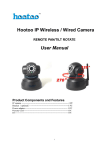
C100 Series IP Camera User Manual
1.1 Applications.................................................................................... 5
1.2. Product Specifications................................................................... 6
1.3 Parameters Form............................................................................. 6
1.4 System Requirements ..................................................................... 7
¾
2. Interface & Installation .................................................................. 8
2.1. Interface......................................................................................... 8
2.2. Installation ..................................................................................... 9
2.2.1. Installation in LAN. .................................................................................................10
2.2.2. PPPoE Installation .................................................................................................10
2.2.3. IP Camera & PC connection................................................................................. 11
¾
3 Configure method......................................................................... 12
3.1. WEB ............................................................................................ 12
3.2. Application .................................................................................. 13
¾
4. IE Browse to IP Camera............................................................. 15
4.1. Use Finder ................................................................................... 15
4.2. Logging and Active X Installation .............................................. 17
4.3. Operation Button ......................................................................... 19
4.3.1. Equipment Status ...................................................................................................19
4.3.2. Administrator Operation ........................................................................................19
4.3.3. Operation .................................................................................................................20
4.4. Basic Settings ............................................................................................................20
¾
5. Brief Introduction to CMS (centre management software) ... 28
5.1. Installation and Registration........................................................ 28
5.2 Add Device................................................................................... 28
5.2.1. Basic Information....................................................................................................29
E-Lins Technology Co.,Limited
Tel: +86-755-83700465 E-mail: [email protected] www.szelins.com