1
Troubleshooting Guide
Q: I see a blank screen where I want to see my images.
A:
1. Make sure that both the camera and the receiver are receiving power from their
supplied power adapters.
2. Ensure that the camera is properly paired with the receiver by following the instructions
on page 9.
3. Check that the channel you are displaying is the one paired with the camera. Try turning
other channels off.
4. If all else fails, try moving the camera closer to the receiver, and be sure there are no
obstacles (such as thick walls or metal sheets) in between the camera and the receiver
blocking the signal.
Q: Can I pair one camera to multiple receivers?
A: No, and quite intentionally not. To create a secure signal which can’t be intercepted
(except, perhaps, by some kind of international super-spy) the camera and receiver need to
pair up and only talk to each other. Basically, it helps make sure your system serves you and
only you - it’s not a bug, it’s a feature!
Q: When I view the footage from the camera at night, I see a bright white spot and no
image. What’s up with that?
A: Having the camera looking out a window is problematic, as the glass will reflect the
infrared beams from the LEDs, over-exposing your image. Move the camera so that there
are no barriers (even transparent barriers such as glass) between the camera and what you
want to see. Also, make sure there are no objects within 3’/1m of the lens, as these can
reflect the infrared beams as well.
Q: I can’t hear any sound on my TV.
A: Check the connections between the receiver, recording device (if applicable) and the TV,
specifically the white connector(s) are plugged in correctly. Check the volume settings on
the TV. Also, remember that the range of the microphone is not the same as the range of
the camera – the camera will record anything in front of it that it sufficiently lit, however a
microphone will only record sound within a few feet (unless the sound is very loud).
Table of Contents
Before You Begin
2
Table of Contents
3
Package Contents
3
Overview
4
Layout
5
Connection Guide
6
Activating Channels & Pairing
8
Pairing
9
Troubleshooting
10
Technical Specifications
12
Helpdesk / Warranty Information
Rear Cover
Package Contents
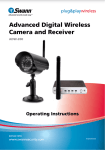
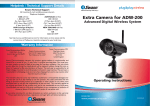
ADW-200 Camera with Stand
A/V Cable
ADW-200 Receiver
Operating Instructions
2 X Antennas
Security Stickers
5V Power Adapter for Camera
Mounting Hardware
5V Power Adapter for Receiver
Q: The image on my TV appears to be distorted.
A: Check the PAL/NTSC settings on your television are correct for your region (NTSC for USA
and Canada, PAL for Australia and Western Europe). If this does not fix the problem, check
the connections between the receiver and your screen. If you are using a long RCA cable
(anything over 6’/2m) try using a shorter one, particularly if there are other electrical devices
located close to the TV and receiver.
Q: At night, the camera can only see 26’/8m.
A: This is not a malfunction – this is the range of the infrared beam that the camera uses
to see at night. Move the camera closer to what you wish to view. Alternately, you could
purchase and install a sensor floodlight, which are available at most good hardware stores.
10
3