1
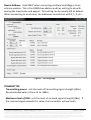
If you are unable to connect to the scanned COM port, you can manually find the correct COM port on your PC in the Device Manager. The Hardware Key is called “USB Serial Port.” 2.3 Software Configuration When you have successfully connected to the SmartPager, you can begin configuration. When entering a number value, the box will turn yellow. Press the “ENTER” key to confirm the setting and save it to the device! Figure 2 - Communication Page TECHNICAL MANUAL – SMARTPAGER – REV 1.0 PAGE 6 of 12 This document was created to provide the intended recipient documentation for technician purposes only. Any other usage of this document is an illegal and unlawful act. This document is a confidential and proprietary document of American Security spol. s r.o. and consists of information that is protected by copyrights or intellectual property protection of other subjects. All other information, which is not generally known, is intellectual property of American Security spol. s r.o. This document including any and all attachments hereto is intended solely to be used by individuals or entities to which it is addressed. If the reader of this document is not the intended recipient, or an employee or agent responsible for delivering this document to its intended recipient, you are herewith notified that any dissemination, distribution, copying or retention of this document or the information contained herein is strictly prohibited. If you have received this document in error, please notify us at [email protected] immediately and permanently delete and/or destroy the original and any copy or printout thereof.