1
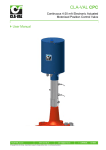
CLA-VAL e-Drive-33
Actuated Pilot Control 4-20 mA
` User Manual
` CLA-VAL Europe
www.cla-val.ch
[email protected]
© Copyright CLA-VAL Europe - Specifications subject to change without notice - no contractual illustrations.
1 - LIN039UE
D 02/10
CLA-VAL e-Drive-33
Actuated Pilot Control 4-20 mA
Table of Contents
1 ` Introduction..................................................................................................................... 3
1.1
1.2
1.3
1.4
1.5
Precautions Before Starting ......................................................................................................3
Troubleshooting ........................................................................................................................3
General Disclaimer ...................................................................................................................3
Environmental Protection..........................................................................................................3
Typography ...............................................................................................................................4
2 ` e-Drive-33 Characteristics ............................................................................................. 5
3 ` How to Use the e-Drive-33? ........................................................................................... 6
3.1
3.2
3.3
3.4
3.5
3.6
3.7
3.8
3.9
Wiring Connections...................................................................................................................6
e-Drive-33 Technical Data ........................................................................................................7
Connection................................................................................................................................8
Installation Instructions .............................................................................................................9
Software / Firmware Update .....................................................................................................9
Firmware Update (Internal Software)......................................................................................10
USB Driver Installation............................................................................................................10
Update USB Driver or Install on another Port .........................................................................11
Configuration Mode.................................................................................................................13
4 ` How to calibrate the e-Drive-33? ................................................................................. 14
4.1
4.2
4.3
4.4
4.5
4.6
Display ....................................................................................................................................14
Static Calibration Mode...........................................................................................................15
Dynamic Calibration Mode......................................................................................................16
Extended Dynamic Calibration Mode: High Point value .........................................................17
Configuration...........................................................................................................................18
Alarms.....................................................................................................................................19
5 ` Some Tips .....................................................................................................................20
` CLA-VAL Europe
www.cla-val.ch
[email protected]
© Copyright CLA-VAL Europe - Specifications subject to change without notice - no contractual illustrations.
2 - LIN039UE
D 02/10
CLA-VAL e-Drive-33
Actuated Pilot Control 4-20 mA
1
` INTRODUCTION
1.1
PRECAUTIONS BEFORE STARTING
: Before commencing work on site, connect to our internet address in order to update your e-Drive-33 with the latest
version of the software and firmware (chapter 3.5).
1.2
TROUBLESHOOTING
•
Diagnostic for the led
At start-up, the led remains red for 5 seconds, then switches to solid green.
•
Green
Status OK.
•
No light
Check power supply.
•
Red
Exceed the high torque limit - Power down and power up again. If problem persists contact CLA-VAL.
Excess voltage (above 32 Volts).
•
Blinking red/green
Calibration was not completed correctly - recalibrate.
•
Changing a set-point without a command signal with an e-Drive - USB cable connected
1. Calibrate your range.
2. Select "Last position" in loss of signal mode.
3. Go to "Display" tab, select your milliamp value and tick the check box to activate.
•
Changing a set-point without a command signal without an e-Drive - USB cable
To increase or decrease the actuator, refer to wiring diagram in the user manual.
To increase actuator connect the purple wire with the pink.
To decrease actuator connect the turquoise wire with the pink.
Note: If it returns to 4 mA or 20 mA, then the loss of signal mode was not in "Last position mode".
1.3
GENERAL DISCLAIMER
In accordance with our policy of continuous development and improvement, CLA-VAL Europe reserves the right to modify or
improve these products at any time without prior notice. CLA-VAL Europe assumes no liability or responsibility for any errors
or omissions in the content of this document.
1.4
ENVIRONMENTAL PROTECTION
Help to preserve and protect the environment. Recycle used batteries and accessories.
` CLA-VAL Europe
www.cla-val.ch
[email protected]
© Copyright CLA-VAL Europe - Specifications subject to change without notice - no contractual illustrations.
3 - LIN039UE
D 02/10
CLA-VAL e-Drive-33
Actuated Pilot Control 4-20 mA
1.5
TYPOGRAPHY
Throughout this manual, the following typographical conventions and symbols have been adopted to help readability:
a.
"Bold": Menu, command, tab and button.
b.
BOLD ITALIC: Important information.
c.
(1): Number of the reference marks on image.
d.
www.cla-val.ch: Internet address.
e.
: Some tips.
f.
: Warning!
` CLA-VAL Europe
www.cla-val.ch
[email protected]
© Copyright CLA-VAL Europe - Specifications subject to change without notice - no contractual illustrations.
4 - LIN039UE
D 02/10
CLA-VAL e-Drive-33
Actuated Pilot Control 4-20 mA
2
` E-DRIVE-33 CHARACTERISTICS
Thank you for purchasing a CLA-VAL e-Drive-33. With appropriate care, this e-Drive-33 will provide accurate and reliable
control of your valve for many years. The e-Drive-33 is built with the latest technology together with very high quality
components.
The e-Drive-33 is a 4-20 mA standalone actuated control which is PC calibrated and able to remotely control any CLA-VAL
valve. The pilot setting can be adjusted with a standard 4-20 mA signal and a 4-20 mA position feedback signal is available
to cross check if the requested position is reached.
e-Drive-33 with pilot
Maintenance port
e-Drive-33 cable
moulded 10 meter
(standard execution)
Maintenance cable
Adaptable side
PC side
Adaptable socket
e-Drive-33 side
` CLA-VAL Europe
www.cla-val.ch
[email protected]
© Copyright CLA-VAL Europe - Specifications subject to change without notice - no contractual illustrations.
5 - LIN039UE
D 02/10
CLA-VAL e-Drive-33
Actuated Pilot Control 4-20 mA
3
` HOW TO USE THE E-DRIVE-33?
3.1
WIRING CONNECTIONS
Cable
Code
0V
` CLA-VAL Europe
Function
Colour
Connect with ground
principal
black
+24 VDC
Power supply
red
+4-20 mA
Position Feedback
Common -
For position feedback &
push button
+4-20 mA-
Set point +
yellow
-4-20 mA
Set point -
grey
Alarm 1
Input low contact relay
Alarm 1
Output low contact relay
blue
Alarm 2
Input high contact relay
orange
Alarm 2
Output high contact relay
Manual 1
Decrease position by
push button
Manual 2
Increase position by push
button
www.cla-val.ch
green
pink
brown
white
turquoise
purple
[email protected]
© Copyright CLA-VAL Europe - Specifications subject to change without notice - no contractual illustrations.
6 - LIN039UE
D 02/10
CLA-VAL e-Drive-33
Actuated Pilot Control 4-20 mA
3.2
E-DRIVE-33 TECHNICAL DATA
Electrical Specifications
Electrical Power:
• 24 VDC, 6 rpm rated speed
• 12 VDC, 3 rpm rated speed
300 mA max. load draw @ 20 bar
30 mA stand-by (no load draw)
Power Protection:
Max. 32 VDC over voltage
Max. 800 mA torque load draw
Reverse polarity & short circuit
80°C stop @ high temperature
Led display:
Green LED
Electrical connection:
Input command:
Moulded 10 m cables
Input 4-20 mA Protection
Output feedback:
Output 4-20 mA Protection
• 4-20 mA (2 wires)
• 2 x dry contact (manual positioning)
Max. 32 VDC over voltage
Optocoupler isolation @ CMR 1000 V
(CMR: common mode rejection)
Insulated (2 wires)
• 4-20 mA (output charge ≤ 500 Ω)
• 2 x programmable position alarms 24 VDC / 240 VAC up to 1 A max.
Max. 32 VDC over voltage
(The input dry contact and 4-20 mA output have the same common or earth
but are not individually isolated)
Other Specifications
Operating Pressure:
Temperature range:
Rating:
Interface:
PN 16 bar standard
-10°C to +80°C
IP68 standard allowing full immersion (Solenoid, junction box, sensor, not
included in IP68)
Plug & Play / NT / 2000 / XP / Vista / Win 7
Default mode
Troubleshooting:
Remote command failure:
` CLA-VAL Europe
Refer to user manual for LED diagnostics and codes: red-green-blinking
Options available: maintain current position, go to 4 mA position, go to
20 mA position
www.cla-val.ch
[email protected]
© Copyright CLA-VAL Europe - Specifications subject to change without notice - no contractual illustrations.
7 - LIN039UE
D 02/10
CLA-VAL e-Drive-33
Actuated Pilot Control 4-20 mA
3.3
CONNECTION
Output:
LIN039UE-09
` CLA-VAL Europe
www.cla-val.ch
[email protected]
© Copyright CLA-VAL Europe - Specifications subject to change without notice - no contractual illustrations.
8 - LIN039UE
D 02/10
CLA-VAL e-Drive-33
Actuated Pilot Control 4-20 mA
3.4
INSTALLATION INSTRUCTIONS
1- All installation, adjustment and maintenance should be carried out by a competent electrician.
2- Do not exceed the maximum ratings given in the specifications and printed on the label.
3- The electrical connections should be made as described in the user’s manual.
4- Before any maintenance operation the main power should be turned off.
: Do not attempt to open the product as this will invalidate the warranty!
3.5 SOFTWARE / FIRMWARE UPDATE
For Software updates please visit our web site www.cla-val.ch:
Select "download e-Line", you will find all the latest Software (PC) & Firmware (internal software) updates. Just click on the
logo to download automatically.
All the software is multi-language, only the install Software is in French or English.
` CLA-VAL Europe
www.cla-val.ch
[email protected]
© Copyright CLA-VAL Europe - Specifications subject to change without notice - no contractual illustrations.
9 - LIN039UE
D 02/10
CLA-VAL e-Drive-33
Actuated Pilot Control 4-20 mA
3.6
FIRMWARE UPDATE (INTERNAL SOFTWARE)
: Before the Firmware update, save your program on your PC.
1- Connect the USB wire to the USB connection of your PC.
2- Connect the e-Drive-33 to the USB wire.
3- Select "Read Parameters" to read e-Drive-33 settings and record output parameters.
4- Select "Firmware update" in "Parameters".
5- Open the corresponding "hex" file.
6- Select "Read Parameters" to check that the Firmware is updated.
3.7
USB DRIVER INSTALLATION
When you connect the e-Drive-33 cable for the first time, your PC will detect it and request a driver.
Windows 1
a.
Select "Cancel".
b.
Install the "Multi-USB driver setup" software on your PC (you can download this software on internet
www.cla-val.ch).
c.
When you see this message below, select "Continue Anyway".
Windows 3
Installation of the USB driver is now finished.
Windows 5
` CLA-VAL Europe
www.cla-val.ch
[email protected]
© Copyright CLA-VAL Europe - Specifications subject to change without notice - no contractual illustrations.
10 - LIN039UE
D 02/10
CLA-VAL e-Drive-33
Actuated Pilot Control 4-20 mA
3.8
UPDATE USB DRIVER OR INSTALL ON ANOTHER PORT
To update your USB driver, please follow procedure below. Install the software «Multi-USB Driver Setup» download from our
web site www.cla-val.ch.
Connect your USB cable to your PC.
a.
Select: "Install from a list or specific location".
Windows-1
b.
Browse to file: C\Program Files\CLA-VAL\Multi-USB Driver Setup.
Windows-2
c.
Microsoft validation press "Continue Anyway"
Windows-3
` CLA-VAL Europe
www.cla-val.ch
[email protected]
© Copyright CLA-VAL Europe - Specifications subject to change without notice - no contractual illustrations.
11 - LIN039UE
D 02/10
CLA-VAL e-Drive-33
Actuated Pilot Control 4-20 mA
d.
Installation.
Windows-4
e.
Installation completed.
Windows-5
Visit our web site www.cla-val.ch frequently in order to download freely the latest update and news.
` CLA-VAL Europe
www.cla-val.ch
[email protected]
© Copyright CLA-VAL Europe - Specifications subject to change without notice - no contractual illustrations.
12 - LIN039UE
D 02/10
CLA-VAL e-Drive-33
Actuated Pilot Control 4-20 mA
3.9
CONFIGURATION MODE
To launch e-Drive-33 / CPC software when not connected to your PC, the e-Line list (which allows the multi connection of eLine products) is empty (see picture below), click "Cancel".
GEN001
If you are connected to one or more e-Drive-33’s or another e-Line product, click on "View All" then select the e-Drive-33
you would like to communicate with from the list (see picture below) then click once on left mouse button.
The name of product, Firmware version and serial number are displayed.
LIN039U-01
If your e-Line product isn’t updated with the “Multi connection” version, the e-Line list stays empty. Click on "View All", the
e-Line product appears with name "Generic e-Line" (see picture below), then click once on left mouse button on this line to
communicate with the product.
For the name and serial number of this product to appear, a Firmware update is necessary (see chapter 3.6).
GEN002
` CLA-VAL Europe
www.cla-val.ch
[email protected]
© Copyright CLA-VAL Europe - Specifications subject to change without notice - no contractual illustrations.
13 - LIN039UE
D 02/10
CLA-VAL e-Drive-33
Actuated Pilot Control 4-20 mA
` HOW TO CALIBRATE THE E-DRIVE-33?
4.1
DISPLAY
Activated continuous reading
Configuration information
General
information
4
Activated override set point
Display pressure values
Display Set point and
feedback position
LIN039UE-01
Connect your PC to the e-Drive-33 with the USB cable.
1-
Start the e-Drive / CPC CLA-VAL software.
2-
Selected the e-Drive in the e-Line list.
3-
Selected your language and click "Read parameters".
4-
On the right side the configuration information is displayed. On the top general information including the date of
the latest calibration, the average & total working time since the first power up, the number of starts, the serial
number, the Firmware version and the maximum and minimum recorded temperature is displayed.
5-
Click on continuous reading if you would like see the position of e-Drive, set point (mA) and feedback position
(mA and units).
6-
If you would like to manually change the setting, write your setting and click on "Override Setpoint".
Improper use of "Override Setpoint" may cause damage to your system
: a- Display configuration text colour is blue by default. If you amend any parameters, the text colour will change to
black. To restore text to blue, select "Read parameters".
` CLA-VAL Europe
www.cla-val.ch
[email protected]
© Copyright CLA-VAL Europe - Specifications subject to change without notice - no contractual illustrations.
14 - LIN039UE
D 02/10
CLA-VAL e-Drive-33
Actuated Pilot Control 4-20 mA
4.2
STATIC CALIBRATION MODE
During this process, system pressures will not change (or change slightly depending on the rounded number entered)
when entering set-point values in order to complete the process. If you prefer to change the system pressures, use
"Dynamic Calibration" mode.
The ‘Set Range’ window allows either ‘Static’ or ‘Dynamic’ calibration.
When you click on "Set Range", you will see the message below.
If you would like to continue with calibration, click "OK", if not click "Cancel".
LIN039UE-02
Determine the pilot spring range. (Check nameplate label on pilot).
Calculate the pressure change per turn of pilot from the spring chart.
Calculate the number of turns between the reference pressure and desired low and high pressures.
1-
Select "Static Calibration" Mode and ensure that the "CPC Motor" check box is unchecked (Disabled).
2-
Select units.
3-
Enter these numbers into "Value at 4 mA" and to "Value at 20 mA" windows. Numbers must be positive and
can have up to 2 decimal places.
4-
From the values current pressure/flow, enter the number of turns to reach Low pressure/flow set-point (1).
5-
From the values current pressure/flow, enter the number of turns to reach High pressure/flow set-point (2).
7-
Click "Write Set Range" button to complete actuator setup.
Your e-Drive-33 is calibrated.
(1)
(2)
LIN039UE-05
` CLA-VAL Europe
www.cla-val.ch
[email protected]
© Copyright CLA-VAL Europe - Specifications subject to change without notice - no contractual illustrations.
15 - LIN039UE
D 02/10
CLA-VAL e-Drive-33
Actuated Pilot Control 4-20 mA
Example program:
-
Valve is in control operating at 45 psi (3 bar).
-
The pressure at 4 mA is 30 psi (2 bar).
-
The pressure at 20 mA is 60 psi (4 bar).
-
From the spring chart, the pressure per turn is 9.1 psi (0.6 bar).
The number of turns to Low set point is equal to 45 psi (3 bar) minus 30 psi (2 bar) Divided by 9.1 psi (0.6 bar) = 1.65 turns.
The number of turns to High set point is equal to 60 psi (4 bar) minus 45 psi (3 bar) Divided by 9.1 psi (0.6 bar) = 1.65
turns.
4.3
DYNAMIC CALIBRATION MODE
During this process, system pressures will be changed from the minimum to maximum set-point values in order to
complete the process. If it is not possible to change system pressures, use "Static Calibration" mode.
Now you are in the calibration, please follow the setting:
LIN039UE-03
1- Select "Dynamic Calibration" mode and ensure that the "CPC Motor" check box is unchecked (Disabled).
2- Select Units.
3- Enter the required setting Value at 4 mA point and Value at 20 mA point.
4- "Low point setting". Look at the pressure/flow on the gauge/display and use the "Increase actuator / Decrease
actuator" button to decrease the pressure/flow until it reaches the low pressure/flow point. When the low
pressure/flow point is reached, then click on the button "Low point setting".
5- "High point setting". Look at the pressure/flow on the gauge/display and use the "Increase actuator / Decrease
actuator" button to increase the pressure/flow until it reaches the high pressure/flow point. When the high
pressure/flow point is reached, then click on the button "High point setting".
7- When all values have been entered, click on "Write Set Range".
Dynamic calibration is done.
` CLA-VAL Europe
www.cla-val.ch
[email protected]
© Copyright CLA-VAL Europe - Specifications subject to change without notice - no contractual illustrations.
16 - LIN039UE
D 02/10
CLA-VAL e-Drive-33
Actuated Pilot Control 4-20 mA
4.4
EXTENDED DYNAMIC CALIBRATION MODE: HIGH POINT VALUE
During this process, system pressures will be changed from the minimum to the chosen maximum set-point values in
order to complete the process. If it is not possible to change system pressures, use "Static Calibration" Mode.
Projected calibration
LIN039UE-04
If you can not physically reach the requested High pressure point, in this situation you have to follow the extended dynamic
calibration mode:
1- Select "Dynamic Calibration" mode and ensure that the "CPC Motor" check box is unchecked (Disabled).
2- Select Units.
3- Enter the required setting Value at 4 mA point and Value at 20 mA point.
4- "Low point setting". Look at the pressure/flow on the gauge/display and use the "Increase actuator / Decrease
actuator" button to decrease the pressure/flow until it reaches the low pressure/flow point. When the low
pressure/flow point is reached, then click on the button "Low point setting".
5- Look at the pressure/flow on the gauge/display and use the "Increase actuator / Decrease actuator" button, in
order to increase the pressure/flow until it reaches the high pressure/flow point. When the pressure does not
increase any more then stop the actuator. Decrease the pressure/flow by a small amount, as soon as you see the
gauge/flow changing stop again.
6- "High point setting". Enter the indicated value in the projected calibration window "Attainable high point value"
as described over, then click on "High point setting".
7- When all values have been entered, click on "Write Set Range".
Extended calibration is done.
` CLA-VAL Europe
www.cla-val.ch
[email protected]
© Copyright CLA-VAL Europe - Specifications subject to change without notice - no contractual illustrations.
17 - LIN039UE
D 02/10
CLA-VAL e-Drive-33
Actuated Pilot Control 4-20 mA
4.5 CONFIGURATION
The configuration tab sets the rotation speed and the deadband.
•
Rotation speed affects the response time of the valve between set-points.
The default condition is 1 second on-time, 5 seconds off-time achieving at rotation speed of 1.2 rpm.
Make sure that the values entered are appropriate to your system to minimise potential for surge.
Entering a ‘0’ (zero) ON-TIME and ‘0’ (zero) OFF -TIME will achieve a continuous rotation speed of 6 rpm (The
maximum speed).
•
Deadband: The default value is 0.1 mA which may need to be increased depending on the stability of the electrical
signal.
Choose the loss of signal mode:
•
Go to 4 mA:
e-Drive-33 will default to the 4 mA position (low set point).
•
Last position:
e-Drive-33 will maintain the last position.
•
Go to 20 mA:
e-Drive-33 will default to the 20 mA position (high set point).
Note: Loss of signal can occur on the SCADA system which generates the 4-20 mA command but at the same time the
e-Drive-33 can stay powered, so it is important to select the right option.
When you have finished your configuration, click on "Write Configuration".
Your e-Drive-33 is configured.
LIN039UE-06
` CLA-VAL Europe
www.cla-val.ch
[email protected]
© Copyright CLA-VAL Europe - Specifications subject to change without notice - no contractual illustrations.
18 - LIN039UE
D 02/10
CLA-VAL e-Drive-33
Actuated Pilot Control 4-20 mA
4.6
ALARMS
The e-Drive 33 incorporates a LOW and HIGH Alarm with an adjustable hysteresis.
Note: The LOW and HIGH alarm levels are activated within the range:
•
Example:
10% low alarm = 4 + (10% x 16) = 5.6 mA.
90% High alarm = 4 + (90% x 16) = 18.4 mA.
•
Hysteresis:
The calculation is: 4 + (2% x 16) = 0.32 mA.
Low alarm hysteresis in this example = 5.6 mA + 0.32 mA = 5.92 mA.
High alarm hysteresis in this example = 18.4 mA - 0.32 mA = 18.08 mA.
Enter the requested percentage, for the alarms and hysteresis.
2-
Click on "Test" to close or open your contact relay.
3-
Click on "Write Alarms" (1) once your alarm settings are correct.
Adjustment of alarms high, low
level and hysteresis alarm level
2%
1-
(1)
LIN039UE-07
"Low Level" alarm range
"Low Level" alarm
value
"Low Level" hysteresis alarm
value
` CLA-VAL Europe
www.cla-val.ch
"High Level" alarm
range
"High Level" alarm
value
"High Level" hysteresis
alarm range
[email protected]
© Copyright CLA-VAL Europe - Specifications subject to change without notice - no contractual illustrations.
19 - LIN039UE
D 02/10
CLA-VAL e-Drive-33
Actuated Pilot Control 4-20 mA
` SOME TIPS
5
a.
After calibration if you want to change the pilot position, use the "Override setpoint" option.
b.
To generate a calibration report, select "Parameters" and then "Report".
•
Enter a reference number.
•
Click on "Report".
The Software will automatically generate a TXT report file (C:\Program Files\CLA-VAL\e-Drive Setup) including all
the calibration settings.
` CLA-VAL Europe
www.cla-val.ch
[email protected]
© Copyright CLA-VAL Europe - Specifications subject to change without notice - no contractual illustrations.
20 - LIN039UE
D 02/10