1
Brainloop Secure Connector for Microsoft PowerPoint Version 4.5 – User Guide
3.9.2 Open a PowerPoint Document in the Web Browser
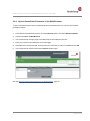
To open a PowerPoint document in the Brainloop Secure Dataroom Service via your web browser,
proceed as follows:
1. In the opened PowerPoint document, click the Dataroom button and select Show Properties.
2. Click the link Open in Web Browser.
3. You are directed to the login page of the Brainloop Secure Dataroom Service.
4. Enter your username and password, and click Login.
5. If the Dataroom is PIN-protected, enter the PIN you received by e-mail or by SMS and click OK.
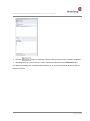
6. You are directed to the document with its Details window open.
See also Open a PowerPoint Document in the Web Browser, page 13.
Page 21 of 25