1
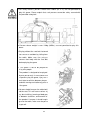
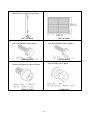
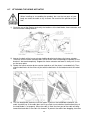
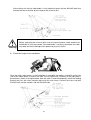
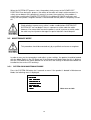
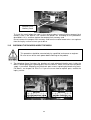
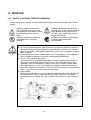
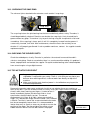
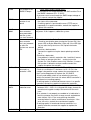
When connecting the input power cable into the terminal, fasten the holding
screws tightly. If the screws are loose, it may cause an unstable power supply,
which can cause unstable movement during operation.
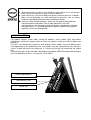
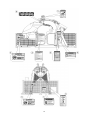
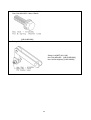
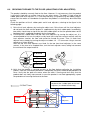
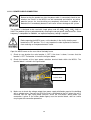
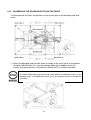
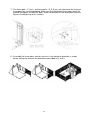
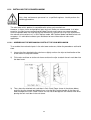
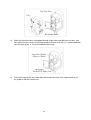
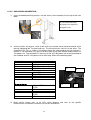
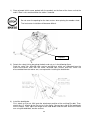
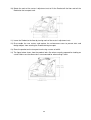
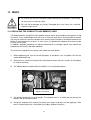
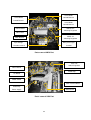
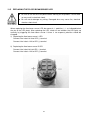
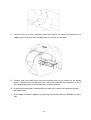
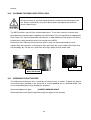
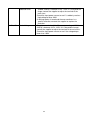
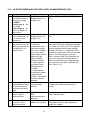
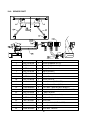
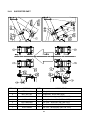
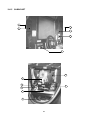
4) Check the position of the terminal block to which the power cable is inserted. The label
should say MAIN AC POWER. First, connect the green and yellow grounding wires by
loosening the 1st grounding screw. The label for the 1st ground point is ‘ ’. Connect the
remaining power cable to 1 and 3.
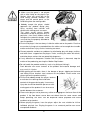
3
1
1st ground point
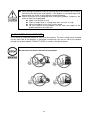
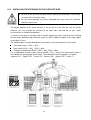
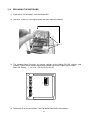
When connecting the power cable to the terminal block, fasten the holding
screws tightly. If the screws are loose, it may cause an unstable power supply,
which can cause unstable movement during operation.
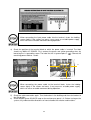
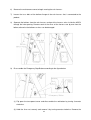
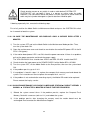
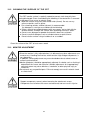
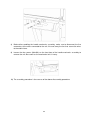
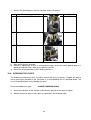
5) Check the cable connection again. Turn the breaker in the building and the main breaker to
the ON position.
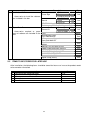
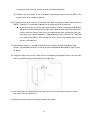
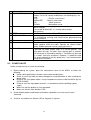
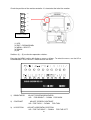
6) Check whether green SOURCE lamp on the maintenance panel is lit. Before turning on the
system, fully understand the directions on how to handle the switches and functions.
50