1
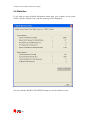
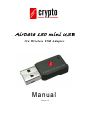
AirData 150 mini USB
11 n W i r e l e s s U S B A d a p t e r
Manual
Version 1.0
Airdata 150 mini USB 11n Wireless Adapter
Contents
1. Introduction ................................................................................................... 2
2. Installation Procedure .................................................................................. 5
3. Wireless Network Configuration Utility ................................................... 10
4. Connect to Wireless Access Point .............................................................. 15
4.1 Using Ralink Utility.......................................................................................17
4.1.1 Scan for Other Wireless Devices ........................................................19
4.1.2 Connect to an Access Point.................................................................24
4.1.3 Add an Access Point to Profile............................................................27
4.2 Using Windows Zero Configuration..............................................................34
4.3 Profile Management.......................................................................................38
4.3.1 Add a profile .......................................................................................39
4.3.2 Edit an existing profile........................................................................39
4.3.2 Edit an existing profile........................................................................40
4.3.3 Delete an existing profile ....................................................................41
4.3.4 Activate a profile.................................................................................41
4.4 Advanced Settings..........................................................................................42
4.5 View Network Statistics.................................................................................46
4.6 WMM Setting ................................................................................................47
4.7 WPS Configuration ........................................................................................49
4.7.1 WPS Setup - PBC (Push-Button Configuration) ................................50
4.7.2 WPS Setup - PIN.................................................................................53
4.8 Radio On/Off..................................................................................................55
4.9 About..............................................................................................................56
5 Soft-AP Function .......................................................................................... 57
5.1 Switch to AP Mode and Basic Configuration ................................................57
5.2 Security Setting..............................................................................................62
5.3 Access Control ...............................................................................................64
5.4 Connection Table ...........................................................................................66
5.5 Event Log.......................................................................................................68
5.6 Statistics .........................................................................................................69
6 Technical Support ........................................................................................ 71
Airdata 150 mini USB 11n Wireless Adapter
1. Introduction
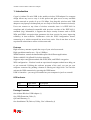
Crypto’s Airdata 150 mini USB is the smallest wireless USB adapter! Its compact
design allows any user to carry it in his pocket and gain access to any available
wireless network at speeds of up to 150 Mbps. Just plug this wireless mini USB
adapter to any laptop or desktop and you are ready to browse the Internet wirelessly!
Users can connect to any form of wireless networks since it is IEEE 802.11n
compliant and is backward compatible with previous versions of the IEEE 802.11
standards (b/g). Meanwhile, it supports the major security features such as WEP,
WPA and WPA2 encryption that guarantees the best security for users improving
reliability in data transfers. Furthermore with the WPS configuration feature,
connecting to a wireless network has never been easier. You do not have to be an
experienced technician to utilize wireless networks!
Features
High-efficiency antenna expands the scope of your wireless network.
High-speed data transfer rate - Up to 150Mbps.
WMM function: control the bandwidth required for different applications.
Works with 802.11b/g/Draft-N wireless networks.
Supports major encryption methods like WEP, WPA, and WPA2 encryption.
WPS configuration - You don’t need an experienced computer technician to help you
to get connected. Utilizing the software program of the card, you can get your
computer connected by pushing a button or entering an 8-digit code. You can also
activate the WPS connection by pressing the WPS button.
USB 2.0 interface - you can get it installed on your computer in just few seconds!
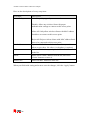
LED Indicator
LED
Light Status
ACT
Blinking
Description
Data is being transmitted or received
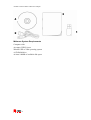
Package Contents
One Airdata Wireless USB Adapter (1)
One USB Extension Cable (2)
QIG and Warranty (3)
One Installation CD (Drivers, Utility, User’s Manual) (4)
2
Airdata 150 mini USB 11n Wireless Adapter
3
4
1
2
Minimum System Requirements
Computer with:
An empty USB 2.0 port
Windows XP or Vista operating system
A CD-ROM drive
At least 100MB of available disk space
3
Airdata 150 mini USB 11n Wireless Adapter
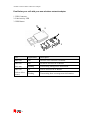
Familiarize your self with your new wireless network adapter
1. USB Connector
2. Link/Activity LED
3. WPS Button
2
3
1
LED
Light Status
Description
Radio Off
Off
Wireless LAN function is disabled.
Radio On
Off
No link to wireless AP or Router
(No Link)
Flashing
Transmitting management information.
Radio On
On
Link to wireless AP or Router
Flashing
Transmitting data or management information.
(Link to AP or
Router)
4
Airdata 150 mini USB 11n Wireless Adapter
2. Installation Procedure
Note: If you have installed the Wireless Adapter driver & utility before, please
uninstall the old version first.
Windows XP and Vista
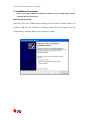
Insert the CD in the CD-ROM drive and plug in the Airdata 150 mini USB to one
available USB slot. The Found New Hardware Wizard below will appear after the
USB adapter is installed. Please click Cancel to continue.
5
Airdata 150 mini USB 11n Wireless Adapter
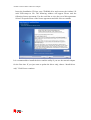
Insert the Installation CD into your CD-ROM drive and execute the Airdata 150
mini USB setup.exe file. The following window will appear. Please read the
following license agreement. Use the scroll bar to view the rest of this agreement.
Select I accept the terms of the license agreement and click Next to continue
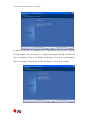
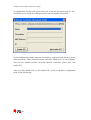
It is recommended to install the driver and the utility if you use the network adapter
for the first time. If you just want to update the driver only, choose “Install driver
only” Click Next to continue.
6
Airdata 150 mini USB 11n Wireless Adapter
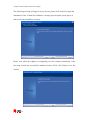
In Windows XP, there is a Windows Zero Configuration Tool for you to setup the
wireless adapter. You can choose to configure the adapter through the Microsoft
Zero Configuration Tool or the Ralink Configuration Tool. It is recommended to
choose the Ralink Configuration Tool for the adapter. Click Next to continue.
7
Airdata 150 mini USB 11n Wireless Adapter
The following message will appear at your screen, please click ‘Install’ to begin the
installation. If the ‘Found New Hardware’ message appears again, please ignore it
and wait for the installation to begin.
Please wait, while the adapter is configuring your new software installation. After
the setup wizard has successfully installed wireless LAN, click Finish to exit the
wizard.
8
Airdata 150 mini USB 11n Wireless Adapter
To check if the adapter is properly installed, you can right-click My Computer Æ
choose Properties Æ
Hardware click Device Manager.
The Configuration Utility appears as an icon on the system tray of Windows while
the adapter is running. You can open the utility by double-clicking on the icon.
Right-click the icon, there are some items for you to use the configuration utility,
Launch Config Utilities Æ Select this option to open the Configuration Utility tool.
Use Zero Configuration as Configuration utilityÆ Select this option to use Windows
XP built-in wireless configuration utility (Windows Zero Configuration) to
configure the card.
Switch to AP Mode Æ Select this option to change to AP mode.
Exit Æ Select Exit to close the Configuration Utility tool.
9
Airdata 150 mini USB 11n Wireless Adapter
3. Wireless Network Configuration Utility
[Use WZC to configure wireless adapter]
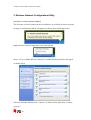
The first time you will connect the device and there are available wireless networks
in range, a notification window will appear as shown in the following picture.
Right-click the network connection icon in the task bar.
Select “View Available Wireless Networks” and the following window will appear
as shown below.
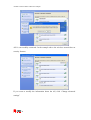
Select the intended AP and click “Connect” as shown below, then click “Connect
Anyway”.
10
Airdata 150 mini USB 11n Wireless Adapter
AP1 is successfully connected. In the example above the wireless network has no
security features.
If you want to modify the information about the AP, click “Change advanced
settings”
11
Airdata 150 mini USB 11n Wireless Adapter
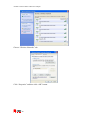
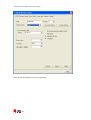
Choose “Wireless Networks” tab.
Click “Properties” and then click “OK” button.
12
Airdata 150 mini USB 11n Wireless Adapter
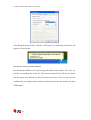
After filling the desired value, click the “OK” button. The following notification will
appear as shown below.
[Use RaUI to configure wireless adapter]
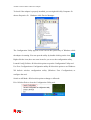
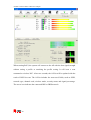
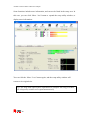
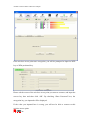
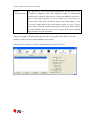
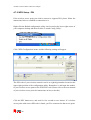
By clicking the Ralink’s icon will bring up the RaUI main window. The user can
find the surrounding APs in the list. The current connected AP will also be shown
with the green icon indicated as shown in the screen below. The user may use the
available tabs to configure more advanced features provided by the Airdata 150 mini
USB adapter.
13
Airdata 150 mini USB 11n Wireless Adapter
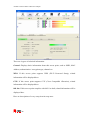
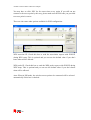
When starting RaUI, the system will connect to the AP with the best signal strength
without setting a profile or matching the profile setting. It will issue a scan
command to wireless NIC. After two seconds, the AP list will be updated with the
result of BSS list scan. The AP list includes the most used fields, such as SSID,
network type, channel used, wireless mode, security status and signal percentage.
The arrow icon indicates the connected BSS or IBSS network.
14
Airdata 150 mini USB 11n Wireless Adapter
4. Connect to Wireless Access Point
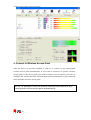
After the driver is correctly installed, it will try to connect to any unencrypted
wireless access point automatically. If you want to connect to a specific wireless
access point, or the access point you wish to connect uses encryption, you have to
configure the wireless network card and input required parameters, to get connected
to the desirable wireless access point.
NOTE: In Windows Vista, the network card will not connect to any
unencrypted wireless access point automatically.
15
Airdata 150 mini USB 11n Wireless Adapter
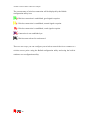
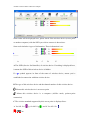
The current status of wireless connection will be displayed by the Ralink
configuration utility icon:
Wireless connection is established, good signal reception.
Wireless connection is established, normal signal reception.
Wireless connection is established, weak signal reception.
Connection is not established yet.
Wireless network card is not detected.
There are two ways you can configure your wireless network device to connect to a
wireless access point: using the Ralink configuration utility and using the built-in
windows zero configuration utility.
16
Airdata 150 mini USB 11n Wireless Adapter
4.1 Using Ralink Utility
Please follow the instructions below to use Ralink configuration utility to connect to
a wireless access point.
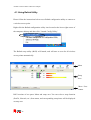
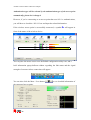
Right-click the Ralink configuration utility icon located at the lower-right corner of
the computer desktop and then click ‘Launch Config Utility’.
The Ralink setup utility (RaUI) will launch, and will start to scan for all wireless
access points automatically.
Menu
Setup
Area
More / Less
button
RaUI consists of two parts: Menu and setup area. You can select a setup function
(Profile, Network, etc.) from menu, and corresponding setup items will be displayed
at setup area.
17
Airdata 150 mini USB 11n Wireless Adapter
Some functions include more information, and can not be fitted in the setup area. In
this case, you can click ‘More / less’ button to expand the setup utility window, to
display more information:
You can click the ‘More / Less’ button again, and the setup utility window will
resume to its original size.
Tip: If a setup item requires more information to complete the setup procedure,
the setup utility window will expand automatically.
18
Airdata 150 mini USB 11n Wireless Adapter
4.1.1 Scan for Other Wireless Devices
There are two kind of wireless connection modes: Infrastructure and Ad-Hoc.
Infrastructure mode is used by wireless access points, which is able to establish
wireless connection for you and other wireless / wired network clients.
Ad-Hoc mode is also know as ‘point-to-point’ mode, and in this mode, wireless
devices such as computers or PDA’s will not be capable of establishing wireless
connections with more than one wireless device, and is suitable for establishing a
one-to-one wireless connection between two wireless devices.
Before you can connect to any wireless access point or device by infrastructure or
Ad-Hoc mode, there are two things you must know:
Firstly you need to know the Wireless device’s ‘SSID’ (Service Set IDentifier,
someone will call it the ‘access point’s name’) and secondly the encryption key in
case the wireless network is secured.
You can scan for the SSID of other wireless devices nearby, but if the SSID of the
wireless device you wish to connect is hidden, you must know the exact SSID
before you can establish a connection with it.
If the wireless device you wish to connect uses encryption, you must know its
encryption key.
Please launch Ralink setup utility and it will scan for wireless access points near by:
19
Airdata 150 mini USB 11n Wireless Adapter
Scan results will be displayed here, please check if the wireless device (access point
or another computer) with the SSID you wish to connect is shown here.
Scan result includes 6 types of information. These information’s are:
A
B
C
D
E
A The SSID (Service Set Identifier) of wireless device. If nothing is displayed here,
it means the SSID of this wireless device is hidden.
If a
symbol appears in front of the name of wireless device, means you’ve
established a connection with that wireless device.
B The type of this wireless device and the channel number of this wireless device.
Means this wireless device is an access point
Means this wireless device is a computer (Ad-Hoc mode, point-to-point
connection)
C The wireless standard supported by this access point is displayed here.
‘n’ for 802.11n
20
, ‘g; for 802.11g
, and ‘b’ for 802.11b
.
Airdata 150 mini USB 11n Wireless Adapter
WPS icon
will appear when the access point supports WPS. If the access point
uses encryption, a key icon
will appear.
Note: When the access point supports WPS and WPS icon
not see the key icon
is appeared, you will
here even through the access point uses encryption.
D Shows the signal strength of the access point by percentage.
E Shows the bar graph of the signal strength.
If you can not see the access point you wish to connect here, please click the
‘Rescan’ button to scan for access point again, until the one you prefer is displayed.
You may have to click ‘Rescan’ for more than two times before you can see the
access point you wish to use here.
If you still can not see the access point you wish to use after clicking ‘Rescan’ for
more than five times, please move your computer closer to the location of the
wireless access point.
If you wish to see detailed information for a specific access point, please
double-click on it, and you’ll be provided with its detailed information.
21
Airdata 150 mini USB 11n Wireless Adapter
There are 4 types of technical information:
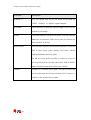
General: Displays basic information about this access point, such as SSID, MAC
Address, authentication / encryption type, channel etc.
WPS: If this access point supports WPS (Wi-Fi Protected Setup), related
information will be displayed here.
CCX: If this access point supports CCX (Cisco Compatible eXtension), related
information will be displayed here.
802.11n: If this access point complies with 802.11n draft, related information will be
displayed here.
Here are descriptions of every setup item in setup area:
22
Airdata 150 mini USB 11n Wireless Adapter
Item Name
Description
Sorted by >>
You can decide how to sort all listed access point by
‘SSID’, ‘Channel’, or ‘Signal’ (signal strength).
Show dBm
Check this box to show the signal strength of access point,
instead of percentage.
Rescan
Click this button to rescan access points. You can click this
button for several times, if the access point you wish to use
does not show in the list.
Add to Profile
You can store a specific access point to profile, so you can
link to that access point directly next time, without
inputting authentication key again.
To add an access point to profile, you have to select an
access point from the list first, then click ‘Add to Profile’
button. Detailed instructions will be given below.
Connect
Connect to a selected access point. You have to select an
access point from the list first and then click ‘Connect’ to
connect to the selected access point.
23
Airdata 150 mini USB 11n Wireless Adapter
4.1.2 Connect to an Access Point
If the wireless access point you wish to connect is found, you can establish a
connection with it by clicking ‘Connect’ button. Please follow the instructions below
to connect to an a access point.
Click the wireless access point or network device you wish to connect, it will be
highlighted, then click ‘Connect’.
If the access point you selected does not use encryption, you’ll be connected to this
wireless access point within one minute.
If the wireless access point does not have SSID, you’ll be prompted to input it now.
Please ask the owner of the wireless access point for the exact SSID and input it here,
then click ‘OK’ when ready. If the SSID you provided here is wrong, you’ll not be
able to connect to this access point.
24
Airdata 150 mini USB 11n Wireless Adapter
If the wireless access point uses encryption, you will be prompted to input its WEP
key or WPA preshared key.
Please ask the owner of the wireless access point you want to connect, and input the
correct key here and then click ‘OK’. By checking ‘Show Password’ box, the
encryption key you inputted will be displayed.
If the value you inputted here is wrong, you will not be able to connect to this
wireless access point.
25
Airdata 150 mini USB 11n Wireless Adapter
Authentication type will be selected by the authentication type of the access point
automatically, please don’t change it.
However, if you’re connecting to an access point that uses 802.1 x authentications,
you will have to check the ‘802.1x’ box and input the related information.
If the wireless access point is successfully connected, a symbol
will appear in
front of the name of the wireless device.
You can place the mouse cursor over the Ralink configuration utility icon, and a
brief information popup balloon window regarding the link status and the signal
strength of current wireless connection will appear.
You can also click the More / Less button (
the connected access point:
26
) to see detailed information of
Airdata 150 mini USB 11n Wireless Adapter
4.1.3 Add an Access Point to Profile
If you want to connect to a specific wireless access point frequently, you can add the
access point information to the profile section. Just like the telephone directory, the
profile saves all the information of the access point, and you can recall them anytime
you wish to establish a connection.
You can add a new found access point to the profile, or input all information of an
access point by yourself.
To add a new found access point to the profile, please select the new access point
first (to make it highlighted), then click ‘Add to Profile’ button; to input the
information of the access point by yourself, please go to ‘Profile’ menu and click
the ‘Add’ button.
27
Airdata 150 mini USB 11n Wireless Adapter
The setup utility will expand:
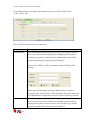
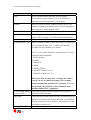
Here are the descriptions of every setup item:
Item Name
Description
Profile Name
You can give this profile a name. Every profile needs a
unique name.
SSID
Please input the SSID of this access point. If you selected
an access point from the list, and its SSID is not hidden,
the SSID will be filled automatically; however, you can
modify the SSID by yourself.
Network Type
Please select the network type: Ad hoc or Infrastructure. If
you’re connecting to an access point, please select
‘Infrastructure’; for point-to-point wireless connection (i.e.
connecting to another computer using Ad Hoc mode),
please select Ad hoc here.
If you selected an access point from the list above, please
keep this field unchanged.
Tx Power
You can select the wireless output power here. If you’re
not too far away from the access point (hence you have a
good signal reception), you can select a lower output
power to save energy; for a distant access point, you can
select a higher output power.
It’s suggested to select ‘Auto’ to let the setup utility to
decide the best output power for you.
28
Airdata 150 mini USB 11n Wireless Adapter
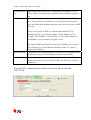
Preamble
Select the preamble for Ad hoc mode here. Available
options are ‘Auto’ and ‘Long’.
It’s suggested to select ‘Auto’ to let setup utility decide the
preamble for you.
Channel
You can select the radio channel number for AdHoc mode
here.
Power Save Mode
Please select CAM (constantly awake mode, keep wireless
radio activity even when not transferring data), or PSM
(Power saving mode, switches radio off when not
transferring data).
It’s recommended to choose ‘PSM’ if you’re using this
network adapter with a notebook computer to help the
battery live longer.
RTS Threshold
Check this box to set the RTS threshold manually. You can
drag the slider to set the threshold value, or input the value
in the box located at right.
It’s recommended to keep this value untouched unless you
know the effect of changing this value.
Fragment Threshold
Check this box to set the packet fragment threshold
manually. You can drag the slider to set the threshold
value, or input the value in the box located at right.
It’s recommended to keep this value untouched unless you
know the effect of changing this value.
29
Airdata 150 mini USB 11n Wireless Adapter
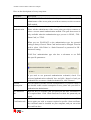
To set authentication / encryption information for the access point. Please click
‘Auth. \ Encry.’ tab:
Here are the descriptions of every setup item:
Item Name
Description
Authentication
Select the authentication type of the wireless access point or wireless
device you wish to connect. When you’re adding a profile from an
existing access point or wireless device, authentication type will be
selected automatically, and please do not change it.
If you select ‘LEAP’, you’ll be prompted to input LEAD specific
settings:
Please input LEAP identity, password, domain name, and select
encryption type. You can check ‘Show Password’ box so the password
you inputted will be displayed as you type, but not replace by asterisk.
Encryption
Select the encryption type of the wireless access point or wireless
device you wish to connect. When you’re adding a profile from an
existing access point or wireless device, the encryption type will be
selected automatically, and please do not modify it.
30
Airdata 150 mini USB 11n Wireless Adapter
WPA Preshared
Key
Input WPA preshared key here. If encryption is not enabled, or you
select ‘WEP’ as encryption type, this field will be disabled and grayed
out.
WEP Key
You can select key type (Hexadecimal or ASCII) and input WEP key
here. If encryption is not enabled, or you select ‘WPA’ as encryption
type, this field will be disabled and grayed out. You can set up to 4 WEP
keys here.
There are two types of WEP key: Hexadecimal and ASCII. For
Hexadecimal key, you can input number 0-9 and alphabet a-f; for
example, ‘001122aabbcc’; For ASCII key, you can input number 0-9
and alphabet a-z; for example, mywepkey12345.
The length of WEP key depends on the type of WEP key you selected.
You can input 10 or 26 hexadecimal characters and 5 or 13 ASCII
characters as WEP key.
Show Password
Check this box and all passphrases or security keys you inputted will be
displayed as you type, but not replace your input with asterisk.
Use 802.1x
If the access point you wish to connect requires 802.1x authentication,
please click on ‘Use 802.1x’ box, then click ‘802.1X’ tab to set 802.1x
parameters.
To set an 802.1x authentication for the access point, please click the
‘802.1X’ tab:
31
Airdata 150 mini USB 11n Wireless Adapter
Here are the descriptions of every setup item:
Item Name
Description
EAP Method
Select 802.1x EAP method from the dropdown menu. Please ask the
administrator of the access point you wish to connect, to select a correct
EAP method.
Tunnel
Authentication
Select the 802.1x tunnel authentication type from the dropdown menu.
Please ask the administrator of the access point you wish to connect, to
select a correct tunnel authentication method. This pull down menu is
only available when the authentication type you use is 'PEAP', ‘TLS /
Smart Card', or 'TTLS'.
When you use 'EAP-FAST' as the authentication type, the protocol
setting is always 'Generic Token Card' and can not be changed. You also
need to select ‘Soft Token’ or ‘Static Password’ as password in ‘ID \
Password’ setting.
’EAP Fast’ authentication type also has a sub-menu to set EAP
fast-specific parameters:
If you need to use protected authentication credential, check ‘Use
protected authentication credential’ box, and click ‘Import’ to load .pac
credential file; to remove a loaded credential file, click ‘Remove’.
Session
Resumption
You can enable or disable session resumption here. If you don’t know if
you should enable session resumption or not, please ask your 802.1x
authentication administrator.
ID \ Password
tab
Input the 802.1x username (ID) and password and other information if
it is required here. Click ‘Show Password’ to show the password you
typed.
Client
Certification tab
Use this tab to select a local certificate from the dropdown menu. If the
access point you wish to connect required a specific client certificate,
the certificate must be installed on your computer, and you can select
the certificate here.
32
Airdata 150 mini USB 11n Wireless Adapter
Server
Certification tab
Use this tab to use server-based certification. Please select a CA
(Certificate Authority) from the dropdown menu. If intermediate
certificates are allowed, please select ‘Allow intermediate certificates’.
Also, if you need to specify CA server’s name, you can specify it in
‘Server name’ field. You can select ‘Server name must match’, so the
CA server’s name must be the same with the value you set in ‘Server
name’ field; If only the domain name part of full server name must be
the same with the value you set in ‘Server name’ field, select ‘Domain
name must end in specified name’.
After you complete all information related to the access point, click ‘OK’ to save the
profile, or click ‘cancel’ to cancel adding a new profile.
If the profile is created, you will see the information in the Profile List.
33
Airdata 150 mini USB 11n Wireless Adapter
4.2 Using Windows Zero Configuration
Windows XP and Vista has a built-in wireless network configuration utility, called
‘Windows Zero Configuration’ (WZC). You can also use WZC to configure your
wireless network parameter:
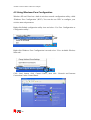
Right-click Ralink configuration utility icon and select ‘Use Zero Configuration as
Configuration utility’.
Right click Windows Zero Configuration icon and select ‘View Available Wireless
Networks’.
Click ‘Start’ button, click ‘Control Panel’, then click ‘Network and Internet
Connections’ in the Control Panel.
34
Airdata 150 mini USB 11n Wireless Adapter
Click ‘Network Connections’.
Right-click ‘Wireless Network Connection’ (it may have a number as suffix if you
have more than one wireless network card, please make sure you right-click the
‘Ralink 802.11n Wireless LAN Card), then select ‘View Available Wireless
Networks’.
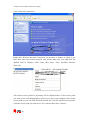
All wireless access points in proximity will be displayed here. If the access point
you want to use is not displayed here, please try to move your computer closer to the
access point, or you can click ‘Refresh network list’ scan for wireless access points.
Click the access point you want to use if it’s shown, then click ‘Connect’.
35
Airdata 150 mini USB 11n Wireless Adapter
If the access point is protected by encryption, you have to input its security key or
passphrase here. It must match the encryption setting on the access point.
If the access point you selected does not use encryption, you’ll not be prompted for
security key or passphrase.
36
Airdata 150 mini USB 11n Wireless Adapter
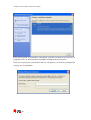
If you can see ‘Connected’ message, the connection between your computer and
wireless access point is successfully established.
37
Airdata 150 mini USB 11n Wireless Adapter
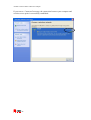
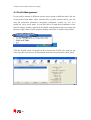
4.3 Profile Management
If you need to connect to different wireless access points at different times, like the
access point of your home, office, internet cafe, or public wireless service, you can
store the connection parameters (encryption, passphrase, security etc, etc.) as a
profile for every access point, so you don’t have to input these parameters every
time.To manage profiles, right-click the Ralink configuration utility icon located at
the lower-right corner of your computer desktop, then click ‘Launch Config Utility’.
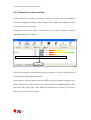
Click the ‘Profile’ menu. All profiles will be listed in the ‘Profile List’, and you can
select a profile from the list, all information about the selected profile will be listed.
38
Airdata 150 mini USB 11n Wireless Adapter
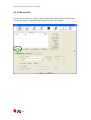
4.3.1 Add a profile
If you want to add a new profile, click ‘Profile’ menu, then click ‘the Add’ button.
You’ll be prompted to input detailed information of the access point.
39
Airdata 150 mini USB 11n Wireless Adapter
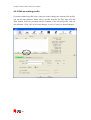
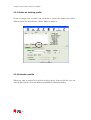
4.3.2 Edit an existing profile
If you have added a profile before, and you wish to change the content of the profile,
you can use this function. Please select a profile from the list first, then click the
‘Edit’ button. You’ll be provided with the contents of the selected profile, and you
can edit them. Click ‘OK’ to save any changes, or click ‘Cancel’ to discard changes.
40
Airdata 150 mini USB 11n Wireless Adapter
4.3.3 Delete an existing profile
If you no longer need a profile, you can delete it. Select the profile you wish to
delete from the list, and click the ‘Delete’ button to delete it.
4.3.4 Activate a profile
When you want to connect to a specific wireless device in the profile list, you can
select it and click the ‘Activate’ button, to establish a connection with it.
41
Airdata 150 mini USB 11n Wireless Adapter
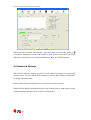
When you select a profile and click the ‘Activate’ button to activate the profile, a
icon will be displayed in front of the profile to show that the connection has failed;
When the connection is successfully established, a
icon will be displayed.
4.4 Advanced Settings
This wireless network adapter provides several advanced settings for experienced
wireless users. You can change these settings to increase data transfer performance,
or change operation mode.
Please follow the instructions below to set advanced wireless settings:
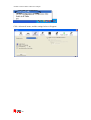
Right-click the Ralink configuration utility icon located at lower-right corner of your
computer desktop and then click ‘Launch Config Utility’.
42
Airdata 150 mini USB 11n Wireless Adapter
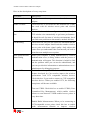
Click ‘Advanced’ menu, and the settings below will appear:
43
Airdata 150 mini USB 11n Wireless Adapter
Here are the descriptions of every setup item:
Item Name
Description
Wireless mode
Display the wireless operation mode of the network
adapter.
Enable Tx Burst
Check this box to accelerate the data transmit rate. It may
not work with all wireless access point and wireless
devices.
Enable TCP Window
Size
Check this box and the configuration utility will adjust
TCP window size automatically to get better performance.
It should be safe for most of wireless environments, but if
you find some problem on data transfer, uncheck this box.
Fast Roaming
Check this box and you can control the threshold that the
wireless network adapter should switch to another wireless
access point with better signal quality. Only adjust this
value when you understand what it means and you need to
roam between multiple access points.
Show Authentication
Status Dialog
When your computer is being authenticated by wireless
authentication server, a dialog window with the process of
authentication will appear. This function is helpful to find
out the problem when you can not be authenticated, and
you can provide this information to authentication server’s
administrator for debugging purposes.
Enable CCX
Enable Cisco Compatible eXtensions. CCX is a wireless
feature developed by Cisco used to improve the wireless
performance with CCX compatible wireless devices.
Check this box if you need to connect to CCX-compatible
wireless devices. When you enabled CCX, the following
setup items will become available:
Turn on CCKM: Check this box to enable CCKM (Cisco
Centralized Key Management), which enables wireless
clients to roam between CCKM-enabled access points in
very short time.
Enable Radio Measurements: When you’re connecting to
CCX-compatible access point, check this box to enable
radio measurement function to improve wireless
44
Airdata 150 mini USB 11n Wireless Adapter
connectivity.
Non-Serving Channel Measurements Limit: When you’re
connecting to CCX-compatible access point, check this
box to enable measurement on unused radio channels to
improve wireless connectivity.
After you finish the settings, click ‘Apply’ to apply new settings.
45
Airdata 150 mini USB 11n Wireless Adapter
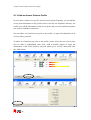
4.5 View Network Statistics
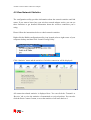
The configuration utility provides information about the network statistics and link
status. If you want to know how your wireless network adapter works, you can use
these functions to get detailed information about the wireless connection you’re
using.
Please follow the instructions below to check network statistics:
Right-click the Ralink configuration utility icon located at lower-right corner of your
computer desktop and then click ‘Launch Config Utility’.
Click ‘Statistics’ menu and the statistics of wireless connection will be displayed:
All connection-related statistics is displayed here. You can click the ‘Transmit’ or
‘Receive’ tab, to view the statistics of transmitted or received packets. You can also
click the‘Reset Counter’ button, to reset the statistics of all items back to 0.
46
Airdata 150 mini USB 11n Wireless Adapter
4.6 WMM Setting
This wireless network adapter provides WMM (Wi-Fi Multimedia) function, which
can improve the performance of certain network applications, like audio/video
streaming, network telephony (VoIP), and others. When you enable the WMM
function of this network adapter, you can define the priority of different kinds of
data, to give higher priority to applications which require instant responding.
Therefore you can improve the performance of such network applications.
Please follow the instructions below to set advanced wireless settings:
Right-click the Ralink configuration utility icon located at the lower-right corner of
your computer desktop and then click ‘Launch Config Utility’.
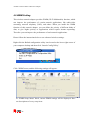
Click ‘WMM’ menu, and the following settings will appear:
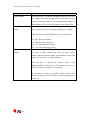
In ‘WMM Setup Status’ block, current WMM settings will be displayed. Here
are descriptions of every setup item:
47
Airdata 150 mini USB 11n Wireless Adapter
Item Name
Description
WMM Enable
Check this box to enable the WMM function. Please click
the ‘Apply’ button on the right of this check box after you
check or uncheck this box, so corresponding settings in
this window will be activated or deactivated respectively.
WMM - Power Save
Enable
Check this box to enable WMM power saving mode to
save energy, and let your computer’s battery live longer.
You also have to select WMM power save modes here:
AC_BE: Best Performance
AC_BK: Worst Performance
AC_VI: Video data has priority
AC_VO: Voice data has priority
Direct Link Setup
Enable
If you have another WMM-enabled wireless device, you
can enter its MAC address here, then click the ‘Apply’
button, and the network adapter will establish a direct link
to the wireless device you specified here.
You also have to specify the timeout value of this
directly-linked wireless device. Valid values are from 1 to
65535 (seconds), and input ‘0’ for infinity.
If you want to remove a specific wireless device from
direct link table, select the device and click this button to
remove it.
48
Airdata 150 mini USB 11n Wireless Adapter
4.7 WPS Configuration
Wi-Fi Protected Setup (WPS) is the latest wireless network technology which makes
wireless network setup process as simple as it can be. If you have WPS-enabled
wireless access point, and you want to establish a secure connection to it, you don’t
have to configure the wireless access point and setup data encryption by yourself.
All you have to do is to go to the WPS setup page of this wireless adapter, click a
button, and then press a specific button or enter a set of 8-digit code on the wireless
access point you wish to establish a secure connection.
For older wireless access points, it’s possible to perform a firmware upgrade to
become a WPS-enabled access point. Since they may not have a hardware button to
press in order to setup the WPS feature, you can use an alternative WPS setup
method - input the pin code. Every WPS-compatible wireless network card supports
the pin code configuration method; you can just input the code to wireless access
point, and the wireless access point and wireless network adapter will do the rest for
you.
This wireless network adapter is compatible with WPS. To use this function, the
wireless access point you wish to connect to must support WPS function too. Please
follow the instructions below to establish secure connection between WPS-enabled
wireless access point and your wireless network adapter.
49
Airdata 150 mini USB 11n Wireless Adapter
4.7.1 WPS Setup - PBC (Push-Button Configuration)
Right-click the Ralink configuration utility icon located at lower-right corner of your
computer desktop and then click ‘Launch Config Utility’.
Click ‘WPS’ menu and the following settings will appear.
Set ‘Config Mode’ to ‘Enrollee’, and then push the ‘WPS’ button on your wireless
access point (the button used to activate WPS standby mode may have another
name), or use another way to start WPS PBC standby mode following the
instructions given by your wireless access point’s user manual.
You can also set ‘Config Mode’ to ‘Registrar’. In this mode, this wireless network
card will wait for other WPS-enabled access points to send WPS pairing requests.
Please refer to the instruction given by your wireless access point’s user manual to
understand how to send WPS requests.
50
Airdata 150 mini USB 11n Wireless Adapter
Before you start to establish the wireless connection by using WPS, you can click
‘Rescan’ button to search for WPS-enabled access points near you again, to make
sure the WPS function of your access point is activated.
All access points with WPS function enabled will be displayed here. Please make
sure that the access point you wish to connect to is displayed. If not, please click
‘Rescan’ few more times. You can also click the ‘Information’ button to see the
detailed information about the selected access point.
Start the PBC pairing procedure at the access point side (please refer to the
instructions given by your access point’s manufacturer), then click the ‘PBC’ button
in the wireless configuration utility to start to establish a wireless connection by
WPS. (This may require several seconds to one minute to complete). When you see
that the ‘WPS status message is connected successfully’ this means that the
connection between this wireless network adapter and the access point is
successfully established by WPS, and the information about the access point you are
connected to will be displayed.
51
Airdata 150 mini USB 11n Wireless Adapter
You can click the ‘Detail’ button to see detailed information of the connected access
point. If you wish to save this connection as a profile, you can click ‘Export Profile’
button, and this connection will be saved. You can find this connection in ‘Profile’
tab in a later time.
Sometime WPS may fail (In the following picture, WPS pairing is failed because no
WPS-enabled access point is found):
You can click ‘PBC’ button few more times to try again. When an access point is
connected, you can click ‘Disconnect’ to disconnect your wireless network adapter
from a connected access point, or select another WPS-enabled wireless access point,
then click ‘Connect’ to establish a connection to the selected access point, if there
are more than one WPS-enabled access point near by You can also click the ‘Rotate’
button, and the next available access point on the list will be selected to establish a
connection.
If you want to delete a new access point from the list, select it and click the ‘Delete’
button.
52
Airdata 150 mini USB 11n Wireless Adapter
4.7.2 WPS Setup - PIN
If the wireless access point you wish to connect to supports PIN, please follow the
instructions below to establish a connection to it:
Right-click the Ralink configuration utility icon located at the lower-right corner of
your computer desktop and then click the ‘Launch Config Utility’.
Click ‘WPS Configuration’ menu, and the following settings will appear.
The PIN code of your wireless network card is an eight-digit number located at the
upper-right position of the configuration utility. Remember it, and input the number
to your wireless access point as the WPS PIN code (Please refer to the user manual
of your wireless access point for instructions on how to do this).
Click the‘PIN’ button now, and wait for few seconds to one minute. If a wireless
access point with correct PIN code is found, you’ll be connected to that access point.
53
Airdata 150 mini USB 11n Wireless Adapter
You may have to click ‘PIN’ for few more times to try again. If you still can not
connect to the access point by this way, please make sure the PIN code you provided
to access point is correct.
There are also some other options available for WPS configuration:
WPS associate IE: Check this box to send the association request with WPS IE
during WPS setup. This is optional and you can use the default value if you don’t
know what will be affected.
WPS probe IE: Check this box to send the WPS probe request with WPS IE during
WPS setup. This is optional and you can use the default value if you don’t know
what will be affected.
Auto: When in PIN mode, the wireless access point to be connected will be selected
automatically if this box is checked.
54
Airdata 150 mini USB 11n Wireless Adapter
4.8 Radio On/Off
You can switch the wireless radio transceiver on and off by the utility, so if you want
to disable the wireless network function, you don’t have to remove the network card
physically.
Right-click the Ralink configuration utility icon located at lower-right corner of
computer desktop and then click the ‘Launch Config Utility’.
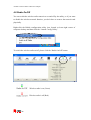
To switch the wireless radio on/off, please click the ‘Radio On/Off’ button.
Wireless radio is on (Green)
Wireless radio is off (Red)
55
Airdata 150 mini USB 11n Wireless Adapter
4.9 About
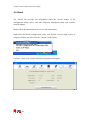
The ‘About’ tab provides you information about the version number of the
configuration utility, driver, and other important information about your wireless
network adapter.
Please follow the instructions below to see this information:
Right-click the Ralink configuration utility icon located at lower-right corner of
computer desktop and then click the ‘Launch Config Utility’.
Click the ‘About’ tab, and the following information will appear.
56
Airdata 150 mini USB 11n Wireless Adapter
5 Soft-AP Function
Except from being a wireless client to other wireless access points, this wireless
network adapter can also work as a wireless access point. You can switch the
operating mode of the Airdata 150 mini USB to AP mode to simulate the function of
a real wireless access point by software. In this way computers and other wireless
devices can connect to your computer wirelessly and you can share your interent
connection.
Please follow the instructions below to use the AP function of your wireless card.
5.1 Switch to AP Mode and Basic Configuration
The operating mode of the wireless card is ‘Station Mode’ (becoming a client of
other wireless access points) by default. If you want to switch to AP mode, please
right-click Ralink utility icon, and select ‘Switch to AP Mode’.
After you select ‘Switch to AP Mode’, the Ralink utility icon will be changed to:
Which indicated the wireless card is operating in AP mode now. If you want to
switch the wireless card back to station mode (become a client of other wireless
access points), click ‘Switch to Station Mode’.
57
Airdata 150 mini USB 11n Wireless Adapter
A configuration window will appear after you switch the operation mode to ‘AP’,
which asks you to assign an existing network card with internet connection.
If your computer has another network card which is connected to the Internet, please
select it from the ‘Name’ dropdown menu, and click ‘Enable ICS’; If your computer
does not have another network card with Internet connection, please click ‘Not
enable ICS’.
After you click ‘Enable ICS’ or ‘Not enable ICS’, you’ll see the basic configuration
menu of the AP function.
58
Airdata 150 mini USB 11n Wireless Adapter
Here are the descriptions of every setup item:
59
Airdata 150 mini USB 11n Wireless Adapter
Item Name
Description
SSID
Please input the SSID (the name used to identify
this wireless access point) here. Up to 32 numerical
characters can be accepted here, except space.
Channel
Please select the wireless channel you wish to use. The
number of channels available here will vary depending on
the setting of ‘Country Region Code’.
Wireless Mode
Select the operation mode of the access point here.
Use Mac Address
Click this button to use the MAC address of the wireless
card as SSID. A prefix ‘AP’ will be added automatically.
Security Setting
Set the security options (wireless data encryption).
Country Region Code
Please select the country code of the country or region you
live. Available options are 0-7, which will affect the
available wireless channels you can use:
0: FCC (US, Canada, and other countries uses FCC radio
communication standards)
1: ETSI (Europe)
2: SPAIN
3: FRANCE
4: MKK
5: MKKI (TELEC)
6: ISRAEL (Channel 3 to 9)
7: ISRAEL (Channel 5 to 13)
Please note that you only have to change the country
code if you are in a different country. For example:
when operating this product in US, channels 1~11 can
be operated.only Selection of other channels is not
permitted under FCC regulations.
No forwarding among
wireless clients
Check this box and wireless clients will not be able to
share data with each other.
Hide SSID
Check this box and the SSID will not be broadcasted to the
public. Your wireless clients must know the exact SSID to
be able to connect to your computer. This option is useful
to enhance security level.
Allow BW 40 MHz
Check this box to allow BW 40MHz capability.
60
Airdata 150 mini USB 11n Wireless Adapter
Tx BURST
Check this box to accelerate the data transmit rate. It may
not work with all wireless access point and wireless
devices.
Beacon(ms)
You can define the time interval that a beacon signal
should be send. Default value is 100. Do not modify this
value unless you know what will be affected.
TX Power
You can select the wireless output power here. Please
select a proper output power setting according to your
actual needs. You may not need 100% of output power if
other wireless clients are not far from you.
Idle Time
Select the idle time for the wireless access point. Default
value is 300. Do not modify this value unless you know
what will be affected.
To save the changes, click the ‘Apply button. Or you can click the ‘Default’ to reset
to factory default values.
61
Airdata 150 mini USB 11n Wireless Adapter
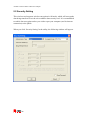
5.2 Security Setting
This wireless card supports wireless encryption in AP mode, which will encrypt the
data being transferred over the air to enhance data security level. It’s recommended
to enable data encryption unless you wish to open your computer (and its internet
connection) to the public.
When you click ‘Security Setting’ in the utility, the following window will appear:
62
Airdata 150 mini USB 11n Wireless Adapter
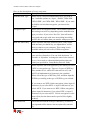
Here are the descriptions of every setup item:
Item Name
Description
Authentication Type
Please select a wireless authentication type you wish to
use. Available options are ‘Open’, ‘Shared’, WPA-PSK’,
‘WPA2-PSK’, and ‘WPA-PSK / WPA2-PSK’. If you want
to disable wireless data encryption, you must select
‘Open’.
Encryption Type
Please select an encryption mode. The available options in
this setting item will vary depending on the authentication
type you select. If you select ‘Not Use’, data will not be
encrypted and people with some networking knowledge
will be able to read the data you transfer with proper tool.
WPA Pre-shared Key
Please input the WPA pre-shared key here. Only clients
with the same pre-shared key you inputted here will be
able to connect to your computer. This setting is only
available when you select one of WPA encryptions.
Group Rekey Interval
You can specify the time interval to re-issue the key to
your wireless clients here. You can click the button ’10
seconds’ or ‘Kpackets’ to change the unit of time interval.
(every 10 seconds or a thousand data packets times the
value you specified in ‘Group Rekey Interval’ field).
Wep Key
Please input the WEP encryption key here when you select
‘WEP’ as encryption type. There are 2 types of WEP key:
Hex (number 0 to 9, and ASCII characters A to F) and
ASCII (all alphanumerical characters plus symbols).
Please select the type of WEP key first, and then input the
WEP key according to the type of WEP key you selected.
If you want to use WEP 64 bits encryption, please input 10
characters if you select HEX, or input 5 characters if you
select ASCII. If you want to use WEP 128bits encryption,
please input 26 characters if you select HEX, or input 13
characters if you select ASCII. 128 bits encryption is safer
then 64 bits, but the data transfer speed will be slightly
reduced.
Show Password
63
Check this box and the WPA pre-shared key or WEP key
you inputted will be shown, but not replaced by asterisk
(*).
Airdata 150 mini USB 11n Wireless Adapter
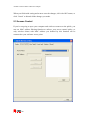
When you finish with setting and want to save the changes, click ‘the OK’ button, or
click ‘Cancel’ to discard all the changes you made.
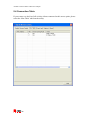
5.3 Access Control
If you’re not going to open your computer and wireless resources to the public, you
can use MAC address filtering function to enforce your access control policy, so
only wireless clients with MAC address you defined by this function can be
connected to your software access point.
64
Airdata 150 mini USB 11n Wireless Adapter
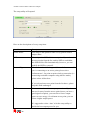
Here are the descriptions of every setup item:
Item Name
Description
Access Policy
Select the policy type of your access rule.
Disable: Allow any wireless client with proper
authentication settings to connect to this access point.
Allow All: Only allow wireless clients with MAC address
listed here to connect to this access point.
Reject All: Reject wireless clients with MAC address listed
here to be connected to this access point.
MAC address
Input the MAC address of the wireless client you wish to
allow or reject here. No colon (:) or hyphen (-) required.
Add
Add the MAC address you inputted in ‘MAC address’ field
to the list.
Delete
Please select a MAC address from the list, then click
‘Delete’ button to remove it.
Remove All
Delete all MAC addresses in the list.
When you finish with setting and want to save the changes, click the ‘Apply’ button.
65
Airdata 150 mini USB 11n Wireless Adapter
5.4 Connection Table
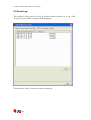
If you want to see the list of all wireless clients connected to this access point, please
select the ‘Mac Table’ tab from the utility.
66
Airdata 150 mini USB 11n Wireless Adapter
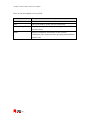
Here are the descriptions of every field:
Item Name
Description
MAC Address
Displays the MAC address of this wireless client.
AID
The serial number of this wireless connection.
Power Saving Mode
Displays the capability of power-saving function of this
wireless client.
Status
Displays additional information of this wireless
Connection, like current wireless operating mode and data
transfer rate.
67
Airdata 150 mini USB 11n Wireless Adapter
5.5 Event Log
This software access point will log all wireless-related activities as a log. Click
‘Event Log’ tab, and the event log will be displayed.
You can click ‘Clear’ to remove all entries in the log.
68
Airdata 150 mini USB 11n Wireless Adapter
5.6 Statistics
If you want to know detailed information about how your software access point
works, click the ‘Statistics’ tab, and the event log will be displayed.
You can click the ‘RESET COUNTERS’ button to reset all counters to zero.
69
Airdata 150 mini USB 11n Wireless Adapter
5.7 About
The ‘About’ tab provides you the information about the version number of the
configuration utility, driver, and other important information about your wireless
access point.
70
Airdata 150 mini USB 11n Wireless Adapter
6 Technical Support
For technical information and support please contact us:
Web Site: www.crypto.gr
E-mail: [email protected]
Disposal of old electrical and electronic equipment
If you see this symbol on the product or on its packaging, you should hand the product over to the
applicable collection point for the recycling of electrical and electronic equipment. Do not throw it
away with household wastes.
The improper disposal of these products may have negative consequences for the environment and
human health.
For more information about the recycling of this product, please contact your local city office, your
household waste disposal service or the shop where you purchased it.
71