1
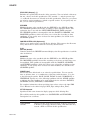
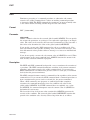
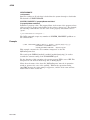
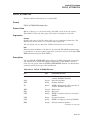
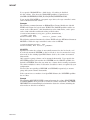
ASSIGN/MERGE
ASSIGN/MERGE
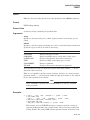
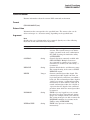
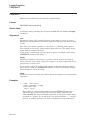
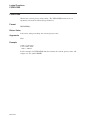
Removes all jobs from one queue and merges them into another existing queue.
This command does not affect jobs that are executing.
Requires manage (M) access to both queues.
Format
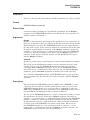
ASSIGN/MERGE target-queue[:] source-queue[:]
Parameters
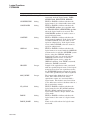
target-queue[:]
Specifies the name of the queue into which the jobs are being merged.
source-queue[:]
Specifies the name of the queue from which the jobs are being removed.
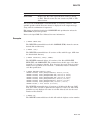
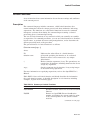
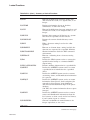
Description
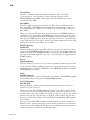
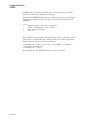
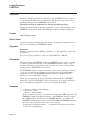
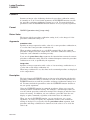
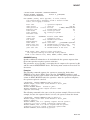
The ASSIGN/MERGE command removes the pending jobs in one queue and
places them in another queue. This command does not affect any executing
jobs in either the target queue or the source queue. Jobs currently running in
the source queue complete in that queue. This command is generally used with
printer queues, although it can be used with batch queues.
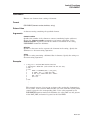
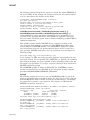
The ASSIGN/MERGE command is particularly useful when a line printer
malfunctions. By entering the ASSIGN/MERGE command, you can reroute
existing jobs to a different printing device. To perform the merge operation
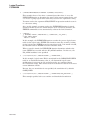
without losing or disrupting any jobs, stop the source queue with the STOP
/QUEUE/NEXT command. Then enter the STOP/QUEUE/REQUEUE command
to ensure that the current job on the source queue is requeued for processing on
the target queue. (If the STOP/QUEUE/REQUEUE command fails to requeue
the job, use the STOP/QUEUE/RESET command to regain control of the queue.)
Once you enter the STOP commands, enter the ASSIGN/MERGE command.
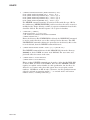
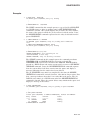
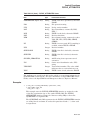
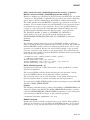
Example
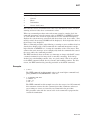
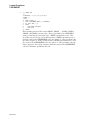
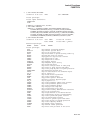
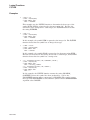
$ STOP/QUEUE/NEXT LPB0
$ STOP/QUEUE/REQUEUE=LPA0 LPB0
$ ASSIGN/MERGE LPA0 LPB0
In this example, the STOP/QUEUE/NEXT command prevents another job from
executing on queue LPB0. The STOP/QUEUE/REQUEUE command requeues the
current job running on LPB0 to the target queue LPA0. The ASSIGN/MERGE
command removes the remaining jobs from the LPB0 printer queue and places
them in the LPA0 printer queue.
DCLI–52