1
Manual Mode
Menu > Manual Mode
In Manual Mode your N3 performs as a simple visual altimeter. The display will
NOT time out after 30 minutes. Jumps will not be logged. Alarms will NOT
sound. You cannot connect to NMU while in Manual Mode.
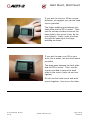
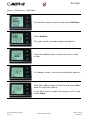
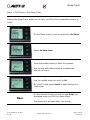
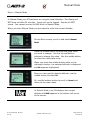
When you start Manual Mode you are asked to enter the current altitude.
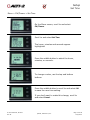
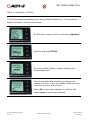
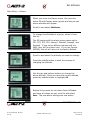
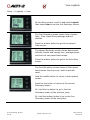
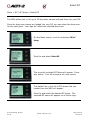
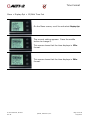
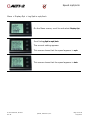
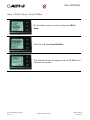
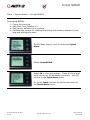
On the Menu screen, scroll to and select Manual
Mode.
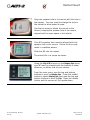
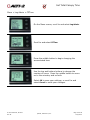
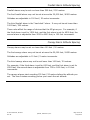
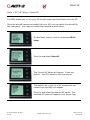
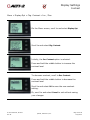
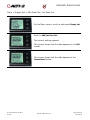
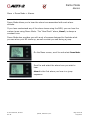
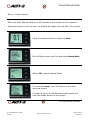
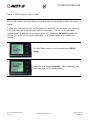
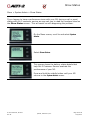
Press the middle button to select the place value
you wish to change. Use the top and bottom
buttons to change the value. Use the middle button
to select the next place value.
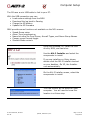
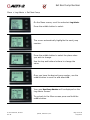
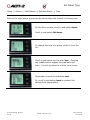
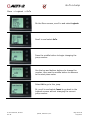
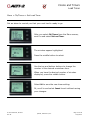
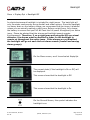
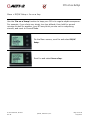
When you press the middle button while on the
rightmost number, the selected altitude is displayed
and OK appears highlighted.
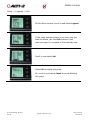
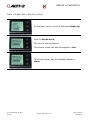
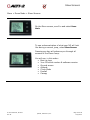
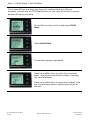
Once you have set the desired altitude, use the
middle button to select OK.
Or, use the bottom button to scroll to Cancel and
return to the main menu.
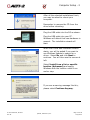
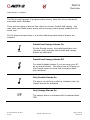
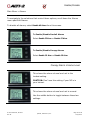
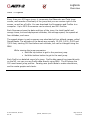
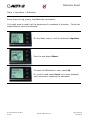
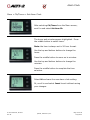
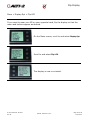
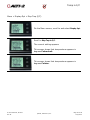
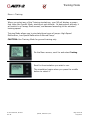
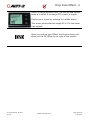
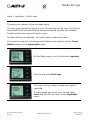
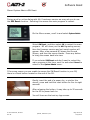
In Manual Mode, your N3 displays the current
altitude and MAN appears in the bottom left corner
of the screen.
D-90114 Manual, N3 User
Rev FF
©2008, 2009 Alti-2, Inc
Page 45 of 58
10/2/2012