1
CS 2574 Spring 98
W A M
Program 3
cause the command to be performed. The user may also elect to NOT choose a command and exit
the menu without executing any action by hitting the delete/backspace key. After a user has
chosen, or decided not to choose, a menu command the menu should be erased from the screen
and the display area restored to its previous or updated contents.
Not all menu options are functional all the time. Whether a particular option is functional i s
dependent upon the current contents of the display area. Edit options affecting URLs, (see figure
1), should not be operational when a folder is currently selected in the display area and v i c e versa. For example, the Edit menu Visit Date... command would not be functional when the
../Root parent folder entry shown in figure 1 is selected. If a user selects a non-functional menu
option at any time a bell and/or error message on the I/O line should occur. (Optionally the
non-functional options could be disabled, not allowing the user to select them. Or non-functional
options could simply not be displayed on the menus when they are inactive. Both of these
approaches are optional and require a more sophisticated menu implementation than required.)
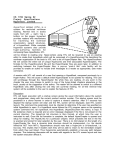
Prog
The Program menu contains only two commands, About and Help. The About Prog
command will display the initial startup screen and will be removed after
About
the user hits the return key, restoring the display area contents. The Help
Help
screen will present a brief one screen overview of the WAM system and will
also be removed after the user hits the return key, restoring the previous display area contents.
F ile
New will prompt the user for the name of a Netscape Navigator® bookmark
file. The Navigator® BOOKMARK.HTM file is opened and processed. This
involves building a double-linked list of all of the folder and URL data
derived from the BOOKMARK.HTM file, ordered upon the entry (parent
folder) indexes. This list is identical to the list built in the Web Address
List, (WAL), program. (For specifications of the WAL program see:
http://ei.cs.vt.edu/~cs1704/WAL.pdf .) As the Netscape Navigator® bookmark
File
New . . .
Open . . .
Save
save As . . .
Close
Quit
file is imported, a report file containing any encountered errors is built. If the file does contains errors, a
warning message should be given instructing the user to view the report file externally. The Open
command will prompt the user first to see if they wish to close any current open WAM file. ( I f
the user decides not to close the current WAM file then the file menu is exited with no action
taking place). If the user does wish to close a current WAM file then the close command i s
automatically executed and the user is prompted for the name of an existing WAM file to open.
At this point the WAM file is read and the list data structure is created. The Save command
simply writes the current contents of the internal WAM list structure onto the disk in the WAM
file format, (identical to the WAL format), in the current/default directory, over-writing any
other version of the file that might exist in the directory. The save As command operates almost
the same as the save command, except that the user is prompted for the name for a new WAM
file, which is then created and written to the disk, becoming the current open WAM f i l e ,
(causing a status line update). The Close command will simply clear the display area and destroy
the WAM list structure, (ideally it would be nice to inform the user if they have not saved the
file if changes have been made and give the option for doing so, but this is not required). The
Quit command will prompt the user to confirm that they wish to exit WAM, (J ), destroy the list
structure and close any open files, before clearing the screen and returning to the operating
system.
Web Address Manager
—3—
Due Date: Mon. Apr. 13, 1998