1
B*-tree Floorplanner (Windows)
Version 1.1
User’s Manual
Tung-Chieh Chen and Yao-Wen Chang
Electronic Design Automation Laboratory
Department of Electrical Engineering
National Taiwan University
First version: April 29, 2005
Tung-Chieh Chen (陳東傑)
E-mail: [email protected]
I. Introduction
The B*-tree Floorplanner (Windows) is based on the B*-tree floorplan representation and a
multistage simulated annealing. It can handle multiple placement constraint simultaneously,
for example, the fixed-outline constraints and module position constraints.
Note this program is for demonstration only, not for benchmarking.
The B*-tree Floorplanner (Windows) has the following features:
z
Optimization objectives: The user can choose the optimization objective (area or wirelength) or
define the weight between area and wirelength to get an optimal floorplan.
z
Placement position constraints: B*-tree Floorplanner can handle multiple placement position
constraints simultaneously, for example, bus constraints, boundary constraints, etc.
z
Fixed-outline constraint: The user can specify the width and height of the floorplan outline. All
modules will be placed inside the outline.
z
Graphical user interface: In addition to the command-line program, we also provide graphics
user interface to show modules, interconnections, B*-tree structure, and other information. It
also shows the process of finding an optimal solution. This function is very helpful for teaching,
tracing, and debugging.
II. System Requirements
B*-tree Floorplanner (Windows) is written in C++ and MFC (Microsoft Foundation Classes)
using Visual Studio .NET with static library compilation. The program is tested on Windows
2000/XP. Any future updates about this program will be made available on WWW at
http://eda.ee.ntu.edu.tw/research.htm.
III. Program Usage
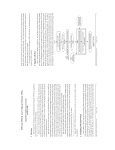
Figure 1 is the main user interface for the B*-tree Floorplanner. It consists of menu, toolbar,
information panel, floorplan window, message window.
The following instructions teach you to use the program.
(1) Execute the program.
(2) Use “Open” to open the test case. You can select three kinds of file format: bus, mac, and
yal.
(3) You can create/modify the bounding box by selecting “Modify Bounding Box.”
(4) Use “Packing” to start finding the solution. You can press “Packing” again to stop
packing immediately.
(5) Use accelerate keys: “F” for “Fit”, “Z” for “Zoom Out”, “Shift-Z” for “Zoom In”, and
direction keys to change the view-range of the floorplan.
(6) Double click on the module, and you will see the Module Information window. You can
change module’s name, width, height, type, etc. in this window. The purple module is a
hard module, the pink module is a soft module, and the green module is a boundary
module.
(7) By checking or un-checking the checkboxes in “View” panel, you can see nets, the
B*-tree, dead spaces, buses, etc. You can modify the optimization object by dragging the
slider bar in the “Optimization” panel.
(8) Finally, you can use “Info Window” to see the detail of the floorplanning information, use
“Save Report” to save the report file, or use “Save Bitmap” to save the bitmap file.
IV. References
[1] NTU EDA Lab, http://eda.ee.ntu.edu.tw/
[2] Y.-C. Chang, Y.-W. Chang, G.-M. Wu, and S.-W. Wu, "B*-trees: A new representation
for non-slicing floorplans," in Proceedings of ACM/IEEE Design Automation
Conference (DAC-2000), pp. 458-463, LA, CA, June 2000.
[3] J.-M. Lin, H.-E. Yi, and Y.-W. Chang, "Module placement with boundary constraints
using B*-trees," in IEE Proceedings--Circuits, Devices and Systems, Vol. 149, No. 4, pp.
251--256, August 2002.
[4] M.-C. Wu and Y.-W. Chang, "Placement with Alignment and Performance Constraints
Using the B*-tree representation," in Proceedings of IEEE International Conference on
Computer Design (ICCD-2004), San Jose, CA, September 2004.
[5] T.-C. Chen and Y.-W. Chang, "Modern floorplanning based on fast simulated
annealing," in Proceedings of ACM International Symposium on Physical Design
(ISPD-2005), San Francisco, CA, April 2005.