1
6 Resect Bones
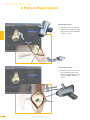
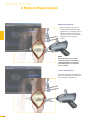
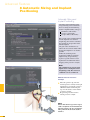
Align Femoral Rotation
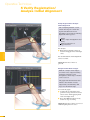
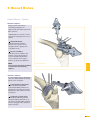
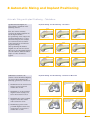
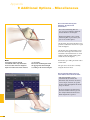
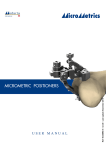
Position the AP Sizer flat against
the distal femur cut.
When using AP Sizer with size specific
slots
Slide the Resection Plane Probe
with the attached tibial tracker,
or tool tracker, into the slot of the
predicted size.
For AP Sizer without size specific slots
Put the Resection Plane Probe
onto any flat surface parallel to the
anterior cutting plane.
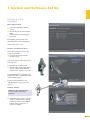
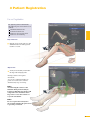
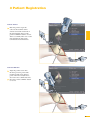
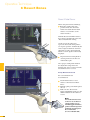
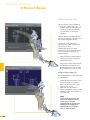
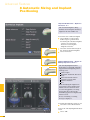
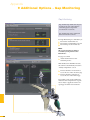
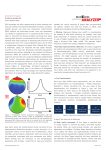
The yellow lines represent the AP Sizer
rotation. The rotation is displayed as
a numerical value with respect to the
averaged rotation axis, digitized AP
axis, and transepicondylar line.
Align the rotation of the AP Sizer.
6 Resect Bones
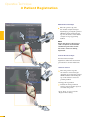
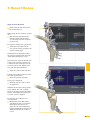
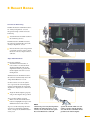
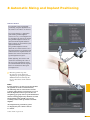
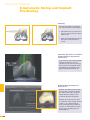
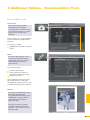
With the Reactive Workflow feature,
the software automatically selects the
“Align Femoral Rotation” screen.
If the Resection Plane probe sits in the
slot of the predicted size
Check for potential notching.
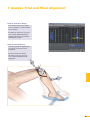
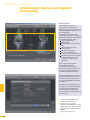
Upon proper alignment
Fixate the AP Sizer and re-check
the alignment.
With the AP Sizer fixed, the peg holes
can be drilled. The 4-in-1 cutting
block can be impacted into these holes
and the remaining four femoral bone
resections can be completed.
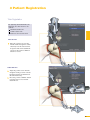
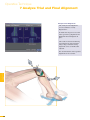
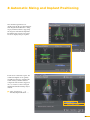
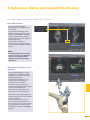
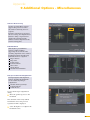
For anterior cut verification and
documentation
Hold the Resection Plane Probe
with tibial tracker, or tool tracker,
flush against the anterior cut,
make sure the “Record Rotation”
button is highlighted, and press the
SELECT button on the tracker to
record.
21