1
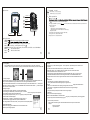
FM INTERFACE
Delete all saved frequencies
-Delete all save channels and switch back to FM TUNER mode.
Current frequency place. It changes depending on current frequency change in the frequency scale
Frequency scale list
AUTO SEARCH
-This will scan for any available stations, then return to the station you were just listening to.
105.9MHZ Current frequency number
FM TUNER CONTROLS
Long press NEXT/LAST
Forward or backward to Search frequency then play. If it is the
scheduled channel, the frequency will show on the display .
NORMAL BAND
- Browse frequencies ranging from: 87MHz to 108MHz
Short press NEXT/LAST
Tiny adjustment forward or backward per every 0.1MHZ.
Press VOL+/VOL-
Adjust the volume.
JAPAN BAND
- Browse frequencies ranging from: 76MHz to 90MHz
Short press PLAY
t frequency if there is any
Enter the next frequency or return to the
scheduled frequency. If not, it is unnesessary to short press PLAY.
EXIT
- Return to FM TUNER mode.
Short press MODE
Enter FM submenu
Long press MODE
Return to Main Menu.
8
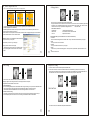
PHOTO BROWSER
From the main menu, select PHOTO and press the MODE button.
FM TUNER MENU (hold the MODE button to access the menu)
The player is compatible with JPEG and BMP picture files.
Save Frequency
-This will allow you to save up to 20 different radio stations as presets.
Frequency Recording
-Select this to switch to the recording mode and press the PLAY/PAUSE button to begin recording. Once finished, hold
the MODE button to save and return to FM TUNER mode. The recording can be played back in the VOICE mode.
Frequency deletion
-Press the MODE button to delete the current frequency and go back to FM TUNER mode.
11
12
10
FILE SELECTION
Press the PLAY/PAUSE button to view a selected picture. Once in viewing mode, you can press NEXT/LAST
to scroll through the pictures in the same folder. Press the PLAY/PAUSE button again to return to the Photo Browsing mode.
E-BOOK READER
From the main menu, select E-BOOK and press the MODE button.
PHOTO BROWSER MENU (press the MODE button to access the menu)
Local folder
-This is the same browsing function as in Music mode. Here you will find the pictures loaded on your player.
Play set
- You can either select manual or auto. (auto is a slide show and you can adjust the length of time between each picture)
In this mode you can upload text files to your player and view them as E-Books. (supports .txt files only)
Delete
- Here you can select a picture to delete.
E-BOOK MENU (press the MODE button to access the menu)
Exit
- Return to Photo Browser mode.
Local folder
-This is the same browsing function as in Music mode. Here you will find the E-Books loaded on your player.
Play set
- You can either select manual or auto. (auto is a slide show and you can adjust the length of time between each page)
Delete
- Here you can select an E-Book to delete.
Exit
- Return to Photo Browser mode.
13
14