1
Ref. ID 2102, Rev. B
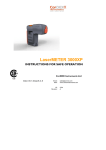
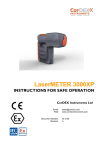
LaserMETER
3000XP
USER GUIDE
Email: [email protected]
www.cordexinstruments.com
CONTENTS
1. INTRODUCTION
1. IntroductIon
Overview
Package Contents
1
1
1
2. GettIng to know your LaserMETER
Keypad
Display
2
2
3
3. Preparation
Battery Pack and Charging
Loading the Battery
Switching On and Off
4
4
4
4
4. Settings
Choosing the Reference Mode
Choosing the Units
5
5
5
5. Basic Operation
Single Measurements
Continuous Measurements
Addition/Subtraction
6
6
7
7
6. Advanced Functions
Area
Volume
Pythagorean (hypotenuse mode)
Pythagorean (baseline mode)
8
8
9
10
11
7. Troubleshooting
12
8. Specification
13
OVERVIEW
Congratulations on your purchase of the LaserMETER 3000XP.
The LaserMETER 3000XP is an explosion-proof laser distance
meter, CSA-certified for use within a Class 1 Div.I hazardous
(explosive) area. The robust IP65 design incorporates a shock
resistant, anti-static overmold, interchangeable battery pack and
backlit LCD display.
The LaserMETER 3000XP is capable of measuring distances of
30m (100ft) with an accuracy of 3mm (0.1in) - accuracy may vary
depending on reflectivity and ambient conditions. It allows
Pythagoras, Area and Volume calculations.
PACKAGE CONTENTS
Carefully unpack your LaserMETER 3000XP and ensure that you
have the following items:
•
•
•
•
•
•
LaserMETER 3000XP
Removable/rechargeable battery pack
Safe area charging station
Wrist strap
Power pack
Battery removal tool
WARNING! LASER HAZARD!
This device is a Class II laser product (< 1mW, 635nm, EN60825-1:2002).
Never look directly at the laser beam, aim it at people or shine
it at highly reflective surfaces: it may cause eye damage.
2
Ref. ID 2102, Rev. B
1
2. GETTING TO KNOW YOUR LASERMETER
Keypad
Display
3
5
1
2
1
REF/
LIGHT
OFF/
CLEAR
A/V/P
UNITS
ON / DIST
2
3
4
5
19
18
ftim
4
19
18
6
ftim
7
8
1
On / measure distance
1
Reference indicator
2
Cancel last action / Off (hold button for 2s)
2
Area/volume/Pythagorean mode
3
Change reference (front/back) /
turn backlight on/off (hold down for 2s)
3
Battery charge indicator
4
Secondary display
5
Laser activity indicator
6
Addition/subtraction mode
7
Units
8
Main display area
4
5
2
Addition (one press), subtraction (two presses) /
change units (hold key for 2s)
Advanced mode: Area (one press) / Volume (two presses) /
Pythagorean - calculate hypotenuse (three presses) /
Pythagorean - calculate opposite side (four presses)
Ref. ID 2102, Rev. B
3
4. SETTINGS
3. PREPARATION
BATTERY PACK AND CHARGING
CHOOSING THE REFERENCE MODE
Place the CorDEX Approved Battery Pack in the supplied Charging
Station. Plug the charger into a suitable mains supply. The green LED
flashes during charging, and remains on when the battery is fully
charged (approximately 2 hours). Do not leave batteries in the charger
longer than is necessary - this may lead to shortened battery life.
When you make a measurement using the
LaserMETER, the distance is measured from either
the front or back of the device (default). The
reference point is indicated by an icon on the left of
the screen.
Only use CorDEX Approved Battery Packs Only (CDX2341-007). There could be a risk of
explosion if other types of batteries are charged.
Please note that batteries can become warm during the charge cycle.
Do not attempt to open the charger.
Keep the charger in a dry place (indoor use only).
Do not use the charger if there are any signs of damage to the housing, mains, pins,
cables or connectors. In case of a defect, please return to an authorized service center.
LOADING THE BATTERY
1. Open the LaserMETER’s battery compartment.
Remove the six retaining screws using the supplied battery removal
tool.
2. Load the battery pack paying careful attention to its orientation.
3. Close the battery cover, replace the screws and make sure the cover
is locked securely.
NEVER OPEN THE BATTERY COMPARTMENT IN A HAZARDOUS
ENVIRONMENT. ONLY USE CORDEX APPROVED BATTERY PACKS.
SWITCHING ON AND OFF
To switch the meter on, press the ON/DIST button.
To switch the unit off, press and hold down the CLEAR/OFF button. The
device also switches off automatically if no key is pressed within 3
minutes.
4
If you want to change the reference point, press the
Reference button until the required mode is
displayed.
BACK
FRONT
CHOOSING THE UNITS
Distances
The LaserMETER can display measurements in
metres, feet, feet & inches, or inches. To cycle
through the seven display formats, shown opposite,
press the UNITS button.
19
18
ftim
19
18
ftim
19
18
Areas
You can display areas in three formats: 0.000m²,
0.00m² or 0.00ft².
ftim
13
16
ftin
Press the UNITS button to cycle through these
options.
13
16
ftin
13
16
Volumes
You can display volumes in three formats:
0.000m³, 0.00m³ or 0.00ft³.
ftin
13
16
Press the UNITS button to cycle through these
options.
ftin
Ref. ID 2102, Rev. B
5
5. BASIC OPERATION
SINGLE MEASUREMENTS
CONTINUOUS MEASUREMENT
1. Press the ON/DIST button to
switch on the meter. The laser is
activated. Place the meter against
a stable surface and aim the laser
at the far end of the range to be
measured.
M
2. Press the ON/DIST button again to
take the measurement. The laser
is deactivated.
M
19
18
ftim
19
18
ftim
19
18
ftim
19
18
ftim
3. To take another measurement,
press the ON/DIST button again.
The laser is activated. Your
previous measurement is
transferred to the secondary
display area. Aim the laser as
before.
M
19
18
ADDITION/SUBTRACTION
1. Press the ON/DIST button to switch
on the meter and activate the laser.
ftim
19
18
ftim
19
18
ftim
M
19
18
ftim
19
18
2. Press the ON/DIST button again to
take your first measurement as
described previously.
ftim
19
18
M
4. Press the ON/DIST button again.
The new measurement is shown in
the main display area.
Hold down the ON/DIST button for about 2 seconds to start
continuous measuring. The meter beeps with each updated
measurement. During continuous measuring, the latest measured
value is displayed in the main display area. The previous value is
displayed in the secondary display area.
3. Press the +/- button once for an
addition or twice for a subtraction
operation, as required. The first
measurement is transferred to the
secondary display area.
4. Press the ON/DIST button again to
take the next measurement. Its
value is displayed in the secondary
display area; the result of the
addition/subtraction operation is
shown in the main display area.
ftim
M
19
18
ftim
19
18
ftim
M
19
18
ftim
19
18
ftim
5. Repeat these steps to carry out
further addition/subtraction
operations.
6
Ref. ID 2102, Rev. B
7
6. ADVANCED FUNCTIONS
AREA
1. Position yourself at one corner of
the area to be measured (X - see
diagram).
2. Press the ON/DIST button to
switch on the LaserMETER.
VOLUME
A
X
B
X
B
19
18
ftim
ftim
2. Press the ON/DIST button to switch
on the meter.
3. Press the A/V/P button twice. The
volume symbol is displayed and the
laser is activated.
M
4. Point the laser at one of the
adjacent corners in the area (A).
Press the ON/DIST button. The
length A-X is measured and
displayed in the secondary display
area.
M
5. Point the laser at another adjacent
corner (B). Press the ON/DIST
button again. The meter displays
the length X-B in the secondary
display area.
M
6. Point the laser at another adjacent
corner (C). Press the ON/DIST
button again. The meter displays
the length X-C in the secondary
display area. The meter calculates
the volume (XA x XB x XC) and
displays it in the main display area.
M
19
18
ftim
19
13
ftim
M
19
18
ftim
19
12
ftim
8
A
M
19
18
3. Press the A/V/P button once. The
area symbol is displayed
C
1. Position yourself at one corner of
the volume to be measured (X - see
diagram).
4. Point the laser at one of the
adjacent corners in the area (A).
Press the ON/DIST button. The
length A-X is measured and
displayed in the secondary display
area.
M
5. Point the laser at the other
adjacent corner (B). Press the
ON/DIST button again. The meter
displays the length X-B in the
secondary display area. It
calculates and displays the area
based on the two measurements
(XA x XB) and displays it in the
main display area.
M
19
18
ftim
19
18
12
ftim
19
18
ftim
19
12
ftim
19
18
ftim
19
18
13
ftim
19
18
ftim
19
18
13
ftim
19
18
ftim
19
13
ftim
Ref. ID 2102, Rev. B
9
6. ADVANCED FUNCTIONS (continued)
PYTHAGOREAN (hypotenuse mode)
PYTHAGOREAN (baseline mode)
The Pythagorean mode allows you to measure distances accurately
when it is not possible to gain access to an area, or when there is an
obstacle preventing a direct line of sight. The first mode calculates the
hypotenuse from two measurements taken at right angles.
1. Position yourself so that:
You can see both measurement
A
B
points (A and B) and the lines (X-A)
and (X-B) are at right angles (see
diagram).
X
The second Pythagorean mode calculates a baseline length from the
measurements of the hypotenuse and the adjacent side.
AB² = XA² + XB²
2. Press the ON/DIST button to switch
on the meter.
3. Press the A/V/P button until the
symbol is displayed.
M
19
18
ftim
19
ftim
4. Aim the laser at the first measurement
point (A) and press the ON/DIST
button. The meter measures the
distance: X-A, and displays it in the
secondary display area.
5. Moving the meter as little as possible,
rotate it through 90°and point it at the
second measurement point (B).
6. Press the ON/DIST button again. The
meter measures the distance: X-B
and displays it in the secondary
display area.
M
19
18
ftim
19
ftim
M
The meter calculates the distance A-B and displays it in the main
display area.
10
19
18
ftim
19
ftim
1. Position yourself so that:
You can see both measurement
points (A and B) and the lines (X-A)
and (A-B) are at right angles (see
diagram).
2. Press the ON/DIST button to switch
on the meter.
3. Press the A/V/P button until the
symbol is displayed. Press the mode
button again (the hypotenuse of the
symbol flashes).
4. Aim the laser at the first measurement
point (A) and press the ON/DIST
button. The meter measures the
distance: X-A, and displays it in the
secondary display area.
5. Moving the meter as little as possible,
rotate it to aim at the second
measurement point (B).
A
B
X
AB² = XB² - XA²
M
19
18
ftim
19
ftim
M
19
18
ftim
19
ftim
M
19
18
ftim
6. Press the ON/DIST button again. The
meter measures the distance: X-B
and displays it in the secondary
display area.
19
ftim
The meter calculates the distance A-B and displays it in the main
display area.
Ref. ID 2102, Rev. B
11
7. TROUBLESHOOTING
8. SPECIFICATION
Error Message
Cause
Correction
204
Data overflow
Repeat the measurement steps.
205
Certificate No:
Certificate Pending
Certificate Type:
0518 II 2 G
Measurement range The meter has a maximum range of 30m
exceeded
(100ft). If you need to measure a greater
distance, try to break it down into smaller
steps.
Ambient Temperature:
Tamb -20°C to +50°C
Range
0.5m (1.6ft) to 30m (100ft)
Temperature too
high
Allow the meter to cool down and then
repeat the measurement.
Measuring Accuracy
Typically: 3mm (0.1in)
Measurement Unit Displayed
m, ft, ftin, in
253
Temperature too
low
Warm the meter and then repeat the
measurement.
Laser Type/ Class
635mm, <1 mW, II
255
Received signal too
weak
Select another target point with higher
reflectivity.
Acc
IEC 60825-1 : 2001
Body/ Lens and LCD
Received signal too
strong
Select another target point with lower
reflectivity.
Cast aluminum chassis with
anti-static overmold/
Toughened safety glass
Emited Wavelength
620-690nm
Pythagorean
measurement
violation
Repeat the measurement and ensure the
hypotenuse is greater than the right angle
edge.
IP
65
Initialization error
Turn the meter off, wait a few seconds and
then turn it back on.
252
256
257
258
Hardware error
Turn the meter off, wait a few seconds and
then turn it back on.
If any of these problems persist, please contact your dealer.
12
Certification information
General Information
Detailed information
Weight
<1kg (<2.2lb)
Dimensions
length 140mm (5.5in),
height 130mm (5.1in)
width 75mm (3.0in)
Pythagoras
Volume
Area
Functions
Electrical information
Battery type
Rechargeable
Capacity
1100mAh
Cell type
NiMH
Ref. ID 2102, Rev. B
13
distributed by
UK Headquarters:
Cordex Instruments Ltd
No. 6 Farfield
Main Road
Wykeham
Scarborough
YO13 9QD
UK
Copyright © 2011, CorDEX Instruments Limited.
All other brand and product names are
trademarks of CorDEX Instruments Limited.
Ref. ID 2102, Rev. B