1
This section serves as a guide through installing the Surveon Client Station
software, as well as basic NVR server and IP camera installation and
maintenance procedures.
2.1. Basic Client Station Functions
Installing NVR Client Software
Note: The hardware requirements for the client software are:
CPU: Intel Core2Duo 2.0GHz or higher
RAM: 2GB or higher
Display card: DirectX 9.0 or later (32-bit color recommended)
Monitor Resolution: 1280 x 1024 or greater recommended
Ethernet Network Interface: 10/100/1000Mbit/s
Audio: sound card or onboard codec
Other: CD-ROM Drive, Windows XP/Vista
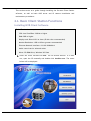
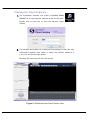
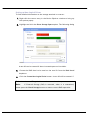
1. Insert the client software CD-ROM. The CD should autorun. If it does
not, open the CD manually and double-click AutoRun.exe. The menu
below will be displayed.
Surveon Client Station Software User Guide
13