1
3.0 Getting Started
3.0
GETTING STARTED
Getting Started section explains how to get ArboWebForest and install it on the device. The section
presents briefly system menu.
3.1
Installation and Logging In
The
newest
installation
version
currently
available
can
be
downloaded
from
http://www.arbowebforest.com/php/android/ArboWebForest.apk and is an .apk file, which should be
installed on the device. For specific instruction on how to install application on specific device refer to
device’s manual. User ID and password are delivered to user together with ArboWebForest installation
package.
3.2
System Menu
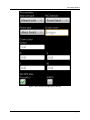
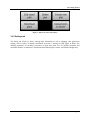
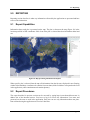
ArboWebForest is tabbed application, which consists of 6 tabs (Figure 1). Three tabs represent form for
collecting plot data. One tab handles taking photos of the plot. The second last tab has user preferences,
including login area, while the last tab displays mobile map of world without user content. Major control
buttons of the program are located in Tally Trees tab. All the tabs have icon and, additionally, name at
the bottom to allow distinguishing them easily.
Figure 1. Tabs of ArboWebForest
3.2.1 Sample Plot tab
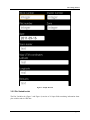
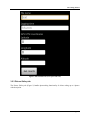
The Sample Plot tab (Figure 2) consists of 9 input fields containing basic information about the current
plot, such as plot number, date, team leader, and coordinates. It is possible to add here general
description of the plot and remarks.
User’s Manual
Page 3-1