1
10
USER MANUAL
Chapter 2. Video Surveillance Software
Software installation
To install AV100 software:
1. Make sure your Windows XP/Vista account has administrative privileges.
2. Open “Control Panel\Add or Remove Programs”, remove old versions of AV Video
System software if any.
3. Run Setup.exe and follow the directions to complete the installation.
4. If using Windows Vista, users must navigate to installation directory, open “My
Computer\C Drive\ProgramFile\ArecontVision\VideoSurveillance\LocalMachine (type
choose Application).
Right-click on this file named “LocalMachine.exe”, choose “properties ->
Compatibility -> Privilege Level” and enable the “Run this program as an
administrator” option.
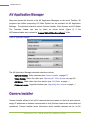
Setup process installs software and places a shortcut Arecont Vision Application Manager
on the desktop and creates a group Arecont Vision\AV Video System in the Start menu.
Configure Firewall
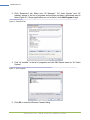
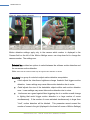
As you start AV applications, your PC may prompt you to permit access to the network. AV
Video System includes two applications that need access to the network:
AVInstaller.exe: the camera finding and installation program
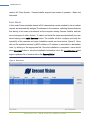
LocalMachine.exe: the viewing and archiving program
Both executables are located in the AV installation folder. You should grant access to these
two applications when the firewall prompts you. For example:
Arecont Vision, LLC
2400 N. Lincoln Ave., Altadena, CA 91001