1
Chapter 15
Table: A set of data elements that is organized into horizontal rows and vertical columns. A row
represents a record in the table and a cell is a specific instance of a field within that record.
Relational databases, such as that used in the Toolkit, are comprised of multiple tables that are
linked together. Therefore, the fields appearing on a single data entry screen may actually be stored
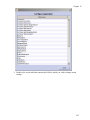
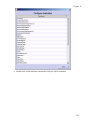
in different tables. In order to access a field for customization purposes, you must first identify the
table that contains the field.
Note: In order to access the specific field to be customized, you must know
which table contains the field. In the Lookup Lists appendix, you will find a
table listing the predefined lookup lists, the field to which they are linked, and
the type of lookup list.
Default values
Overview
If your repository uses boilerplate text (i.e. text that can be reused without change) for particular fields
or notes, you may wish to create a default value so that the same data does not need to be entered
repeatedly. Establishing the default value for a certain field or note will result in that default text being
input into the field or note each time you create a new record. You may then edit the default value if
you wish. For example, if you enter Materials closed until processed as a default value
for the Access Restrictions field, that phrase will be entered into the Access Restrictions field
whenever a new accession record is created for the repository. The default value can then be edited
when necessary.
Because default values are repository-specific, they are stored as part of the repository record.
Note: Not all fields will be available for establishing a default value. For
example, information such as the user and date of record creation or update is
automatically captured by the Toolkit. For a complete list of fields for which a
default value can be established, as well as a list of the Toolkit’s table names
and fields, see Fields Supporting Default Values in the appendices.
Creating a default value for a field
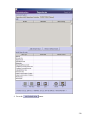
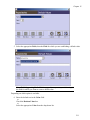
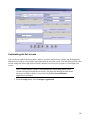
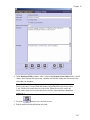
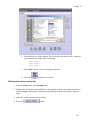
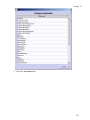
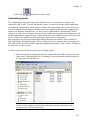
1. From the Setup menu, select Repositories.
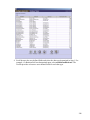
2. Open the repository record by double-clicking on the repository name in the list.
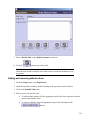
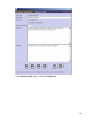
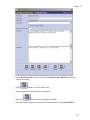
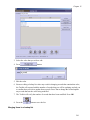
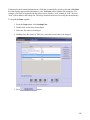
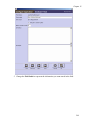
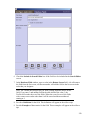
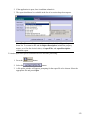
3. Click on the Default Values tab.
209