1
Hyper Terminal for COM Port
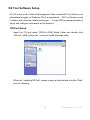
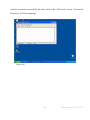
Initiate another Hyper Terminal as a COM Port Terminal (in Figure 4.3, select COM
1 or other COM port instead of “TCP/IP (Winsock)”). Set the COM port Properties
to be the same as those set for the Serial Port of the converter.
(Figure 4.3)
Data Transmission
When all steps described above are finished, type any characters on the COM Port
Terminal and check if the typed characters are also displayed on the TCP/IP Winsock
Terminal.
Alternatively, check if the characters typed on the TCP/IP Winsock
Terminal are also displayed on the COM Port Terminal.
If yes, then all settings are
correct and the converter can operate properly.
51
KSH International CO., LTD.