1
Calibration | Collecting and Entering Weight Data
Section 2
Calibration
You must calibrate your scale before you begin using LoadMaxx
to provide weight readings; otherwise you will not see accurate
weights. Once you have calibrated your scale and it reads weight
accurately, you will not have to recalibrate unless your suspension
changes in some way.
In most instances, we recommend that you calibrate your scale
manually to provide the most accurate weight readings. However,
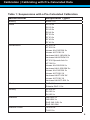
pre-calculated calibration data is available for many common
suspension types.
Collecting and Entering Weight Data
Note: It is possible to enter trailer weight through a LoadMaxx
tractor scale, if one is present. This is ideal in dedicated
tractor-trailer applications. Please see the LoadMaxx Tractor
User Guide, available from our Support department or on our
website, for detailed instructions on entering trailer weight
through the tractor scale. The instructions below are for
entering weight information directly into the trailer scale.
You can collect and enter either the heavy weight or empty weight
first. This guide provides instructions for entering the heavy weight
before the empty weight, but either order is permissible. However,
your trailer MUST be empty when you enter the empty axle weights
into the scale, and fully loaded when you enter the heavy axle
weights.
1. Fill the trailer to maximum legal GVW, or as close as
possible. Filling the trailer only half-full will lead to a less
accurate calibration.
2. Fill your truck’s fuel tank.
3. Proceed to a certified in-ground scale. Record the axle
weight(s) of your trailer. If you are calibrating a full trailer
2