1
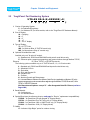
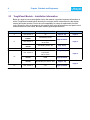
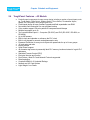
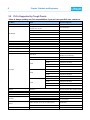
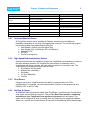
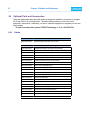
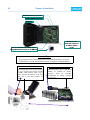
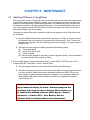
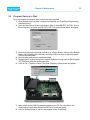
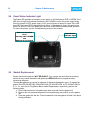
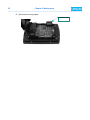
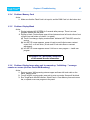
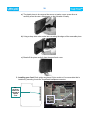
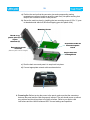
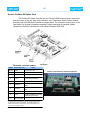
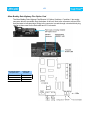
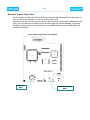
Chapter 5:Maintenance 5.7 39 Flash Program Backup All the ToughPanels can have Flash Program Backup Cards. This feature allows you to store DO NOT REMOVE THE RAM OR FLASH CARD WHILE POWER IS APPLIED TO THE PANEL; to do so will irreparably damage the card. Back up your user program and remove power to the unit before removing a memory card. See program backup instructions on Page 32. Use only UTICOR TECHNOLOGY, L.P. FLASH cards in the ToughPanel. Use of another card will damage the unit and will void warranty. your user program into nonvolatile memory. The FLASH Card is easily installed in the slot provided in the back of the unit. Depending upon the size of your program, choose from three available memory sizes: 512KB (P/N ACC-UTICW-512KF) 1 MB (P/N ACC-UTICW-1MEGF) 2 MB (P/N ACC-UTICW-2MEGF) Note: the user RAM size must match or be less than your user Flash size: 512K RAM = 512K Flash, 1 MEG RAM = 1 MEG Flash, 1.5 MEG RAM = 2 MEG Flash, and 2 MEG RAM = 2 MEG Flash. With the panel connected to a programming PC and the ToughPanel uWin08 Software running, click on Panel >Flash > RAM to FLASH from the main menu. Once the program is backed up onto the card, you can use it to load the program into different units — no programming computer is necessary. To install either card: 1. Back up your user program and REMOVE POWER TO THE UNIT. 2. Open back cover to access FLASH card slot (upper right hand corner, upper slot). 3. Simply insert the new card, being careful to seat the card properly into the backplane connector. (Do not force the card, it should connect easily if properly aligned.) 4. Close back cover and reapply power to the panel. 5. Upload saved user program. 6. In ToughPanel uWin08 Software click on Panel > FLASH > RAM to FLASH.