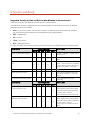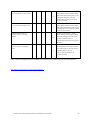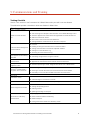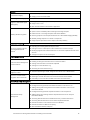
1
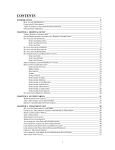
Inventory Want List Purchasing Work List Enhancements to Cornerstone Inventory Windows Purchase Order List Create Purchase Order Item Information Tabs Search for Inventory Item New Invoice Item Grid Sort and Display Options Electronic Inventory Ordering with IDEXX SmartOrder* Inventory Solution and MWI® Veterinary Supply Creating an MWI Purchase Order in Cornerstone Adding Vendor Item IDs for Matching Inventory Items in Cornerstone Adding a Vendor Item ID While Working with Inventory Orders Tracking Order Statuses from Cornerstone Synchronization of Electronic Inventory Orders with MWI Login/Password Management Miscellaneous New Database and Services Management Window Additional Changes and Enhancements Training Files Work with the Cornerstone tutorial training files data to complete exercises that mimic everyday tasks in your practice without jeopardizing the integrity of your real medical records. You can access the training files from the Microsoft® Windows start menu. Select Start > Programs > Cornerstone > Training Files. Cornerstone opens, and uses the training files database rather than the live version of the database that contains your practice’s information. In the training files (including the Cornerstone Assistant training files), functionality is limited for some Cornerstone 8.3 features which ordinarily communicate with systems outside of Cornerstone: • Pet Health Network Pro—You can see and use Pet Health Network Pro features like the share button and the IDEXX Message Center alerts for appointment requests; however, these actions won’t be reflected on pethealthnetworkpro.com or petly.com. • Inventory Ordering using IDEXX SmartOrder with MWI Veterinary Supply—Although you can’t use IDEXX SmartOrder, you can view the windows used for working with this feature. Also, Purchase Order 1000 in the training files shows an example of a purchase order created using IDEXX SmartOrder. • IDEXX Faxing Service—Although you can’t send faxes from the training files with the IDEXX Faxing Service, this feature is very close to the new email feature that is usable in the training files. Also, completed faxes are shown on the Communications Log in the training files. • Antech Diagnostics Module—A training version of this module is not available in the training files. However, training is included when you purchase the Antech module or upgrade from the previous version of the module. • Lifelearn ClientEd Online—You can only set up and synchronize Cornerstone with LifeLearn ClientEd Online documents from your live Cornerstone database. Cornerstone 8.3 Getting Started Guide for Installing from Download 23