1
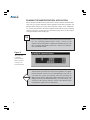
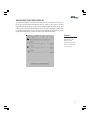
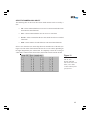
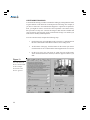
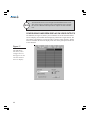
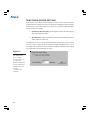
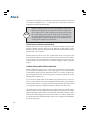
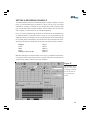
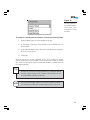
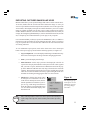
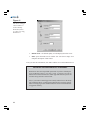
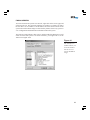
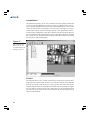
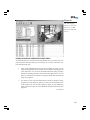
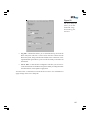
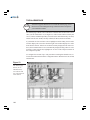
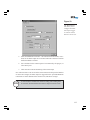
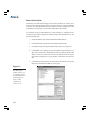
The DVXMonitor tab contains the following options (see Figure 57):
Figure 57
The DVXMonitor
plug-in allows you
to configure DVX
500 to trigger the
alarm output when
certain conditions
or actions occur.
114
•
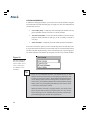
Disable DVXMonitor—disables DVXMonitor’s ability to watch for failure conditions.
•
Time Before Reboot (Minutes)—the amount of time between the occurrence of a restart situation (such as MasterControl failure) and the system restarting.
•
Minimum Latch Time (Seconds)—the minimum amount of time that the
alarm output is triggered when a selected event occurs. The alarm is triggered for a longer amount of time only if the alarm event duration exceeds the minimum latch time.
•
Reset Alarm Output—forces the trigger to its normal state (closed). This
overrides the Minimum Latch Time.
•
Latch Until Forced—causes the alarm output to remain activated when a
selected event occurs, until Reset Alarm Output is selected.
•
Alarm Scheduling—a schedule of when the DVX 500 system is monitored for failure by DVXMonitor.