1
Configure the Adapter
Access Module Data using
the ACNR
Chapter 3
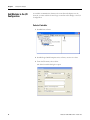
The module-defined data types and tags are automatically created when you
configured the XM module in RSLogix 5000 software. These tags allow you to
access the input, output, and configuration data of the module via the
controller’s ladder logic.
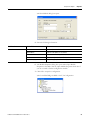
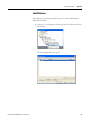
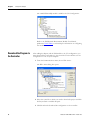
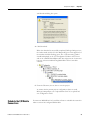
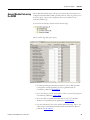
To access the module data, double-click Controller Tags.
The Controller Tags dialog box opens.
• For RSLogix 5000 programming instructions, refer to RSLogix 5000
Configuration and Programming for the Logix5000 Family of
Controllers, publication RLD300GR.
• For ControlLogix controller information, refer to ControlLogix System
User Manual, publication 1756-UM001.
• For ControlNet communication information, refer to ControlNet
Modules in Logix5000 Systems, publication CNET-UM001.
• For more information about the module-defined data tags, refer to the
online help or the XM Dynamic Measurement Module User Manual,
publication ICM-UM002.
Publication ICM-UM001C-EN-E - March 2013
39