1
DEUTSCH
3.
The software user interface is based on the Microsoft®
Windows ® standard allowing you to control the system
easily by mouse. To become familiar with the system
and the control elements such as buttons, check boxes
and edit controls, consult the user manual of your operating system.
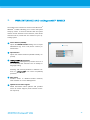
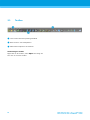
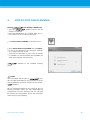
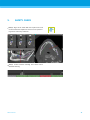
Create dataset (DICOM)
Opens the DICOM Transfer dialog box to import
DICOM data (e.g. from a CD) and to create a patient dataset.
ITALIANO
ESPAÑOL
Open dataset
Opens the Patient Database (DICOM already imported).
Management
Management provides access to a
lot of administrative functions such as backup or
language setting.
Archiving and restoring datasets in different versions of
can cause compatibility
problems.
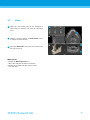
Main menu
Provides access to database-related functions,
other modules or License Management.
Updates and remote support
Shows information about updates and provides
access to remote support (active internet connection required).
РУССКИЙ
17
17