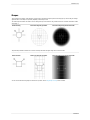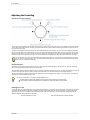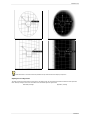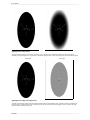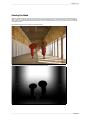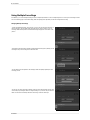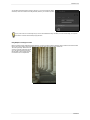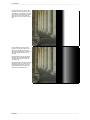
1
FocalPoint User Manual Copyright © onOne Software, Inc. All Rights Reserved. Table of Contents Chapter 1: Welcome to FocalPoint Chapter 2: Introduction Using the Help System Contacting onOne Software Additional Help System Requirements Installation Licensing and Registration Opening and Saving Files Using Modules Using as Standalone Using with Adobe Photoshop Using with Adobe Lightroom Using with Apple Aperture Using with Other Applications Chapter 3: Perfect Layers (Home) Getting Started Perfect Layers Workspace Perfect Layers Tool Well Using the File Browser Navigating the Preview Navigator, Loupe, Histogram and Info Preview Window Modes Using Perfect Layers Creating a New File and Adding Layers Adjusting Canvas Size Cropping the Image Working with Layers The Layers Pane Transforming Layers Trimming Layers Using Color Fill Layers Retouching Layers Red Eye Tool Masking Layers Mask Modes Using the Masking Brush Using the Masking Bug Preferences Menus Keyboard Shortcuts 1 2 3 4 5 6 7 8 9 10 11 12 14 16 17 18 19 20 21 22 25 26 28 29 30 31 32 33 34 35 36 37 38 39 40 41 42 45 48 49 52 Chapter 4: FocalPoint Getting Started When to use FocalPoint Important Terms User Interface Navigating the Preview Navigator Using FocalPoint Using the Focus Bug Shapes Adjusting the Focus Bug Viewing the Mask Using Multiple Focus Bugs Using Selections from Photoshop Blur Pane Options Pane Using the Focus Brush Controls Vignette Pane Preferences Using Presets Menus Keyboard Shortcuts Chapter 5: Index 54 55 56 57 58 59 60 61 62 63 64 67 68 72 73 75 76 77 79 80 81 85 87 Welcome to FocalPoint 1 Welcome to FocalPoint Want to shoot a f/1.2 or even f/2.8 to get that soft, creamy background but don’t have the lens? Get the same effect with FocalPoint 2, where you can simulate the look of those lenses after you take the shot. Create realistic selective focus and depth-of-field effects you would think could only be done in camera with FocalPoint 2. Choose from a selection of lens presets to produce a specific bokeh or adjust controls to adjust the amount and kind of blur you want. You can even paint in sharpness or blur exactly where you want. It has never been easier or faster to focus your viewer's eye and minimize distractions. FocalPoint 2 Introduction Introduction This introductory chapter includes general helpful information about how to use this help system, how to contact onOne Software, how to install and access the software, etc. It covers many of the foundation topics that you will need to understand to get started. Pages in this Section Using the Help System Contacting onOne Software Additional Help System Requirements Installation Licensing and Registration Opening and Saving Files Using Modules Using as Standalone Using with Adobe Photoshop Using with Adobe Lightroom Using with Apple Aperture Using with Other Applications FocalPoint Introduction 3 Using the Help System This user guide is html based and readable in most web browsers. On the left side, you will see a table of contents that make it easy to find the section you are looking for. The table of contents is hyperlinked and will take you to the specified section by clicking on them. The main body of the page will show you the content you have requested. Use the scroll-bar at the right to scroll down for additional content. You may see hyperlinks in the body text. They will be blue and underlined. Clicking on one of these hyperlinks will take you to more relevant information. You use the same forward and back buttons in your browser to navigate this user guide as you would a regular web page. You can even bookmark pages so you can find them quickly later. If you don't see what you are looking for in the table of contents, try the search field at the upper right. You can type in what you are looking for and an index of pages will be created automatically that contain your search term. Printing the Manual You can print individual pages by pressing the Print button at the top of the page. A complete printable PDF version of this user guide is available in the user guide section of the onOne website. This version may be downloaded and viewed when you do not have an internet connection. The PDF version may also be installed on your tablet or eReader device for viewing off our computer. FocalPoint 4 Introduction Contacting onOne Software At onOne Software, we value our customers and offer a variety of ways to be contacted. • Visit our company website at: www.onOnesoftware.com • For technical support please visit: www.onOnesoftware.com/support onOne Software, Inc. 15333 SW Sequoia Parkway Suite 150 Portland, OR 97224 Telephone: 503-968-1468 Fax: 503-968-1469 © 20072013 onOne Software, Inc. All rights reserved. onOne Software is a registered trademark of onOne Software, Inc. The onOne Software logo are trademarks of onOne Software, Inc. Adobe, Photoshop, Photoshop Elements, Lightroom, Flash and Adobe Acrobat are either registered trademarks or trademarks of Adobe Systems, Incorporated in the United States and/or other countries. Mac OSX, the Mac logo, iPhoto and Aperture are trademarks of Apple, Inc., registered in the U.S. and other countries. Microsoft, Windows, Windows Vista, Windows 8 and .NET are registered trademarks of Microsoft Corporation. All other trademarks are the property of their respective owners. The activation system used by onOne Software, Inc. is licensed under Patent No. 5,490,216. For a full list of license disclosures view the LICENSE.TXT file installed with the software. FocalPoint Introduction 5 Additional Help Technical Support Contact technical support at www.ononesoftware.com/support or by filing out a request form. Knowledge Base Search the Knowledge Base for common issues, tips & tricks, and compatibility questions. Frequently Asked Questions Check the list of Hot Topics on the onOne web site. This covers the most frequently asked questions. Video Tutorials Visit the onOne University for free online video tutorials and archived webinars. Many users find these to be the best and fastest way to get started and learn new techniques. FocalPoint 6 Introduction System Requirements Recommended Minimum Operating System Mac OSX Mac OSX 10.6, 10.7, 10.8 (current maintenance releases, 64 bit) Mac OSX Mac OSX 10.7, 10.8 (current maintenance releases, 64 bit only) Windows Windows Vista, Windows 7 or Windows 8 (current maintenance releases, 32 and 64 bit) Windows Windows, Windows 7 or Windows 8 (current maintenance releases, 64 bit) Processor Intel Core 2 Duo, Xeon or better processor(s) Quad-core Intel Core i5, Xeon or better processors(s) RAM 4 GB RAM 8+ GB RAM Hard Drive 1.5 GB for installation 1.5 GB for installation Fast 7200 RPM or SSD drives Display OpenGL 2.0 compatible video card with 256 MB dedicated video RAM 1280x720 resolution OpenGL 4.0 compatible video card with 1GB dedicated video RAM 1920x1080 resolution Optional Application Integration Adobe® Photoshop® CS4, CS5, CS6, CC Adobe® Photoshop® Elements 9, 10, 11 Adobe® Lightroom® 2, 3, 4, 5 Apple Aperture 2.1, 3 Adobe® Photoshop® CS5, CS6, CC Adobe® Photoshop® Elements 10, 11 Photoshop® Lightroom® 4, 5 Apple Aperture 3 Other Internet connection for activation, auto update checking, online help, content downloads and tutorials. High-speed internet connection for activation, auto update checking, online help, content downloads and tutorials. Wacom tablet for pressure sensitive input. Hardware display calibration tool. About Windows Video Cards If you are using Perfect Photo Suite from a Windows based computer, it is important that you have the latest drivers for your video card installed to get the best performance. Check with your video card manufactures website for the latest drivers. Be sure your video card is OpenGL 2 compliant and has 256MB or more of dedicated VRAM. Many integrated video cards on low-end laptops may not meet these requirements. FocalPoint Introduction 7 Installation To install Perfect Photo Suite, double click the installer icon and allow the installer to guide you. You may have downloaded the installer from the onOne Software website or it may be on a DVD if you elected for a physical shipment. You should close any supported host applications such as Photoshop, Lightroom or Aperture as well as any standalone versions of onOne products before installing or updating. Mac OSX The application is installed in the Perfect Photo Suite folder in the Applications folder. All plug-in files for supported host applications (such as Photoshop, Lightroom, Aperture, and Photoshop Elements) found during the installation process will be installed automatically. You will see a summary of installed plug-ins at the end of installation. If a previous versions of Perfect Photo Suite is found, it will be maintained or replaced based on your preference during installation. Support files are installed into /Library/Application Support/ and ~/Library/Application Support/ folder. Windows The application is installed in the Perfect Photo Suite directory in the onOne Software directory in the Program Files directory. All plug-in files for supported host applications (such as Photoshop, Lightroom, Aperture, and Photoshop Elements) found during the installation process will be installed automatically. You will see a summary of installed plug-ins at the end of installation. If a previous versions of Perfect Photo Suite is found, it will be maintained or replaced based on your preference during installation. Support files are installed into \ProgramData\onOne Software\. Uninstalling To uninstall Perfect Photo Suite, follow these instructions. You should deactivate your product before uninstalling. This will allow you to transfer your license to another computer. Mac OSX 1. Go to the Applications/Perfect Photo Suite/Documentation folder. 2. Double click on the Remove Perfect Photo Suite application. Windows 1. Go to Control Panels. 2. Under Programs select Uninstall a program. 3. In the list that comes up select Perfect Photo Suite and then click on the Uninstall button. FocalPoint 8 Introduction Licensing and Registration Perfect Photo Suite will operate as a trial version for 30 days from when it is installed. If you have purchased Perfect Photo Suite, you will want to license it so you can continue to use it past the trial period. When you install Perfect Photo Suite it will prompt you to license it. Simply click on the license button and enter your license code. Your license code can be found in your order confirmation email if you purchased the download version directly from onOne Software. If you purchased a physical copy of Perfect Photo Suite, a sticker on the information card will have the license code on it. Your license code allows you to install Perfect Photo Suite on two computers. When you enter your license code, Perfect Photo Suite communicates with the onOne activation server and will activate your software. Your software must be licensed and activated to function past the trial period. If the computer you are activating does not have access to the internet, you can manually activate your software by following the manual activation instructions in the license dialog. If you wish to move your copy of Perfect Photo Suite from one activated computer to new computer you will need to deactivate it first. Deactivation is a simple process. Simply open Perfect Photo Suite and select Deactivate from the Help menu. This will deactivate Perfect Photo Suite on the current machine, allowing you to install and activate it on another machine. If you lose your activation code, have your computer stolen and can not deactivate it, need to install on more than two computers or have other activation issues please contact onOne customer service at 1-888-968-1468 or visit the support section of the onOne software website. It is important to register your copy of Perfect Photo Suite if you did not purchase it directly from onOne Software, so we can provide you with the best possible service. Registered users of Perfect Photo Suite are eligible for free technical support, information regarding new versions and products, free updates, upgrade pricing and special offers on new products. Product Improvement Program We believe that the best products are made by listening to our customers. We use many methods to gather your ideas and feedback including: emails, surveys, direct conversations, market analysis and the Product Improvement Program. The Product Improvement Program is built into our software and gathers information about how our software is used. It is the most accurate way for us learn what features are important to you and how our products fit into your workflow. Enrollment in the program is voluntary. When you participate, we collect basic information about how you use our programs and basic information about your computer. This information helps us learn what features are important to you and how we can make our software easier to use. No personal information is collected and you will not be contacted. You can choose to participate in the Product Improvement Program the first time you launch an onOne product. You can change your participation later, just click the Help menu, then Help Improve onOne Products. You can learn more about the Product Improvement Program here. FocalPoint Introduction 9 Opening and Saving Files Supported File Types Perfect Photo Suite uses the Photoshop (PSD) file format as its default file type. The Photoshop file format is a commonly supported, publicly documented file format that is also the standard file for Adobe Photoshop. It is also supported by Photoshop Elements, Lightroom, Aperture and many other image editing applications. It supports multilayered images and layer masks making it the perfect format for durable, adjusting imaging. Perfect Photo Suite also supports the opening and saving of the following file types. Photoshop (PSD) Photoshop Large Document (PSB) Tagged Image File Format TIFF (TIF) Joint Photographic Experts Group JPEG (JPG) Portable Network Graphic (PNG) Camera Raw files from over 200 digital cameras Photoshop PSD files will maintain all the layers and layer masks you create in Perfect Photo Suite and are recommended as your main file format. If your saved file will be larger than 2 GB or 30,000 pixels on a side, your image will automatically be saved in the .PSB or Large Document format. This is a newer version of the PSD file format and still maintains all your layers and masks. You can use the Save As command to save flattened TIF and JPG files or PNG files with transparency. Camera raw files can only be opened, not saved directly. They must be saved as another file type. Opening Files You may open an existing file in several ways. 1. 2. 3. 4. Open the file from the File > Open menu if you are using Perfect Photo Suite as a standalone application. Dragging a file onto the Perfect Photo Suite icon. Double-clicking on an image in the Perfect Photo Suite Browser. Sending a file to Perfect Photo Suite from a host application like Photoshop or Lightroom using the Perfect Photo Suite plug-in. When opening an existing PSD file that has been editing in Photoshop it may contain unsupported layer types such as text layers, adjustment layers, etc. you will see a warning. You can still open a flattened version of the image if this happens. You can learn more here. Saving Files 1. 2. 3. 4. You may save the open file using the save option. If you have created a new PSD, you will be prompted to select the name and location of the file. You may save a copy of the image using the Save As command. This allows you to select the name and location. You may save flattened images in the TIF, JPG, PNG format from the Save As command in the file menu. If you have accessed Perfect Photo Suite using a plug-in from another application, follow the instructions from that application for saving. If you are opening a JPG, TIF, PNG, or RAW file, Perfect Photo Suite will default to saving a new PSD file. To save over the original file, use the Save As command and select the original file. FocalPoint 10 Introduction Using Modules Perfect Photo Suite is a collection of modules, or tools, that work together to accomplish your digital workflow tasks. At the heart of Perfect Photo Suite is the Perfect Layers module which acts as the host for the other modules. It is responsible for: The opening and saving of files Merging multiple files into a single, layered file Selecting the layer you would like to work on in other modules Depending on how you access Perfect Photo Suite you may never notice Perfect Layers, but it is there working in the background each time. The Module Selector If you access Perfect Photo Suite as a standalone application you will start in the Perfect Layers module. This is where you will open your file and prepare it for editing. When you are ready, you will select the module you wish to use from the Module Selector in the upper right corner of the main window. You can easily switch between modules by clicking on another in the Module Selector. This allows you to perform multiple tasks during the same editing session. This is the module selector from the Perfect Photo Suite. It contains all of the available modules that onOne Software makes. If you have purchased a single product, you will only see that product module When you have completed your work, you return the and Perfect Layers in your module selector. Perfect Layers module to save your work. If you access Perfect Photo Suite as a Photoshop Plug-in you will not see the Module selector. You will also not see the module selector if you use the following modules as plug-ins through Lightroom or Aperture: Perfect Portrait Perfect Effects Perfect B&W FocalPoint Perfect Resize When you access these modules as plug-ins you use them on their own and then return back to Lightroom or Aperture directly. Your file will be saved and closed automatically. If you access Perfect Layers or Perfect Mask through Lightroom or Aperture you will start in the Perfect Layers module. If you want to have access to all your modules during an editing session from Lightroom or Aperture, select the Perfect Layers plug-in. This will start you in Perfect Layers and the Module Selector will be visible, allowing you to access all of the installed modules. FocalPoint Introduction 11 Using as Standalone Perfect Photo Suite can be used as a standalone application without the need of Photoshop, Lightroom or other host application. To launch it follow these steps: Mac OSX 1. 2. 3. 4. Open your Hard Drive. Navigate to the Applications folder. Navigate to the Perfect Photo Suite folder. Double click on the Perfect Photo Suite application icon. You can add Perfect Photo Suite to your dock for easy access by clicking and holding the icon in the dock, then select the Keep In Dock option. If you use Launchpad it can be found there as well. Windows Vista and 7 1. Go to your Start Menu. 2. Select the onOne Software group. 3. Select Perfect Photo Suite. If you selected the "Add Icon to Desktop" option during installation you can also access Perfect Photo Suite from there. Windows 8 1. Open the Start screen by pressing the Window key. 2. Select Perfect Photo Suite. If you selected the "Add Icon to Desktop" option during installation you can also access Perfect Photo Suite from there. FocalPoint 12 Introduction [Using with Adobe® Photoshop®] If you have the Premium Edition of Perfect Photo Suite, you can access it as a plug-in through Adobe® Photoshop® or Photoshop® Elements®. This includes the onOne panel for Photoshop for fast access to plug-ins and their presets. As a Photoshop plug-in you can use modules in the Photoshop workflow. This includes using selections and masks as well as Smart Objects and Smart Filters. You can also record actions for automating and batch processing. If you do not have the Premium Edition of Perfect Photo Suite and would like to use it inside of Photoshop, contact onOne Customer Service about upgrading to the Premium Edition. To use Perfect Photo Suite inside of Adobe Photoshop follow these steps: 1. Open the image you want to work on. 2. Select the layer you want to work on. Generally Perfect Photo Suite works on a copy of your selected layer, not the entire image. 3. From the File menu, select Automate, and then the module you would like to use. To use Perfect Photo Suite inside of Adobe Photoshop Elements, follow these steps: 1. Open the image you want to work on. 2. Select the layer you want to work on. Generally Perfect Photo Suite works on a copy of your selected layer, not the entire image. 3. From the File menu, select Automation Tools, and then the module you would like to use. Perfect Layers is not accessible from Adobe Photoshop or Photoshop Elements. onOne Panel FocalPoint Introduction 13 Users of Adobe Photoshop CS4 and higher can also access Perfect Photo Suite as plug-ins using the onOne Extension Panel. This provides fast access to the Perfect Photo Suite and its presets. To access the onOne panel, go the Window > Extensions menu in Photoshop and select onOne. The onOne panel behaves just like any other panel in Photoshop. It can be minimized or nested with other panels. To access a module, simple double-click on it. To use a preset, single click on the module name. A menu of available presets will be displayed. Simply doubleclick on one to apply it to your selected layer. If you wish to record actions using Perfect Photo Suite be sure to access it from the File > Automate menu when recording. FocalPoint 14 Introduction [Using with Adobe® Lightroom®] If you have the Premium or for Adobe® Lightroom® & Apple® Aperture® version of Perfect Photo Suite you can access Perfect Photo Suite as a plug-in inside of Lightroom. This provides an integrated, round-trip workflow. Perfect Photo Suite is the perfect companion for Adobe Photoshop Lightroom. It integrates tightly with it and provides a seamless experience for enhancing your images. There are several ways to use Perfect Photo Suite with Lightroom. Plug-In Extras Perfect Photo Suite can be accessed from the File > Plug-in Extras menu. This is the preferred way to access it. It gives you access to all installed modules and has the most flexibility in how the files are handled. To edit an image in Perfect Photo Suite follow these steps. 1. Select the image in Lightroom. 2. Go the File menu and select the Plug-In Extras flyout. 3. Select the module you would like to use. When you access Perfect Photo Suite as a plug-in from Lightroom the module selector is only available for Perfect Layers or Perfect Mask. When you select one of these modules you can use as many modules as you desire during the same editing session. At the end of the editing session you must save and close the image from the Perfect Layers module. When you select a module other than Perfect Layers or Perfect Mask your image will be sent to it directly and when you press Apply, the image is saved and closed automatically and you are returned back to Lightroom. Selecting Multiple Images If you have multiple images selected, the behavior varies depending on which modules you select. Perfect Layers or Perfect Mask: Multiple images will be merged into a new, multilayered file. Then you may access any modules available in the Module Selector. All other plug-ins: The first image will be opened in the selected module. You make your adjustments and then when you hit apply the image is automatically saved and closed. Then the subsequent images are processed with the same settings automatically. Lightroom Plug-in Preferences When you use Perfect Photo Suite through the Plug-In Extras menu there are important file handling options that are controlled in the Preferences dialog of the Perfect Layers module. These need to be configured in advance based on your desired workflow. File Type: The file type drop-down menu determines what type of file will be created. The default is PSD, which maintains layers. You can also select JPG or TIF if you prefer those formats and are not concerned about maintaining layers. The last option is same as source, which maintains the file type of the original file, except for Camera raw files which are saved as PSD. Color Space: The color space drop-down menu determines what RGB working color space is used; Adobe RGB 1998, sRGB or ProPhotoRGB. Bit Depth: The bit-depth drop-down menu determines the bit depth, either 8-bit or 16-bit per pixel. Resolution: The resolution drop-down menu determines the resolution of the file. Stack with Original: When enabled, the new image is stacked with the original image, making it easier to organize. Use Original for Single PSDs: When enabled, if you select a single PSD file, it will be edited directly, rather than having a copy made. External Editor FocalPoint Introduction 15 You can also access modules as external editors for all modules except Perfect Layers or Perfect Mask. You can access them from the Edit In contextual menu. These behave similarly to the plug-ins in the Plug-In Extras menu but ignore the preferences set in Perfect Layers. Instead you have the option to control a subset of these options each time you access a module, in the same way you do when you access Photoshop or any other external editor. Batch Processing There are two ways to batch process multiple images in Lightroom with Perfect Photo Suite. It depends on the number of images that you want to process and where you want them saved as to which method is best. Small Batches If you have a small number of images you can batch process them using the same method you would process a single image using the plug-in from the Plug-in Extras menu. A good example would be two similar images that you would like to process the same way. Follow these steps. 1. 2. 3. 4. Select both images. Go to the Plug-in Extras menu and select the module you would like to use. The first image will open in the module, do your work. Press Apply. The first image will be saved and closed automatically. The second image will be opened in the module and the settings used on the first image will be applied automatically, then it will be saved and closed and you will be returned to Lightroom. Remember, you can't batch process with Perfect Layers or Perfect Mask, your images will be stacked to create a new multilayered file instead. If you need to use brushes to apply effects, you should not batch process as brushing is not repeated on multiple images. Large Batches If you need to batch process a large number of images, or control the file size, naming or save to location you should batch process through Lightroom's Export dialog, located in the File menu. Batch processing through Export is driven by presets, so you need to create a preset that accomplishes the work you desire first. 1. Select the images you wish to batch process. 2. Go the Export under the File menu. 3. At the top under the Export to drop-down, select the module to use. 4. Complete the module specific options below. These will start with the preset, followed by options for selecting the export location, file naming, file size, etc. 5. Press the export button. You cannot save Lightroom export presets or use the Export with Previous option. FocalPoint 16 Introduction [Using with Apple® Aperture®] If you have the Premium or for Adobe® Lightroom® & Apple® Aperture® Edition of Perfect Photo Suite you can access Perfect Photo Suite as a plug-in inside of Aperture. This provides an integrated, round-trip workflow. Perfect Photo Suite integrates tightly with Apple Aperture and provides a seamless experience for enhancing your images. Perfect Photo Suite can be accessed from the Photo > Edit with Plug-In menu. To edit an image in Perfect Photo Suite follow these steps. 1. Select the image in Aperture. 2. Go the Photo menu and select the Edit with Plug-In flyout. 3. Select the module you would like to use. When you access Perfect Photo Suite as a plug-in from Aperture the module selector is only available for Perfect Layers or Perfect Mask. When you select one of these modules you can use as many modules as you desire during the same editing session. At the end of the editing session you must save and close the image from the Perfect Layers module. When you select a module other than Perfect Layers or Perfect Mask your image will be sent to it directly and when you press Apply, the image is saved and closed automatically and you are returned back to Aperture. Selecting Multiple Images If you have multiple images selected, the behavior varies depending on which modules you select. Perfect Layers or Perfect Mask: Multiple images will be merged into a new, multilayered file. Then you may access any modules available in the Module Selector. All other plug-ins: The first image will be opened in the selected module. You make your adjustments and then when you hit apply the image is automatically saved and closed. Then the subsequent images are processed with the same settings automatically. The file type, bit-depth and color space of the image is determined by the preferences in Aperture for external editors. Perfect Photo Suite will maintain the file type, either PSD or TIF automatically to support compatibility with plug-ins from other manufactures. Keep in mind only PSD files store re-editable layers and mask. FocalPoint Introduction 17 Using with Other Applications You can use Perfect Photo Suite as an external editor with many other workflow applications such as Adobe Bridge or Apple iPhoto. First check the application user guide to see if it supports external editors. It should detail how to configure the host application to use an external editor. Generally this will include selecting Perfect Photo Suite setting the file type to send to it. It is best to use PSD files if supported. Below are the instructions for configuring iPhoto. 1. Open the Preferences dialog, from the iPhoto menu. 2. Click on the Advanced tab. 3. From the Edit Photos: pop-up select the In Application... option (note if you have ever selected another external editor, it may be listed here instead.) 4. From the Choose dialog that appears, navigate the the Perfect Layers folder, inside the Applications folder and select Perfect Layers. 5. In the RAW Photos: option, uncheck the Use RAW when using external editor option, and check the Save edits as 16-bit TIFF files option . FocalPoint 18 Perfect Layers (Home) Perfect Layers (Home) Perfect Layers is the home base module for Perfect Layers. It is responsible for: The opening and saving of files Merging multiple files into a single, layered file Selecting the layer you would like to work on in other modules Depending on how you access Introduction you may never notice Perfect Layers, but it is there working in the background each time. On its own, Perfect Layers is incredibly useful, especially if you don't own Adobe Photoshop. It is the fast and easy way to a layered workflow. Use it to change skies, composite multiple images together or retouch portraits. Some of the features: Combine multiple images into a layered Photoshop-compatible file. Adjust layer size, position, blending mode and opacity. Use the built-in layer masks and masking tools to blend multiple layers together. Use the Retouch Brush to remove blemishes and dust spots. With Perfect Layers, multiple images can be merged as separate layers of a single new file. Then photographers can easily reorder and position each layer; As well as change blending modes and opacity. In addition, photographers can selectively blend, or mask layers together using the Masking Brush and Masking Bug developed originally for PhotoTools and FocalPoint. Perfect Layers saves its work as native layered Photoshop files so users can open them directly with Photoshop for additional editing. FocalPoint Perfect Layers (Home) 19 Getting Started This getting started section will give you the basics of using Perfect Layers. If you have never used Perfect Layers before, this is a good place to start. You might also try watching the getting started video tutorial. For detailed information on steps and controls mentioned in the getting started section, see the "Using Perfect Layers" section instead. Pages in this Section Perfect Layers Workspace Perfect Layers Tool Well Using the File Browser Navigating the Preview Navigator, Loupe, Histogram and Info Preview Window Modes FocalPoint 20 Perfect Layers (Home) Perfect Layers Workspace Perfect Layers provides you with an easy-to-use work space for editing your photos. Below is an overview of the main sections. The Main Window: The main window sections of Perfect Layers: A. Browser Section: This is located on the left side of the window. It is where you browse and select your images. B. Tool Well: This is where the tools are located. C. Preview Window: This is the main section where you preview and work on images. D. Tool Options Bar: This strip above the preview window contains the options for the selected tool. E. Navigator, Loupe Histogram and Info Pane: This pane will access navigational, loupe,histogram features as well as file information. F. Layers Pane: This is where you control the image order and apply blending modes. G. Module Selector: This is where you select other modules to work in. H. Close & Save Buttons: This is one way to save or close the current image. FocalPoint Perfect Layers (Home) 21 Perfect Layers Tool Well There are nine different tools in the tool well. More details about each tool are covered in the following chapters, click on a tool title to learn how to use it. Transform Tool This moves and changes the size and rotation of your layer. Crop Tool This crops your image. Trim Tool This trims a single layer. Masking Brush This masks areas using brush strokes to expose underlying layers. Masking Bug This masks areas using gradients to expose underlying layers. Retouch Brush This retouches small imperfections. Red Eye Tool This tool reduces red eye. Pan Tool This tool repositions your image within the preview window. Zoom Tool This tool changes the magnification in the preview window. FocalPoint 22 Perfect Layers (Home) Using the File Browser Built into Perfect Layers is a file browser, located in the left panel. You can use it to browse your images as well as content you download from the onOne website. The browser starts by displaying a series of sample images used in many of the onOne Software video tutorials. Below is a description of the controls in the file browser. A. Browser Tabs: This switches between the Browser tab and the Extras tab. The Extras tab displays the included backgrounds, borders and textures. B. Folder Tree: This drop-down menu displays the folder paths above the folder you are browsing. You can use this to quickly navigate up the folder tree. The currently selected root folder is displayed here as well. C. Search Field: Use the search field to locate files in the current sub-folder. Simply start to type and your results will appear in a new sub-folder called search results while you type. D. Image File: A file is displayed as a thumbnail of the image and will have the filename and extension listed below it. E. Resize Handle: On the right edge is a resize handle that you can drag to change the size of the browser or close it. F. File Info: This window will show captured and modified dates, color space, exposure settings and size on disk if applicable. G. Browser Modes: These icons control the browser views. One column, two column, three column or list view. H. Quick View Browser Button: Press this button to open the current folder in the Quick View Browser. Browsing a Folder You can select which folder to browse by selecting Browser... in the File menu. The last folder you browsed will be remembered and displayed automatically. Navigating the Browser To open a sub-folder, click on it. To close it, click on it again. Only one top-level folder can be open at a time. Double-clicking on a folder sets it to the root folder and its name will appear in the folder tree drop-down. The selected item, either a folder or file, will have a light silver box around it. You can use the up and down arrow keys to change your selection in the browser. You can open or close folders using the command (control on Windows) up and down arrows. You can select multiple files by holding down the shift key. You cannot move or delete files from the File Browser. Opening Files from the Browser You can open an image in the browser by double-clicking it. If you already have an image open you will be prompted to either merge the selected file as anew layer or to open it as a new file. If you have multiple images selected, you can open them as layers using the Open Selected from Browser command in the File menu. FocalPoint Perfect Layers (Home) 23 Searching for Files To search for files in the currently selected folder, type in the name of the file in the search field. The search results appear in a new sub-folder called search results, which will be selected automatically. You can clear the search field by pressing the x at the right end of the search field. Browser Pop-Up To view a larger preview on an image, enable the Show Browser Pop-up in the View menu. When you mouse over a thumbnail, a larger preview will be displayed in a pop-up window. Resizing and Closing the Browser The browser can be resized by dragging the resize handle on the right margin of the browser. The browser can be closed or reopened by clicking on the resize handle or using the cmd (control on Windows) left and right arrow keys. Browser Modes The browser offers four viewing modes. Three that display thumbnails in columns and one list view. The browser modes are selected using the browser mode icons at the bottom of the browser. single column view two column view list view Extras Tab The Extras tab displays add-on content including backgrounds, borders and textures. When you download content packs from the onOne website they are automatically installed in the Extras tab. Quick View Browser FocalPoint 24 Perfect Layers (Home) The Quick View Browser adds an elegant full-screen view of your images, effects and presets. Whether you are looking for the right image or the right look, the Quick View Browser will make fast work of the problem. Just press the Quick View Browser button (or the command up or control up keyboard shortcut) and you will see the full array of options to choose from. You can visually navigate categories, then dive into them to find just the right look. Browse folders and images quickly to find the right one to work on. View all your effect or preset categories at one time, then dive into them to find the perfect look with an effortless, tablet feel. Variable thumbnail sizes gives you a few large previews or many small ones depending on your screen size and content. Back button and breadcrumbs make it easy to navigate a complex folder structure. Use your keyboard arrow keys to navigate. Press the return key to select an item or open a folder. Use the command or control left arrow to go up a folder level. FocalPoint Perfect Layers (Home) 25 Navigating the Preview Perfect Layers provides several ways to navigate and view your image in the Preview window. The Preview Window above is the main section where you preview and work on images. Hand Tool The Hand tool is used to position the image within the Preview window, whenever the preview zoom is larger than the viewable area. To pan (scroll) in the Preview window: Select the Hand Tool and drag the image until you locate the area you wish to view. With any other tool selected, hold down the spacebar while you drag the image in the window. Double-click the Hand tool in the Toolbar to set the image to a magnification that fits completely in the current window size. Zoom Tool The Zoom tool changes the magnification of the image in the Preview window. With the Zoom tool selected: Click in the Preview window to zoom in and center the image at the location clicked. Click and drag in the Preview window to draw a rectangular, the screen fills with the area within the rectangle when you release the mouse. Hold the Option key (Mac) or Alt key (Win) and click to zoom out. Double-click the Zoom tool in the Toolbar to set the image to 1:1 or 100% magnification, showing every pixel. This is best when examining small details. FocalPoint 26 Perfect Layers (Home) Navigator, Loupe, Histogram and Info At the top of the control panel on the right of the main window is the Navigator | Loupe | Histogram | Info panes. It contains four useful tools for inspecting and viewing details of your image. The Navigator Pane This gives you a birds-eye view of your image. The blue square region marks the image area that is visible in the preview pane. You can pan your image by clicking and dragging inside the blue region. At the bottom of the Navigator pane are several Zoom presets. Click on a Zoom preset to activate. FIT: Zooms to fit the current canvas size. This allows you to see your entire image. FILL: Zooms to fit the current layer. This is great if you are working on a layout and want to zoom in on a smaller layer you are adjusting. 100: Zooms to 100% or actual pixels. This is best for judging small details. 50: Zooms to 50% 25: Zooms to 25% The Loupe Pane This gives you a magnified view of the section of the preview under the cursor. This allows you to view the quality of your results while maintaining a complete view of your image. At the bottom of the Loupe Pane is a sliding for adjusting the zoom level. The Histogram Pane This gives you a color chart of the shadow, mid-tone and highlight areas based on the image RGB values. This is useful to show areas within the image that may be clipping. Clipping is when your image contains pure blacks or white and can signify loss of highlight or shadow detail. The left side of the histogram represents the shadows, while the right represents the highlights. At the top of each end is a triangle. If the triangle is lit, there is clipping on that side of the histogram. If you click on the arrows, you will activate the clipping overlay on your image. The areas of your image with a blue overlay are pure black, while the areas with the red overlay are pure white. You can turn the clipping view off again by clicking on one of the triangles. You can also temporarily enable clipping view by holding down the J key at any time. The clipping view is useful when you are making adjusts to the brightness and contrast of your image. The Histogram pane also displays the RGB values under the cursor at the bottom of the pane. FocalPoint Perfect Layers (Home) 27 The Info Pane The info pane will display important metadata about your file including: Camera type File type Focal length and lens information Date and time captured Exposure information ISO Shutter Speed Aperture Exposure Value Filename Color Space Dimensions File Size and Bit Depth If your camera allows for GPS the GPS button will be viewable and you can click on it to get the GPS cordinates for where the image was taken. This feature only works if you have GPS enabled on your camera or mobile device. Otherwise you will not see the GPS button. The Info panel is not visible when you access Perfect Layers as a Photoshop plug-in. FocalPoint 28 Perfect Layers (Home) Preview Window Modes The preview window has several modes including; single image, side-by-side (horizontal or vertical) and split-screen (horizontal or vertical) versions of an image. This allows you to compare layers side-by-side or to view a layer mask and the layer side-by-side. At the bottom left of the Preview Window is a button that toggles and shows the current Preview Mode. You can also change the mode from the View menu. Single Mode Screen. Left-Right Screen. Left-Right Split Screen. Top-Bottom Screen. Top-Bottom Split Screen. Tip: You can use the keyboard shortcuts below to quickly switch view modes. Items in parenthesis are for Windows. Command (Control) L: Command-Option (Control-Alt) L: Command (Control) T: Command-Option (Control-Alt) T: Command (Control) Y: FocalPoint Change the preview mode to Left/Right. Change the preview mode to Left/Right Split screen. Change the preview mode to Top/Bottom. Change the preview mode to Top/Bottom Split screen. Change the view mode to single image. Perfect Layers (Home) 29 Using Perfect Layers This section covers the complete use of Perfect Layers. It includes how to use each tool and control as well as information on preferences and menu options. Pages in this Section Creating a New File and Adding Layers Adjusting Canvas Size Cropping the Image Working with Layers Masking Layers Preferences Menus Keyboard Shortcuts FocalPoint 30 Perfect Layers (Home) Creating a New File and Adding Layers You can create a new file in several ways. 1. Create a new, empty file from the File > New menu. The New Image dialog is presented, see the image to the right. From the New Image dialog, you have the following options. Name: Presets the name of the image. Preset: Lists a range of preset image dimensions for common print sizes. Width: Sets the width. There is a drop-down menu that includes inches, cm and pixels. Height: The same as the width, just for setting the height. Swap Dimensions button: Pressing this button will swap the current width and height. Resolution: Sets the resolution of the image. Color Space: Sets the color space (icc profile) of the image. The default is set based on the user preferences. Only RGB color space profiles are available. Bit Depth: Sets the bit depth of the image, either 8 or 16 bit. 1. Merge one or more images together using the Add Layer from File command. 2. Merge one or more images together using the Lightroom or Aperture plug-ins or external editor option. 3. Dragging one or more images onto the Perfect Layers icon. Adding Layers from Files You may add images (flat or layered) as layers into an open file by: 1. Using the Add Layer from File command from the File menu. 2. Using the Lightroom or Aperture plug-ins when an image is already open. Attempting to open or merge files from the application icon or from the Lightroom or Aperture plug-ins will prompt the user to either merge the files into the existing image or create a new one. FocalPoint Perfect Layers (Home) 31 Adjusting Canvas Size The canvas size, or image size is the aperture through which you view the layers. An image may have layers that are larger than the canvas size and are partially hidden by the canvas size aperture. 1. When creating a new empty file from the File > New dialog, an arbitrary size is set by you. When creating a new image, you have the option to set the resolution. 2. When creating a new PSD file by merging other files together using the Add Layer from File command, the source image that has the largest pixel dimensions will become the bottom most layer and will set the canvas size. The canvas size is adjustable by the user. 3. When opening an existing PSD file, the canvas size is already set. The canvas size is adjustable by the user by accessing the Canvas Size dialog from the Edit menu. Layer image data outside the canvas area is maintained. Adjusting the Canvas Size 1. In the top section, Current Size, it displays the current canvas size and is non-editable. 2. Below the Current Size is the New Size section. It displays the current width and height and is editable. There is a drop-down menu with options for pixels, inches, and cm. There are width and height fields where you can adjust the canvas size. The canvas size dialog does not interpolate (resize all the layers at the same time). This is the same as the image size dialog box in Photoshop when the resize image option is disabled. There is a lock proportions toggle that locks the width and height proportions together. Adjusting the width will change the height proportionally. This option is on by default. At the top of the new size section is a pop-up called Set To. The values in the pop-up are; Current Layer, All Layers and Custom. When a user selects the current layer option, the width, and height are set to the size of the currently selected layer(s). If the user selects all layers, the width and height are set to the union of all the layers, making all the pixels on all layers visible in the canvas. If the user selects one of the layer size options and then manually overrides them, the pop-up changes to custom. FocalPoint 32 Perfect Layers (Home) Cropping the Image Crop Tool: This is used to crop the entire image. The crop tool removes any pixels outside a crop box and changes the canvas size at the same time. To crop the image, select the Crop Tool from the tool well. Then drag a box over the area you wish to keep. The area outside the crop box appears darkened for guidance. You can resize and move the crop box. When you are satisfied with your settings, press the Apply button in the Tool Options Bar or press enter. Moving the Crop Box To move the Crop Box, simply click and drag inside the box. You can also nudge the box using the arrow keys on your keyboard. Resizing a Crop Box To resize the Crop Box, click and drag on any of the resize handles. Clicking on a corner handle allows you to adjust two sides at the same time. Clicking on a side handle allows you to adjust that side. If you hold the shift key down while adjusting the size, the proportions of the box are maintained. You cannot rotate a Crop Box. You can enter the size in pixels of the crop box by typing in the width and height fields of the Tool Options Bar. There are also buttons to automatically set the crop to the current layer or canvas size. FocalPoint Perfect Layers (Home) 33 Working with Layers The concept of a layers and a layered workflow is the key benefit of Perfect Layers. Having the ability to create composites of multiple layers is the most powerful tool in a photographer's arsenal and is the hear of many photographers workflows. This feature is lacking in Lightroom and Aperture and requires photographers to purchase Photoshop which is expensive and cumbersome to learn. Articles in this Section The Layers Pane Transforming Layers Trimming Layers Using Color Fill Layers Retouching Layers Red Eye Tool FocalPoint 34 Perfect Layers (Home) The Layers Pane Layers are listed in the Layers Pane, located in the right column. It lists the layers and contains the controls to adjust them. Layer Visibility You may change the visibility of a layer (hide it) by pressing the eye icon to the left of the layer thumbnail. This will hide a layer without deleting it. You can hide all layers except the current layer by holding the option (Mac OS X) or alt (Windows) key when clicking on the eye icon. This is especially useful for viewing the bottom most layer, which in some cases is the original image. This acts like a before and after preview. Changing Layer Order You may change the order of layers by dragging and dropping layers into the order you prefer. You may select multiple layers at the same time by holding down the command (Mac OS X) or control (Windows) key while clicking. Renaming Layers You can rename a layer by double-clicking on it. The name turns into an editable field. Type in your preferred name and press enter. When merging files together the layer name is the name of the source image. This is a useful verification of the source image. Deleting a Layer You may delete a layer by selecting the layer, then pressing the Delete button. You may also use the Delete key on your keyboard. Duplicating a Layer You may duplicate or copy the current layer by pressing the Copy button. You may also use the command (Mac OS X) or control (Windows) + J keyboard shortcut. Merging Layers You may merge layers by selecting them and then pressing the Merge button. You may also use the command (Mac OS X) or control (Windows) + E keyboard shortcut. Creating Color Fill Layers Color Fill Layers are new layers filled with a solid color. They are useful for altering the color and tone of the image. To create a Color Fill Layer, press the Fill button. You can learn more about using Color Fill Layers here. Changing Blending Modes Blending modes determine how the selected layer blend with the layer(s) below it. The default blending mode is normal. This maintains the full opacity of the upper layer. Perfect Layers also supports many other blending modes which can be used to alter the brightness, contrast and color of the image by combining either a copy of the underlying layer or a Color Fill Layer. Changing Opacity The opacity slider controls how opaque, or how strong the selected layer is. The default is 100%. At lower settings, the layer will blend with the layer(s) under it. Altering the blending mode and opacity of a layer can create a wide range of color and tone effects. Layer Masks If you use any of the masking tools, a layer mask will be created automatically. A layer mask appears as grayscale thumbnail next to the layer icon. There is no need to select the layer mask to work on it, invert it, or reset it. Think of it as always selected with the layer. FocalPoint Perfect Layers (Home) 35 Transforming Layers Transform Tool: The Transform Tool is located at the top of the tool well. It is used to manipulate the image and layers. A layer may be repositioned, sized or rotated using the Transform Tool. When the Transform Tool is selected, transform handles will appear on the edges of the selected layer. You use these transform handles to manipulate the image. You can only transform one layer at a time. Repositioning a Layer To reposition a layer, simply click and drag inside the transform box. You can also use the keyboard arrow keys to nudge a layer one pixel in any direction. Resizing a Layer To resize a layer, click and drag on any of the transform handles. Clicking on a corner handle allows you to adjust two sides simultaneously. Clicking on a side handle allows you to adjust that side. If you hold the shift key down while adjusting the size, the proportions of the layer are maintained. If you hold down the option (Mac OS X) or alt (Windows) key while resizing your image will resize from the center instead of from the edge. You can hold down both the shift and option or alt simultaneously to resize, proportionally from the center. You can also type in the size you desire in the Tool Options Bar (see below) in the width and height fields. You can also size a layer to fill the canvas automatically by pressing the Fill but in the Inspector. The Tool Options Bar Rotating a Layer To rotate a layer, move the Transform Tool near but just outside a corner transform handle. Notice that the tool cursor changes to a rotate cursor. Now click and drag to rotate the layer. You can also use the opt (alt) left and right arrow keys to rotate a layer when the transform tool is selected. To rotate the layer quickly in 90 degree increments, you can use the rotate left and rotate right buttons in the Tool Options Bar. Flipping a Layer You can flip a layer either horizontally or vertically by pressing the flip buttons in the Tool Options Bar. When you have completed your transforms you need to commit the changes. You can do this by pressing the Apply button that appears in the Tool Options Bar or by pressing the enter key. You can cancel a transform by pressing the Cancel button in the Tool Options Bar or by pressing the escape key. FocalPoint 36 Perfect Layers (Home) Trimming Layers Trim Tool: The trim tool is used to trim or crop a layer. It removes any pixels outside of a crop-style box for the current layer. Using the Trim Tool To trim a layer, select the Trim Tool from the tool well. It looks like a pair of scissors. Then drag a box over the area you wish to keep on the selected layer. The area outside the trim box appears darkened for guidance. You can resize and move the trim box. When you are satisfied with your settings, press the Apply button in the Tool Options Bar. Moving the Trim Box To move the Trim Box simply click and drag inside the box. You can also nudge the box using the arrow keys on your keyboard. Resizing a Trim Box To resize the Trim Box, click and drag on any of the resize handles. Clicking on a corner handle allows you to adjust two sides simultaneously. Clicking on a side handle allows you to adjust that side. If you hold the shift key down while adjusting the size, the proportions of the box are maintained. You cannot rotate a Trim Box. You can manually enter the size of the trim box in pixels using the width and height fields in the Tool Options Bar (see below). When you have completed your adjustments, you need to commit the changes. You can do this by pressing the Apply button that appears in the Tool Options Bar or by pressing the enter key. You can cancel a transform by pressing the Cancel button in the Tool Options Bar or by pressing the escape key. The Trim Tool Options Bar FocalPoint Perfect Layers (Home) 37 Using Color Fill Layers Color Fill Layers provide fast, re-editable ways to alter the brightness, contrast and color of your image. Color Fill Layers leverage the power of layers, blending modes, and opacity. Color Fill Layers are simply layers filled with a solid color. However by changing the color, blending mode, and opacity along with Perfect Layer's masking tools you can do the following: Before After Create a burn or dodge layer to selectively lighten or darken the image. Convert the image to black and white. Tint the image any color. Add a vignette. Simulate photographic filters like warming and cooling. Create darkroom looks like sepia toner. Creating Color Fill Layer To create a Color Fill Layer, press the Fill button in the Layers Pane or use the New Color Fill Layer command from the Layers menu. The Color Fill Layer dialog will appear. With this dialog you can select a preset or manually adjust the color, blending mode, and opacity of the Color Fill Layer. 1. Preset: This pop-up list contains presets for many common filter effects. Select a preset from the menu to preview it on your image. 2. Fill Color: This is a color well that displays the current color. You may press the color well to open a color picker dialog. Selecting new colors in the color well will be previewed in realtime on the image. 3. Blending Mode: This option sets the blending mode for the layer. You can always change this later from the Layers pane. 4. Opacity: This slider sets the opacity for the layer. You can think of this as a strength slider for the effect. You can always change this later from the Layers pane. Editing a Color Fill Layer You can edit an existing Color Fill Layer by using the Edit Color Fill Layer option from the Layers menu. It will reopen the Color Fill Layer dialog where you can adjust the settings. Color Fill Layers work similar to a regular layer. You can move, resize, rotate, trim, delete and duplicate them. Masking a Color Fill Layer You can mask, or selectively apply a Color Fill Layer using any of the masking tools in Perfect Layers, similar to any other layer. To learn how to mask a layer, see the Masking Layers section. FocalPoint 38 Perfect Layers (Home) Retouching Layers Retouch Brush: Use the Retouch Brush to remove small imperfections like dust. You can retouch small imperfections on a layer using the Retouch Brush. Just dab the retouch brush on spots like acne, dust spots, power lines, etc. It looks at the neighboring areas and fills in the brush with similar color and texture. It is best to use the smallest brush size possible and to work by dabbing rather than making large brush strokes. If you dab with the Retouch Brush and don't like the results, use the undo command and try using a smaller brush or vary your brush stroke and try again. You can control the Retouch Brush using the Tool Options Bar (see below). Brush Size: This adjusts the overall size of the brush. Brush Feather: This adjusts the hardness of the brush. It works best to use a feather larger than 50 to blend and look natural. Brush Opacity: This adjusts how strong the retouching is. Use 100% to completely remove an imperfection. Use a lower opacity to soften them. W: If you have a Wacom pressure sensitive tablet, you can adjust the size of the brush according to the pressure. Click on the "W" in the box to activate the Wacom sensitivity controls. Use Clone Brush: You can choose the "Use Clone Brush" option by clicking the the box to activate it. This will allow you to select an area to clone. Hold down the option (Mac) or alt key (Win) and click the area you want to clone from. Then click and drag on the area you want to clone over and it will clone from the point you selected. You can adjust the size of brush, feather and opacity just as you would with the regular brush. This just gives you more control over the area you want to retouch. FocalPoint Perfect Layers (Home) 39 Home > Perfect Layers (Home) > Using Perfect Layers > Working with Layers > Red Eye Tool Red Eye Tool Red Eye Tool: To instantly reducered eye. The Red Eye Tool is the perfect tool for eliminating or reducing red eye in your images. It's a simple one-click stamp that will immediately take care of red eye. You start by selecting the red eye brush in your Tool-Well. Next adjust your brush size to be as close to the same size as the red eye you are wanting to remove. Then dab the tool over the eyes. The Protect Skin toggle reduces the tools affect on skin colored areas. It is on by default. If the red-eye reduction is not strong enough, try toggling this off. FocalPoint 40 Perfect Layers (Home) Masking Layers Masking allows you to selectively blend layers together. It is the heart of using Perfect Layers. Creative examples of what you can do with masks: Change heads from one image to another. Replace the sky by merging exposures or image together. Add a vignette. Burn or Dodge to lighten or darken selective areas. Combine a motor drive sequence. Create a montage. You can think of masking as painting with black paint on white paper. A white mask reveals all the layer that the mask is attached to. An all white mask is considered blank or empty and shows all the selected layer. As you use the masking tools, you are adding black paint (Paint-Out mode). Where you paint with black you are hiding the current layer, allowing the layer(s) under it to show through. Think of it like cutting a hole in the mask. If you make a mistake, you can switch your paint color to white (Paint-In mode) and paint the layer back in like an eraser. When you paint you have more than just white or black, but any shade of gray in between depending on the opacity of the brush. Shades of gray partially hide the layer, blending the layers together. Each layer in Perfect Layers has a mask automatically added to it. This allows you to blend each layer differently. Masking in Perfect Layers is done in a nondestructive, re-editable way that is compatible with Photoshop. The masking done in Perfect Layers is stored as layer masks which can be viewed and edited later in Perfect Layers and Photoshop. There are several global masking options that can be accessed from either the Tool Options Bar or the Masking Menu. They affect the entire mask on the selected layer. Reset Mask Reseting a mask returns it to all white. The entire layer is visible. Invert Mask Invert swaps the white for black and black for white. What was hidden is now revealed and vice-versa. Inverting a mask can be very useful. It allows you to paint a layer in, rather than out, which is handy if you only want to work with a small area. Copy and Paste Mask Perfect Layers allows you to copy the mask from one layer to another. This is handy if you have painted a complex mask on one layer for an adjustment and you wish to use the same mask on another layer for a different adjustment. To copy or paste a mask, use the Copy Mask and Paste Mask commands from the Masking menu. It is important that the source and target layers are the same size, or you may get odd results. FocalPoint Perfect Layers (Home) 41 Mask Modes Mask Mode allows you to view your image mask in several ways. The pulldown Mask Mode is located at the bottom of the Preview Window A close-up of the Mask Mode and options All Layers (default option, this shows the mask for the current layer). Mask-Red (this shows the mask for the current layer). Mask-White (this shows the mask for the current layer). Mask-Dark (this shows the mask for the current layer). Mask-Grayscale (this shows the mask for the current layer). Current Layer (Displays only the currently selected layer, this is the same as option-clicking on a layer). Mask Mode allows you to view the mask for each layer that you have created with the Masking Brush and Masking Bug. You can view the mask in several modes, which are accessible from the Show Mask pop-up in the Masking Pane, from the Masking menu, the masking tool inspectors or from the preview window mode pop-up in the bottom left of each preview pane. Below are examples of the different mask view modes. You can toggle the mask view on and off with the command (Mac OSX) or control (Windows) plus m keyboard shortcut. Mask-Red Mask-White The masked area appears as 50% red. This is similar to the Quick Mask view in Photoshop. The masked area appears as solid white. Mask-Dark Mask-Grayscale The masked area appears as 90% black. The masked area appears as black. The unmasked areas appear as white. This is the same as viewing a layer mask in Photoshop. FocalPoint 42 Perfect Layers (Home) Using the Masking Brush The Masking Brush: The Masking Brush functions like a brush tool for masking layers. The Masking Brush is one of two tools in Perfect Layers for masking layers. When you select the Masking Brush, your tool icon changes to a circle that represents the size of the brush. It may also appear as two concentric circles (see below), indicating the inner hard edge and outer soft edge of the brush if the feather control is set above zero. There is also either a plus or minus in the center of the brush. Minus means the brush mode is set to paint-out, plus means it is set to paint-in. How to use the Masking Brush To use the Masking Brush, select it in the tool well. Make sure you are on the layer you wish to hide. Then check your brush mode and confirm it is set to PaintOut. You are ready to mask now, simply paint on the image in the areas you wish to hide. As you brush, you will see the underlying layer(s) appear. If you make a mistake while brushing you have several options to correct them: First you can use the Undo command from the edit menu. This will undo the last brush stroke you created. You can toggle the paint mode to Paint-In and brush over your mistake. The Masking Brush Tool Options Bar Paint Mode The paint mode controls is you are Painting-Out (hiding the layer) or Painting-In (restoring the layer). You can tell your current mode by looking at the plus or minus icon in the center of the brush. If the icon is minus, you are painting out. If the icon is a plus, you are painting-in. You can change the mode in the Tool Options Bar, or by pressing the X key, or by holding down the option (alt) key temporarily. Invert Mask Invert swaps the hidden areas for the visible areas. What was hidden is no revealed and vice-versa. Inverting a mask can be very useful. It allows you to paint a layer in, rather than out, which is handy if you only want to work with a small area. You can invert the mask with the command (Mac OS X) or control (Windows) I keyboard shortcut, or by pressing the Invert button in the Tool Options Bar. Reset Mask Reseting a mask reveals the entire layer it is associated with. You can reset the mask by pressing the Reset button in the Tool Options Bar. Brush Size You can control the size of the brush using the Size pop-up in the Tool Options Bar. You use a small brush at high magnification for precise work, and a large brush at fit to screen for general work. To the right, you can see examples of brush strokes at varying sizes. You can control the size of the brush several ways: Use the Size pop-up in the Tool Options Bar. Use the left and right bracket keys ( [ ] ). Use the mouse scroll wheel (preferences must be set to this). Use your Wacom pressure sensitive tablet. FocalPoint Perfect Layers (Home) 43 Feather You control the amount of feathering or hardness of the brush by using the Feather pop-up in the Tool Options Bar. The feather has a range from 1 to 100 percent. You use a small feather at high magnification for precise, hard-edged work and a large, soft-edged brush at fit to screen for general work. You can visually see your feather by watching the outer concentric circle of the brush tool. To the right you can see examples of different feather options. You can control the size of the brush several ways: Use the Feather pop-up in the Tool Options Bar. Use the shift + left and right bracket keys ( [ ] ). Opacity You can control the opacity, or strength of the brush with the Opacity pop-up in the Tool Options Bar. Think of the opacity as the shade of gray you are painting with. The opacity has a range from 1 to 100 percent. You use a high opacity to paint quickly and hide large areas. You use a lower opacity for blending areas together or for subtle work. To the right you can see examples of different opacity options. You can control the size of the brush several ways: Use the Opacity pop-up in the Tool Options Bar. Use the option (Mac OSX) or alt (Windows) + 0-9 keys. Use your Wacom pressure sensitive tablet. Wacom® Controls Perfect Layers supports pressure sensitive Wacom tablets. When you use the Masking Brush you can enable pressure sensitive controls for the brush size, brush opacity, or both simultaneously. Click on the W button next to each control in the Tool Options Bar to activate the pressure sensitive controls. The harder you press; the greater the size or opacity will get. You can set the maximum value you want to use the Brush Size and Opacity sliders. To the right you can see examples of how pressure sensitivity can be used to control the Masking Brush. FocalPoint 44 Perfect Layers (Home) Perfect Brush The Perfect Brush option enableds a unique, color-based, self masking technology. When enabled, as you paint with the Masking Brush it collects the colors under the center of the brush and only masks those colors. This protects the mask from being applied across edges. A great of example of using the Perfect Brush option would be to mask a sky along a horizon of mountains. Tip: You can turn the Perfect Brush on and off using the command or control -r keyboard shortcut. You can also temporarily lock the color to remove by holding down the control key(win) or the command key(mac). This is useful when brushing through areas with a lot of openings like tree branches. FocalPoint Perfect Layers (Home) 45 Using the Masking Bug Masking Bug: This is used for masking layers by creating gradient masks in either a round or rectangular shape. The Masking Bug is perfect for tasks like swapping skies, creating vignettes and graduated filters using Color Fill Layers. Learning to use the Masking Bug is fast and easy. All the adjustments made with the Masking Bug are live and readjustable while using the Masking Bug... so don't be afraid to experiment with it. To use the Masking Bug, select it in the tool well. Select the layer you wish to mask. Now click the center of the area you wish to mask out. A new rectangular Masking Bug appears where you click. You can change the shape from rectangle to round by using the Shape pop-up menu in the Tool Options Bar. Adjusting the Masking Bug Learning to use the Masking Bug is easy and fun. Start by adding a Masking Bug to a layer and then set the Mask View mode to Mask - Grayscale. This will let you see the Masking Bug in simple black and white. Start by moving the Masking Bug. Click and drag inside the center square or circle. Now change the size and angle by clicking and dragging on the the legs. The legs are the shorter limbs with closed terminals. As you pull the legs the bug gets larger. As you twist the legs the Masking Bug rotates. Now adjust the feather by changing the angle of the right antenna. The antennas are the longer limbs with the open terminals. The right antenna length changes the opacity of the current layer. You won't see any change when the grayscale mask preview in on. The left antenna length controls the opacity of the Masking Bug. Finally tilt the Masking Bug by holding down the option (Mac OSX) or alt (Windows) key and click and drag in the body. This will tilt the plan of the bug in 3D. You can use this to change the feather or shape of the Masking Bug. To reset the angle, hold the option or alt key and double-click in the body. You can adjust the Masking Bug while the Masking Bug tool is selected. When you change layers or switch to another tool the mask created by the Masking Bug is rendered. If you want to use the Masking Bug again on the same layer the old Masking Bug will be replaced and you simply start again. Below is the Tool Options Bar that contains the controls for the Masking Bug. FocalPoint 46 Perfect Layers (Home) Feather You can control the amount of feathering or hardness of the edge of the Masking Bug using the Feather Slider. The feather has a range from 1 to 100 percent. You use a small feather to create a hard edge, a soft feather for a larger, softer transition. To the right you can see examples of different feather options. You control the feather by: Using the Feather Slider in the tool options bar. Changing the angle of the right antenna. Hard Feather 0% Soft Feather 50% 100% Opacity 50% Opacity Round Masking Bug Rectangular Masking Bug Opacity You can control the opacity, or strength of the Masking Bug with the Opacity Slider. The opacity has a range from 1 to 100 percent. You use a high opacity to completely hide the area under the Masking Bug. You use a lower opacity for blending areas together or for subtle work. To the right you can see examples of different opacity options. You can control the opacity several ways: Using the Opacity Slider in the tool options bar. Changing the length of the left antenna. Shape This controls the shape of the masking area. You can choose none, round or rectangle. Use the round Masking Bug to create vignettes or soft, round masks. Use the rectangular Masking Bug to swap skies, add gradient filters, etc. Use the none option to remove an existing Masking Bug from a layer. Grid This turns on or off the ability to view a grid that represents the area effected by the mask. You can also set this to Auto and the grid will appear only when making adjustments then turn off after the adjustment is made. Invert Mask Invert swaps the white for black and black for white. What was hidden is now revealed and vice-versa. Inverting a mask can be very useful. It allows you to remove what is outside the Masking Bug rather than what is contained within. You can invert the mask with the command (Mac OS X) or control (Windows) i keyboard shortcut. Reset Mask Reseting a mask returns it to all white. The entire layer is visible. FocalPoint Perfect Layers (Home) 47 Retouching the Masking Bug You can retouch the Masking Bug with the Masking Brush. The mask created by the Masking Brush sits on top of and overrides the Masking Bug. You can add to a Masking Bug with the Masking Brush when the paint mode is set to Paint-Out. You can subtract from a Masking Bug with the Masking Brush when the paint mode is set to Paint-In. Masking Bug View Options There are several options for viewing the Masking Bug, located in the Mask Menu: Masking Bug Tool Opacity: Not to be confused with the opacity of the mask. This option controls how visible the Masking Bug tool outline appears on screen. If the Masking Bug is interfering with the view of the image, you can turn it down to make it more subtle. This control has no effect on how the image itself appears. Masking Bug Grid: This allows you to turn the grid that appears under the Masking Bug on or off. Normally, it is set to Auto, where the grid will appear while you are adjusting the Masking Bug only. FocalPoint 48 Perfect Layers (Home) Preferences The preferences dialog for Perfect Layers contains general application settings that are used by Perfect Layers. The Perfect Layers preferences are accessed from the Perfect Layers menu on Mac or the Edit menu on Windows. The preferences contain the following controls: General Settings 1. Working Color Space: When a new file is created or file is opened and has no color profile associated with it, this is the assumed color profile for the image. Images that come from other hosts or have tagged or embedded profiles will use the associated profile instead. 2. Scrolling Controls: Lets you select how the mouse scroll wheel or scrolling gesture works. The options are: 1. None: Default 2. Preview Zoom: Adjusts the zoom of the preview window. Scrolling up increases the zoom, scrolling down decreases the zoom. It is important that the zooming is comfortable, not too fast or slow or jerky. 3. Preview Pan: Pans the image, like using the pan tool or navigator. It is important that the panning is comfortable, not too fast or slow or jerky. 4. Brush Size: Adjusts the size of the current tool if relevant, such as a brush tool. 3. Preview Background Color: You may select the color of the background behind the preview image. The default color is black. There should be options for black, white, light gray, dark gray and custom... The custom option a color picker where you can select your own background color. Lightroom Plug-In Settings 1. File Type: Specifies four options. PSD (Supports Layers, Defaults Setting. Same as Source (PSD for Raw). TIFF (No Layers). JPEG (No Layers). 2. Color Space: Specifies the color space to use when processing copies from Lightroom. This is similar to the working color space pop-up in the general preferences tab, however there are only the three options supported by Lightroom: sRGB, Adobe RGB 1998 and ProPhotoRGB. 3. Bit Depth: Sets the bit depth for the copies created by Lightroom, the options are 8 and 16 bit. 4. Resolution: Sets the resolution of copies created by Lightroom. 5. Stack with Original: Enabled by default, copies created by Lightroom are stacked with their original or source image. 6. Use Original for Single PSDs: Enabled by default. If your selection is a single PSD file, the original PSD is opened rather than creating a copy. Performance Settings 1. Memory Usage: Specifies the amount of system memory (RAM) that is used by the application. The default 50% will work well on systems with 4-8 GB of RAM. If you have more than 8 GB of RAM and you work with large images you can try a larger setting. 2. VRAM Usage: Specifies the amount of video memory (VRAM) that is used by the application. The default 50% will work well on systems with more than 256MB of VRAM. If you only have 256MB, try a higher setting of 70%. 3. Segmented Brush Undo: When enabled, the last brush stroke made is segmented into many smaller strokes allowing you to undo a portion of a segment rather than an entire segment. This is off by default to reduce the amount of memory used for storing undo operations. FocalPoint Perfect Layers (Home) 49 Menus Perfect Layers (Mac OS X Only) About Perfect Layers: Opens the about box, displays your version number and activation code. (Help menu on Windows) Preferences: Opens the preferences dialog. (Edit menu on Windows) Quit Perfect Layers: Quits Perfect Layers. File Menu New: Opens the create new file dialog for creating a new file. Open: Opens the open dialog for locating and opening an existing file. Add Layer(s) from File: Opens the open dialog for location files to merge into the current open file. Open Selected from Browser: Opens the images selected in the browser. Browse...: Opens the browse dialog where you can select which folder you would like to browse in a new browser tab. Browse Extras: Switches the browser to the Extras tab where you can view and open website content. Open Recent: Displays a list of recently opened files. Close: Closes the current file. You will have the opportunity to save or not. Save: Saves the current file. Save As: Opens the Save As dialog where you can select the filename and location to save to. Revert to Saved: Reopens the file without your changes. Batch: Opens the Batch mode window (Perfect Resize Only) Edit Menu Undo: Undoes the last action. Redo: Redoes the last undone action Undo Stroke: If segmented undo is enabled and the last action was a brush stroke, this will undo the entire brush stroke rather than the last brush segment. Redo Stroke: If segmented undo is enabled and your last action was to undo a brush stroke, this will redo the entire brush segment. Cut: Disabled. Copy: Disabled. Paste: Disabled. Adjust Canvas Size: Opens the canvas size dialog where you can adjust the canvas size. FocalPoint 50 Perfect Layers (Home) Layer Menu Duplicate: Duplicates or copies the current layer. Delete: Deletes the current layer. Merge Layers: Merges the selected layers into a single layer. Merge All: Merges all layers into a single layer. New Stamped Layer: Creates a new layer above the current layer that contains a merged version of all the layers under it. Hide Other Layers: Toggles the visibility off of all layers except the current one. Makes it easy to see just the current layer. New Color Fill Layer: Adds a new color fill layer. Edit Color Fill Layer: Opens the color fill layer dialog where you can set the properties of the selected color fill layer. Masking Menu Invert Mask: Inverts the mask. Visible areas become hidden and hidden areas become visible. Reset Mask: Resets the mask to plain white. Copy Mask: Copies the mask from the current layer. Paste Mask: Pastes the mask in the clipboard to the mask on the current layer. Masking Bug Tool Opacity: Sets the opacity of the Masking Bug tool cursor. Masking Bug Grid: Toggles the view mode of the Masking Bug grid. View Menu Zoom In: Adjusts the preview zoom in one increment, makes the preview image larger. Zoom Out: Adjusts the preview zoom out one increment, makes the preview image smaller. Fit to Screen: Sets the zoom to fit the entire image on screen. Fill with Layer: Sets the zoom to fit the current layer. Actual Pixels: Sets the zoom to 100% or actual pixels. Show Browser Pop-up: Enables the browser pop-up window. Browser Mode: Allows the user to select how the Browser Library displays the categories. Show Clipping: Shows the clipping overlay view, which over-rides the current mask view. Preview Mode: Allows the user to switch preview modes. Preview Background Color: Toggles the background color options. Show Mask: Allows the viewer to see the mask. Mask View Mode: Allows the user to select the various mask modes. Window Menu Navigator/Loupe/Histogram: Opens and closes the Navigator pane. Layers: Opens and closes the Layers pane. Show Browser Panel: Hides or shows the Control Panel. Show Control Panel: Hides or shows the Control Panel. Hide Panels: Hides or shows all Panels. Full Screen: Toggles to and from full screen mode. Document Name: Shows the name, zoom level and bit depth of the open image. FocalPoint Perfect Layers (Home) 51 Help Menu Search: Searches the menus (Mac OSX only). Perfect Layers Online Help: Opens this html Help in your default web browser. Video Tutorials: Opens the online Video Tutorial in your default web browser. Getting Started: Opens the online Getting Started overlay. Show Keyboard Shortcuts: Opens the keyboard shortcut inspector. Perfect Inspiration: Takes you to the Perfect Inspiration web site. Check for Updates: Checks with the onOne update server to see if you are running the current version. If there is a newer version you will be notified and be walked through the update process. Deactivate: Opens the activation dialog. These are used to deactivate your software for moving it to another computer or for a return. Registration: Opens the default web browser and navigates to the registration page of the onOne website. Provide Feedback: Opens the default web browser and navigates to the feedback page of the onOne website. Help Improve onOne Products: Opens the Improve onOne Products dialog. FocalPoint 52 Perfect Layers (Home) Keyboard Shortcuts Action Mac Win New File cmd n ctl n Open cmd o ctl o Open as Layer cmd shift o ctl shift o Save cmd s ctl s Save As cmd shift s ctl shift s Preferences cmd , ctl k Undo cmd z ctl z Undo Stroke cmd opt z ctl alt z Redo cmd shift z ctl shift z Redo Stroke cmd shift opt z ctl shift alt z Open/Close Navigator Pane cmd 1 ctl 1 ctl 2 Open/Close Layers Pane cmd 2 Open/Close Browser Panel cmd left arrow ctl left arrow Open/Close Control Panel cmd right arrow ctl right arrow Hide Panels tab tab Full Screen Mode cmd ctl f F11 Delete Layer del del Select Pan Tool h h Select Zoom Tool z z Select Trim Tool t t Select Move Tool v v Select Masking Brush b b m Select Masking Bug m Zoom-In cmd + or cmd = ctl + or ctl = Zoom-Out cmd - ctl - 1:1 cmd opt 0 ctl alt 0 Fit to Screen cmd 0 ctl 0 Fit to Layer cmd shift 0 Brush Size larger ] smaller [ larger ] smaller [ Brush Feather softer shift ] harder shift [ softer shift ] harder shift [ Brush Opacity opt 1 (10%) opt 2 (20%) opt 0 (100%) etc opt 1 (10%) opt 2 (20%) opt 0 (100%) etc Layer Opacity 1 (10%) 2 (20%) 0 (100%) etc 1 (10%) 2 (20%) 0 (100%) etc ctl shift 0 Enable or Disable Perfect Brush cmd r ctl r Show Mask ctl m ctl m Toggle Mask View cmd opt m ctl alt m Invert Mask cmd i ctl i Duplicate Layer cmd j ctl j Merge Layer cmd e ctl e Merge Visible cmd shift e ctl shift e Constrain Prop shift drag on corner shift drag on corner Grow from center opt drag on corner x Toggle Paint-In/Paint-Out/Erase opt alt drag on corner x alt Toggle Single View Preview cmd Y ctl Y Toggle Left/Right Preview cmd L ctl L Toggle Left/Right Split Preview cmd opt L ctl alt L FocalPoint Perfect Layers (Home) 53 Toggle Top/Bottom Preview cmd T Toggle Top/Bottom Split Preview cmd opt T ctl T ctl alt T Show Clipping opt J alt J Show Quick View Browser cmd up ctl up FocalPoint 54 FocalPoint FocalPoint Welcome to onOne Software FocalPoint 2 You control the focus with FocalPoint 2. Create realistic selective focus, depth-of-field and vignette effects that tell your viewers right where to look. With the intuitive Focus Bug controller, it is similar to using a tilt-shift or selective focus lens. Set your area of focus and then select a lens to simulate or create your own by controlling the amount and type of blur, even in 3D. With the new Focus Brush tool you can paint sharpness or blur right where you want it. Finish things off with an elegant vignette. It has never been easier or faster to focus your viewers eye and minimize distractions. Hide distracting backgrounds - put the viewers eye where you want it. Unique Focus Bug control works like adjusting a lens. Recreates the look of popular lenses including selective focus, fast aperture and tilt-shift lenses. Ultimate defocus control after the shot is taken. You control the amount, feather and type of blur. Create presets for a fast & consistent look. Easily add realistic vignettes to your image as well. FocalPoint FocalPoint 55 Getting Started This getting started section will give you only the basics of using FocalPoint. If you have never used FocalPoint before this is a good place to start. You might also try watching the getting started video tutorial. For detailed information on steps and controls mentioned in the getting started section see the Using FocalPoint section instead. Articles in this section When to use FocalPoint Important Terms User Interface Navigating the Preview Navigator FocalPoint 56 FocalPoint When to use FocalPoint FocalPoint is useful for reducing distractions and focusing the viewers attention where you want them to look. If you have a busy background or distracting elements, it can hide them. If your subject doesn't stand out from the background, you can use FocalPoint to make your subject pop. FocalPoint is considered a creative effect; it would fit in the middle of your digital imaging workflow. Generally, you would use it after color, contrast adjustments and after retouching. You would also use it before resizing and sharpening. Before FocalPoint FocalPoint After FocalPoint FocalPoint 57 Important Terms There are several terms used in this guide and tutorials for FocalPoint that may not be familiar to all users. This is a brief list and their definitions. Focus Bug: The Focus Bug is the main control used in FocalPoint. It appears as a wireframe insect with a body, legs and antennae. You reposition the Focus Bug by clicking and dragging its body. You adjust its size and rotation by pulling and rotating its legs. Finally, you control the amount and type of blur as well as the feather with the antennae. Sweet-spot: The sweet-spot is the area under the Focus Bug that is uneffected (protected) from the blur. You control the sweet-spot with the Focus Bug. Bokeh: The bokeh is the area outside of the sweet-spot that is blurred. Tilt: Photographically, tilt is created by tilting the lens plane of camera to be not perpendicular to the film plane. This is accomplished by using speciality lenses such as tilt-shift lens or view cameras. This technique allows the photographer greater control over the plane of focus and depth of field. In FocalPoint, the tilt control allows you to vary the feather across the sweet-spot to simulate the tilt effect. Vignette: A vignette is darkening or lightening the edges of an image. This can help focus the viewers eye. FocalPoint 58 FocalPoint User Interface A - Preview Window: Shows your original image. B - Navigator Pane: Shows a birds-eye view of the document. Allows you to zoom and pan the preview areas. C - Focus Bug Pane: Contains the Focus Bug list as well as the Focus Bug controls. Each Focus Bug has its own settings. D - Blur Pane: Contains the controls for adjusting the blur type, amount, etc. E - Options Pane: Contains the Highlight Bloom, Brightness, Contrast and Film Grain controls. F - Vignette Pane: Pictured in its closed state, Contains the vignette brightness and midpoint controls. G - Focus Brush Pane: Contains the Focus Brush controls such as brush mode, size, feather, opacity, etc. Also contains controls to view and reset the mask. H - Preset Pane: Not Pictured. Displays saved presets and contains the controls to add and remove presets. J - Focus Bug: The Focus Bug is used to control the Sweet-Spot or the area that does not get blurred. K - Find More Online button: Click this button to go the the FocalPoint online portal page containing free presets, tutorials, updates and news. L - Preview on/off Toggle: Toggles the preview window on and off. M - Brush Tool: Select this tool to selectively paint an effect in or out. N - Focus Bug Tool: Select this tool to adjust the Focus Bug. P - Hand (Pan) Tool: Select this tool to move the image within the preview window. Q - Zoom (Magnify) Tool: Select this tool to change the size of the image in the preview window. R - Cancel Button: Press this button to cancel FocalPoint and return to the host application. S - Apply Button: Press this button to apply the settings to your image and return to the host. FocalPoint FocalPoint 59 Navigating the Preview FocalPoint provides several ways to navigate and view your image in the Preview window. The Preview window above is the main section where you preview and work on images. Hand Tool The Hand tool is used to position the image within the Preview window, whenever the preview zoom is larger than the viewable area. To pan (scroll) in the Preview window: Select the Hand Tool and drag the image until you locate the area you wish to view. With any other tool selected, hold down the spacebar while you drag the image in the window. Double-click the Hand tool in the Toolbar to set the image to a magnification that fits completely in the current window size. Zoom Tool The Zoom tool changes the magnification of the image in the Preview window. With the Zoom tool selected: Click in the Preview window to zoom in and center the image at the location clicked. Click and drag in the Preview window to draw a rectangular, the screen fills with the area within the rectangle when you release the mouse. Hold the Option key (Mac) or Alt key (Win) and click to zoom out. Double-click the Zoom tool in the Toolbar to set the image to 1:1 or 100% magnification, showing every pixel. This is best when examining small details. FocalPoint 60 FocalPoint Navigator At the top of the control panel on the right of the main window is the Navigator pane. The Navigator Pane This gives you a birds-eye view of your image. The blue square region marks the image area that is visible in the preview pane. You can pan your image by clicking and dragging inside the blue region. At the bottom of the Navigator pane are several Zoom presets. Click on a Zoom preset to activate. FIT: Zooms to fit the current canvas size. This allows you to see your entire image. FILL: Zooms to fit the current layer. This is great if you are working on a layout and want to zoom in on a smaller layer you are adjusting. 100: Zooms to 100% or actual pixels. This is best for judging small details. 50: Zooms to 50% 25: Zooms to 25% FocalPoint FocalPoint 61 Using FocalPoint Articles in this Section Using the Focus Bug Blur Pane Options Pane Using the Focus Brush Vignette Pane Preferences Using Presets Menus Keyboard Shortcuts FocalPoint 62 FocalPoint Using the Focus Bug The Focus Bug is the main control for using FocalPoint. It appears as a wireframe representation of an insect. It has a body, legs and antennae. The Focus Bug gives you a fast and tactile way to control the most commonly used controls in FocalPoint. The Focus Bug controls the position, size and shape of the sweet-spot (the area that does not get blurred) as well as the amount and type of blur and the feather and opacity of the sweet-spot. Once you have played with the Focus Bug for a few minutes, you will get the hang of using it. It will become fast and intuitive for you to a use, similar to adjusting a zoom lens on a camera. FocalPoint FocalPoint 63 Shapes The Focus Bug has two shapes, round and planar. The bug shape is controlled in the aperture pane from the shape pop-up. The Focus Bug tool changes appearance from a round body to a square body depending on which shape is used. The round shape is the default. This creates a round or oblong sweet-spot. This is similar to using a selective focus lens. The bokeh will extend to all sides of the image. Round Focus Bug Round Focus Bug with grid visible Round Focus Bug with grid and mask visible The planar shape simulates a tilt-shift view. It creates a sweet-spot that slices through the image from one side to another. Planar Focus Bug Planar Focus Bug with grid visible Planar Focus Bug with grid and mask visible You can mix and match Focus Bug shapes to create the look you desire. See the Using Multiple Focus Bug section for details. FocalPoint 64 FocalPoint Adjusting the Focus Bug Adjusting the Size, Shape and Position The Focus Bug controls the position, size and shape of the sweet-spot. To position the Focus Bug make sure you have it selected from the toolbar and that you have the correct Focus Bug selected. Then click, hold and drag inside the body of the bug. Place the Focus Bug in the middle of the area you want to keep in focus (the sweet-spot). To control the size and shape of the sweet-spot you will need to manipulate the legs of the Focus Bug. The legs are the shorter appendages that extend out of the Focus Bug body. On the round Focus Bug there will be four legs. On the planar Focus Bug there will be only two legs. To adjust a leg click, hold and drag it with your mouse. You will know when you can select a leg by the end of it glowing blue when your mouse pointer approaches it. The length of the legs control the size and shape of the sweet-spot. You can also rotate the legs around the body to change the angle of rotation of the sweet-spot. Tip: It is often useful to turn on the grid when adjusting the Focus Bug. This will allow you to see the exact size, shape and position of the sweetspot. You can turn on the grid by going to View > Focus Bug Grid and selecting Auto or On. The grid is set to Auto by default, meaning it will only appear when you are adjusting the Focus Bug. Using the Antennae The antennae of the Focus Bug controls the amount and type of blur as well as the feather and opacity of the sweet-spot. You adjust the antennae the same as the legs. Click, hold and drag the antenna you wish to adjust. The right antenna controls the amount and feather of blur. The length of the antenna controls the amount of blur. The longer the antenna the more blur will be present. The angle of the antenna in relation to the body controls the feather or the transition between the sweet-spot and the bokeh. The left antenna controls the vignette function. The length of the antenna controls the midpoint of the vignette, or how large it appears. The Angle of the left antenna controls the brightness from light to dark. You can lock the antenna so you only adjust one of its variables at a time. By holding down the shift key while adjusting an antenna it will be locked to adjust only the antenna length. You may hold down shift and command (Mac) Control (Windows) to constrain the adjust to the angle instead Adjusting the 3-D Tilt You can also use the Focus Bug to tilt the plane of focus just like using a tilt-shift lens or view camera. This will vary the blur on each side of the sweet-spot. To control the tilt click and hold the option (Mac) alt (Windows) key and then click and drag inside the body of the Focus Bug. You will notice the grid will appear and as you move your cursor inside the Focus Bug’s body the grid will tilt in three dimensions. You can reset the tilt by holding option (Mac) alt (windows) and doubleclicking inside the Focus Bug’s body. Round Focus Bug tilted to the right FocalPoint Round Focus Bug tilted to the right with mask visible FocalPoint 65 Planar Focus Bug tilted to the right Planar Focus Bug tilted to the right with mask visible Unlike a tilt-shift lens or view camera movements, FocalPoint can only reduce the amount of sharpness, not improve it. Adjusting the Focus Bug Feather The feather controls how hard the edge of the sweet-spot is. The harder the edge, the more obvious the transition is between the sweet-spot and the bokeh. Generally a setting of 25-50 is used. The feather is also controlled the angle of the right antenna. Small feather, hard edge High feather, soft edge FocalPoint 66 FocalPoint Adjusting the Focus Bug Opacity The opacity controls the opacity of the sweet-spot. At a setting of 100%, the sweet-spot is completely protected from the blur. As the opacity is decreased, the sweet-spot begins to blur. In most cases you will want the opacity to remain at 100%. The opacity is also controlled with the left antenna. 100% Opacity 50% Opacity Adjusting the Focus Bug Control Appearance The opacity of the Focus Bug itself (not to be confused with the masking opacity as mentioned above) can be controlled to minimize its interference with the preview image. To adjust the opacity of the Focus Bug’s body go to the View menu and select Focus Bug Opacity. This has no effect on the image itself, only how the Focus Bug control appears. FocalPoint FocalPoint 67 Viewing the Mask Mask view will enable a black and white mask view of the sweet-spot. This can help you to see the bounds of the sweet-spot as well as understand the effects of the 3D tilt. To enable the Mask view go to the View menu and select, Show/Hide Mask. You can also toggle it on and off with the command-M (Mac) or control-M (Windows) keyboard shortcut. Mask view has no effect on the results of FocalPoint. It is just a view mode to assist you in configuring the FocalPoint controls. Normal Preview with three active Focus Bugs and a Photoshop selection Mask Preview, shows the shape of all three Focus Bugs and the Photoshop selection FocalPoint 68 FocalPoint Using Multiple Focus Bugs In FocalPoint 2, you can use multiple Focus Bugs to create a complex shaped mask or to focus on multiple subjects. You can use up to six Focus Bugs at a time. You can mix each bug type as well as all its shape, feather and opacity options. By default you start with a single active Focus Bug. Managing Multiple Focus Bugs To create an additional Focus Bug, click on the plus [+] icon in the Focus Bug list at the bottom of the Focus Bug pane. This will create another Focus Bug and you will see it in the list. Your new Focus Bug will be selected by default. Unselected Focus Bugs will appear as round markers in the preview. You determine which Focus Bug is selected for editing with the Focus Bug tool by selecting it in the Focus Bug list. Only one Focus Bug can be selected at a time. You can adjust the size and position as well as Shape, Feather and Opacity separately for each Focus Bug you add. You can turn off or hide a Focus Bug by clicking on the Eye icon for that Focus Bug in the list. This can be handy for previewing the effect of a single Focus Bug or if you want to only use the Focus Brush or a selection from Photoshop instead of a Focus Bug to control the sweet-spot. FocalPoint FocalPoint 69 You can delete unneeded Focus Bugs by clicking on the minus [-] icon in the Focus Bug list. Keep in mind that you must have at least one Focus Bug continually. However, you can hide it if you want. Tip: If you don't want to use a Focus Bug at all, you can turn off the default Focus Bug. This allows you to blur the entire image, to use just the Focus Brush or a selection from Photoshop to apply the effect. Using Multiple Focus Bugs in Practice Below is an example of using multiple Focus Bugs simultaneously. The goal is to reduce the depth of field as the columns recede from the camera. Because there are two rows of columns, plus the foreground, this will require three planar Focus Bugs to create a realistic look. This is the original image. Notice that the row of columns on the left recede quickly and the row on the right recede slowly. This means that the feather of the Focus Bugs will need to be different. See the examples below. FocalPoint 70 FocalPoint Lets start with the left side. Turn the first Focus Bug to planar and rotate it to vertical. Then position it on the left edge of the frame and stretch it until only the first two columns are in focus. You may need to adjust the feather like you see in the mask view on the right. Now lets add another planar Focus Bug focused on the right row of columns. The right side row recedes from the camera slower and at a shallow angle. This means we will need to lengthen the feather on our Focus Bug. Drag the Focus Bug over the right edge of the image, twist it to vertical and stretch it out until it reaches about 2/3 of the way across the image. Now adjust the feather to change how quickly the background goes out of focus. Keep in mind that the second column on the left is roughly parallel to the first column on the right so they should both be in focus. FocalPoint FocalPoint 71 Okay, things are looking good except for the path in the foreground which should be in focus as well. Add a third planar Focus Bug, drag it to the bottom of the image and twist it horizontal. Now adjust its height to just past the second column. There you have it. By using three Focus Bugs together we have created a realistic change in the depth of field, creating more depth in a two dimensional image. FocalPoint 72 FocalPoint Using Selections from Photoshop FocalPoint supports selections created in Photoshop. This allows you to blur backgrounds behind complex shapes such as people, even with hair or mesh. You can use any of Photoshop's selection tools and techniques as well as other masking tools such as Mask Pro. Be sure your selection is the area you wish to blur, not the subject you do not want to blur. To use a selection with FocalPoint, follow these instructions. 1. Open your image in Photoshop and use any of Photoshop's tools to select your subject area. 2. Invert your selection by going to Select > Invert. 3. Launch FocalPoint 2. You can confirm your selection by toggling mask view on. Make sure that the Photoshop Selection option is enabled. Tip: FocalPoint will only use the area in your selection when creating a blur. This prevents any halos of your subject in the blurred area. This does require a precise selection. If you encounter any halo around your subject in the preview area, use the Focus Brush near the edge of the subject to paint away the blur, which will remove any halo. You can also modify your selection in Photoshop to ensure that all your subject is selected. FocalPoint FocalPoint 73 Blur Pane The Blur pane contains the controls for adjusting the type, amount and appearance of the blur. These settings are global and effect the blur across the entire image. All the Focus Bugs share these settings. Reset: The Reset button resets all of the Blur pane settings to their defaults. Version: The version pop-up selects the type of blur, Version 1 from FocalPoint 1, and version 2, the new blur algorithm for FocalPoint 2. Lens: The lens pop-up contains settings that simulate popular lenses and their bokeh. Amount: The Amount slider is key, it controls the amount of blur for the image. The larger the amount, the softer the bokeh will appear and the larger the highlights will appear. Low Amount High Amount Optic Quality: This slider varies the density of the aperture. At the normal position of zero the aperture will have a hard edged shape. At a lower setting, the aperture comes hollow and the shape of the highlights will have a softer center. If the optic quality is raised the outer edge of the aperture becomes softer and the appearance of highlights in the background become softer. Lower Quality Normal Quality Higher Quality FocalPoint 74 FocalPoint Aperture: This pop-up sets the number of blades in the aperture. The larger the number of blades, the more round the aperture and the highlights in the bokeh. 3-sided Aperture 6-sided Aperture Curvature: This slider sets the curvature of the aperture blades. At the default setting of zero, each blade has a straight edge. As the curvature increases, the aperture shape becomes more rounded and smooth. A high curvature setting will look more like a fast, large aperture lens. As it decreases, the blades become concave and create a more geometric, even star shape. While this doesn't happen in real lenses it can create interesting shapes in the bokeh. Low Curvature Normal Curvature Rotation: This slider is used to rotate the shape of the aperture. Preview: This shows a graphical preview of the aperture shape. FocalPoint High Curvature FocalPoint 75 Options Pane The Options pane contains additional controls for adjusting the appearance of the blur. These options are global and effect the entire blurred region. Highlight Bloom: The highlight bloom increases the brightness of highlights in the bokeh. It will also increase the number and strength of aperture shapes in the bokeh. Usually a setting between 100-300 works well. No Bloom 100 Bloom 400 Bloom Brightness and Contrast: The brightness and contrast sliders allow you a quick way to either brighten, darken or alter the contrast in the blurred region. Tip: A subtle change, such as -5 brightness and -5 contrast, can help your image pop and make the blur appear more natural. Film Grain: Contains the Amount slider for adding Film Grain or noise to the bokeh. Adding Film Grain can replace grain lost in the bokeh during the blurring process maintaining a realistic image. It is also useful to prevent posterization during printing. To toggle the Film Grain effect on and off, use the toggle to the right side. Be sure to zoom into 1:1 (100%) when adjusting the amount. FocalPoint 76 FocalPoint Using the Focus Brush New in FocalPoint 2 is the ability to selectively apply the blur with the Focus Brush. Users can use the Focus Brush to selectively paint in blur or sharpness. This opens a whole new world of control for FocalPoint 2. Using the Focus Brush is similar using a layer mask in Photoshop to hide or reveal the blur in specific, user-defined areas of the image. You can use the Focus Brush to alter the shape of the mask created by a Focus Bug or from scratch to paint focus just where you want. The Focus Brush even supports pressure-sensitive Wacom tablets for the ultimate control. FocalPoint FocalPoint 77 Controls To use the Focus Brush you need to select it from the toolbar at the bottom of the window. When you select the brush, the icon will highlight and the tool will appear as a circular brush in the after preview window. The brush will appear as two concentric circles. The outer circle represents the outer edge or soft edge of the brush. The inner circle represents the hard edge of the brush. The relationship between the hard edge and soft edge are controlled with the brush size and brush feather controls. The Brush Size slider adjusts the overall size of the brush. This is the outer circle of the brush. You can adjust the brush size using the left and right bracket keys ( [ or ] ) on your keyboard just like you would in Photoshop. The Brush Feather slider adjusts how hard the edge of the brush is. At a low setting the brush will have a hard distinct edge. The inner and outer circles will be close together. At a higher feather setting the brush will have a softer feathered appearance. The inner and outer circles will be farther apart. Generally, a soft-edged brush will blend the effect in or out in a more realistic way. You can adjust the brush feather using the shift + left or right bracket keys ( [ or ] ) on your keyboard just like you would in Photoshop. Zero Feather 50% Feather 100% Feather The Brush Opacity slider adjusts how much "paint" is applied with each brush stroke. At a low opacity it will take many strokes to paint-in or paint-out an effect. Low settings are good when fine control is required or you want the effect to be subtle. Higher opacity settings are good when you need to quickly change the strength of an effect. You can adjust the brush opacity using the number keys on your keyboard (1-0, 1=10%, 2=20% etc.) just like you would in Photoshop. 100% Opacity 50% Opacity 15% Opacity The Show Mask/Hide Mask Toggle makes the black and white mask visible so you can understand the effect of your mask painting. Keep in mind that white areas of the mask show blurred areas while black areas show sharp areas. You can toggle the viewing of the mask using the command - M (Mac) or control - M (Windows) keyboard shortcut. The Masking Control in FocalPoint supports Wacom® pressure sensitive drawing tablets. This allows you to control both the brush size and opacity with your Wacom tablet. If Brush Size is selected the harder you press with your stylus the larger the brush will appear, up to the maximum size set by the Brush Size slider. If the Opacity is selected the harder you press with your stylus the stronger, or more opaque the brush stroke will appear, up to the maximum opacity set by the Opacity Slider. The Reset Mask button will reset the mask to completely white, revealing the current effect. The Paint Focus/Paint Blur/Erase Toggle changes the "color" that the brush uses. In the Paint Focus mode, the brush paints in black, revealing the original image. In Paint Blur mode, the brush paints with white paint which will hide the original image allowing it to blur. In Erase mode the brush will work like an eraser and paint away both Paint Focus and Paint Blur strokes. You can change the paint mode by pressing the "x" keyboard short-cut. FocalPoint 78 FocalPoint FocalPoint FocalPoint 79 Vignette Pane The Vignette pane is located under the Masking Brush pane. It contains the controls for adding realistic vignettes to an image. Adding a vignette is a classic method for focusing the viewers eye on the subject. Lightness: The lightness slider controls the amount and brightness of the vignette. At the neutral position, in the middle of the slider, there is no vignette. If you move the slider to the left, selecting a value of less that 50% will add a dark vignette. At a value of 0%, the vignette will be completely black. If you move the slider to the right, selecting a value higher than 50%, you will add a white vignette. You can also control the Lightness by adjusting the angle of the left antenna on the Focus Bug. Midpoint: The midpoint slider controls the relative size of the vignette in relation to the sweetspot. Low values add a large vignette that is tight around the sweet-spot. Large values add a smaller vignette that only effects the edge of the image. You control the Midpoint by adjusting the length of the left antenna on the Focus Bug. Overlay Blending: When enabled, the vignette will blend in naturally with the image and will act more like a burn or dodge. Even at the maximum, setting the vignetted area will not be pure white or black. Vignette Follows Focus Bug: When enabled, the vignette will follow the first (bottom) Focus Bug. That means if your subject is off-centered, the vignette will be as well. The size and shape of the vignette will also match the Focus Bug. When this option is turned off, the vignette will be a natural vignette that is shaped like the entire image and only effects the four corners. FocalPoint 80 FocalPoint Preferences The FocalPoint preferences control the results of how FocalPoint is applied to your image. Preferences maintain their settings until you change them. You can access the Preferences from the Photoshop menu on a Mac OS X system or the Edit menu on a Windows system. Apply FocalPoint to: The Apply FocalPoint to options control what layer information is sent to FocalPoint for processing. The options are a copy of the current layer or new stamped duplicate layer. Note that FocalPoint always applies the results to a new layer of some type, leaving the original image intact so you can easily remove or alter FocalPoint results. The only exception to this is when your target layer is a Smart Object. In these cases, FocalPoint will be applied directly to the Smart Object as a Smart Filter. Option When to Use Copy of Current Layer: Creates a copy of the current layer and returns the results of FocalPoint to that layer, placed above the original target layer. This option will duplicate an existing layer mask. Use this option if your image has only a singe layer or if you wish to only affect a single layer, including objects like text on a transparent background. An existing layer mask is maintained so the results of FocalPoint will only appear to affect the unmasked area. Stamped Duplicate Layer: Creates a new layer at the top of your layers palette and merges (stamps) all the layers beneath it to this new layer. This creates a single layer composite of your image and protects all the original layers for future editing. Any layer masks, text layers, adjustment layers, and layer styles will be rendered. Hidden layers will not be seen. Use this option if you have a complex image and you want the results of FocalPoint to affect the entire image, instead of a selection. This is a great way to simplify your work on a complex file or to create multiple looks in a single file for client review. You can do this by turning off each FocalPoint layer and then running FocalPoint again to create multiple layers. Each layer can have a different look that can be turned on or off at anytime while still maintaining the original layers. Preferences will take affect until the next time you open FocalPoint. FocalPoint FocalPoint 81 Using Presets Presets are a great productivity boost. They store all the control settings including the relative Focus Bug size and position. Presets can be recalled inside FocalPoint for further adjustment or can be added directly from the onOne Palette, or onOne menu within Photoshop. You can apply presets within Adobe Photoshop, Lightroom, or Apple Aperture, via the FocalPoint dialogs in each program. You can even share presets with other users of FocalPoint online with the onOne Exchange. Creating Presets Saving a preset is simple. Once you have everything set the way you like, go to the File menu and select Save Preset. You can also press the plus icon located in the top of the preset column. The New Preset dialog will appear (shown to the right). There are several fields to complete including the preset name, the category, creator and description. In the category pull-down, you can select which existing category the preset should save into. You can also create a new category by selecting New Category from the bottom of the list. You can edit a preset's name, creator, description, or keywords by selecting and then right-clicking on it and selecting edit preset. If you want to edit the settings in a preset, load it, make your adjustments and then re-save the preset with the same name and location. FocalPoint 2 automatically saves presets called Recently Used, which save all the settings you used during the last six times you applied FocalPoint. Note: FocalPoint presets will store all of your Focus Bugs and their settings but do not save Focus Brush masks. Using Presets You load a preset by double-clicking on it. When you add a preset, it will clear your current settings and replace it with the effects and settings in the preset. You can then adjust things to tailor it to your image. FocalPoint 82 FocalPoint Sharing Presets You can share your presets with other users of FocalPoint. Follow these steps: Open FocalPoint. Go to File > Show Presets folder. A Finder (Mac) or Explorer (Win) window will open and will display the presets folder. In the presets folder are sub folders for your preset categories. Inside each sub-folder are the individual preset files, with a .pto extension. You can copy these presets to another computer, attach them to an email or post them on a website. FocalPoint FocalPoint 83 Menus FocalPoint Menu About FocalPoint: Opens the FocalPoint about box. This dialog contains your serial number, version number, and information on contacting onOne Software for support. FocalPoint Preferences: Opens the FocalPoint preferences dialog. Tip: In Windows, the preferences can be found in the Edit menu. The About Box can be found in the Help menu. File Menu Close: Cancels FocalPoint and returns back to the host application with no changes. Apply: Applies the current options to your image and returns to the host application. Save Preset: Opens the save preset dialog where you can save the current options as a preset for future use or sharing. Import Preset: Opens the import preset dialog where you can select and add presets to FocalPoint. Show Preset Folder: Opens the FocalPoint preset folder in the Finder (Mac) or Explorer (Win). This folder contains the individual preset files. Edit Menu Undo: Reverses the last user action. Copy: Copies the current text into the clipboard. Cut: Cuts the current text into the clipboard. Paste: Pastes the content of the clipboard. Reset All: Resets all the floating palette controls back to their default settings. Preferences (Windows Only): Opens the FocalPoint preferences dialog. View Menu FocalPoint 84 FocalPoint Zoom In: Zooms the preview window in one increment. This will make the preview image larger. Zoom Out: Zooms the preview window out one increment. This will make the preview images smaller. Fit to Screen: This sets the preview image so that the entire image is on screen at once. Think of this as an overview of the entire image. This is the setting you will use most of the time. Actual Pixels: This sets the preview image so that it zooms to actual pixels, or 1:1. This is also called 100%. This setting allows you to see every pixel in the image. This is useful when making precise adjustments. Show/Hide Mask: Toggles the visibility of the black and white mask. This is useful for seeing the shape of the Focus Bugs as well as your Focus Brush strokes. Show/Hide Preview: Toggles the preview of the effect on and off. This is useful for comparing the results to the original image. Show/Hide Focus Bug Info: Toggles the visibility of the text tool-tips and amount readouts on the Focus Bug. Focus Bug Opacity: Sets the opacity of the Focus Bug control on screen. You can reduce its opacity if it interferes too much with the image. Focus Bug Grid: Sets the mode of the Focus Bug Grid; always on, always off, or automatic, where it only appears when the Focus Bug is being adjusted. Window Menu Navigator: Hides or shows the navigator palette. FocusBug: Hides or shows the FocusBug palette. Blur: Hides or shows the blur palette. Options: Hides or shows the options palette. Vignette: Hides or shows the vignette palette. FocusBrush: Hides or shows the FocusBrush palette. Presets: Hides or shows the presets palette. Show Welcome: Opens the Getting Started Dialog which shows basic step-by-step instructions for using FocalPoint. Help Menu Search: Searches menus (Mac OSX only). FocalPoint Help: Opens this html help in your default web browser. Find Tutorials Online: Opens your web browser and goes to the tutorials section of the onOne website. Perfect Inspiration: Opens the default web browser to the Inspiration Section of the onOne website. Activate/Deactivate: Opens the activation dialog. These are used to deactivate your software for moving it to another computer or for a return. About FocalPoint (Windows Only): Opens the about box with the version number and license code displayed. FocalPoint FocalPoint 85 Keyboard Shortcuts FocalPoint has many keyboard short-cuts to make it faster to access common buttons and menu items. It also uses many of the keyboard shortcuts that Photoshop uses, making it intuitive to learn. Here is a list of the most commonly used keyboard shortcuts: Function Mac OS X Windows Close (Cancel) Cmd-w esc Cmd-. Ctrl-w esc Apply Enter Return Enter Return Open Preferences Cmd-, Ctrl-, Undo Cmd-z Ctrl-z Reset All Cmd-opt-z Ctrl-alt-z Zoom-In Cmd-+ (plus) Ctrl-+ (plus) Zoom-Out Cmd-- (minus) Ctrl-- (minus) Fit to Screen Cmd-0 (zero) Ctrl-0 (zero) Actual Pixels Cmd-opt-0 (zero) Ctrl-alt-0 (zero) Open/Close Navigator Cmd-1 Ctrl-1 Open/Close Focus Bug pane Cmd-2 Ctrl-2 Open/Close Blur pane Cmd-3 Ctrl-3 Open/Close Options pane Cmd-4 Ctrl-4 Open/Close MaskingBug pane Cmd-5 Ctrl-5 Open/Close Vignette pane Cmd-6 Ctrl-6 Open/Close Preset pane Cmd-7 Ctrl-7 Toggle Preview on/off Cmd-p Ctrl-p Open Help Cmd-? Ctrl-? Save a Preset Cmd-s Ctrl-s Show/Hide Mask Cmd-m Ctrl-m Change Brush Size [] bracket keys [] bracket keys Change Brush Feather shift+[] bracket keys shift+[] bracket keys Change Brush Opacity Number Keys 1-0 Number Keys 1-0 Toggle Paint Focus/Blur/Erase x x Select Zoom tool z z Select Hand tool h h Select Focus Bug tool b b FocalPoint 86 FocalPoint Select Focus Brush tool FocalPoint m m Index Edit with Plug-in 16 Editing a Color Fill Layer 37 eReader 3 Export 16 ,14 External Editor 16 ,14 ,17 Focus Bug 62 F A About 56 About Perfect Layers 18 Activation 8 Adding Layers from Files 30 Additional Help 5 Address 4 Adjusting Canvas Size 31 Adjusting the Focus 64 Adjusting the Masking Bug 45 Aperture 16 FAQ 5 File Browser 22 File Formats 9 File Menu 49 ,22 Flipping a Layer 35 Focus Brush 76 Focus Bug 64 ,57 Focus Bug Shape 63 Focus Bugs 68 Folder 22 Frequently Asked Questions 5 B G Batch 16 ,14 Blending Mode 34 Blur Pane 73 Bokeh 57 Bridge 17 Browser 20 ,22 Brush Controls 77 Brush Feather 42 Brush Opacity 42 Brush Size 42 Geting Started 19 C Canvas Size 31 Changing Blending Modes 34 Changing Layer Order 34 Clipping 26 Color Fill Layer 37 Contacting 4 Contacting onOne Software 4 Copy and Paste Mask 40 Creating a New File 30 Creating presets 81 Crop Box 32 Crop Tool 20 ,21 Cropping the Image 32 D Deactive 8 Deleting a Layer 34 ,34 Directory 22 Display 6 E Edit Menu 49 H Hand Tool 20 ,25 Help ,5 ,3 Help Menu 49 Histogram 20 ,26 I Installation 7 Introduction 2 Invert Mask 40 ,42 iPhoto 17 K Keyboard Shortcuts 85 ,52 Knowledge Base 5 L Layer Masks 34 Layer Menu 49 Layer Visibility 34 Layers 33 Layers Pane 20 Left-Right Screen 28 Left-Right Split Screen 28 Legal 4 Licensing 8 Lightroom 14 Loupe 20 ,26 M Mac OSX 6 Mask 67 Masking a Color Fill Layer 37 Masking Brush 20 ,21 ,42 Masking Bug 45 ,20 ,21 ,42 Masking Bug Tool 45 Masking Bug Tool Options Bar 45 Masking Layers 40 Masking Menu 49 Masks 20 Menus ,49 Merging Layers 34 Module Selector 10 Moving a Layer 35 Moving the Crop Box 32 Moving the Trim Box 36 Preview 25 Preview Window 20 Preview Window Modes 41 ,28 Printing 3 PSB 9 PSD 9 R RAW 9 Registration 8 Renaming Layers 34 Reset Mask 40 ,42 Resizing a Crop Box 32 Resizing a Layer 35 Resizing a Trim Box 36 Retouch Brush 20 ,21 Retouch Tool 38 Retouching Layers 38 Rotating a Layer 35 Round Focus Bug 63 S N Navigating the Preview Window 20 Navigator 60 ,20 ,26 O onOne Panel 12 onOne Software 4 onOne University 5 OpenGL 6 Opening 9 options Options Pane 75 P Paint Mode 42 Pan Tool 21 PDF 3 Perfect Layers 10 Phone 4 Photoshop 72 ,12 Photoshop Elements 12 Planar Focus Bug 63 Plug-In Extras 14 PNG 9 Preferences 80 ,48 Presets 81 Save As 9 Saving 9 Selections 72 Shapes 63 Sharing Presets 81 Show Mask 42 Single Mode Screen 28 Standalone 11 Support 4 Support File Types 9 sweet spot 57 System Requirements 6 T Tablet 3 The Layers Pane 34 The Mask Modes 41 The Trim Inspector 36 TIF 9 Tilt 57 Tool Well 20 ,21 Top-Bottom Screen 28 Top-Bottom Split Screen 28 Transform Tool 20 ,21 Transforming Layers 35 Trim Tool 20 ,21 ,36 Trimming Layers 36 U Uninstalling 7 User Guide , User Interface 20 Using Color Fill Layers 37 Using Modules 10 Using Multiple Focus Bugs 68 Using Perfect Layers 29 Using Presets 81 Using the Focus Bug 62 Using the Help System 3 Using the Trim Tool 36 Using with Photoshop 12 V Video Tutorials 5 View Menu 49 viewing mask 67 Vignette 57 Vignette Pane 79 W Wacom 42 Webinar 5 Window Menu 49 Windows 6 Working with Layers 34 Z zoom 60 Zoom Tool 20 ,25 ,21