1
Powerful vision into your network
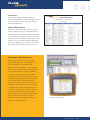
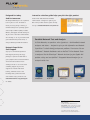
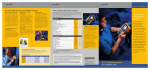
VLAN discovery
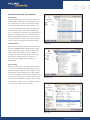
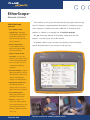
Managing your VLANs has never been easier. EtherScope
identifies VLANs configured on discovered switch interfaces and allows you to drill-in to see interface status,
connected host details and trend interface data. If you
are using a management VLAN, switches are typically not
visible to the discovery process. But, with EtherScope,
you can simply add your switches as user-defined devices,
giving you a complete picture of your switched network.
EtherScope automatically determines the nearest switch,
interface and VLAN for each discovered device, making it
easy to resolve issues and track configuration changes.
Network discovery
VLAN discovery
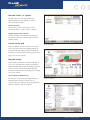
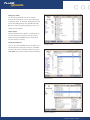
EtherScope conveniently organizes discovered devices by
IP Subnets, NetBIOS Domains and IPX networks. Subnet
details include address ranges and subnet masks, while
domain details identify master browsers and domain
controllers. An easy-to-use Find feature searches across
all networks to quickly locate each occurrence of a
device using full or partial names, IP addresses or
MAC addresses.
Nearest Switch
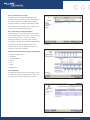
Determining where you are connecting into the network
is often the first challenge when diagnosing user issues.
EtherScope’s Nearest Switch discovery speeds you on your
way whether you are troubleshooting a problem, validating a move or updating documentation by identifying the
slot and port to which you are connected. With the near-
Network discovery
est switch identified, EtherScope makes it easy to launch
a web browser or Telnet session to configure the switch
or examine switch details and port statistics.
Nearest Switch
EtherScope Network Assistant
2