1
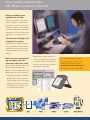
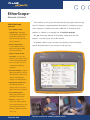
Network health – at a glance
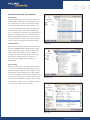
One glance at the tri-color LEDs indicates your
network’s health. You’ll see utilization, collisions,
errors, and transmit frames.
Monitor key devices
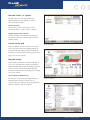
Key Device Ping verifies connectivity to a list of
user-defined devices – routers, servers or switches.
Identify capacity trends and needs
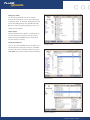
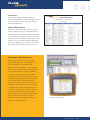
Switch port statistics and trending show steady and
bursty traffic, allowing you and your staff to pinpoint
problems quickly.
Control via the web
Monitor key devices
EtherScope Network Assistant supports secure remote
access and control. Monitor and identify problems via
your web browser by shipping an EtherScope Network
Assistant to a remote site and recruiting a lay person to
plug it in to the local network.
Network testing
View information about your network automatically. As
soon as it’s connected to the network, the EtherScope
Network Assistant starts testing and displaying real-time
results of devices, networks and problems. Navigate
through the intuitive menus and quickly get an in-depth
view of your network.
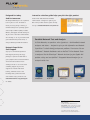
Active network and VLAN discovery
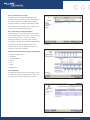
Discover up to 1,000 devices and extract switch and
Switch port statistics
VLAN information showing you where users are
connected. Save your staff time when they troubleshoot
network connection issues and congestion.
VLAN discovery
EtherScope Network Assistant
3