1
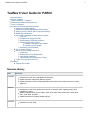
TestNav 8 User Guide for PARCC
3/6/2014
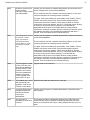
Added reference to PearsonAccess Configure TestNav section in Set Up Proctor Caching,
and Set Response File Backup Locations sections.
Reorganized the list of TestNav error codes to put the most common errors at the top of the list.
2/20/2014
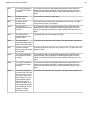
Clarified that on supported mobile devices, there is only one save file location.
Added additional clarification to the error messages.
1/15/2014 Removed the following sections:
Email Settings
Wireless Network
What is TestNav?
TestNav 8 is Pearson's newest test delivery platform for online testing. It runs in the Cloud, delivering tests via a web
browser on desktop and laptop computers and a custom app on selected tablets. It can deliver a wide range of item
types, and is QTI and APIP compliant.
The IMS Question & Test Interoperability (QTI) specification enables the exchange of item, test and
results data between authoring tools, item banks, test constructional tools, learning systems and
assessment delivery systems.
The Accessible Portable Item Protocol (APIP) Standard provides assessment programs and question
item developers with a data model for standardizing the interchange file format for digital test items.
Technical Support - TestNav 8
If you have questions, you may do one of the following:
Call our Support Center toll free at 1-888-493-9888 (M-F, 6 A.M. to 8 P.M. Central Time) and talk to one of
our support specialists.
Reach us via email at [email protected].
Hardware and Software Requirements
TestNav can be used with various operating systems and browsers on desktop and laptop computers as well as with
a custom app on supported tablet devices.
See the http://www.pearsononlinetesting.com/TestNav/8/index.html to find the full list of requirements for your
TestNav release version.
Test Your Systems
Check all your devices against stated requirements. Perform this task before you move on to any other tasks.
See the System Check User Guide for TestNav 8 for information about testing:
2