1
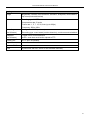
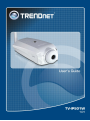
TV-IP501W Internet Camera User Manual System Requirements Computer CPU: For Intel x86 compatible CPUs: Intel Pentium IV 2.0Ghz or above CPU: For IA64 compatible CPUs: AMD Athlon 64 3000+ and above Memory: 1GB or above VGA Resolution: 1024 x 768 or above (Independent Display Card recommended) 10BASE-T Ethernet or 100BASE-TX Fast Ethernet Network Interface Card CD-ROM Drive for Setup Wizard on Installation CD-ROM IPViewPro 2.0 Application Users must use Microsoft® Windows®2000, XP or Vista Operating System with Internet Explorer 6.0 or above with DirectX9.0 Network Local Area Network: 10Base-T Ethernet or 100Base-TX Fast Ethernet Wireless: 802.11b/g wireless adapter Note: When you connect multiple cameras and monitor their images synchronously, it is recommended to use a high performance system, such as a Pentium 4 & 2.4GHz PC Default Settings Default configuration settings Username This is the Username you will be prompted to enter when you access the camera configuration screens using a Web browser. The default Username is admin. Password This is the Password you will be prompted to enter when you access the configuration windows using a Web browser. The default Password is admin. IP address This is the IP address you will enter into the Address field of your Web browser to access the camera monitor screen and configuration menus using a Web Browser. The camera uses DHCP for IP settings by default. If a DHCP server is not detected, the default IP address is 192.168.10.30. (Make sure your computer is configured to belong to the 192.168.10.X subnet if using the default IP address of the camera.) Subnet Mask The default subnet mask is 255.255.255.0 5