1
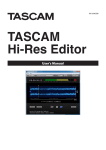
TASCAM Hi-Res Editor
Contents
END USER LICENSE AGREEMENT................................................. 2
Overview............................................................................................. 3
Conventions used in this manual............................................... 3
Trademarks......................................................................................... 4
Operating environment................................................................. 4
Software specifications.......................................................... 4
System recommendations.................................................... 4
Names and functions of parts..................................................... 4
Home Screen overview.......................................................... 4
Opening audio files................................................................. 5
Selecting the audio device for audio output................. 5
Playing audio files.................................................................... 5
Changing the playback position........................................ 6
Settings by audio file type.................................................... 6
Setting IN/OUT points.................................................................... 7
Setting the IN/OUT points.................................................... 7
Outputting audio files.................................................................... 7
Outputting audio files............................................................ 7
Turning the short fade function on/off............................ 8
Settings by output file type................................................. 8
Combining audio files.................................................................... 9
Procedure to combine audio files...................................... 9
Notice regarding software that uses the LGPL....................10
Notice regarding software that uses the IPA Font
License................................................................................................12
TASCAM Hi-Res Editor is an audio file editing application
that enables the conversion and editing of high-resolution DSD/PCM files recorded on a TASCAM DA-3000 or
another device.
Overview
• Editing of high-resolution DSD/PCM files possible
• Supports DSD files at 2.8, 5.6 and 11.2 MHz and PCM
files at 44.1–384 kHz and 16, 24 and 32-bit
• Supports audio sources with one or two channels
(mono, stereo)
• Supports Windows (Windows standard and ASIO 2.1
audio drivers)
• DSD native playback, which allows direct conversion
of DSD to analog, is possible using a TEAC UD-501 or
another DSD-compatible audio device
• Waveform display is possible and allows intervals
•
•
•
•
between set IN and OUT points to be converted and
output
Short fades can be added at IN/OUT points during file
output (function can be turned on/off )
Audio file formats and sampling frequencies, for
example, can be converted
Format conversion: PCMswDSD
Convert sampling frequencies and quantization bit
depths as desired
Combine function can be used to join two audio files
Editing with just a computer is possible
Conventions used in this manual
The following conventions are used in this manual.
• DSD (.dsf/.dff ) and PCM (.wav) files are sometimes
referred to generally as “audio files”.
• Information shown on a computer display is written
like this: “OPEN”.
• Additional information is provided as necessary as
tips, notes and cautions.
TIP
These are tips about how to use the application.
NOTE
These provide additional explanations and describe
special cases.
CAUTION
Failure to follow these instructions could result in
injury, damage to equipment or lost recording data,
for example.
TASCAM Hi-Res Editor
3