1
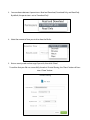
To apply sensitivity to a folder, right-click the folder and select nCryptedCloud > Sensitivity. You will
have the option to make the folder Low, Medium, High, or Top Secret Sensitivity.
Personal Auditing
How to Access Personal Auditing Page
nCryptedCloud’s Personal Auditing feature gives users full forensic auditing of all access activities.
This means that the Owner of the data can view all accesses and changes to that data.
To access the Personal Auditing feature follow these steps:
1. Login to your nCryptedCloud account at www.ncryptedcloud.com
2. Click on the arrow icon in the top-right corner.
3. Click on “Auditing” from the drop-down list.
21