1
HP LaserJet 5P Printer Service Supplement
New Product Features
New Product Features
The HP LaserJet 5P/5MP Status Panel
This HP LaserJet printer has been designed to be controlled
mainly by software. However, some simple functions are also
available from the status panel. You also receive status
information about the operation of the IrDA-compatible infrared
(IR) port from the status light just above the port (for more
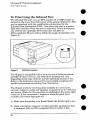
information, see “To Print Using the Infrared Port,” later in this
appendix).
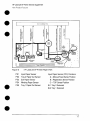
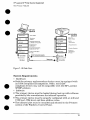
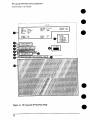
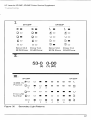
Figure 5
1.
2.
3.
4,
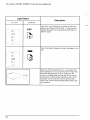
Status Panel Buttons and Lights
RESET button
ERROR status light
TRAY 1 status light
TRAY 2 status light
5.
6.
7.
8.
DATA status light
READY status light
GO button
IR port status light
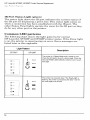
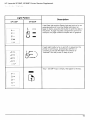
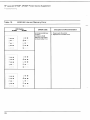
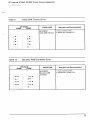
The Status Panel consists of two buttons you use to complete
certain tasks and five status lights that indicate the status of the
printer (see Figure 5).
The GO and RESET Buttons
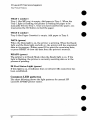
The printer has two buttons: GO and RESET.
10