1
Royal Vendors Freezer
Operation, Service, and Parts Manual
Manufactured by
Royal Vendors, Inc.
426 Industrial Boulevard
Kearneysville, West Virginia 25430-2776 USA
R
Telephone +1 304 728 7056 • Toll Free in North America 1 800 931 9214 • Fax +1 304 725 4016 • www.royalvendors.com
TABLE OF CONTENTS
Safety Information...................................................................................................................................................... 3
Royal Vendors Freezer Standard Parts................................................................................................................. 4
General Information and Setup............................................................................................................................... 5
• Introduction........................................................................................................................................................... 5
• Unpacking the Cooler and Installing It On Location................................................................................... 5
Start-Up.........................................................................................................................................................................6
• Preliminary Checks.............................................................................................................................................. 6
• Initial Start-Up...................................................................................................................................................... 7
Maintenance................................................................................................................................................................. 7
Refrigeration System Service................................................................................................................................... 8
• Refrigeration Unit Components........................................................................................................................ 8
• Refrigeration Deck Removal.............................................................................................................................. 8
Refrigeration Controller Information.................................................................................................................... 9
• Carel Controller.................................................................................................................................................... 9
• Display and Functions......................................................................................................................................... 9
Refrigeration System Troubleshooting................................................................................................................10
Wiring Diagram.........................................................................................................................................................11
Parts Catalogue.........................................................................................................................................................12
Credit and Replacement Policy........................................................................................................... Back Cover
Royal Vendors, Inc. • 426 Industrial Boulevard • Kearneysville WV 25430-2776 • USA
Customer Service: +1 304 728 7056 or Toll Free in North America 1 800 931 9214 • Fax +1 304 725 4016
E-mail: [email protected]
[email protected]
Website: www.royalvendors.com
SAFETY INFORMATION
ROYAL VENDORS’ COMMITMENT TO SAFETY
Royal Vendors is committed to safety with all of our
product designs. We are committed to notifying the
user of any possible danger involving the improper
handling or maintenance of our products. The
servicing of any electrical or mechanical device
involves potential dangers, both to those servicing
the equipment and to users of the equipment. These
dangers can occur because of improper maintenance
or usage. The purpose of this safety segment is to
alert anyone servicing Royal equipment of potentially
dangerous areas and to provide basic safety guidelines
for proper upkeep.
This service manual contains various warnings that
should be carefully read to minimize the risk of
personal injury. This manual also contains service
information to ensure that proper methods are
followed to avoid damaging the machine or making
it unsafe. It is also important to understand these
warnings provide general guidance only. Royal
could not possibly know, evaluate, or advise of all
the conceivable ways in which service might be done.
Consequently, Royal cannot predict all of the possible
dangerous results. These outlined safety precautions
are the basis for an effective safety program. Use
these safety measures, along with the service
bulletins, helpful hints, and product specification
sheets, when installing or servicing Royal equipment.
We recommend that persons servicing our equipment
maintain a similar commitment to safety. Only
personnel properly trained should have access to the
interior electrical and / or mechanical parts of the
machine. This will minimize the potential dangers
that are inherent in electrical and mechanical devices.
Royal has no control over the vender once it leaves
the premises. It is the owner or lessor’s responsibility
to maintain the vender in a safe condition. See
installation insert located in the new machine for
proper installation procedures, and refer to the service
manual for recommended maintenance procedures. If
you have any questions, please contact the Technical
Service Department at 1 800 931 9214 (outside North
America, dial +1 304 728 7056).
SAFETY REGULATIONS
• Read the safety segment before installation or
service.
• Test for proper grounding before installing the
machine to reduce the risk of electrical shock and
fire.
• Disconnect the power cord from the wall outlet
before servicing the machine.
• Only fully-trained service technicians should
service the machine when it has power.
• Remove any product before moving a machine.
• Use appropriate equipment when moving a
machine.
• Always wear eye protection, and protect your
hands, face, and body when working near the
refrigeration system.
• Use only authorized replacement parts.
• Be aware of inherent dangers in rocking or tipping
a machine.
SECTION 1: ELECTRICAL HAZARDS GENERAL
ADVICE
Careless or improper handling of electrical circuits
can result in injury or death. Anyone installing,
repairing, loading, opening, or otherwise servicing a
machine should be aware of this precaution. Apply
all of the normal precautions when handling electrical
circuits, such as:
• Refrigeration servicing to be performed by
qualified personnel only.
• Unplug the vender before servicing.
• Replace electrical cords if there is any evidence of
fraying or other damage.
• Keep all protective covers and ground wires in
place.
• Plug equipment into outlets that are properly
grounded and polarized (where applicable), and
protected with fuses or circuit breakers of the
correct size.
• All electrical connections must be dry and free of
moisture before applying power.
WARNING: ALWAYS TEST TO VERIFY
PROPER GROUNDING PRIOR TO
INSTALLATION IN ORDER TO REDUCE THE
RISK OF ELECTRICAL SHOCK AND FIRE.
Royal Vendors Freezer Operation, Service, and Parts Manual
3
SECTION 2: ELECTRICAL HAZARDS
1. Servicing with power off.
For maximum safety, unplug the power cord
from the wall outlet before opening the machine’s
door. This will aid in avoiding electrical hazards.
Service personnel should remain aware of possible
hazards from hot components although electrical
power is off.
2. Servicing with power on.
Some service situations may require access with
power on. Only fully-qualified service technicians
should perform power-on servicing. Particular
caution is required in servicing assemblies
that combine electrical power and mechanical
movement. Sudden movement (to escape
mechanical action) can result in contact with live
circuits and vice versa. It is therefore important
to maintain maximum clearances from both
moving parts and live circuits when servicing.
This equipment is intended for the storage
of non-potentially hazardous bottled or
canned products only.
WARNINGS:
1. ONLY FULLY-TRAINED SERVICE
PERSONNEL SHOULD ACCOMPLISH
SERVICING WITH POWER ON. SUCH
SERVICE BY UNQUALIFIED INDIVIDUALS
CAN BE DANGEROUS.
2. LIGHTING CIRCUITS CAN BE HAZARDOUS.
ALWAYS DISCONNECT THE MACHINE FROM
THE WALL OUTLET BEFORE REPLACING
A BULB OR SERVICING THE MACHINE IN
THAT AREA.
3. NEVER USE A HOSE, PRESSURE WASHER,
OR ANY CLEANING METHOD THAT COULD
WET ELECTRICAL COMPONENTS. IF
WATER CONTAMINATION OF ELECTRICAL
COMPONENTS IS SUSPECTED, USE
QUALIFIED ELECTRICAL TESTING
EQUIPMENT AND TEST METHODS TO
ASSURE THAT THE MACHINE IS NOT A
HAZARD BEFORE APPLYING POWER FOR
ANY REASON.
CAUTION
DANGER
If an extension cord is necessary, use only
the three-wire grounding type. The use of
ungrounded cords or an overloaded circuit voids
the compressor warranty.
Before servicing the unit, disconnect electrical
service. Failure to do so could result in electrical
shock or electrocution and could cause personal
injury or death!
ROYAL VENDORS FREEZER STANDARD PARTS
Unit Size
Parts
Factory Installed
Refrigeration Deck
X
027
Field Installed
Quantity
1
Shelves
X
5
Shelf Clips
X
20
-
1
Operation and Service Manual
-
Levelling Legs
X
Lamps
X
Leg Protective Sleeve
4
1 (standard) / 2 (optional)
X
NOTE: Parts shown are for standard units. Quantity of shelves and clips may vary based on factory-supplied options.
4
Royal Vendors Freezer Operation, Service, and Parts Manual
4
GENERAL INFORMATION AND SETUP
INTRODUCTION
This manual contains installation, operation, and
service instructions for the Royal Vendors Freezer,
by Royal Vendors, Inc. This manual also contains a
parts catalog and electrical schematic for the Freezer.
UNPACKING THE FREEZER AND
INSTALLING IT ON LOCATION
UNWRAP THE MACHINE
Unwrap the unit and remove the padding. Examine
all packages for damage to packaging material.
Damage to external packaging may have resulted in
unit damage. Check packages for all accessories and
components, including legs, casters, and shelves. File
a claim immediately with the shipping company if the
shipment is damaged or incomplete.
PLACE THE UNIT ON LOCATION
Units are designed for indoor placement only. Provide
at least 4” (10 cm) of wall space behind the unit
cabinet and any adjacent wall or fixture. Remove the
shipping skids by inserting a claw hammer, crowbar,
or similar device into the slot of each section to break
it apart. Tilt the unit slightly to remove the separated
pieces. Remove the leveling legs, and place the
protective sleeve over the threads of the legs. Replace
the leveling legs with the protective sleeve in place,
and be sure the unit is level (see following section).
The protective sleeves provide 3” (7.5 cm) clearance
under the unit for cleaning.
UNIT DATA
UNIT
RVZ-027
Voltage AC
Nominal
Range
115
105-125
Frequency
60 Hz
Total Amps
10.5
Refrigerant Type
Charge Amount
Design Pressure
High Side (psig)
Low Side (psig)
R404a
13.5 oz. (0.38 kg)
500
200
LEVEL THE UNIT
To provide adequate condensate drainage and proper
door alignment and operation of unit, the unit cabinet
must be level. The leveling legs are factory-installed.
To level the unit:
The door is spring-loaded and will not function
properly without proper leveling of the cabinet. Using
an adjustable wrench, adjust the leveling legs so
that the unit sits approximately level to the floor and
the door closes properly. For best door operation,
adjust the leveling legs so that the cabinet has a 1/16”
(2 mm) rake or slant from front to rear. Optional
casters are available to replace the leveling legs.
INSTALL THE SHELVES
Product shelves and a bag containing shelf support
clips are packed inside the unit. Refer to the table
below to verify the quantity of shelves and shelf
supporting clips.
To install the shelves:
1. Determine the proper location for the shelf clips.
Refer to the numbers on the pilaster to ensure
that all clips are properly located.
2. Insert the top tab of the shelf clip into the desired
hole of the pilaster. The retaining tab should be
facing upward, as shown in Figure 1.
3. Rotate the clip downward and insert the bottom
tab into the appropriate hole on the pilaster.
If necessary, squeeze the clip slightly during
installation.
4. Install all remaining clips as described above.
5. Install the shelves onto the clips so that the
product retention bars are facing upward. Be
careful not to dislodge the clips during shelf
installation.
6. Shelves must be placed so that the retaining tab
on the shelf clip captures the shelf, as shown in
Figure 2.
7. Before loading the shelf, ensure that the shelf is
resting on each of the four clips and that the clips
are installed as shown in Figures 1 and 2 (on next
page).
WARNING
Improper shelf clip installation may cause shelf and /
or product to fall, which could result in personal injury
or damage to the unit.
Royal Vendors Freezer Operation, Service, and Parts Manual
5
START-UP
TOP TAB
FULLY INSERTED
INTO SLOT
PRELIMINARY CHECKS
BOTTOM TAB
FULLY SEATED
PROPERLY INSTALLED CLIP
IMPROPERLY INSTALLED
CLIP (UPSIDE DOWN)
To achieve proper lamp engagement, rotate the lamp
90 degrees from its insertion position until it snaps or
clicks into place.
RETAINING TAB
TOP TAB
SHELF CLIP
a79-5
BOTTOM TAB
Figure 1. Shelf clip installation.
PILASTER
Visually verify proper lamp installation by checking
the identification mark on the end of the bulb. If
the bulb has been properly installed, the mark will
be centered between the halves of the lamp holder.
(Refer to Figure 3.)
Electrical supply and connections
Check to be sure that the electrical service to the unit
meets all local and national electrical codes. Unit
electrical data is shown on the unit data label, located
on the inside of the cabinet in the upper left-hand
corner. Review this label before initiating electrical
service. The voltage range of the power supply to the
unit should be 105 to 125 volts. Refer to the table
below for unit data.
NOTE: Other motors or heavy appliances should not
be used on the same circuit with the freezer.
SHELF
RETAINED
BY TAB
a79-6
Bi-pin lamp installation / verification
Before applying power to the unit, verify that the
lamp has been properly installed and is fully engaged
in the lamp holders. The Freezer has one (standard)
or two (optional) lamps inside the cooler.
PRODUCT
RETENTION BAR
Figure 2. Proper installation of the shelf on the clip.
WARNING
Do not overload the shelves. The unit is
designed to use all the shelves provided,
installed in equally-spaced configuration.
Failure to install shelves correctly could result in
personal injury or damage to the unit. If fewer
shelves or a different installation configuration
is desired, contact the manufacturer to ensure
that shelf overloading will not occur.
6
BI-PIN LAMP END
IDENTIFICATION MARK
Properly installed lamp without shield. Verify
identification mark is positioned as shown.
Figure 3. Installation of lamp.
Royal Vendors Freezer Operation, Service, and Parts Manual
INITIAL START-UP
Power supply
Connect the unit to the power supply. Check to verify
that the compressor, lamps, and fans are running.
IMPORTANT: Low line voltage is often the cause of
service complaints. Check to see that the line voltage is
within the specified range with the unit running.
Temperature control
The temperature is controlled by a pre-set electronic
thermostat.
MAINTENANCE
LAMP REPLACEMENT
Remove the lamps by rotating 90 degrees to align
the lamp pins with the holder slots. Refer to “Bi-pin
fluorescent lamp installation / verification” on page 8
for further information on lamp removal.
CONDENSATE DISPOSAL
The evaporator drain pan is located in the base of the
refrigeration deck. Airflow in the deck compartment
hastens condensate evaporation so that external drain
plumbing is not required. In general, this renders the
condensate pan maintenance-free.
CONDENSER
The condenser should be inspected periodically for
accumulation of debris, which should be removed. A
vacuum cleaner or wire brush can be used to remove
debris. Be careful to not bend the condenser fins.
CABINET EXTERIOR
Cabinets should be cleaned with a solution of mild
soap and water or mild household cleaner. Do not use
caustic soap or abrasive cleaners, since these might
damage the cabinet finish. Do not use steel wool, or
rusting might occur.
INTERIOR SURFACE
The inside of the cabinet is coated with powder-coat
paint. To clean, use a mild soap and water solution or
mild household cleaner.
UNDERNEATH FREEZER
Underneath the freezer can be cleaned by hand
or with an appropriate cleaning tool up to 1 1/2”
thick, using a mild soap and water solution or mild
household cleaner.
CAUTION
Improperly installed lamps may cause damage
to the lighting circuit. Royal Vendors will not
be responsible for equipment or component
failures or other damages that arise from
improper lamp installation.
DANGER
Before servicing the unit, disconnect electrical
service. Failure to do so could result in electrical
shock or electrocution and could cause personal
injury or death!
Royal Vendors Freezer Operation, Service, and Parts Manual
7
REFRIGERATION SYSTEM SERVICE
REFRIGERATION UNIT COMPONENTS
The Royal Vendors Freezer refrigeration system
consists of a hermetically-sealed compressor and
finned evaporator and condenser coils.
Condenser
The condenser has finned coils which assist in
removing heat from the refrigerant. The condenser
requires periodic cleaning for maximum efficiency.
Condenser fan motor
The condenser fan motor assembly is mounted
between the condenser and the compressor. Air is
drawn through the condenser, over the body of the
compressor, and out the rear of the unit compartment.
The motor is wired to cycle with the compressor, but it
will continue to operate should the compressor cut out
on the overload. The motor is permanently lubricated;
therefore, oiling is not required or recommended.
Drier
The drier is installed in the system just before the
capillary tube. It traps minute particles of foreign
material and absorbs any moisture in the system.
REFRIGERATION DECK REMOVAL
Note: The refrigeration unit weighs in excess of 70 lbs
(32 kg). Use caution when lifting the unit.
1. Remove power from the vender.
2. Disconnect the refrigeration unit’s power cord
from the main wiring harness junction block.
3. Disconnect the 4-wire connection on the right side
air baffle (located beside the refrigeration unit’s
power cord connection to the junction block).
4. Remove the evaporator cover.
5. Remove the mullion cover.
6. Remove the refrigeration lines cover.
7. Remove the two bolts that secure the refrigeration
base plate.
8. Remove the two screws that secure the
refrigeration unit to the baffles on each side of the
condensor.
9. Pull the refrigeration unit completely out of the
cabinet.
10. Installation of the new unit is the reverse of the
removal process.
Thermal expansion valve
The expansion valve is located in the refrigerant
line between the condenser and evaporator coils.
The expansion valve is used as a metering device to
control the flow of liquid refrigerant to the evaporator
coil. This creates a low pressure causing the
refrigerant to vaporize and absorb heat as it passses
through the evaporator.
DANGER
Before servicing the unit, disconnect electrical
service. Failure to do so could result in electrical
shock or electrocution and could cause personal
injury or death!
8
CAUTION
If an extension cord is necessary, use only
the three-wire grounding type. The use of
ungrounded cords or an overloaded circuit voids
the compressor warranty.
Royal Vendors Freezer Operation, Service, and Parts Manual
REFRIGERATION CONTROLLER INFORMATION
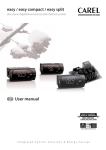
CAREL CONTROLLER
Operation of the Royal Vendors Freezer is regulated
by a Carel PJEZC electronic microprocessor controller
with LED display.
DISPLAY AND FUNCTIONS
During normal operation, the controller displays the
value of the probe set using parameter /4 (1 = ambient
probe; 2 = second probe; 3 = third probe). In addition,
the display has LEDs that indicate the activation
of the control functions (as shown in the first table
below), while the three buttons can be used to activate
or deactivate some of the functions (as shown in the
second table below).
LEDs and associated functions
Icon
Normal operation
Function
AUX
AUX
AUX
AUX
AUX
ON
OFF
Blink
Start up
Compressor
on
off
request
ON
Fan
on
off
request
ON
Defrost
on
off
request
ON
Aux
Output on
Output off
-
ON
Alarm
All
No alarm
-
ON
Clock
RTC
fitted and
enabled,
at least
one time
band set
RTC not
fitted or
disabled,
not even
one time
band set
-
ON if
RTC fitted
AUX
AUX
Normal operation
e eee e e
pressing the
button alone
pressed
together
more than 3 s:
toggle ON / OFF
down
mut defrost
more than 3 s:
start/stop defrost
Pressed
together
start/stop
continuous
cycle
mut
m
muuut
set m
m tt
set
set muuup
t
set ON/
set
OFF
e
set mut
set
e
mut
e
set
set
mute
- 1 s: display /
set the set point
- more than 3 s:
access parameter
setting menu
(enter password
‘22’)
- mute audible
alarm (buzzer)
-
Switching the device ON or OFF
Press UP for more than 3 seconds. The control
and defrost algorithms are now disabled and the
instrument displays the message “OFF”, alternating
with the temperature read by the set probe.
Manual defrost
Press DOWN for more than 3 seconds. NOTE: The
defrost starts only if the temperature conditions are
valid.
Defrost interval
The defrost mode is activated every four hours.
Continuous cycle
Press UP and DOWN together for more than 3
seconds.
Table of alarms
AUX
Table of functions activated by the buttons
Button
Setting the set point
• Press SET for 1 second. The set point will start
flashing after a few moments.
• Increase or decrease the value using the UP or
DOWN buttons.
• Press SET to confirm the new value.
• Factory set point is -7°F.
• The set point can be adjusted from -10°F to 0°F.
Start up
-
Pressed
together
start
parameter
reset
structure
Alarm
code
Buzzer
and alarm
relay
LED
E0
active
ON
probe 1 error=control
-
E1
inactive
ON
probe 2 error=defrost
[d0 = 0/1]
E2
inactive
ON
probe 3 error=condenser
[A4=10]
IA
active
ON
external alarm
[A4=1] [+A7]
dOr
active
ON
open door alarm
[A4=7/8][+A7]
Parameters
involved
Description
LO
active
ON
low temperature alarm
[AL] [Ad]
For 1 s
display
firmware
vers.
code
HI
active
ON
high temperature alarm
[AH] [Ad]
EE
inactive
ON
unit parameter error
-
EF
inactive
ON
operating parameter
error
-
For 1 s
RESET
current
EZY set
Ed
inactive
ON
defrost ended by timeout
[dP] [dt] [d4]
[A8]
dF
inactive
OFF
defrost running
[d6=0]
cht
inactive
ON
condenser dirty prealarm
[A4=10]
CHt
active
ON
condenser dirty alarm
[A4=10]
EtC
inactive
ON
clock alarm
if bands active
Royal Vendors Freezer Operation, Service, and Parts Manual
9
REFRIGERATION SYSTEM TROUBLESHOOTING
PROBLEM
POSSIBLE CAUSE
CORRECTIVE ACTION
Compressor will not start; does
not hum.
1. Line cord not plugged in.
2. Wiring improper or loose.
3. The electronic cold control is
faulty.
1. Plug in the cord.
2. Check wiring against schematic.
3. Replace the refrigeration
assembly.
Compressor will not start; hums
but trips on overload protector.
1. Low voltage to unit.
2. Start capacitor defective.
3. Improperly wired.
1. Determine reason and correct.
2. Replace the capacitor.
3. Check wiring against schematic.
Compressor starts but does not
switch off or start winding.
1. Low voltage to unit.
2. Run capacitor defective.
3. Compressor motor winding is
defective or shorted.
1. Determine reason and correct.
2. Replace the capacitor.
3. Determine cause, correct, and
replace compressor.
Compressor starts and runs,
but short-cycles on overload
protector.
1. Additional current passing through
overload protector.
1. Check wiring schematic. Check
for added fan motors, pumps, etc.,
connected to wrong side or protector.
2. Determine reason and correct.
3. Check current and replace
protector.
4. Replace the capacitor.
5. Check ventilation, restrictions
in cooling medium, restrictions in
refrigeration system.
6. Check airflow across condenser.
2. Low voltage to unit.
3. Overload protector defective.
4. Run capacitor defective.
5. Excessive discharge pressure.
6. Compressor too hot.
Unit runs but short-cycles.
1. Overload protector.
2. Bad refrigeration unit.
Unit operates too long or
continuously.
1. Dirty condenser.
2. Evaporator fan not working.
3. Bad refrigeration unit.
Cabinet temperature too high.
1. Check wiring schematic for correct
wiring.
2. Replace the refrigeration unit.
1. Clean condenser.
2. Check evaporator fan wiring. If
correct, replace evaporator fan.
3. Replace refrigeration unit.
1. Inadequate cabinet air circulation.
2. Dirty evaporator.
3. Dirty condenser.
4. Inadequate air circulation at
refrigeration deck.
5. The electronic cold control is
faulty.
6. Evaporator frozen.
1. Check evaporator fan motor.
2. Clean evaporator.
3. Clean condenser.
4. Check condenser fan motor.
Unit is noisy.
1. Loose parts or mountings.
2. Tubing rattling.
3. Bent fan blade causing vibration.
4. Fan motor bearings worn.
1. Find and tighten.
2. Reform to be free of contact.
3. Replace blade.
4. Replace motor.
Excessive condensation on door.
1. Unplugged door heater.
2. Faulty door heater.
1. Plug in door heater.
2. Replace door.
10
5. Replace the refrigeration
assembly.
6. Check defrost heater.
Royal Vendors Freezer Operation, Service, and Parts Manual
WIRING DIAGRAM
POWER
SUPPLY
ON
BLACK
11
22
WHITE
LED
LED
RED
OFF
V+V-
V+V-
24VDC LED CONFIGURATIONS (1 OR 2 LAMP)
FACE FRAME
HEATER
DOOR
GLASS
HEATER
11
22
EVAPORATOR
FAN
ELECTRONIC
TEMPERATURE
CONTROL
COMPRESSOR
FAN
123
45
67
8 9 10 11
BI METAL
SWITCH
COMPRESSOR
TEMP.
SENSOR
DOOR
SWITCH
DEFROST
HEATER
0
4
COMPRESSOR
RELAY
1
6
11
22
33
11
22
33
44
BLACK
INPUT DC 24V
L N V-V+
LIGHT
SWITCH
LINE RETURN (SMOOTH)
LINE (RIBBED)
MAINS
JUNCTION
BLOCK
BLACK
LINE
GREEN
GROUND
WHITE
NEUTRAL
MAINS
POWER
IN
NEUTRAL (RIBBED)
NEUTRAL (RIBBED)
NEUTRAL (RIBBED)
LINE (SMOOTH)
LINE (SMOOTH)
LINE (SMOOTH)
Royal Vendors Freezer Operation, Service, and Parts Manual
11
Parts
Catalogue
12
Royal Vendors Freezer Operation, Service, and Parts Manual
DOOR ASSEMBLY
1
3
4
2
5
Item
Description
Part Number
1
2
3
4
5
•
•
•
Top Door Hinge.......................................................................................................................................... 810383
Bottom Door Hinge.................................................................................................................................... 810380
Freezer Door............................................................................................................................................. 852413
Machine Screw, 1/4”-20 x 3/4”, Hex Head, Black...................................................................................... 901127
Rivnut, 1/4”-20........................................................................................................................................... 908024
Door Gasket.............................................................................................................................................. 815788
Washer, Flat, Nylon 6/6 Black, 2.4 mm (0.088”) thick (between bottom hinge and door)......................... 904052
Washer, Flat, Nylon 6/6 Black, 0.05” (1.27 mm) thick (between bottom hinge and door)......................... 904053
Royal Vendors Freezer Operation, Service, and Parts Manual
13
24
30
10
14
28
11
12
13
31
25
16
9
18
27 36
5
22
32
17
35
4
23
14
29 26
21
19
1
20
2
15
34
3
6
8
33
7
CABINET PARTS
Royal Vendors Freezer Operation, Service, and Parts Manual
CABINET PARTS
Item
Description
Part Number
1
2
3
4
5
6
7
8
9
10
11
12
13
14
15
16
17
18
19
20
21
22
23
24
25
26
27
28
29
30
31
32
33
34
35
36
•
•
•
•
Cabinet Assembly, Foamed....................................................................................................................... 400246
Pilaster, Front, 54”..................................................................................................................................... 810338
Pilaster, Rear, 44”...................................................................................................................................... 810387
Levelling Leg............................................................................................................................................. 803117
Shelf, Full................................................................................................................................................... 811094
- Half (Bottom)........................................................................................................................................... 811095
Pilaster Clip............................................................................................................................................... 810339
Lamp Switch Bracket................................................................................................................................. 370046
On / Off Switch.......................................................................................................................................... 835027
Lampholder................................................................................................................................................ 842565
Line Interrupt............................................................................................................................................. 835033
LED Tube......................................................................................................................................................... N/A
Main Wire Harness.................................................................................................................................... 842845
Cable Clamp.............................................................................................................................................. 916014
Hold Down Angle....................................................................................................................................... 201206
Bottom Edge Guard................................................................................................................................... 400318
Grille Assembly, Freezer............................................................................................................................ 400008
Condensate Pan........................................................................................................................................ 815368
Lamp Guard............................................................................................................................................... 370048
Condensate Pan Stop............................................................................................................................... 370430
Evaporator Fan.......................................................................................................................................... 839061
Evaporator Bracket, Left............................................................................................................................ 400433
Evaporator Bracket, Right......................................................................................................................... 400434
Evaporator................................................................................................................................................. 820030
Evaporator Cover...................................................................................................................................... 400010
Evaporator Cover Extension...................................................................................................................... 400019
Mullion Cover............................................................................................................................................. 400330
Evaporator Fan Shroud............................................................................................................................. 400432
Air Duct Back............................................................................................................................................. 400011
Mullion Water Block................................................................................................................................... 400247
Lamp Bracket Panel Cover........................................................................................................................ 400013
Pilaster, Middle, 12”................................................................................................................................... 810385
Grille Attachment Plate.............................................................................................................................. 400018
Screw, #8-32 x 3/8”.................................................................................................................................... 901011
Air Guide.................................................................................................................................................... 370011
Door Switch Mounting Bracket.................................................................................................................. 400217
Door Switch Strike..................................................................................................................................... 400500
Carel Cold Control..................................................................................................................................... 822099
Harness, Controller to Refrigeration Unit................................................................................................... 842844
Harness, Temperature Sensor................................................................................................................... 842896
Harness, Controller to Door Switch........................................................................................................... 400902
Royal Vendors Freezer Operation, Service, and Parts Manual
15
REFRIGERATION UNIT
7
2
15
6
17
4
13
3
10
16
11
8
14
5
12
16
9
1
Royal Vendors Freezer Operation, Service, and Parts Manual
REFRIGERATION UNIT
Item
Description
Part Number
•
1
2
3
4
5
6
7
8
9
10
11
12
13
14
15
16
17
•
Refrigeration Assembly (includes all items below).................................................................................... 400436
Refrigeration Base Plate............................................................................................................................ 400435
Compressor............................................................................................................................................... 819058
Condensor Shroud.................................................................................................................................... 400419
Condensor................................................................................................................................................. 820029
Screw, Sems, #8-32 x 3/8”........................................................................................................................ 901011
Grommet.................................................................................................................................................... 916015
Grommet Plug........................................................................................................................................... 815017
Compression Clip...................................................................................................................................... 914002
Sealer Gum............................................................................................................................................... 829003
Condensor Fan Motor................................................................................................................................ 839063
Condensor Fan Blade................................................................................................................................ 810014
Refrigeration Base Plate Handle............................................................................................................... 400421
Condensor Fan Shroud............................................................................................................................. 400420
Evaporator Support................................................................................................................................... 400437
Cable Clamp, 1/4”...................................................................................................................................... 916180
Compressor Electronics............................................................................................................................ 819061
Cable Clamp.............................................................................................................................................. 916163
Refrigeration Harness................................................................................................................................ 845846
Royal Vendors Freezer Operation, Service, and Parts Manual
17
18
Royal Vendors Freezer Operation, Service, and Parts Manual
Royal Vendors Freezer Operation, Service, and Parts Manual
19
CREDIT AND REPLACEMENT POLICY
Credits or replacements will be issued on warranty items if the proper procedures are followed:
1. ROYAL VENDORS will pay shipping charges on all parts covered under this warranty when transportation has
been made the most economical way. (Example: Within the continental USA, regular ground UPS.) An A.R.S.
(Authorized Return Service) sticker will be sent with all warranty parts. This method of shipping is preferred for
returning parts to Royal.
2. Credits will only be issued to warranty parts that have been ordered in advance, not for parts ordered as stock.
(NO EXCEPTIONS.)
3. When ordering warranty parts in advance, please have the full vender, refrigeration unit, and / or control board
serial numbers.
4. A copy of the Packing Slip, the correct serial number and complete Return Material Tag (provided with part) are
required for returning parts. Please fill out the Return Material Tag completely, keeping the white copy for your
records and returning the yellow tag with the attached part. Make sure to fill in the company name, address,
telephone number, serial number, and model number, along with a brief explanation of the problem.
5. If the item returned is not under warranty, it will be returned at your expense along with a US$10.00 handling fee
or it will be scrapped.
6. All warranty parts should be properly wrapped and packed securely to avoid further damage. Parts that are
returned from the field and have been tapped into, tampered with, not packaged properly, or have had the serial
plate or label removed, will void the warranty.
7. If parts are not returned within 15 working days, the invoice will be due in full.
R
Royal Vendors Publication
833119 Rev. 01
March 2015
Printed in the United States of America