1
Operators Familiarization
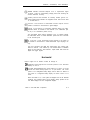
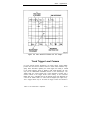
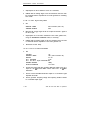
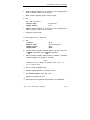
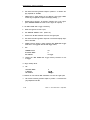
The CLEAR DISPLAY button may be used to turn off the MENU,
MEASUREMENT, and TRACK TRIG LVL and TRACK ~ cursors in a
priority scheme of three levels. MENU first, MEASUREMENT (and TRACK
MEASMT cursors) second, and TRACK TRIG LVL and TRACK A cursor
last. The highest level being displayed is turned off each time the CLEAR
DISPLAY button is pressed.
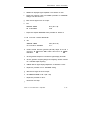
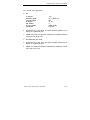
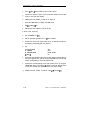
TRACK MEASMT-Press to enable or disable the Channel 1 or Chanthat
n e l 2 V o l t m e t e r m e a s u r e m e n t - t r a c k i n g c u r s o r s (SmartCursors@
show the waveform-measurement points). The state of the TRACK
MEASMT feature does not affect the positionable ~ VOLTS -N cursor operation. The CLEAR MENU button will not turn off the TRACK
MEASMT feature; it only turns off the present display of the TRACK
MEASMT cursor when it turns off the active measurement mode. The
next time a Channel 1 or Channel 2 VOLTMETER measurement mode
is selected, the TRACK MEASMT cursor or cursors will again be
displayed.
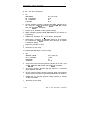
TRACK TRIG LVL-Press to enable or disable the Trigger Level
tracking cursor. See “Conditions For Cursors Display” in this section
for conditions required to display the Trigger Level tracking cursors.
TRACK * —Press to enable or disable the ground level tracking cursor. The TRACK A cursor follows the VERTICAL MODE in that it follows the lowest displayed channel of either CH 1 or CH 2.
(BACK TO PREVIOUS MENU)—Returns the first page of the Cursors
menu.
(MENU OFF)-Clears the menu from the display,
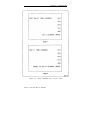
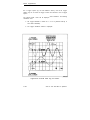
Time Menus
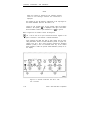
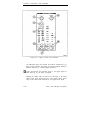
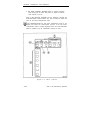
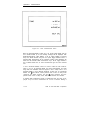
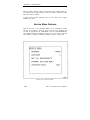
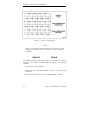
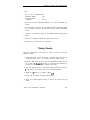
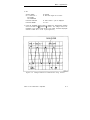
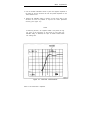
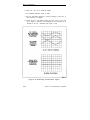
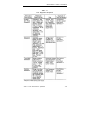
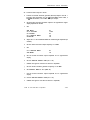
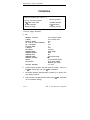
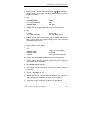
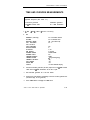
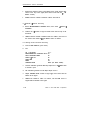
Press the TIME button to call up the time measurement choices shown in
Figure 3-7.
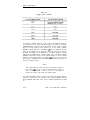
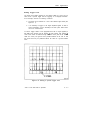
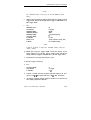
Vertical cursors are displayed for use in setting the time-measurement
points in A Horizontal MODE. In ALT Horizontal MODE, the delay measurement is made using either the Intensified zones as the measurement points
or the alternate B delayed sweeps. For B Delayed Horizontal MODE, the
delayed sweeps only are available for making timing measurements.
2246 1Y and 2246 Mod A Operators
3-13