1
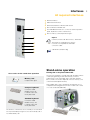
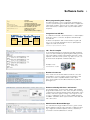
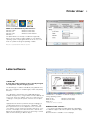
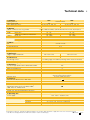
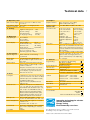
Technical data 7 10. Operation panel Buttons/LED display LCD graphic display Width x Height mm 11. Settings 12. Monitoring Stop printing if On the display 13. Test routines System diagnosis Short status, status print Status reports 14. Fonts Font types Character sets Bitmap-Fonts Vector-/TrueType fonts Font formats Font width Pause, Feed, Cancel, Menue, Enter, 4 x Cursor Text 4 lines, ca. 20 digits per line 60 x 40 Digital or analog clock System settings Print parameters 25 language settings Time Date Interfaces Security End of ribbon End of labels Printhead open Data reception Clock WLAN field intensity Date sheet Ethernet state abc Debug Used memory Input buffer Temperature printhead Access to memory card Remaining quantity of ribbon When switched on with testing of printhead Font list, device list, WLAN state, profile of label, test grid, monitor mode, PPP state Extensive status print with information about setting, e.g. print length counter, runtime counter etc. Request of machine state via software command. Detailed status messages on the display, e.g. network error-no link, barcode error etc. 5 Bitmap fonts incl. OCR-A, OCR-B and 3 Vector fonts Swiss 721, Swiss 721 Bold and Monospace 821 available internally, loadable TrueType fonts. Optional Chinese (simplified Chinese) Optional Thai Windows 1250 up to 1257, DOS 437, 737, 775, 850, 852, 857, 862, 864, 866, 869, EBCDIC 500, ISO 8859-1 up to -10 and -13 up to -16, WinOEM 720, UTF-8, Macintosh Roman, DEC MCS, K0I8-R. All West and East European latin, cyrillic, greek, hebrew and arabic caracters are supported. Optional Thai and Chinese Size of width and height 1 - 3 mm zoom 2-10. Orientation 0°, 90°, 180°, 270° Size of width and height 0.9 - 128 mm variable zoom, Orientation 360° in steps of 1° Bold, italic, underlined, outline, negative, grey, vertical, depending on character fonts Variable 15. Graphics Graphic elements Line, arrow, box, circle, ellipse, filled and filled with fading Graphic formats PCX, IMG, BMP, TIF, MAC, GIF, PNG 16. Barcodes Linear Barcodes Code 39, Code 93 Interleaved 2/5 Code 39 Full ASCII Ident- and leader Code 128 A, B, C code of Deut Codabar sche Post AG EAN 8, 13 JAN 8, 13 EAN/UCC 128 MSI EAN/UPC Appendix 2 Plessey EAN/UPC Appendix 5 Postnet FIM RSS 14 HIBC UPC A, E, E0 2D-Codes Aztec, Codablock F, Data Matrix, PDF 417, Micro PDF 417, UPS Maxicode, QR-Code, RSS 14 truncated, limited, stacked and stacked omnidirectional, EAN-Datamatrix, GS1 Data Bar All codes variable in height, module width and ratio. Orientation 0°, 90°, 180°, 270°. Optional with check digit, printed cha- racters and Start/Stop code depending on code type. 17. Software Programming J-Script direct programming abc-Basic Compiler Database Connector System diagnosis/ Printer monitoring administration Network Manager Label software cablabel R2+ Codesoft, Nicelabel, Easylabel l Bartender, Label Matrix, Labelview l Windows driver 32/64 bit for certified Windows 2000 Server 2003 Windows XP Server 2008 Windows Vista Server 2008 R2 Windows 7 Mac driver* OS X printer driver from version 10.4 Linux driver* Testet with Suse 9.0, CUPS based Stand-alone operation *not for XD4M Standard Option Authorised distribution by resellers l Innovative technology for a better climate protection. Energy-saving. Environmentally conscious. The specifications are according to our current technical knowledge. They are subject to change. Please recall current data from www.cab.de