1
7.2. OPERATOR MAINTENANCE
Scanner Maintenance
The only operator serviceable part of the Logos Scanner
is the fuse. If you experience any other maintenance
problem, contact your local Logos Imaging dealer.
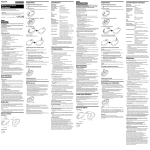
Follow these directions to change the fuse.
Fig. 7-2
Turn the Logos Scanner off as per Section 5.5. Unplug
the power cord and USB cable.
WARNING: To avoid possible electrical shock, ensure
that the power cord is unplugged.
Fig. 7-3
Insert a small, flat tipped screwdriver into the top of the
fuse cover on the back of the scanner. Pry the top of the
connector open.
Fig. 7-4
Remove the fuse holder. Change both fuses. Ensure that
new fuses meet the following specifications: 250 V, 2
amp, Time Lag, High Breaking Capacity. Insert the
fuses, REF 5101-0005, into the fuse holder.
Fig. 7-5
Insert the fuse holder and close the cover. Plug the
power cord back in and turn the system on as outlined in
Section 5.5.
Carousel Maintenance
The carousel from the Logos Scanner can be maintained by the operator.
Imaging Plate Maintenance
The Logos Scanner imaging plates have no operator serviceable parts.
The Logos Scanner Digital System might occasionally require lubrication. Please refer to the
Logos Scanner service manual or your service technician.
Logos Digital Imaging System
User Manual v 4.1.5
20