1
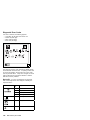
General Preparation
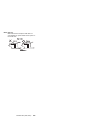
Note: In this manual, port replicator means the
SelectaDock Base Model I or SelectaBase 770.
SelectaDock means the SelectaDock III and the
SelectaDock Docking System means the port
replicator and SelectaDock when docked together
as one unit.
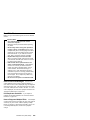
1. The SelectaDock III supports the ThinkPad 760E,
760ED, 760EL, 760ELD, 760XD, 760XL, 765D, 765L,
and 770. When any other model is docked to the
SelectaDock III, a beep sounds. Check which model
of the ThinkPad is docked to the SelectaDock III
before maintenance.
2. Check that the port replicator is correctly docked
(connected) to the SelectaDock III.
3. Check that the computer is correctly docked
(connected) to the SelectaDock Docking System.
4. Dock a computer to the port replicator has no
problem. If there is any problem with the
SelectaDock Docking System, replace the port
replicator.
5. If possible, make sure that there are no hardware
setting conflicts, such as interrupt levels, memory
addresses, DMA channels, and I/O addresses.
6. If the PCI or the ISA card is installed, check that the
card is supported by the computer.
7. Check that the SCSI ID is set correctly.
8. Test and correct any computer problems before you
test it with the SelectaDock Docking System. Use the
computer documentation to resolve any computer
problems.
9. Test the computer with the external keyboard,
external monitor, mouse, and parallel and serial
device connectors. (Use the keyboard/mouse
connector to test the external keyboard and mouse.)
If no problems are found, connect the external
keyboard, mouse, parallel and serial devices to the
SelectaDock Docking System. Then connect the
SelectaDock Docking System to the computer and
test it.
10. If external devices are attached to the SelectaDock
Docking System, such as an audio amplifier, check
the device by referring to the manual shipped with it.
11. If the user did not bring the computer with a
SelectaDock Docking System when service is
needed, use a computer that works correctly with the
SelectaDock Docking System.
624
IBM Mobile Systems HMM